

すりガラスシェーダー「朧」Oboro Frosted Glass Shader【VRChatワールド用/PC対応・Quest用Liteつき】
- Digital980 JPY
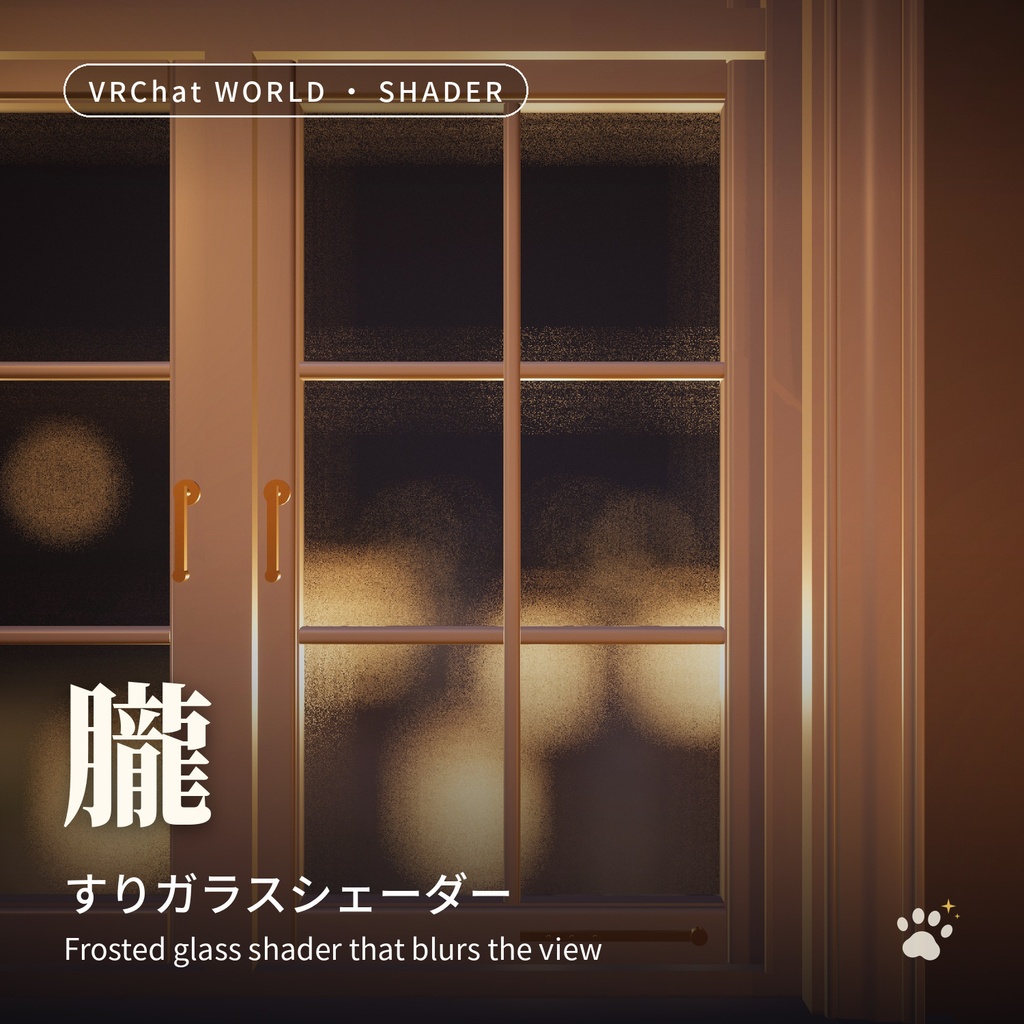
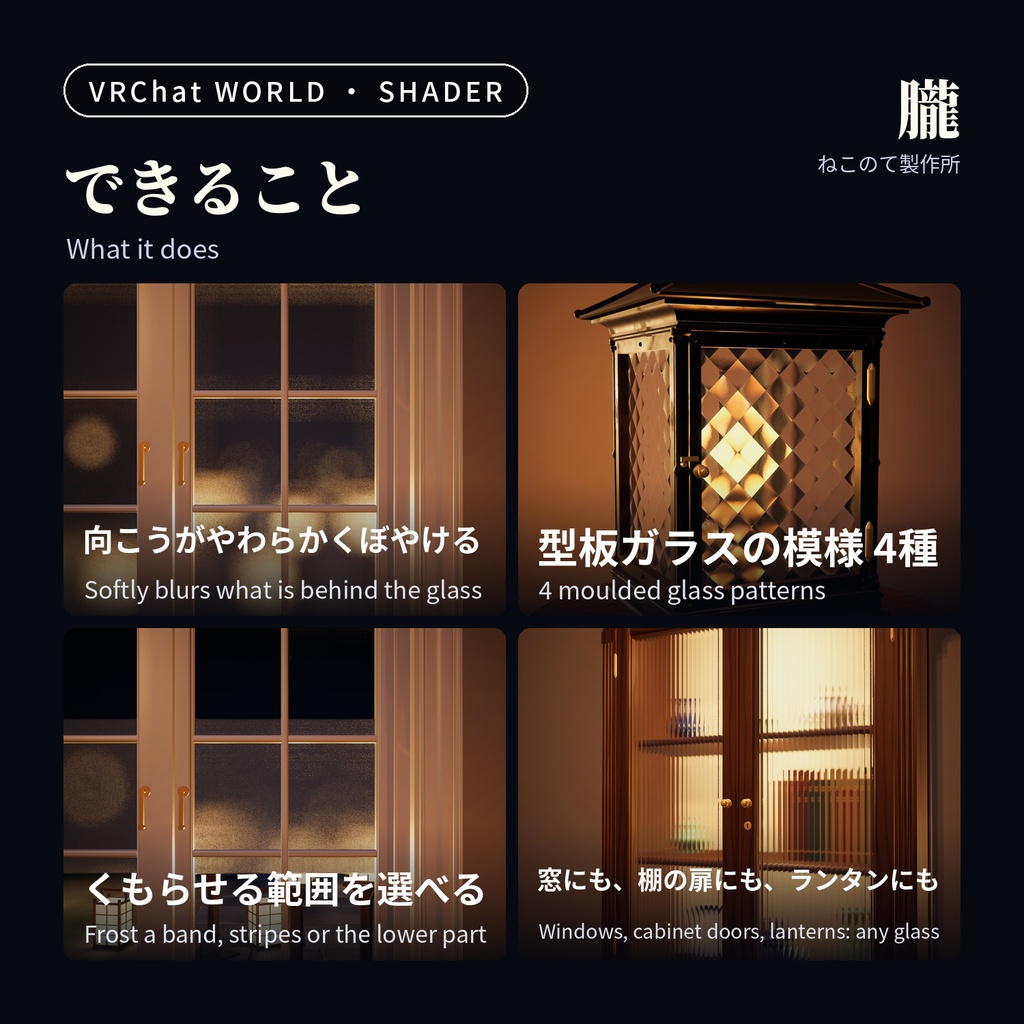
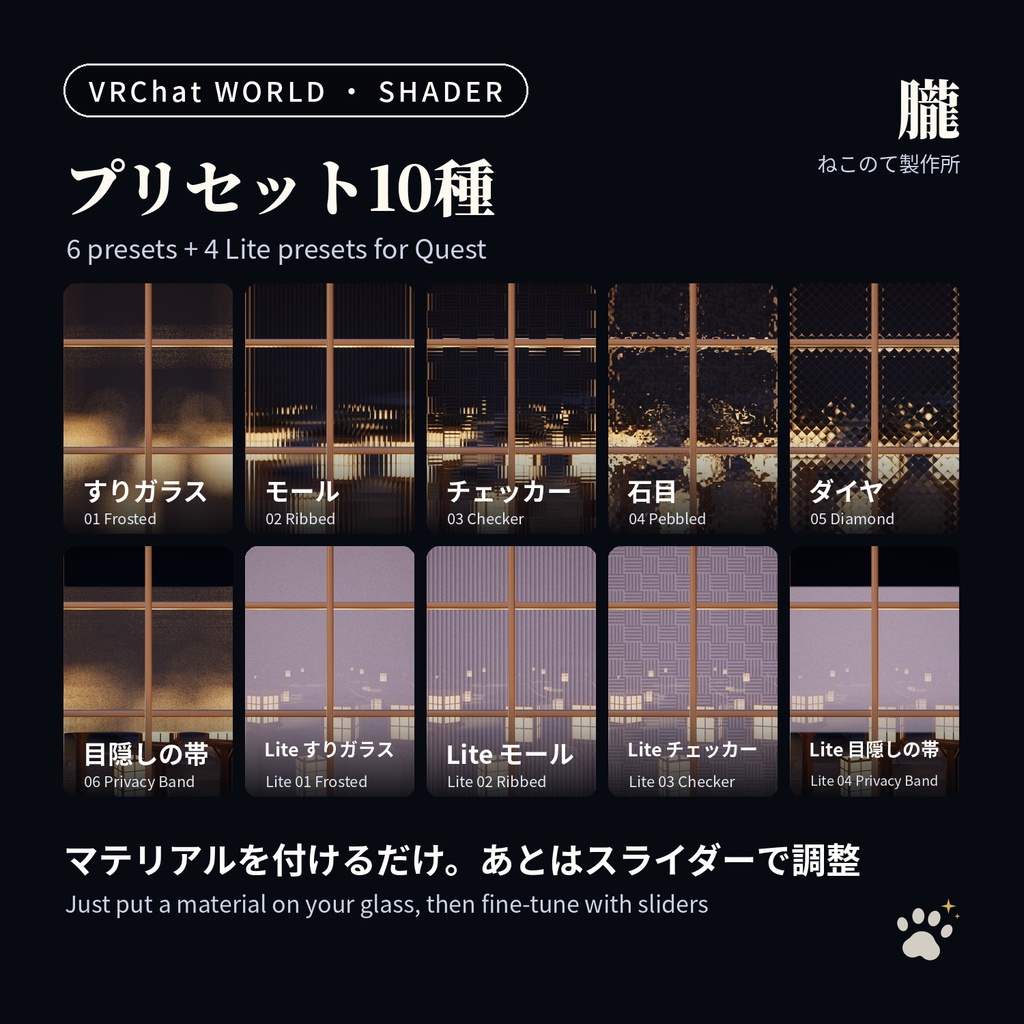
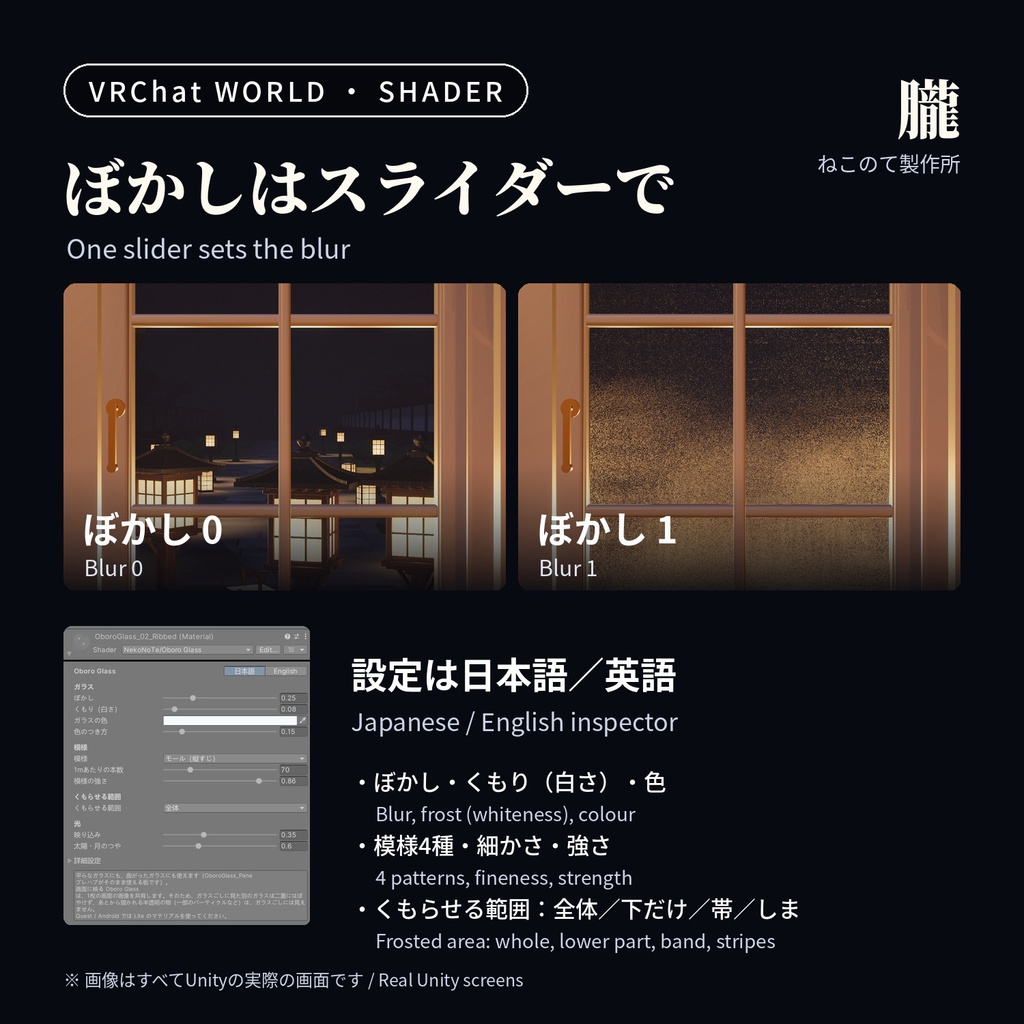
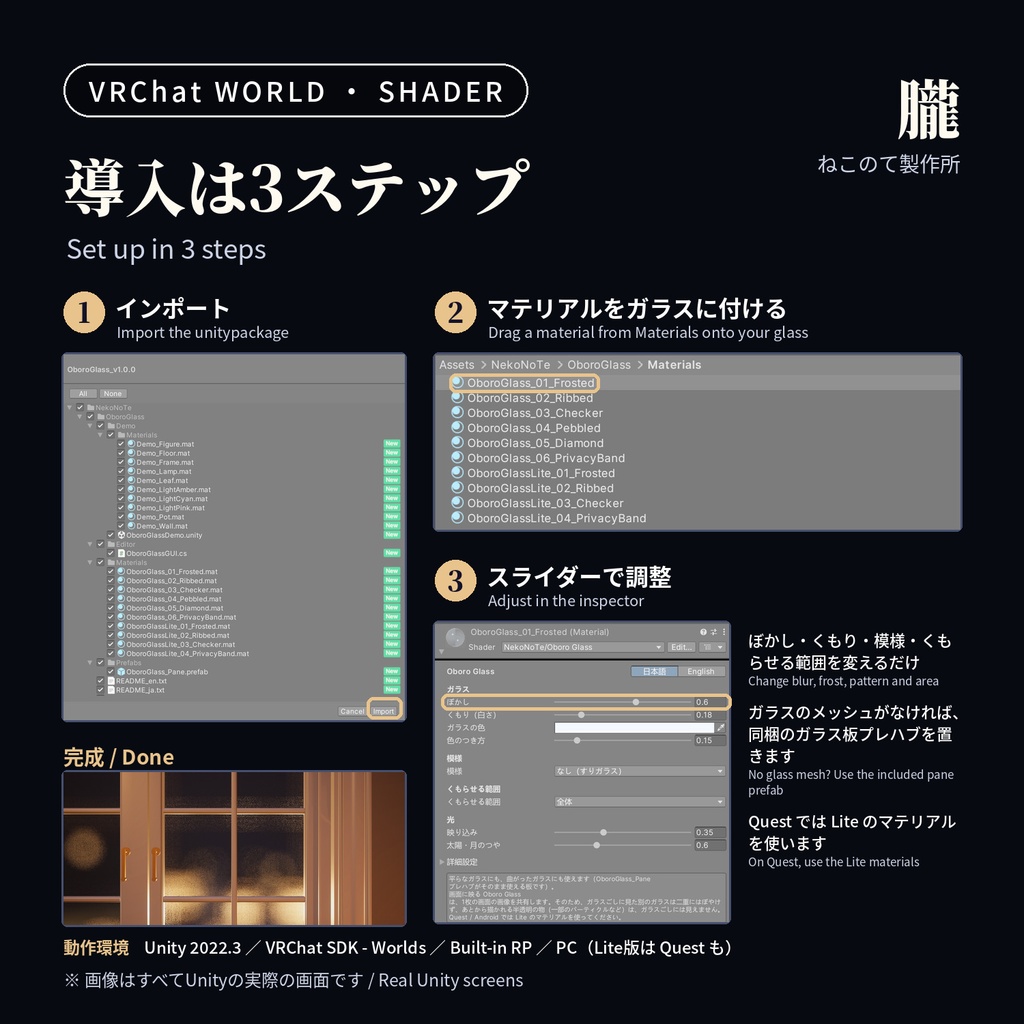


ガラスの向こうが、やわらかくぼやける「すりガラス」のシェーダーです。 窓、間仕切り、ドア、浴室、ショーケースなどに。VRChatワールド用です。 ■ 特長 ・マテリアルを付けるだけ。平らなガラスにも、曲がったガラスにも使えます ・ぼかしの強さ、くもり(白さ)、色を調整できます ・型板ガラスの模様 4種:モール(縦すじ)/チェッカー/石目/ダイヤ ・くもらせる範囲を選べます:全体/下だけ/帯/しま(残りは透明なガラス) ・窓枠が、ぼかしににじみ込みません(デプステクスチャがあれば、格子の桟や取っ手も) ・ワールドの光になじみます(太陽・月/ライトプローブ/VRC Light Volumes) ・映り込みと、太陽・月のつや ・Quest(Android)用の軽い Lite版つき(ぼかしの代わりに、くもりで隠します) ・プリセット10種(通常版6 + Lite版4)、日本語/英語のインスペクター ・テクスチャなし、スクリプトなし(Udon不要) ■ 使い方 1. unitypackage をインポート 2. Materials フォルダのマテリアルを、ガラスのメッシュに付ける (メッシュがなければ、同梱のガラス板プレハブを置いて大きさを合わせます) 3. インスペクターで、ぼかしや模様を調整 ■ 負荷 ・通常版は、カメラごとに画面を1回コピーします(GrabPass)。ガラスが何枚あってもコピーは1回です ・重さは、ガラスが画面に占める広さと「品質」で決まります 画面いっぱいのガラスで計測(RTX 4090/2048×2048): Lite +0.9ms / 軽い +4.1ms / 標準 +7.5ms / きれい +16.3ms ・ガラスの多いワールドでは、遠くや小さなガラスを Lite版にするのがおすすめです ■ 動作環境 Unity 2022.3 / VRChat SDK - Worlds / Built-in RP 通常版:PC / Lite版:PC・Quest(Android) ■ ご購入前に ・通常版は Quest では使えません。Quest では Lite版を使ってください ・Lite版は Quest(Android)向けのコンパイルを確認しています。実機では未確認です ・ガラスごしに見た別の「朧」のガラスは、二重にはぼやけません ・一部の半透明(パーティクルなど、Render Queue が 3010 より大きい物)は、ガラスごしには見えません ・ガラスは影を落としません ・VRC Light Volumes 本体は付属しません(なくても動きます) ・画像・動画の窓・棚・ランタン・部屋・庭は付属しません(デモシーンは別のものです) ・画像・動画はすべてUnityの実際の画面です ■ 更新履歴 2026/10/12 v1.0.0 公開 ■ 利用規約 個人・商用利用OK、改変OK、クレジット不要。再配布・再販売は禁止です。 詳しくは同梱の Terms_ja.txt をご覧ください。 ――― English ――― Oboro Glass: a frosted glass shader for VRChat worlds. What is behind the glass is softly blurred, as with real frosted glass. ・Just put a material on your glass mesh (flat or curved) ・Adjustable blur, frost (whiteness) and color ・4 moulded glass patterns: ribbed, checker, pebbled, diamond ・Choose the frosted area: whole pane, lower part, one band or stripes (the rest stays clear) ・Window frames do not bleed into the blur (with a depth texture, glazing bars and handles in front stay clean too) ・Takes the light of the world: sun and moon, light probes, VRC Light Volumes ・A light "Lite" version for Quest (Android) that veils instead of blurring ・10 presets (6 standard + 4 Lite). Japanese / English inspector. No textures, no scripts How to use: import, put a material from the Materials folder on your glass (or place the included pane prefab), adjust in the inspector. Unity 2022.3 / VRChat SDK - Worlds / Built-in RP. Standard: PC. Lite: PC and Quest. Cost: Standard copies the screen once per camera, however many panes there are. Measured with glass filling the screen (RTX 4090, 2048x2048): Lite +0.9 ms, Light +4.1 ms, Standard +7.5 ms, Fine +16.3 ms. Notes: Standard does not run on Quest (use Lite; Lite is compile-checked for Android, not tried on a headset). Another Oboro Glass seen through the glass is not blurred twice. Some see-through things (Render Queue above 3010) are not seen through it. VRC Light Volumes itself, and the window, cabinet, lanterns, room and garden in the pictures, are not included. Terms: personal and commercial use OK, edits OK, no credit needed. No redistribution or resale. See Terms_en.txt. ■ 関連アイテム / Related items ・陽射し:窓から差し込む光のすじ(ゴッドレイ) / Hizashi Light Shaft https://nekonoteworks.booth.pm/items/8951066 ・庭あかり:置き灯籠・行灯・吊り灯籠の和風ランタン / Niwa Lanterns https://nekonoteworks.booth.pm/items/8955911 ・霞:地面に広がり、ライトで光る霧 / Kasumi Fog https://nekonoteworks.booth.pm/items/8970147