
【縦型・TikTok対応】縦型ペンライト客席 / Vertical Penlight for TikTok・TikFinity — ギフトで名前つき金色ペンライト・名前はずっと客席に・スマホのチャットに隠れない高さ 16色(日英・わんコメ / Twitch対応)
- 16色フルセット / 16-Color Full SetDigital2,000 JPY
- Ruby RedDigital400 JPY
- Yume PastelDigital400 JPY
- Jirai NoirDigital400 JPY
- TangerineDigital400 JPY
- Honey LemonDigital400 JPY
- Matcha LatteDigital400 JPY
- Mint BlissDigital400 JPY
- Matrix GlowDigital400 JPY
- Cinnamon SkyDigital400 JPY
- Ocean BlueDigital400 JPY
- Skyline NightDigital400 JPY
- Lilac DreamDigital400 JPY
- Classic TwitchDigital400 JPY
- Mocha CocoaDigital400 JPY
- Soft BeigeDigital400 JPY
- Classic WhiteDigital400 JPY
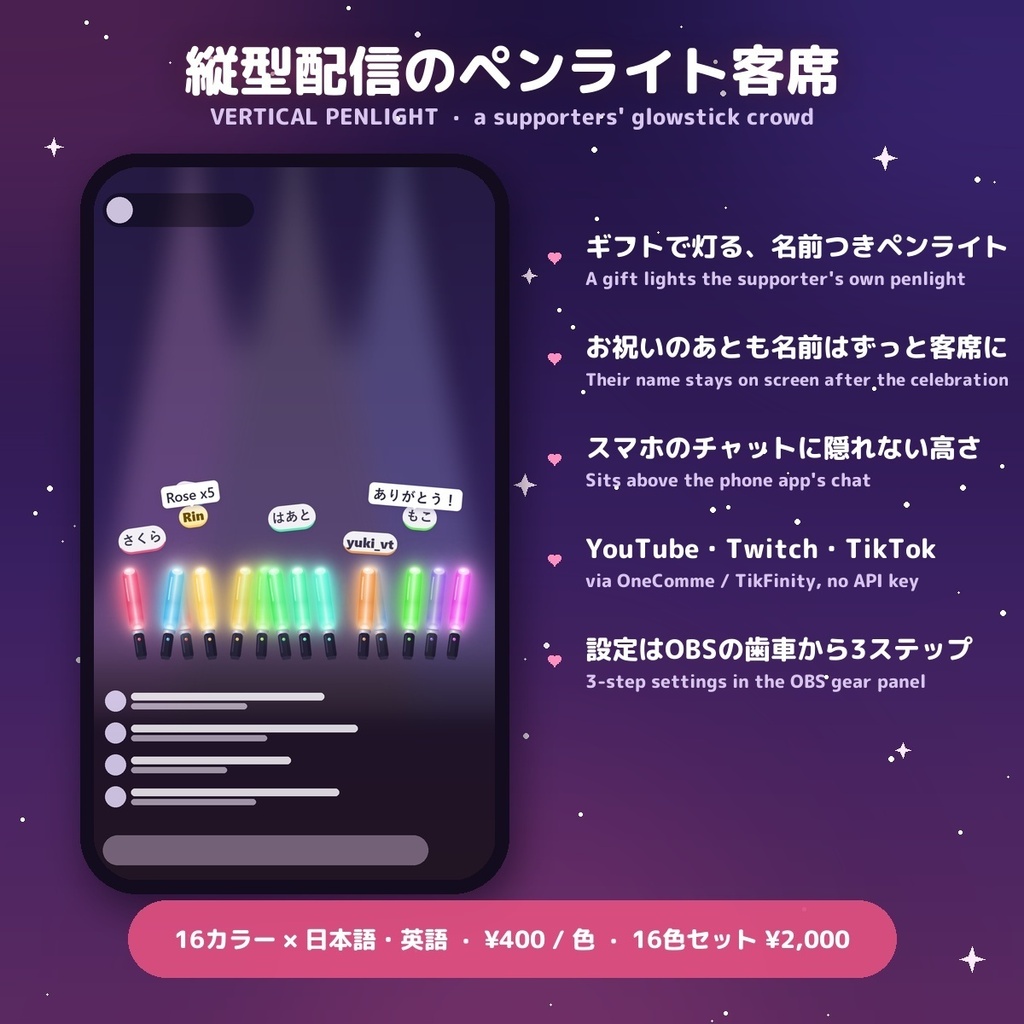
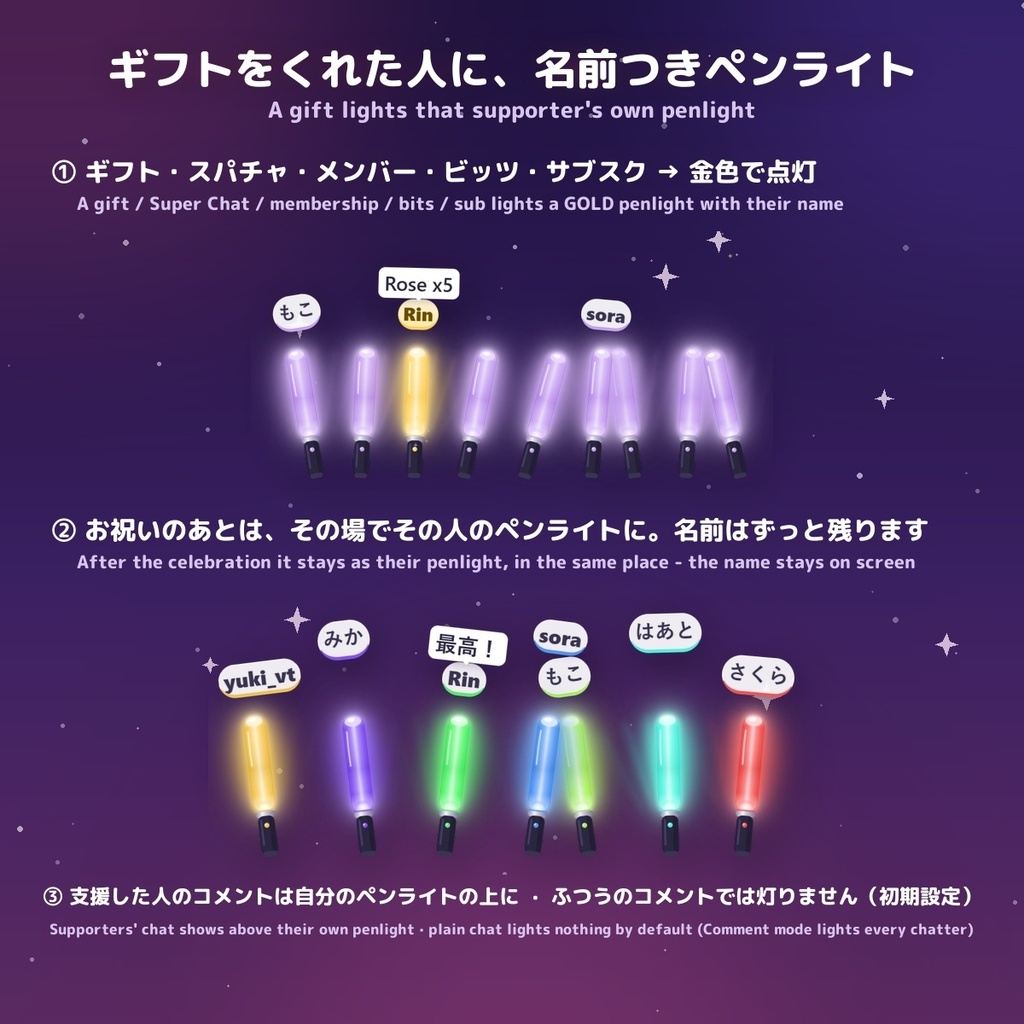
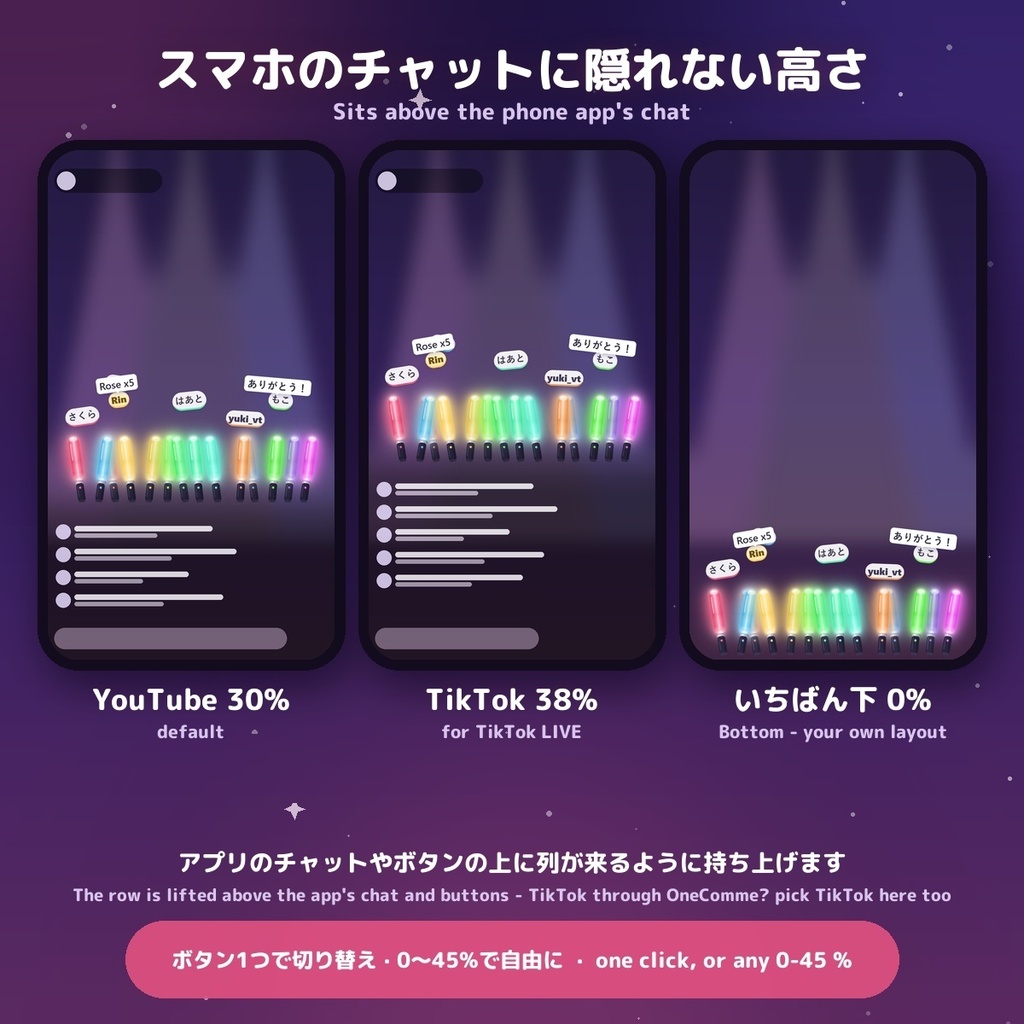
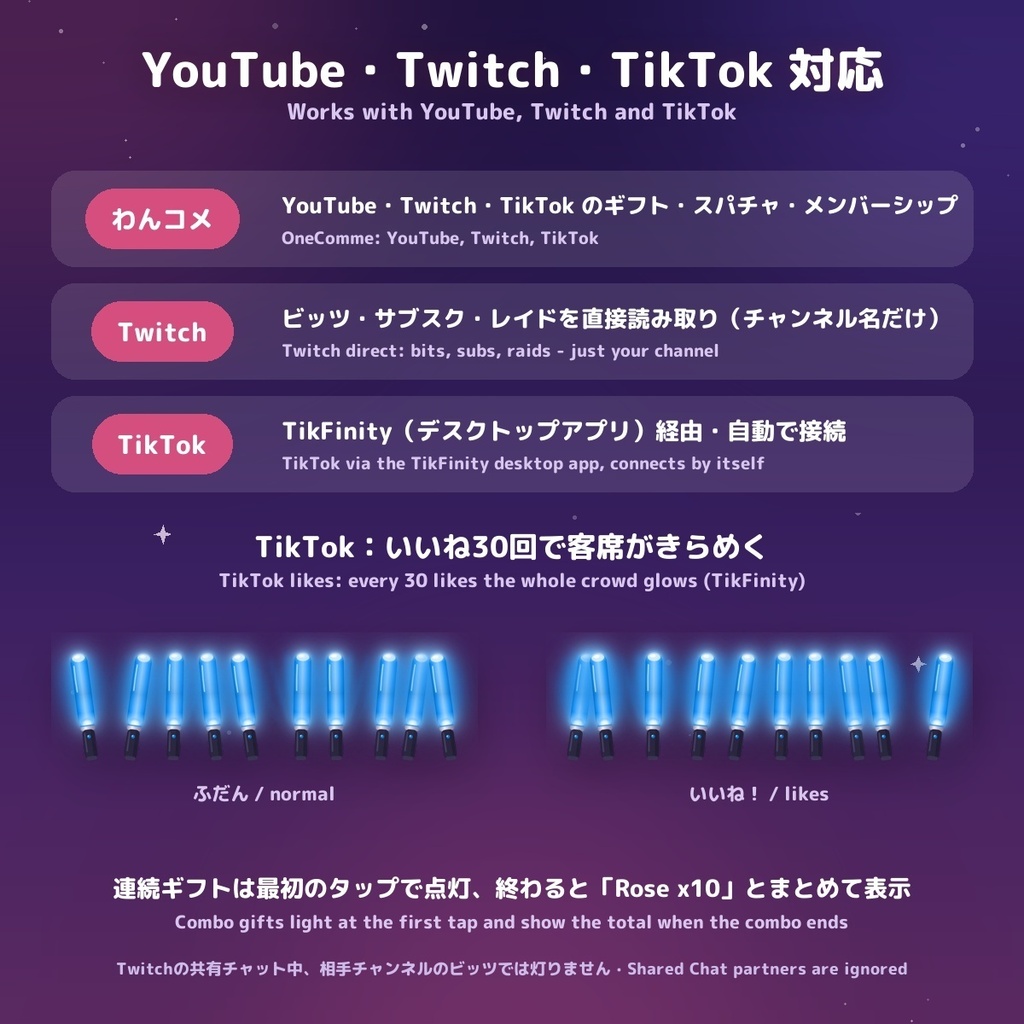
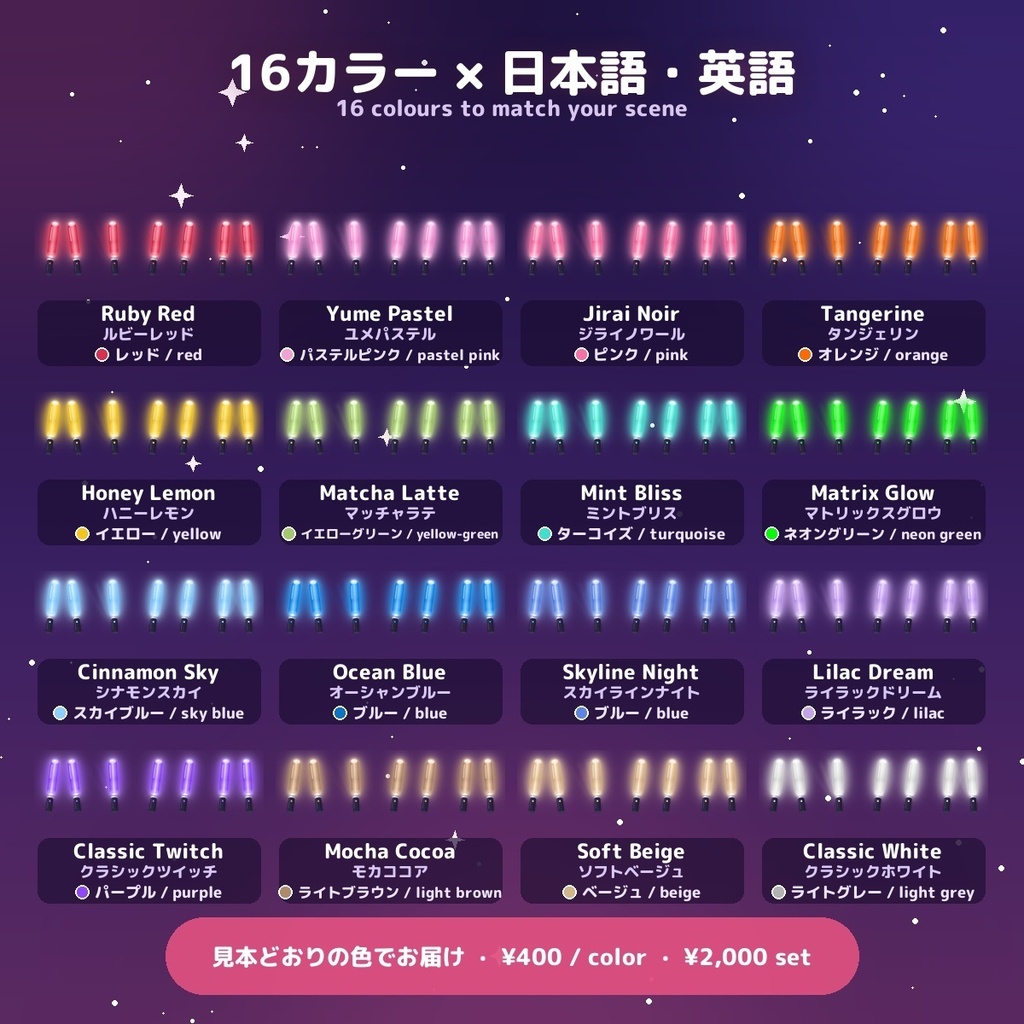
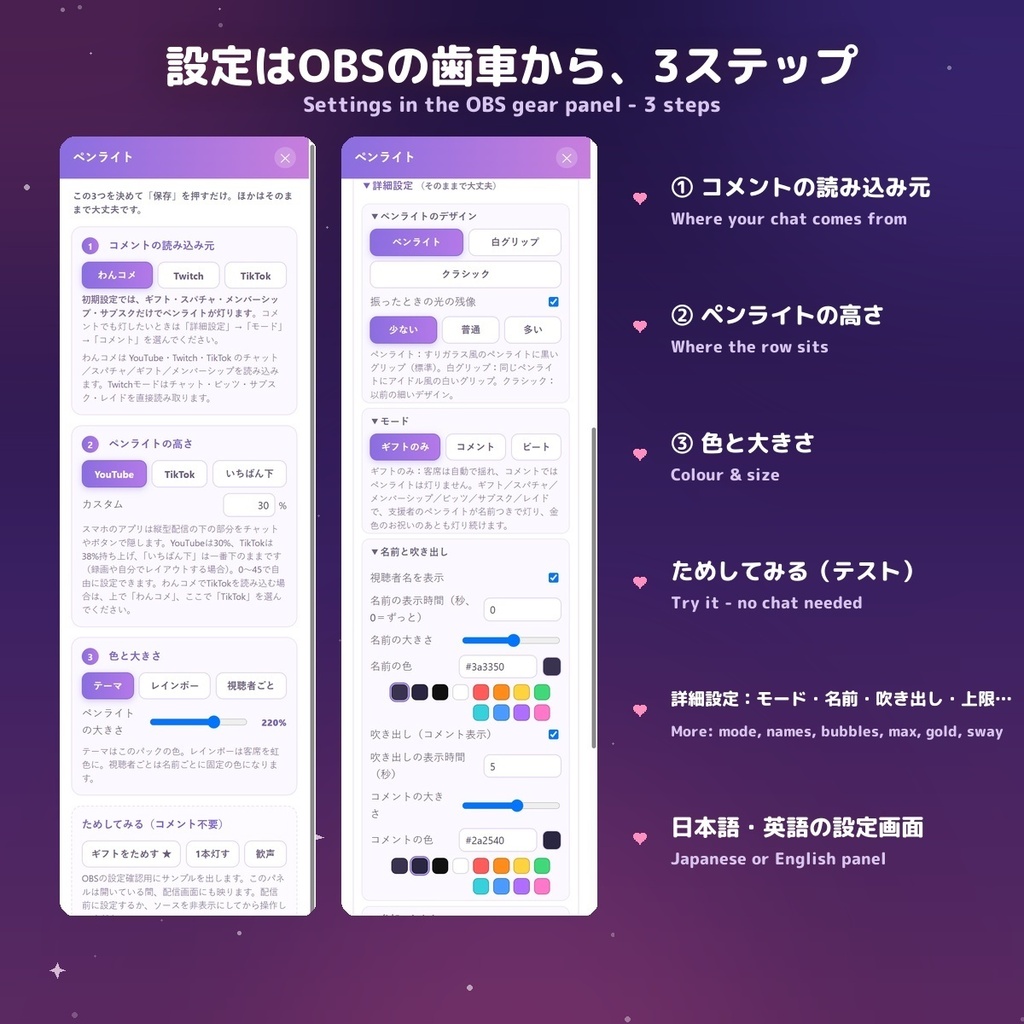
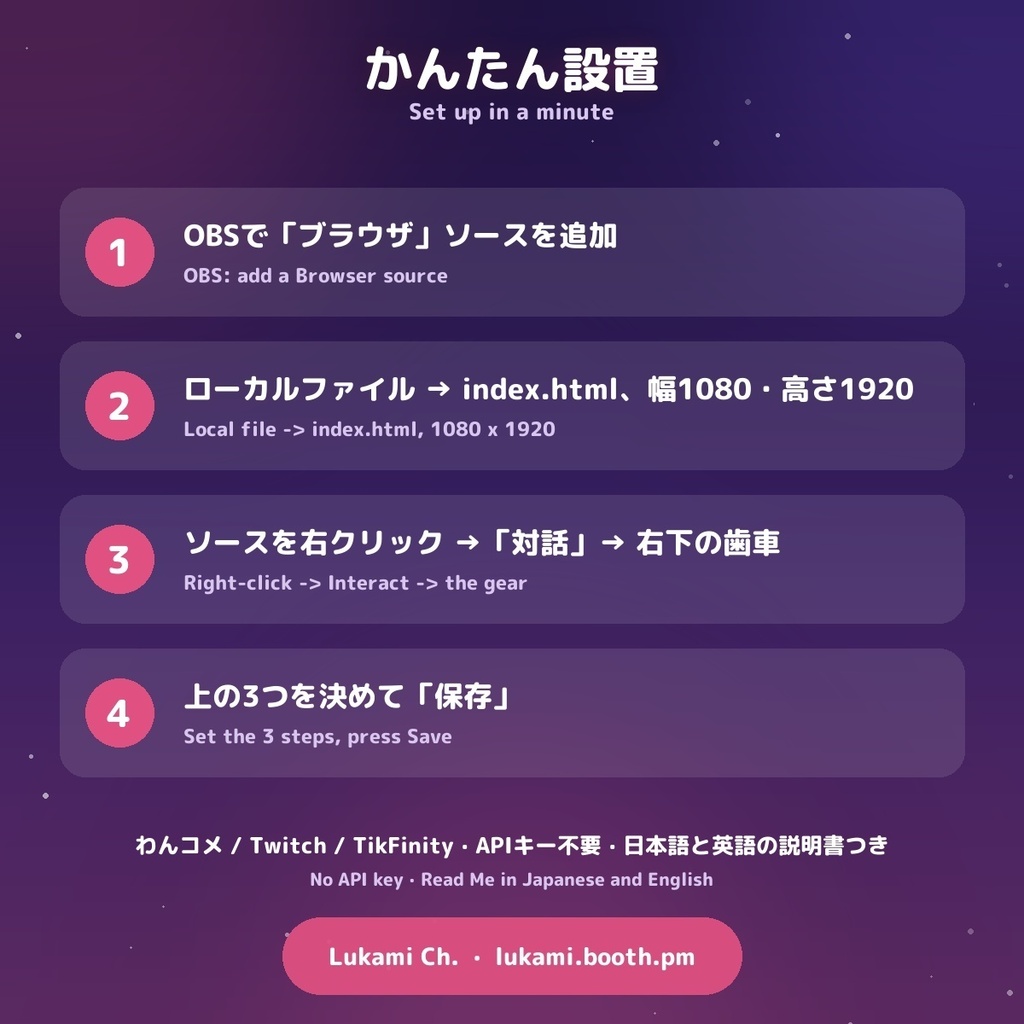


縦型配信(スマホ向け 1080×1920)のための、支援してくれた人のペンライト客席です。 ギフト・スパチャ・メンバーシップ・ビッツ・サブスク・レイド・TikTokギフトが届くと、その人の名前つきの金色ペンライトがきらめきと共に灯ります。お祝いが終わると、同じ場所でその人のいつものペンライトに。名前はずっと客席に残ります(初期設定)。アカウント登録も API キーも不要、HTML ファイルひとつ。 ━━━━━━━━━━━━━━ ◆ 16カラー(1色 ¥400 / 16色セット ¥2,000) どの色も機能は同じ。配信の雰囲気に合う色を選べます。日本語・英語の両方の設定画面が入っています。 ◆ ギフトで灯る(初期設定) ふだんは客席がゆらゆら揺れるだけ。支援があると、その人の名前つきの金色ペンライトが灯り、16秒のお祝いのあと、その場でいつものペンライトに。もう一度支援があると、その場でまた金色に。 支援してくれた人のコメントは、自分のペンライトの上に吹き出しで表示。ふつうのコメントでは灯りません。 チャットした人全員を灯したいときは「コメント」モード、客席がそろって波打つ「ビート」モードもあります。 ◆ スマホのチャットに隠れない高さ スマホのアプリは縦型配信の下の部分をチャットやボタンで隠します。ボタンひとつで YouTube 30%・TikTok 38%・いちばん下 0% に切り替え。0〜45% で自由に設定もできます。 ◆ YouTube・Twitch・TikTok 対応 わんコメ(YouTube・Twitch・TikTok)、Twitch 直接(チャット・ビッツ・サブスク・レイド)、TikFinity(TikTok)から読み込み。TikFinity ではいいね30回ごとに客席がきらめきます。 TikTok の連続ギフトは最初のタップで点灯し、終わると「Rose x10」のようにまとめて表示(お祝いは1回)。 ◆ 設定はかんたん OBS の「対話」で歯車を開くと、最初は3ステップだけ(読み込み元・高さ・色と大きさ)+「ためしてみる」ボタン。細かい設定(デザイン・モード・名前と吹き出し・参加のしかた・ギフトのペンライト・客席と揺れ・テンポ)は「詳細設定」に。1920の縦長でも読みやすい大きさのパネルです。 ◆ 長時間でも軽い ペンライトの数には上限があり(初期 60、金色は押し出されません)、何時間配信しても重くなりません。 ━━━━━━━━━━━━━━ ◆ 横型の「客席ペンライト」とのちがい ・画面:こちらはスマホ向けの縦型(1080×1920)/横型は横長の配信用 ・初期設定:こちらはギフトをくれた人だけが灯る/横型はコメントした全員が灯る ・お祝いのあと:こちらは同じ場所でその人のペンライトとして残り、名前もずっと表示 ・TikTok:こちらはわんコメと TikFinity の両方に対応(いいねで客席がきらめく・連続ギフトはまとめて表示)/横型はわんコメ経由のみ ・こちらだけ:スマホのアプリのチャットに隠れない高さ(YouTube/TikTok/いちばん下)、スマホで読める大きめのペンライト・名前・吹き出し ・同じところ:16色・ペンライト3デザイン・3つのモード・投げ銭の色・吹き出し・客席の設定 ・設定は別々に保存されるので、両方同時に使えます。横型はこちら → https://lukami.booth.pm/items/8761185 【設置】 1. OBS の「ブラウザ」ソースで index.html を選択(ローカルファイル、幅 1080・高さ 1920)。 2. ソースを右クリック→「対話」→ 右下の歯車で設定し、「保存」。「ギフトをためす」で動きを確認できます。 詳しくは同梱の「お読みください」に。 【ご注意】 ・TikTok は TikFinity(デスクトップアプリ)を同じPCで起動して LIVE に接続してください。いいねのきらめきは TikFinity のみ。 ・ソースの再読み込みや OBS の再起動で客席は空に戻ります(配信中は読み込んだままでお使いください)。 ・横型の「ペンライト」(#36)とは別の商品です。両方使えて、設定もそれぞれ別に保存されます。 【ライセンス】 配信・動画・録画でのご利用(個人・収益化を問わず)、ご自身のチャンネル用の編集は自由です。 ファイルの再配布・再販売・共有(編集の有無を問わず)、他の商品や素材集への同梱は禁止します。 【動作環境】OBS Studio のブラウザソース。わんコメ(OneComme)、Twitch、または TikFinity。API キー不要。 お問い合わせ: Discord: akochanstar その他のLukamiウィジェット: https://lukami.booth.pm/ ──────────── A supporters' penlight crowd for vertical (1080x1920) streams. A gift, Super Chat, membership, bits, sub, raid or TikTok gift lights that viewer's own GOLD penlight with their name and a sparkle. When the celebration ends it stays in the same spot as their normal penlight, and the name stays on screen (default). No account, no API key - one HTML file. - 16 colours (¥400 each / all 16 for ¥2,000), every pack with an English and a Japanese panel. - Gifts only by default: plain chat lights nothing; a supporter's chat shows as a bubble above their own penlight. Comment mode (every chatter) and Beat wave mode are one click away. - The row sits above the phone app's chat: YouTube 30 %, TikTok 38 %, Bottom 0 %, or any 0-45 %. - OneComme (YouTube / Twitch / TikTok), Twitch direct (chat, bits, subs, raids) or TikFinity (TikTok). With TikFinity, every 30 likes the crowd glows. - TikTok combo gifts light at the first tap and show the total (e.g. Rose x10) once, when the combo ends. - Simple panel: 3 steps + Try buttons up front, the rest under More settings; sized to read on a 1920-tall source. - Capped penlight count (default 60, gold never pushed out) - it stays light over a long stream. How it differs from the horizontal Penlight (#36): this one is for vertical 1080x1920 streams; by default only supporters (gifts, Super Chats, members, subs) light a penlight, and it stays with their name after the celebration (the horizontal one lights every chatter); TikTok through OneComme OR TikFinity directly, with likes making the crowd glow and combo gifts shown once (the horizontal one reads TikTok through OneComme only); rows lifted above the phone app's chat; bigger penlights, names and bubbles for phones. The same: 16 colours, 3 penlight styles, 3 modes, donation colours, bubbles and crowd settings. Separate settings, so you can use both. Horizontal: https://lukami.booth.pm/items/8761185 Setup: index.html as a Browser Source (Local file, 1080x1920); right-click -> Interact -> the gear -> set the 3 steps and Save. Notes: TikTok needs the TikFinity desktop app running on the same PC; reloading the source starts an empty crowd. This is a separate product from our landscape Penlight (#36). Use it in your streams and videos, personal or monetised. Do not resell, redistribute or share the files. Contact - Discord: akochanstar More Lukami widgets: https://lukami.booth.pm/
