

【期間限定無料 / Free for a limited time】【VRChat・MA対応】シャボン玉ギミック / Soap Bubble Gimmick — 指先からシャボン玉・触れると1個ずつ割れる大きなシャボン玉・4色・同期11bit
- Digital0 JPY
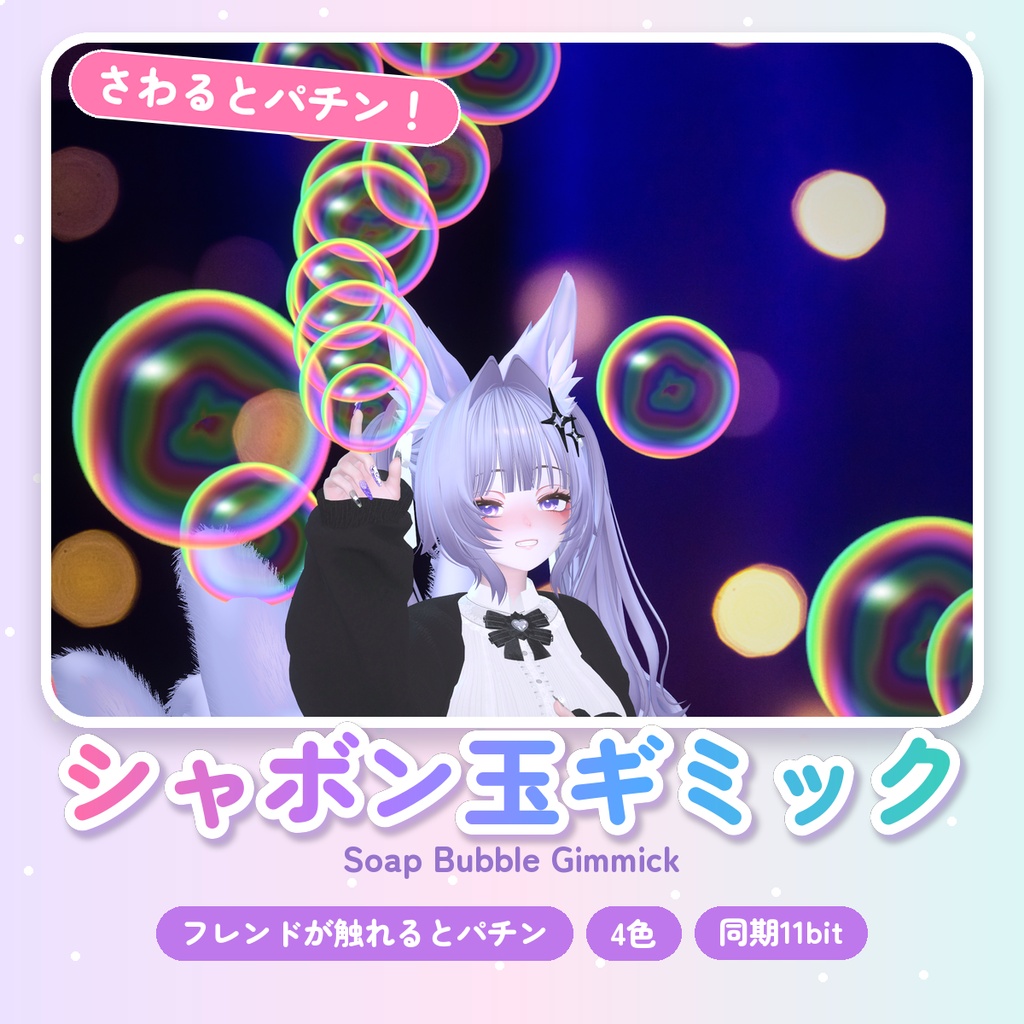
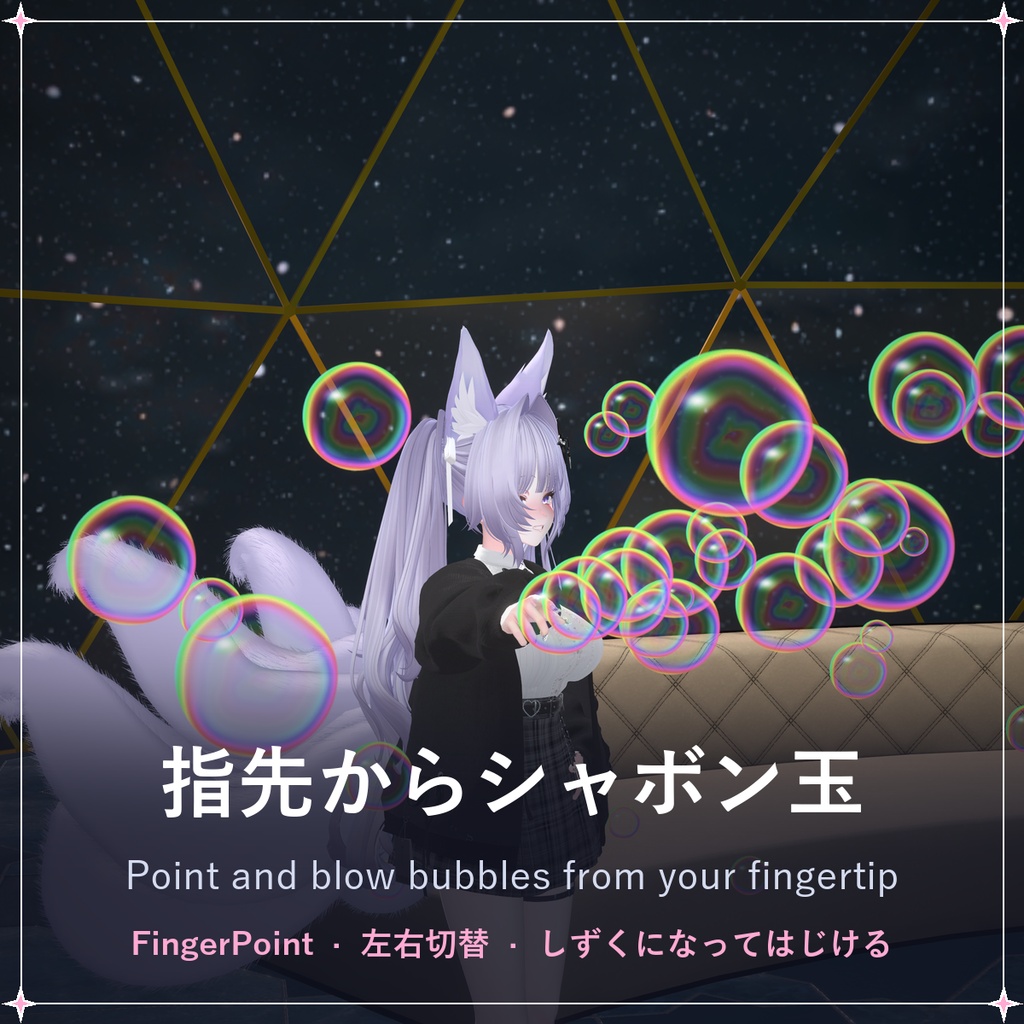
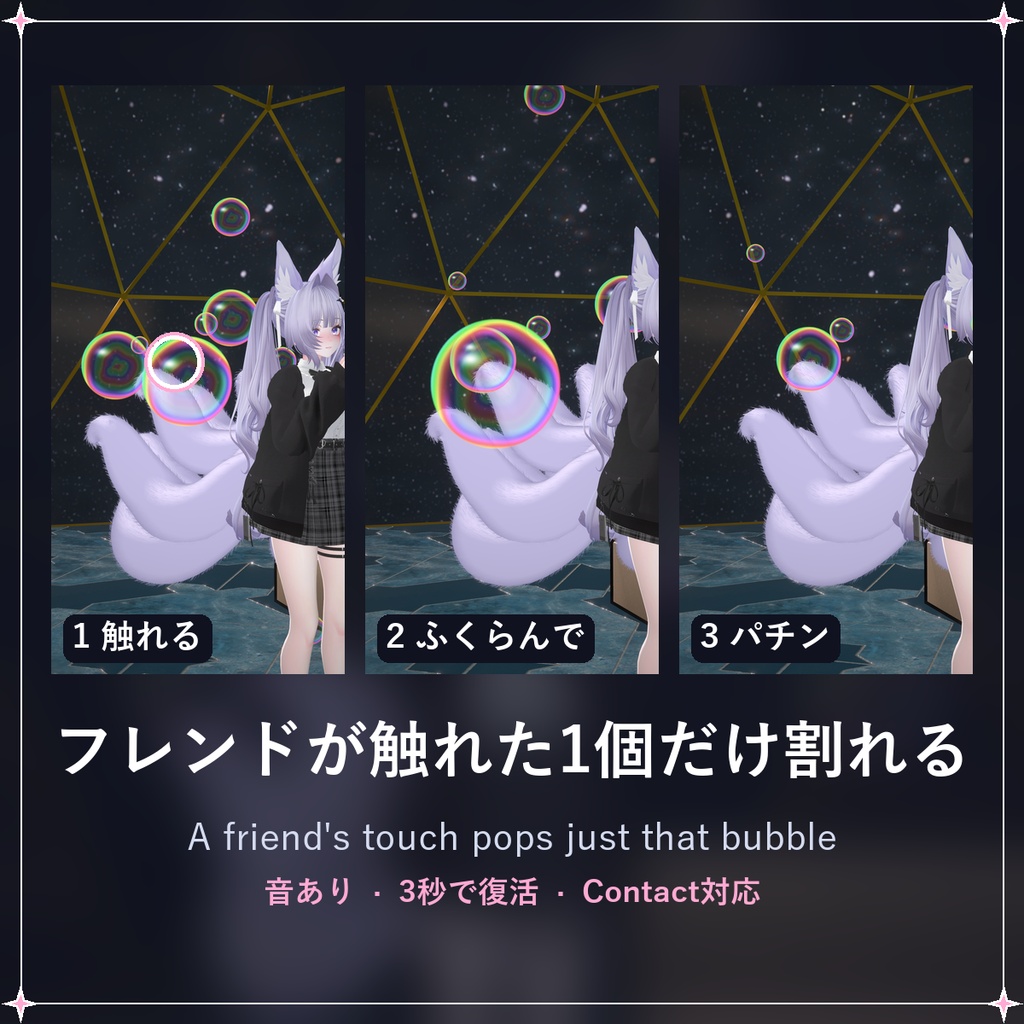
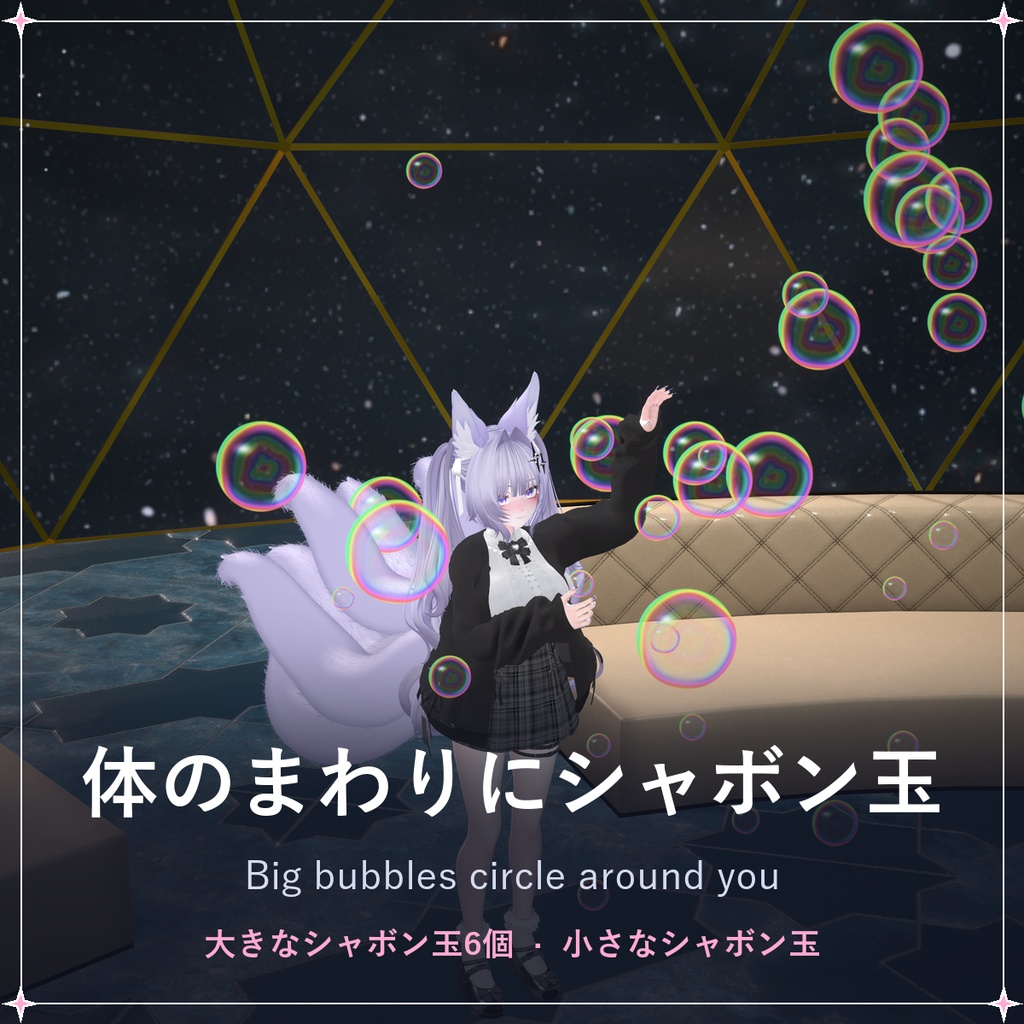
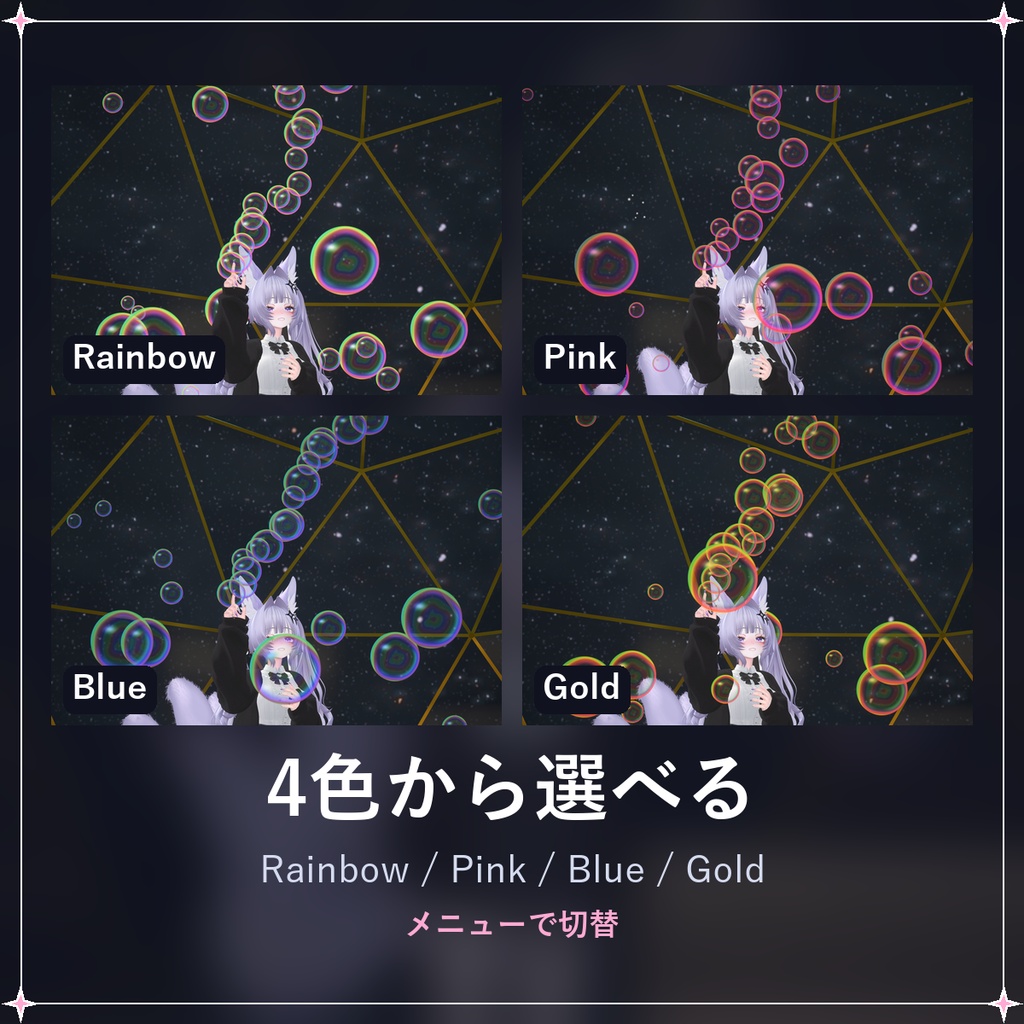
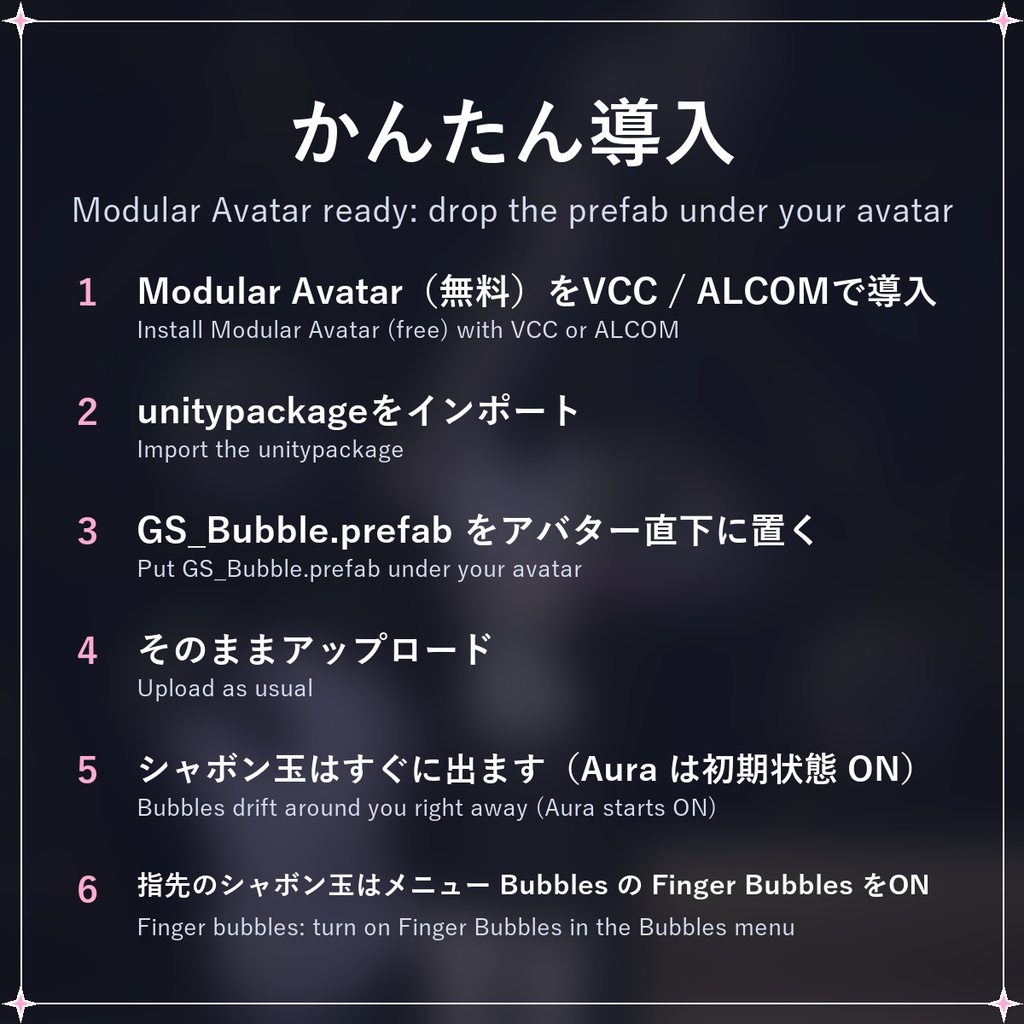
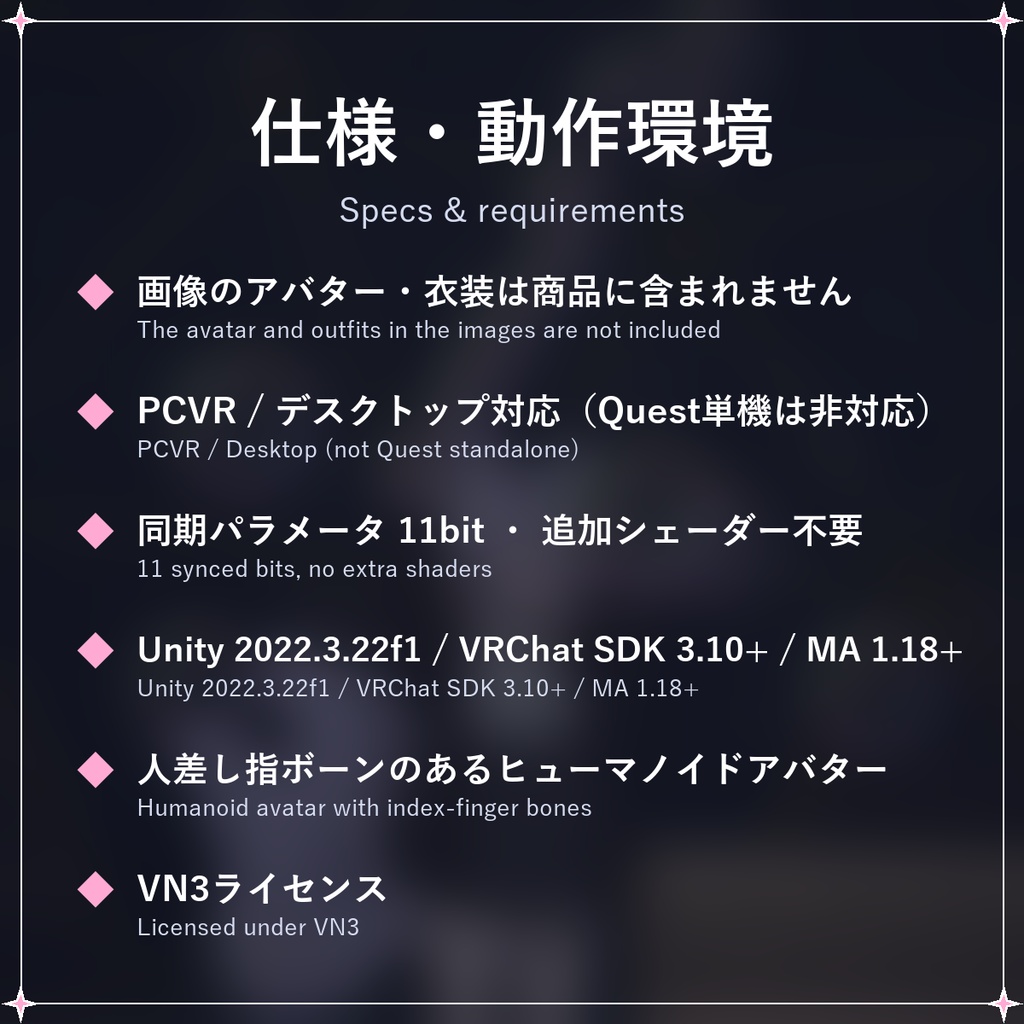


【期間限定無料】2026/11/23(月)23:59(日本時間)まで無料でダウンロードできます。以降は¥300になります。 [Free for a limited time] Free until Mon 23 Nov 2026, 23:59 JST; ¥300 after that. 指先からシャボン玉を吹き出し、体のまわりに大きなシャボン玉を浮かべるVRChat用アバターギミックです。 大きなシャボン玉は、フレンドが手で触れるとその1個だけがパチンと割れて、しばらくするとまた現れます。 Modular Avatar対応。プレハブをアバターの直下に置くだけで導入できます。 ━━━━━━━━━━━━━━ ◆ 指先シャボン玉(Finger Bubbles) メニューでONにして人差し指を指す(FingerPoint)と、指の向きにシャボン玉が流れ出します。 左右どちらの手で吹くかはメニューで切り替え。吹いている間はシャボン玉の小さな音が鳴ります。 床や壁に当たったシャボン玉は、しずくになってはじけます。 ◆ 触れると割れる大きなシャボン玉(Aura) 導入するとすぐ、大きなシャボン玉6個が体のまわりをゆっくり回り、小さなシャボン玉もふわふわ漂います(メニューの Aura でON/OFF)。 他の人が手で触れると、触れた1個だけが「ぽんっ」と割れて(音あり)、3秒後にまた現れます。 ◆ 4色 Rainbow / Pink / Blue / Gold をメニューから切り替えできます。 ◆ 同期パラメータ11bit 同期パラメータは11bitだけ。追加シェーダー(lilToon等)は不要です。 ━━━━━━━━━━━━━━ 【設置】 1. Modular Avatar(無料)をVCCまたはALCOMで導入 リポジトリURL: https://vpm.nadena.dev/vpm.json 2. unitypackageをインポート 3. Assets/LukamiFX/Bubble/GS_Bubble.prefab をアバター直下(Armatureと同じ階層)に置く (Unityの編集画面では何も表示されません。エフェクトはPlay中とアップロード後に出ます) 4. そのままアップロード 5. 体のまわりのシャボン玉はすぐに出ます(Aura は初期状態 ON)。指先のシャボン玉は Expressionメニュー → Bubbles で ON にします(Finger Bubbles は初期状態 OFF) 【ご注意】 ・PCVR / デスクトップ対応です(Quest単機は非対応)。 ・サンプル画像・動画のアバターは「しなの」(ポンデロニウム研究所)です。アバター・衣装・背景は商品に含まれません。 ・人差し指のボーンが設定されたヒューマノイドアバターが必要です。 ・他の人が触れて割るには、VRChatのAvatar Interactions設定でお互いに許可されている必要があります(初期設定はフレンドのみ)。 ・FingerPointのハンドサインに表情が設定されている場合、表情も一緒に変わります。 ・指から出した小さなシャボン玉は、手に触れられるとまとめて割れます(1個ずつではありません)。 ・指先シャボン玉はTポーズのアバターで指の向きにまっすぐ飛びます(Aポーズのアバターでは少し上向きになります)。 ・パフォーマンスランクの目安:Particle Systems 13(Poor)、Contacts 8、Audio Sources 4。 【動作環境】 Unity 2022.3.22f1 / VRChat SDK Avatars 3.10以降 / Modular Avatar 1.18以降 【ライセンス】 VN3ライセンスに基づいて提供されます。利用規約は同梱のPDFをご確認ください。 ──────────────── English Soap Bubble Gimmick for VRChat avatars: blow soap bubbles from your fingertip and keep big bubbles floating around you. When a friend touches a big bubble with their hand, only that bubble pops - and it comes back a moment later. Modular Avatar ready: drop the prefab under your avatar and upload. The bubbles around you show right after uploading (Aura starts ON). Finger Bubbles starts OFF: switch it on in the Expression menu (Bubbles). - Finger Bubbles: turn it on and point (FingerPoint); bubbles stream out along your finger, with a soft bubbling sound. Choose the left or right hand in the menu. Bubbles that hit floors or walls burst into droplets. - Aura: six big bubbles circle around you with small bubbles drifting nearby (Aura in the menu turns them off). A touch pops just that one bubble (with a pop sound); it reappears after 3 seconds. - 4 colours: Rainbow / Pink / Blue / Gold. - 11 bits of synced parameters, no extra shaders needed. Images and video show the avatar Shinano (Ponderonium Lab); the avatar, outfits and backgrounds are not included. Notes: PCVR / Desktop only (not Quest standalone). Needs a humanoid avatar with index-finger bones. Others can pop a bubble only if VRChat's Avatar Interactions are allowed on both sides (default: Friends only). The small finger bubbles pop together when someone touches your hand. The finger stream flies straight on T-pose avatars (slightly upwards on A-pose avatars). Performance: Particle Systems 13 (Poor), Contacts 8, Audio 4. Requires Unity 2022.3.22f1, VRChat SDK Avatars 3.10+, Modular Avatar 1.18+ (VPM repository: https://vpm.nadena.dev/vpm.json). Nothing shows in the Unity editor: the effects appear in Play mode and after upload. Licensed under VN3 (see the included PDF).