

【VRChat / PC】SPECTRE — 放射色収差シグナルシェーダー|Argentum Designs
- Digital1,200 JPY
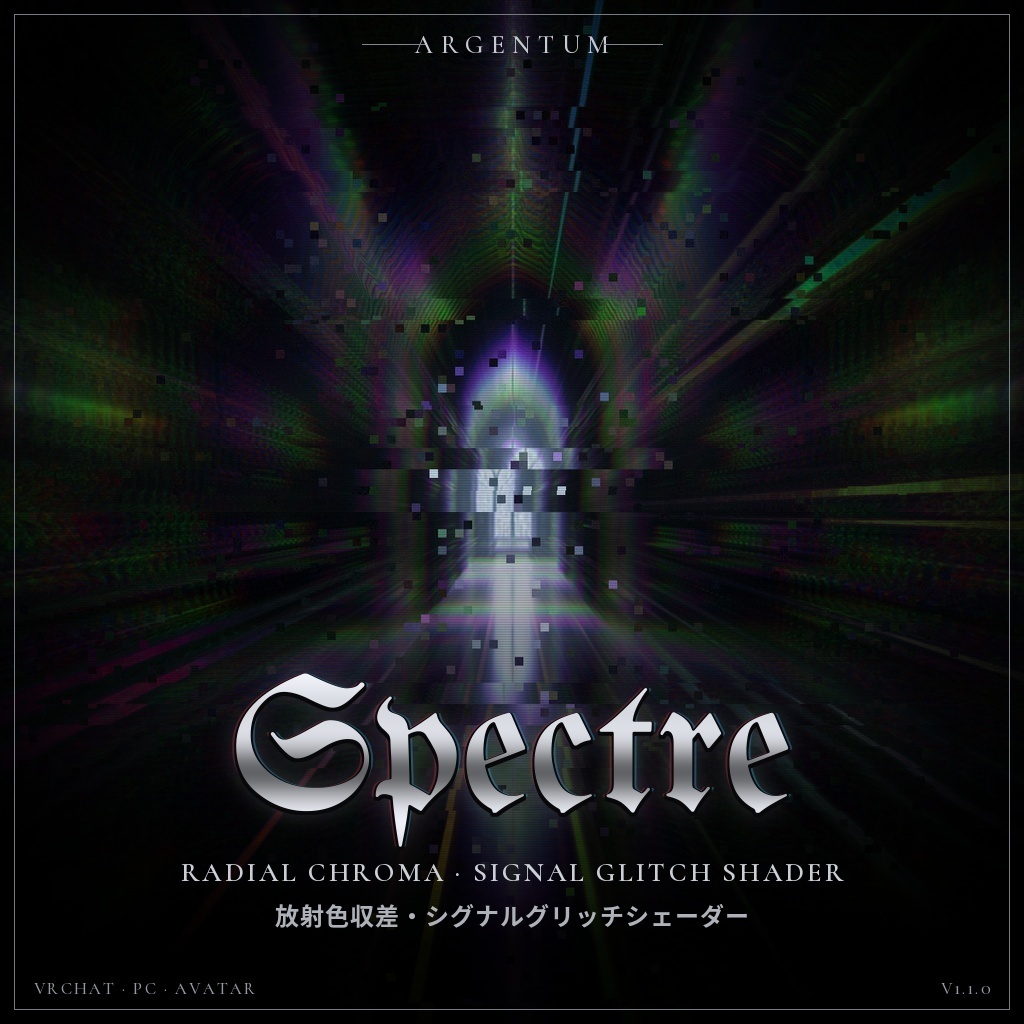
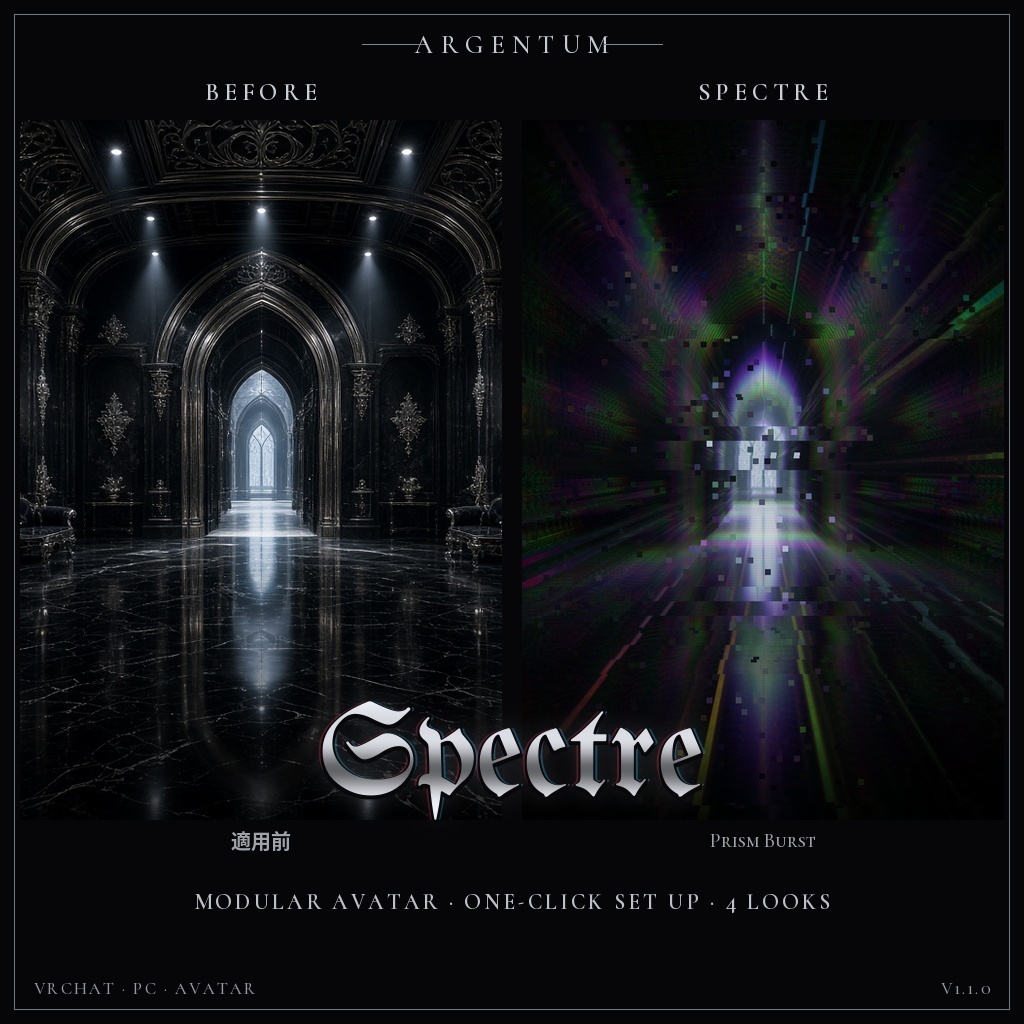
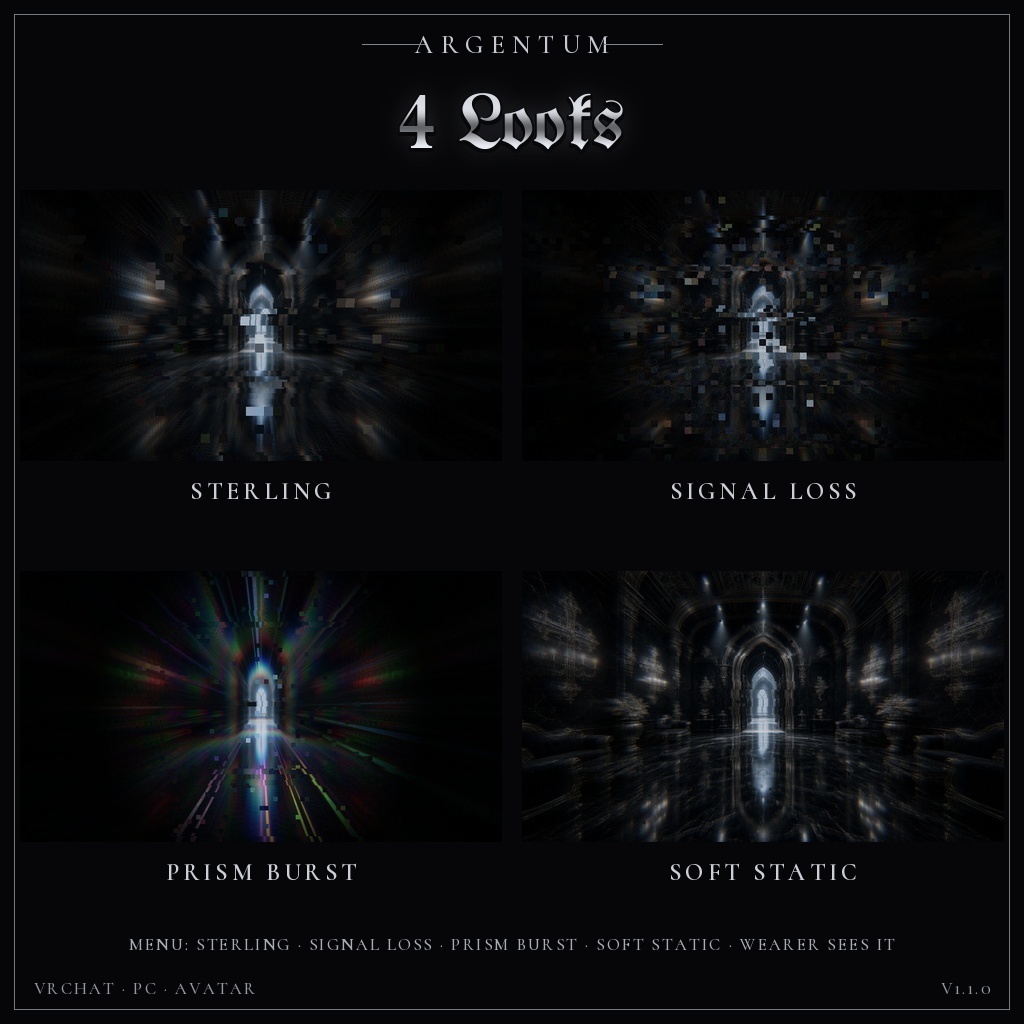


放射状に裂ける光、ずれる色、途切れる信号。アバターのまわりの世界に、シルバーのスペクトルとグリッチを。 ■ 特長 ・放射状のズームブラーと、RGBチャンネルごとの色ずれ(色収差)。中心から外へ、色が三方向に裂けます ・中心から放射状に走る鋭いスペクトルの光の筋 ・デジタルブロックの崩れ、スタティックノイズ、走査線、横方向の行ずれ ・見た目4種をメニューから:Sterling(シルバー)、Signal Loss(信号断)、Prism Burst(虹色のバースト)、Soft Static(控えめ) ・ほかの人には、バーストがアバターの位置から広がり、球の縁の手前でなめらかに消えます。バブルの輪郭は出ません ・Wearer Sees It:自分の視界にもかけるかをメニューで切り替え(初期設定:オン)。オフでも、ミラーとほかの人には表示されます ・Spectre Material:アバター自身のマテリアルにかける版。ワンクリックのツールが元のマテリアルを変更せずにコピーを作り、メニュートグルを追加します ・距離フェードと最大距離。ミラーとVRChatのカメラにも表示。それぞれ非表示にもできます ・Modular Avatarのプレハブ付き。アバターにドラッグ&ドロップで導入 ■ こんな用途に 撮影、配信、サイバー系やホラー系のアバター、ライブやイベントの演出。電波ジャック・信号断の演出に。Argentum Static(VHS)やArgentum Negative(色反転)と組み合わせても。 ■ 対応環境 ・Unity 2022.3.22f1(VRChatの現行バージョン)、ビルトインレンダーパイプライン ・VRChatアバター用、PC専用(VRChatはQuest / Androidのアバターでカスタムシェーダーを許可していません) ・プレハブとメニューにはModular Avatar(1.12以降)が必要です。手動で設定すればMAなしでも使えます(READMEに記載) ■ 内容物 ・Argentum_Spectre_v1.1.0.unitypackage ・Argentum/Spectre シェーダー(画面エフェクト)、Argentum/Spectre Material シェーダー(アバター用マテリアル) ・セットアップツール:Tools > Argentum > Spectre - Set Up(プレハブの配置とSpectre Materialへの変換) ・Modular Avatarプレハブ(見た目4種とWearer Sees Itのメニュー)、プリセットマテリアル8種、メニュー用アイコン ・README(英語・日本語)、利用規約、更新履歴 ■ 負荷 ・画面エフェクト:表示中の見た目1つにつき球1つ。1ピクセルあたり、ズームブラーのサンプル数×3回テクスチャを読みます(初期値8サンプル)。オフの間や最大距離より遠いときは描画しません ・プレハブはMesh Renderer 4つとマテリアルスロット4つを加えます(描画されるのはオンの見た目だけです) ・Spectre Material:画面コピーなし。メッシュやマテリアルスロットを増やさないため、パフォーマンスランクは変わりません ■ ご注意 ・パラメーター:Argentum/Spectre(int、8ビット)、Wearer Sees ItはArgentum/SpectreSelf(bool、ローカルのみ・0ビット)、Spectre MaterialのトグルはArgentum/SpectreMaterial(bool、1ビット)。すべて保存あり ・球の中にあるものはすべて対象になります。すぐ隣に密着している人や、座っている椅子にもかかります ・点滅や激しい画面の動きを含みます。周囲の方に配慮してご利用ください ・PC専用です。Questのプレイヤーには表示されません ■ アップデート 購入者は無料でアップデートを受け取れます。BOOTHのライブラリから再ダウンロードしてください。 v1.0.0をお使いの方:Assets/Argentum Designs/Chroma フォルダーを削除してから、v1.1.0をインポートしてください。マテリアルの参照はそのまま引き継がれます。 ──────────────────── English ──────────────────── Argentum Spectre: Radial Chroma & Signal Glitch Shader [VRChat / PC / Modular Avatar] Light that tears outward, colors that split, a signal that breaks up. Silver spectral bursts and glitches in the world around your avatar. ■ Features ・Radial zoom blur with per-channel RGB split (chromatic aberration): color tears three ways, out from the center ・Sharp spectral streaks radiating from the center ・Digital block corruption, static noise, scanlines and horizontal row shifts ・4 looks in one menu: Sterling (silver), Signal Loss, Prism Burst (rainbow burst), Soft Static (subtle) ・Other people see the burst spread from your avatar and fade out smoothly before the sphere's edge. No bubble outline ・Wearer Sees It: choose in the menu whether it shows in your own view (default: on). Mirrors and other people still see it when it's off ・Spectre Material: the look on your avatar's own materials. A one-click tool makes copies (your originals are never changed) and adds a menu toggle ・Distance fade and max range. Shows in mirrors and the VRChat camera; either can be hidden ・Modular Avatar prefab: drag and drop onto your avatar ■ Use it for Photos, streams, cyber and horror avatars, live shows and events. Signal-hijack and signal-loss moments. Pairs well with Argentum Static (VHS) and Argentum Negative (color inversion). ■ Compatibility ・Unity 2022.3.22f1 (VRChat's current version), Built-in Render Pipeline ・VRChat avatars, PC only (VRChat doesn't allow custom shaders on Quest / Android avatars) ・Modular Avatar (1.12 or newer) is needed for the prefab and menus. A manual setup works without it (see the README) ■ What's included ・Argentum_Spectre_v1.1.0.unitypackage ・Argentum/Spectre shader (screen effect), Argentum/Spectre Material shader (avatar material) ・Setup tool: Tools > Argentum > Spectre - Set Up (places the prefab and converts to Spectre Material) ・Modular Avatar prefab (menu of 4 looks plus Wearer Sees It), 8 preset materials, menu icon ・README (English / Japanese), terms of use, changelog ■ Performance ・Screen effect: one sphere for the active look. Each pixel makes 3 texture reads per zoom-blur sample (8 samples by default). Nothing is drawn while it's off or beyond max range. ・The prefab adds 4 mesh renderers and 4 material slots (only the active look renders). ・Spectre Material: no screen copy. It adds no meshes or material slots, so your Performance Rank doesn't change. ■ Notes ・Parameters: Argentum/Spectre (int, 8 bits); Wearer Sees It is Argentum/SpectreSelf (bool, local only, 0 bits); the Spectre Material toggle is Argentum/SpectreMaterial (bool, 1 bit). All saved. ・Everything inside the sphere is affected, including a player pressed right against you or the chair you sit on. ・Contains flashing and intense screen motion. Please be considerate of people around you. ・PC only. Quest players don't see the effect. ■ Updates Free for buyers. Re-download from your BOOTH library. Upgrading from v1.0.0: delete the Assets/Argentum Designs/Chroma folder, then import v1.1.0. Your material references carry over. ━━━━━━━━━━ ▼ 最新情報 / Updates https://x.com/argentumdesigns