

餅つきパ!【VRChat・アバター/ワールド】夜の屋台で杵と臼でぺったん、きなこ・あんこ・おろし餅 / Mochitsuki Party
- アバター版 / Avatar v1.0.0Digital300 JPY
- ワールド版 / World v1.0.0Digital600 JPY
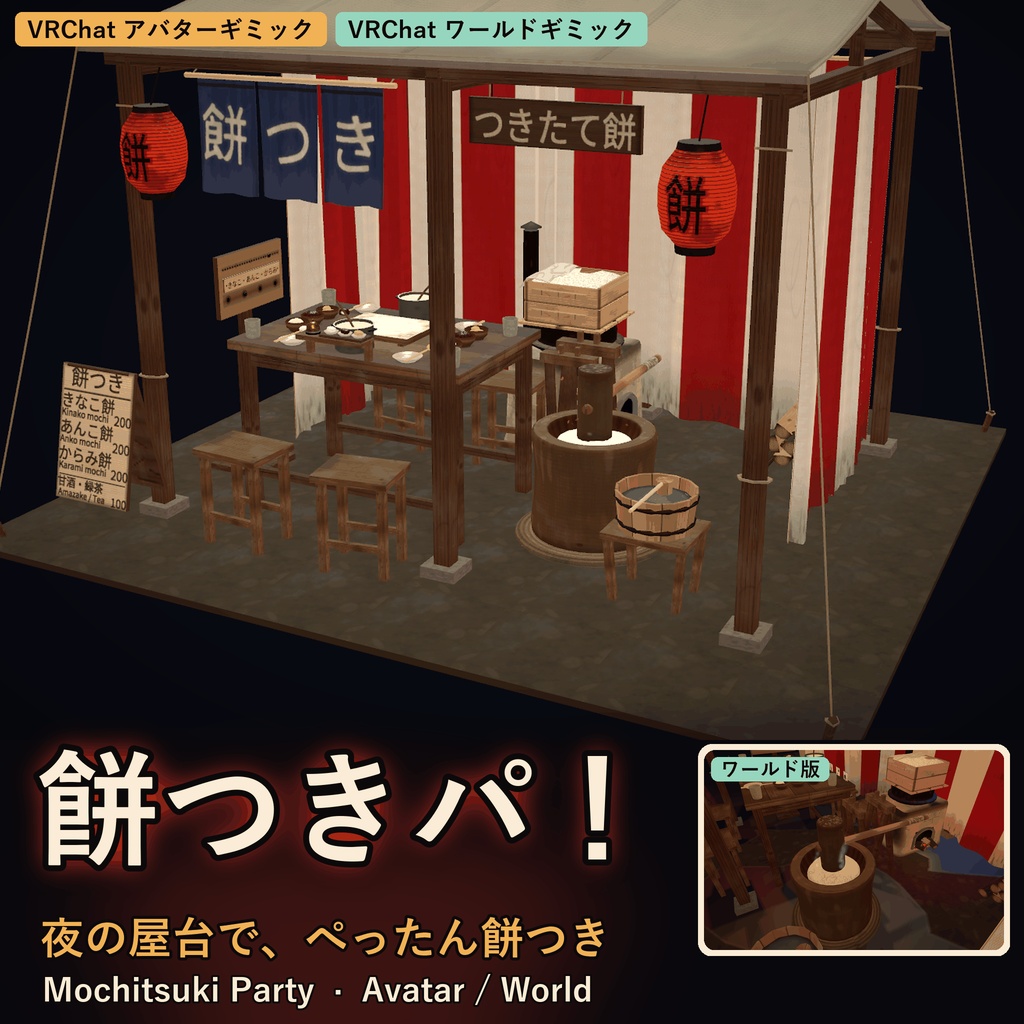
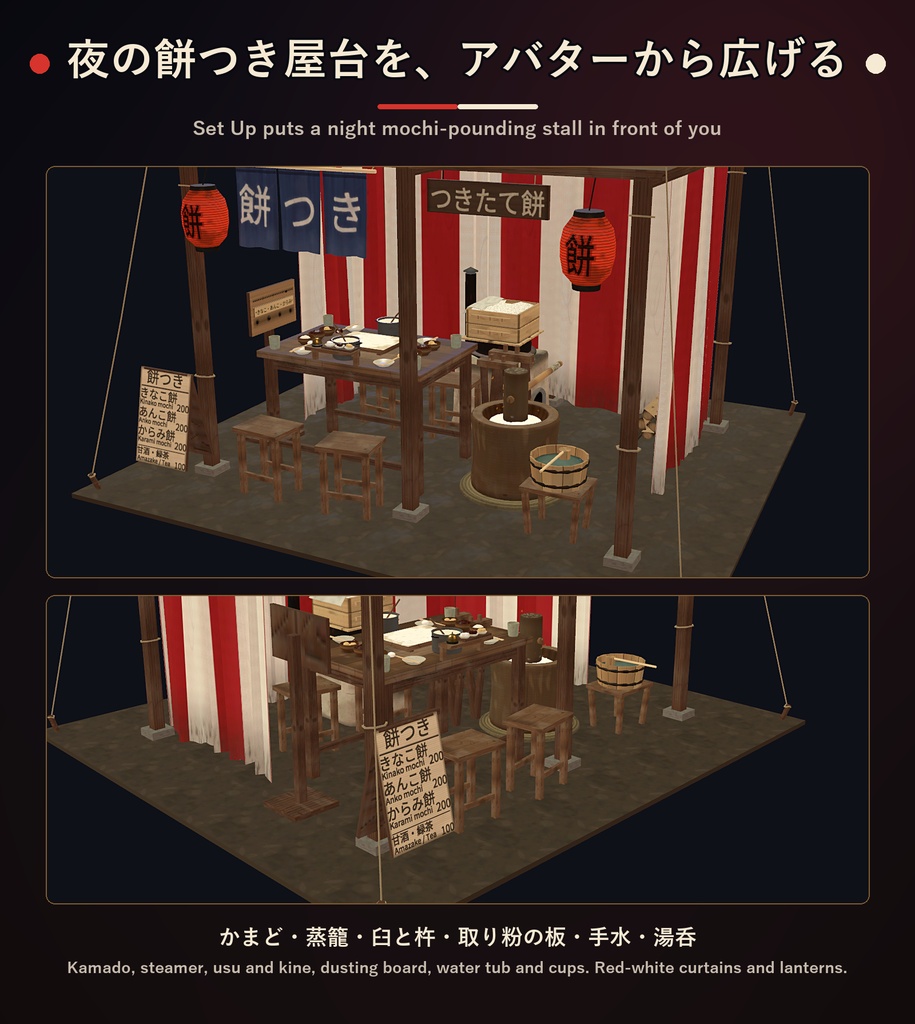
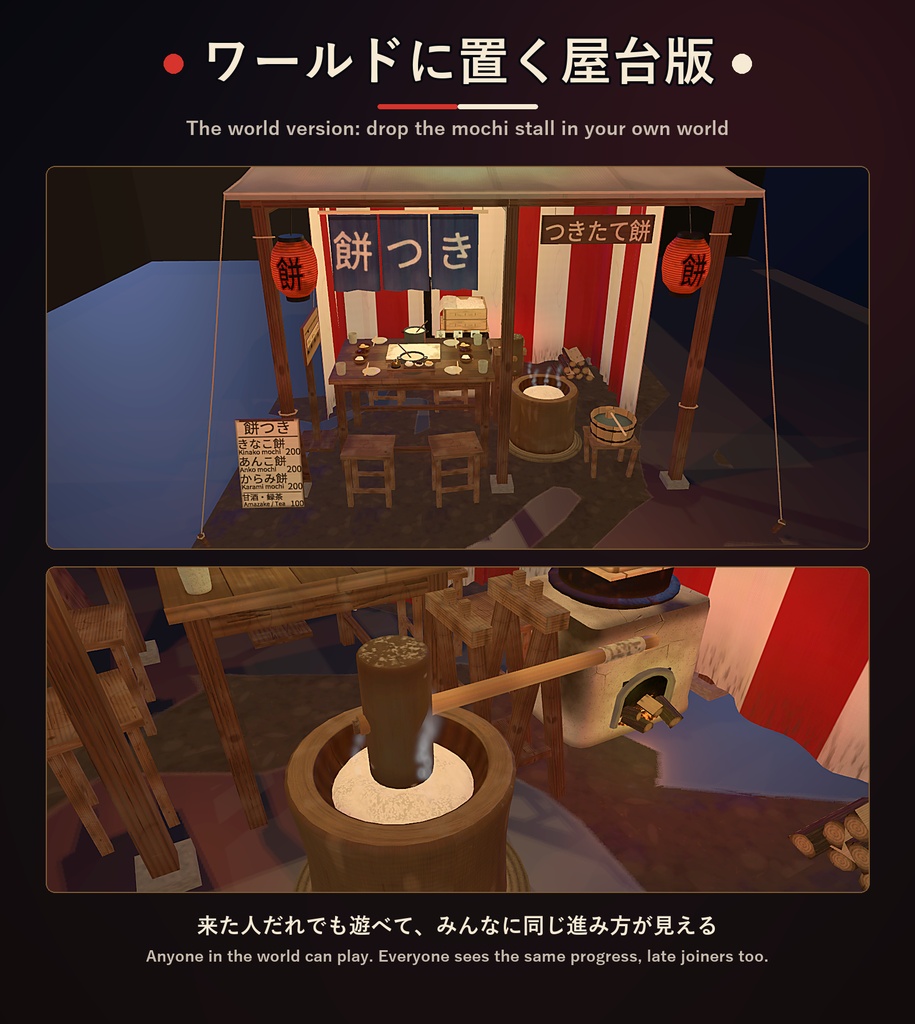
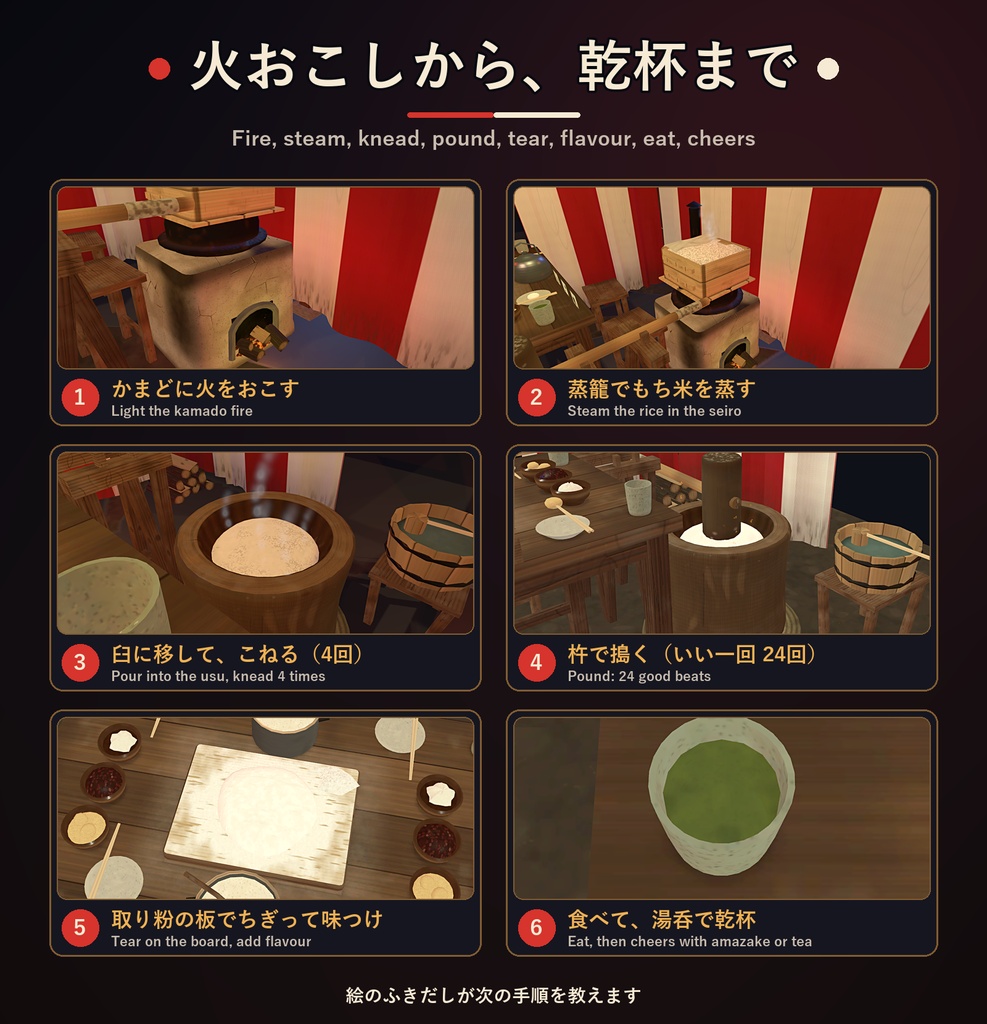
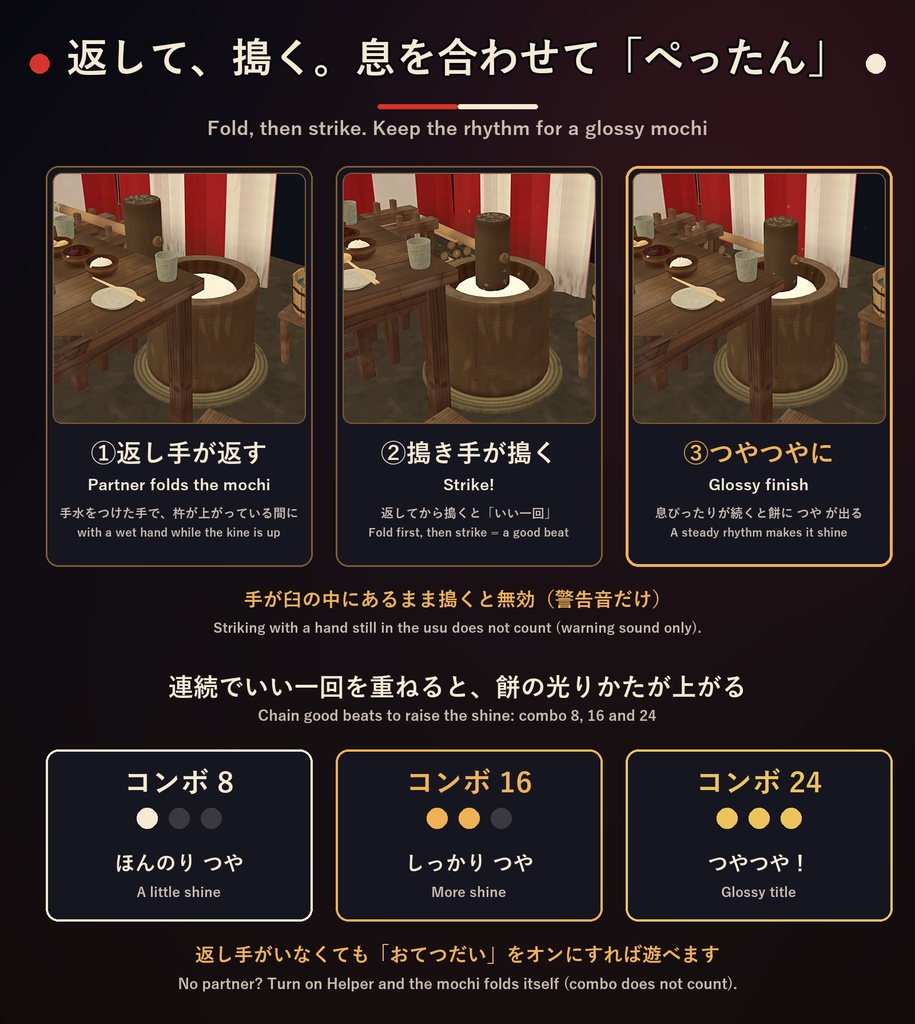
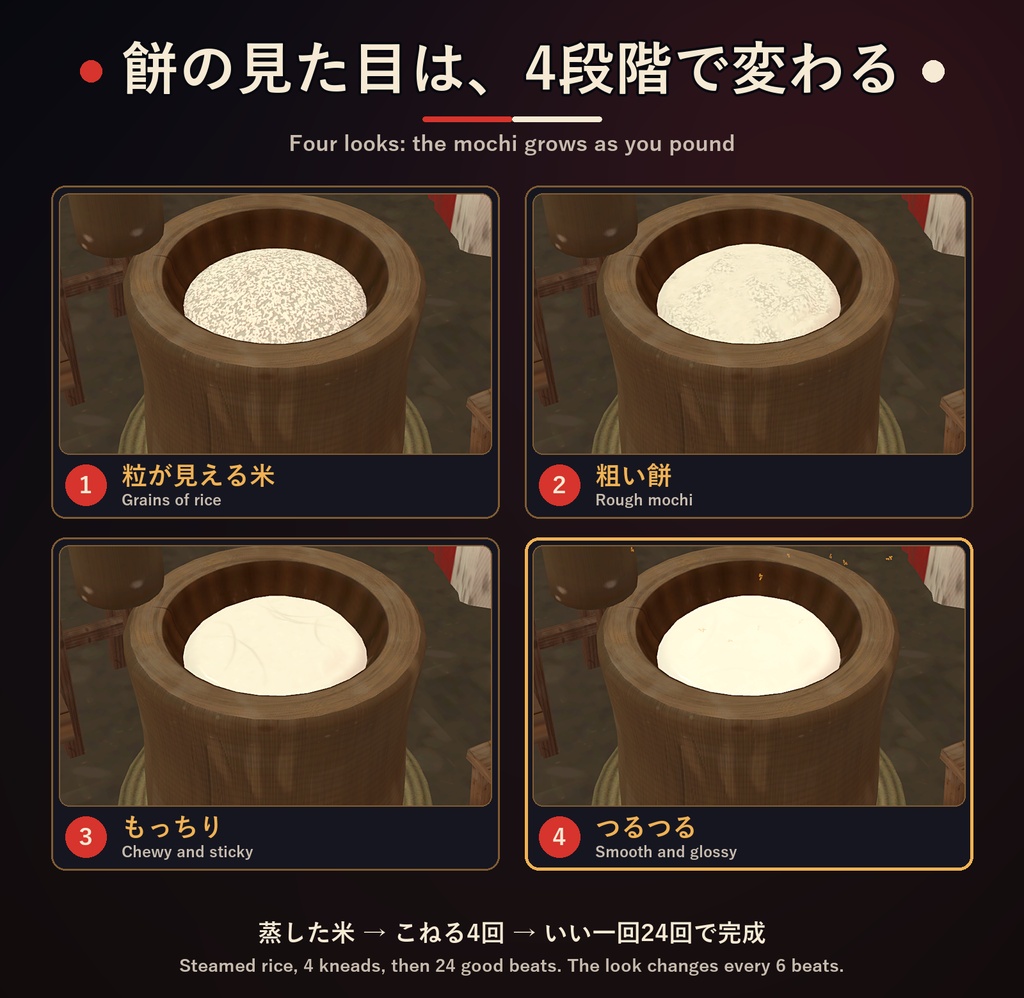
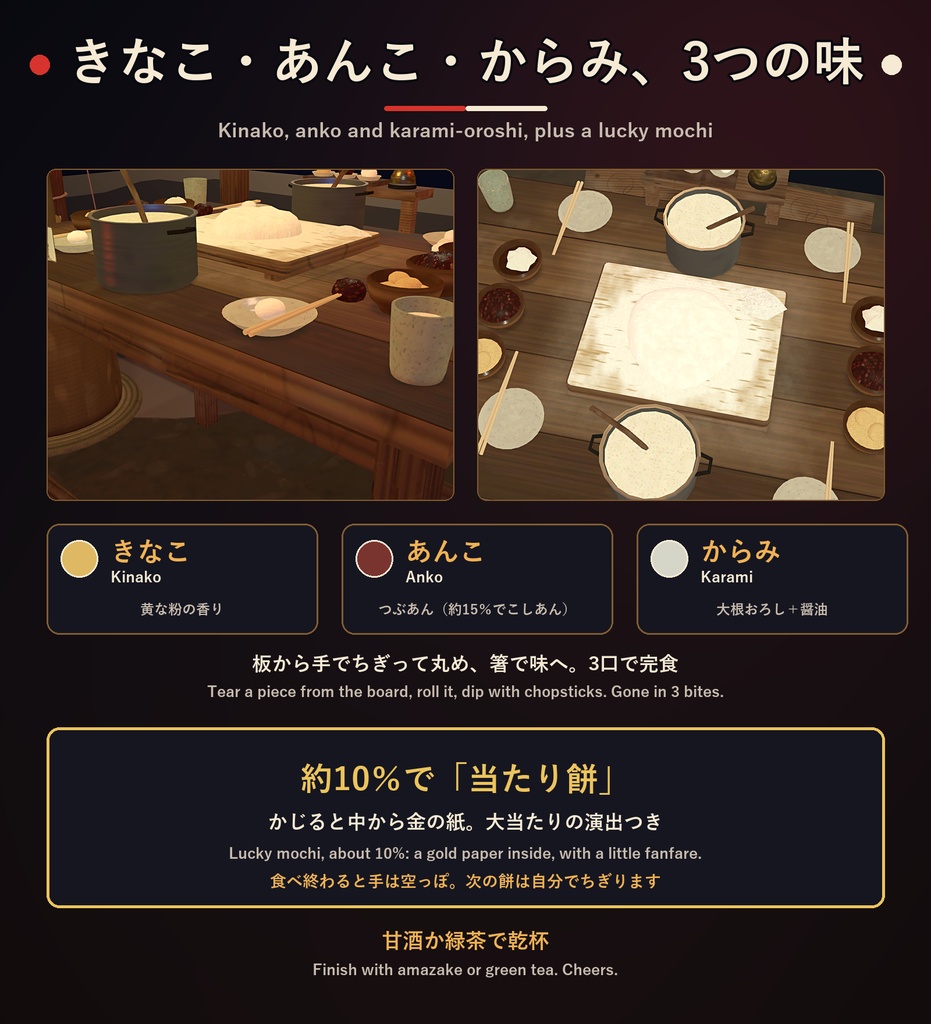
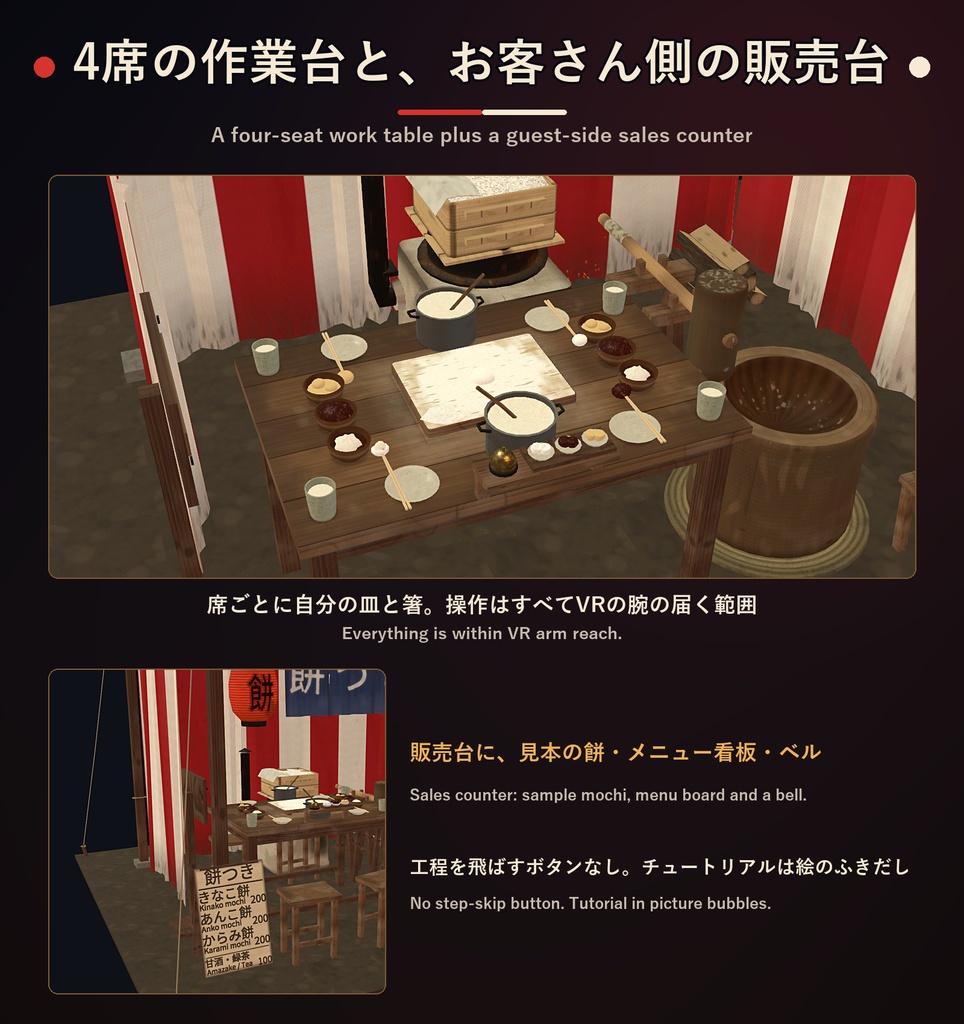
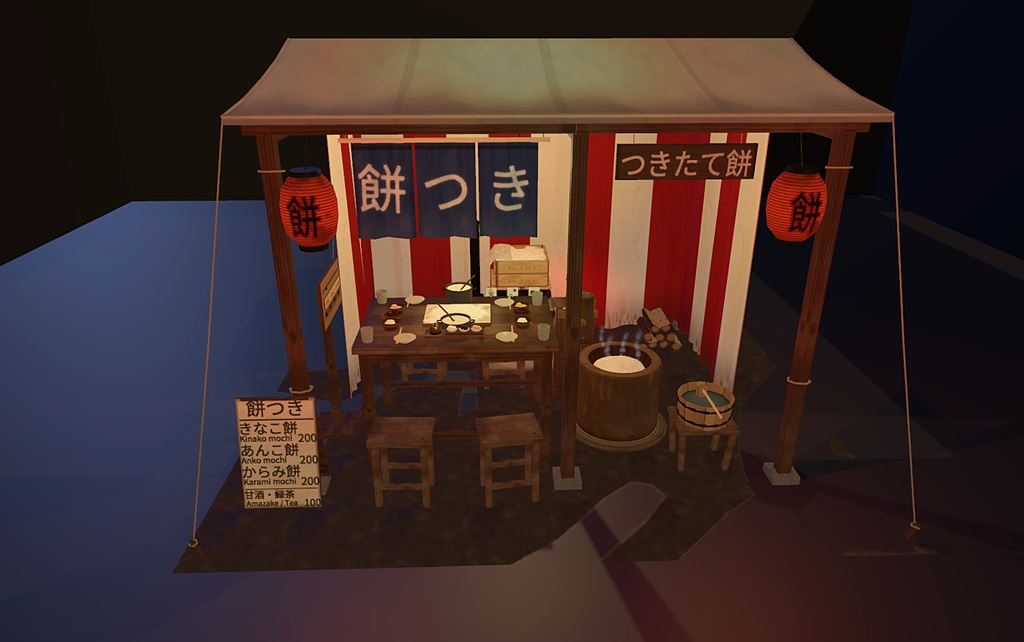
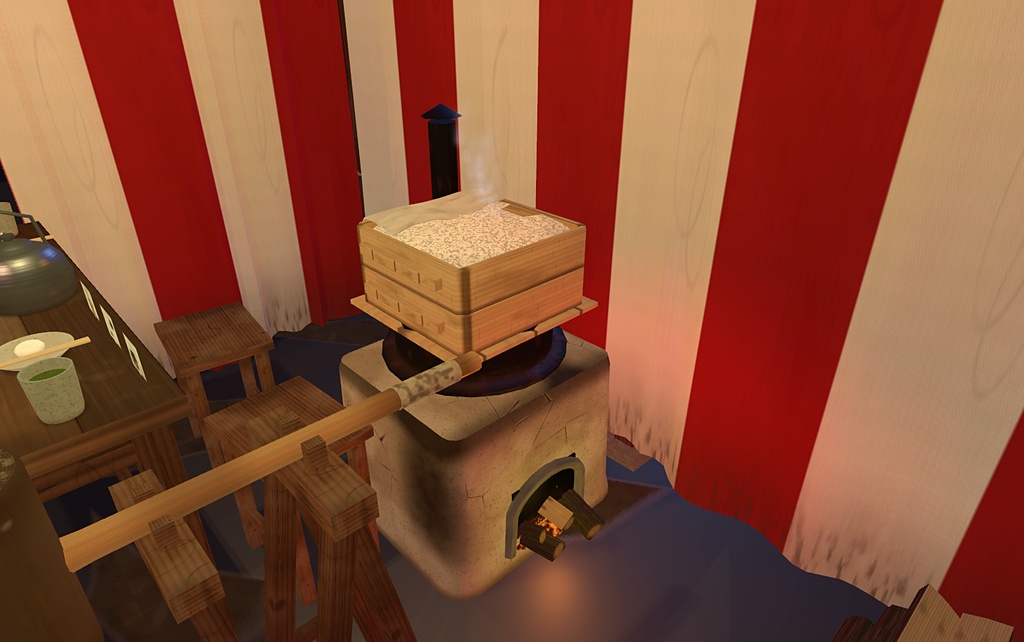
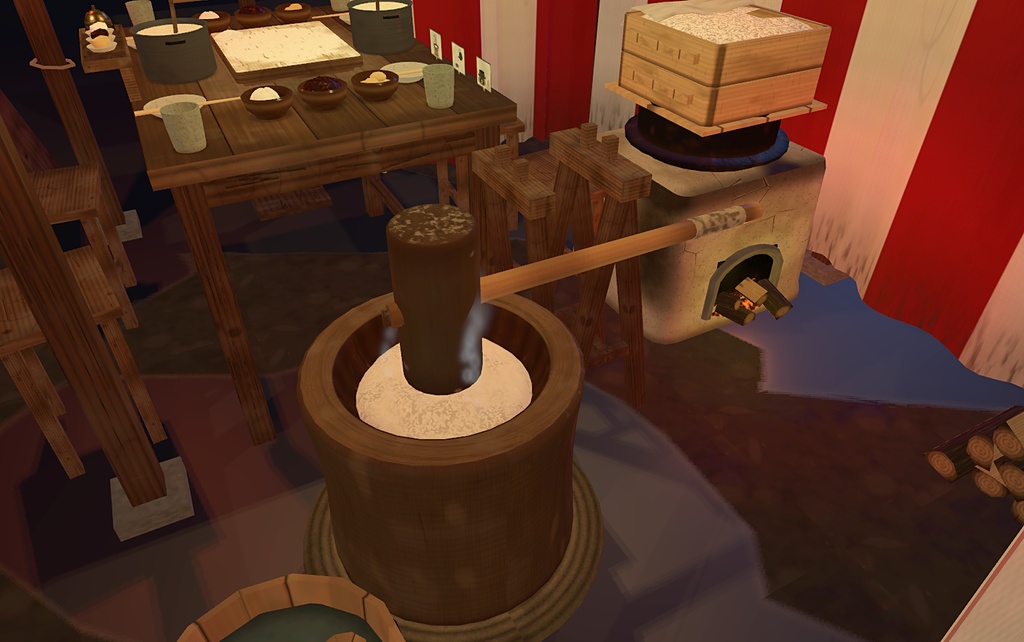
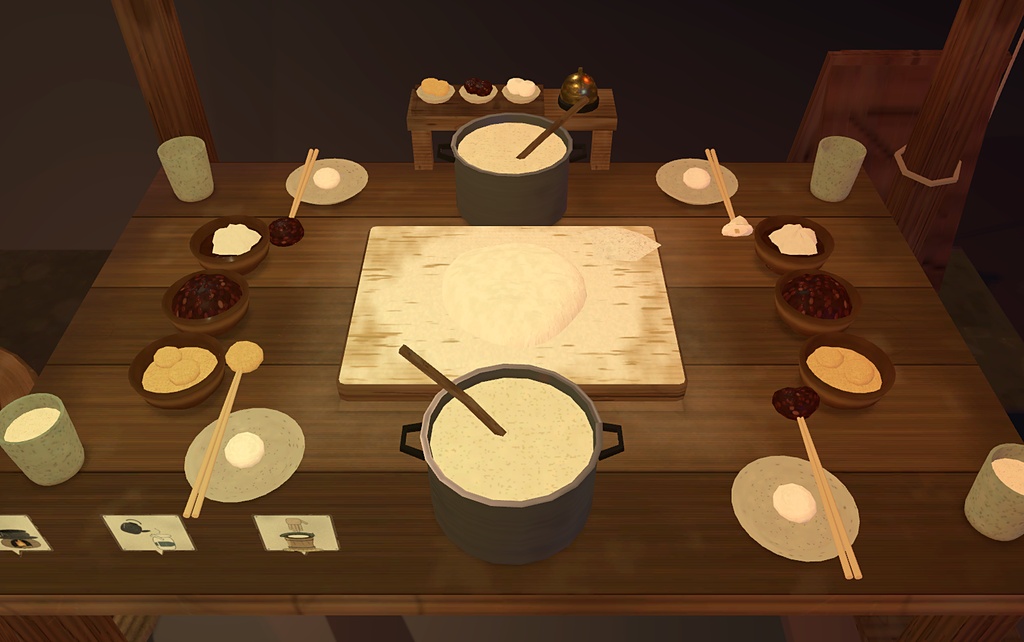
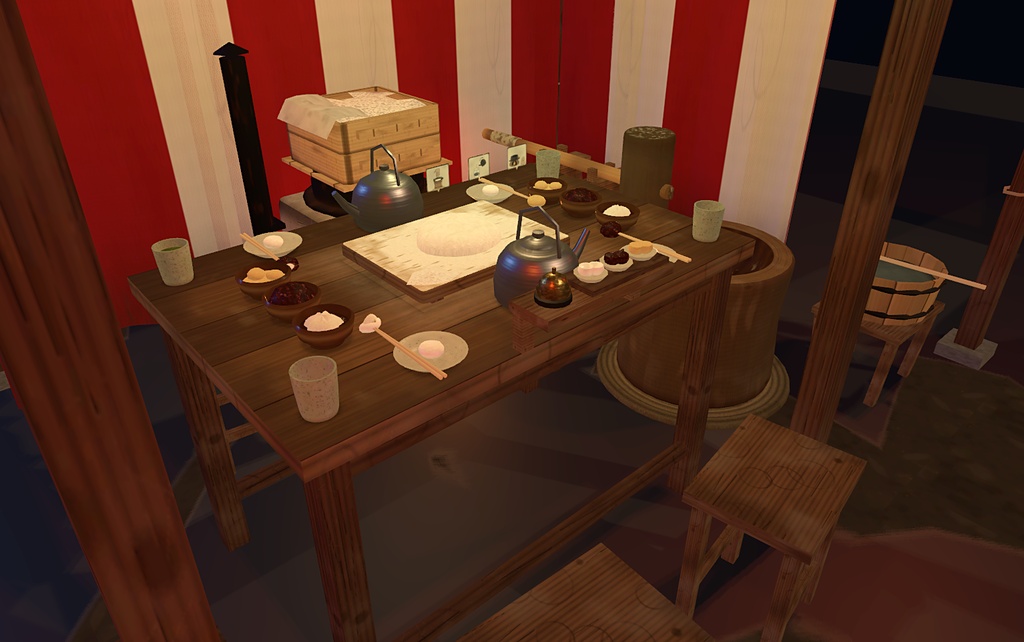
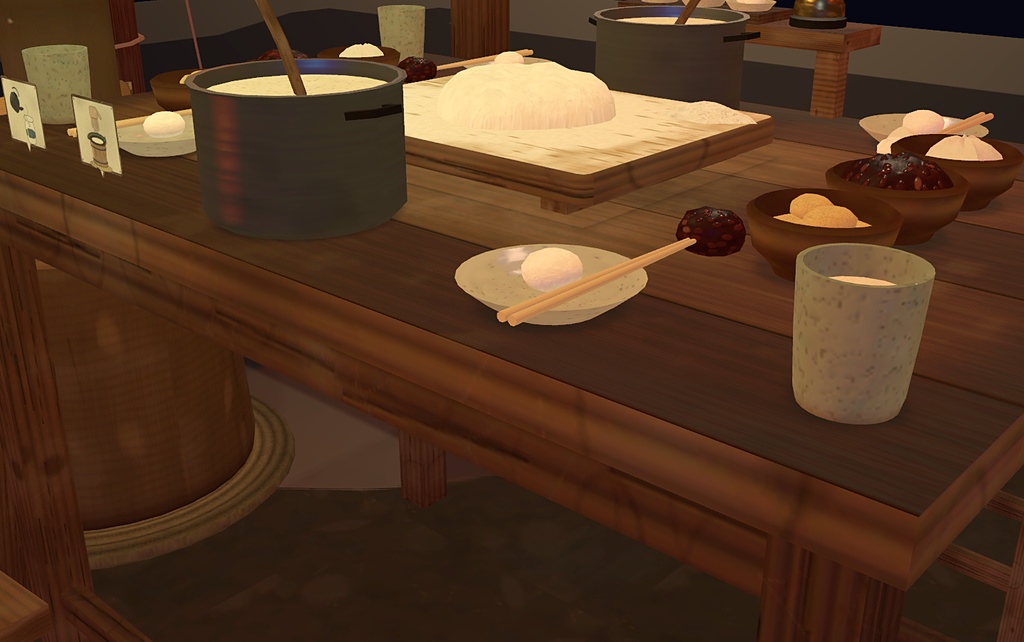


【日本語】 ■ 商品説明 年の瀬の夜の屋台で、杵と臼の餅つき。3つの「ここだけ」が主役です。 1. ふたりで息を合わせる: 搗き手が杵を振り上げて「ぺったん」、そのあいだに返し手が手水をつけた手で餅を返します。返してから搗くと「いい一回」、手が臼の中にあるまま搗くと無効(警告音だけ)。息ぴったりが続くと餅に つや が出て「つやつや」の称号 2. 餅が育つ: 蒸したもち米 → こねる(4回)→ 搗く。粒が見える米 → 粗い → もっちり → つるつる、の4段階で見た目が変わります(いい一回 24 回で完成) 3. ちぎって味つけ: 取り粉の板から手でちぎって丸め、箸で きなこ・あんこ・からみ(大根おろし+醤油)へ。約10%で「当たり餅」(中から金の紙)、あんこは約15%でこしあん かまどで火をおこし、蒸籠でもち米を蒸し、臼に移してこねて搗く。完成した餅は取り粉の板へ。湯呑で甘酒(または緑茶)を汲んで乾杯もできます。 4席の作業台、お客さん側の販売台(見本の餅・メニュー看板・ベル・受け渡しの盆)つき。お餅は3口で完食、食べ終わると箸は空に(次は自分でちぎります)。工程を飛ばすボタンなし、チュートリアルは絵のふきだし、操作はすべてVRの腕の届く範囲です。 返し手がいなくても「おてつだい(Helper)」をオンにすると餅が自分で返ります(この場合つやの連続は数えません)。 2つの版から選べます(ファイルは別です)。 ・アバター版(¥300): アバターに入れて、どこでも屋台を出せるギミック(Modular Avatar)。Auto(ひとり・デスクトップ)と速度3段階、Low(座り)、Re-place あり。PC専用です ・ワールド版(¥600): 自分のワールドに置く、だれでも遊べる屋台(UdonSharp)。搗き・返しの判定はワールドで同期するので、離れた2人でも正確。デスクトップは Use 2回で搗けます。Auto・速度切替はありません ■ AI活用 スクリプトは AI コーディングアシスタントで作成。モデル・音・テクスチャはスクリプト生成。 ■ 対応アバター アバター版は Modular Avatar 対応のアバター全般。「キプフェル(もち山金魚 様)」「まよ(Chocolate rice 様)」で Unity 上の設置・シミュレーションを確認しています。各アバターの公式商品ではありません。ワールド版はアバターを問いません。 ■ 前提環境 ・Unity 2022.3.22f1、lilToon【必須】 ・アバター版: VRChat SDK Avatars 3.10.x、Modular Avatar【必須】 ・ワールド版: VRChat SDK Worlds 3.10.x(3.10.5 で確認) ・アバター版は PC(Windows)専用。ワールド版も PC 専用(Quest 非対応) ■ 導入方法 ・アバター版: VCC で Modular Avatar と lilToon を入れ、unitypackage をインポート。MochitsukiParty.prefab をアバターのルート直下(Armature の外)に入れてアップロード。1アバターに1つ ・ワールド版: VCC で lilToon を入れ、unitypackage をインポート。プレハブを床に置き、ライティングをベイクしてアップロード ■ 遊び方 杵や箸をつかみ、その先で目的の場所にさわって使います。火はかまどに手を当てて点けます。アバター版は Expression メニュー Mochitsuki Party の Set Up で屋台を置きます。フレンドが触るには、着る人が Settings → Safety → Avatar Interaction で相手を許可(初期は Friends のみ)。 ■ 仕様 ・アバター版: ポリゴン 29,466/ドローコール 32/PhysBone 9/パーティクル 7/オーディオ 21/同期 40 bit/PC のみ ・ワールド版: UdonSharp/ポリゴン 約27,200/ドローコール 約18/ピックアップ9個/PC のみ ■ 注意事項 ・アバター版: あとから来た人は Re-place が必要です(アバターはワールド座標を同期できません)。判定はすべて着る人のクライアントで行います(返し手のタイミングも着る人の画面基準)。アバター全体のランクは下がることがあります ・ワールド版: VRChat 内では未検証です(Unity 上のテスト・計測のみ) ・かまど・臼はつかめません ■ 利用規約 同梱の LICENSE をご確認ください(再配布・転売は禁止)。 ◆ 動作確認と返金について VRChat 内での VR 操作は、作者がまだ十分に実機で確認できていません。致命的な不具合が起きた場合は、BOOTH のメッセージでご連絡ください。確認のうえ、返金いたします。 ■ お問い合わせ 不具合や気になる点は BOOTH のメッセージでお問い合わせください(日本語・English OK)。 【English】 ■ Description Year-end mochi pounding with a heavy mallet (kine) and mortar (usu) at a night food stall. Three things make it special: 1. Pound together: the pounder swings the kine down, and between strikes the turner wets a hand in the water tub and folds the mochi. Fold, then strike = a good beat; a strike with a hand still in the usu is void (warning sound only). Keep the rhythm going and the mochi gets a glossy shine and the "tsuyatsuya" title 2. The mochi changes: steamed rice, knead 4 times, then pound. Visible grains, rough, chewy, smooth: 4 looks (24 good beats to finish) 3. Tear and flavour: pull a piece off the dusted board, roll it, then dip with chopsticks in kinako, anko or karami (grated daikon + soy). About 10% is a "lucky mochi" (gold paper inside); anko is koshi-an about 15% of the time Light the kamado, steam the rice in the seiro, pour it into the usu, knead and pound. The finished mochi goes to the board. Fill a yunomi with amazake (or green tea) and cheers. A four-seat work table plus a guest-side sales counter (sample mochi, menu sign, bell, serving tray). Each piece is gone in 3 bites and the chopsticks are empty afterwards (tear the next yourself). No step-skip buttons, picture-bubble tutorial, everything within VR arm reach. No turner? Switch on Helper and the mochi folds itself (those beats do not count toward the shine streak). Two versions (separate files): ・Avatar (JPY 300): open the stall anywhere from your avatar (Modular Avatar). Auto (solo / desktop) with 3 speeds, Low (sitting) mode, Re-place. PC only ・World (JPY 600): a stall for your own world that anyone can play (UdonSharp). Pounding and folding are judged in sync by the world, so two remote players stay exact. Desktop pounds with two Use presses. No Auto or speed switch ■ AI use Scripts made with an AI coding assistant; models, sounds and textures generated by scripts. ■ Supported avatars Avatar: any Modular Avatar-compatible avatar (placement and simulation checked in Unity on "Kipfel by Mochiyama Kingyo" and "Mayo by Chocolate rice"; not official products of them). World: any avatar. ■ Requirements ・Unity 2022.3.22f1, lilToon [required] ・Avatar: VRChat SDK Avatars 3.10.x, Modular Avatar [required] ・World: VRChat SDK Worlds 3.10.x (tested 3.10.5) ・Avatar is PC (Windows) only. World is PC only too (Quest not supported) ■ Installation ・Avatar: add Modular Avatar and lilToon with VCC, import, put MochitsukiParty.prefab directly under the avatar root (outside the Armature), upload. One per avatar ・World: add lilToon, import, place the prefab on a floor, bake lighting, upload ■ How to play Grab the kine or chopsticks and touch with the tip. Light the fire by touching the kamado. Avatar: press Set Up in the Mochitsuki Party menu; the wearer allows friends in Settings > Safety > Avatar Interaction (default: Friends only). ■ Specs ・Avatar: 29,466 polygons / 32 draw calls / 9 PhysBone / 7 particles / 21 audio sources / 40 synced bits / PC only ・World: UdonSharp / about 27,200 polygons / about 18 draw calls / 9 pickups / PC only ■ Notes ・Avatar: late joiners must press Re-place (avatars cannot sync world positions). All judging runs on the wearer's client (the turner's timing is judged on the wearer's screen). The overall avatar rank may drop ・World: not tested inside VRChat (Unity tests and measurements only) ・The kamado and usu cannot be picked up ■ Terms of use See the bundled LICENSE (no redistribution or resale). [ Testing and refunds ] VR operation has not been fully tested inside VRChat. If a critical error occurs, please send a BOOTH message and I will refund after checking. ■ Contact If anything goes wrong, send a BOOTH message (Japanese / English OK).