

【無料・VRChat】Lounge Interface|日英韓対応・多言語UI
- Digital0 JPY
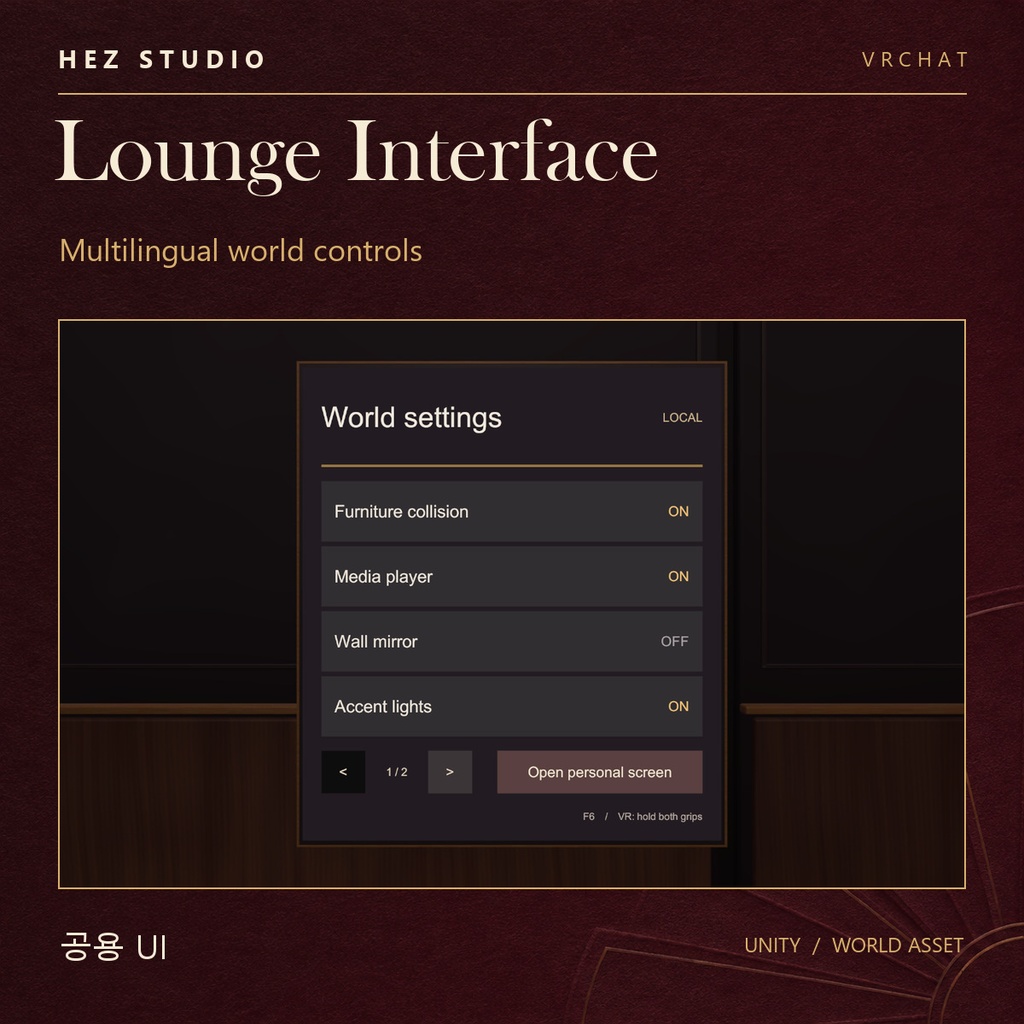
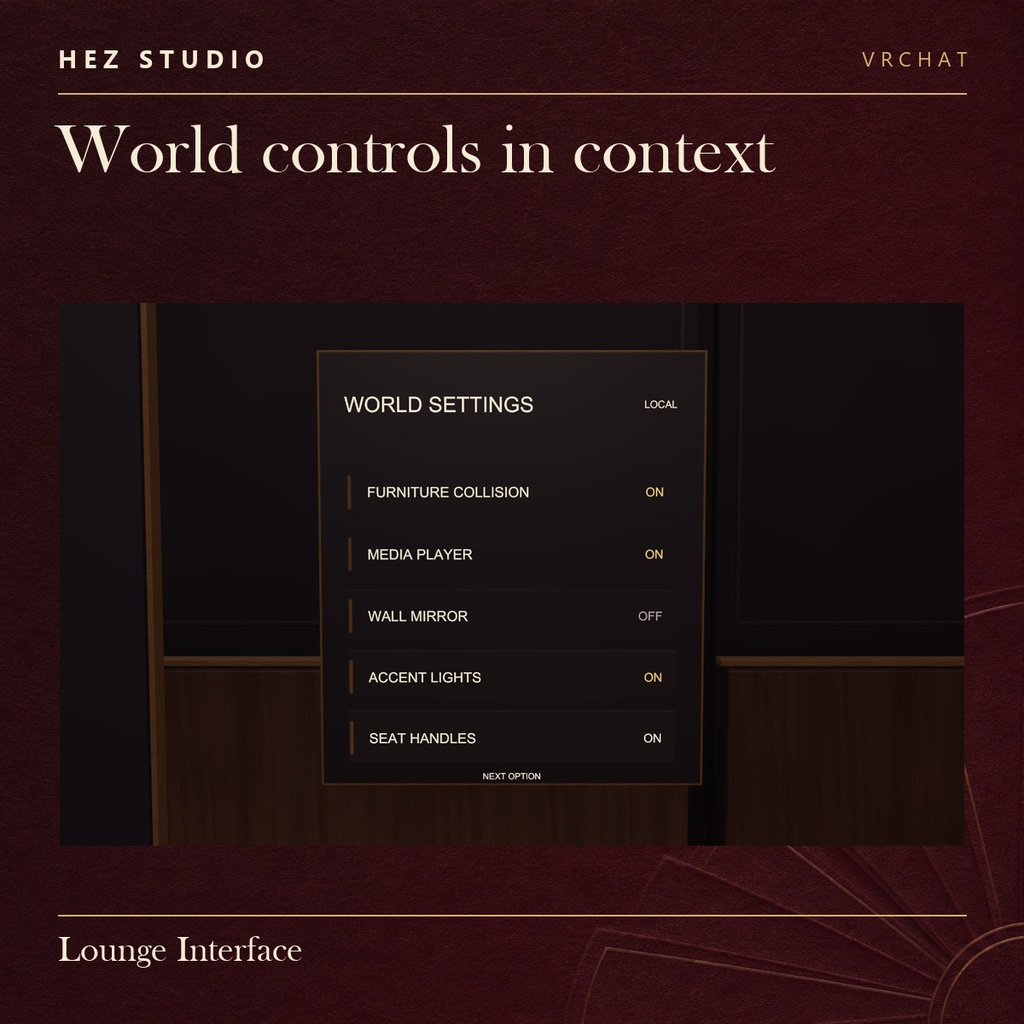


Lounge Interface | HEZ STUDIO v0.1.0 · 無料 / 무료 / Free
【日本語】
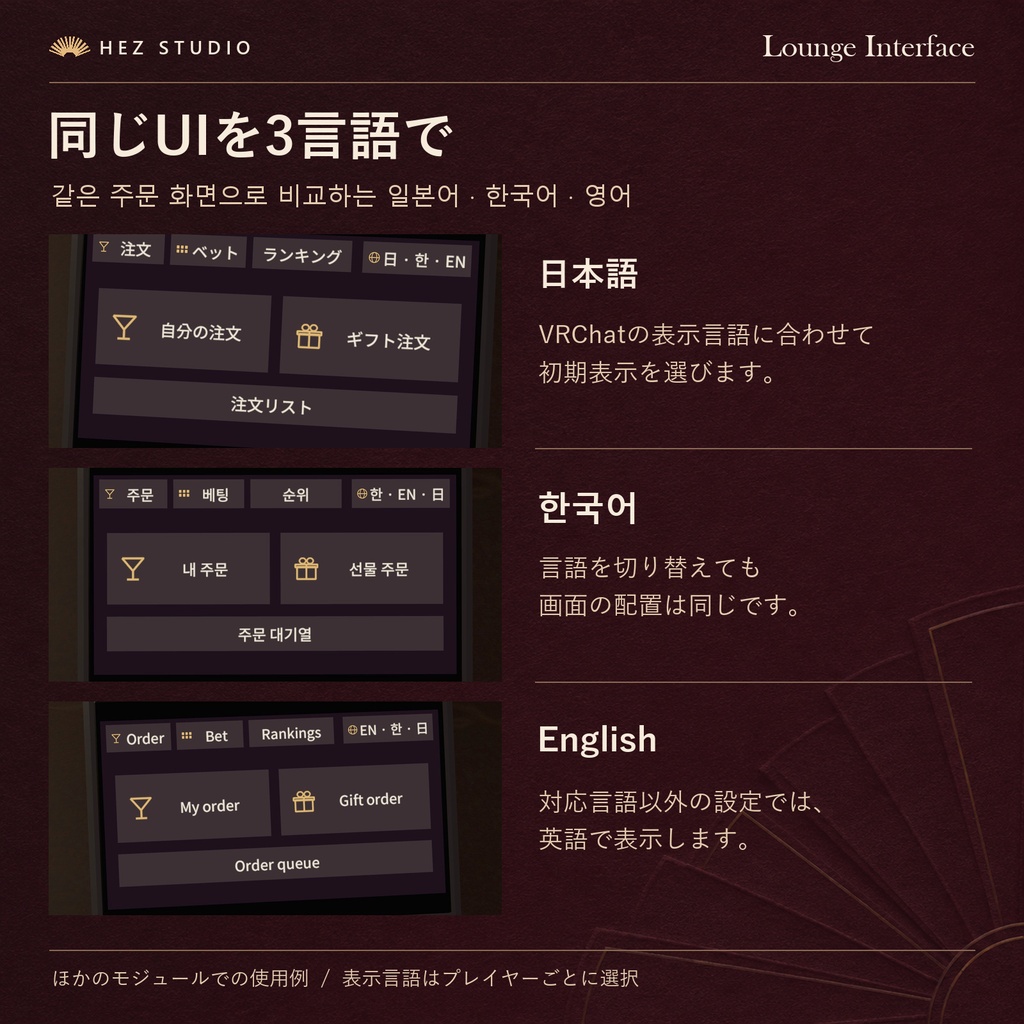
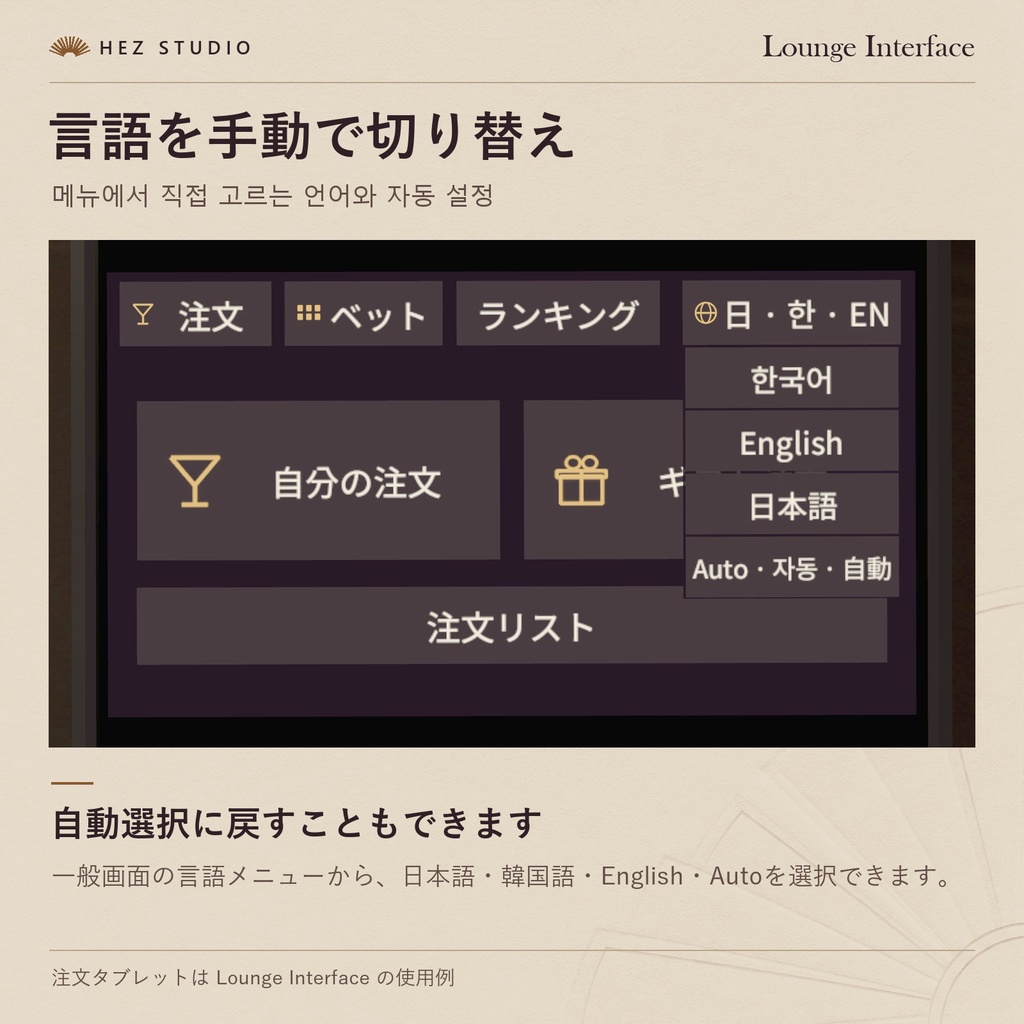
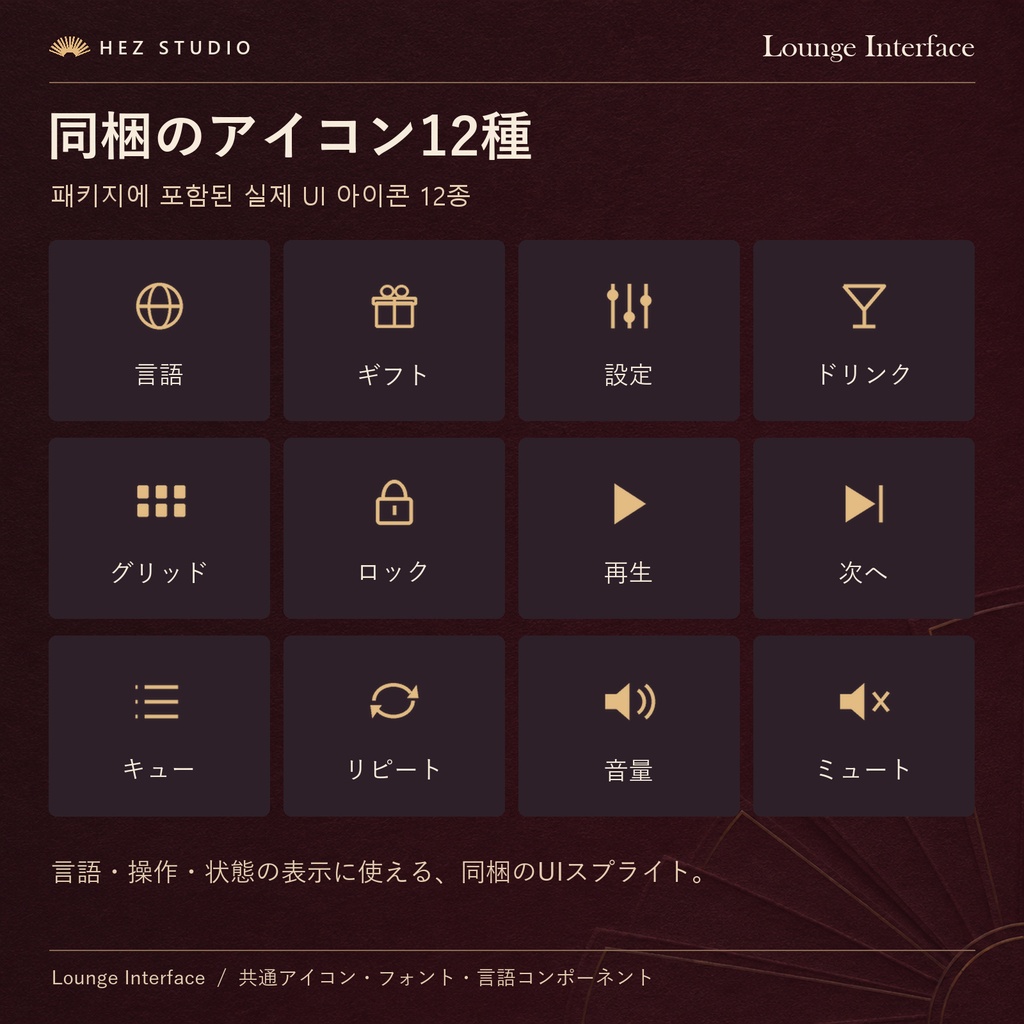
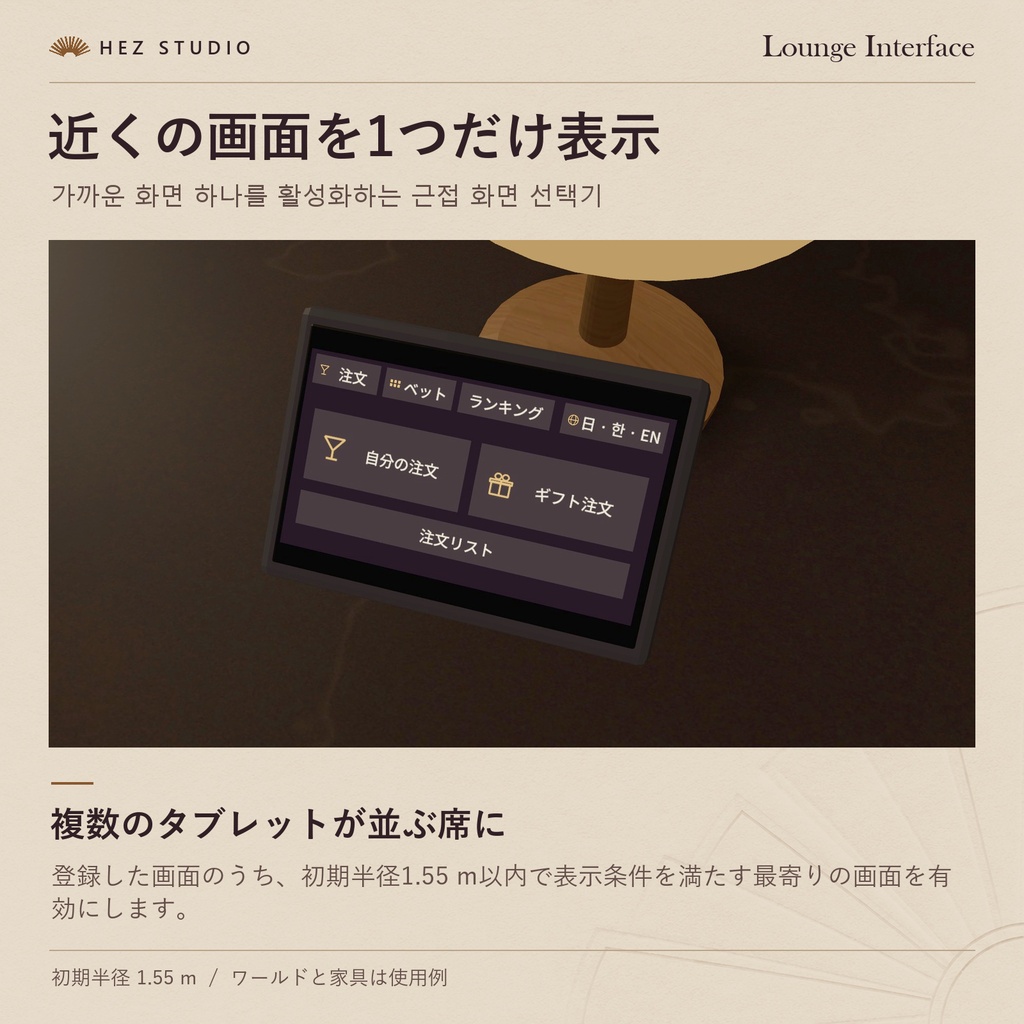
「同じワールドで、それぞれの言語を。」 VRChatワールド向けの、日本語・韓国語・英語に対応した無料の多言語UIモジュールです。 同じテーブルを囲んでいても、プレイヤーごとに自分の読みやすい言語でUIを操作できます。 VRChatの表示言語に合わせた言語選択に加え、ワールド内の言語切替ボタンから手動で変更することもできます。 さらに、複数のタブレットが配置されたワールドでも、最寄りのタブレットだけを表示する機能を収録しています。 バー、カフェ、ラウンジ、イベントワールドなど、多言語対応のインターフェースを導入したいワールド制作者向けの無料アセットです。 ■ ご購入前に 本商品は、ワールド制作用の共通UIモジュールです。 無料で単体導入でき、ほかのHEZ製品を購入する必要はありません。 【収録されている機能】 ・日本語・韓国語・英語の切替 ・VRChatの表示言語に合わせた言語選択 ・ワールド内での手動言語切替 ・最寄りのタブレットのみを表示する機能 ・UIアイコン、フォント、言語切替コンポーネント ※ ドリンク注文、ギフト、ルーレットベットなどの機能は本商品に含まれていません。これらは別売モジュールで追加できます。 ※ ほかのHEZ製品の説明に記載されている「Lounge UI」は、本商品「Lounge Interface」を指します。 ■ 主な機能 【日本語・韓国語・英語対応】 ・日本語(Japanese) ・韓国語(Korean) ・英語(English) 同じワールド内でも、プレイヤーごとに異なる言語でUIを表示できます。 【言語切替】 ・VRChatの表示言語に合わせた言語選択 ・ワールド内のボタンから手動切替 ・各プレイヤーが自分の言語を選択可能 【タブレット表示制御】 ・複数のタブレットがある環境に対応 ・最寄りのタブレットのみを表示する機能 ・バーやカフェなど、複数の席にUIを設置するワールドで活用可能 【ワールド制作用UI素材】 ・言語切替コンポーネント ・UIアイコン ・UIフォント ・翻訳キーを利用した表示ラベルの管理 ■ 収録内容 ・LoungeLanguageView コンポーネント ・言語切替機能 ・UIアイコン ・UIフォント ・最寄りタブレット表示機能 ・導入ガイド ■ 導入方法 Lounge Interfaceをダウンロード Unityプロジェクトにインポート 対応させたいUI画面にLoungeLanguageViewを追加 表示ラベルと翻訳キーを対応付け VRChat上で言語切替と表示を確認 詳しい導入手順は付属のSTART-HERE.txtをご確認ください。 ■ Lounge Interfaceを使用するHEZ製品 本商品は、以下のHEZ STUDIO製品で共通UIモジュールとして使用されています。 【Seat Slide — 座席位置調整ギミック】 既存のVRC Stationに追加できる、3段階の座席位置調整ギミックです。 https://hezdqma.booth.pm/items/9195391 【Lounge Media Player — 同期動画プレイヤー】 最大8件の動画キュー、個別音量調整、イベント操作ロックに対応した同期動画プレイヤーです。 https://hezdqma.booth.pm/items/9195392 【Counter Service — ドリンク注文・提供システム】 お客様がタブレットから注文し、スタッフがドリンクを準備・提供できる接客システムです。 https://hezdqma.booth.pm/items/9195394 ※ 各製品は別売です。必要なモジュールや導入条件は、それぞれの商品ページをご確認ください。 ■ 完成ワールドについて Lounge Interfaceを含む、バー・ドリンク注文・ギフト・ルーレットなどのシステムをまとめて導入したい方には、フルセットをご用意しています。 Salon HEZ Casino Lounge Full https://hezdqma.booth.pm/items/9195383 ワールド本体と全7モジュール、接続済みの完成シーンを収録しています。
【한국어】
"같은 월드에서, 각자 편한 언어로." VRChat 월드를 위한 한국어·일본어·영어 지원 무료 다국어 UI 모듈입니다. 같은 테이블에 앉아 있는 사용자라도 각자 원하는 언어로 UI를 이용할 수 있습니다. VRChat 표시 언어에 맞춰 언어를 선택하고, 월드 안의 언어 전환 버튼을 이용해 수동으로 변경할 수도 있습니다. 또한 여러 태블릿이 배치된 월드에서 가장 가까운 태블릿 하나만 표시하는 기능도 제공합니다. 바, 카페, 라운지, 이벤트 월드 등에서 다국어 인터페이스를 구현하려는 월드 제작자를 위한 무료 에셋입니다. ■ 다운로드 전 확인 사항 본 상품은 VRChat 월드 제작용 공통 UI 모듈입니다. 무료로 단독 설치할 수 있으며, 다른 HEZ 상품을 구매할 필요가 없습니다. 【포함된 기능】 ・한국어·일본어·영어 전환 ・VRChat 표시 언어에 맞춘 언어 선택 ・월드 내 수동 언어 전환 ・가장 가까운 태블릿만 표시하는 기능 ・UI 아이콘, 폰트 및 언어 전환 컴포넌트 ※ 음료 주문, 선물, 룰렛 베팅 등의 기능은 본 상품에 포함되어 있지 않습니다. 해당 기능은 별도 판매 모듈로 추가할 수 있습니다. ※ 다른 HEZ 상품에서 필수 에셋으로 안내하는 'Lounge UI'는 본 상품 'Lounge Interface'를 의미합니다. ■ 주요 기능 【한국어·일본어·영어 지원】 ・한국어 (Korean) ・일본어 (Japanese) ・영어 (English) 같은 월드에서도 사용자마다 서로 다른 언어로 UI를 표시할 수 있습니다. 【언어 전환】 ・VRChat 표시 언어에 맞춘 언어 선택 ・월드 내 버튼으로 수동 전환 ・사용자별 독립적인 언어 선택 【태블릿 표시 제어】 ・여러 태블릿이 배치된 환경 지원 ・가장 가까운 태블릿만 표시하는 기능 ・바와 카페처럼 여러 좌석에 UI가 배치된 월드에서 활용 가능 【월드 제작용 UI 구성】 ・언어 전환 컴포넌트 ・UI 아이콘 ・UI 폰트 ・번역 키를 이용한 표시 라벨 관리 ■ 포함 구성 ・LoungeLanguageView 컴포넌트 ・언어 전환 기능 ・UI 아이콘 ・UI 폰트 ・가장 가까운 태블릿 표시 기능 ・설치 및 사용 안내 ■ 설치 방법 Lounge Interface 다운로드 Unity 프로젝트에 임포트 다국어 기능을 적용할 UI에 LoungeLanguageView 추가 표시할 라벨과 번역 키 연결 VRChat에서 언어 전환과 표시 확인 자세한 설치 방법은 동봉된 START-HERE.txt를 참고해 주세요. ■ Lounge Interface를 사용하는 HEZ 상품 본 상품은 다음 HEZ STUDIO 제품에서 공통 UI 모듈로 사용됩니다. 【Seat Slide — 좌석 위치 조절 기믹】 기존 VRC Station에 추가할 수 있는 3단계 좌석 위치 조절 기믹입니다. https://hezdqma.booth.pm/items/9195391 【Lounge Media Player — 동기화 영상 플레이어】 영상 대기열 최대 8개, 개인별 음량 조절, 이벤트 조작 잠금을 지원하는 영상 플레이어입니다. https://hezdqma.booth.pm/items/9195392 【Counter Service — 음료 주문·제공 시스템】 손님이 태블릿으로 주문하고 직원이 음료를 준비해 제공하는 접객 시스템입니다. https://hezdqma.booth.pm/items/9195394 ※ 각 상품은 별도 판매하며, 필요한 모듈과 설치 조건은 각 상품 페이지에서 확인해 주세요. ■ 완성형 월드 패키지 Lounge Interface를 포함한 바, 음료 주문, 선물, 룰렛 등의 기능을 모두 이용하고 싶다면 다음 상품을 확인해 주세요. Salon HEZ Casino Lounge Full https://hezdqma.booth.pm/items/9195383 월드 본체와 모듈 7종, 연결 완료된 씬을 포함하고 있습니다.
【English】
"One world, your preferred language." A free multilingual UI module for VRChat worlds, supporting Japanese, Korean and English. Players sharing the same table can use the interface in their preferred languages. The module selects a supported language based on each player's VRChat display language and also allows manual switching using in-world language buttons. It also includes functionality for displaying only the nearest tablet in worlds with multiple tablet interfaces. Designed for VRChat world creators building bars, cafés, lounges and multilingual social environments. ■ Before Downloading Lounge Interface is a free shared UI module for VRChat world development. It works independently and does not require purchasing other HEZ products. 【Included Features】 ・Japanese, Korean and English language switching ・Language selection based on VRChat display settings ・Manual in-world language switching ・Nearest-tablet display functionality ・UI icons, fonts and language components ※ Drink ordering, gifting and roulette betting are not included. These features are available through separate modules. ※ "Lounge UI" mentioned in other HEZ product instructions refers to this product, Lounge Interface. ■ Main Features 【Multilingual Support】 ・Japanese ・Korean ・English Players in the same world can use interfaces in different languages. 【Language Selection】 ・Language selection based on VRChat settings ・Manual language switching ・Independent language selection for each player 【Tablet Display Control】 ・Supports environments with multiple tablets ・Displays only the nearest tablet ・Useful for bars, cafés and other worlds with multiple seating areas 【UI Resources for World Creators】 ・Language switching components ・UI icons ・UI fonts ・Display label management using translation keys ■ Included Contents ・LoungeLanguageView component ・Language switching functionality ・UI icons ・UI fonts ・Nearest-tablet display functionality ・Setup instructions ■ Installation Download Lounge Interface Import the package into your Unity project Add LoungeLanguageView to the UI you want to localize Assign display labels and translation keys Test language switching and UI display in VRChat See the included START-HERE.txt for detailed setup instructions. ■ HEZ Products Using Lounge Interface Lounge Interface serves as a shared UI module for the following HEZ STUDIO products. 【Seat Slide — Seat Adjustment Gimmick】 Adds three-position seat adjustment to existing VRC Stations. https://hezdqma.booth.pm/items/9195391 【Lounge Media Player — Synchronized Video Player】 A synchronized video player supporting up to eight queued videos, individual volume controls and event control locking. https://hezdqma.booth.pm/items/9195392 【Counter Service — Drink Ordering & Service】 A hospitality system where guests place orders through tablets and staff prepare and serve the drinks. https://hezdqma.booth.pm/items/9195394 ※ These products are sold separately. Please check their product pages for installation requirements. ■ Complete World Package For creators who want a complete bar world with Lounge Interface, drink ordering, gifting, roulette and other integrated systems: Salon HEZ Casino Lounge Full https://hezdqma.booth.pm/items/9195383 Includes the world base, all seven modules and a fully connected scene.
-
━━━━━━━━━━━━━━━━━━━━ 動作確認環境 / 검증 환경 / Tested With ━━━━━━━━━━━━━━━━━━━━ Windows PC Unity 2022.3.22f1 VRChat Worlds SDK 3.10.6 (UdonSharp) ━━━━━━━━━━━━━━━━━━━━ 配布形式 / 배포 형식 / Download ━━━━━━━━━━━━━━━━━━━━ ZIP · .unitypackage START-HERE.txt (日本語 / 한국어 / English) ━━━━━━━━━━━━━━━━━━━━ 公開体験ワールド / 공개 체험 월드 / Public Demo World ━━━━━━━━━━━━━━━━━━━━ HEZ STUDIO Showroom