

【無料 / Free】SIGNATURE COASTER|画像で作るVRChatワールド用コースター【Unity Editor拡張】
- Digital0 JPY


SIGNATURE COASTER | HEZ STUDIO v1.0.0
【日本語】
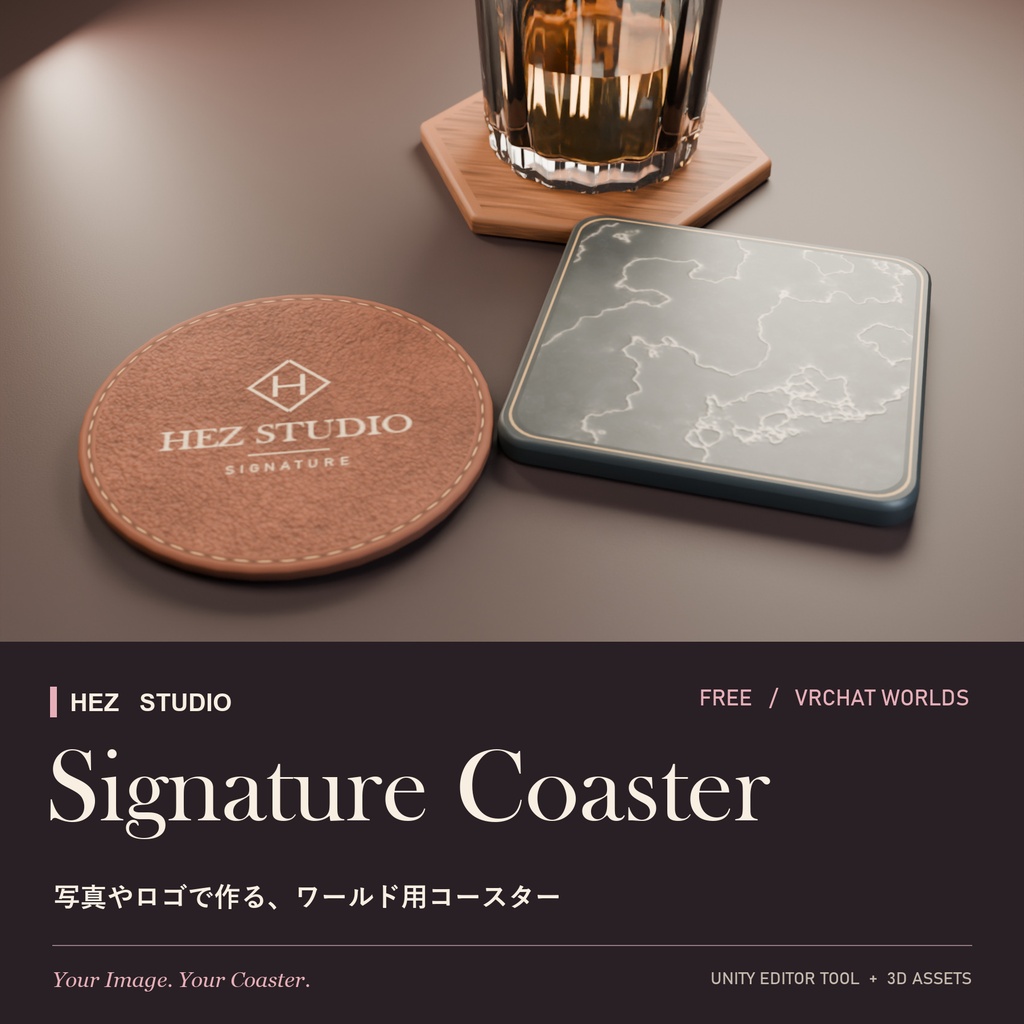
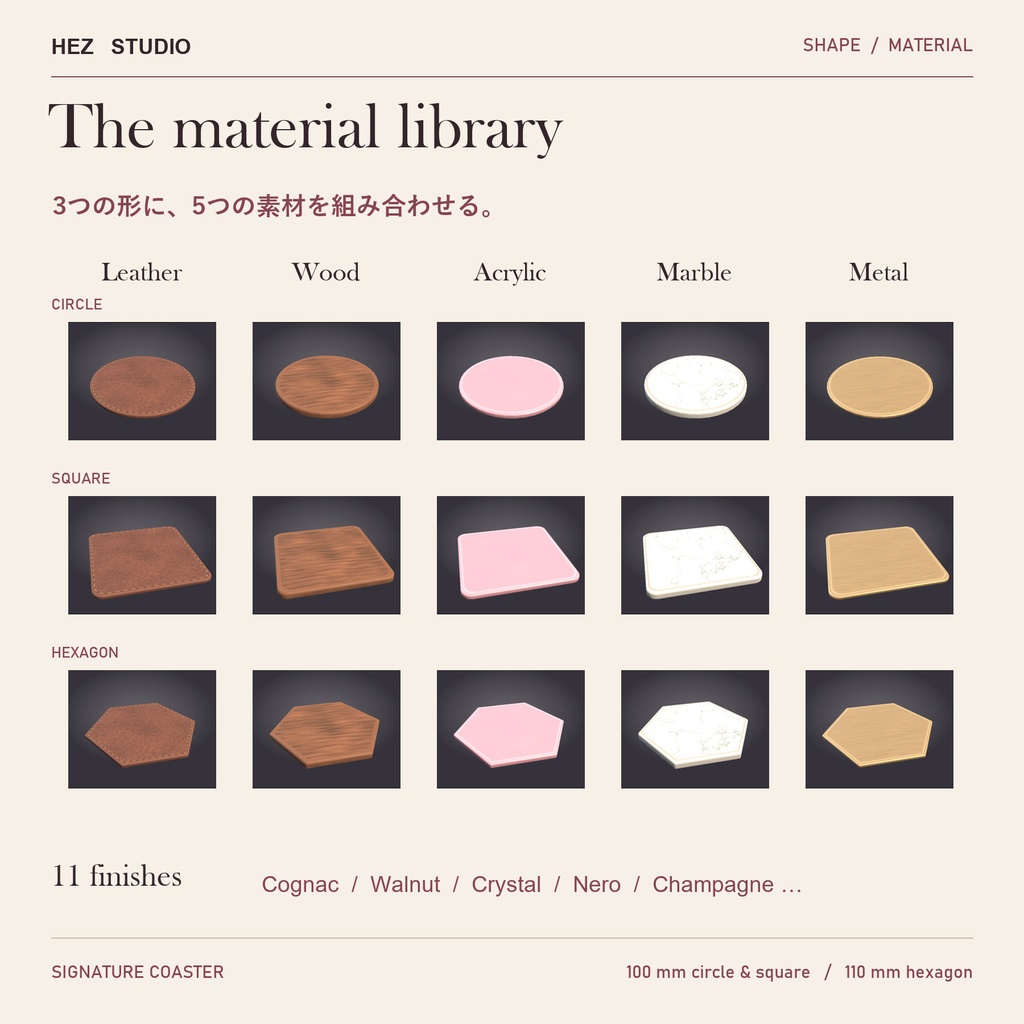
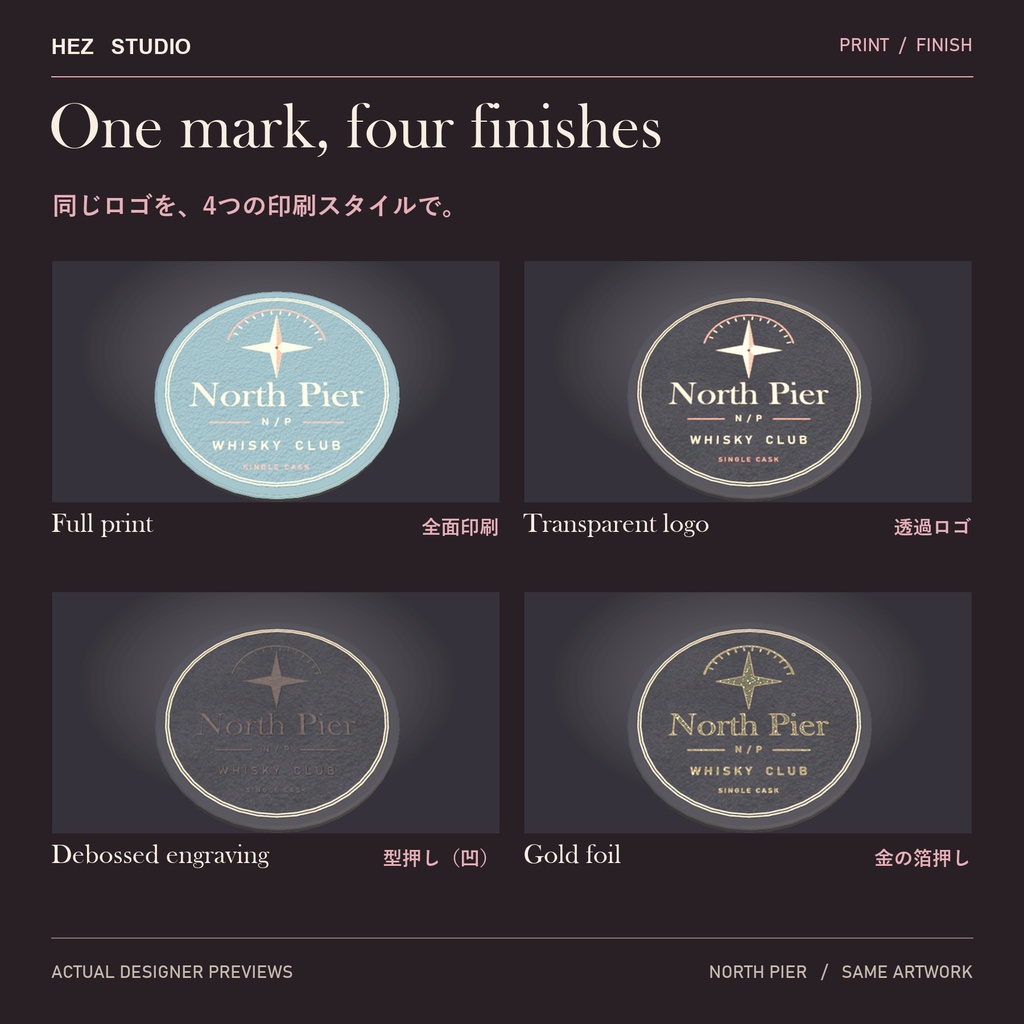
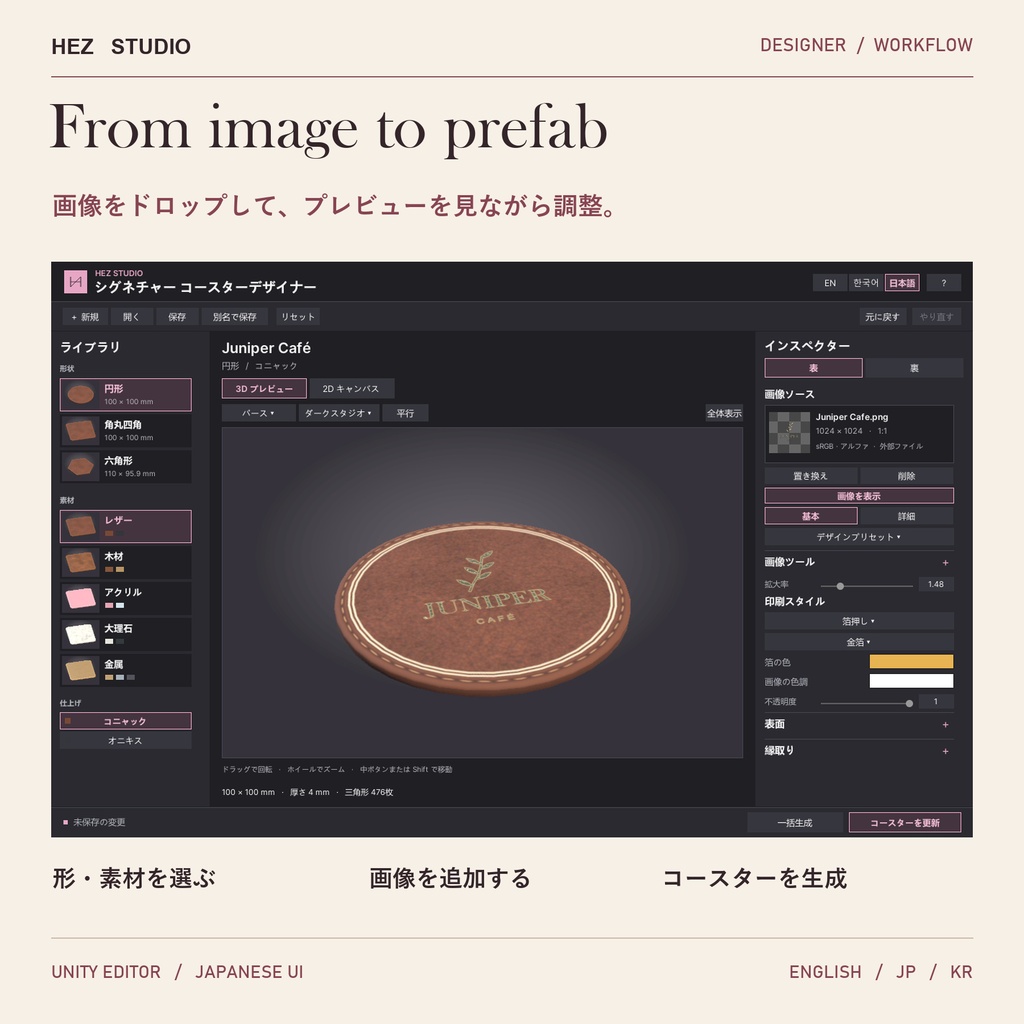
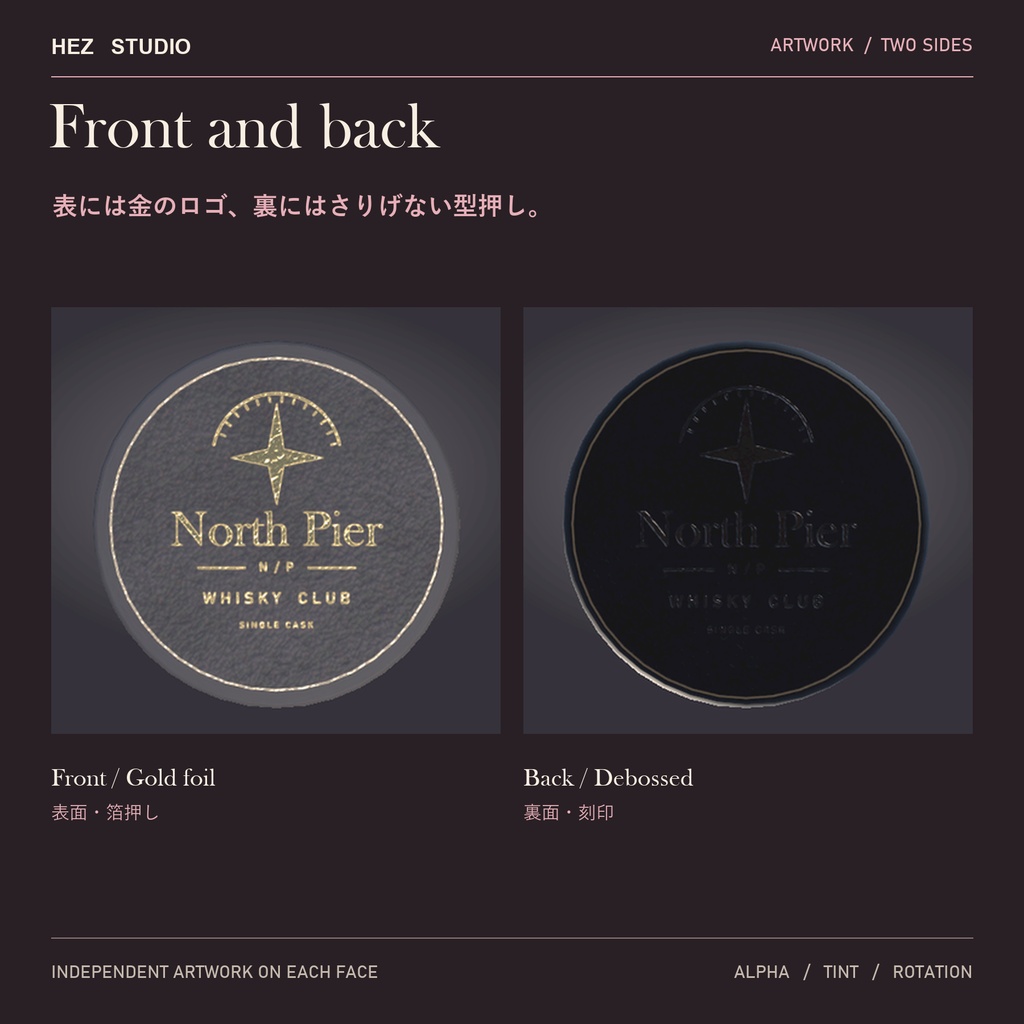
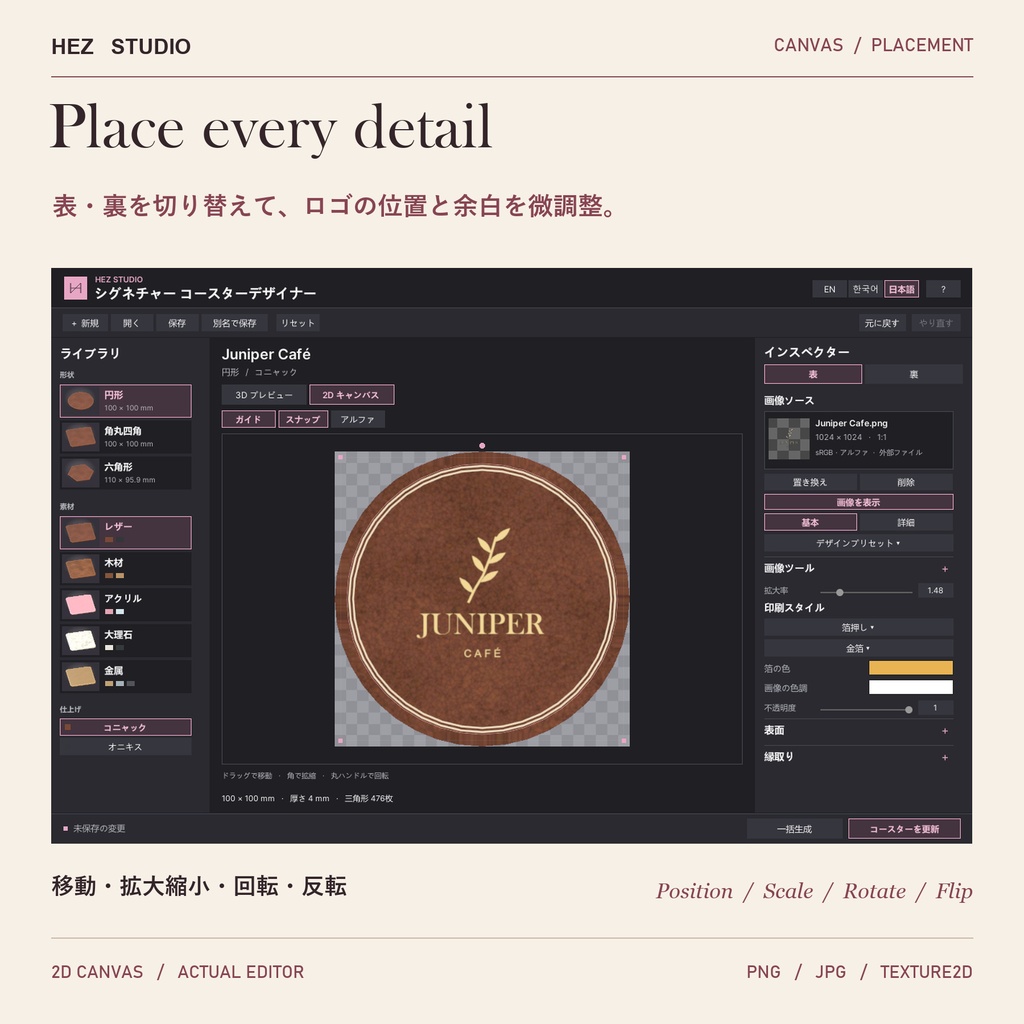
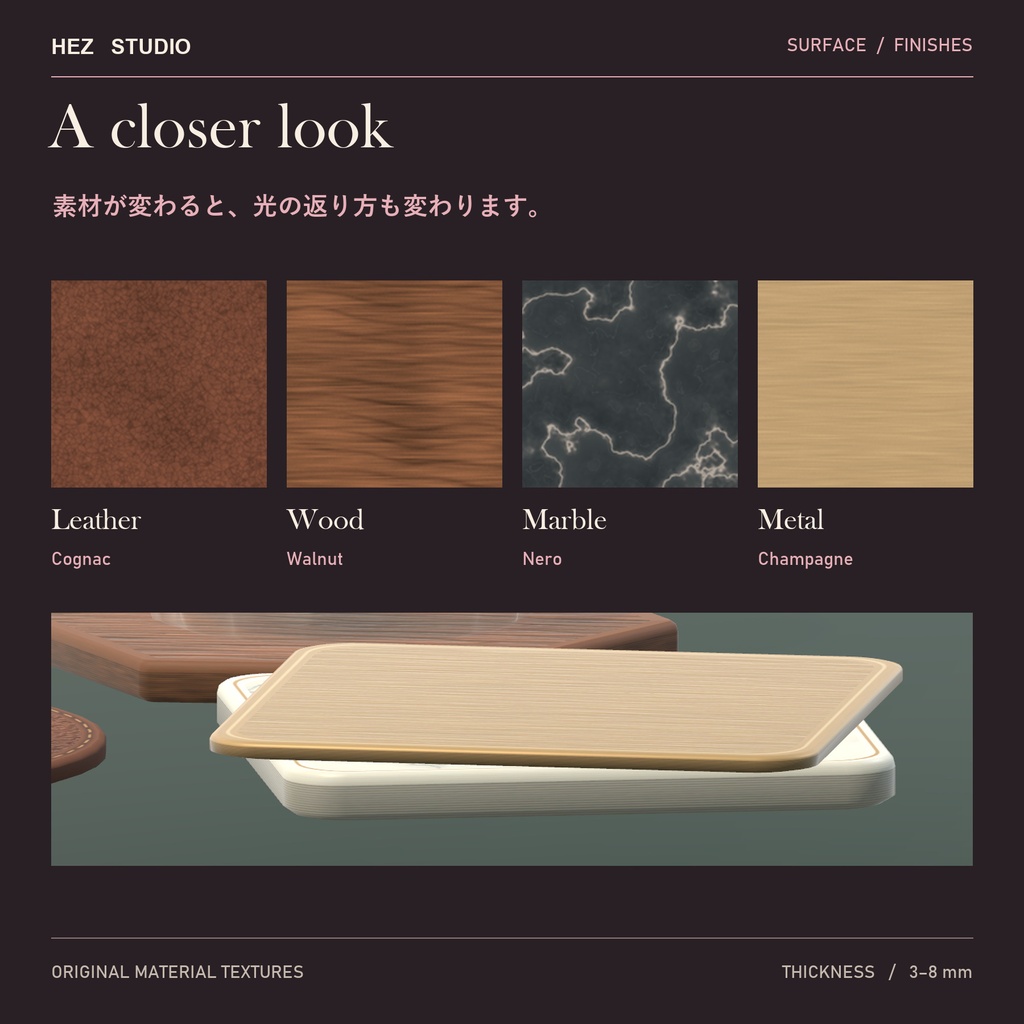
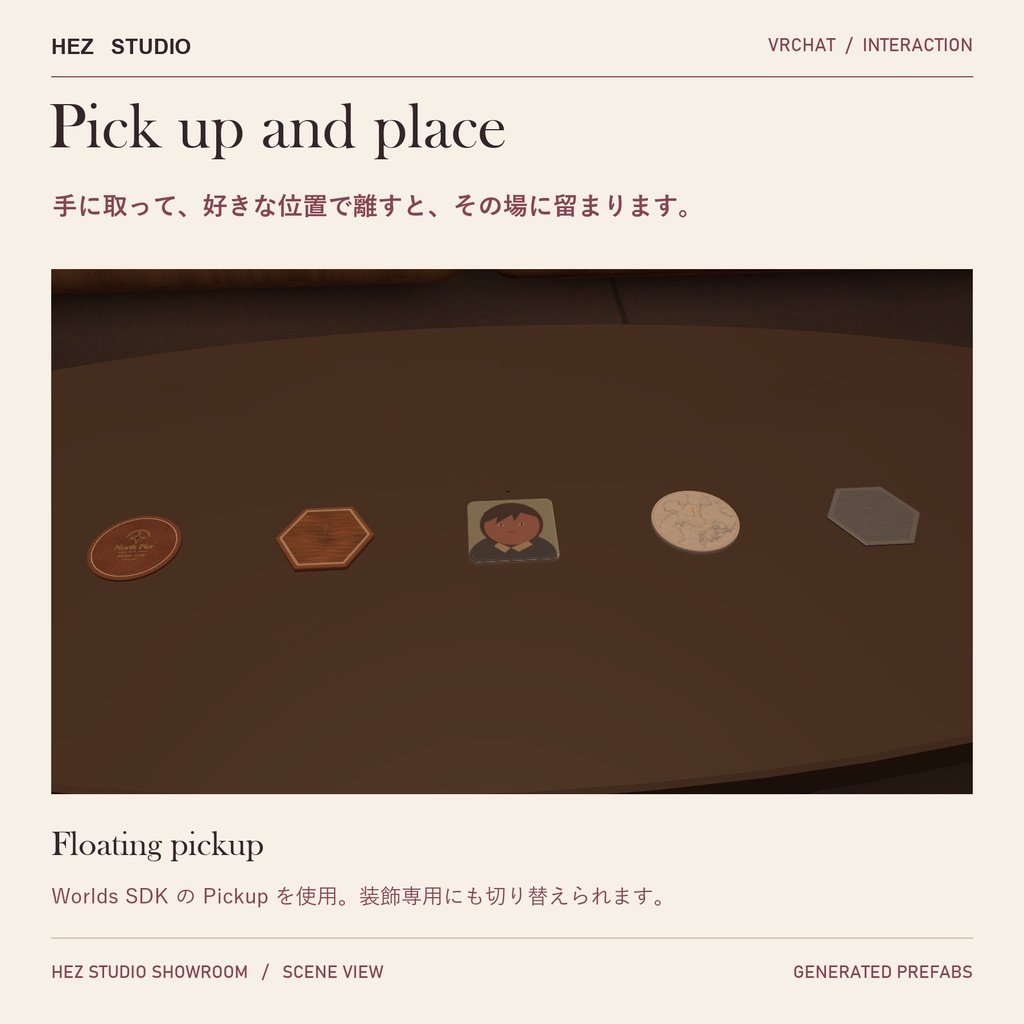
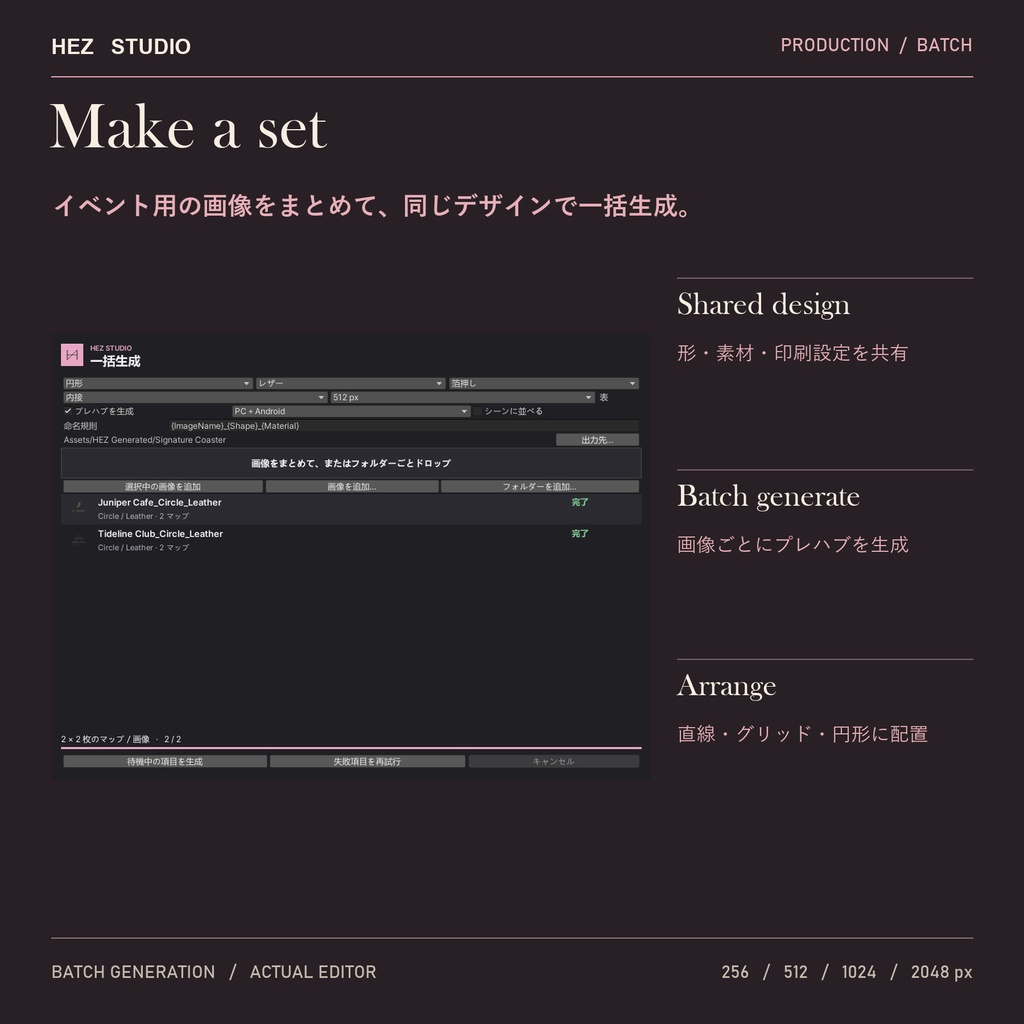
SIGNATURE COASTER — Your Image. Your Coaster. お気に入りのアバター写真をカフェのコースターに。バーのロゴなら、黒いレザーに金の箔押しを。Unity上で画像を置き、形と素材を選ぶだけで、ワールドに置けるプレハブを作れます。全機能無料。ご自身のデザインに透かしは入りません。 ■ デザインできること ・円形、角丸の正方形、六角形。レザー・木材・アクリル・大理石・金属の5素材、全11仕上げから選べます。 ・全面印刷、透過ロゴ、刻印、箔押しに対応。表と裏に別の画像を使えます。縁取りやステッチも編集できます。 ・PNG / JPG の位置や大きさを2Dで調整し、3Dで仕上がりを確認。複数画像からの一括生成にも対応します。 ・Worlds SDKのPickup設定を済ませたプロジェクトでは、生成したコースターを手に取って動かせます。手を離すと空中でもその位置に留まります。装飾専用にも切り替えられます。 ■ はじめかた UnityPackageをインポートし、Tools > HEZ STUDIO > Signature Coaster > Coaster Designer を開きます。形と素材を選び、画像をドロップして「コースターを生成」をクリック。初期状態の保存先は Assets/HEZ Generated/Signature Coaster/ です。 ■ 同梱内容 UnityPackage(エディター拡張・素材・無地のプレハブ15種・サンプルシーン)、Blenderソース、3形状のFBX、日本語・韓国語・英語の導入ガイド。ショールームの内装は撮影用です。 お試し用の透過ロゴ2点(Juniper Café / Tideline Club)は、ZIPの Source/Artwork に収録しています。 ■ 対応環境 Windows / Unity 2022.3.22f1(Built-in)/ VRChat Worlds SDK 3.10.6 で動作確認。UIは日本語・한국어・Englishに対応。Android用には別プレハブを生成し、アクリルは不透明仕上げになります。AndroidビルドとQuest実機での動作は未検証です。 ■ 利用条件 個人・法人を問わず、素材を改変し、公開ワールド・商用ワールドに設置できます。動画・配信・収益化コンテンツでも使用できます。元データや改変データのファイルを第三者に共有・再配布・再販売することは禁止します。印刷には、ご自身の画像または利用許諾を得た画像をお使いください。外部SDKには提供元の利用条件が適用されます。 お問い合わせはBOOTHのショップメッセージからお願いします。
【한국어】
SIGNATURE COASTER — Your Image. Your Coaster. 아바타 사진으로 카페 테이블을 꾸미거나, 검은 가죽에 금박으로 바의 로고를 새겨 보세요. Unity에서 이미지와 소재를 고르고 월드에 배치할 프리팹까지 만들 수 있습니다. 모든 기능은 무료이며 내 디자인에 워터마크가 들어가지 않습니다. ■ 디자인 옵션 ・원형, 둥근 사각형, 육각형. 가죽·원목·아크릴·대리석·금속 5가지 소재에 11가지 마감을 제공합니다. ・전면 인쇄, 투명 로고, 각인, 금속박을 지원합니다. 앞뒤 이미지를 따로 편집하고 테두리와 스티치를 더할 수 있습니다. ・2D에서 PNG/JPG 배치를 조절한 뒤 3D에서 확인하세요. 여러 이미지로 프리팹을 일괄 생성할 수도 있습니다. ・Worlds SDK의 Pickup 레이어가 설정된 프로젝트에서는 생성한 코스터를 집어 옮길 수 있습니다. 손을 놓으면 공중에서도 그 위치에 고정됩니다. 장식 전용으로도 생성할 수 있습니다. ■ 시작하기 UnityPackage를 임포트하고 Tools > HEZ STUDIO > Signature Coaster > Coaster Designer 를 여세요. 형태와 소재를 선택하고 이미지를 드롭한 다음 ‘코스터 생성’을 누르세요. 기본 출력 위치는 Assets/HEZ Generated/Signature Coaster/ 입니다. ■ 다운로드 구성 에디터 도구·소재·무지 프리팹 15종·샘플 씬이 포함된 UnityPackage, Blender 원본, 형태별 FBX 3종, 한국어·일본어·영어 가이드. 상품 이미지 속 쇼룸 인테리어는 촬영용입니다. 바로 사용할 수 있는 투명 로고 2종(Juniper Café, Tideline Club)은 ZIP의 Source/Artwork에 들어 있습니다. ■ 사용 환경 Windows / Unity 2022.3.22f1 (Built-in) / VRChat Worlds SDK 3.10.6에서 확인했습니다. UI는 한국어·日本語·English를 지원합니다. Android용은 별도 프리팹으로 생성되며 아크릴에 불투명 마감을 사용합니다. Android 빌드와 Quest 실기기 동작은 미검증입니다. ■ 이용 조건 개인과 기업 모두 에셋을 수정해 공개·상업 월드에 배치하고, 영상·방송·수익화 콘텐츠에 사용할 수 있습니다. 원본이나 수정본 파일을 제3자에게 공유·재배포·재판매하는 것은 금지합니다. 인쇄에는 직접 만든 이미지나 사용 권한을 확보한 이미지를 사용해 주세요. 외부 SDK에는 해당 제공자의 이용 조건이 적용됩니다. 문의는 BOOTH 상점 메시지를 이용해 주세요.
【English】
SIGNATURE COASTER — Your Image. Your Coaster. Put an avatar portrait on a café table or stamp your bar’s logo in gold foil on dark leather. Choose the shape and finish in Unity, drop in your artwork, and generate a prefab for your world. Every feature is free. Your designs carry no forced watermark. Design options • Circle, rounded square and hexagon. Mix any shape with leather, wood, acrylic, marble or metal in 11 stock finishes. • Choose full print, transparent logo, engraving or metallic foil. Give each face its own artwork, then add a rim, fine lines or stitching. • Position your PNG or JPG in the 2D canvas and check the finish in 3D. Generate a set from multiple images in one batch. • In a Worlds SDK project with the Pickup layer configured, generated coasters can be picked up and left suspended where you release them. A decoration-only option is also available. Get started Import the UnityPackage and open Tools > HEZ STUDIO > Signature Coaster > Coaster Designer. Choose a shape and material, drop in an image, then click Generate Coaster. The default output folder is Assets/HEZ Generated/Signature Coaster/. In the download UnityPackage with the editor tool, materials, 15 blank prefabs and a sample scene, plus the Blender source, three shape FBXs and a guide in English, Japanese and Korean. The showroom interior in the photos is display scenery. Two transparent designs, Juniper Café and Tideline Club, are supplied in Source/Artwork for your first print. Compatibility Tested on Windows with Unity 2022.3.22f1 (Built-in) and VRChat Worlds SDK 3.10.6. Switch between English, 日本語 and 한국어 in the Designer. Android output uses a separate prefab and an opaque acrylic finish. Android builds and Quest hardware have not been verified. Terms of use Individuals and businesses may modify the assets, place them in public or commercial worlds, and use them in videos, streams and monetized content. Sharing, redistributing or reselling the original or modified asset files to third parties is prohibited. Print images you own or have permission to use. External SDKs are subject to their providers’ terms. For support, contact HEZ STUDIO through the BOOTH shop message button.