

【All Avatar対応】SPS 【MA】
- Full Package (SPS+DLC1+DLC2)ダウンロード商品¥ 1,490
- Package(1) (SPS+DLC1)ダウンロード商品¥ 1,090
- Package(2) (SPS+DLC2)ダウンロード商品¥ 1,190
- SPSダウンロード商品¥ 990
- SPS_DLC1 (Only DLC)ダウンロード商品¥ 390
- SPS_DLC2 (Upgrade package)ダウンロード商品¥ 490
- Donate (同じ内容 Full Packge)ダウンロード商品¥ 2,000
- 【2026NewYear!!】SPS+DLC 1/1~1/3ダウンロード商品¥ 99,999
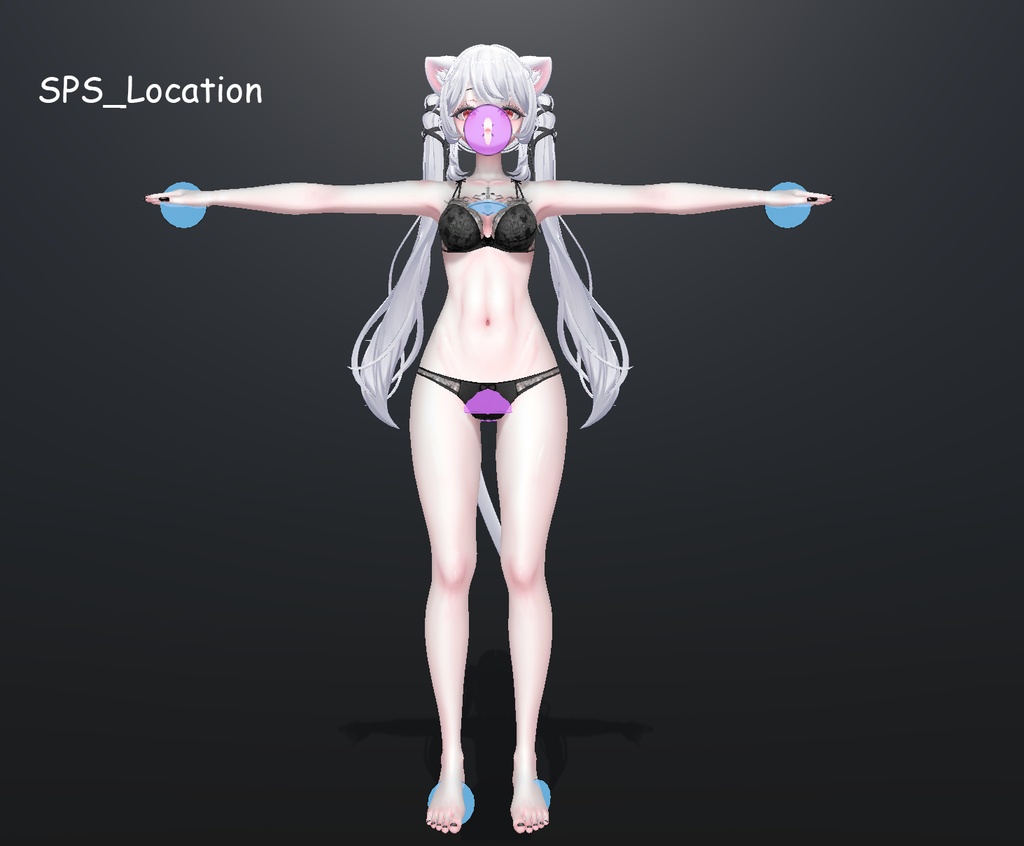
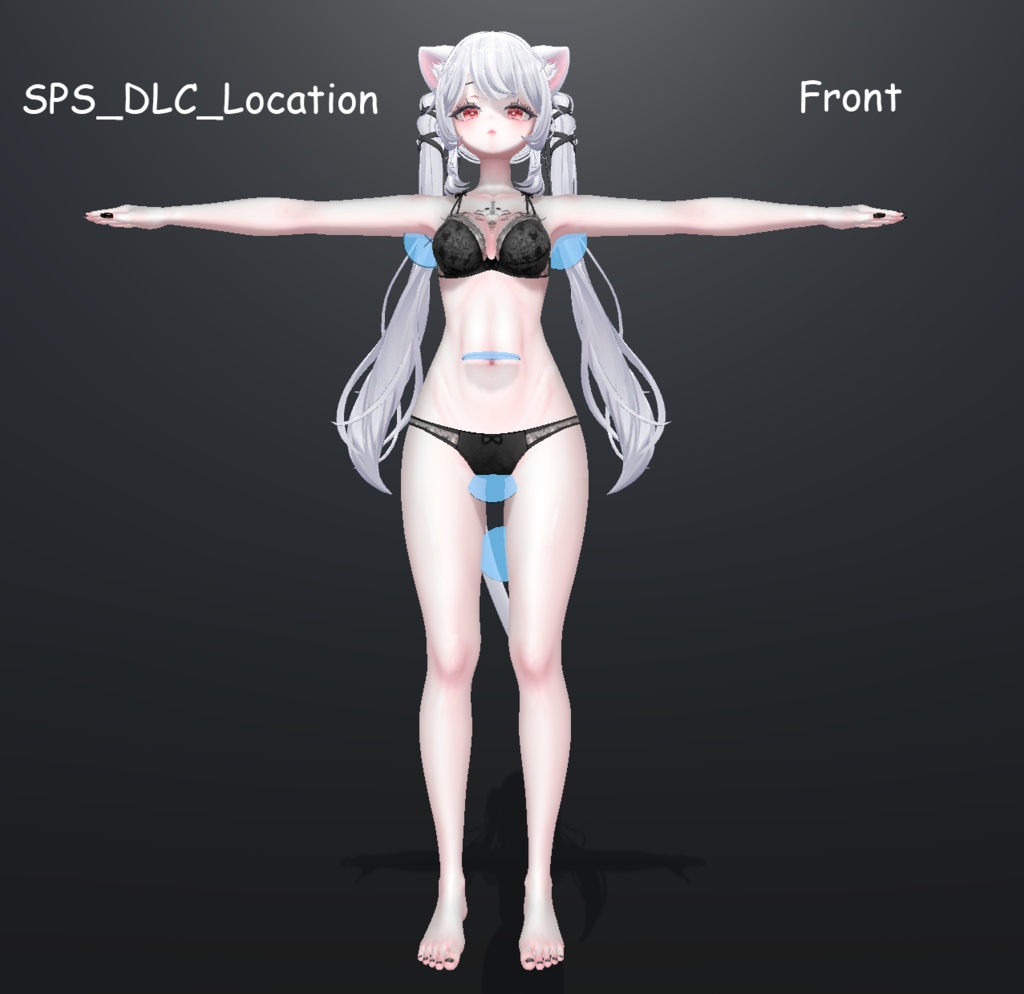
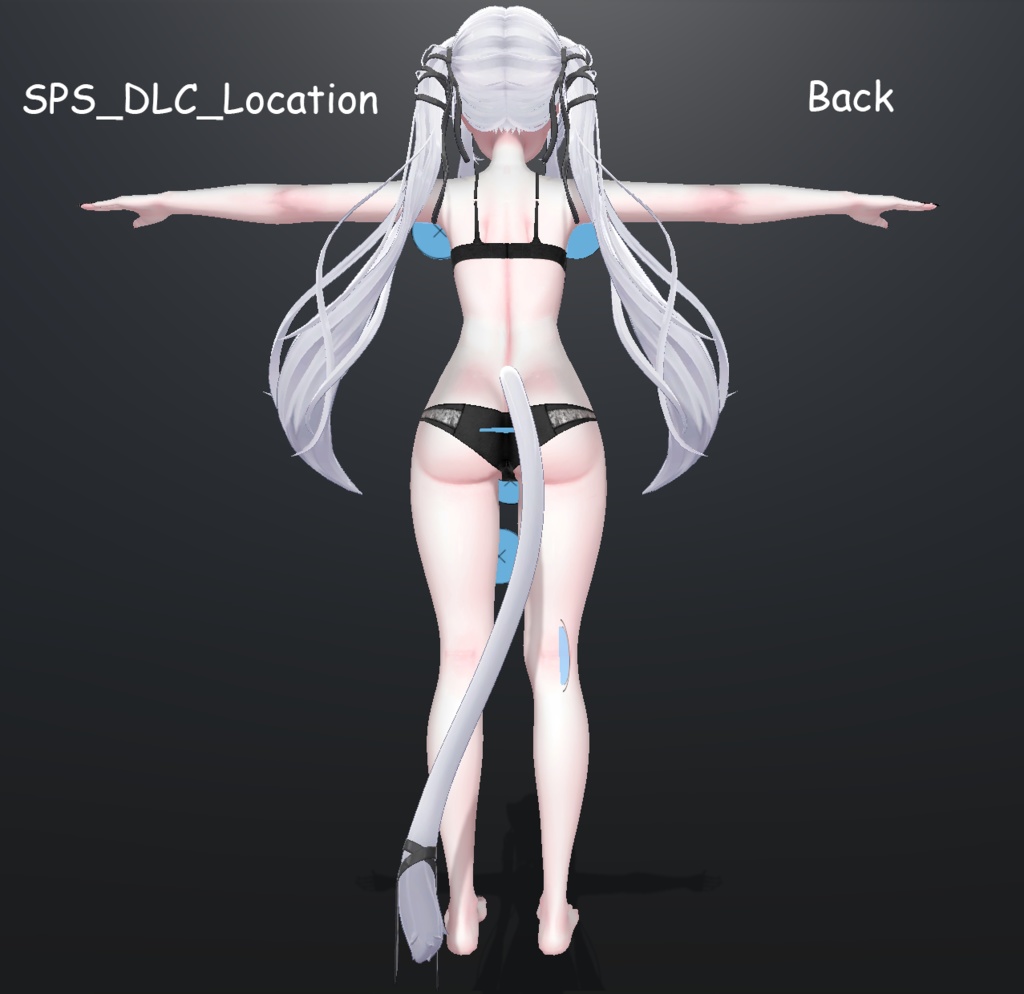
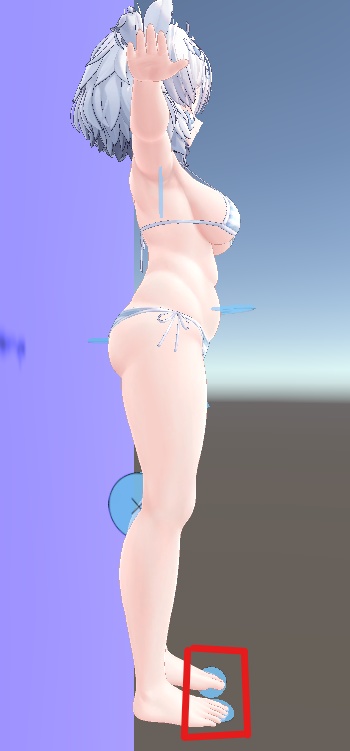


The remaining Avatars will be updated slowly :D!! 修改前、修改後皆禁止分享!! 改変前後の共有は禁止です!! Sharing is prohibited before and after modification!! For WD on VRCFury Ver 1.1069.0 Up Bug report group https://discord.gg/aM6w8ZRwhU
!!!!!SPS注意事項!!!!
__________________________________ 身體或頭大小數值需保持一致意思是,你可以變更它的大小但是Scale的XYZ三項都必須是相同的數值,例如:0.9/0.9/0.9或是 0.859/0.859/0.859 這些都是可以的,但如果你使用 0.9/0.7/0.833 這樣SPS就會發生錯誤!! __________________________________ 体や頭のサイズ数値は一貫して保持する必要があります。つまり、サイズを変更しても、ScaleのXYZの三要素は同じ数値でなければなりません。例えば、0.9/0.9/0.9や0.859/0.859/0.859は問題ありませんが、0.9/0.7/0.833のように使用するとSPSにエラーが発生します!! __________________________________ The body or head size values need to be consistent, which means that you can change its size but the XYZ three items of Scale must be the same value, for example: 0.9/0.9/0.9 or 0.859/0.859/0.859. These are all okay, but if you use 0.9/0.7/0.833 This will cause an error in SPS!! __________________________________
対応Avatar
_________________SPS/SPS2_________________ [Sio] [Airi] & [Moe] [Rurune] & [Ririka] [Kikyo] & [Shinano] [Chiffon] & [Chocolat] & [Lime] [Milfy] & [Eku] [Manuka] [Milltina] [ICHIGO] [Lumina] [Ramune] [Selestia] [Mayo] [Misaki] [Ukon_2nd] [Kaguya] _________________SPS_DLC_________________ [Sio] [Airi] [Rurune] & [Ririka] [Chiffon] & [Lime] [Milfy] & [Eku] [Manuka] [Shinano] [Milltina] [ICHIGO] [Lumina] [Ramune] [Selestia] [Mayo] [Misaki]
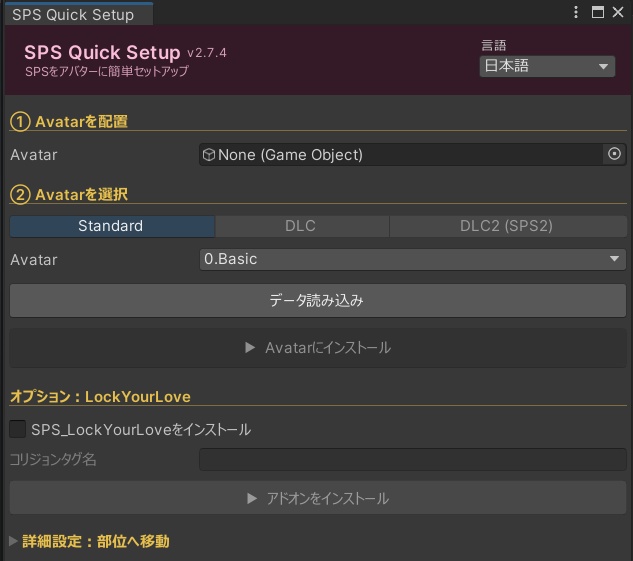
SPS Quick Setup UI
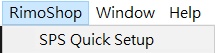
1.啟動工具:選單 RimoShop > SPS Quick Setup 2.指定模型:將 Avatar 拖入「Avatar」欄位 3.選版本與型號:選擇 Standard 或 DLC → 選對應型號 → 點 Load Prefab Data 4.基礎安裝:點 Install to Avatar 即完成! 5.(選填)LockYourLove:勾選 Install SPS_LockYourLove → 在 Collision Tag Name 輸入雙方約定的密語(需完全一致,不了解原理請勿安裝,否則SPS會整組關閉)→ 點 Install Add-on 進階:僅需手動調整物件位置時使用,調整後請點「關閉所有物件」還原狀態。 ==================================== 1.起動:メニュー → RimoShop > SPS Quick Setup 2.アバター指定:「Avatar」欄にアバターをドラッグ&ドロップ 3.バージョン・モデル選択:Standard または DLC を選択 → 対応モデルを選択 → Load Prefab Data をクリック 4.基本インストール:Install to Avatar をクリックで完了! 5.(任意)LockYourLove:Install SPS_LockYourLove にチェック → Collision Tag Name にパートナーと決めた合言葉を入力(双方完全一致が必須。仕組みを理解した上でインストールしてください。誤るとSPSが全て無効化されます)→ Install Add-on をクリック 上級者向け:位置を手動調整したい場合のみ使用。調整後は「Close All Objects」をクリックして状態を戻してください。 ==================================== 1.Launch: Menu → RimoShop > SPS Quick Setup 2.Assign Avatar: Drag your Avatar into the "Avatar" field 3.Select Version & Model: Choose Standard or DLC → select matching model → click Load Prefab Data 4.Base Install: Click Install to Avatar — done! 5.(Optional) LockYourLove: Check Install SPS_LockYourLove → enter a shared secret key in Collision Tag Name (must match exactly on both sides; only install if you understand how it works, or SPS will be fully disabled) → click Install Add-on Advanced: Only for manual position adjustments. After adjusting, click "Close All Objects" to restore normal state.
SPS_DLC2 (VRCFury Ver 1.1365.0 Up)
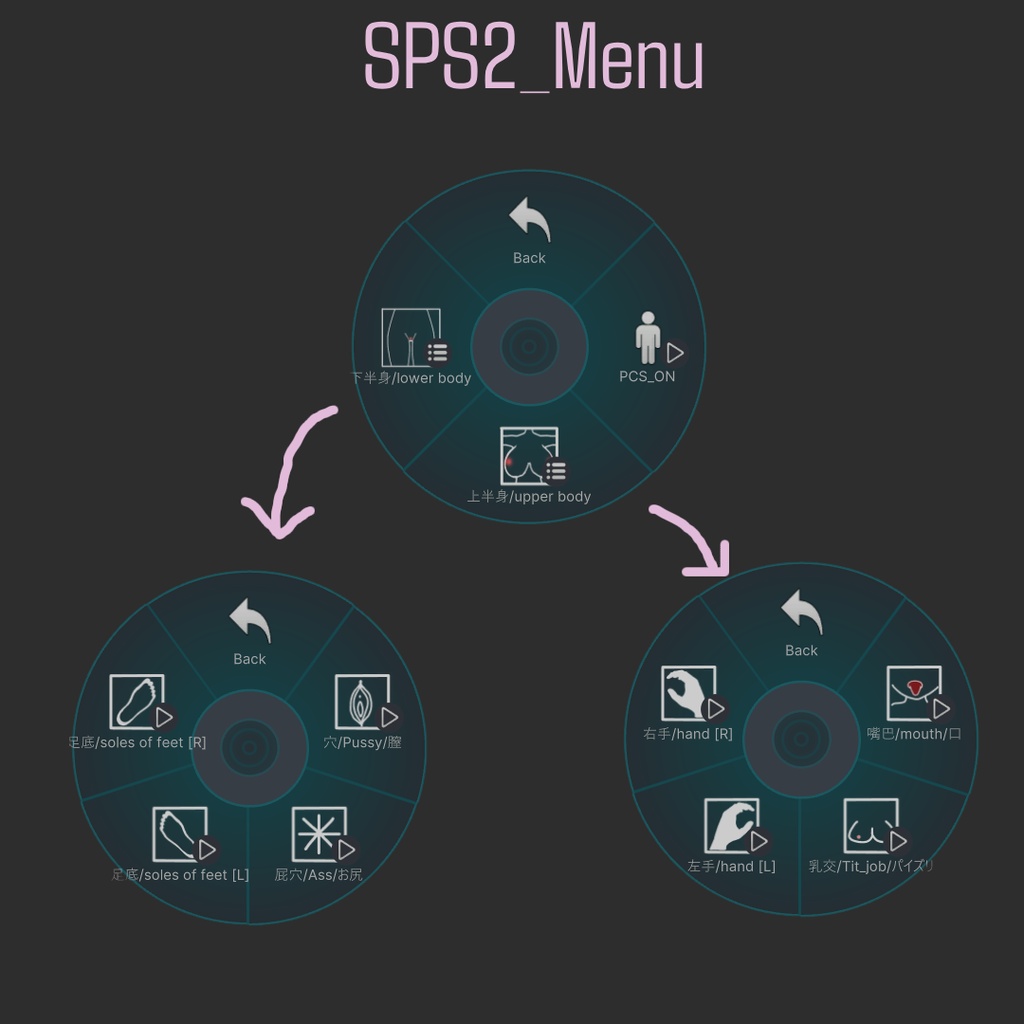
本DLC為SPS2相容升級包,需同時持有「SPS」本體與「SPS_DLC2」才能使用其功能。 由於SPS2核心邏輯與初版不同,DLC2重新調整了對應部分的素材與結構,以確保商品在SPS2環境下正常運作。 若您沒有升級至SPS2的需求,原本的SPS仍可照常使用,無須購買本DLC。 ==================================== 本DLCはSPS2対応のアップグレードパックです。機能を使用するには「SPS」本体と「SPS_DLC2」の両方をお持ちである必要があります。 SPS2はコアロジックが旧バージョンと異なるため、DLC2ではSPS2環境で正常に動作するよう該当部分の素材と構造を再構築しています。 SPS2へのアップグレードが不要な方は、従来通りSPS本体のみでご利用いただけます。本DLCの購入は必須ではありません。 ==================================== This DLC is an SPS2 compatibility upgrade pack. You must own both "SPS" (the base product) and "SPS_DLC2" to use its features. Because SPS2's core logic differs from the original version, DLC2 rebuilds the corresponding assets and structure to ensure the product works correctly in the SPS2 environment. If you don't need to upgrade to SPS2, the original SPS will continue to work as before — no need to purchase this DLC.
JP
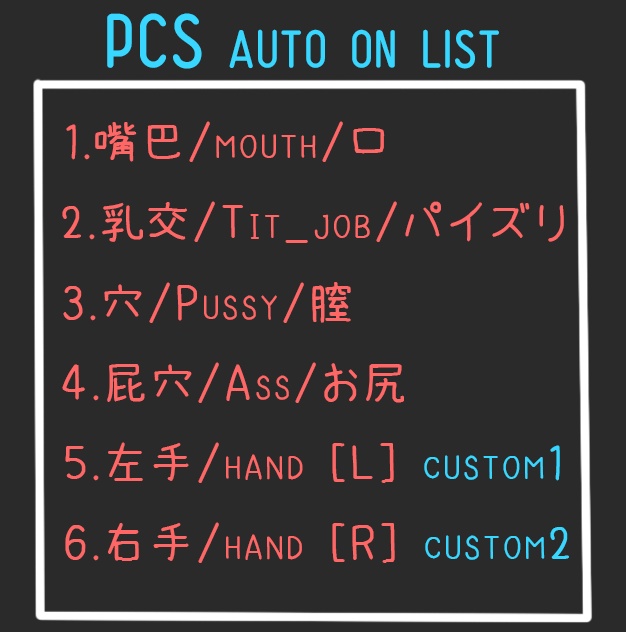
===================== 使用前に以下のアイテムを準備する必要があります ➤ Modular_Avatar(MA) https://modular-avatar.nadena.dev/ __________________________________ ➤ VRCFury https://vrcfury.com/download ===================== ➤ PCS - 音生成機能 (この製品は PCS なしでも使用できますが、より良い結果を得るために PCS を購入してインストールすることをお勧めします。) https://booth.pm/zh-tw/items/5001027 __________________________________ ➤ DPS (Dick をインストールする必要があるユーザーは、そのまま購入できます。) https://booth.pm/zh-tw/items/2825903 ===================== すべてのアバターに適しています。位置を少し調整するだけです。 本製品はPCS自動切替機能をサポートしているので、いちいち手動で電源を入れる必要はもうありません!
ZH
===================== 使用前必須準備以下物品 ➤ Modular_Avatar(MA) https://modular-avatar.nadena.dev/ __________________________________ ➤ VRCFury https://vrcfury.com/download ===================== ➤ PCS - 發出聲音的功能 (沒有PCS還是可以使用本產品,但還是推薦購買並安裝,效果更佳) https://booth.pm/zh-tw/items/5001027 __________________________________ ➤ DPS (有需要安裝屌的用戶在購買即可) https://booth.pm/zh-tw/items/2825903 ===================== 全部角色適用,只需稍微調整位置即可! 該產品有支援PCS自動開關功能,不再需要手動一個一個開啟!
EN
===================== Before use, you must prepare the following items ➤ Modular_Avatar(MA) https://modular-avatar.nadena.dev/ __________________________________ ➤ VRCFury https://vrcfury.com/download ===================== ➤ PCS - Sound-generating function (You can still use this product without PCS, but it is still recommended to purchase and install it for better results.) https://booth.pm/zh-tw/items/5001027 __________________________________ ➤ DPS (Users who need to install the dick can just purchase it.) https://booth.pm/zh-tw/items/2825903 ===================== Suitable for all Avatars, just adjust the position slightly! This product supports the PCS automatic switch function, so you no longer need to manually turn them on one by one!
SPS Update Log
※バージョン2.4より前をご利用の方は、古いデータを完全に削除した上で最新版をインストールすることを推奨します! __________________________________ V1.0 (2024/09/15) [Open Beta] ・公開開始 ・Ass(お尻)を追加! __________________________________ V1.1 (2024/09/15) [Open Beta] ・PCSの自動ON/OFF機能を追加 __________________________________ V1.2 (2024/09/16) ・対応Prefab追加:Sio / Manuka __________________________________ V2.0 (2024/09/19) ・サイズおよび位置が調整できない不具合を修正 ・既存Prefabを修正し、各対応キャラクターにはHoleのみを搭載(Dickは非搭載)に変更 ・DickのPrefabを別途分離し、Holeのみ必要な方はDPSを追加購入せずに使用可能に __________________________________ V2.1 (2024/09/19) ・対応Prefab追加:Kikyo / Moe / Rurune __________________________________ V2.2 (2024/09/19) ・軽微な不具合を修正 ・新規アイコンを追加 __________________________________ V2.3 (2024/09/20) ・対応追加:Shinano __________________________________ V2.4 (2025/01/05) ・対応追加:Ririka ・フォルダ構成を変更 __________________________________ V2.5 (2025/02/11) ・対応追加:Milltina ・対応箇所のスタイル・デザインを変更 __________________________________ V2.5.1 (2025/02/13) ・シェーダーを修正 __________________________________ V2.6.0 (2025/04/15) ・対応追加:Chiffon ・対応追加:Chocolat ・両足を使用する足コキ時にPCSと連動する機能を追加 ・足コキ時の左足の向きを修正し、より使いやすく調整 ・プレビュー用マテリアルをすべて差し替え ・※次回アップデートにて「Lime」対応予定 __________________________________ V2.6.1 (2025/07/22) ・対応追加:Lime ・価格改定 __________________________________ V2.6.2 (2025/08/25) ・対応追加:イチゴ (ICHIGO) / Milfy ・新規アイコンを追加 __________________________________ V2.6.3 (2025/10/22) ・対応追加:Eku ・対応追加:Lumina __________________________________ V2.6.4 (2025/12/30) ・対応追加:Ramune ・アイコンを修正 __________________________________ V2.6.5 (2026/02/02) ・対応追加:Kumaly __________________________________ V2.6.6 (2026/02/23) ・対応追加:Selestia __________________________________ V2.6.7 (2026/04/03) ・対応追加:Mayo __________________________________ V2.7.0 (2026/05/04) ・シンプルで使いやすい新しいインストール用インターフェースを追加 __________________________________ V2.7.1 (2026/05/06) インターフェースの調整: ・インストール済みキャラクターを自動認識 ・DLCのインストールメニューをSPSメニューへ自動統合 ・※DLCの個別インストールは今後できなくなります ・バンドル価格をわずかに改定 __________________________________ V2.7.2 (2026/05/16) ・対応追加:Misaki __________________________________ V2.7.3 (2026/06/08) ・新機能「Lover Lock」を追加:パートナーが近くにいる時のみロック解除が可能です! __________________________________ V2.7.4 (2026/07/17) ・対応追加:Kaguya / Ukon2nd __________________________________ V2.7.5 (2026/10/12) ・キャラクターリストに何も表示されない不具合を修正(フォルダの移動・リネーム、プロジェクトのパスが長い場合にも対応) ・リスト右側に更新ボタン「↻」を追加:インポート後にリストが更新されない場合はこちらを押してください ・リストが空のときは検索先のフォルダーを表示するように変更
SPS_DLC Update Log
V1.0 (2024/09/27) ・対応Prefab追加:Shinano / Airi / Manuka __________________________________ V1.1 (2025/01/05) ・対応追加:Ririka / Sio ・一部配置位置の調整 __________________________________ V1.2 (2025/02/11) ・対応箇所のスタイル・デザインを変更 __________________________________ V1.2.2 (2025/03/27) ・対応追加:Milltina __________________________________ V1.2.3 (2025/07/21) ・対応追加:Rurune ・旧表示モードの完全刷新(移行) ・※次回アップデートにて「Chiffon / Lime」対応予定 __________________________________ V1.2.4 (2025/07/22) ・対応追加:Chiffon / Lime ・価格改定 __________________________________ V1.2.5 (2025/08/25) ・対応追加:イチゴ (ICHIGO) / Milfy ・新規配置位置の追加 __________________________________ V1.2.6 (2025/10/22) ・対応追加:Eku / Lumina __________________________________ V1.2.8 (2026/02/02) ・対応追加:Ramune / Kumaly ・新規配置位置の追加(Kumaly専用) __________________________________ V1.2.9 (2026/02/23) ・対応追加:Selestia __________________________________ V1.2.10 (2026/04/03) ・対応追加:Mayo __________________________________ V1.3.0 (2026/05/04) ・全DLCのPrefabプリセット選択ユニットを修正(アンインストールが完全に不可能になる不具合を修正) __________________________________ V1.3.1 (2026/05/16) ・対応追加:MisakiV1.0 (2024/09/27) ・対応Prefab追加:Shinano / Airi / Manuka __________________________________ V1.1 (2025/01/05) ・対応追加:Ririka / Sio ・一部配置位置の調整 __________________________________ V1.2 (2025/02/11) ・対応箇所のスタイル・デザインを変更 __________________________________ V1.2.2 (2025/03/27) ・対応追加:Milltina __________________________________ V1.2.3 (2025/07/21) ・対応追加:Rurune ・旧表示モードの完全刷新(移行) ・※次回アップデートにて「Chiffon / Lime」対応予定 __________________________________ V1.2.4 (2025/07/22) ・対応追加:Chiffon / Lime ・価格改定 __________________________________ V1.2.5 (2025/08/25) ・対応追加:イチゴ (ICHIGO) / Milfy ・新規配置位置の追加 __________________________________ V1.2.6 (2025/10/22) ・対応追加:Eku / Lumina __________________________________ V1.2.8 (2026/02/02) ・対応追加:Ramune / Kumaly ・新規配置位置の追加(Kumaly専用) __________________________________ V1.2.9 (2026/02/23) ・対応追加:Selestia __________________________________ V1.2.10 (2026/04/03) ・対応追加:Mayo __________________________________ V1.3.0 (2026/05/04) ・全DLCのPrefabプリセット選択ユニットを修正(アンインストールが完全に不可能になる不具合を修正) __________________________________ V1.3.1 (2026/05/16) ・対応追加:Misaki __________________________________ SPS DLC_2_V1.1 2026/08/27 ・PCSシステムとの互換性問題を修正(※音源の同時使用は引き続き1つのみとなります)