
【OBS】多機能ゴールバー|手動カウント・タイマー・わんコメ連携
- ダウンロード商品¥ 500
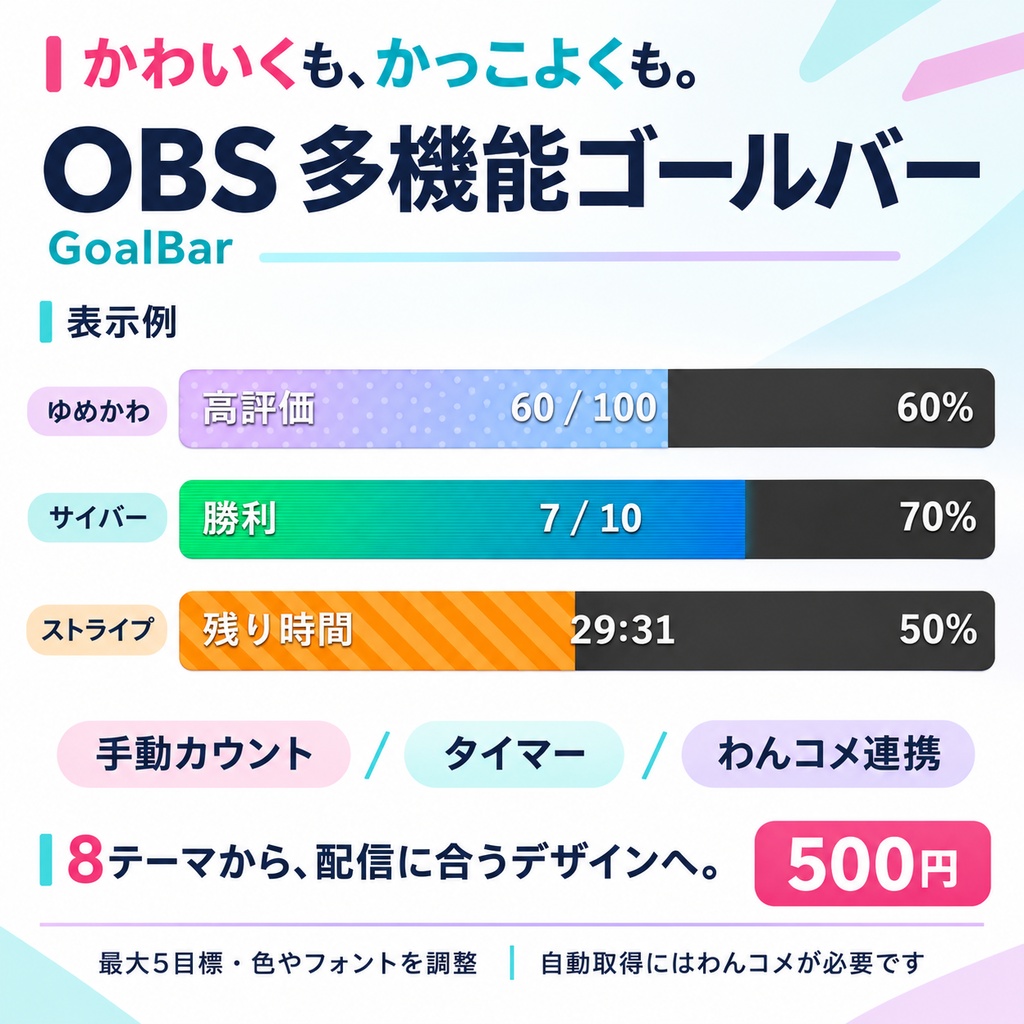
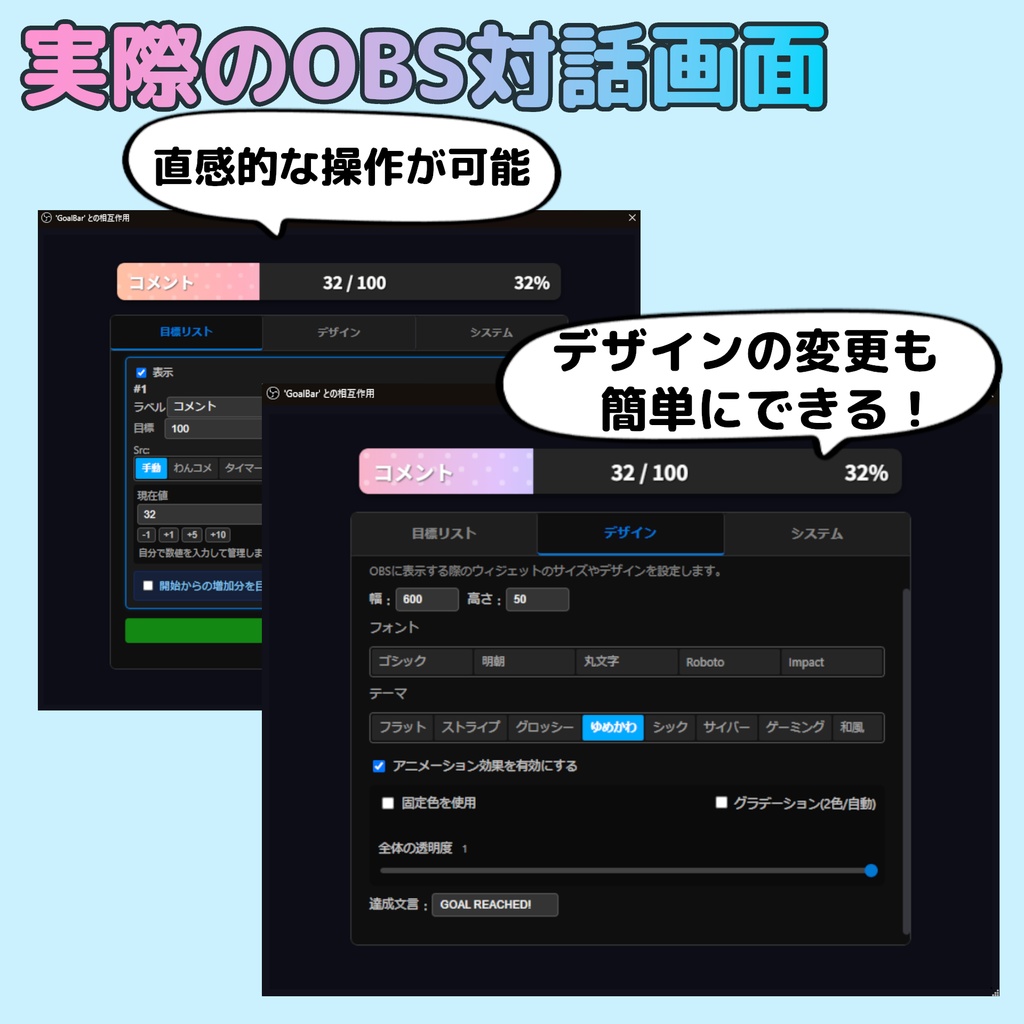


「高評価100件を目指す」「10勝するまで続ける」「記念配信までカウントダウン」。 配信の目標と進み具合を、視聴者と共有できるOBS用ゴールバーです。 企画に合わせて、手動カウント・タイマー・わんコメ連携を使い分けられます。 【本体 500円】 OBSのブラウザソースで使用するHTML形式です。 設定パネルを内蔵し、OBSの「対話」から目標・色・フォントを変更できます。 手動カウントとタイマーは、わんコメを使わずに動作します。
【主な用途】
高評価100件を目指す配信、10勝を目指すゲーム企画、記念配信までのカウントダウンなどに。 手動カウントとタイマーは、わんコメなしで使えます。
機能一覧
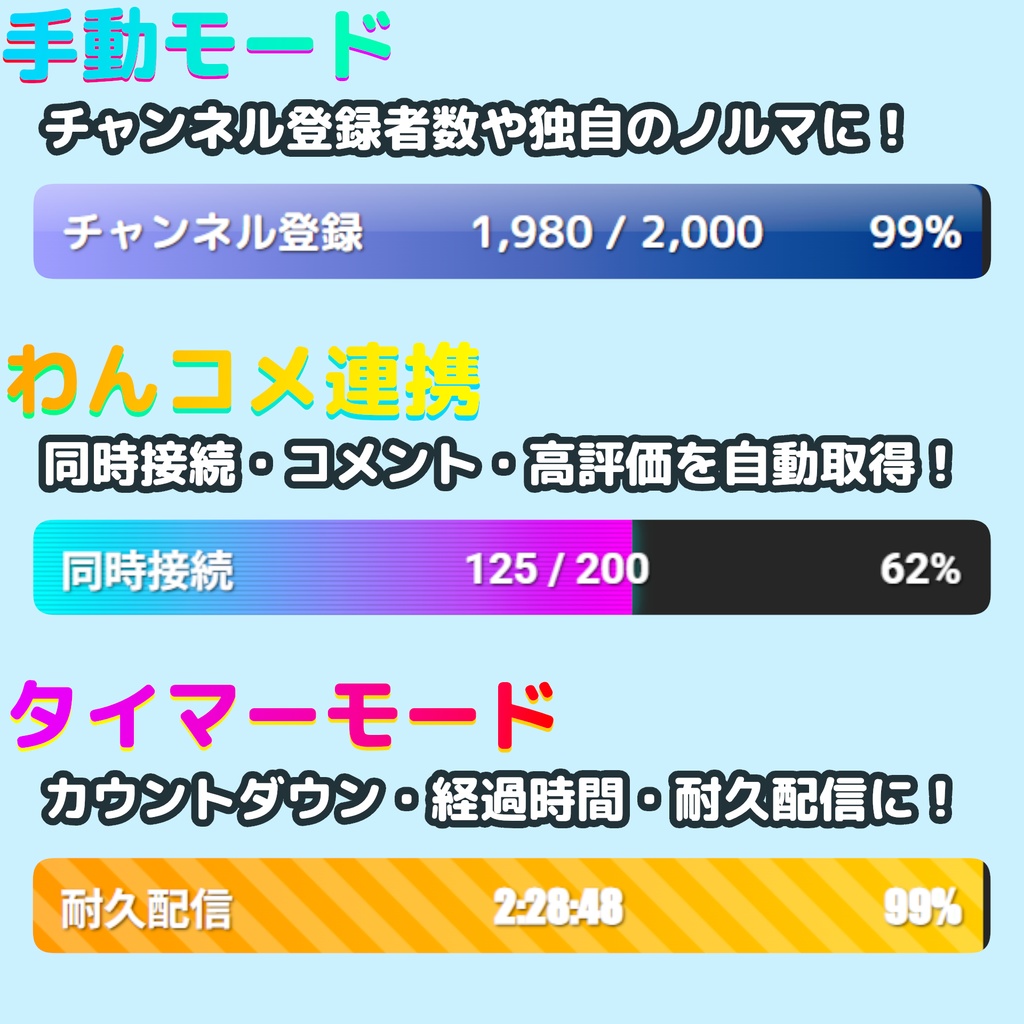
1. 手動カウント 勝利数・討伐数・独自のノルマなどを、数値入力や加算ボタンで管理します。登録者数を手動で管理する用途にも使えます。 2. タイマー 残り時間、経過時間、指定日時までのカウントダウンを表示します。企画の延長や一時停止にも対応します。 3. わんコメ連携 わんコメが取得した同接・コメント・高評価数を反映します。 ※取得できる項目や更新間隔は、配信先とわんコメ側の取得状況によって異なります。チャンネル登録者数の自動取得には対応していません。
デザイン・仕様
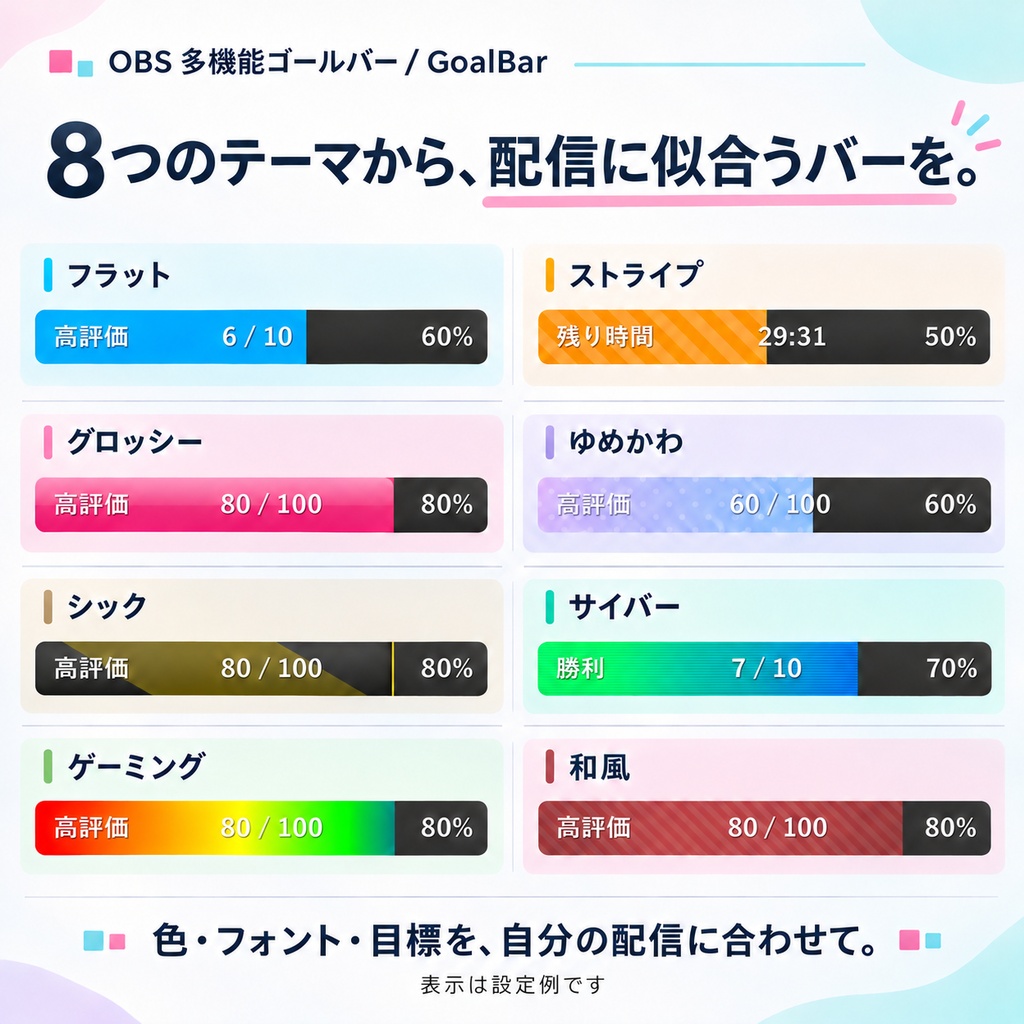
・8種類のテーマ、色・グラデーション・フォントの変更 ・最大5件の目標を保存し、自動で切り替え表示 ・コメント・高評価などを「開始時からの増加分」で表示 ・目標達成時の文言や色を変更 ・変更した設定と目標を自動保存 ・日本語・英語・中国語・韓国語・スペイン語の設定画面
導入方法
1. ZIPを展開し、OBSへブラウザソースを追加します。 2. 「ローカルファイル」でGoalBar.htmlを指定します。 3. ソースの「対話」を開き、目標とデザインを設定します。 4. OBSプレビューでAltキーを押しながらソースの下辺を上へドラッグし、設定パネルを隠します。 5. 自動取得を使う場合は、わんコメを起動して対象の配信へ接続してください。 画像付きマニュアル https://takami-naku.com/manual-goalbar
動作確認環境
Windows / OBS 30.0.2・33.0.1、わんコメ8.0.7・9.1.6の4通りでコメント取得と再読み込みを確認しています。 2026-11-03:わんコメ連携とOBS 33のローカルファイル利用に対応を更新。一時停止中の進捗表示、時間の減算、引用符を含むラベル、取得待ち中の目標変更も修正しました。
注意事項・できないこと
・わんコメ連携を使う場合は、別途わんコメが必要です。標準ポート11180で接続します。 ・わんコメを無料利用する場合は、わんコメ公式のクレジット表記条件に従ってください。 https://onecomme.com/docs/developer/onesdk-js/ ・本商品はわんコメ公式商品ではありません。 ・画像の数値は表示例です。配信背景は付属しません。 ・日本語を直接入力できない場合は、メモ帳等から貼り付けてください。 ・Google Fontsの読み込みにインターネット接続を使用します。 ・利用条件は、同梱のLICENSE.txtをご確認ください。
Main Features
- Manual Mode: Manage custom goals like Subscriber Counts manually. - Timer Mode: Display countdowns, elapsed time, or clock-synced targets. - OneComme Mode: Auto-fetch Viewers/Comments/Likes via "OneComme" app integration.
Features Detail
1. Manual Mode - Input any value directly from the control panel. - Use this mode for Subscriber Counts or custom goals. - Includes quick-add buttons (+1, +10) for easy updates. 2. Timer Mode - Display countdowns to a specific time or measure elapsed time. - Perfect for endurance streams. - Quick extension buttons (+30m, +60m) available. 3. OneComme Mode - Automatically fetch the following stats via local link with "OneComme": [ Concurrent Viewers / Comment Count / Likes ] - Note: Automatic fetching of Subscriber Count is NOT supported. 4. Relative Mode - Set goals based on the increment (e.g., "+10 from start") rather than the total count.
Design & Specs
Eight themes; adjustable colors, gradients and fonts. Manage up to five goals with auto-rotation. Settings and goals are saved automatically. UI languages: Japanese, English, Chinese, Korean and Spanish.
How to Use
1. Unzip the downloaded file. 2. In OBS, click "+" in Sources and select "Browser". 3. Check "Local file" and select `GoalBar.html` from the unzipped folder. 4. Hold the Alt key and drag the bottom edge of the source upward to crop (hide) the settings panel. Adjust until only the bar is visible. 5. Click the "Interact" button in OBS to change settings. Even if cropped, the Interact window opens the full interface, allowing you to change settings anytime.
Tested Environment
Comment retrieval and reload tested on Windows in all four combinations of OBS 30.0.2 / 33.0.1 and OneComme 8.0.7 / 9.1.6.
Limitations
Automatic viewers/comments/likes require OneComme on its default port 11180. Available metrics and update intervals depend on the streaming service and OneComme. Automatic subscriber counts are not supported. This is not an official OneComme product. Follow OneComme’s credit requirements when using it for free: https://onecomme.com/docs/developer/onesdk-js/ Google Fonts requires internet access. Stream backgrounds are not included. Paste CJK text if direct IME input is unavailable. See LICENSE.txt for usage terms.
FAQ
Q. わんコメなしでも使えますか? / Can I use it without OneComme? A. はい。手動カウントとタイマーは単体で動作します。 / Yes. Manual counters and timers work independently. Q. チャンネル登録者数を自動取得できますか? / Can it fetch subscriber counts? A. 対応していません。登録者数は手動モードで管理してください。 / No. Use Manual Mode for subscriber goals. Q. わんコメ連携では何を取得できますか? / What can OneComme provide? A. 同接・コメント・高評価数を反映します。取得できる項目と更新間隔は、配信先とわんコメの取得状況によって異なります。 / Viewers, comments and likes; available metrics and update intervals depend on the streaming service and OneComme. Q. 外部通信はありますか? / Does it access external services? A. Google Fontsの読み込みにインターネット接続を使用します。わんコメとはPC内で連携します。 / It loads Google Fonts over the internet and connects to OneComme locally. Q. 収益化配信で使えますか? / Can I use it in monetized streams? A. 同梱のLICENSE.txtをご確認ください。わんコメを無料利用する場合は、わんコメ公式のクレジット表記条件にも従ってください。 / See LICENSE.txt and OneComme’s credit requirements for free use.
更新履歴 / Update Log
2026-11-03 ・わんコメ連携とOBS 33のローカルファイル利用に対応を更新。 ・一時停止中の進捗表示、時間の減算、引用符を含むラベル、取得待ち中の目標変更を修正。 v2.0.0 ・カスタムカラーピッカー、タイマー書式の言語切り替え、内部処理の改善。 v1.0.0 ・初回リリース。