

【VRChat / Unity】AyuText|拡大してもくっきり,高精細テキスト生成・管理ツール
- ダウンロード商品¥ 750
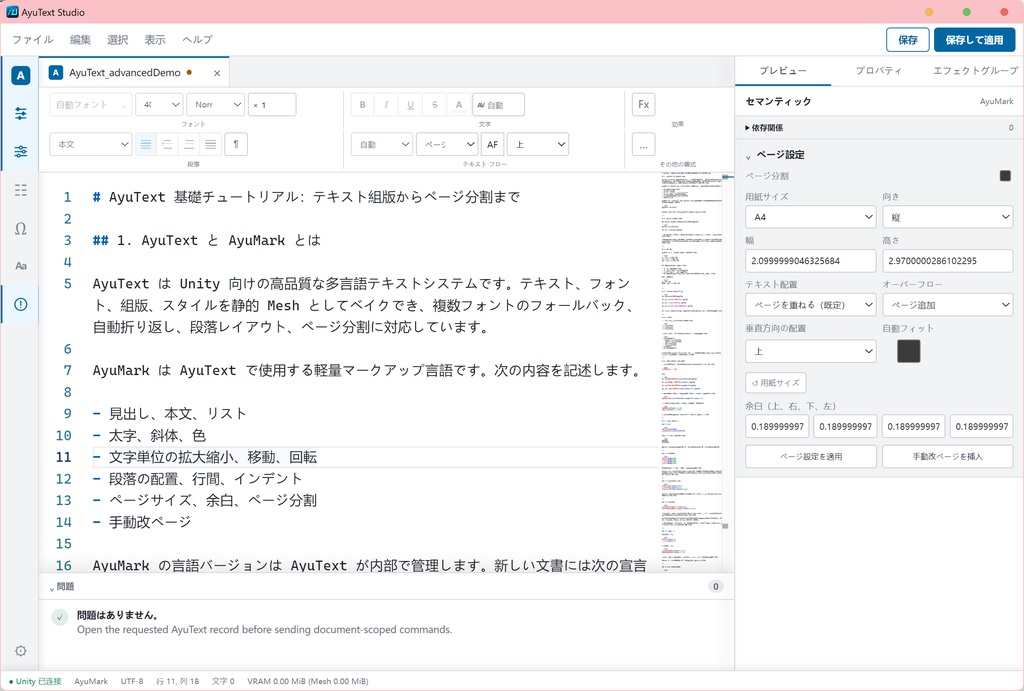
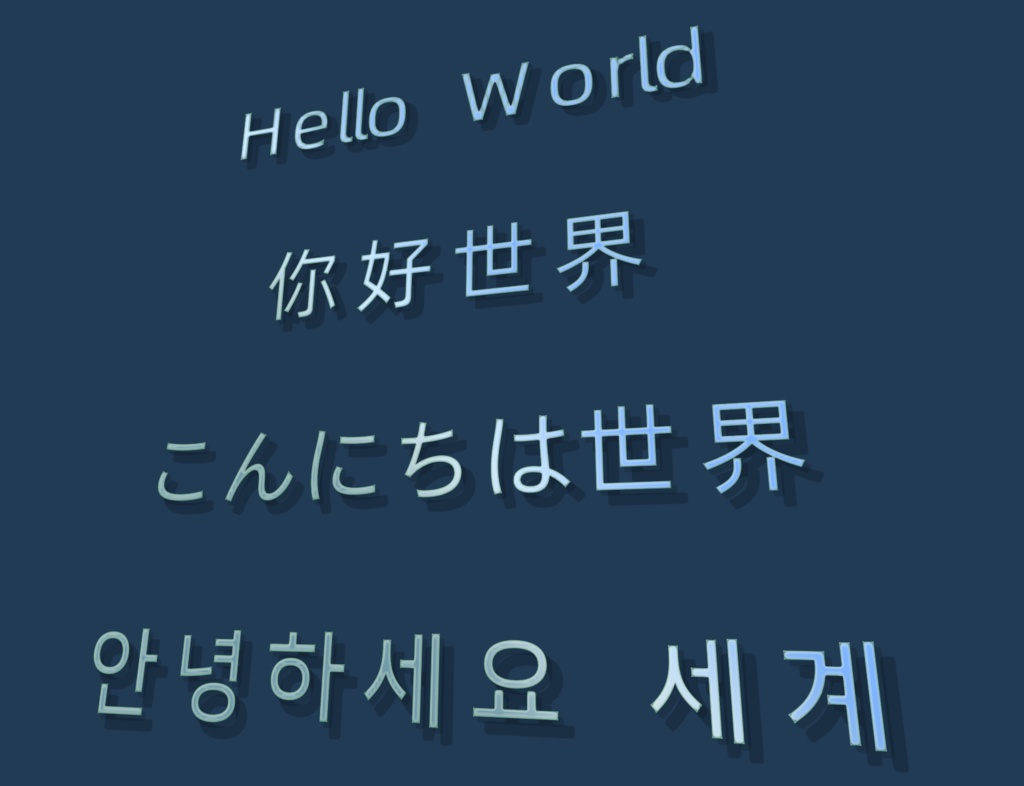
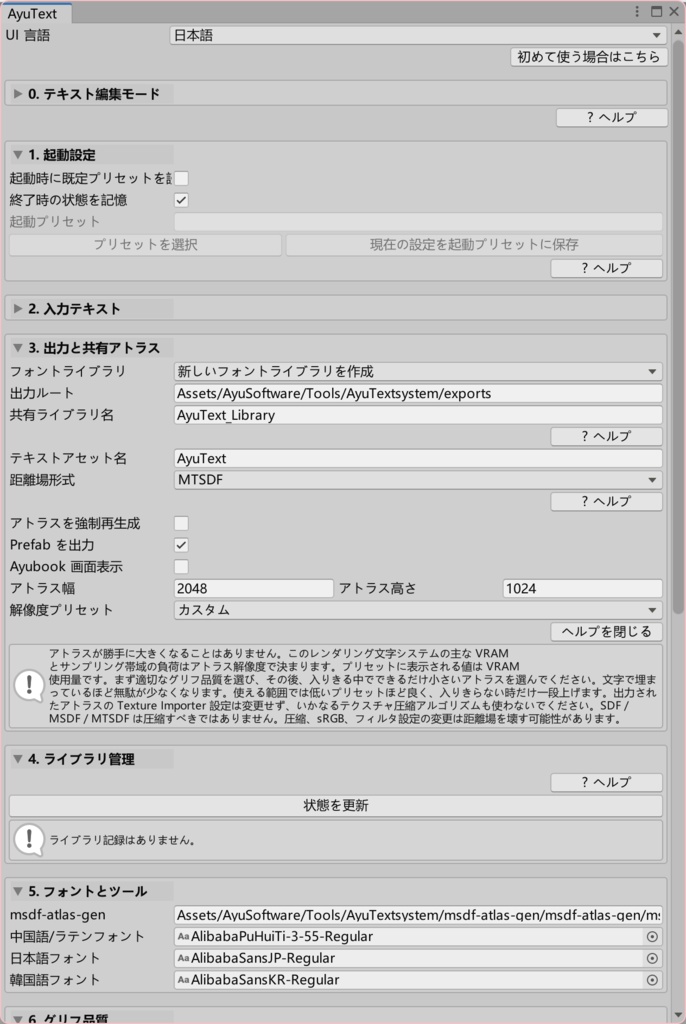
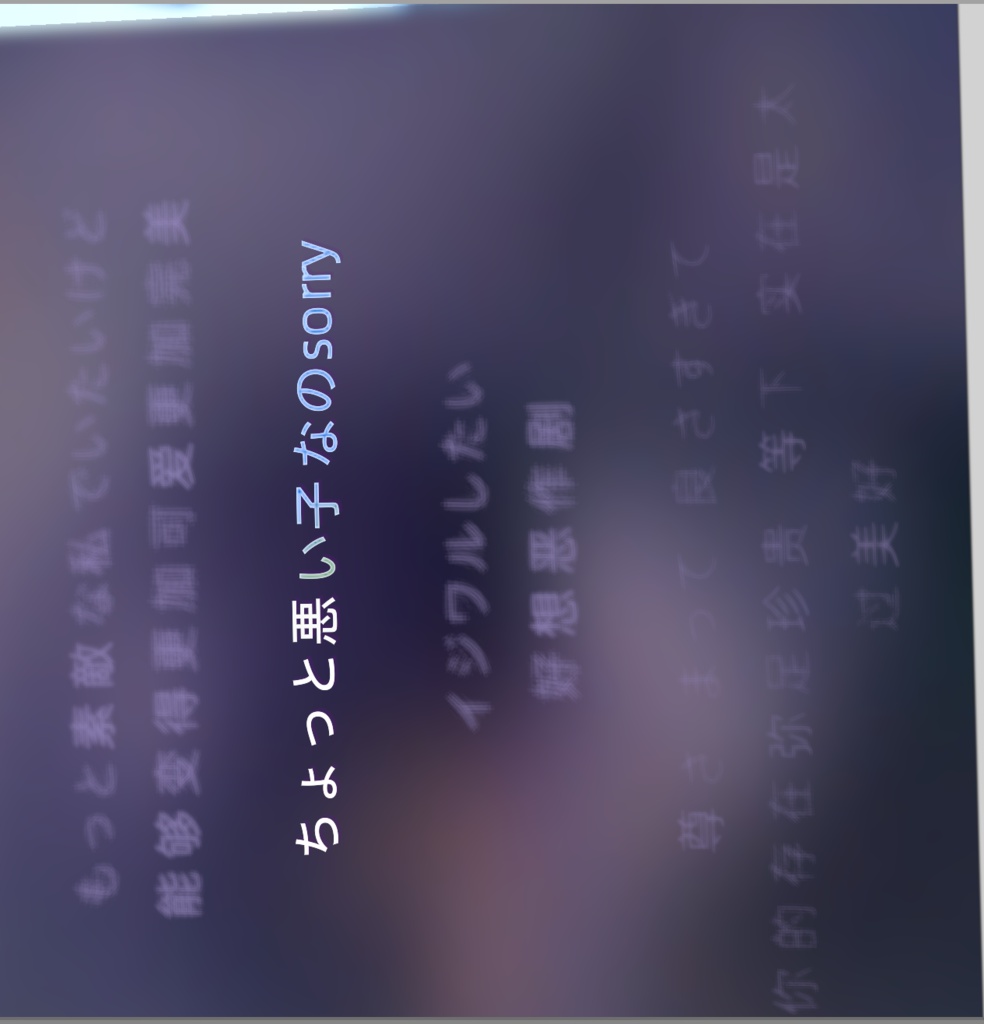
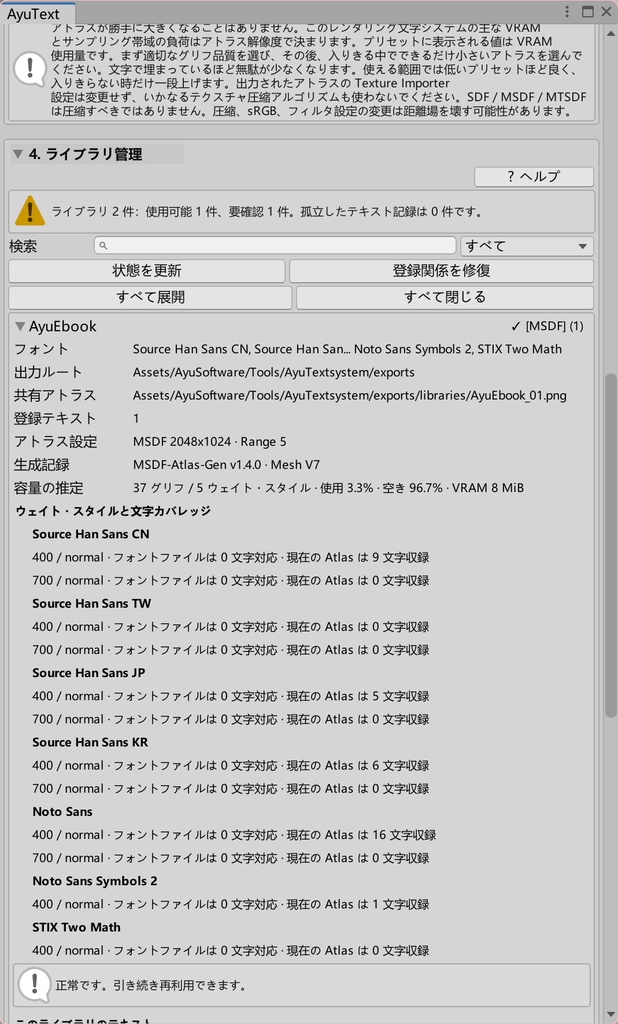


【VRChat / Unity】AyuText 1.1 多言語・コード・数式に対応した高精細テキスト制作ツール AyuTextは、VRChat Avatar / World向けに高精細なMTSDF / MSDFテキストを制作するUnity Editorツールです。 編集可能な文書から、共有Font Atlas、Mesh、Material、Prefabをまとめて生成します。文章、フォント、品質、レイアウト、ページ、装飾を変更し、最初から作り直さず再ベイクできます。 ネームプレート、看板、ロゴ、歌詞、イベント表示、UI風パネル、説明文、コード、数式などに利用できます。 ■主な特徴 ・拡大しても輪郭が崩れにくいMTSDF / MSDFテキスト ・Font Atlas、Mesh、Material、Prefabの一括生成 ・編集用Recordと再ベイク ・文字単位のfont、weight、scale、offset、rotate、color、字間 ・CJK禁則処理、両端揃え、段落、ページ、Auto Fit ・実際のFont Face、複数字重、Kerning ・役割別多言語フォントと決定的フォールバック ・複数文書で共有するFont Atlas ・Shikiによるオフラインコードハイライト ・MathJaxによる制限付きTeX数式 ・グラデーション、アウトライン、影、発光、ぼかし、疑似3D、MatCap、Cubemap ・5言語のStudio UIと4言語のチュートリアル ■AyuMark AyuMarkは、元の文章を保ったまま文字、範囲、段落、ページを制御するAyuText専用の編集形式です。 文字スタイル、XYZ offset/rotate、字間、ベースライン効果、名前付きスタイル、変数、再利用スニペット、改ページ、コードブロック、数式に対応します。 AyuMarkとParserのバージョンは内部管理されるため、文書内で宣言する必要はありません。 ■AyuText Studio AyuText Studioは、Unityと接続するWindows用デスクトップ編集環境です。 Monaco Editorを使用した複数文書編集、選択範囲の書式設定、ビジュアル操作、アウトライン、検索、診断、セッション復元、コードプレビュー、TeXコンパイル、Unityへの保存/適用に対応します。 コードはShiki 4.3.1、TeXはMathJax 4.1.3でオフライン処理されます。数式は再利用可能なコンポーネントとしてFormula Atlasへ配置されます。 通常の文章とフォントライブラリはUnity UIだけでも管理できます。 必要環境:Windows x64、.NET 8、Microsoft WebView2 Runtime。 AyuText StudioはGPL-3.0-onlyと追加許可に基づいて提供されます。対応ソース: https://github.com/Cocklebur-flowery/AyuTextStudio/tree/v1.1.0 ■多言語フォント CJK、ラテン文字、記号、数学、コード、追加フォールバックを役割別に設定できます。 CJKの初期設定: ・Source Han Sans CN:簡体字中国語 ・Source Han Sans TW:繁体字中国語 ・Source Han Sans JP:日本語 ・Source Han Sans KR:韓国語 ・Unifont:最終フォールバック BabelStone Hanは必要な場合だけ明示的に選択できます。 複数文書で一つのFont Atlasを共有できます。文章、フォント、品質が変わると、Atlasは再構築対象として表示されます。 ベイク時には、実際に字形を提供したフォントとライセンスを記録する「*_FONT_LICENSES.txt」が生成されます。 ■基本的な使い方 1. UnityPackageをインポートします。 2. 「Tools > AyuSoftware > AyuText > AyuText」を開きます。 3. フォントライブラリを作成し、フォント、フォールバック、品質、Atlasサイズを設定します。 4. 文章を入力するかTextAssetを選択します。 5. 必要に応じてAyuText StudioでAyuMarkを編集します。 6. 保存してUnityへ適用し、ベイクします。 7. 生成されたPrefabをSceneへ配置し、Materialを調整します。 TutorialDemoには、中国語、英語、日本語、韓国語の基礎/上級Prefabが8個含まれます。 ■VRAMと注意事項 VRAM使用量は主にAtlas解像度で決まります。 ・2048×2048 MTSDF RGBA32:約16 MiB ・2048×2048 MSDF RGB24:理論上約12 MiB 実際の使用量はUnityとプラットフォーム設定で変わります。距離場Textureは非圧縮・Linear・正しいFilter設定を維持してください。Atlas解像度は自動拡張されません。 ■動作環境と制限 ・Unity 2022.3.22f1で開発、確認 ・Windows x64/Built-in Render Pipeline ・Quest/Androidの最終検証は未実施 ・Group AnimationとAyuMark ResourcesはExperimental AyuTextはEditorベイクツールであり、VRChat内のリアルタイム文字入力システムではありません。完成したAvatar/Worldでは、Studio、Atlasツール、Editorスクリプトは実行されません。 数式は安全性と決定性のため対応TeXが制限されます。編集にはStudioを使用し、Mobile WorldとAyuEbook出力では利用できません。 ■1.0からの更新 1.1は破壊的アップグレードです。旧設定、旧フォントポリシー、旧Export、旧Mesh Contract、旧Formula Atlas、中間版Sidecarは読み込み・移行されません。 必要なRecordとフォントライブラリを1.1で作成し、再ベイクしてください。旧ファイルは自動削除されません。 ■パッケージとライセンス 同梱フォントはSource Han Sans、Noto、Fira Math、STIX Two Math、GNU Unifont、BabelStone Hanです。 Source Han Sans、Noto、Fira Math、STIX、GNU UnifontはSIL Open Font License 1.1、BabelStone Hanは原版のArphic Public Licenseに基づいて提供されます。各フォントには個別のライセンスが適用されます。 個人・商用利用、VRChat Avatar/WorldやUnityプロジェクトでの使用が可能です。生成したアセットは編集、公開、配布、販売、ライセンスできます。 AyuText独自のEditorスクリプト、Shader、Demo、商品アセットを別の素材集やツールとして再販売・再配布することは禁止します。この制限はStudioのGPL上の権利や第三者ライセンスを制限しません。 詳細:TERMS_OF_USE.md、AYUTEXT_SOURCE_LICENSE.md、LICENSE_MAP.md、THIRD_PARTY_NOTICES.md ■更新履歴 2026/08/24 v1.1.0 ・AyuMarkとAyuText Studioを追加 ・多言語フォント、段落、ページ、コードブロック、TeX数式を追加 ・共有フォントライブラリ、Formula Atlas、チュートリアル、Material表現を追加 ・Unity UI、解析、フォント検索、ベイク処理を最適化 ・AyuText 1.0互換機能を終了 2026/07/08 v1.0.0 ・初版公開
English
【VRChat / Unity】AyuText 1.1 High-Definition Text Authoring for Multilingual Text, Code, and Mathematics AyuText is an offline Unity Editor tool for creating high-quality MTSDF / MSDF text for VRChat avatars and worlds. Bake an editable document into a shared Font Atlas, Mesh, Material, and Prefab. Text, fonts, quality, layout, pages, and effects can be changed and baked again without starting over. ■Main Features ・Crisp MTSDF / MSDF text ・Font Atlas, Mesh, Material, and Prefab generation ・Editable records and repeatable re-baking ・Per-character font, weight, scale, offset, rotation, color, and spacing ・CJK wrapping, justification, paragraphs, pages, and Auto Fit ・Real Font Faces, multiple weights, and Kerning ・Multilingual font roles and deterministic fallback ・Shared Font Atlases across multiple documents ・Offline Shiki code highlighting and restricted MathJax TeX ・Gradients, outlines, shadows, glow, blur, pseudo-3D, MatCap, and Cubemap ■AyuMark AyuMark is AyuText’s editable document format. It controls characters, ranges, paragraphs, and pages while preserving the original text. It supports character styling, XYZ offset and rotation, tracking, baseline effects, named styles, variables, reusable snippets, page breaks, code blocks, and formulas. AyuMark and Parser versions are managed internally; users do not need to declare them. ■AyuText Studio AyuText Studio is a Windows desktop editor connected to Unity. It provides multi-document Monaco editing, selection formatting, visual controls, outline, search, diagnostics, session restoration, code previews, TeX compilation, and Unity save/apply integration. Code is highlighted offline by Shiki 4.3.1. TeX is compiled offline by MathJax 4.1.3 and packed into reusable Formula Atlas components. Ordinary text and font-library management can also be performed through Unity. Requirements: Windows x64, .NET 8, and Microsoft WebView2 Runtime. AyuText Studio is GPL-3.0-only with an additional permission. Source: https://github.com/Cocklebur-flowery/AyuTextStudio/tree/v1.1.0 ■Multilingual Fonts Separate roles are available for CJK languages, Latin text, symbols, mathematics, code, and fallback. Default CJK fonts: ・Source Han Sans CN — Simplified Chinese ・Source Han Sans TW — Traditional Chinese ・Source Han Sans JP — Japanese ・Source Han Sans KR — Korean ・Unifont — final fallback BabelStone Han is available by explicit selection. Multiple documents can share one Font Atlas. When text, fonts, or quality changes, AyuText marks it for rebuilding. Each baked library receives a *_FONT_LICENSES.txt file listing the fonts that contributed glyphs and their licenses. ■Quick Start 1. Import the UnityPackage. 2. Open Tools > AyuSoftware > AyuText > AyuText. 3. Create a font library and configure fonts, fallback, quality, and Atlas size. 4. Enter text or select a TextAsset. 5. Use AyuText Studio when AyuMark editing is required. 6. Save, apply to Unity, and bake. 7. Place the generated Prefab in the scene and adjust its Material. TutorialDemo includes eight basic and advanced Prefabs in Chinese, English, Japanese, and Korean. ■VRAM and Notes Atlas resolution is the main source of VRAM usage. ・2048×2048 MTSDF RGBA32: approximately 16 MiB ・2048×2048 MSDF RGB24: theoretically approximately 12 MiB Actual usage depends on Unity and platform settings. Keep distance-field textures uncompressed, linear, and correctly filtered. Atlas resolution does not expand automatically. ■Requirements and Limitations ・Developed and tested with Unity 2022.3.22f1 ・Windows x64 and Built-in Render Pipeline ・Final Quest / Android verification has not been completed ・Group Animation and AyuMark Resources are Experimental AyuText is an Editor baking tool, not a runtime text-input system. Studio, atlas tools, and Editor scripts do not run in the completed avatar or world. ■Upgrading from 1.0 Version 1.1 is a breaking upgrade. Old settings, font policies, exports, Mesh contracts, Formula Atlases, and intermediate sidecars are not migrated. Re-create required records and libraries with 1.1 and bake again. Existing old files are not deleted automatically. ■Package and Licensing Bundled fonts include Source Han Sans, Noto, Fira Math, STIX Two Math, GNU Unifont, and BabelStone Han. Source Han Sans, Noto, Fira Math, STIX, and GNU Unifont are redistributed under SIL Open Font License 1.1. BabelStone Han uses the original Arphic Public License. Each font remains under its own license. Personal and commercial use in VRChat avatars, worlds, and Unity projects is allowed. Generated assets may be edited, published, distributed, sold, or licensed. Reselling or redistributing AyuText’s first-party Editor scripts, Shader, Demo, or product assets as another tool or asset package is prohibited. This does not override Studio’s GPL rights or third-party licenses. See TERMS_OF_USE.md, AYUTEXT_SOURCE_LICENSE.md, LICENSE_MAP.md, and THIRD_PARTY_NOTICES.md. ■Update History 2026/08/24 — v1.1.0 ・Added AyuMark and AyuText Studio ・Added multilingual fonts, paragraphs, pages, code blocks, and TeX ・Added shared libraries, Formula Atlases, tutorials, and Material effects ・Improved Unity UI, analysis, font scanning, and baking ・Ended AyuText 1.0 compatibility 2026/07/08 — v1.0.0 ・Initial release