

コト -Koto- FaceTrackingAddon | フェイストラッキングアドオン
- ダウンロード商品¥ 1,300
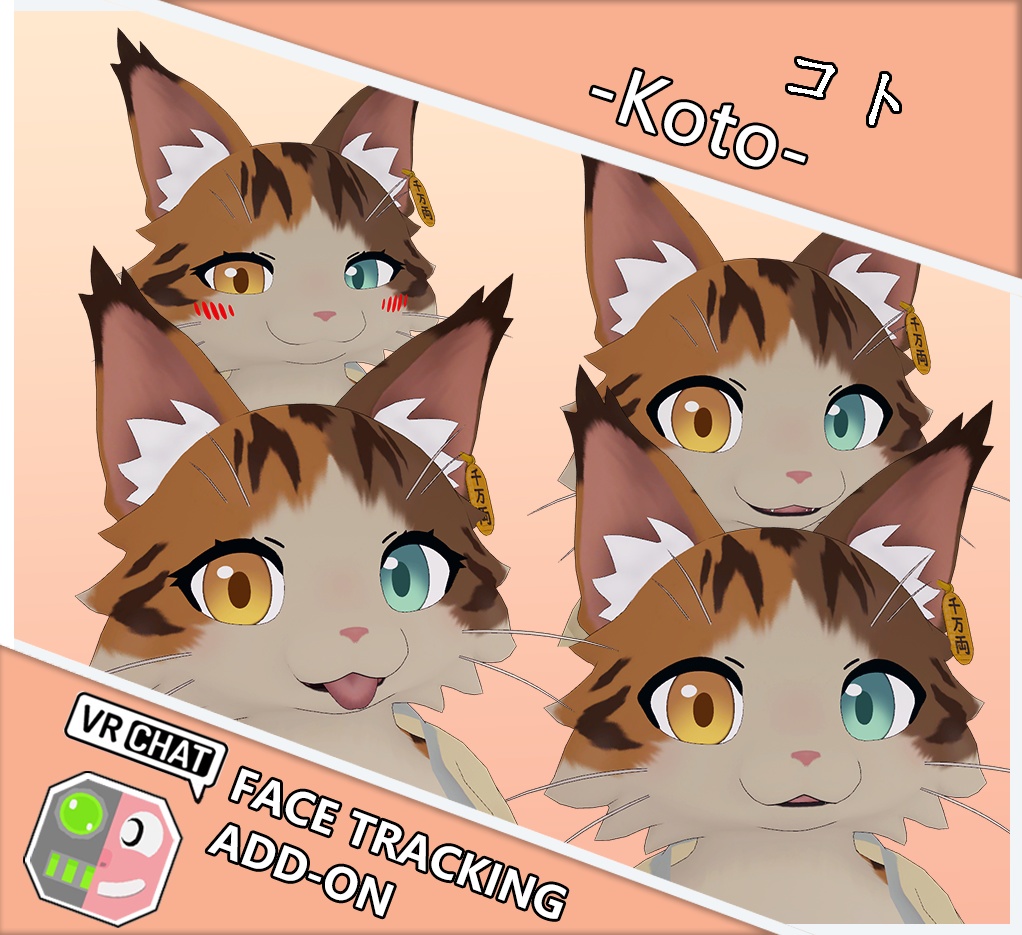

- オリジナルアバター コト -Koto- https://aoikarasu.booth.pm/items/7990250 本商品には「コト -Koto- 専用 EyelashBlendshape」が含まれています: https://moewhite.booth.pm/items/8016298 別途追加の必要はありません。
🇯🇵 日本語 / Japanese 🎯 概要 これは汎用VRCFTフェイストラッキングアドオンです。 Quest Pro、Pico 4 Pro、HTC VIVE XR Eliteなどのデバイスに対応しています(これらに限定されません)。 「Unified Expressions」規格に対応し、目、眉、顎、唇、舌をカバー! 専用スクリプトを使用することで、すでに修正済みの完成アバターに直接インストール可能。 プレハブを使って最初から作り直す必要はありません。 スイッチは全自動化されており、顔トラッキング対応のHMDを使用すると自動的に顔トラッキングが有効になり、ジェスチャー表情が無効になります。 また、MMDダンスワールドで踊る際には、自動的に顔トラッキングが無効になり、ジェスチャー表情も無効になります(一部のワールドでは無効化されない場合があります)。 🛠 動作環境 ・VRChat Avatar SDK 3.0 ・VRCFT v5.0 ・ModularAvatar: https://modular-avatar.nadena.dev/ja ・VRCFury: https://vrcfury.com 📝 使い方 VRCFury と ModularAvatar がプロジェクトにインストールされていることを確認してください。 この UnityPackage ファイルを Unity にインポートします。 メニューから Tools → MoeWhite19 → FaceTracking Patcher を開きます。 「PatchFBX」ボタンをクリックしてアバターをパッチします。 シーン内のご自身のアバターを、下の「FaceTracking Installer」パネル内の「Select your Avatar」オプションボックスにドラッグ&ドロップし、「Install」ボタンをクリックしてインストールします。 不具合や質問はお気軽にお問い合わせください。 🇨🇳 中文 / Chinese 🎯 简介 这是一个通用的VRCFT面部追踪插件。 支持但不限于Quest Pro、Pico 4 Pro、HTC VIVE XR Elite等设备。 兼容「Unified Expressions」标准,涵盖眼睛、眉毛、下颌、嘴唇、舌头! 使用专用脚本,可直接安装到已修改好的成品模型上,无需从头使用预制件修改。 开关全自动化,在使用带面捕功能的头显时会自动启用面追功能并禁用手势表情。 也能在MMD舞蹈地图跳舞的时候自动关闭面捕并禁用手势表情(部分地图无效)。 🛠 适用环境 ・VRChat Avatar SDK 3.0 ・VRCFT v5.0 ・ModularAvatar: https://modular-avatar.nadena.dev/zh ・VRCFury: https://vrcfury.com 📝 使用方法 确保项目中已安装 VRCFury 和 ModularAvatar。 将本 UnityPackage 文件导入 Unity。 打开菜单栏 Tools → MoeWhite19 → FaceTracking Patcher。 点击 “PatchFBX” 按钮,对模型进行修补。 将场景中的模型拖拽至下方 “FaceTracking Installer” 面板的 “Select your Avatar” 框中,然后点击 “Install” 按钮完成安装。 如遇任何问题,欢迎随时联系。 🇺🇸 English / English 🎯 Overview This is a universal VRCFT facial tracking addon. It supports but is not limited to devices such as Quest Pro, Pico 4 Pro, HTC VIVE XR Elite, etc. Compatible with the “Unified Expressions” standard, covering eyes, eyebrows, jaw, lips, and tongue! Using a dedicated script, it can be installed directly onto already modified, finished avatars—no need to start from scratch with prefabs. Fully automated switching: When using a headset with facial tracking capability, facial tracking will be automatically enabled and gesture expressions will be disabled. It will also automatically disable facial tracking and gesture expressions when dancing in MMD dance worlds (may not work in some worlds). 🛠 Requirements ・VRChat Avatar SDK 3.0 ・VRCFT v5.0 ・ModularAvatar: https://modular-avatar.nadena.dev ・VRCFury: https://vrcfury.com 📝 How to Use Ensure that VRCFury and ModularAvatar are installed in your project. Import this UnityPackage file into Unity. Open the menu: Tools → MoeWhite19 → FaceTracking Patcher. Click the “PatchFBX” button to patch the avatar. Drag and drop your avatar from the scene into the “Select your Avatar” option box in the “FaceTracking Installer” panel below, then click the “Install” button. Feel free to contact us if you encounter any issues.
🙌 Credit
Hash https://github.com/HashEdits/EditDistributionTools VRCFaceTracking https://github.com/benaclejames/VRCFaceTracking Adjerry91 https://github.com/Adjerry91 OSCmooth https://github.com/regzo2/OSCmooth
☕ 利用規約 / Terms of Use / 使用条款 ☕
VN3ライセンス( https://www.vn3.org/ )を採用しています。 規約の内容は下記参照してください JP / 日本語 https://drive.google.com/file/d/1wdUisN5cBuYv43nDIcOUkuAgbCxqAdmh/view?usp=sharing KO / 한국어 https://drive.google.com/file/d/1oAwaOVJgoUtEz13-lQoQvUFHY_8HEFO3/view?usp=sharing CN / 中文 https://drive.google.com/file/d/16As0UcwdRQi6cLAb0dg8_cmyZL9qXBrN/view?usp=sharing EN / English https://drive.google.com/file/d/1efka6u9EwhziUbr_Yt5-7eBaJtaMr3Th/view?usp=sharing