
【Blenderアドオン】Parallel Bisect Tool - 複数平行カットツール
- 無料ダウンロード商品¥ 0
- 支援用ダウンロード商品¥ 100
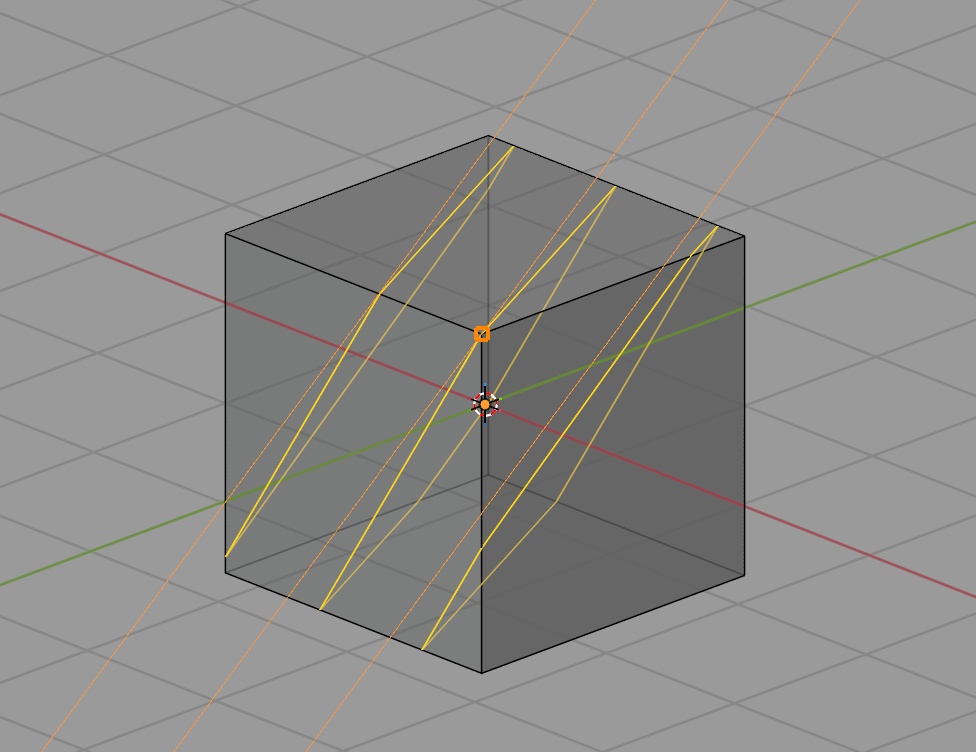


直感的なマウスドラッグ操作で、メッシュに複数の「平行なカット」を一度に適用できるツールです。 ビュースケールに合わせてカット間隔を自動計算するため、ハードサーフェスや建築モデリングの効率が劇的に向上します。
ーーーーーーーーーーーーーーーーーーーー
■ 主な機能
・複数平行カット:一度のドラッグで指定した数の平行カットを同時に適用します。 ・スケール適応:画面サイズから最適な初期カット間隔を自動設定します。 ・自動選択:カットされた新しい頂点や辺が自動的に選択状態になります。 ・高精度スナップ:頂点スナップ(Ctrl)や15度刻みの角度スナップ(Shift)に対応しています。
▼ 使い方
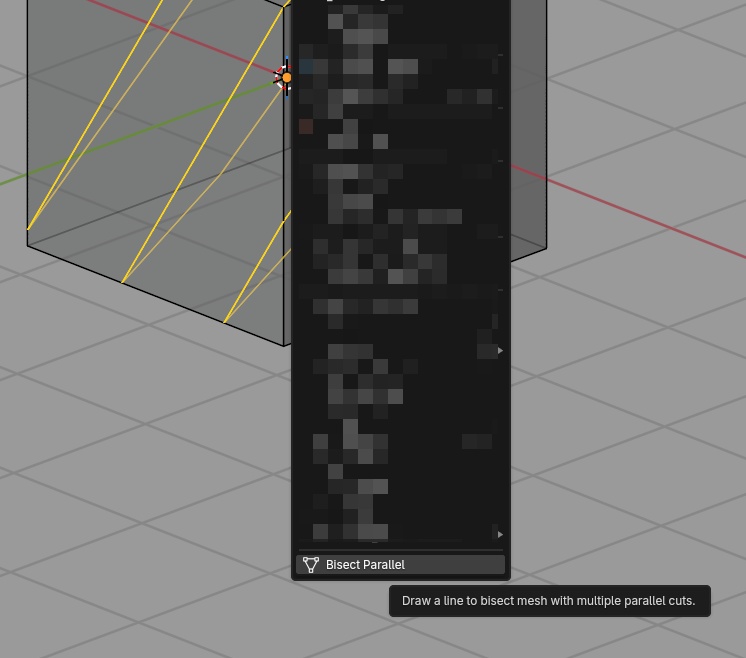
1.編集モードで右クリックメニューから「Bisect Parallel」を選択します。 2.左クリックを押しながらドラッグしてカット線を引きます。 3.ショートカット等で調整し、EnterまたはSpaceキーで確定します。
▼ 操作・ショートカット
・左ドラッグ:カット線の描画 ・Ctrl+ドラッグ:頂点にスナップ ・Shift+ドラッグ:15度刻みで角度スナップ ・マウスホイール:間隔の調整(Shift+ホイールで微調整) ・W / Sキー:カット数(分割数)の増減 ・A / Dキー:カット角度のオフセット変更 ・Cキー:基準線を中心に配置する「センターモード」のON/OFF ・Enter / Spaceキー:カットの適用 ・Esc / 右クリック:キャンセル
▼ 利用規約
・商用、非商用問わずご自由に利用いただけます。 ・本データの再配布および販売は禁止します。
ーーーーーーーーーーーーーーーーーーーー
🌍 English
Intuitively apply multiple parallel bisect cuts to your mesh at once using a simple drag-and-drop workflow. Automatically calculates the perfect initial cut interval based on your current viewport scale. ・Multi-Parallel Cuts: Apply multiple parallel cuts simultaneously with a single stroke. ・Scale-Adaptive: Automatically calculates the best initial distance depending on the object's scale. ・Auto-Selection: Newly generated vertices and edges are automatically selected. ・Precision Snapping: Snap to existing vertices (Ctrl) or 15-degree angle increments (Shift). ーーーーーーーーーーーーーーーーーーーー ▼ How to Use ーーーーーーーーーーーーーーーーーーーー 1.In Edit Mode, open the Right-Click context menu and select "Bisect Parallel". 2.Left-click and drag to draw your main cut line. 3.Tweak the preview using shortcuts, then press Enter or Space to confirm. ーーーーーーーーーーーーーーーーーーーー ▼ Controls & Shortcuts ーーーーーーーーーーーーーーーーーーーー ・LMB Drag: Draw cut line ・Ctrl + Drag: Snap to vertex ・Shift + Drag: Snap angle (15 degree increments) ・Mouse Wheel: Adjust interval distance (Shift + Wheel for fine-tuning) ・W / S: Increase / Decrease the number of cuts ・A / D: Adjust angle offset ・C: Toggle 'Centered' mode ・Enter / Space: Apply the cuts ・Esc / RMB: Cancel the operation ーーーーーーーーーーーーーーーーーーーー ▼ Terms of Use ーーーーーーーーーーーーーーーーーーーー ・Free for personal and commercial use. ・Redistribution or resale of this add-on is strictly prohibited.
ーーーーーーーーーーーーーーーーーーーー
Update informations
[20260225: v2.6.2] Make line width more visible [20260225: v2.6] Release