

VRChat Batch Uploader
- VRCBatchUploaderダウンロード商品¥ 0
- Buy Author a Coffee (Same as Above)ダウンロード商品¥ 100
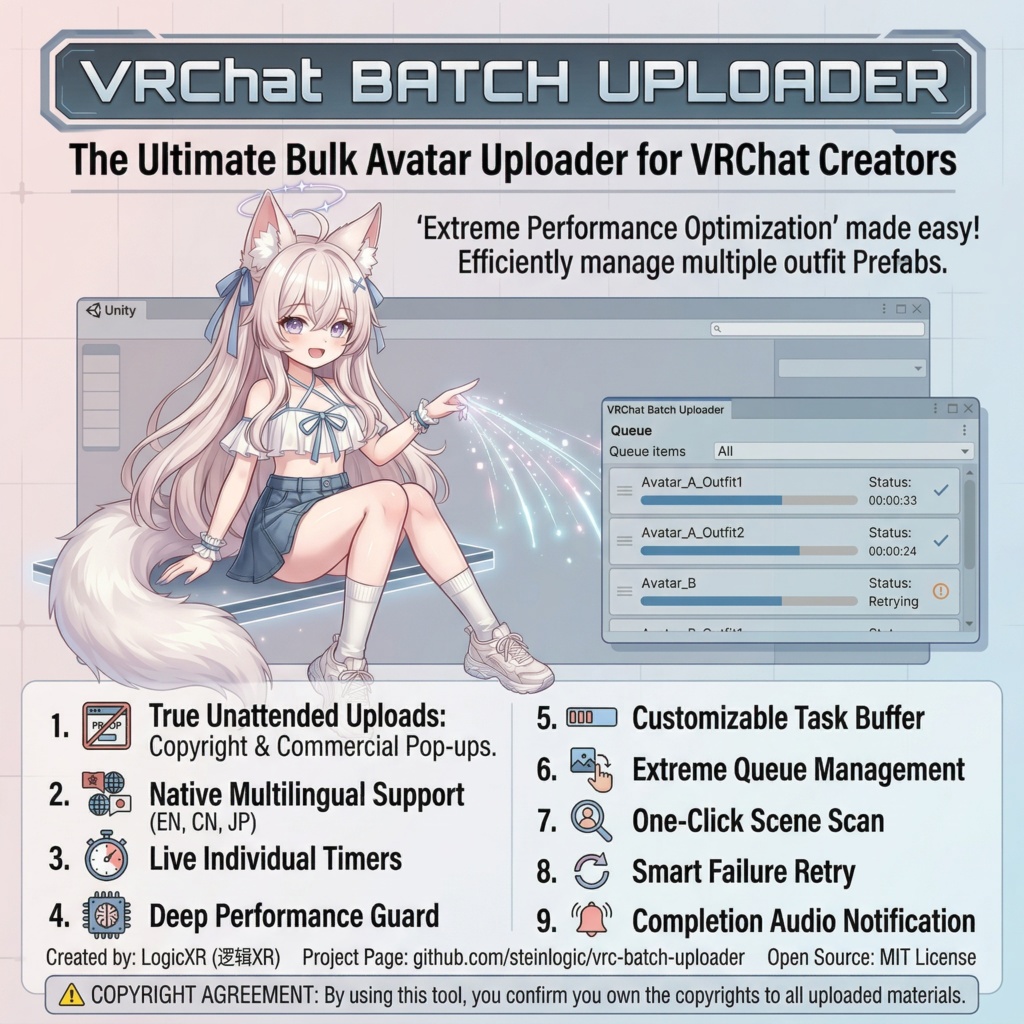

VRChat Batch Uploader is a free Unity editor plugin designed specifically for VRChat creators. It allows you to add multiple Avatars to a queue, enabling truly fully-automated, unattended (AFK) bulk uploading.
Github
Project Link: https://github.com/steinlogic/vrc-batch-uploader Open Source License: This project is licensed under the MIT License and is completely free and open source. Feel free to submit an Issue or Pull Request to help improve this project!
💡 Motivation
As a creator, I highly advocate for the concept of "extreme performance optimization." Currently, many creators like to stuff all their clothing and props into a single Avatar to create a "massive wardrobe" (switched via Toggles). This causes severe performance overhead (excess bones, materials, and mesh data). Personally, I prefer splitting different outfits into independent Prefabs to maintain the highest performance rank for the model. However, this approach has a major pain point: every time the base model is modified, all sub-models and outfit variants need to be manually clicked and re-uploaded one by one, which is pure torture. To solve this pain point, I developed this completely free batch upload plugin. You can throw all your variants into the queue at once, go grab a cup of coffee, and come back to find them all successfully uploaded!
✨ Core Features
🚀 True Unattended Uploads: Deeply optimized for the latest VRChat SDK, automatically intercepting and bypassing the SDK's "Copyright Confirmation (I Agree)" and "Commercialization Warning" modal pop-ups. The progress will never be interrupted midway. 🌐 Native Multilingual Support: Built-in trilingual interface (Simplified Chinese / Japanese / English). You can switch languages at any time in the settings, and your preference will be automatically saved. ⏱️ Live Individual Timers: The queue panel displays the real-time upload duration for each Avatar (dynamically ticking, freezing upon success). Upload progress and time spent are clear at a glance. 🚀 Deep Performance Guard: Memory optimization at the lowest level for long upload queues (introducing forced GC sequences, releasing Shader variant caches, and main thread yielding mechanisms). This completely solves the performance degradation issue where continuous uploads get "slower and slower." ⏳ Controllable Task Buffer: Provides a countdown buffer period between tasks (wait time can be customized in settings) with a visual progress bar. This allows for safe interruptions mid-way or clicking "Start Now" to skip the wait instantly. 📦 Minimalist Queue Management: Supports dragging and dropping objects from the Hierarchy, as well as dragging Prefabs directly from the Project window (even supports inactive/hidden objects). 🔍 One-Click Scene Scan: Click the "Scan Scene" button to grab all models with a VRCAvatarDescriptor in the scene with a single click. ♻️ Smart Automatic Failure Retry: Upload failed due to network fluctuations? The plugin will automatically reset the timer and retry (up to 3 times). If skipped manually, it will safely interrupt to avoid endless loops. 🔔 Task Completion Notification: Once the entire queue has finished uploading, the system will play a notification sound (can be freely toggled on or off in the settings panel).
🛠 Requirements
Unity Version: 2022.3 LTS and above (using the VCC default Unity version is recommended). VRChat SDK: VRCSDK 3.x (Compatible with the latest UI Toolkit panels, tested on 3.7.1+). Only supports Avatar batch uploading.
📥 Installation
This plugin works out of the box and offers two installation methods: Method 1: Using UnityPackage (Recommended) Download the latest .unitypackage file from the Release page. Double-click the file or select Assets > Import Package > Custom Package in Unity to import it directly into your project. Method 2: Using Source Files Download the source code for this project. Locate the VRCBatchUploader folder (or the relevant .cs files) in the project. Place the files into the Assets/Editor/VRCBatchUploader/ directory of your Unity project. (Note: It must be placed within a special folder named Editor. If one doesn't exist, please create it manually.) Wait for Unity to finish compiling. Once compilation is complete, you will see Tools > VRC Batch Uploader in the top menu bar.
📖 Usage Guide
Open the Panel: Click Tools -> VRC Batch Uploader in the top Unity menu bar (or use the shortcut Ctrl + Shift + U). Add Tasks: Drag and drop the Avatars you want to upload directly from the left Hierarchy or bottom Project window into the plugin's green drop zone. Alternatively, click the [Scan Scene] button on the toolbar. Adjust the Queue: You can adjust the upload order by clicking the ▲ ▼ at the end of the row, or click ↑ to set a model as high priority. Personalize Settings: In the Settings page, you can switch languages, adjust the countdown duration between tasks, and toggle the completion sound notification. Start Uploading: Click the [▶ Start Upload] button in the top right corner, and then you are free to walk away from your computer!
⚠️ Copyright and Terms of Use (Very Important)
This plugin features a built-in automated consent mechanism for the VRChat SDK copyright confirmation pop-ups (to enable unattended uploads). By using this plugin to upload, you fully understand and agree to the following terms: You confirm that you own the full copyright to all Avatars/assets you are uploading, or you have obtained legal authorization from the original authors. Your uploading behavior fully complies with the official VRChat Terms of Service (https://hello.vrchat.com/legal) and related community guidelines. Proceed at your own risk: This plugin is strictly an efficiency tool for automated clicking and queue management. The author (LogicXR) is not responsible for any VRChat account bans or legal disputes resulting from stolen models, copyright infringement, or uploading policy-violating content. If you do not have the legal right to use the respective models, please stop using this plugin to upload immediately.