

Lumiere Detective
- ダウンロード商品¥ 1,000
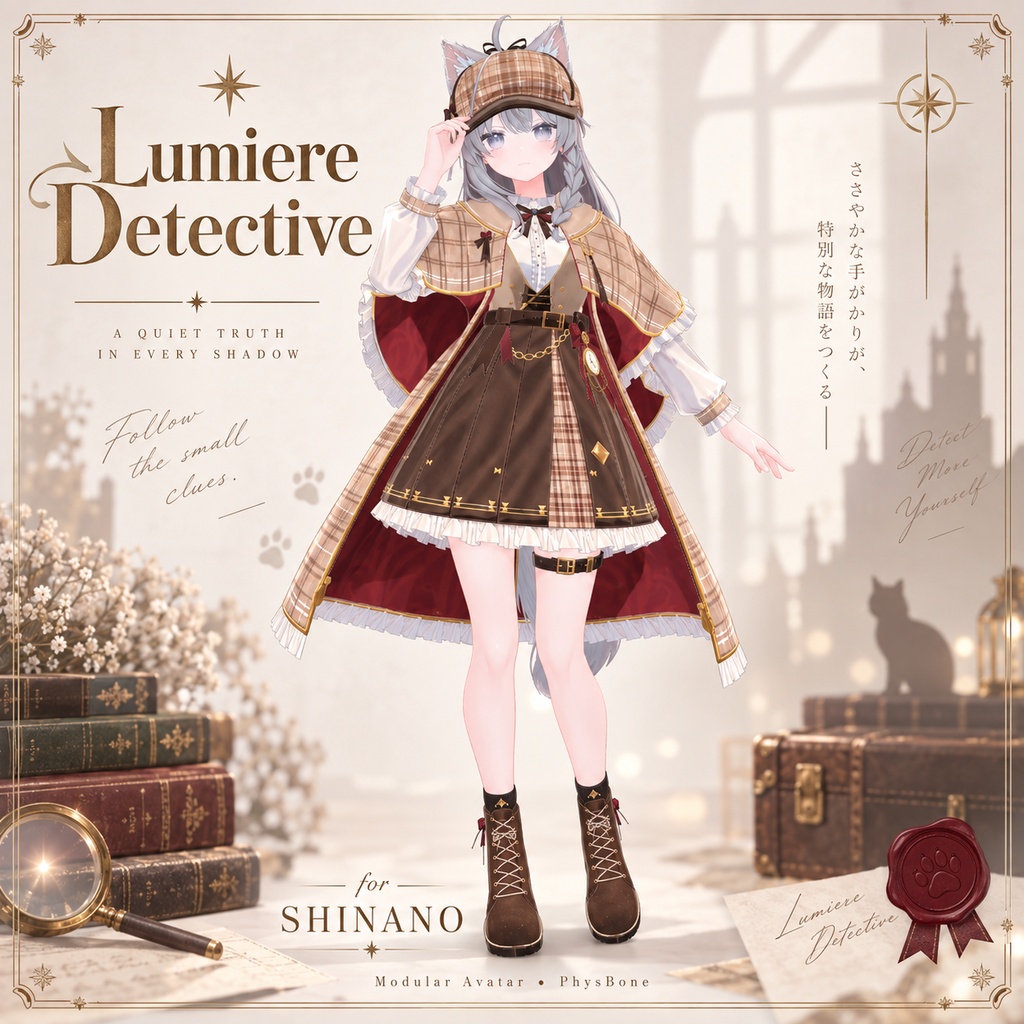
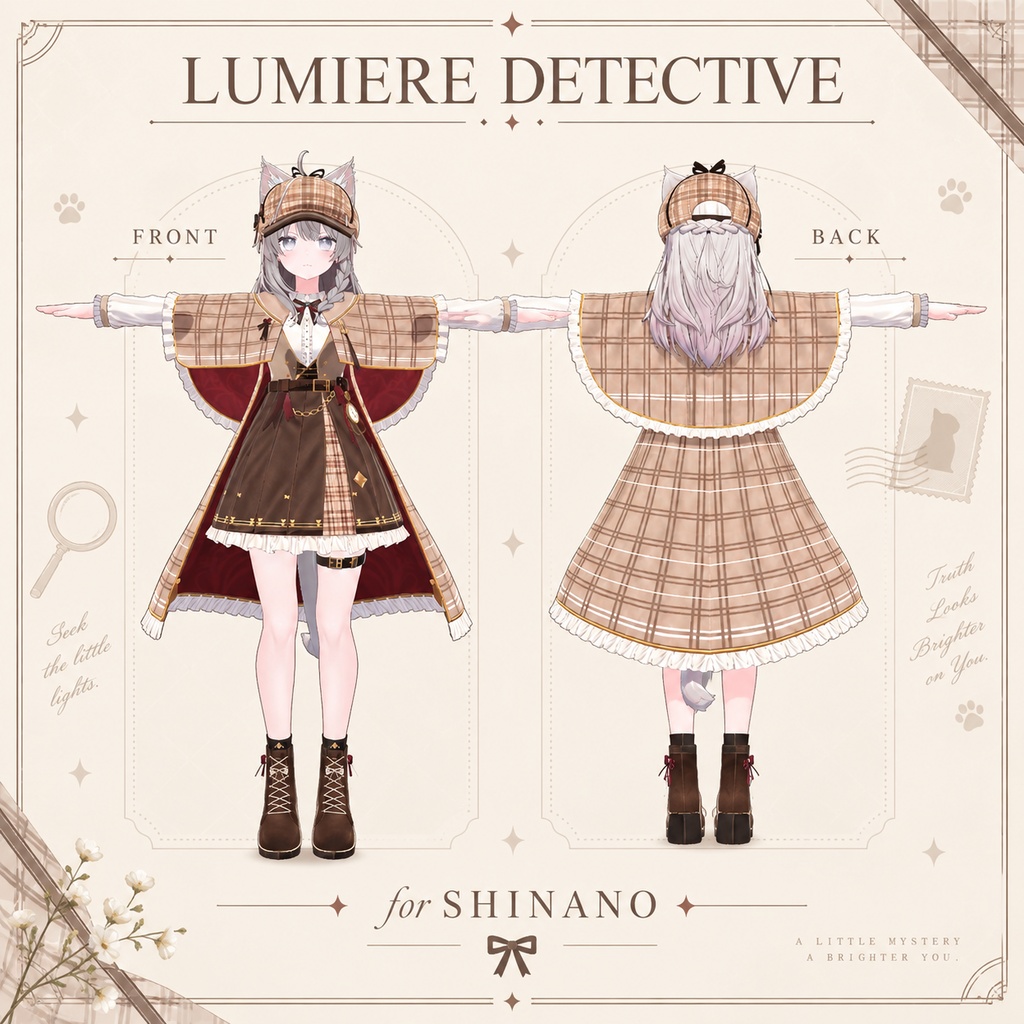
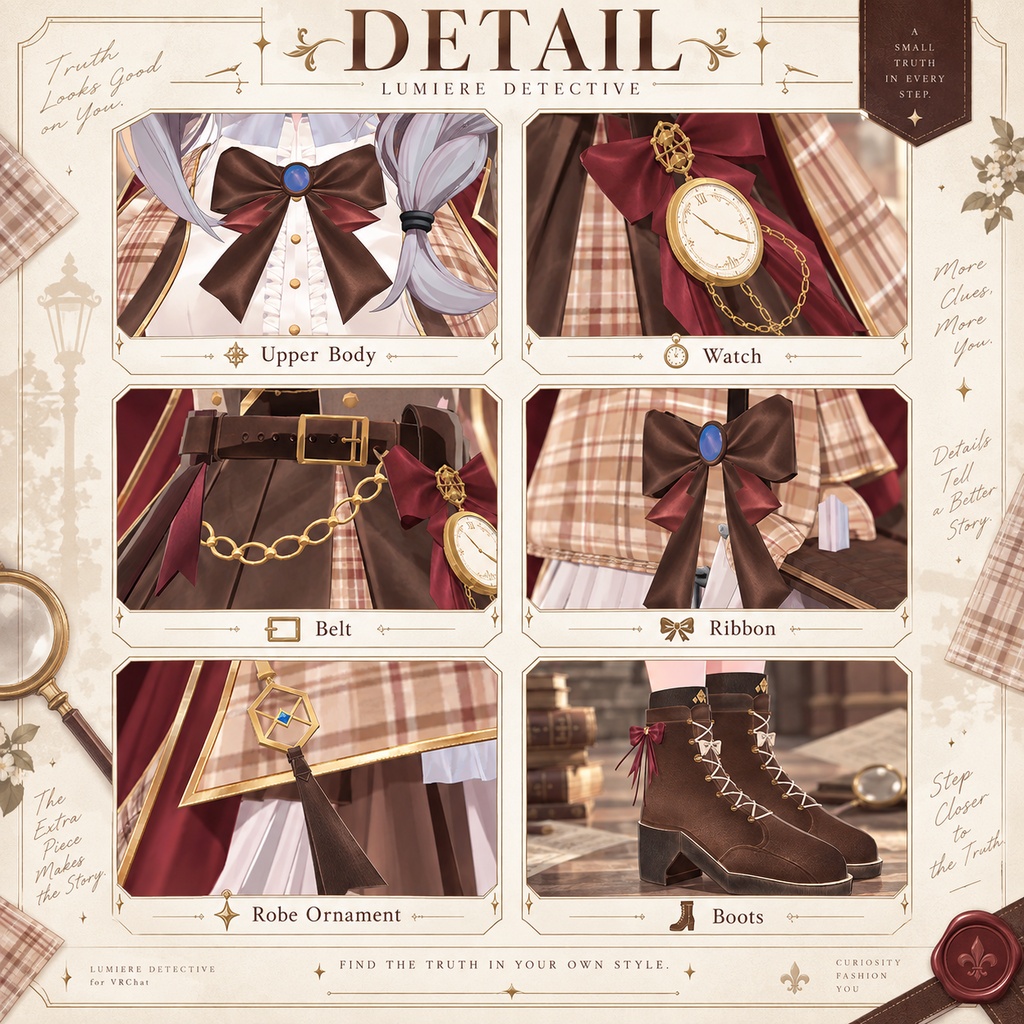
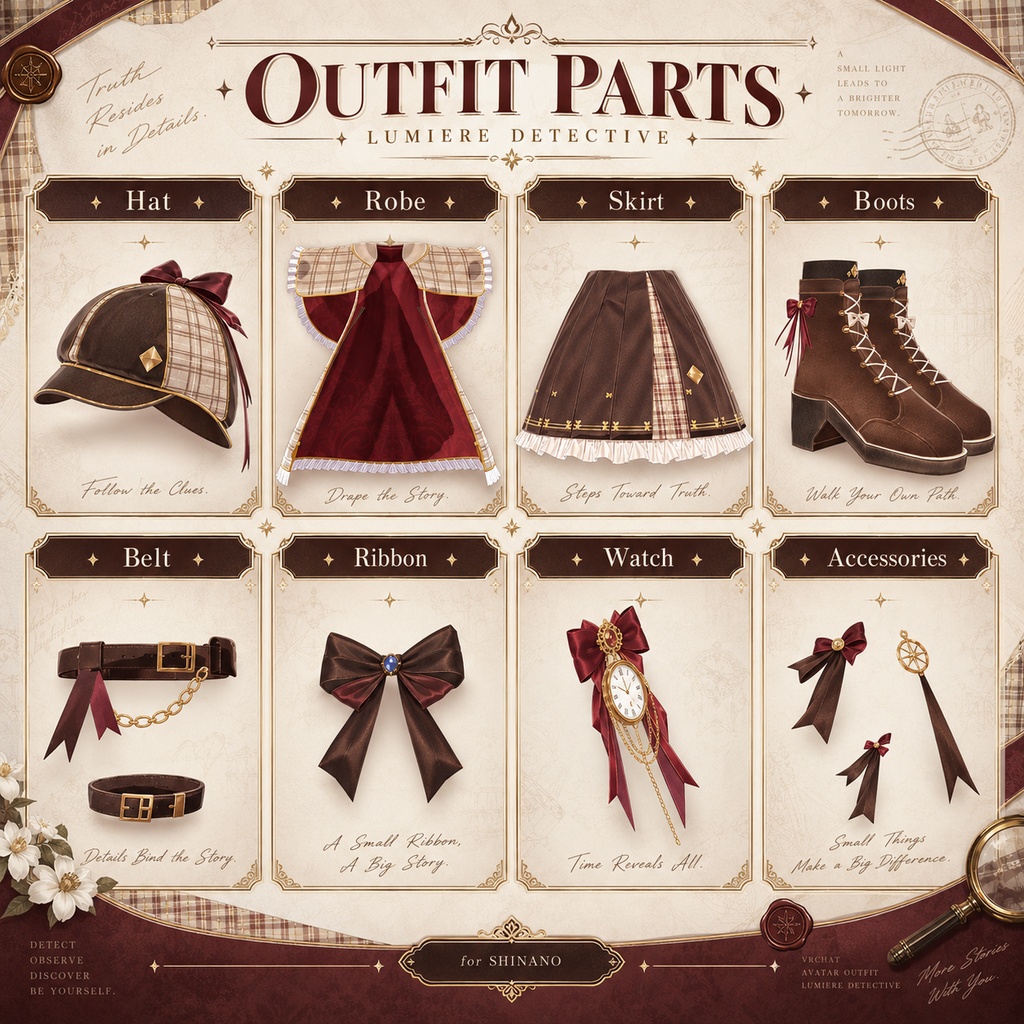
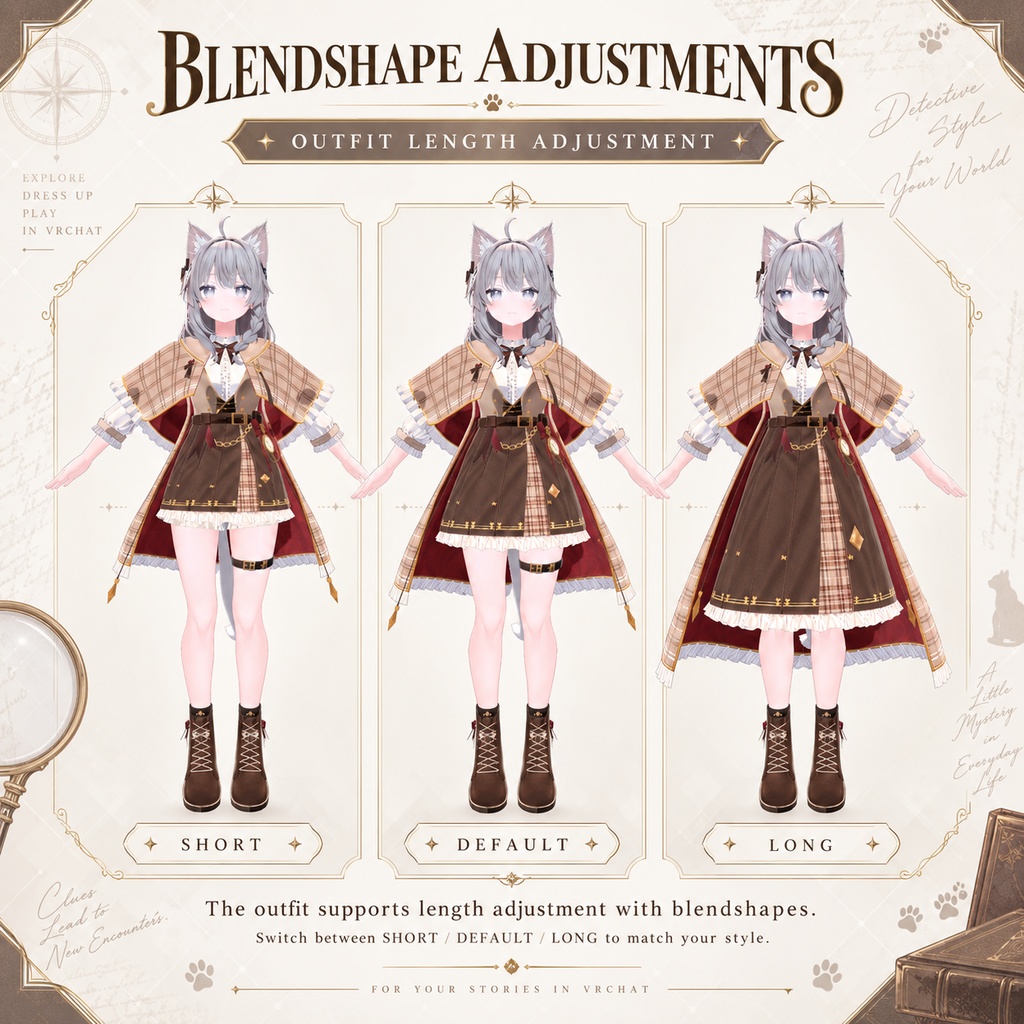
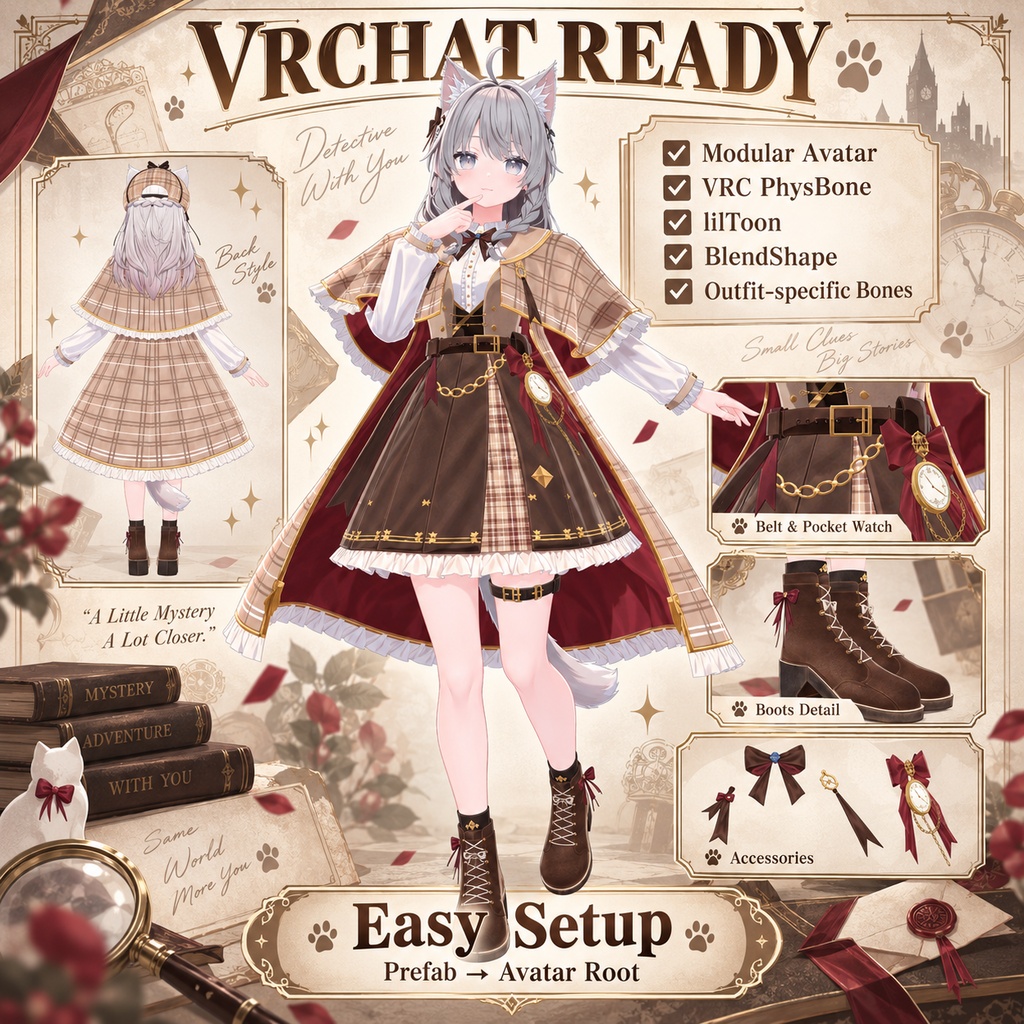
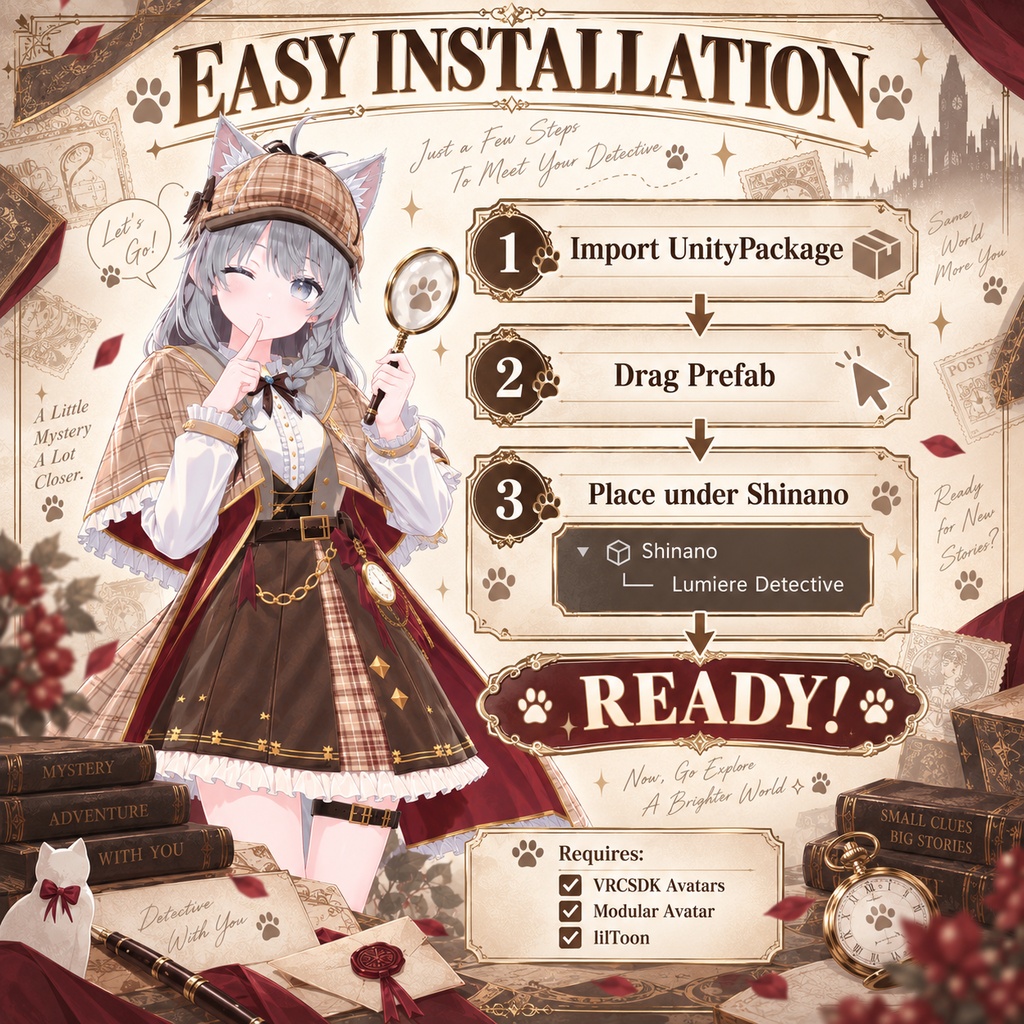
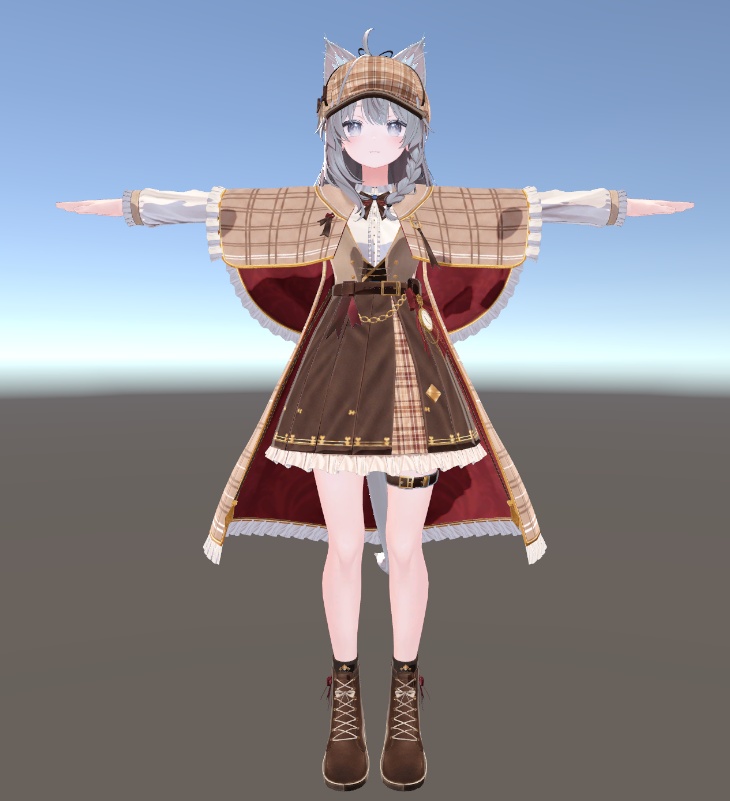
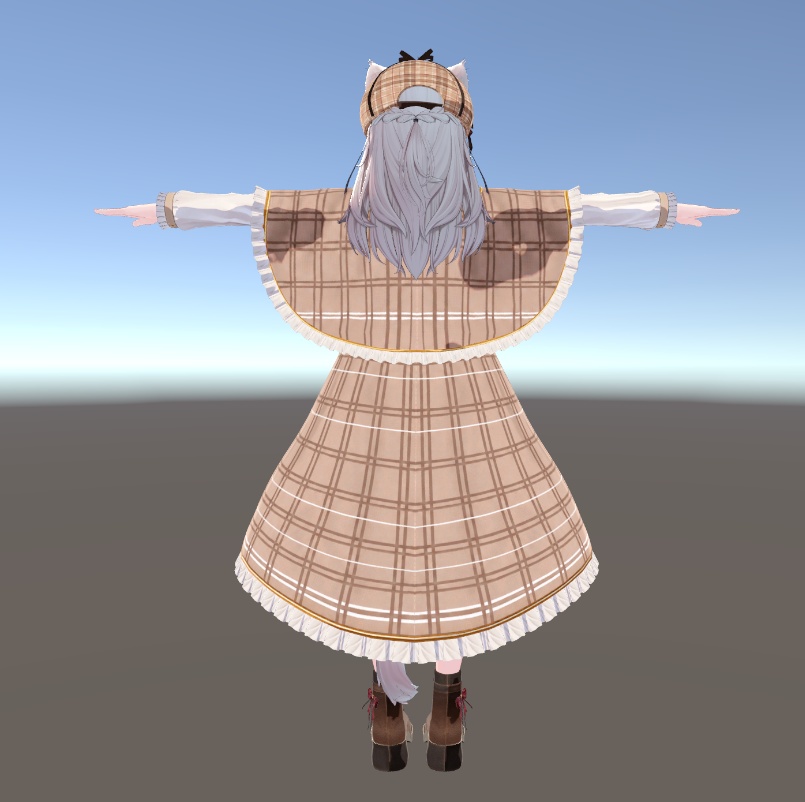


【日本語】 「しなの」対応のVRChat向け衣装 『Lumiere Detective』です。 クラシカルで華やかな探偵・メイド風デザインをベースに、 リボン、ベルト、時計、ゴールド装飾などを組み合わせた衣装です。 Modular Avatar対応済みで、 Prefabをアバター直下に配置することで簡単に導入できます。 ■ 対応アバター しなの / Shinano ※アバター本体は本商品に含まれていません。 ■ 特徴 ・Modular Avatar対応 ・VRC PhysBone設定済み ・lilToon使用 ・衣装用追加Bone設定済み ・BlendShapeによる一部の丈 / フィット調整 ・VRChat向けセットアップ済み ■ 内容物 ・Lumiere Detective.unitypackage ・README ・利用規約 ■ 必要環境 ・VRChat SDK - Avatars ・Modular Avatar ・lilToon ※上記パッケージは本商品には含まれていません。 ■ 導入方法 1. VCCでAvatar Projectを作成 2. VRChat SDK / Modular Avatar / lilToonを導入 3. しなのをUnityへImport 4. Lumiere Detective.unitypackageをImport 5. Lumiere DetectiveのPrefabをアバターRoot直下へ配置 6. Play Modeで衣装・PhysBone・BlendShapeの動作をご確認ください ■ BlendShape 衣装の一部には丈やフィット感を調整できるBlendShapeが含まれています。 Skinned Mesh Renderer → BlendShapes から調整できます。 ■ 注意事項 ・対応アバター本体は付属していません。 ・Unity / VRChat SDK / Modular Avatar / lilToon等のアップデートにより動作が変わる場合があります。 ・導入前にUnity Projectのバックアップを推奨します。 ・改変は可能ですが、再配布・再販売は禁止しています。 詳しい利用条件は同梱のTerms.txtをご確認ください。 ──────────────────────── 【English】 Lumiere Detective is a VRChat outfit designed for Shinano. The outfit features a classical detective / maid-inspired design with ribbons, belts, watch details, and gold decorative elements. It is already set up for Modular Avatar, allowing easy installation by placing the outfit Prefab directly under the avatar root. ■ Supported Avatar Shinano / しなの ※ The original avatar is NOT included. ■ Features - Modular Avatar support - VRC PhysBone setup - lilToon materials - Additional outfit bones - BlendShape-based length / fit adjustments - VRChat-ready setup ■ Included - Lumiere Detective.unitypackage - README - Terms of Use ■ Requirements - VRChat SDK - Avatars - Modular Avatar - lilToon ※ These packages are not included with this product. ■ Installation 1. Create an Avatar Project using VCC 2. Install VRChat SDK / Modular Avatar / lilToon 3. Import Shinano into Unity 4. Import Lumiere Detective.unitypackage 5. Place the Lumiere Detective Prefab directly under the avatar root 6. Enter Play Mode and check the outfit, PhysBones, and BlendShapes ■ BlendShapes Some parts of the outfit include BlendShapes for adjusting length and fit. You can adjust them from: Skinned Mesh Renderer → BlendShapes ■ Notes - The supported avatar itself is not included. - Compatibility may change due to updates to Unity, VRChat SDK, Modular Avatar, lilToon, or related software. - Backing up your Unity project before installation is recommended. - Personal modifications are allowed, but redistribution and resale are prohibited. Please check the included Terms.txt for full usage conditions. ──────────────────────── 【한국어】 Shinano 대응 VRChat 의상 『Lumiere Detective』입니다. 클래식하고 화려한 탐정 / 메이드풍 디자인을 기반으로 리본, 벨트, 시계, 골드 장식 등을 조합한 의상입니다. Modular Avatar 설정이 완료되어 있어 Prefab을 아바타 Root 아래에 배치하는 방식으로 간편하게 적용할 수 있습니다. ■ 대응 아바타 Shinano / しなの ※ 아바타 본체는 본 상품에 포함되어 있지 않습니다. ■ 특징 - Modular Avatar 대응 - VRC PhysBone 설정 완료 - lilToon 사용 - 의상용 추가 Bone 설정 - BlendShape를 이용한 일부 기장 / 핏 조절 - VRChat용 설정 완료 ■ 구성품 - Lumiere Detective.unitypackage - README - 이용약관 ■ 필수 환경 - VRChat SDK - Avatars - Modular Avatar - lilToon ※ 위 패키지는 본 상품에 포함되어 있지 않습니다. ■ 설치 방법 1. VCC에서 Avatar Project 생성 2. VRChat SDK / Modular Avatar / lilToon 설치 3. Shinano 아바타를 Unity에 Import 4. Lumiere Detective.unitypackage Import 5. Lumiere Detective Prefab을 아바타 Root 아래에 배치 6. Play Mode에서 의상, PhysBone, BlendShape 동작 확인 ■ BlendShape 의상 일부에는 기장 및 핏을 조절할 수 있는 BlendShape가 포함되어 있습니다. Skinned Mesh Renderer → BlendShapes 에서 조절할 수 있습니다. ■ 주의사항 - 대응 아바타 본체는 포함되어 있지 않습니다. - Unity / VRChat SDK / Modular Avatar / lilToon 등의 업데이트에 따라 동작이 달라질 수 있습니다. - 설치 전 Unity Project 백업을 권장합니다. - 개인적인 수정은 가능하지만 재배포 및 재판매는 금지합니다. 자세한 이용 조건은 동봉된 Terms.txt를 확인해 주세요.