

Lumiere Café Maid
- ダウンロード商品¥ 1,000
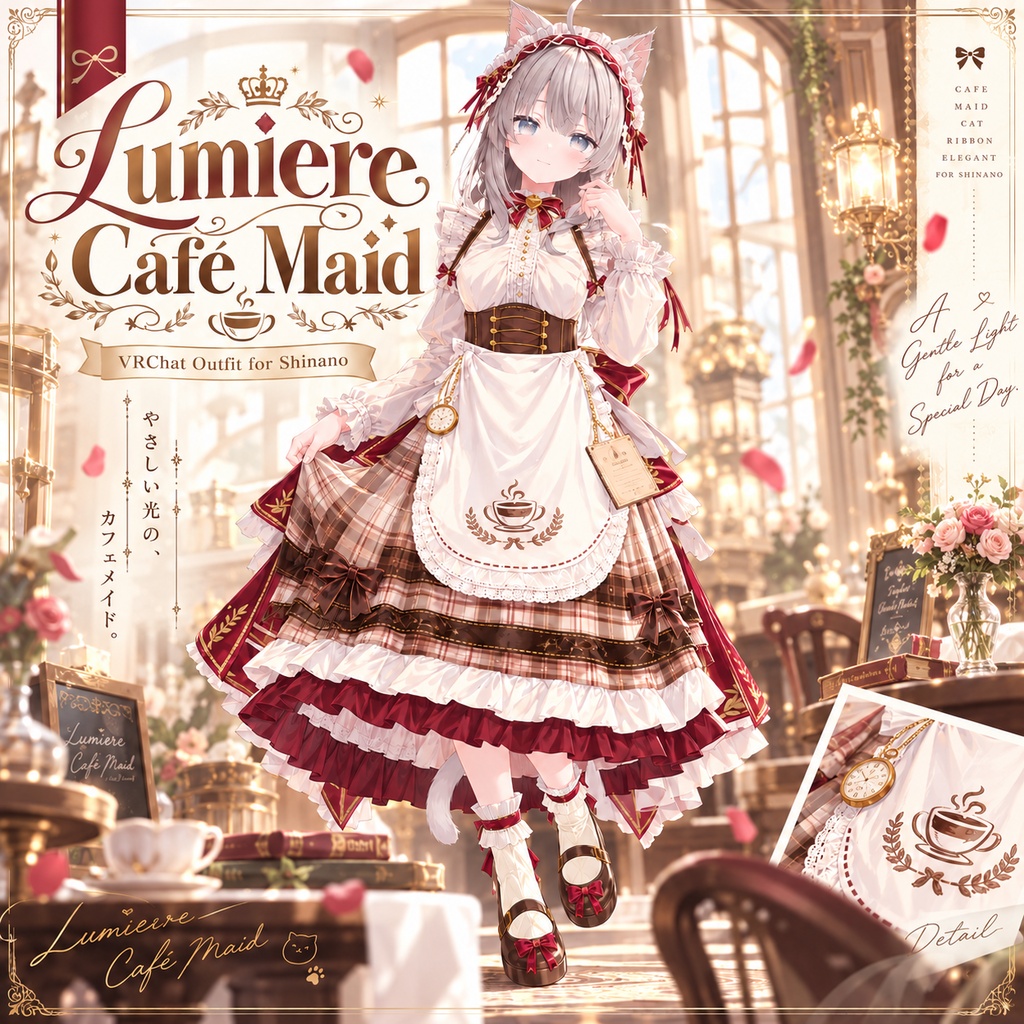
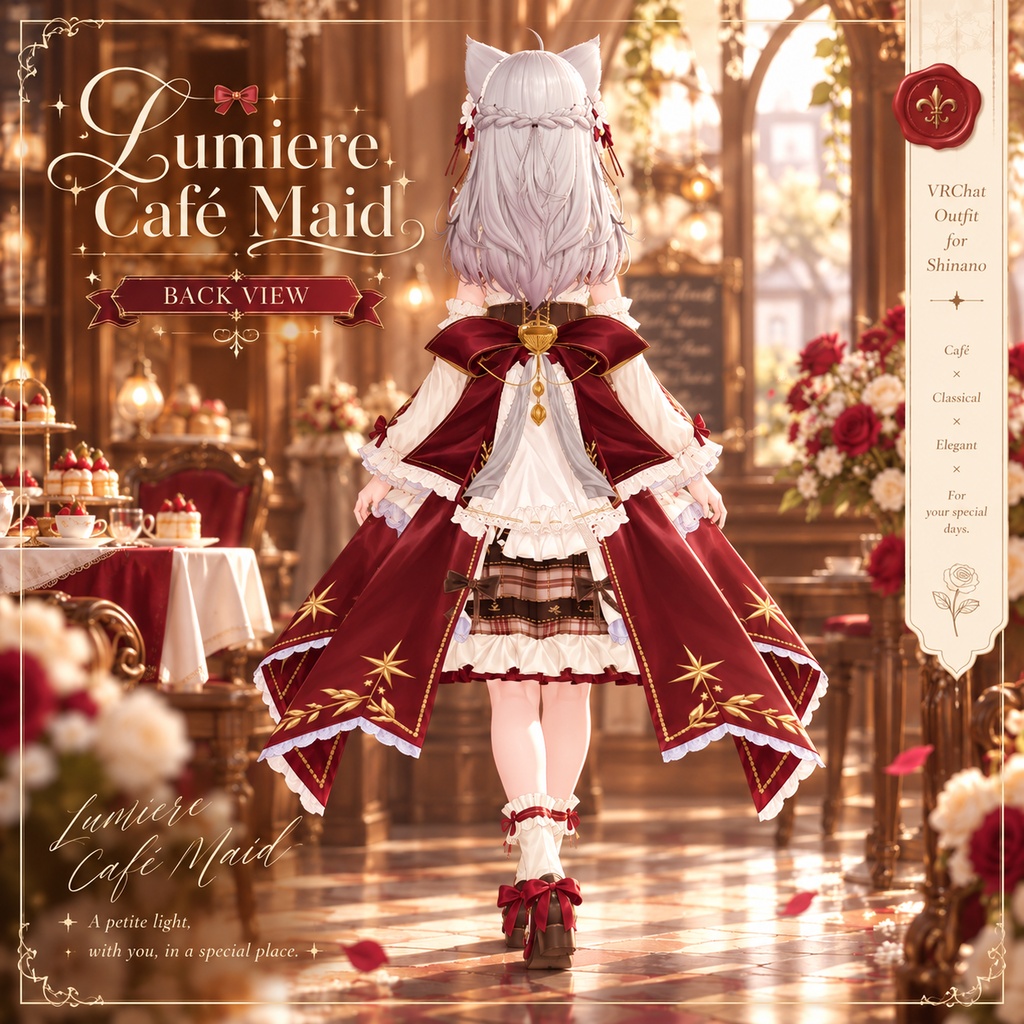
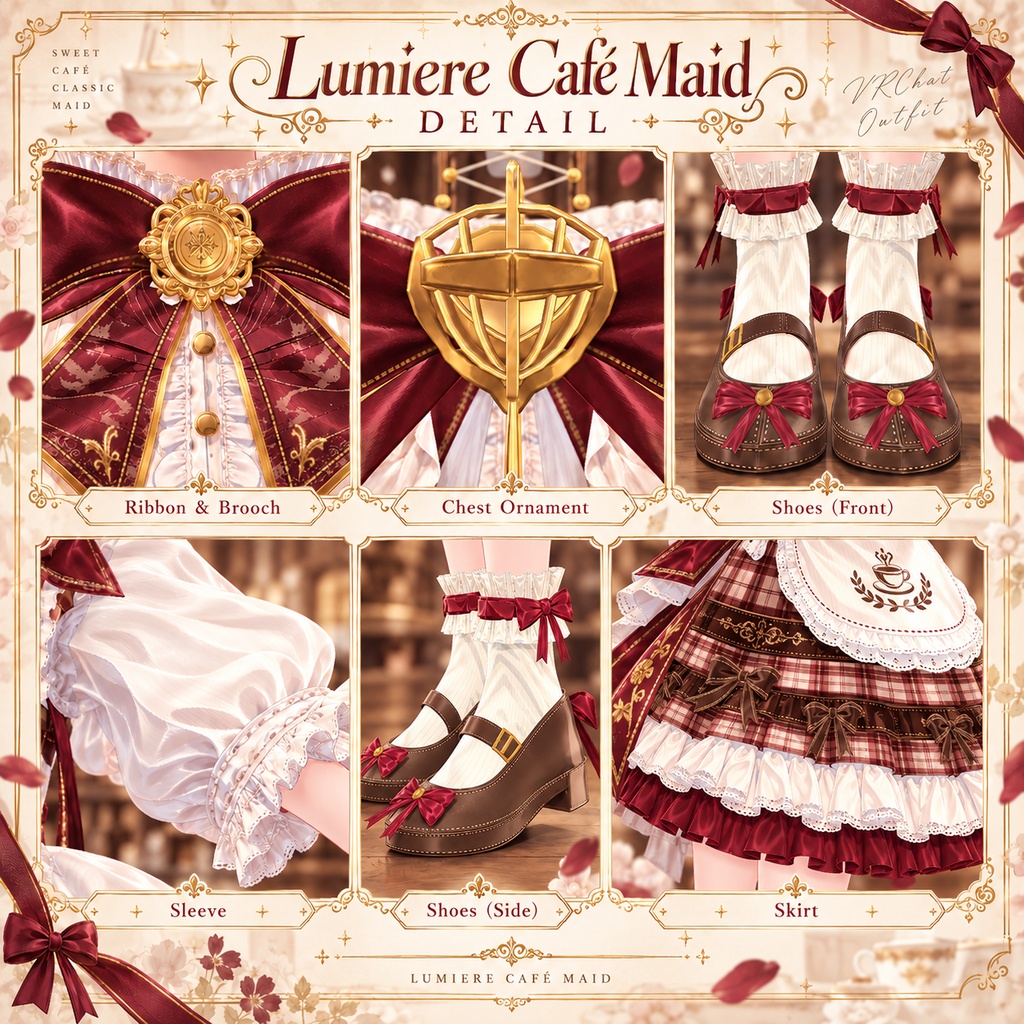
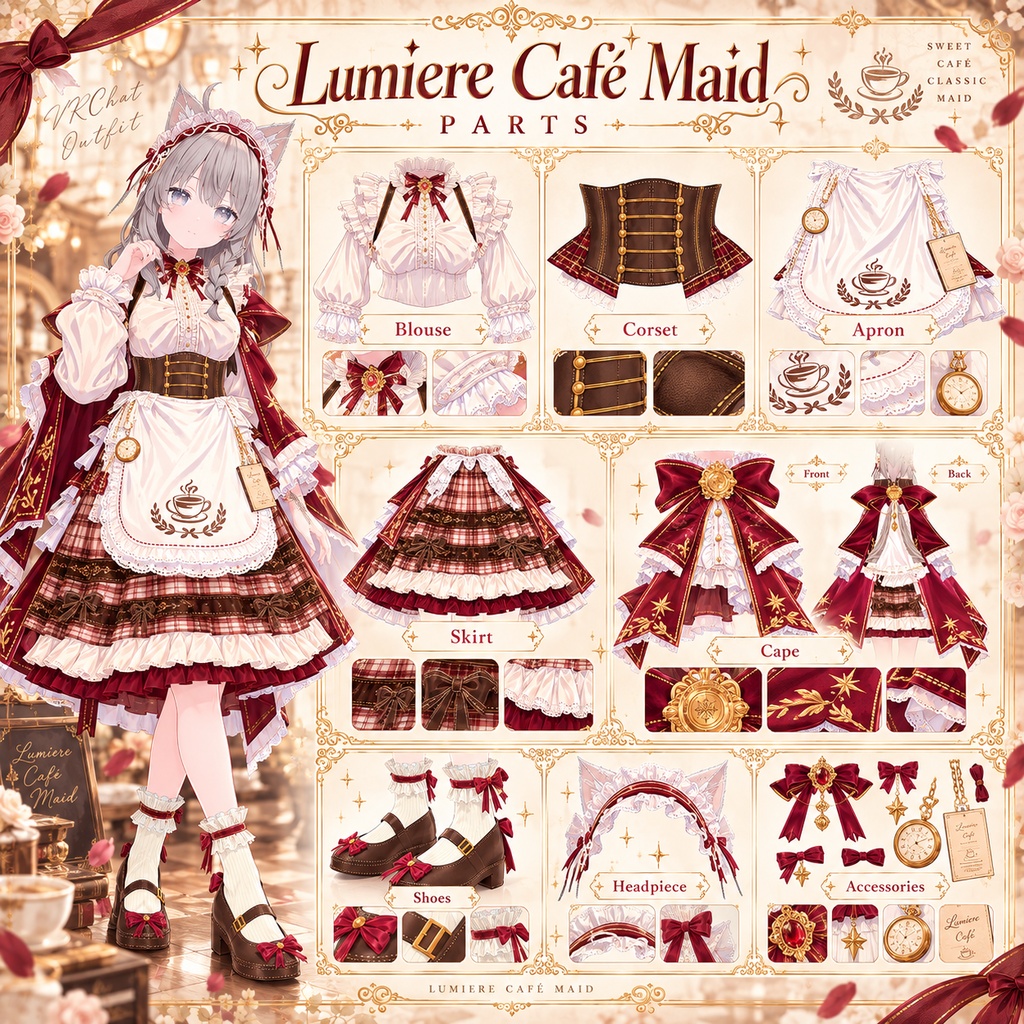
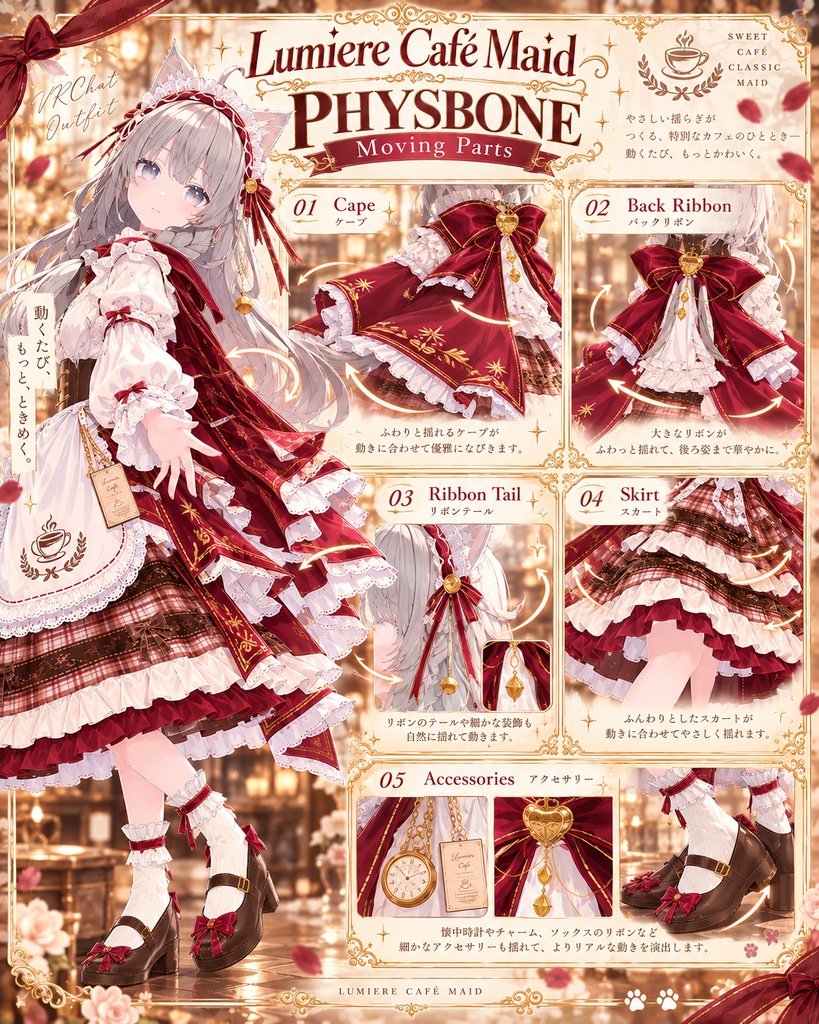
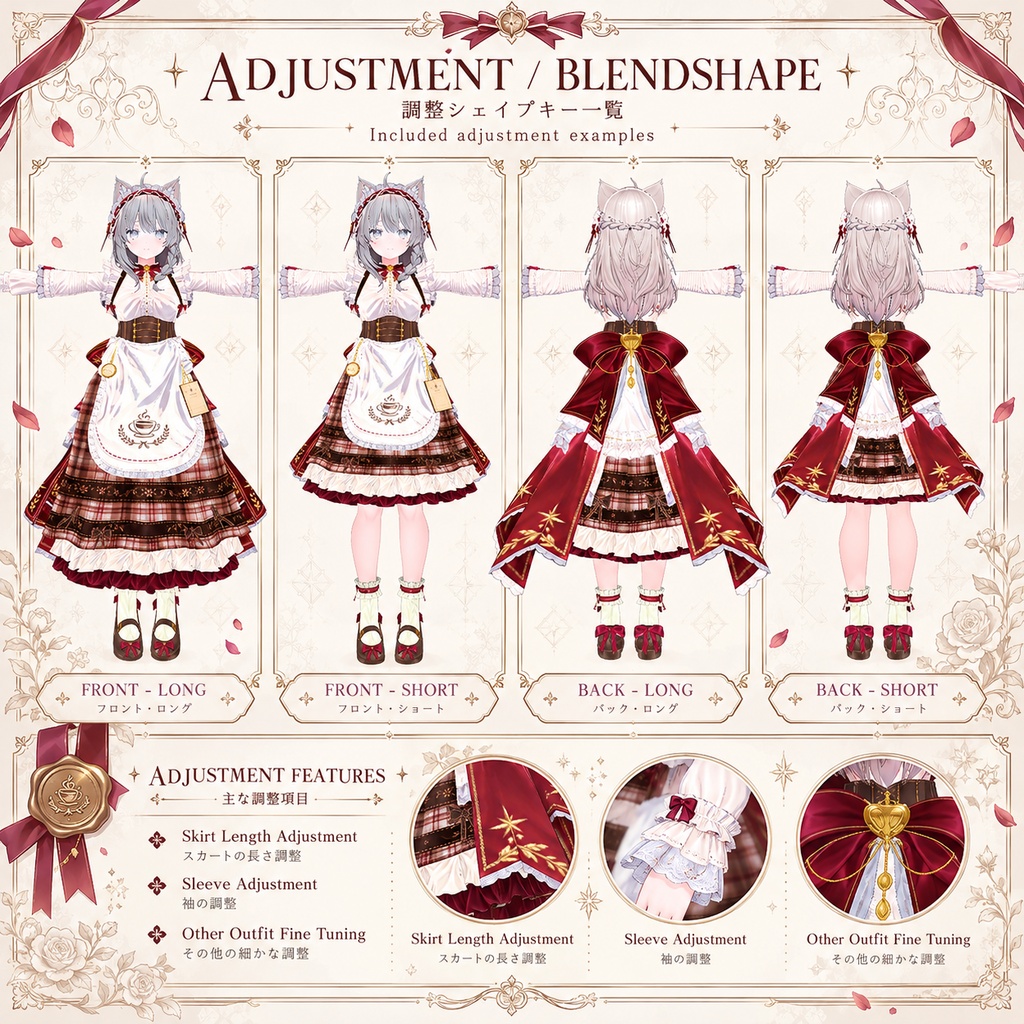
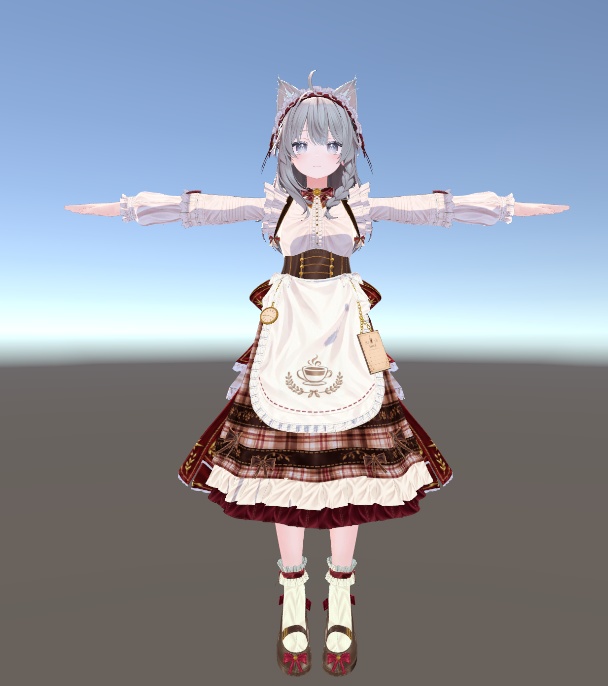
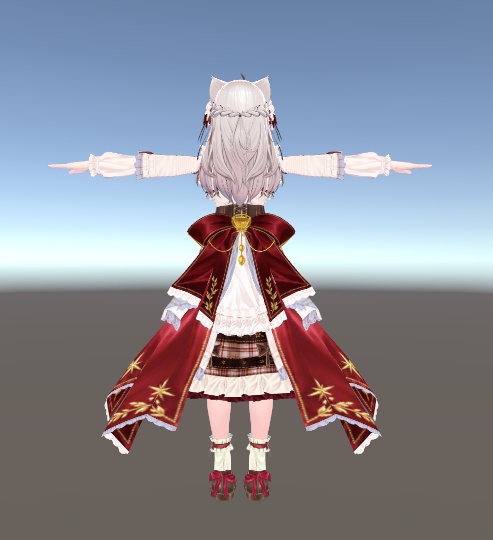
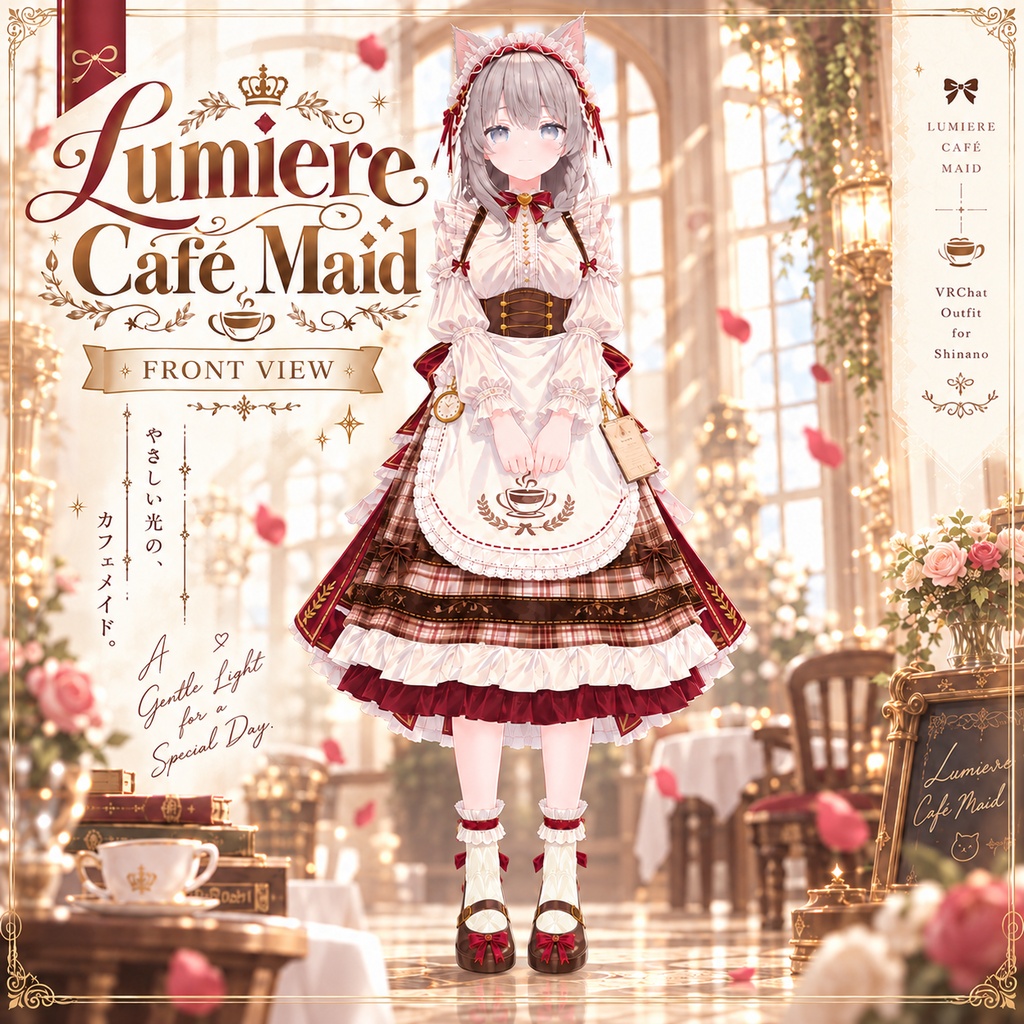


日本語 Lumiere Café Maid クラシカルなカフェメイドをテーマにした、VRChat向け衣装です。 アイボリー、ブラウン、ワインレッド、ゴールドを基調に、 チェック柄のスカート、コルセット、エプロン、フリル、大きなバックリボン、ゴールド装飾などを組み合わせたデザインになっています。 正面だけでなく、後ろ姿も華やかに見えるように制作しました。 対応アバター - しなの / Shinano ※本商品にアバター本体は含まれていません。 Features - Modular Avatar 対応 - VRC PhysBone 対応 - PhysBone Collider 設定済み - lilToon 使用 - 衣装用 BlendShape 搭載 - Shinano用セットアップ済みPrefab付属 - スカート、リボン、ケープ、装飾パーツに物理設定 内容物 - Lumiere Café Maid Prefab - Mesh / FBX - Materials - Textures - Normal Maps - Modular Avatar 設定 - PhysBone 設定 - README - Terms of Use 必要なもの 本商品を使用するには、以下の環境が必要です。 - VRChat SDK - Avatars - Modular Avatar - lilToon 各パッケージは商品に含まれていません。 事前にUnityプロジェクトへ導入してください。 導入方法 1. 必要なパッケージをUnityに導入します。 2. 商品UnityPackageをImportします。 3. Lumiere_Cafe_Maid_Shinano PrefabをShinanoの子オブジェクトとして配置します。 4. Modular Avatarによって衣装が自動的にセットアップされます。 5. Play ModeまたはVRChat Build & Testで動作を確認してください。 注意事項 - 本商品は Shinano専用 に調整されています。 - アバター本体、髪型、素体などは付属しません。 - アバター側の改変状態によっては、貫通や位置調整が必要になる場合があります。 - PhysBoneの動きは使用するアニメーションやアバター設定によって見え方が変わる場合があります。 - Unity / VRChat SDK / Modular Avatar等のバージョン変更により、将来的に追加調整が必要になる場合があります。 利用規約 改変しての使用は可能です。 再配布、再販売、商品データの共有は禁止します。 本商品を含んだ状態でのデータ配布も禁止します。 詳細は同梱のTerms of Useをご確認ください。 【日本語】 2種類のUnityPackageが含まれています。 Normal Map Setup VersionはNormal Map設定済み、Standard VersionはNormal Map未使用です。 モデル・リギング・Modular Avatar・PhysBoneなどの基本構成は共通です。 English Lumiere Café Maid A classic café maid outfit made for VRChat. The design uses a combination of ivory, brown, burgundy, and gold, featuring a check-pattern skirt, corset, apron, frills, a large back ribbon, cape details, and gold accessories. The outfit was designed to look detailed and elegant from both the front and back. Supported Avatar - Shinano Avatar model is not included. Features - Modular Avatar support - VRC PhysBone support - PhysBone Colliders configured - Uses lilToon - Outfit adjustment BlendShapes - Ready-to-use Shinano Prefab included - Physics setup for skirt, ribbons, cape, and accessories Included Files - Lumiere Café Maid Prefab - Mesh / FBX - Materials - Textures - Normal Maps - Modular Avatar setup - PhysBone setup - README - Terms of Use Requirements The following packages are required: - VRChat SDK - Avatars - Modular Avatar - lilToon These packages are not included with the product. Please install them in your Unity project before importing the outfit. Installation 1. Install the required packages. 2. Import the included UnityPackage. 3. Place the Lumiere_Cafe_Maid_Shinano Prefab under your Shinano avatar. 4. Modular Avatar will handle the outfit setup. 5. Check the result using Play Mode or VRChat Build & Test. Notes - This outfit is currently adjusted specifically for Shinano. - The avatar, base body, hair, and other avatar assets are not included. - Depending on modifications made to your avatar, minor clipping or position adjustments may be necessary. - PhysBone behavior may vary depending on animations and avatar settings. - Future Unity, VRChat SDK, or Modular Avatar updates may require additional adjustments. Terms of Use Modification for personal use is allowed. Redistribution, resale, sharing of the original product files, or redistribution of projects containing the product data is prohibited. Please check the included Terms of Use for full details. 【日本語】 2種類のUnityPackageが含まれています。 Normal Map Setup VersionはNormal Map設定済み、Standard VersionはNormal Map未使用です。 モデル・リギング・Modular Avatar・PhysBoneなどの基本構成は共通です。 【English】 Two UnityPackage versions are included. The Normal Map Setup Version includes Normal Maps, while the Standard Version does not. The model, rigging, Modular Avatar, PhysBones, and basic setup are otherwise the same. 한국어 Lumiere Café Maid 클래식한 카페 메이드를 테마로 제작한 VRChat용 의상입니다. 아이보리, 브라운, 와인 레드, 골드를 중심으로 체크 패턴 스커트, 코르셋, 앞치마, 프릴, 대형 후면 리본, 케이프와 금장 장식을 조합해 디자인했습니다. 정면뿐만 아니라 후면에서도 화려한 실루엣이 보이도록 제작했습니다. 대응 아바타 - Shinano ※ 아바타 본체는 상품에 포함되지 않습니다. 주요 기능 - Modular Avatar 대응 - VRC PhysBone 대응 - PhysBone Collider 설정 - lilToon 사용 - 의상 조절용 BlendShape 포함 - Shinano용 설치 완료 Prefab 제공 - 스커트 / 리본 / 케이프 / 장식 파츠 물리 설정 구성품 - Lumiere Café Maid Prefab - Mesh / FBX - Materials - Textures - Normal Maps - Modular Avatar 설정 - PhysBone 설정 - README - Terms of Use 필요 패키지 아래 패키지가 필요합니다. - VRChat SDK - Avatars - Modular Avatar - lilToon 해당 패키지는 상품에 포함되어 있지 않으며, Unity 프로젝트에 미리 설치해 주세요. 설치 방법 1. 필요한 패키지를 Unity에 설치합니다. 2. 상품 UnityPackage를 Import합니다. 3. Lumiere_Cafe_Maid_Shinano Prefab을 Shinano 아바타의 자식으로 배치합니다. 4. Modular Avatar를 통해 의상이 자동으로 설정됩니다. 5. Play Mode 또는 VRChat Build & Test로 정상 작동 여부를 확인합니다. 주의사항 - 현재 본 상품은 Shinano 전용으로 조정되어 있습니다. - 아바타 본체, 바디, 헤어 등의 원본 아바타 에셋은 포함되어 있지 않습니다. - 사용 중인 아바타의 개조 상태에 따라 일부 관통이나 위치 조정이 필요할 수 있습니다. - PhysBone 움직임은 애니메이션 및 아바타 설정에 따라 다르게 보일 수 있습니다. - Unity / VRChat SDK / Modular Avatar 등의 버전 변경에 따라 추후 추가 조정이 필요할 수 있습니다. 이용약관 개인 사용을 위한 개조는 가능합니다. 상품 데이터의 재배포, 재판매, 공유 및 본 상품 데이터가 포함된 프로젝트의 배포를 금지합니다. 자세한 내용은 상품에 포함된 Terms of Use를 확인해 주세요. 【한국어】 2종류의 UnityPackage가 포함되어 있습니다. Normal Map Setup Version은 노말맵 적용 버전, Standard Version은 노말맵 미적용 버전입니다. 모델, 리깅, Modular Avatar, PhysBone 등의 기본 구성은 동일합니다.