

External Check Function V3
- ダウンロード商品¥ 0
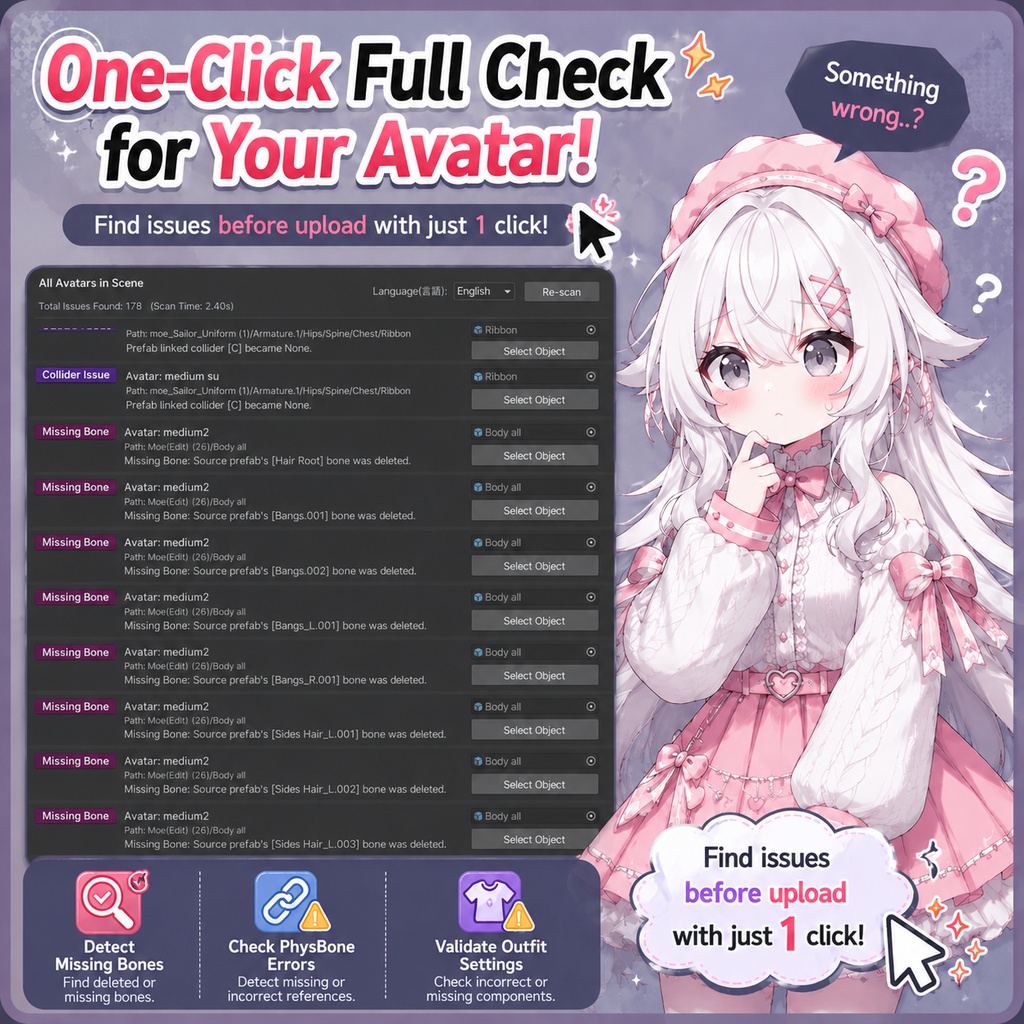
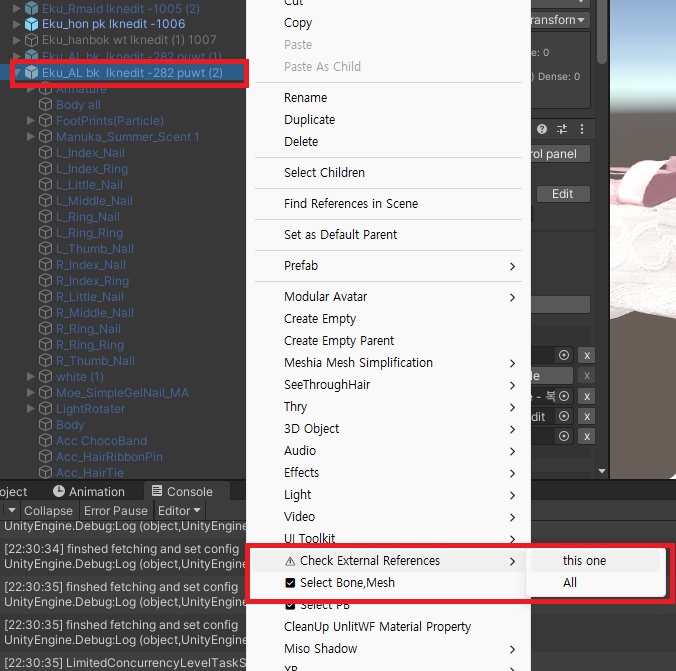
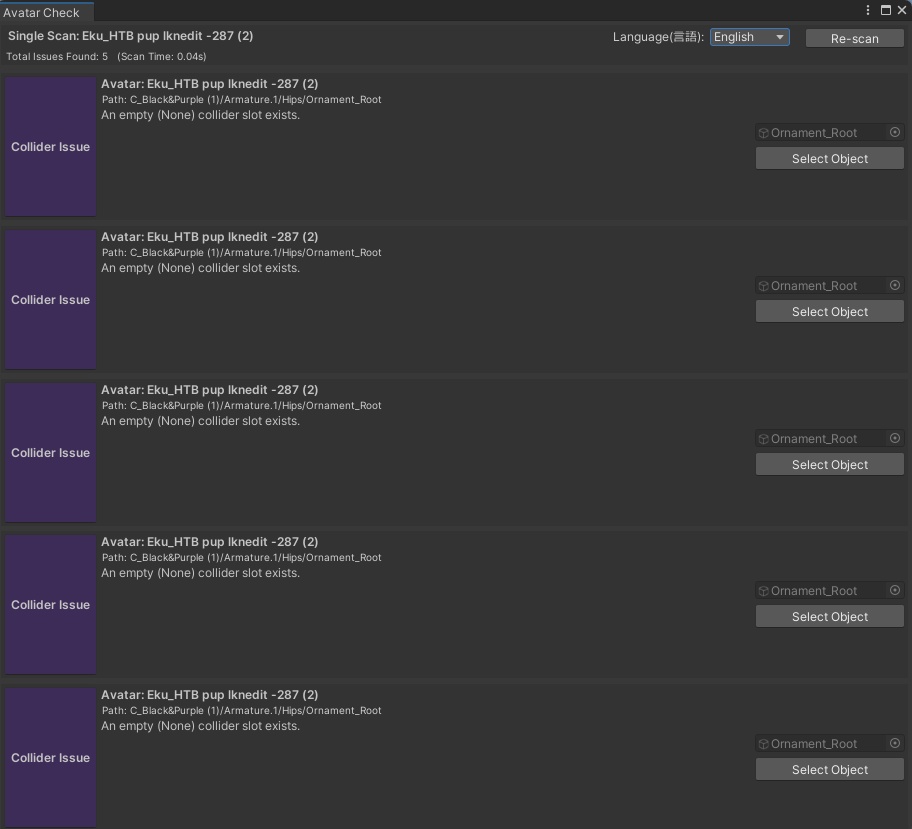
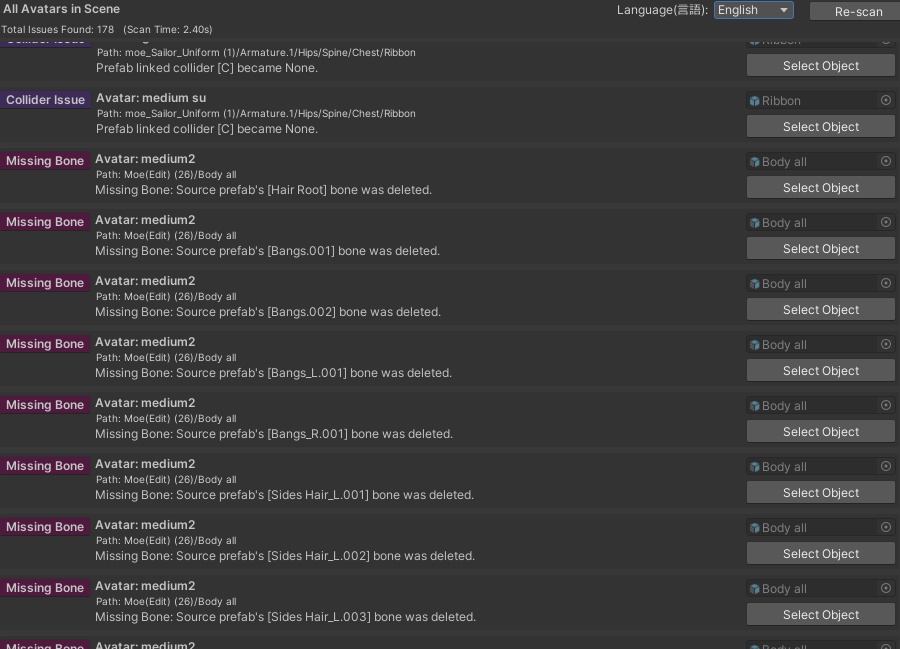


アップロード前にアバターの不具合をワンクリックでチェックできる総合診断ツールを、Gemini を活用して作成しました。シーン内のすべてのアバター、または単一のアバターを対象に検査できます。主な検査項目は以下のとおりです。 - 衣装の欠損ボーン検出 誤って Delete キーを押し、ボーンを削除してしまった場合を検出 - PhysBone の設定エラー スクリプト内の Root Transform や Colliders の参照が失われている、または外部オブジェクトへ誤って参照されている場合を検出 衣装コンポーネントの設定エラー - Anchor Override や Root Bone が外部アバターを参照している、または Missing になっている場合を検出 ※ 注意事項 Anchor Override および Root Bone の対象オブジェクト、またはその親オブジェクトに EditorOnly タグが設定されている場合や、MA Mesh Settings(Setup Outfit で衣装を着せた際に生成されるコンポーネント)が含まれている場合は、自動的に検査対象から除外されます。 PhysBone の検査については、EditorOnly タグが付いたオブジェクトのみ除外対象となります。 EN I used Gemini to create a one-stop integrity checker for your avatars before uploading. You can check a single avatar or the entire scene at once. It detects: - Lost bones on outfits (accidentally deleted with the Delete key) - PhysBone Errors: Flags instances where the Root Transform or Colliders within the script are missing, or incorrectly assigned to an external object. - Misconfigured Anchor Overrides or Root Bones (linked to an external avatar or showing as 'Missing') ※ Notice: Please note that if the object or its parent tag for the Anchor Override or Root Bone is set to EditorOnly, or if it includes MA Mesh Settings (created when applying clothes via 'Setup Outfit'), it will be automatically excluded from the inspection. (For PB, only EditorOnly is handled as an exception.) //KO 업로드 전 아바타의 결함을 원클릭으로 확인해 주는 종합 검사기를 제미나이(Gemini)로 만들어봤습니다. 씬 전체 아바타나 단일 아바타 검사가 가능합니다. 검사 항목은 다음과 같습니다: - 의상 유실된 본 검출: 실수로 Delete 키를 눌러 본을 지워버린 경우 - 피직스본(PhysBone) 오류: 스크립트 내 Root Transform이나 Colliders 참조가 유실 혹은 외부에 잘못 연결된 경우 - 의상 컴포넌트 설정 오류: Anchor Override나 Root Bone이 외부 아바타에 잘못 연결되었거나 'Missing'인 경우 ※ 주의사항: Anchor Override, Root Bone의 해당 오브젝트나 부모의 태그가 EditorOnly로 설정되어 있거나, MA Mesh Settings(setup outfit으로 옷을 입혔을 때 생성됨)가 포함된 경우는 검사에서 자동으로 제외되니 참고해 주세요!(PB스크립트의 경우, EditorOnly만 예외처리)
Update information
v3.0 - PhysBone Collider の Root Tranform が正しく設定されているか確認するように変更しました。 タブを分類し、それぞれ該当するリストのみを表示するようにフィルタリング機能を追加しました。 v2.0 - UI を変更し、従来の Console ウィンドウへのログ出力を専用ウィンドウに表示する方式へ変更しました。また、ログから対象オブジェクトを直接選択できるようになりました。 Mesh オブジェクトの Anchor Override および Root Bone が統一されているかを確認する機能を追加しました。 日本語に対応しました。 v1.2 - MA Mesh Settings が設定されている場合でも、PhysBone スクリプトを検査するように修正しました。 Collider が None の場合に検出し、元の Prefab 内の PhysBone スクリプトと比較して、本来設定されていた Collider を表示するように更新しました。 v1.1 - 削除された Bone について、元の衣装 Prefab が存在する場合は、対応する元の Bone 名を表示するように更新しました。 v3.0 -Changed the validation to check whether the Root Tranform of the PhysBone Collider is correctly assigned. Categorized the tabs and added filtering so that each tab displays only the corresponding list. v2.0 - Updated the UI and changed log generation from the existing Console window to a dedicated window. Added the ability to directly select the corresponding object from the log window. Added a feature to verify whether Mesh objects have consistent Anchor Override and Root Bone settings. Added Japanese language support. v1.2 - Fixed PhysBone scripts to be inspected even when MA Mesh Settings are applied. Updated to detect if a Collider is None and compare it with the original prefab script to show the original Collider. v1.1 - If a deleted bone belongs to a clothing piece that has an existing original prefab, the tool will now display the original bone's name. /// v3.0 - PhysBone Collider의 Root Tranform이 제대로 설정되어있는지 확인하도록 변경했습니다. 탭을 분류하여 각각의 해당하는 리스트만 필터링할 수 있게끔 변경하였습니다 v2.0 - UI 변경 및 기존 Console 창에서 로그를 만드는 것을 윈도우 창을 하나 생성하여 표시되도록 변경하였습니다. 또한 해당 오브젝트를 바로 선택할 수 있게끔 변경했습니다. Mesh 오브젝트의 Anchor Override 및 Root bone이 통일되어있는지 확인하는 기능을 추가했습니다. 일본어를 추가했습니다. v1.2 - MA Mesh Settings가 되어있더라도 PhysBone 스크립트를 검사하도록 수정했습니다. Collider가 None일 경우 검출 및 원본 Perfab 내 PB스크립트와 비교해 원래 Collider가 무엇인지 표시하게끔 업데이트 했습니다. v1.1 - 삭제된 Bone 이 만약 원본 의상 Prefab 이 있는 경우, 해당하는 원래 Bone 이름을 표시하게끔 업데이트 했습니다.