
GB/GBC/GBA Image-to-ROM Converter
- ダウンロード商品¥ 300
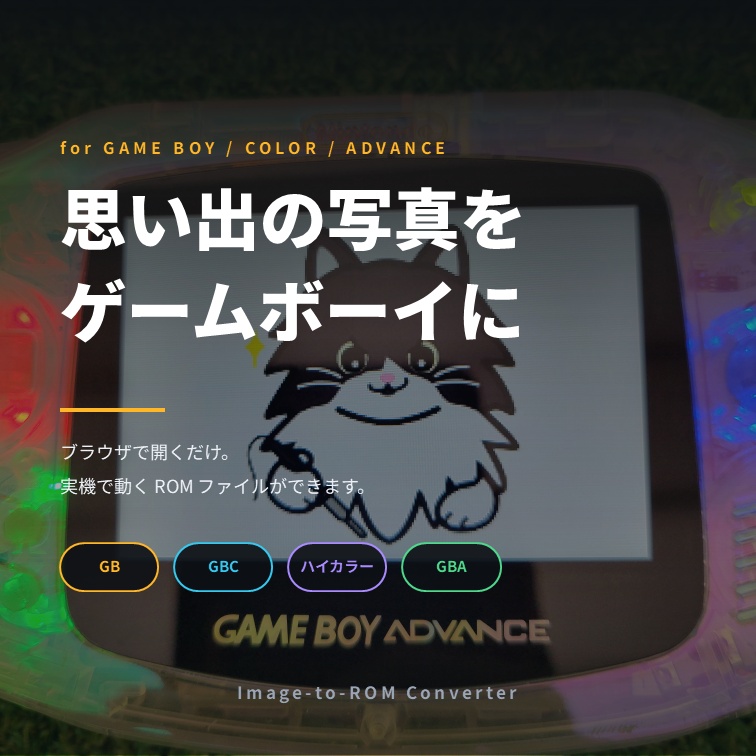
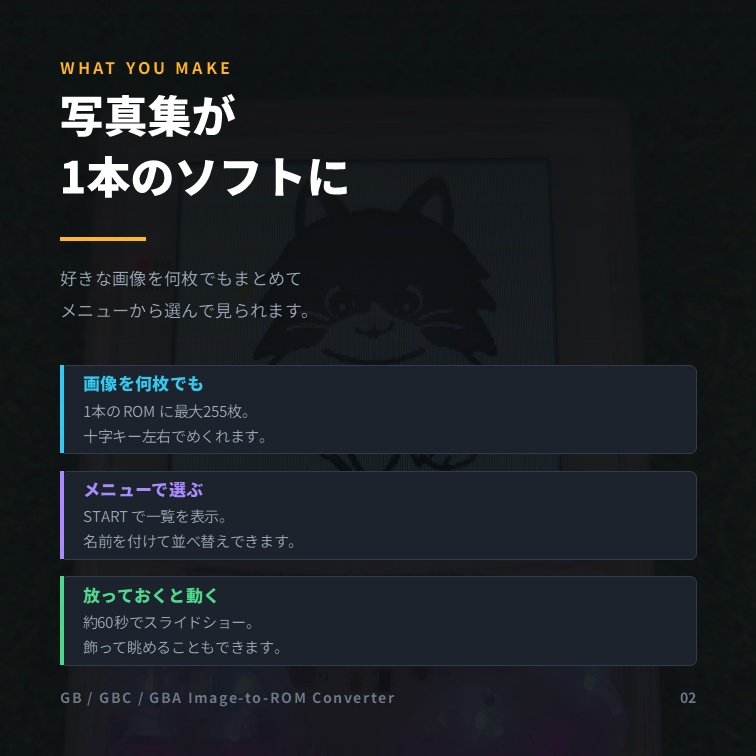
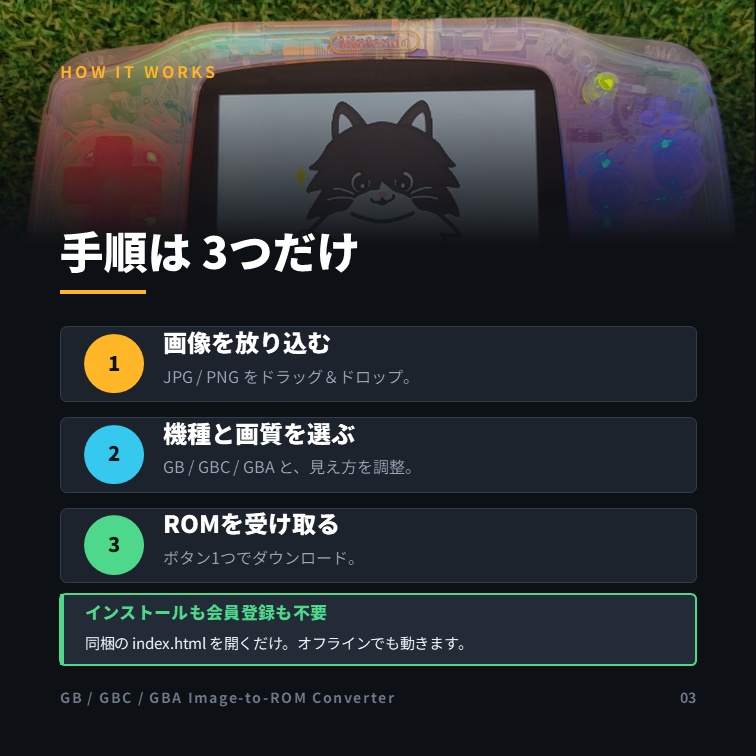
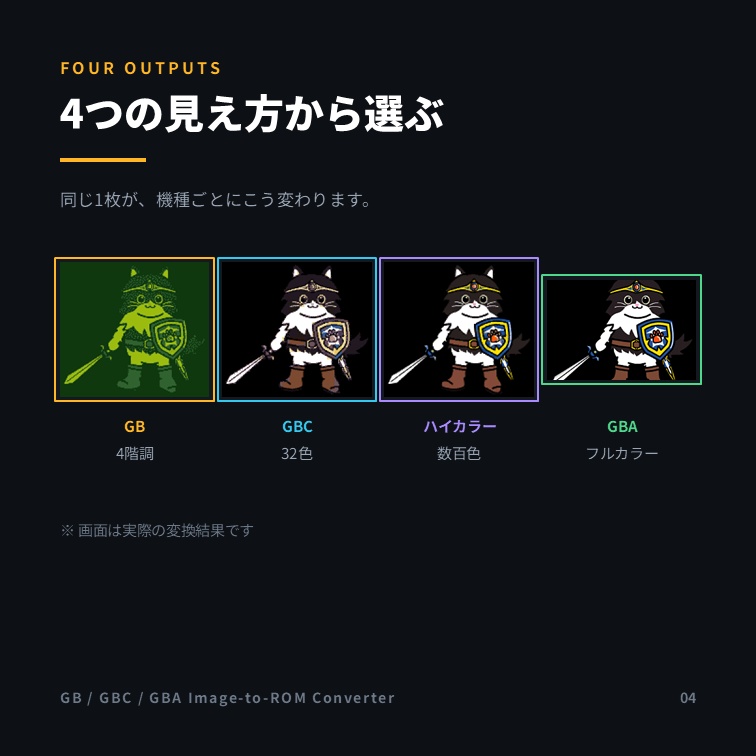
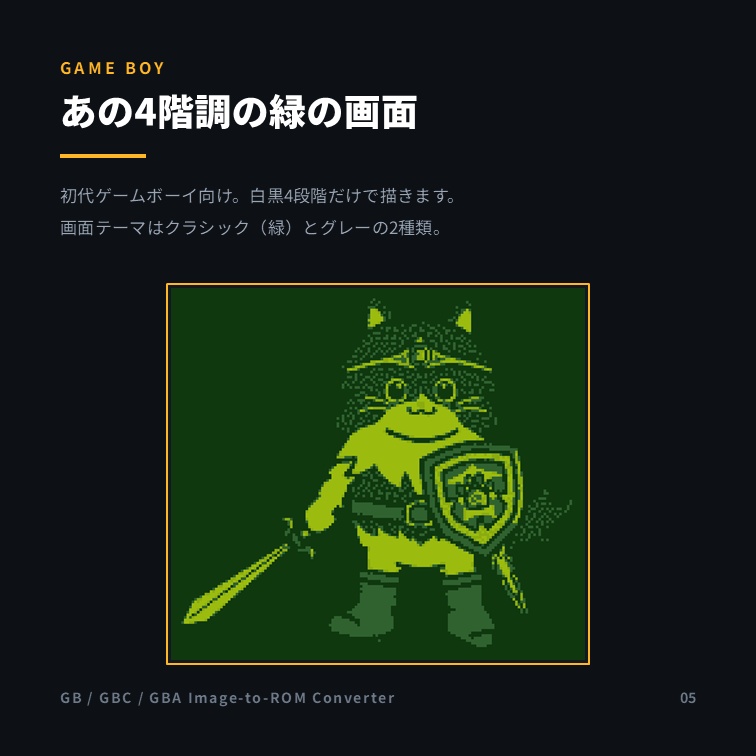
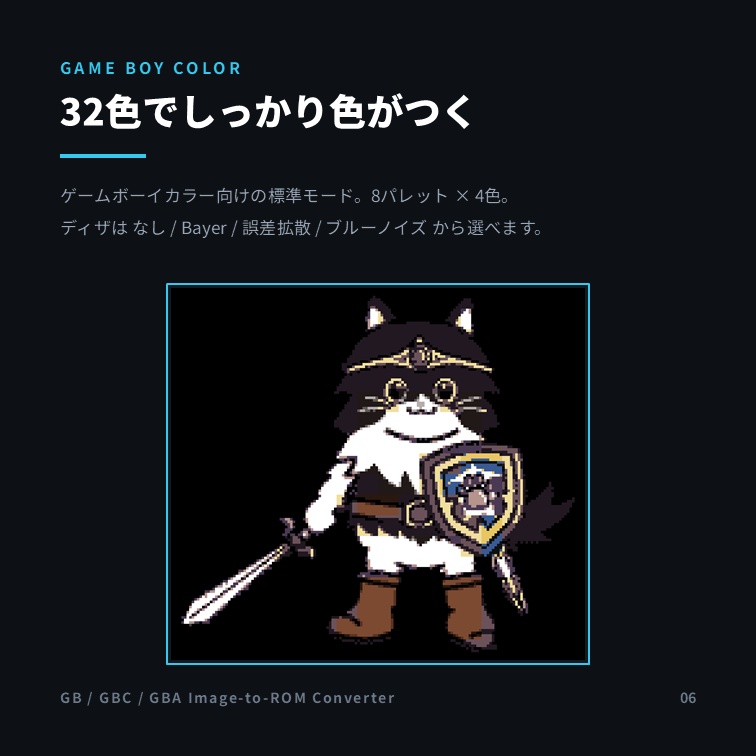
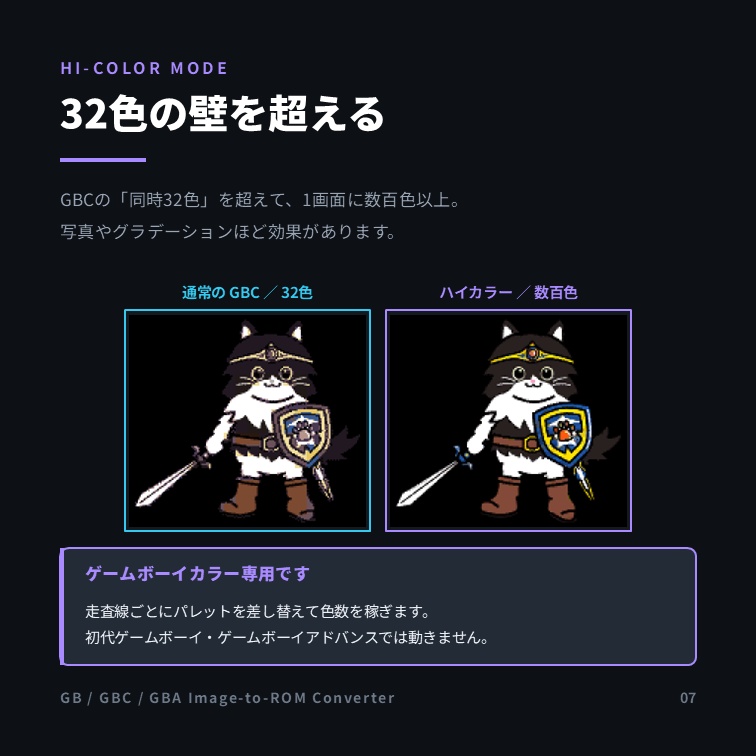
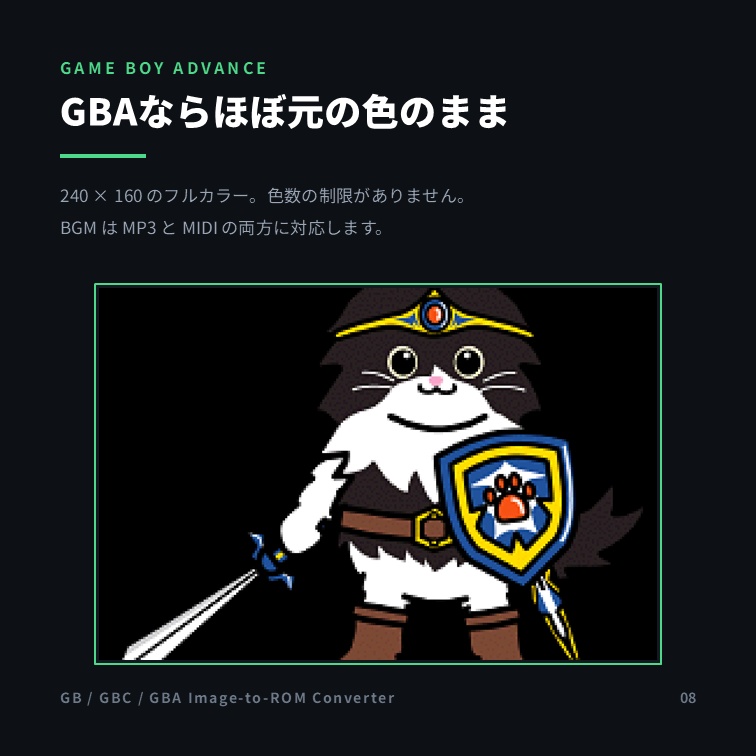
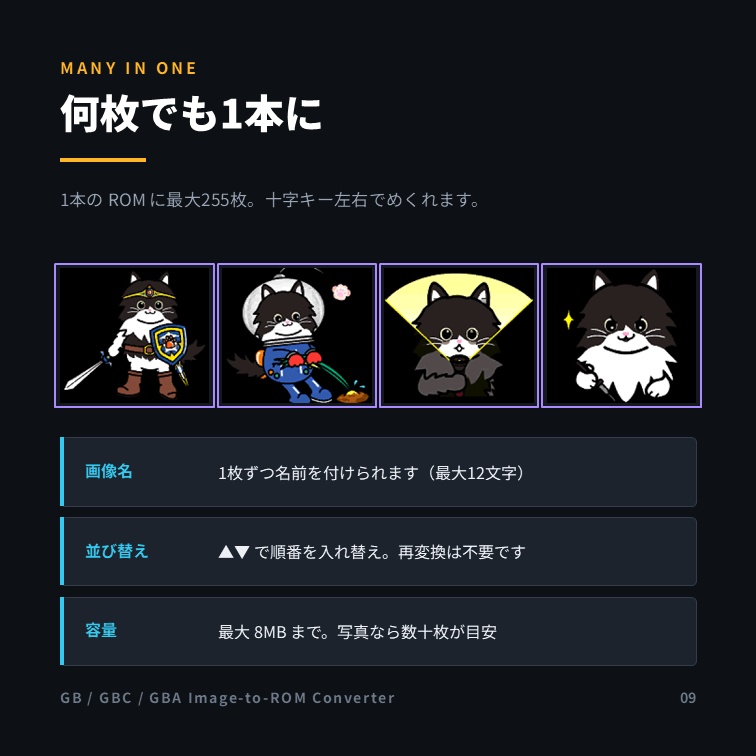
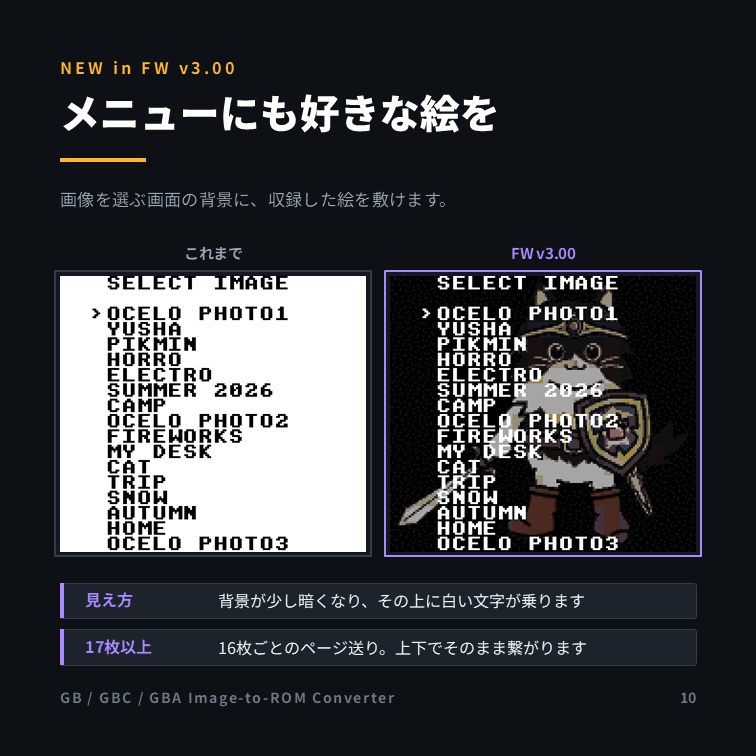
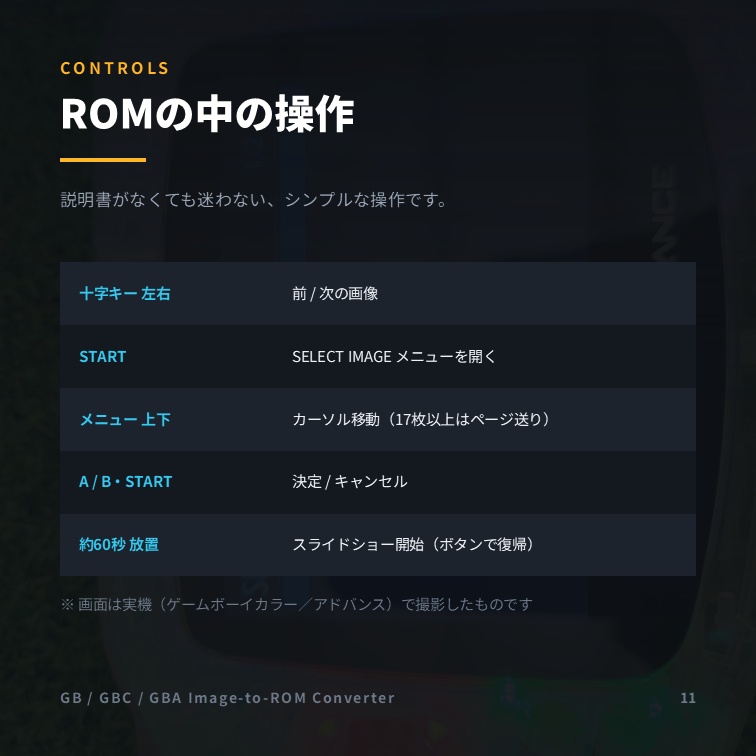
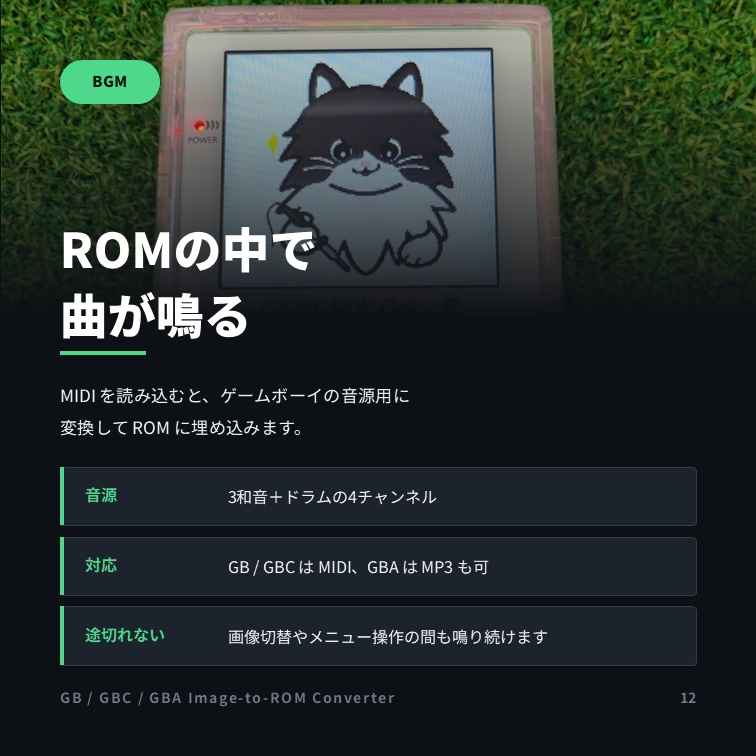
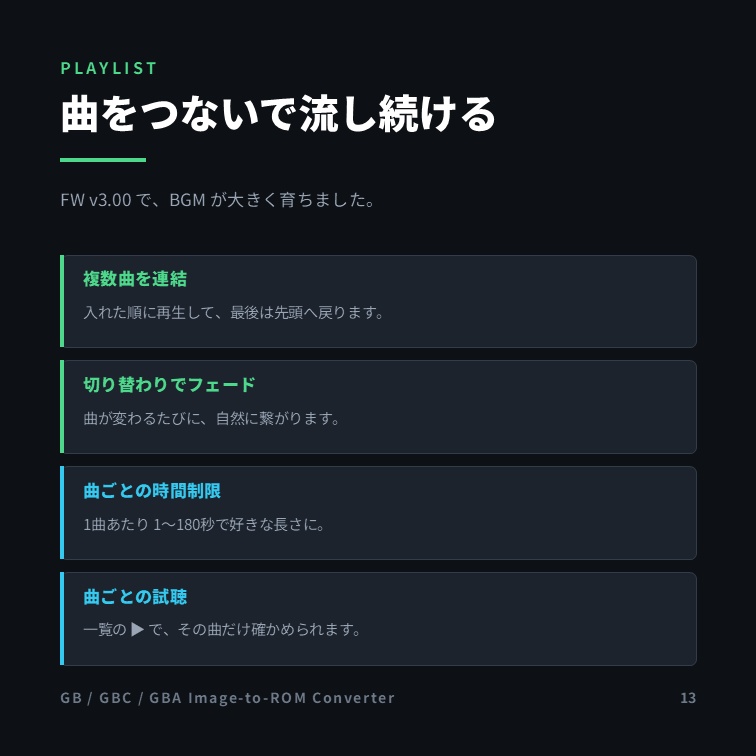
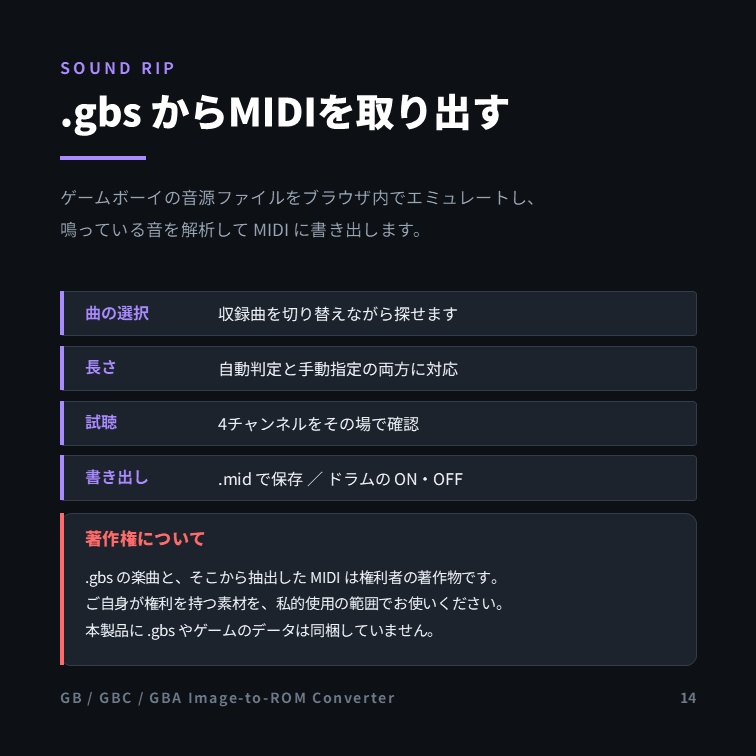
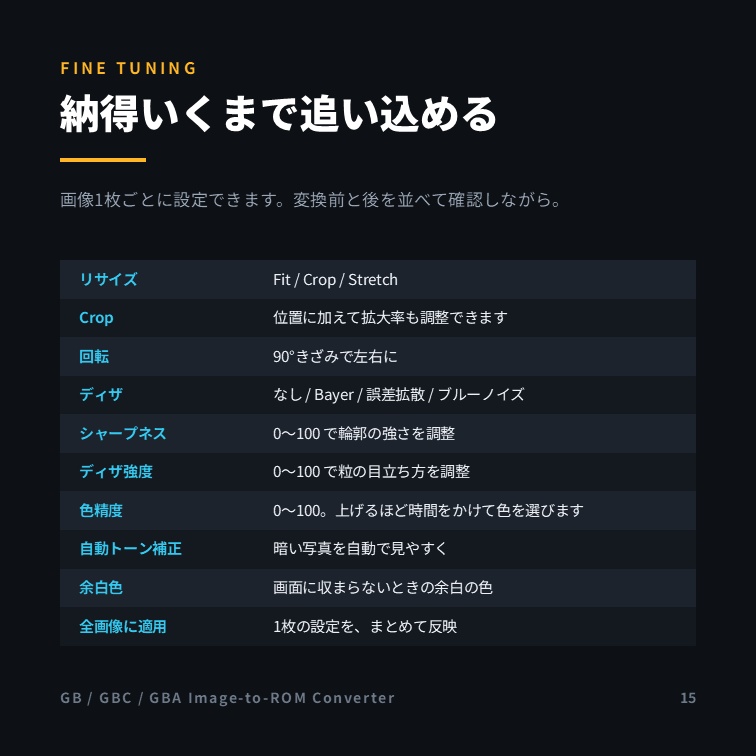
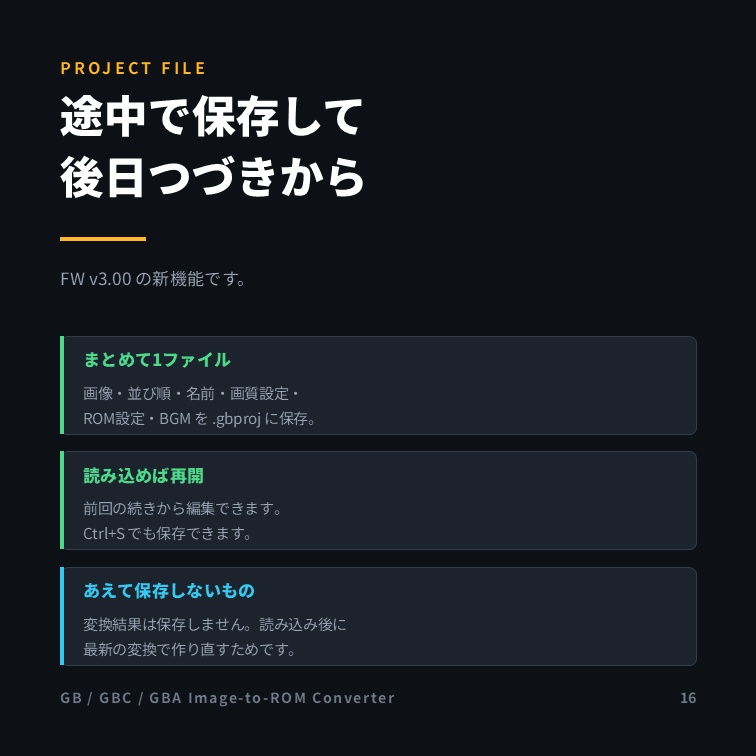
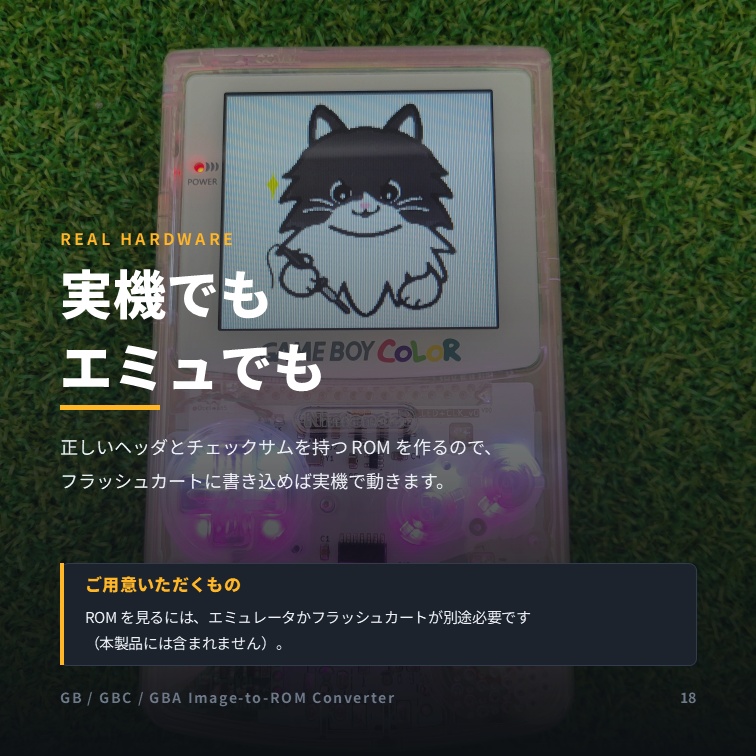
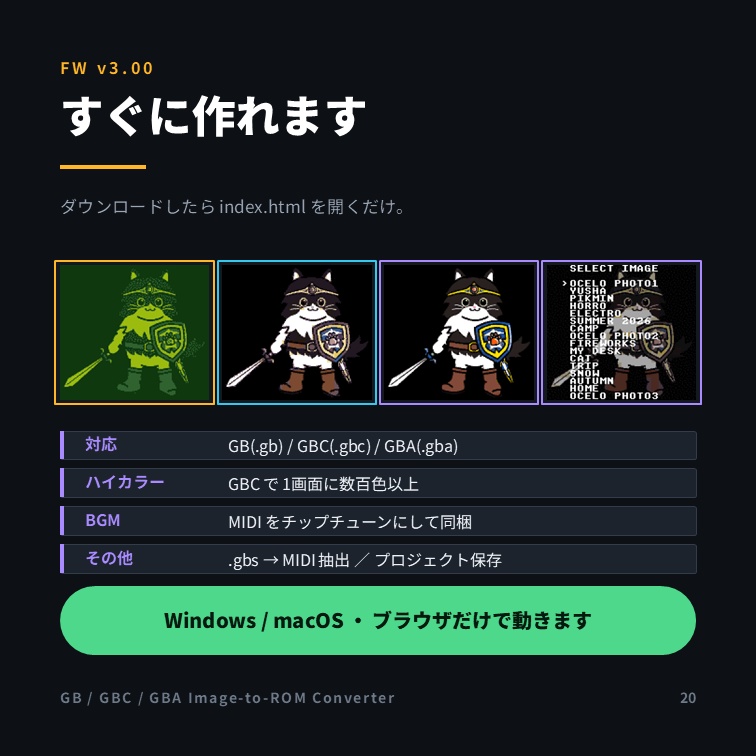


画像を ゲームボーイ/ゲームボーイカラー/ゲームボーイアドバンス の ROMファイルに変換する Webアプリです。 インストール不要、ブラウザで開くだけ。 === このアイテムでできること === お手持ちの画像 (JPG / PNG) を GB(.gb) / GBC(.gbc) / GBA(.gba)の ROMファイルに変換できます。 複数枚の画像を1つの ROM にまとめて収録。 ROM内メニューやスライドショーで閲覧できます。 GB / GBC / GBA それぞれに最適化した高画質変換に対応。 ROM内メニューの背景に、お好きな画像を使えます。 BGMの追加に対応 (GB/GBC: MIDI、GBA: MP3 または MIDI)。複数の曲をつないで連続再生できます。 GB/GBCの音源ファイル(.gbs)から曲をMIDIに変換する「サウンド抽出」機能を搭載。 編集の途中を「プロジェクトファイル」に保存して、あとから再開できます。 画像の収集・アップロード機能はありません。 すべての処理はお使いの端末(ブラウザ)内で完結し、画像が外部へ送信されることはありません。 安心してお使いいただけます。(一部表示は崩れますが、オフラインでも使用可能) === 変更履歴 === FW v3.00 メニュー画面に背景画像を設定できるようになりました SELECT IMAGE メニューの背景に、収録した画像のどれかを使えます。 背景全体が少し暗くなり、その上に白い文字が乗るデザインです。 17枚以上のときは16枚ごとのページ切替になり、十字キー上下でそのままページをまたげます。 BGM機能を大幅に強化 複数の曲をつないで、順番に連続再生できるようになりました。 曲の切り替わりでフェードします。 曲ごとに再生時間の上限を決められます。 曲一覧の各行から、その曲だけを試聴できます。 画像リストの操作性を向上 画像名を編集できます (最大12文字・英数字)。ROM内メニューにその名前が出ます。 ▲▼ボタンで画像の順番を入れ替えられます (再変換は不要です)。 プロジェクトの保存・読み込みに対応 画像・並び順・名前・画質設定・ROM設定・BGM をまとめて 1つのファイル (.gbproj) に保存できます。 読み込めば、その続きから編集を再開できます。Ctrl+S (Macは⌘+S) でも保存できます。 Crop(切り抜き)の拡大に対応 切り抜き位置だけでなく、拡大率も調整できるようになりました。 ROM生成中の進み具合が見えるようになりました 初代ゲームボーイ向け ROM の画面テーマを改善 ゲームボーイカラーの実機で表示したときも、選んだ配色のまま表示されるようになりました。 その他、画質の向上と細かな不具合の修正 === 操作・設定方法 === インストールは不要です。 同梱の「index.html」をブラウザで開くだけで使えます。 ① 画像をドラッグ&ドロップ(または選択)で読み込む ② 出力ターゲット (GB / GBC / GBA)と画質を調整する ③ 「ROMを生成してダウンロード」ボタンを押す 【生成した ROM 内での操作】 十字キー 左右: 前/次の画像 START: メニュー(SELECT IMAGE)を表示 メニュー中 — 十字キー 上下: カーソル移動 / A: 決定 / B・START: キャンセル 17枚以上のときは、上下でそのままページが切り替わります 約60秒放置: スライドショー開始(任意のボタンで復帰) === 動作環境・必要なもの === 対応OS: Windows 10 / 11 (Windows 8 / 7 でも動作可)、macOS 10.13 以降 ブラウザ: Google Chrome / Microsoft Edge / Firefox / Safari の最新版を推奨 CPU: デュアルコア 2.0GHz 以上を推奨 メモリ: 4GB 以上を推奨 グラフィック: 特別なグラフィックボードは不要 (内蔵グラフィックスで動作) ストレージ: 約100MB 以上の空き容量を推奨 (アプリ本体は数MB。生成する ROM のサイズに応じた空き容量が必要です) インターネット接続: 不要(基本機能はオフラインで動作します) そのほか: 生成した ROM の閲覧には、別途エミュレータやフラッシュカート等が必要です(本アプリには含まれません)。 === こんな人におすすめ === 思い出の写真やイラストを、GB / GBC / GBA の実機やエミュレータで表示して楽しみたい方。 レトロ携帯ゲーム機の質感で、画像スライドショーを作ってみたい方。 === BGM素材の入手先(参考) === 本ツールはBGMを追加できます (GB/GBC: MIDIファイル、GBA: MP3 または MIDI)。 音源はお客様ご自身でご用意ください。 === サウンド抽出について === **重要・必ずお読みください** 機能の概要 ゲームボーイの音源ファイル(.gbs)をブラウザ内でエミュレートし、音源レジスタを解析してMIDI(.mid)に変換する機能です。 曲の選択・長さの自動判定/手動指定・4chプレビュー・.midの保存・ドラムのON/OFFに対応します。 本製品には .gbs やゲームのデータは一切同梱していません。 素材はお客様ご自身でご用意ください。 著作権に関する重要なご注意 .gbs に収録された楽曲、および そこから抽出・変換した MIDI データは、ゲームの発売元・作曲者など各権利者の著作物です。 本機能はそれらの権利を移転・許諾するものではありません。 抽出したからといって、その楽曲が自由に使えるようになるわけではありません。 本機能のご利用は、お客様ご自身が正当な権利を持つ、または権利者から利用を許可された .gbs/楽曲に限り、かつ 法律で認められる私的使用の範囲でお願いします。 権利者の許諾がない限り、次の行為はおやめください 抽出・変換した .mid の公開・配布・販売・共有。 第三者(市販ゲーム等)の楽曲を、配布・販売・共有するROM や作品へ埋め込むこと。 抽出・変換したデータの利用によって生じた いかなる問題についても、制作者は一切の責任を負いません。 利用の可否・範囲は お客様ご自身の責任でご判断ください。 技術的な制約 変換は近似のため、ビブラート等の細かな装飾は簡略化されます。 サウンドドライバの形式により、一部の .gbs は正しく鳴らない, うまく抽出できない場合があります。 ループ長の自動判定は目安であり、正しく判定されない場合があります。 その場合は手動で長さを指定してください。 === 免責・ご利用にあたって === 本製品は個人が制作した非公式のツールであり、任天堂株式会社が製造・販売する正規(オリジナル)製品ではありません。 同社とは一切関係がなく、許諾・後援・提携を受けたものでもありません。 「ゲームボーイ」「ゲームボーイカラー」「ゲームボーイアドバンス」その他 関連する名称・商標は、各権利者に帰属します。 生成した ROM は、お客様ご自身が権利を有する画像を用いて、私的な範囲でご利用ください。 第三者の著作権・肖像権等を侵害する用途での使用はおやめください。 生成物の内容および利用に関する責任は、お客様に帰属します。 エミュレータやフラッシュカート等の使用にあたっては、お住まいの地域の法令、および 各機器・各ソフトウェアの利用規約を遵守してください。 本製品の利用によって生じた いかなる損害についても、制作者は一切の責任を負いません。 ご利用は お客様自身の責任でお願いいたします。 【二次配布の禁止】本製品(同梱ファイル一式)の再配布・二次配布・再販売、および 改変しての配布を固く禁止します。 無償・有償を問わず、第三者への譲渡・共有、他サイト・SNS・ファイル共有サービス・フリマアプリ等へのアップロードや転載も一切禁止です。 ご利用は、ご購入者ご本人の範囲に限ります。 本製品は「現状有姿」で提供されるものであり、特定目的への適合性等を保証するものではありません。 個人製作(同人)作品です。 デザインや仕様は予告なく変更される場合があります。 制作: Ocelo465 FW v3.00 (C) Ocelo465
操作・設定方法
インストールは不要です。 同梱の「index.html」をブラウザで開くだけで使えます。 ① 画像をドラッグ&ドロップ(または選択)で読み込む ② 出力ターゲット(GB / GBC / GBA)と画質を調整する ③ 「ROMを生成してダウンロード」ボタンを押す
動作環境
対応OS: Windows 10 / 11(Windows 8 / 7 でも動作可)、macOS 10.13 以降 ブラウザ: Chrome / Edge / Firefox / Safari の最新版を推奨 CPU: デュアルコア 2.0GHz 以上を推奨 メモリ: 4GB 以上を推奨 グラフィック: 特別なグラフィックボードは不要(内蔵グラフィックスで動作) ストレージ: 約100MB 以上の空き容量を推奨 インターネット接続: 不要(基本機能はオフラインで動作)
アップデート履歴
[2026-08-05: v3.00] Added menu background picture (with 16-image pages) Added BGM playlist, fade at song change, per-song time limit and per-song preview Added image rename and reorder Added project save / load (.gbproj) Added Crop zoom and a progress bar during ROM generation DMG ROMs now carry the selected screen theme Improved image quality. Minor issues have been fixed. [2026-07-27: v2.20] Updated the High Color Mode Supported the BGM for High Color Mode Preview now stays on screen while you scroll Minor issues have been fixed. [2026-07-21: v2.10] Added High Color Mode [2026-07-15: v2.00] Added BGM function Added Color theme [2026-07-13: v1.00] Initial Release