
Cyberpunk Chat Widget for Twitch | StreamElements Overlay | OBS Browser Source | Animated Stream Alerts
- ダウンロード商品¥ 1,290
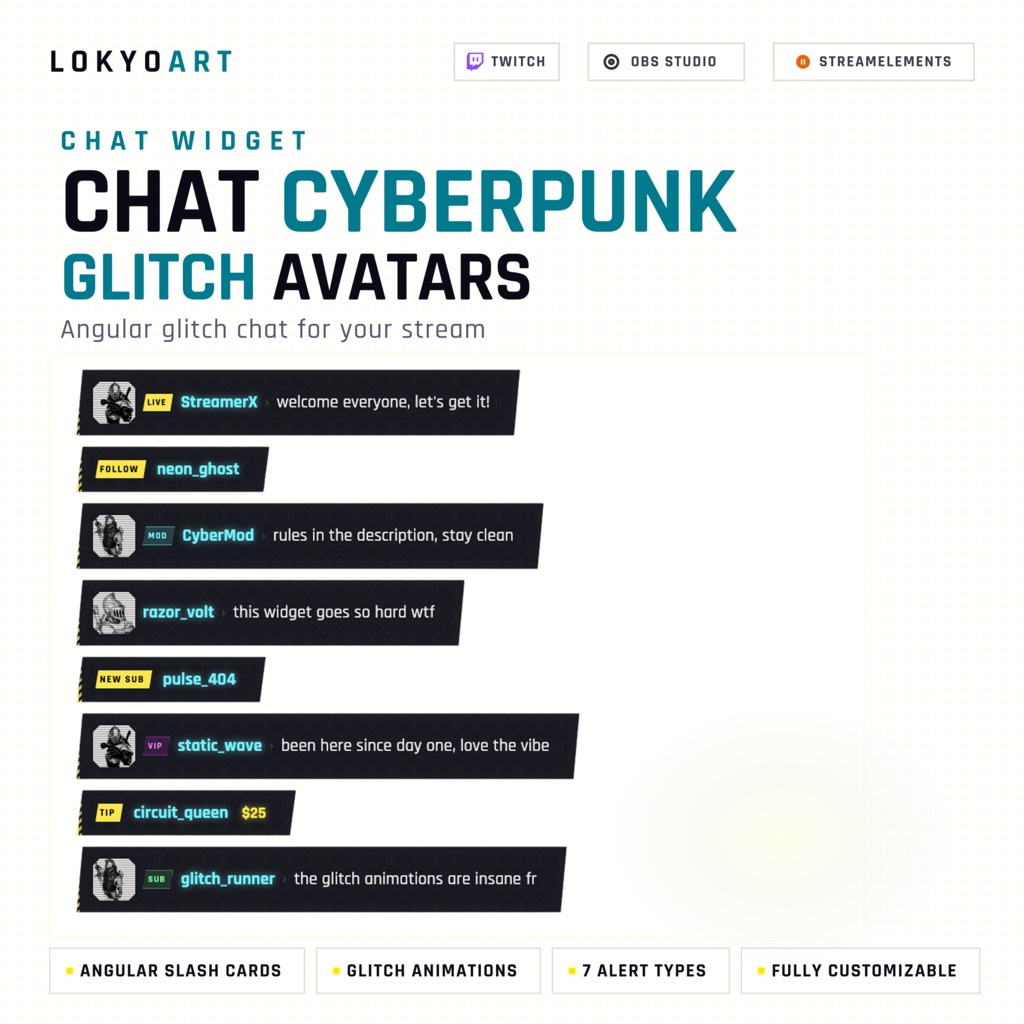
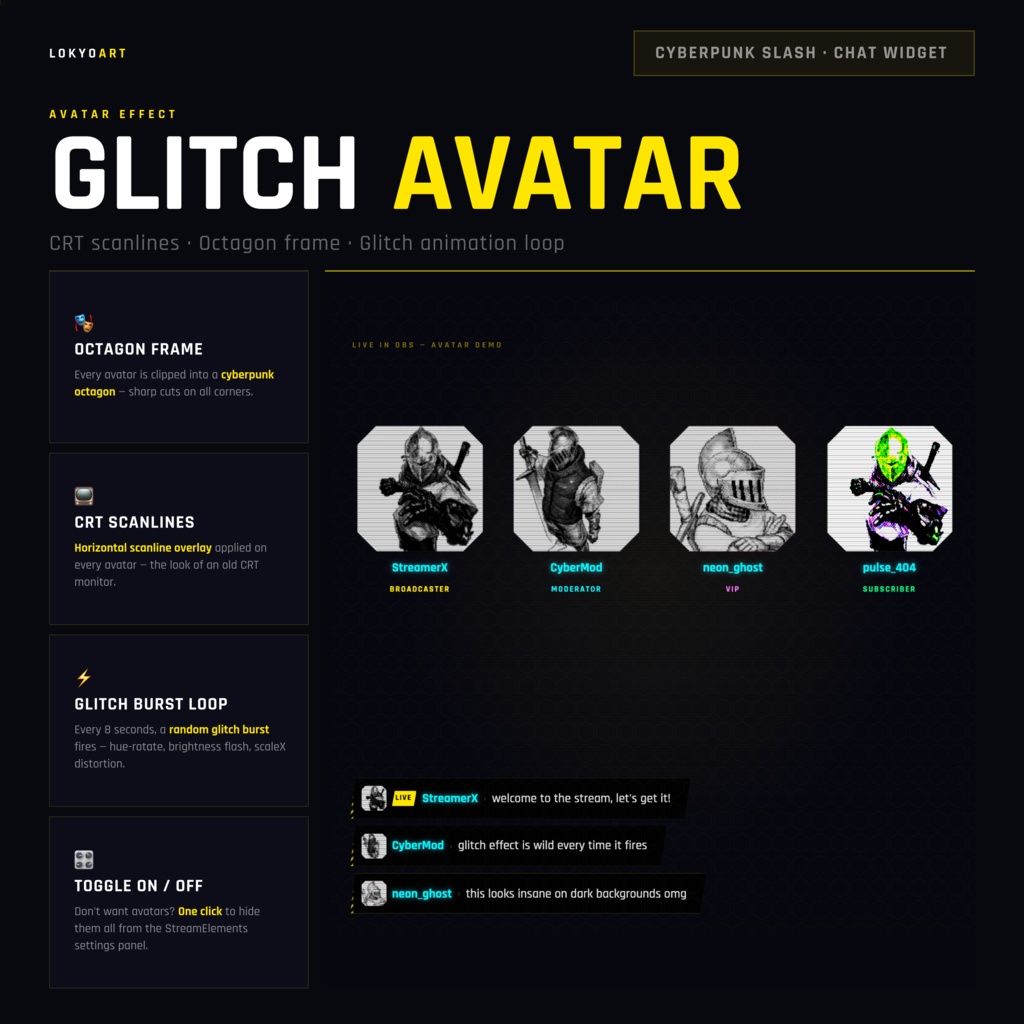
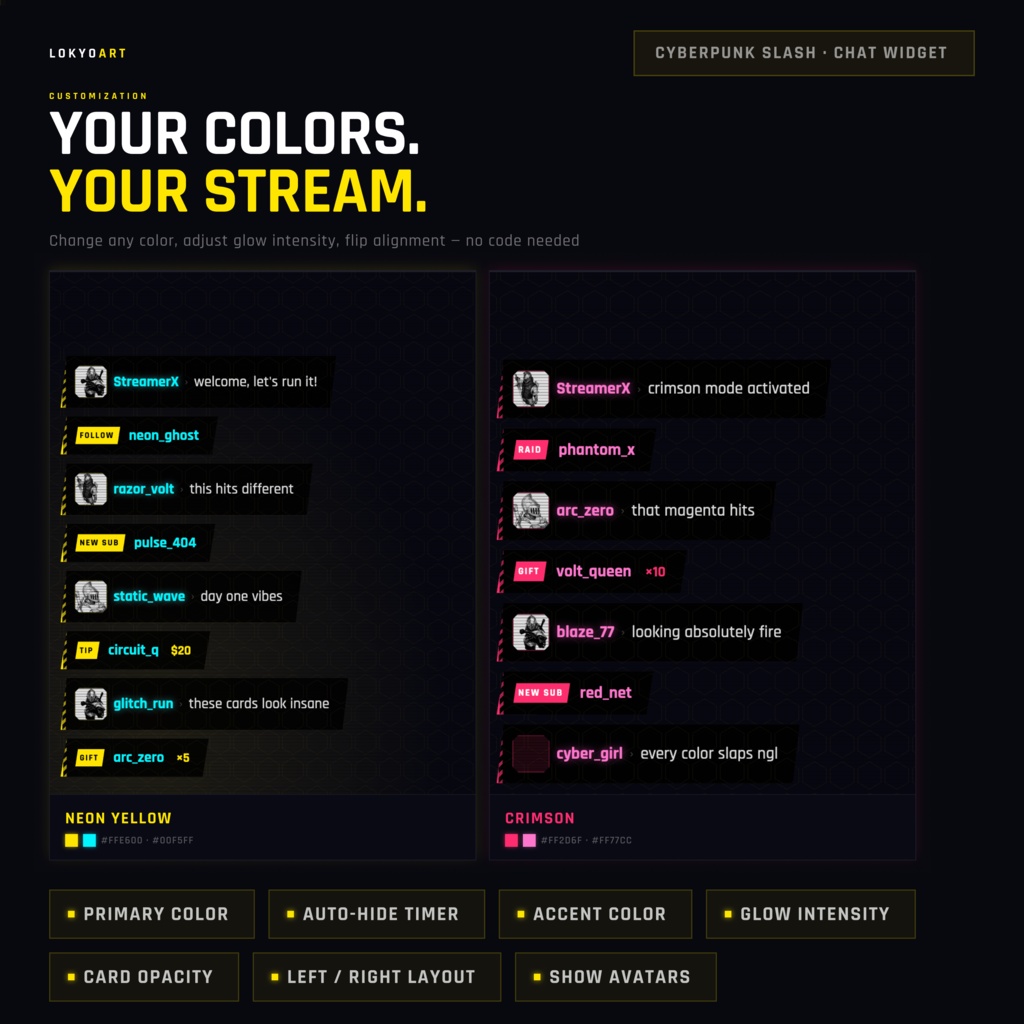
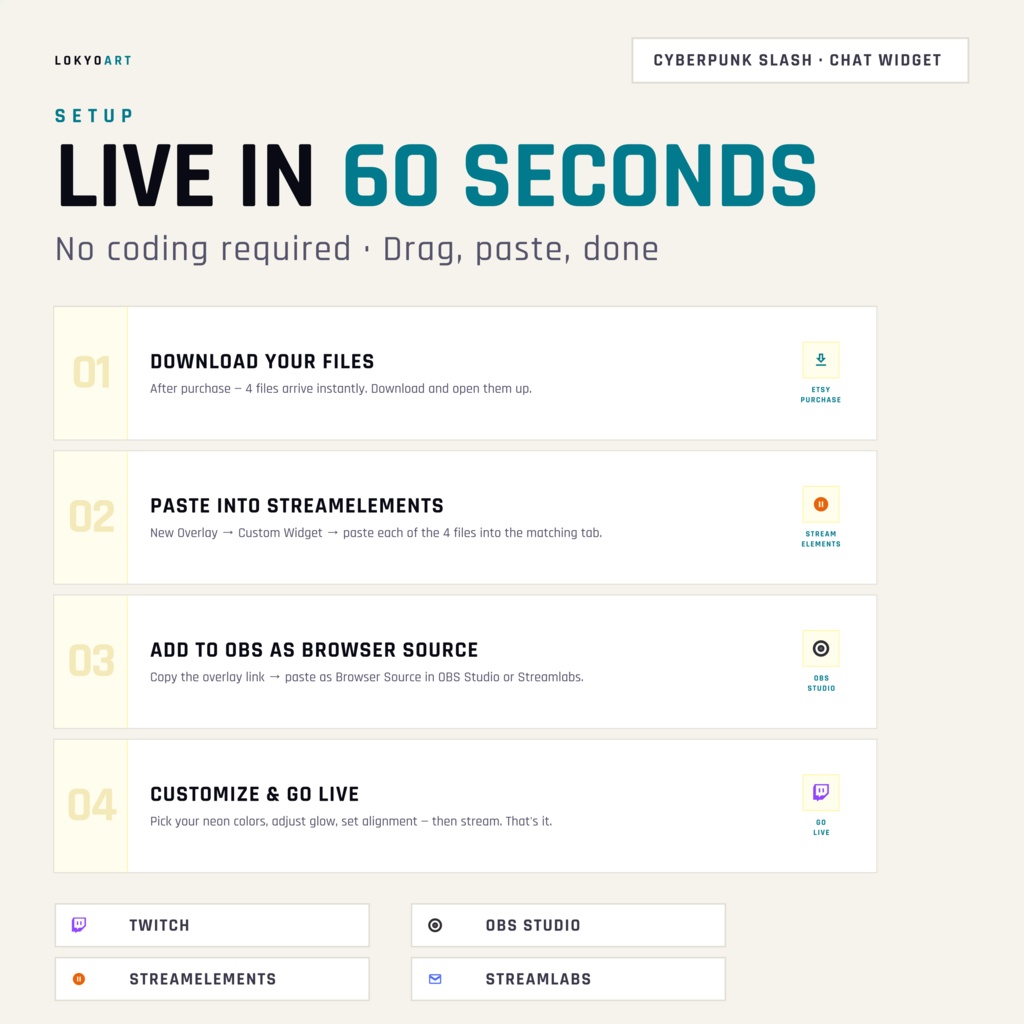
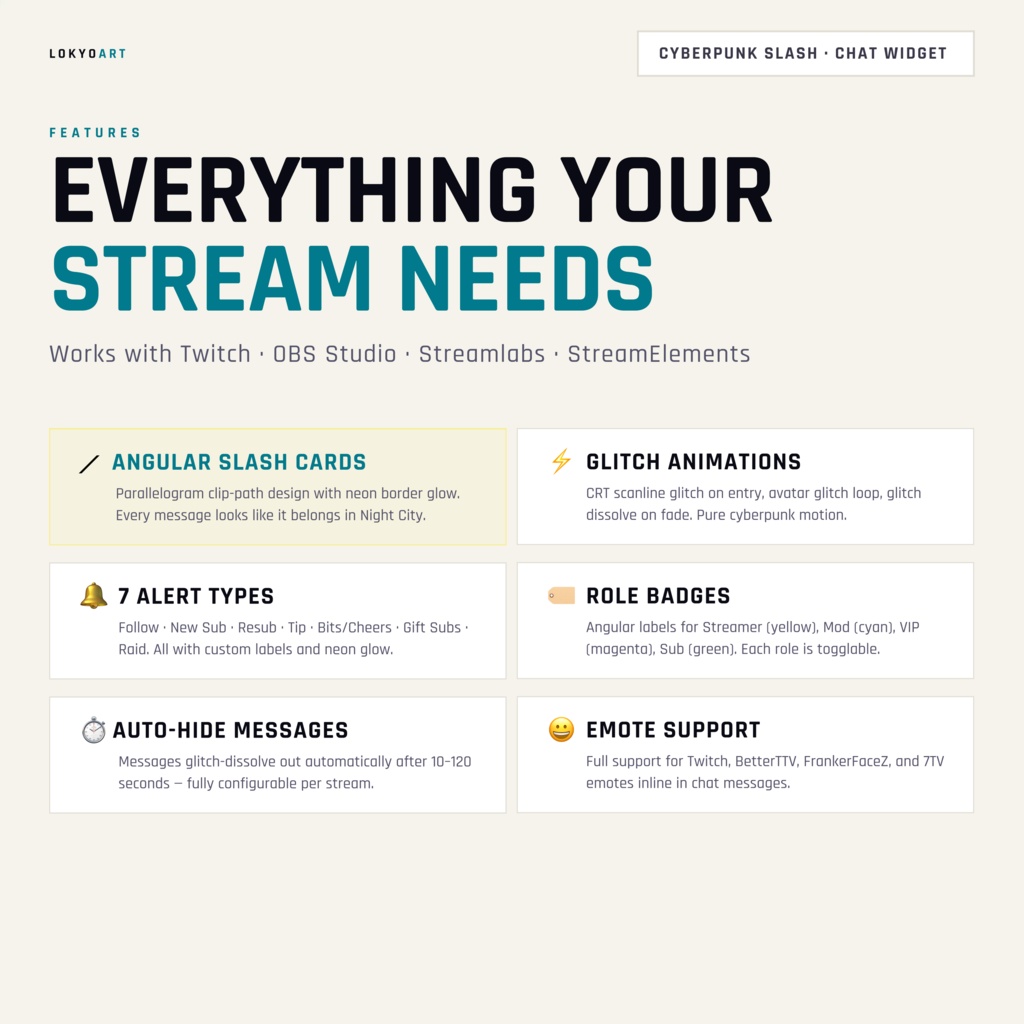


Cyberpunk chat overlay for Twitch — angular slash cards, neon glows, CRT scanlines, glitch avatar effect. Fully customizable in StreamElements with no coding. Change any color, enable alerts, control roles — all from the built-in widget panel. ━━━━━━━━━━━━━━━━━━━━━━━━━━━━━━ DESIGN ━━━━━━━━━━━━━━━━━━━━━━━━━━━━━━ • Angular "slash" chat cards with diagonal hatch accent stripe • Left-edge neon glow — color follows your primary color setting • CRT scanline overlay for retro-futuristic depth • Glitch avatar effect — animated distortion burst on viewer octagon frames • Dark UI, optimized for dark-theme and gaming streams ━━━━━━━━━━━━━━━━━━━━━━━━━━━━━━ CHAT ━━━━━━━━━━━━━━━━━━━━━━━━━━━━━━ • Live Twitch chat in real time • Real viewer avatars loaded automatically • Full emote support: Twitch · BTTV · FFZ · 7TV • Role badges: ◈ CORP (broadcaster) · ⚡ MOD · ◆ VIP · ▸ SUB • Toggle each role on or off individually • Auto-fade messages with configurable delay (10–120 seconds) ━━━━━━━━━━━━━━━━━━━━━━━━━━━━━━ ALERTS — 7 types, all built-in ━━━━━━━━━━━━━━━━━━━━━━━━━━━━━━ Follow · New Sub · Resub (with month count) · Tip · Bits/Cheers · Gift Subs · Raid Each alert type can be individually enabled or disabled, and every label is fully editable (e.g. change "FOLLOW" to "NEW FAN" or your own text). ━━━━━━━━━━━━━━━━━━━━━━━━━━━━━━ CUSTOMIZATION — no code required ━━━━━━━━━━━━━━━━━━━━━━━━━━━━━━ Everything is controlled from the StreamElements widget fields panel: 🎨 Colors Primary color — default neon yellow #FFE600 (card glow + badges) Accent color — default cyan #00F5FF (usernames + highlights) Card opacity — 5% to 100% Glow intensity — 0 to 20 💬 Layout Alignment — left or right Widget zoom — scale 30% to 200% to fit any resolution Show/hide avatars ⏱ Auto-hide Enable auto-fade + set delay per message 🔔 Alerts Toggle on/off per type Custom label text for every alert ━━━━━━━━━━━━━━━━━━━━━━━━━━━━━━ INSTALL IN 5 MINUTES ━━━━━━━━━━━━━━━━━━━━━━━━━━━━━━ 1. Open StreamElements → Overlay Editor 2. Add a Custom Widget 3. Paste HTML, CSS, JS into the three tabs 4. Import SE_fields.json to load all settings automatically 5. Copy the overlay URL → add as Browser Source in OBS / Streamlabs / XSplit ━━━━━━━━━━━━━━━━━━━━━━━━━━━━━━ COMPATIBILITY ━━━━━━━━━━━━━━━━━━━━━━━━━━━━━━ ✓ StreamElements (required for the widget panel) ✓ OBS Studio · Streamlabs OBS · XSplit ✓ Twitch ✓ Any stream resolution ━━━━━━━━━━━━━━━━━━━━━━━━━━━━━━ NOTES ━━━━━━━━━━━━━━━━━━━━━━━━━━━━━━ • Digital product — instant download, no physical item shipped • Twitch only (chat and avatar APIs) • A free StreamElements account is required to use the widget ━━━━━━━━━━━━━━━━━━━━━━━━━━━━━━ © 2026 LoKyo Art · lokyo.art