
Retro Terminal Chat Widget | StreamElements OBS Browser Source
- ダウンロード商品¥ 1,290
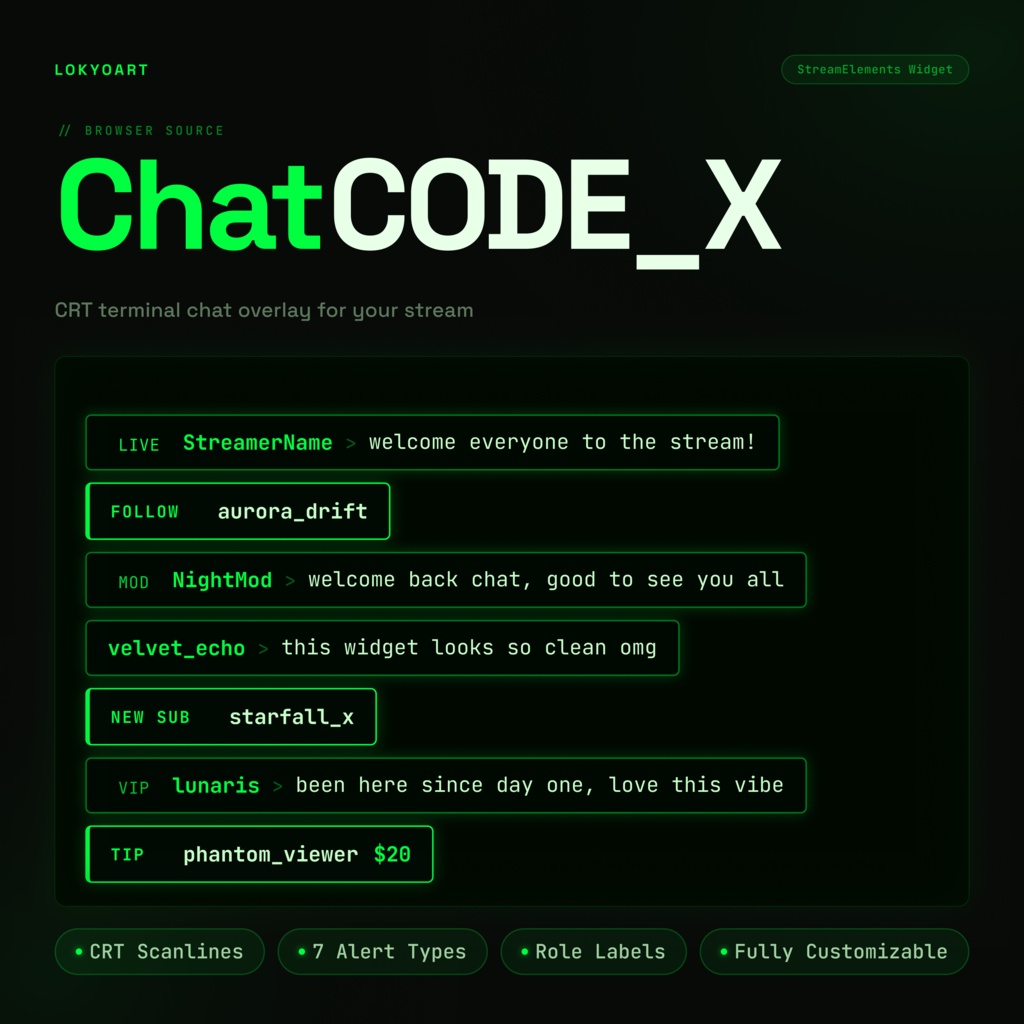
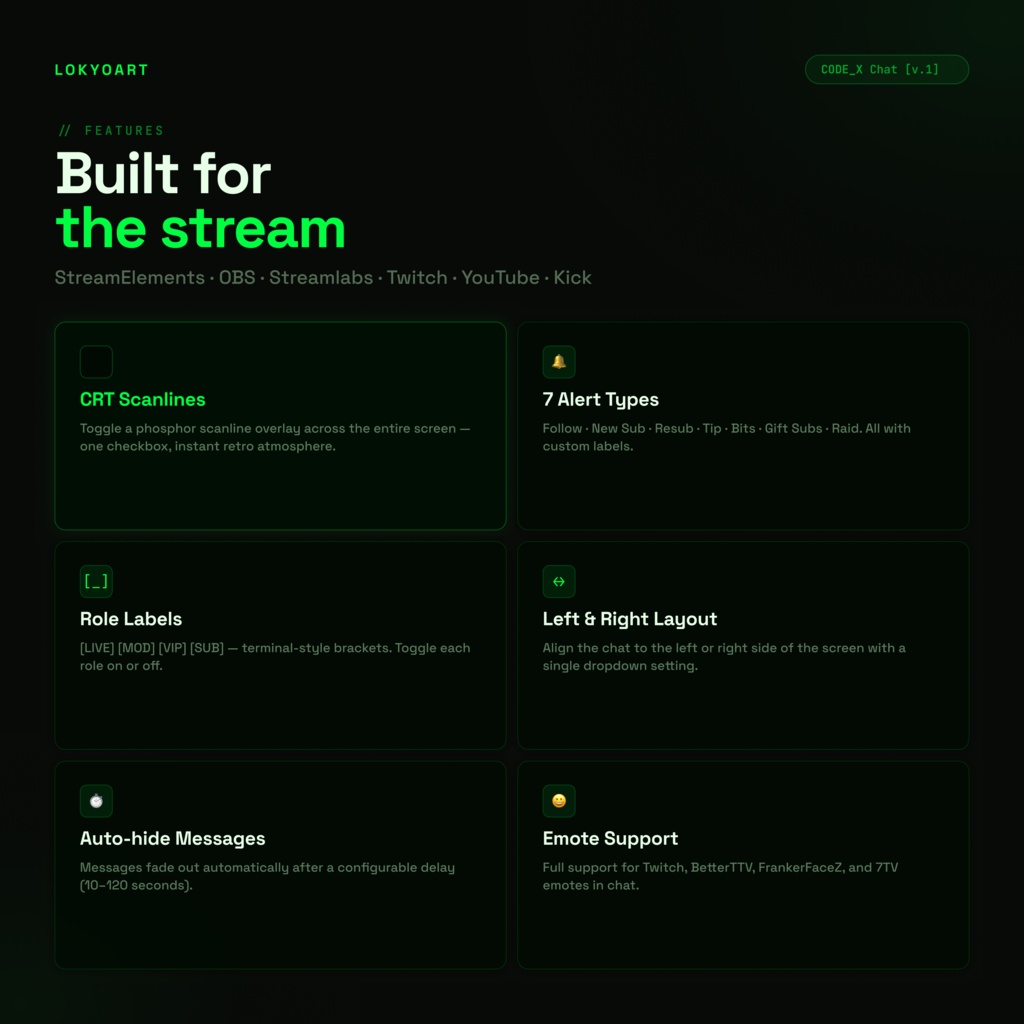
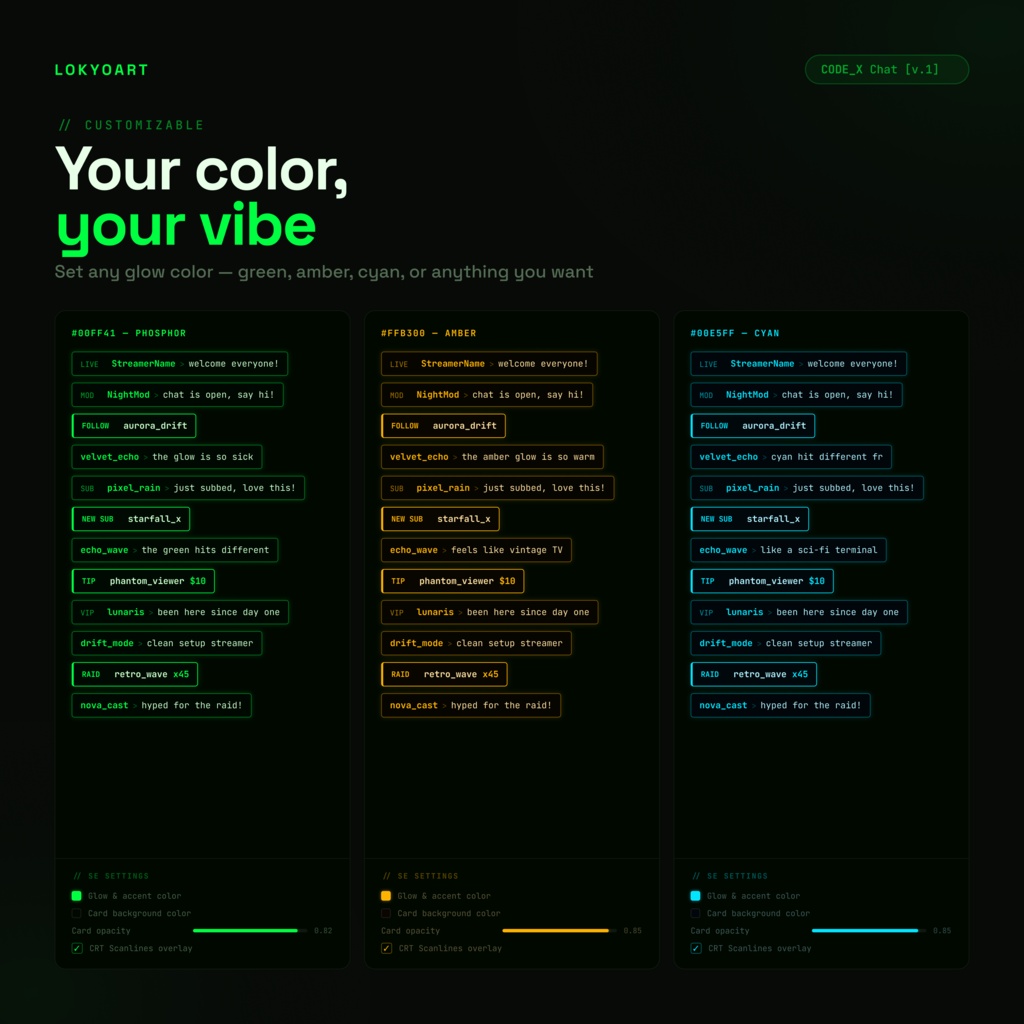
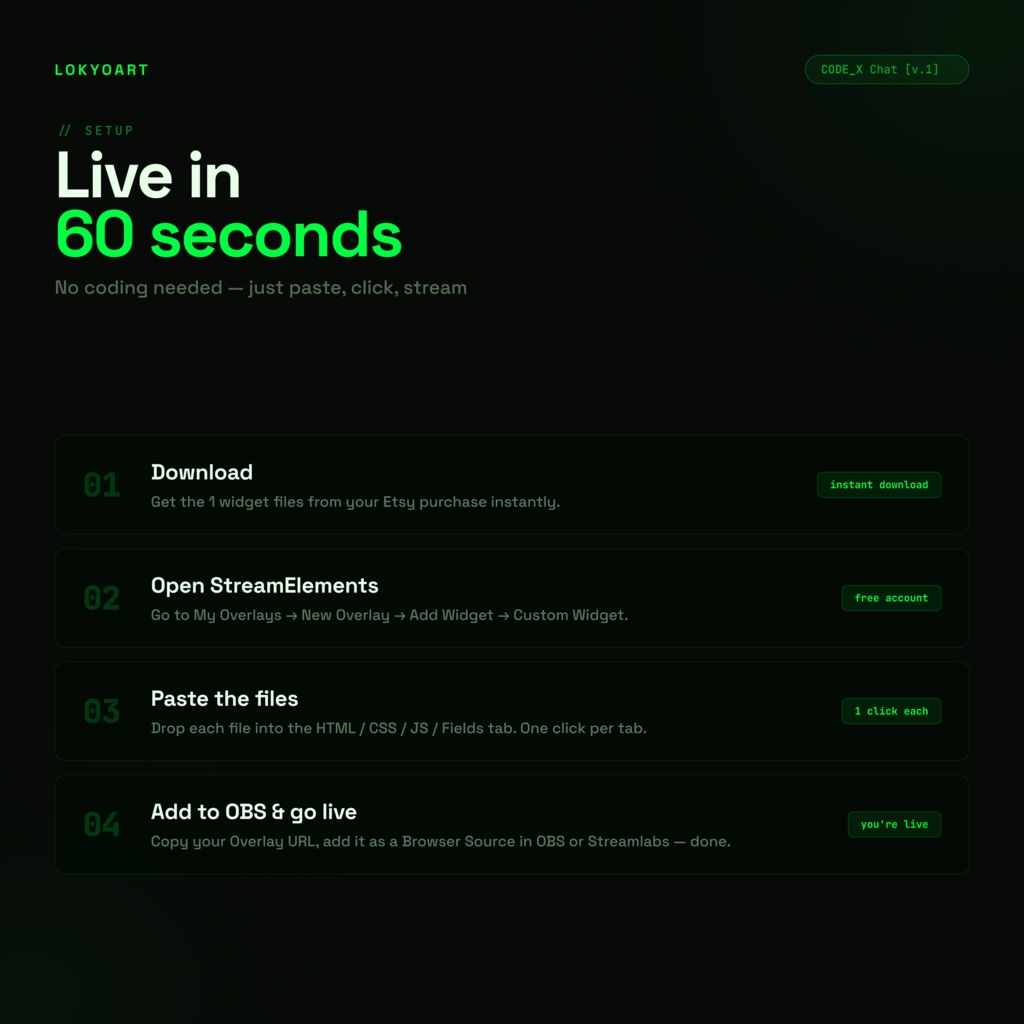
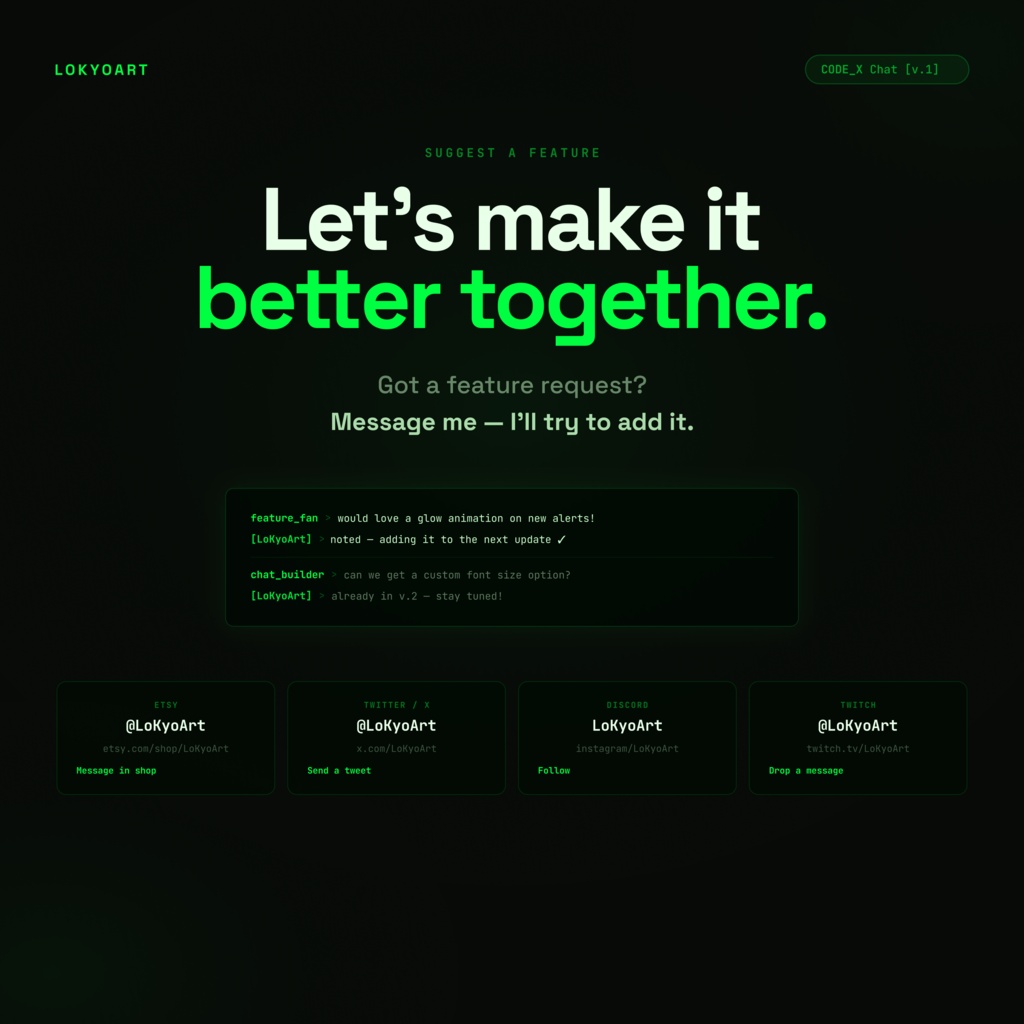


💻 Your stream deserves a terminal. 💻 Retro Chat is a phosphor-glow terminal chat widget for StreamElements that brings the old-school hacker aesthetic to your stream. Glowing green chat cards, CRT scanlines overlay, and role labels in classic [BRACKET] style — live in 60 seconds. No coding required. 🖥️ CRT Scanlines — toggle the phosphor scanline effect over your screen 💚 Terminal glow color — set any hex color for the full glow effect 🔔 7 alert types — Follow, New Sub, Resub, Tip, Bits, Gift Subs, Raid [_] Terminal role labels — [LIVE] [MOD] [VIP] [SUB] in bracket style ↔️ Left / Right alignment — one dropdown setting ⏱ Auto-hide messages — configurable fade timer (10–120 sec) 😀 Full emote support — Twitch, BTTV, FrankerFaceZ, 7TV 🖥️ CRT Scanlines Feature: • Full-screen phosphor scanline overlay • Toggle on/off with a single checkbox in SE settings • Instantly transforms any stream into retro terminal aesthetic 💚 Glow Customization: • Set any hex color as your terminal glow • Color applies to card borders, username text, and glow effects • Default green (#00FF41), but amber, cyan, red — anything goes ✨ WHAT'S INCLUDED: 🔔 Alert System (7 Types Built In): • Follow, New Sub, Resub, Tip, Bits/Cheers, Gift Subs, Raid • Alerts use thick terminal-style left border accent • Fully customizable display text for each alert type 🔧 TECHNICAL DETAILS: ✅ Compatible With: • StreamElements (Custom Widget feature — free account) • OBS Studio • Streamlabs • Any streaming tool with Browser Source support ✅ Platforms: • Twitch ✓ • YouTube ✓ • Kick ✓ ✅ Requirements: • Free StreamElements account • OBS Studio, Streamlabs, or another Browser Source app • No coding knowledge required • No additional software or plugins needed ✅ File Format: • 4 plain text files (HTML / CSS / JS / JSON) • Instant download after purchase ✅ Performance: • Lightweight — no heavy assets, pure CSS and JavaScript • CRT scanlines are pure CSS (repeating gradient) — zero performance impact --- 🎯 PERFECT FOR: 💀 Hackers, Programmers & Tech Streamers • The terminal aesthetic speaks your language • [LIVE] [MOD] role labels look right at home with a hacker vibe • Chat feels like part of the stream, not just a sidebar widget 🎮 Retro & Low-Fi Gamers • CRT scanlines + terminal glow = perfect retro stream look • Pairs great with pixel art games, retro emulators, and lo-fi Just Chatting • Stands out instantly — no one else has this look ✨ Aesthetic Streamers Looking for Something Different • Something different from the usual rounded-card chat widgets • The terminal look is bold, distinctive, and memorable • Customizable to any glow color — match your exact vibe 🆕 New Streamers • Zero coding — paste and go • StreamElements visual settings panel is beginner-friendly • Full setup in under 60 seconds --- ❓ FREQUENTLY ASKED QUESTIONS: Q: Do I need to know how to code? A: No! Everything is controlled through StreamElements' drag-and-drop settings panel. If you can paste text, you're all set. Q: What software do I need? A: A free StreamElements account and OBS Studio, Streamlabs, or any app with Browser Source support. That's it! Q: Does it work on Twitch, YouTube, and Kick? A: Yes! The widget connects through StreamElements which supports Twitch, YouTube, and Kick. Q: Can I change the glow color from green to something else? A: Absolutely. There's a single "Glow Color" field in the SE settings panel — enter any hex color and the entire widget updates instantly. Green, amber, cyan, red, white — your choice. Q: Does the CRT scanlines feature cover my whole stream or just the chat? A: It covers the entire browser source window — so if your overlay URL is full-screen, it covers the full stream. If your browser source is sized smaller, it covers that area. For full-screen CRT effect, set the overlay to 1920×1080 in OBS. Q: What are the 7 alert types? A: Follow, New Sub, Resub (with months), Tip, Bits/Cheers, Gift Sub, and Raid. Each can be toggled on/off and you can customize the display text. Q: Does it support BTTV, FFZ, and 7TV emotes? A: Yes! The widget supports Twitch native emotes, BetterTTV, FrankerFaceZ, and 7TV. Q: Can I put the chat on the right side of my screen? A: Yes — one dropdown in the settings panel switches between left and right alignment. Q: Is there a way to auto-hide old messages? A: Yes. Set a timer between 10 and 120 seconds — messages fade out automatically after your chosen delay. Q: Do you offer refunds? A: Since this is a digital download, I can't accept returns once files are accessed. But if you have any trouble, message me first — I'll personally help you get it working! --- 💬 SUPPORT & UPDATES: 🛠️ Fast Support: • Message me directly on Etsy • I respond personally — usually within 24 hours • Happy to help with setup, troubleshooting, or color choices 🔄 Free Lifetime Updates: • All bug fixes and improvements are free forever • New features added based on community requests • No re-purchase needed — updates come to you 📢 Suggest a Feature: • Got an idea? Message me on Etsy, Twitter, Discord, or Twitch • I genuinely build what streamers ask for • Follow LoKyoArt on Etsy to see new widgets as they launch --- 🎁 BONUS: RETRO STREAM TIPS 💡 Get the Most Out of Retro Chat: • Turn CRT Scanlines ON for the full terminal atmosphere — especially powerful over dark gameplay • Try amber glow (#FFB300) for a vintage phosphor monitor look • Use [MOD] and [VIP] labels to make your regulars feel special — the bracket style is extra satisfying in terminal theme • Set auto-hide to 45–60 seconds on active streams to keep the terminal screen clean and readable 🎨 Color Ideas: • Classic green: #00FF41 (default phosphor) • Amber monitor: #FFB300 • Cyan terminal: #00E5FF • Hacker red: #FF3131 • Ghost white: #E8FFE8 --- From LoKyoArt with ❤️ Making bold widgets that make streams unforgettable!