
Minimal Clock Widget — Analog | OBS Browser Source Overlay
- ダウンロード商品¥ 100
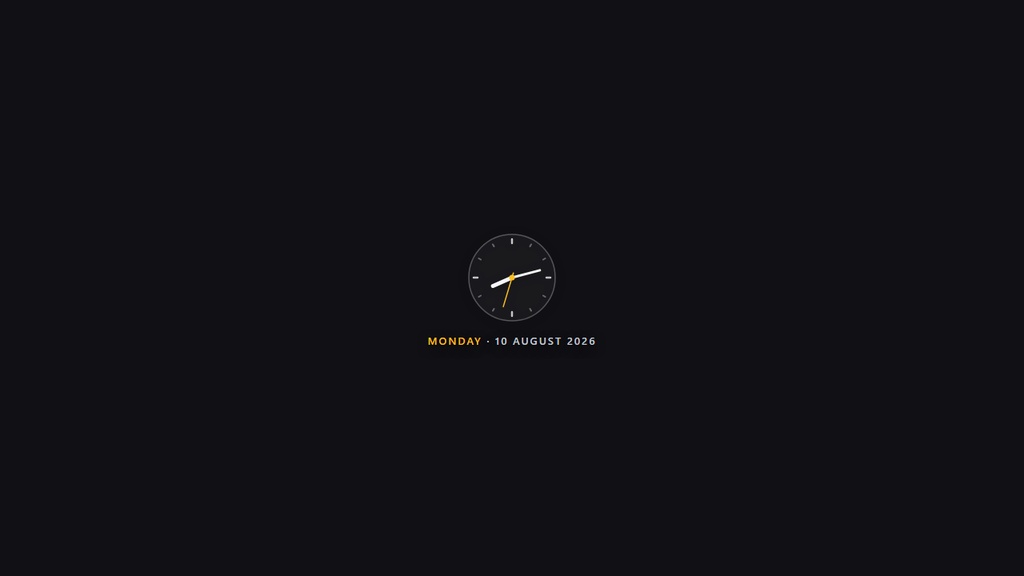

=== ENGLISH === A real analog clock with smooth hour, minute and second hands (SVG) plus a digital date line below. It shows the current time (synced to your PC clock), the day of the week, and the date — day, month, and year — all in English. Key features: - Fully transparent background — blends into any scene - Live clock synced to your computer - Day, date, month, and year in English - Works offline — no internet or external fonts required - Single HTML file — no dependencies, no installation - Customizable: colors, 12/24-hour format, seconds on/off - Compact design — fits neatly in any corner of the canvas Quick install (OBS Studio): 1. In OBS, click "+" in the Sources panel -> choose Browser. 2. Tick "Local file" -> Browse -> select the HTML file. 3. Set a size (e.g. 360 x 200) -> click OK. 4. Drag the source to any corner of your stream. Done! === JAPANESE === なめらかに動く時針・分針・秒針(SVG)を備えた本格アナログ時計。下にデジタル日付を表示。 PCの時計に同期した現在時刻、曜日、日付(日・月・年)を英語表記で表示します。 主な特徴: - 完全透過の背景 — どのシーンにも自然に馴染みます - PC時計に同期したライブ表示 - 英語表記の曜日・日付(日・月・年) - オフラインで動作 — インターネットや外部フォント不要 - 単一HTMLファイル — 依存関係なし・インストール不要 - カスタマイズ可能: 色、24時間/12時間表示、秒表示のON/OFF - コンパクト設計 — 画面の角にぴったり収まります インストール方法(OBS Studio): 1. OBSのSourcesパネルで「+」をクリック -> Browser を選択。 2. 「Local file」にチェック -> Browse でHTMLファイルを選択。 3. サイズを設定(例: 360 x 200)-> OK をクリック。 4. ソースを配信画面の好きな隅にドラッグ。完了!