
Minimal Clock Widget — Center | OBS Browser Source Overlay
- ダウンロード商品¥ 100
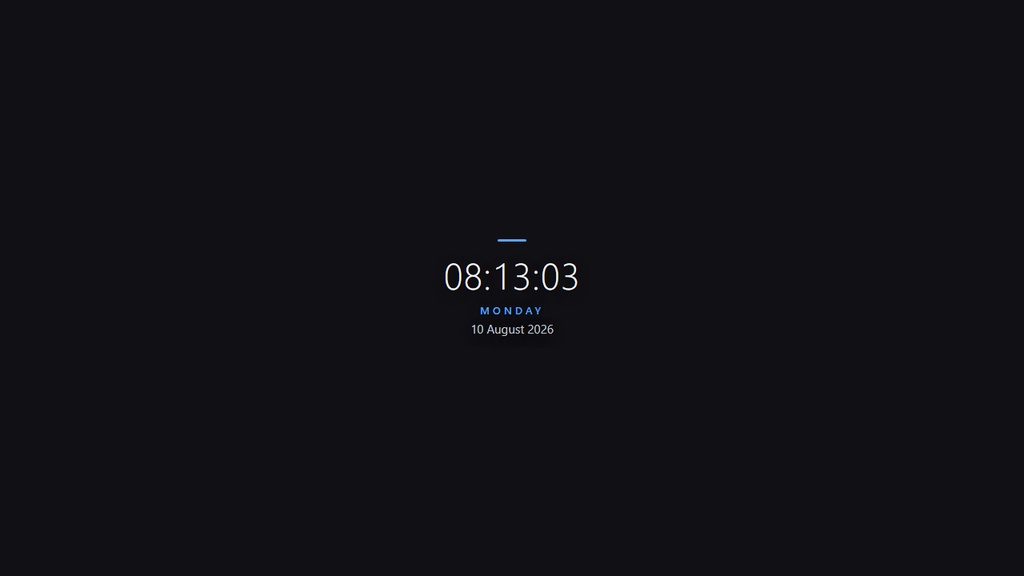

A clean stacked layout: the time in large, light typography with the day and date beneath it, finished with an accent bar. It shows the current time (synced to your PC clock), the day of the week, and the date — day, month, and year — all in English. Key features: - Fully transparent background — blends into any scene - Live clock synced to your computer - Day, date, month, and year in English - Works offline — no internet or external fonts required - Single HTML file — no dependencies, no installation - Customizable: colors, 12/24-hour format, seconds on/off - Compact design — fits neatly in any corner of the canvas Quick install (OBS Studio): 1. In OBS, click "+" in the Sources panel -> choose Browser. 2. Tick "Local file" -> Browse -> select the HTML file. 3. Set a size (e.g. 360 x 200) -> click OK. 4. Drag the source to any corner of your stream. Done! === JAPANESE === 時刻を大きく軽やかな書体で表示し、その下に曜日と日付を配置したすっきりとした縦型レイアウト。アクセントバー付き。 PCの時計に同期した現在時刻、曜日、日付(日・月・年)を英語表記で表示します。 主な特徴: - 完全透過の背景 — どのシーンにも自然に馴染みます - PC時計に同期したライブ表示 - 英語表記の曜日・日付(日・月・年) - オフラインで動作 — インターネットや外部フォント不要 - 単一HTMLファイル — 依存関係なし・インストール不要 - カスタマイズ可能: 色、24時間/12時間表示、秒表示のON/OFF - コンパクト設計 — 画面の角にぴったり収まります インストール方法(OBS Studio): 1. OBSのSourcesパネルで「+」をクリック -> Browser を選択。 2. 「Local file」にチェック -> Browse でHTMLファイルを選択。 3. サイズを設定(例: 360 x 200)-> OK をクリック。 4. ソースを配信画面の好きな隅にドラッグ。完了!