
無料版あり | VRM Material Effects Editor
- 無料版 / Freeダウンロード商品¥ 0
- 有料版 / Standardダウンロード商品¥ 1,000
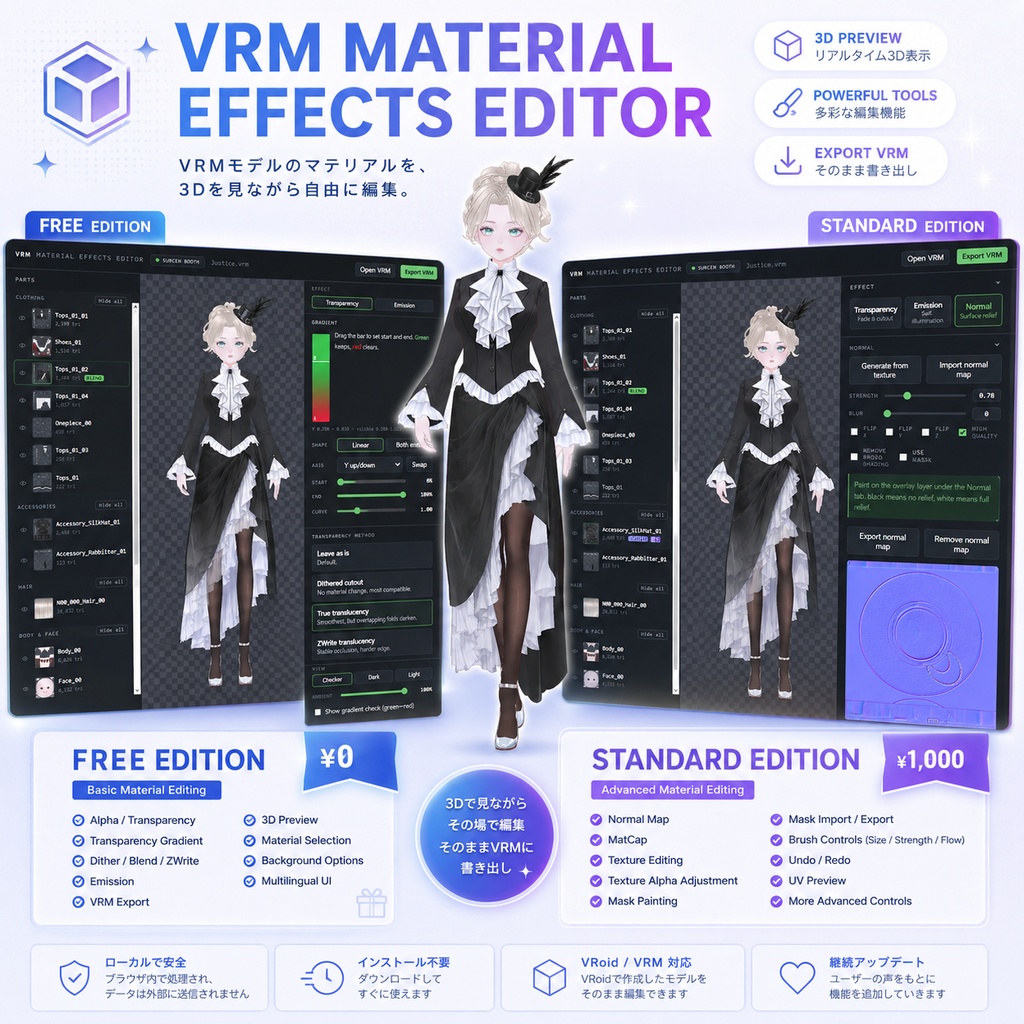
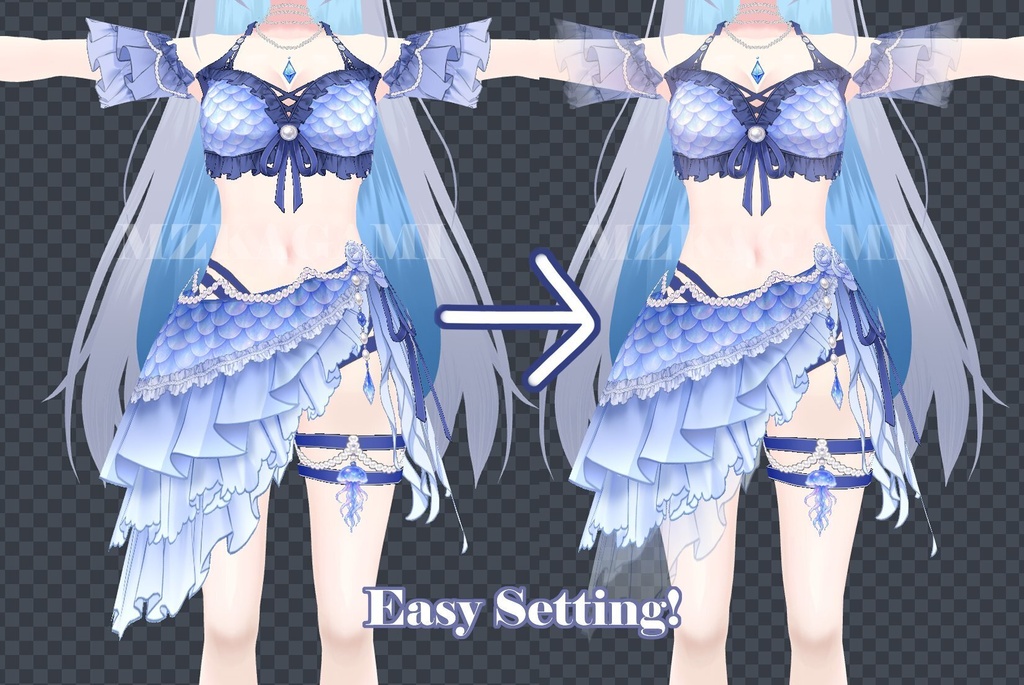
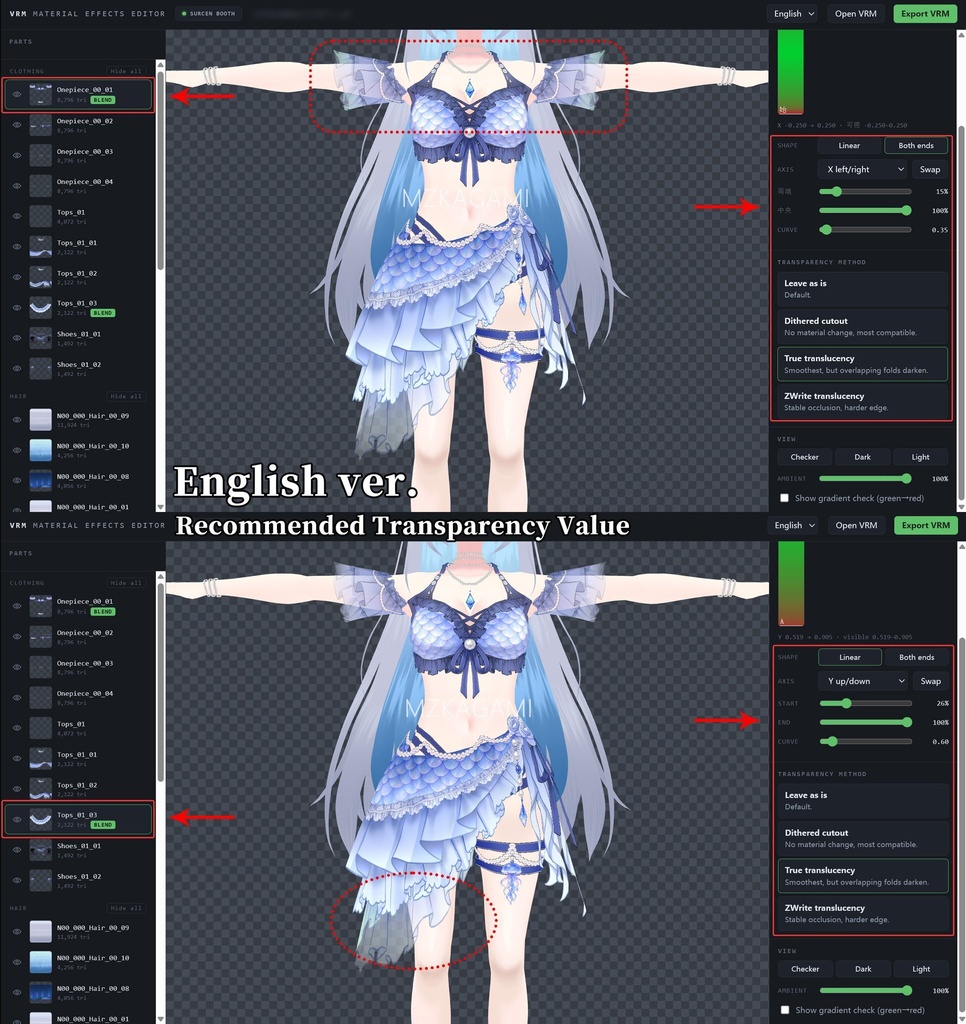
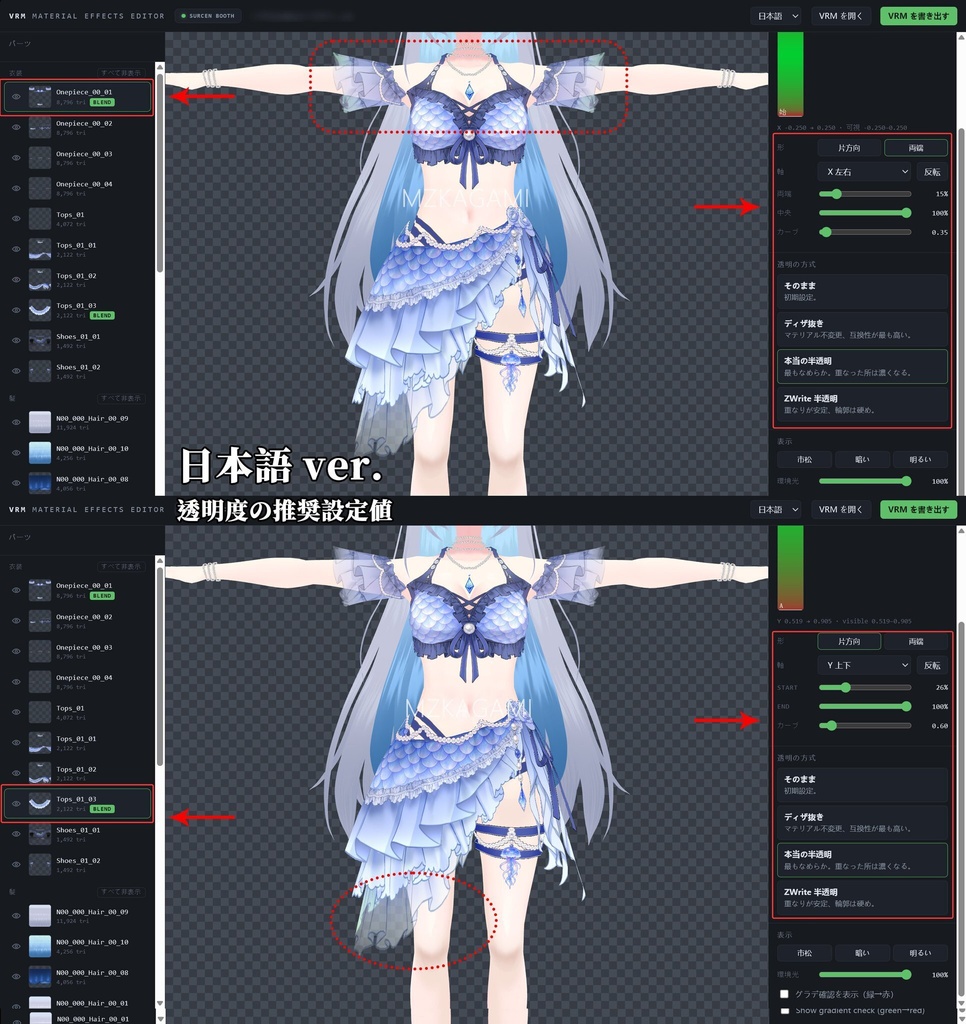


✦ VRM Material Effects Editor ✦ VRMモデルのマテリアルを、ブラウザ上で直感的に編集できるツールです。 透明度・グラデーション・Emission などのマテリアル効果を確認しながら調整し、そのまま VRM として書き出すことができます。 ✦無料版 基本的なマテリアル編集を無料でお試しいただけます。 ✦有料版 Normal Map、MatCap、テクスチャ編集、マスクペイントなど、より高度な編集機能をご利用いただけます。 ------------------------------ A browser-based VRM material editing tool that lets you adjust materials while viewing your model in 3D. Import a VRM model and adjust material effects such as transparency, gradients, and emission while previewing the result in real time. ✦Free Edition Try the basic VRM material editing features for free. ✦Standard Edition Adds advanced features such as Normal Maps, MatCap, texture editing, and mask painting. ------------------------------ Twitter post https://x.com/surcenvtuber/status/2087057389006790992 https://x.com/mzkagami/status/2091183073232605525
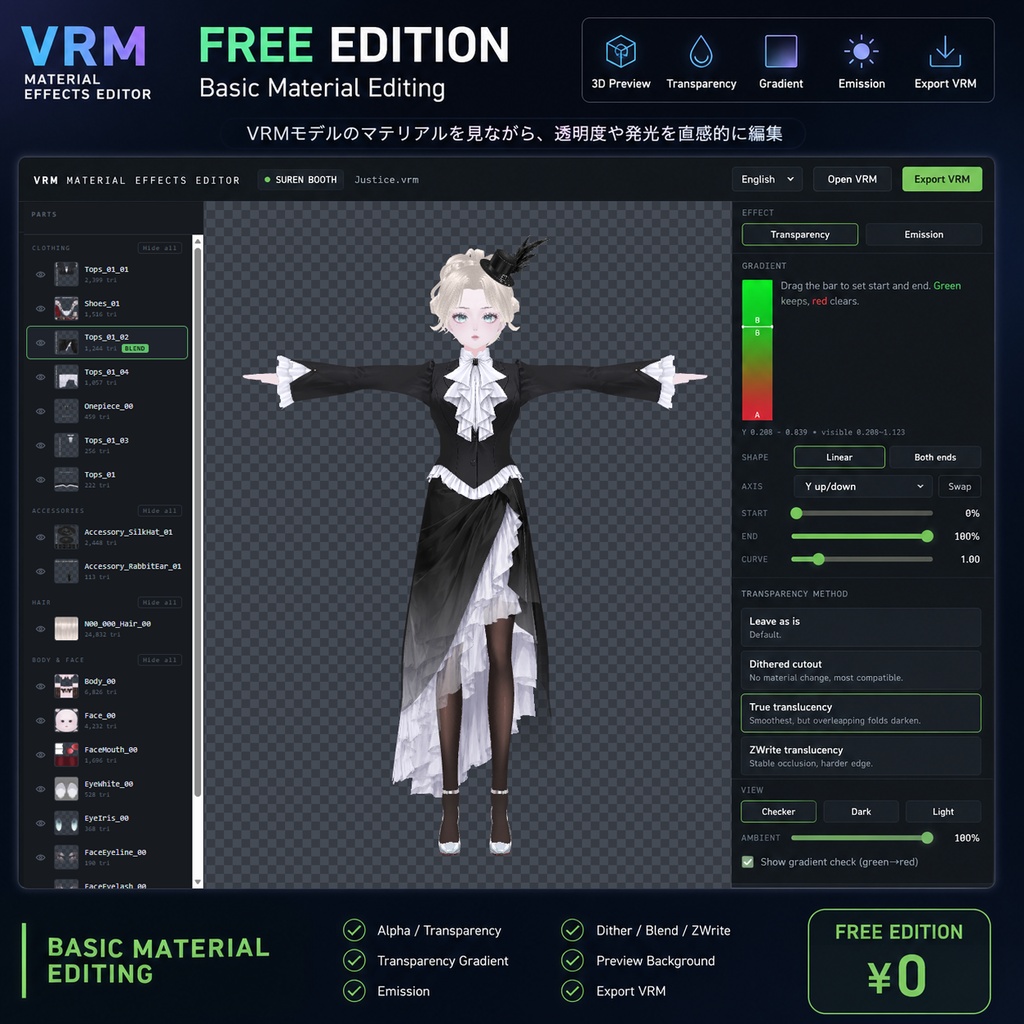
✦ 無料版 / Free Edition
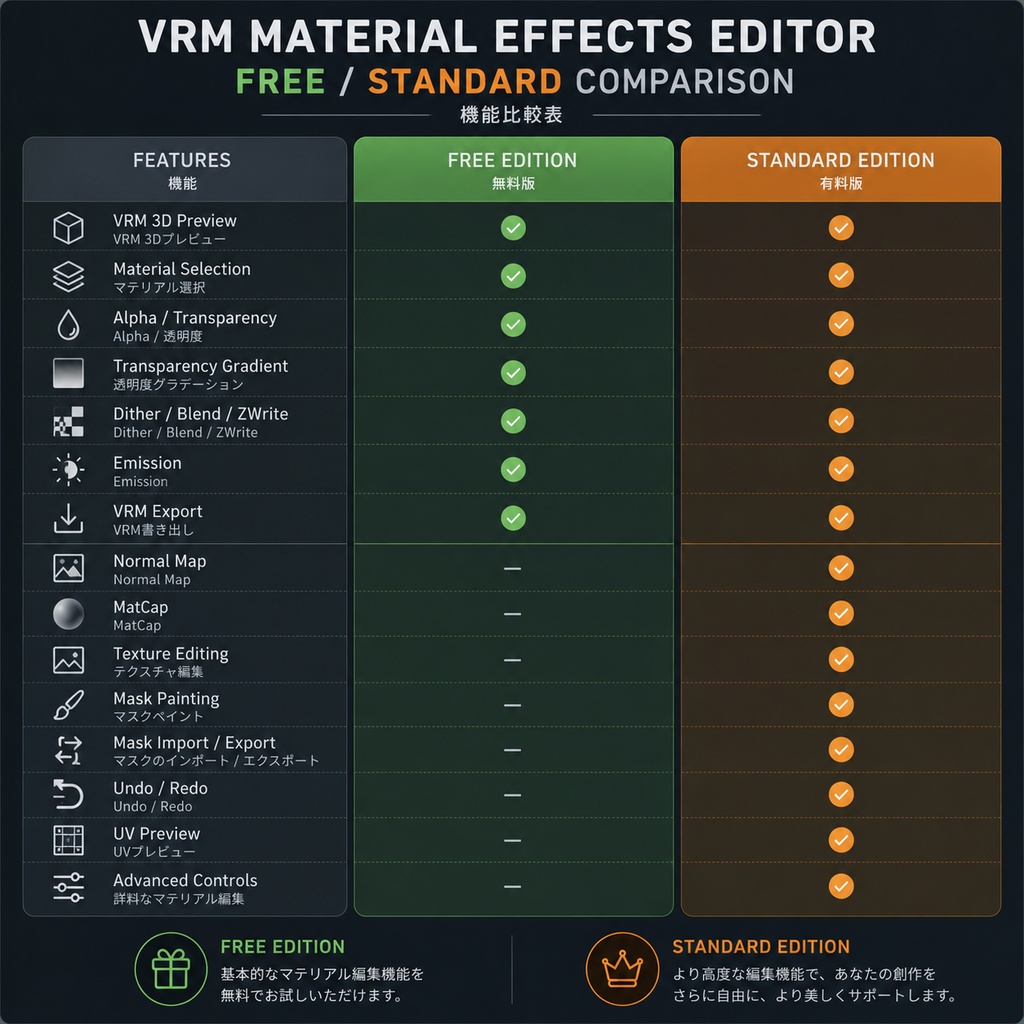
主な機能 VRMモデルの透明度やグラデーション、Emissionなどを手軽に調整できます。 - VRMモデルの3Dプレビュー - マテリアル / パーツごとの選択 - Alpha / 透明度の調整 - 透明度グラデーション - Dither / Blend / ZWrite - Emission の設定 - プレビュー背景の変更 - VRMとして書き出し - 多言語UI (JP/EN/KO/CN) まずは基本的なマテリアル編集を試してみたい方におすすめです。 ------------------------------ Features Easily adjust transparency, gradients, emission, and other basic material settings on your VRM models. - VRM 3D preview - Material / part selection - Alpha / transparency adjustment - Transparency gradients - Dither / Blend / ZWrite - Emission settings - Preview background options - Export as VRM - Multilingual UI (JP/EN/KO/CN) Recommended if you want to try the basic material editing features first.
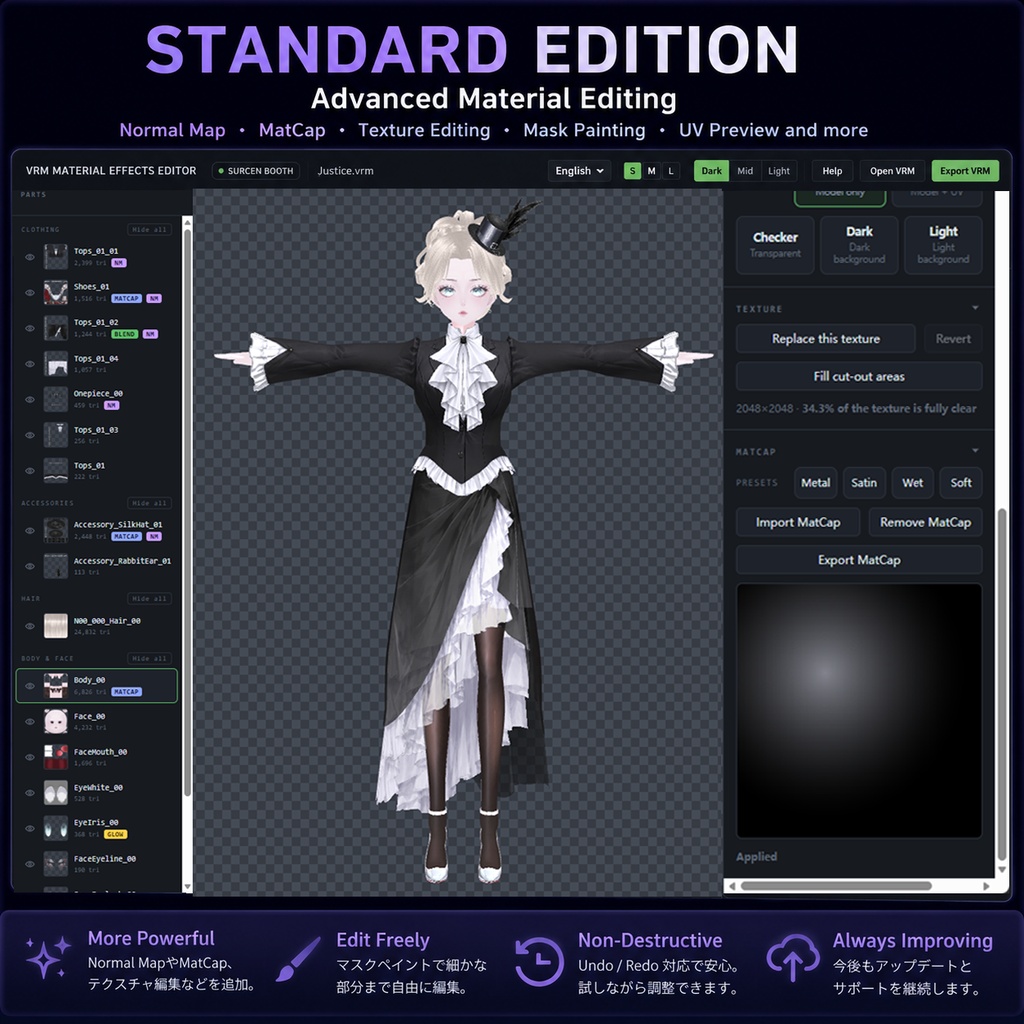
✦ 有料版 / Standard Edition
より細かくマテリアルを編集したい方向け 無料版の機能に加えて、Normal MapやMatCap、テクスチャ編集、マスクペイントなどの高度な編集機能を搭載しています。 Standard Features Free Edition の全機能 + - Normal Map - Normal Map の調整 - MatCap - テクスチャ編集 - テクスチャ Alpha の調整 - ブラシによるマスク編集 - マスクのインポート / エクスポート - ブラシサイズ・強度・Flow調整 - Undo / Redo - UVプレビュー - より詳細なマテリアル編集 ※ 英語UIはレイアウトが異なりますが、機能は同じです。4言語に対応しています。 ------------------------------ Advanced Material Editing The Standard Edition includes everything in the Free Edition, plus advanced editing features such as Normal Maps, MatCap, texture editing, and mask painting. Standard Features Everything in Free Edition, plus: - Normal Map - Normal Map adjustments - MatCap - Texture editing - Texture Alpha adjustment - Brush-based mask editing - Mask Import / Export - Brush Size / Strength / Flow controls - Undo / Redo - UV Preview - More advanced material editing controls The English UI has a different layout to fit the text. Same features, 4 languages included.
✦ 使い方 / How to use
✦ 使い方 1. ZIPファイルを解凍して、HTMLファイルを開いてください。 2. VRMファイルを読み込む 3. 3Dモデルを確認しながら各項目を調整 4. Export VRM から編集済みVRMを書き出す 推奨ブラウザ Google Chrome / Microsoft Edge ------------------------------ ✦ How to Use 1. Extract .zip file, run .html 2. Load your VRM file. 3. Adjust the settings while viewing your model in 3D. 4. Export the edited model using Export VRM. Recommended Browsers Google Chrome / Microsoft Edge
✦ ご利用前にご確認ください / Important Notes
・Emission(発光) 明るい環境では発光効果が分かりにくい場合があります。**暗めの環境(例:Warudoの室内・夜間)**でご確認ください。 ・Normal Map VRoid StudioでVRMを書き出す前に、使用するマテリアルのShader(陰影)を有効にしてください。無効の場合、Normal Mapの効果が正しく表示されないことがあります。 ・開発はvrm0でのみテスト済み ------------------------------ • Emission The effect may be less noticeable in bright environments. For a clearer result, use a darker environment, such as an indoor nighttime scene in Warudo. • Normal Map Please enable the material's Shader (shading) in VRoid Studio before exporting your VRM. Otherwise, the Normal Map effect may not display correctly. • Development only tested in vrm0
✦ 注意事項 / Disclaimer
- 本ツールで編集・書き出ししたVRMについては、元のモデルの利用規約に従ってください。 - 第三者が制作したモデル・衣装・テクスチャ等を使用する場合は、必ず各制作者の利用規約をご確認ください。 - 本ツールの使用によって生じた問題について、作者は責任を負いません。 ------------------------------ - Edited and exported VRM files must follow the original model's terms of use. - When using models, clothing, textures, or other assets created by third parties, please check the creator's terms of use before editing or redistributing them. - The creator of this tool is not responsible for any issues resulting from its use.
Update (Standard ver.)
日本語 2026/08/22 (v1.1) - 「本当の半透明」にレイヤー順機能を追加し、プレビューと書き出し時の透明レイヤーの描画順を安定させました。 EN 2026/08/22 (v1.1) - Added Layer Order control for True translucency to improve transparent layer sorting in preview and export.