

【全アバター対応】Procedural Gaze - 自然な視線シミュレーション / Eye Movement Simulation
- ProceduralGaze_v2.0 / 本体 / Full packageダウンロード商品¥ 1,000
- findings.pdf(無料)計測レポート・できなかったことも記載 / free reportダウンロード商品¥ 0
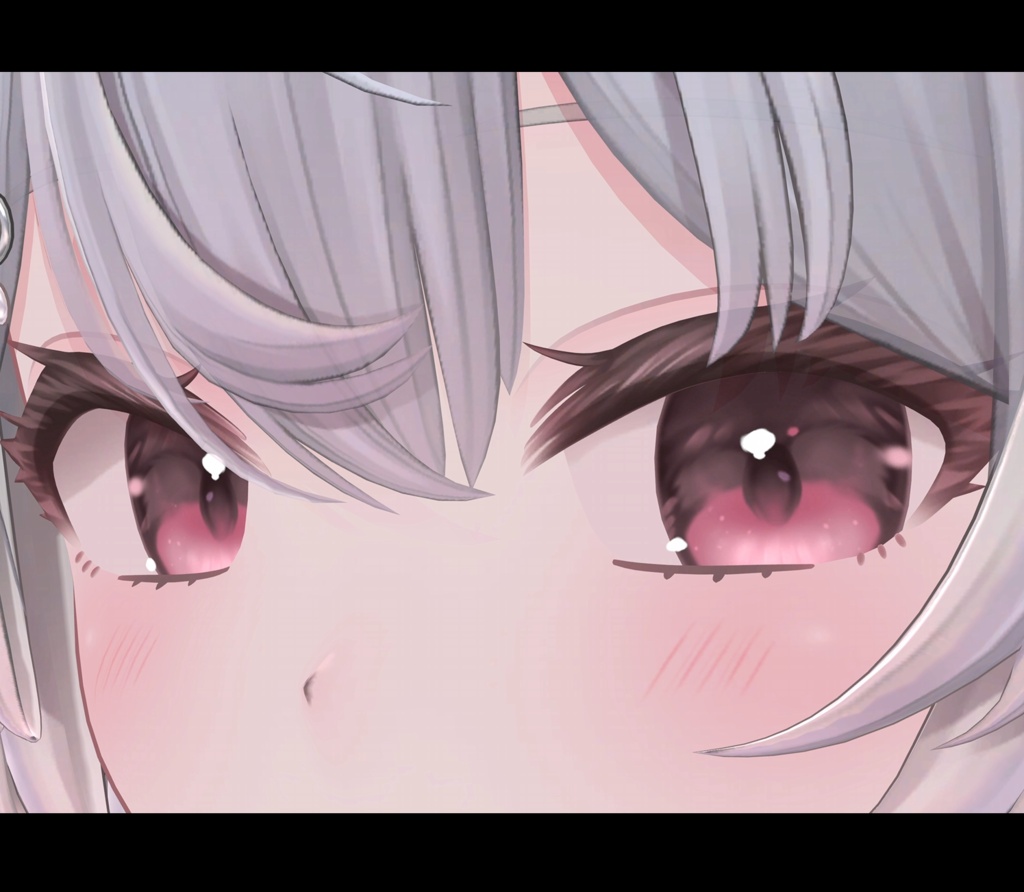
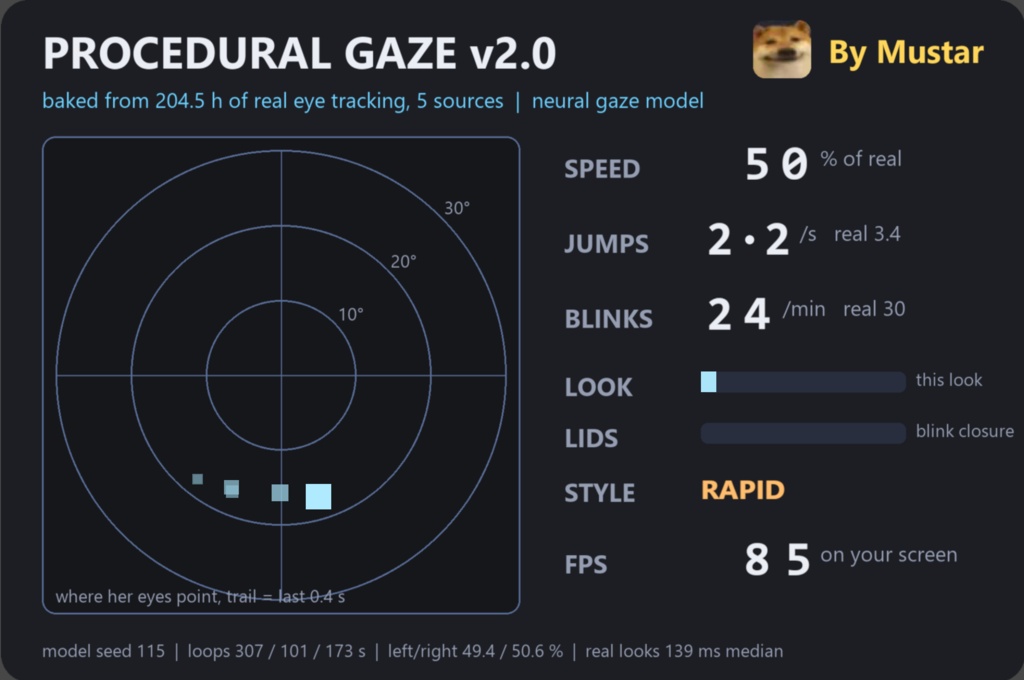
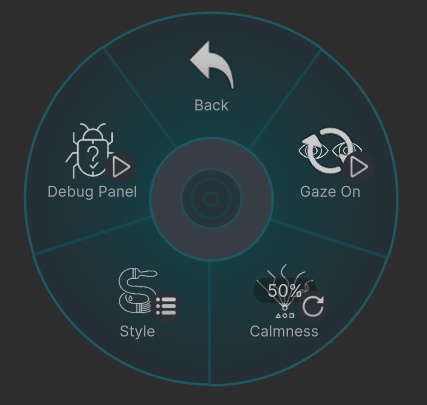


Procedural Gaze v2.0 / 視線アニメーション v2.0 トラッキング機器なしで、どのアバターにも生きた視線とまばたきを。実測 204.5 時間の視線データから学習したモデルで作りました。 Living eyes and blinks for any VRChat avatar, no tracking hardware. Built from a model trained on 204.5 hours of real eye tracking. ■ 購入前に無料レポート findings をどうぞ (10言語)。できないことも書いています。 ■ Read the free findings report before buying (10 languages). It lists what does not work too. 日本語 / English / 中文 / 한국어 / Русский / Español / Français / Bahasa Melayu / हिन्दी / العربية ■ v1.3 をお持ちの方は無料でアップデート。同じページから v2.0 をダウンロードできます。 ■ Free update for v1.3 owners: v2.0 is on the same page. ■ 動画 / Video DEMO: https://youtu.be/dl1gRtv1i6g ■ v1.3 の動画 / v1.3 video: https://youtu.be/r1Ff4P-9ELE ■ 不具合・質問 / Bugs, questions: Discord mustar22 / mustar4231@gmail.com ~~~ ■ 必要なもの / Needs Unity 2022.3.22f1 と VRChat SDK (Avatars 3.x) だけ。リグに Left Eye / Right Eye が設定されたヒューマノイドアバター。PC と Quest (Android) に対応。 Unity 2022.3.22f1 and the VRChat SDK (Avatars 3.x), nothing else. A humanoid avatar with Left Eye and Right Eye set in the rig. PC and Quest (Android). ■ 中身 / What you get ・目がパッと動いて止まり、止まっている間も細かく揺れます。体を振り向くと目が少し残ります。下を見ると両目がわずかに寄ります。 ・Eyes jump, hold, and keep a fine drift while they hold. They lag a little when you turn. They converge slightly when you look down. ・まばたきもこちらが担当。速く閉じて (40 ms) ゆっくり開く (90 ms)、実測どおりの動き。 ・Blinks too: a fast close (40 ms) and a slower open (90 ms), as measured on real eyes. ・アバター元々の自動まばたきは、こちらが動いている間だけ止まり、止めると作者の設定どおりに戻ります。二重まばたきになりません。 ・The avatar's own auto-blink pauses only while mine runs, and comes back exactly as its author made it when mine is off. Never a double blink. ・表情が目を使っている間 (目を閉じる表情など)、まぶたは表情に譲ります。 ・While an expression uses the eyes (a closed-eye face, for example), the lids step aside for it. ・メニュー: オン / オフ、落ち着き (ラジアル1つ)、スタイル3種、デバッグパネル。 ・Menu: on / off, Calmness (the only radial), 3 Styles, a debug panel. ・落ち着き: 0 で実際の速さ、0.5 で半分 (初期値)、1 で5分の1。まばたきは毎分 30 / 20 / 15 回。 ・Calmness: 0 is real speed, 0.5 is half (default), 1 is a fifth. Blinks 30 / 20 / 15 a minute. ・スタイル: Rapid (実際の目のように一瞬で移動) / Natural / Smooth (アニメ風のなめらかな移動)。 ・Style: Rapid (lands in one frame, like real eyes) / Natural / Smooth (eased glides, anime look). ・デバッグパネル (90 x 60 cm、位置は自由に変更可): 視線マップ、速さ、1秒あたりの移動回数、毎分のまばたき、まぶたの状態、FPS。 ・Debug panel (90 x 60 cm, place it where you like): gaze map, speed, jumps per second, blinks per minute, lid state, FPS. ■ 他の人からの見え方 / What viewers see 動きは各プレイヤーの画面で再生されるので、他の人にもフルフレームレートでなめらかに見えます。同期するのは設定4つだけ。 The motion plays on each viewer's own screen, so they see it at full frame rate, not stepped by the network. Only 4 settings sync. 同期 / Sync bits: 18 / 256 (パネルなしで17 / 17 without the panel). ■ v1.3 からの変更 / Changes since v1.3 ・手書きのルールから、実データで学習したモデルへ。v1.3 は1秒に0.58回の移動を想定、実測は約3.4回でした。 ・Hand-written rules replaced by a model trained on real data. v1.3 assumed 0.58 jumps a second; real eyes measured about 3.4. ・同期 57 bit から 18 bit へ。 ・Sync cost 57 bits down to 18. ・「人を見る」機能と気分プリセットは削除 (他の人から見えないため)。 ・Look At People and the moods are gone: viewers never saw them. ・インストーラーが v1.3 をコピーから外して v2.0 を入れられます。 ・The installer can drop v1.3 from the copy and put v2.0 on. ■ データ / Data VEDB 116.2 h、GazeBase 72.11 h、GazeBaseVR 10.59 h、Gaze-in-Wild 4.53 h (すべて CC BY 4.0)、自分の Pico 4 Pro での記録 1.1 h。出典は findings に記載。 VEDB 116.2 h, GazeBase 72.11 h, GazeBaseVR 10.59 h, Gaze-in-Wild 4.53 h (all CC BY 4.0), plus 1.1 h of my own Pico 4 Pro recordings. Full citations in findings. VRChat 内でニューラルネットは動きません。モデルが作った動きをアニメーションとして焼き込んでいます。 No neural network runs in VRChat. The model's motion is baked into animation clips. ■ 弱点 / Cons ・視線トラッキングではありません。あなたが実際に見ている場所は分かりません。 ・This is not eye tracking. It does not know where you are actually looking. ・まぶたが視線に追従するかはアバターのシェイプ次第で、動かないアバターもあります。 ・Lids following the gaze depends on the avatar's own shapes and may not work on every avatar. ・他の人が見るのは同じ種類の動きで、あなたと同じ瞬間の動きではありません。 ・Viewers see the same kind of motion, not the same moment you see in your mirror. ・アイコンタクトはしません。上下方向の振り向き補正はありません (VRChat が頭の上下角度を渡さないため)。 ・No eye contact. No vertical turn response: VRChat gives avatars no head pitch. ・デバッグパネルは PC 専用で、Quest 版には入りません。ゲーム内メニューは英語のみ (インストーラーは8言語)。 ・The debug panel is PC only and is left out on Quest. The in-game menu is English only (the installer has 8 languages). ■ 導入 / Install 1. unitypackage を入れる / Import the unitypackage 2. Tools > mustar > Procedural Gaze > Installer でアバターを選び「Install」/ pick your avatar, press Install 3. いつも通りアップロード / Upload as usual アバターをコピーし、名前の末尾に _pg が付いたコピーに入れます。元のアバターは非表示になり、一切変更しません。 It works on a copy named <name>_pg. The original is hidden and never edited. ■ 重要 / Important Install のあと、コピーの FX、メニュー、パラメーターはこのツールのファイルになります。その中を編集した内容は Uninstall で消えます。コピーに追加したオブジェクト (服、ギミック) は残ります。だからコピーに入れ、元のアバターには触れません。 After Install, the copy's FX, menu and parameters are files of this tool. Anything you edit inside them is removed by Uninstall. Objects you add to the copy (clothes, gimmicks) stay. That is why it works on a copy and never touches your original. ■ 画像・動画のアバター / Avatars shown Lunary by Mellowpink: https://booth.pm/en/items/8273065 LUMINA by EXTENSION CLOTHING: https://booth.pm/en/items/7502898 どちらも付属しません。/ Neither is included. ~~~ ■ 利用規約 / Terms アバターのデータは一切含みません。お持ちのアバターに使うツールです。 No avatar data of any kind. It works on an avatar you already own. 個人利用 OK (収益化動画、配信、VTuber 活動を含む)。自分用の改変 OK。再配布・転売・共有は禁止。 Personal use, including monetised video, streaming and VTuber work. Modifying it for yourself is fine. No redistribution, resale or sharing. デジタル商品のため返金はできません。そのため findings を無料で公開しています。 No refunds on digital goods, which is why findings is free to read first. Procedural Gaze by mustar. VRChat、Unity、各アバターの権利はそれぞれの所有者に帰属します。非公式ツールです。 Procedural Gaze by mustar. VRChat, Unity and all avatars remain their owners' property. Independent tool, not official or endorsed.