

AvatarAO
- ダウンロード商品¥ 1,000
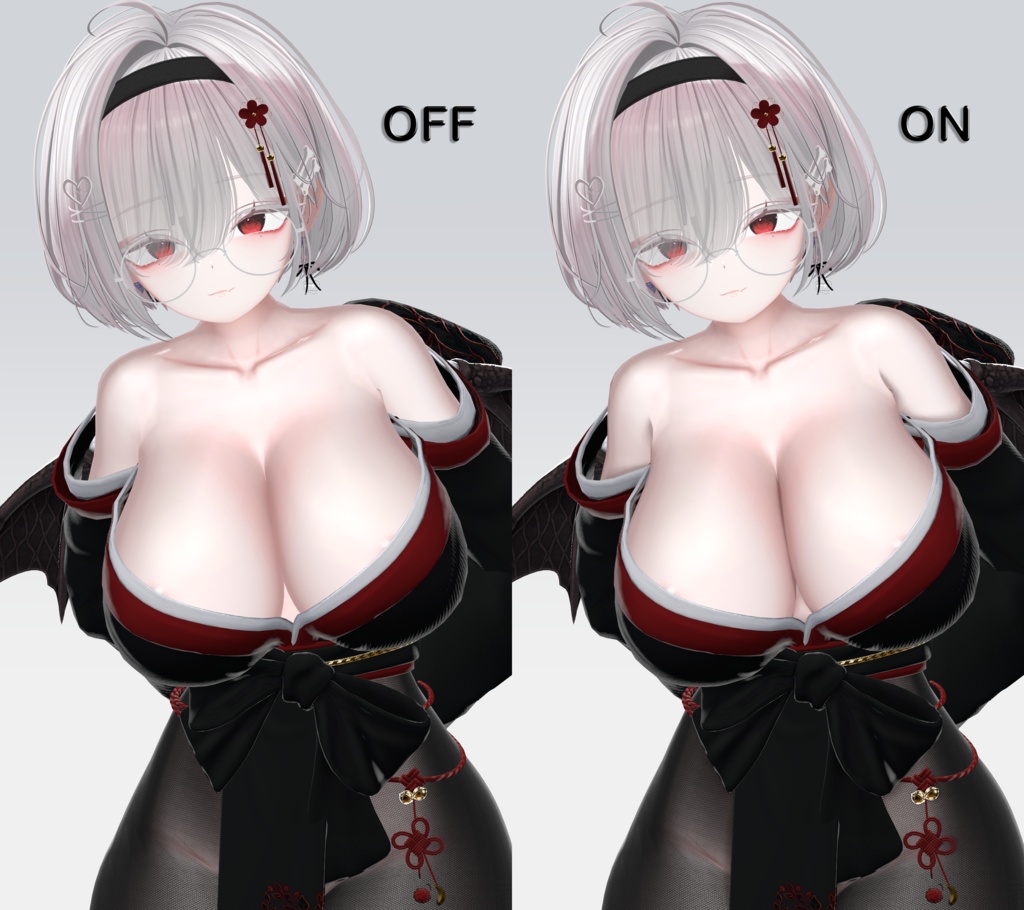
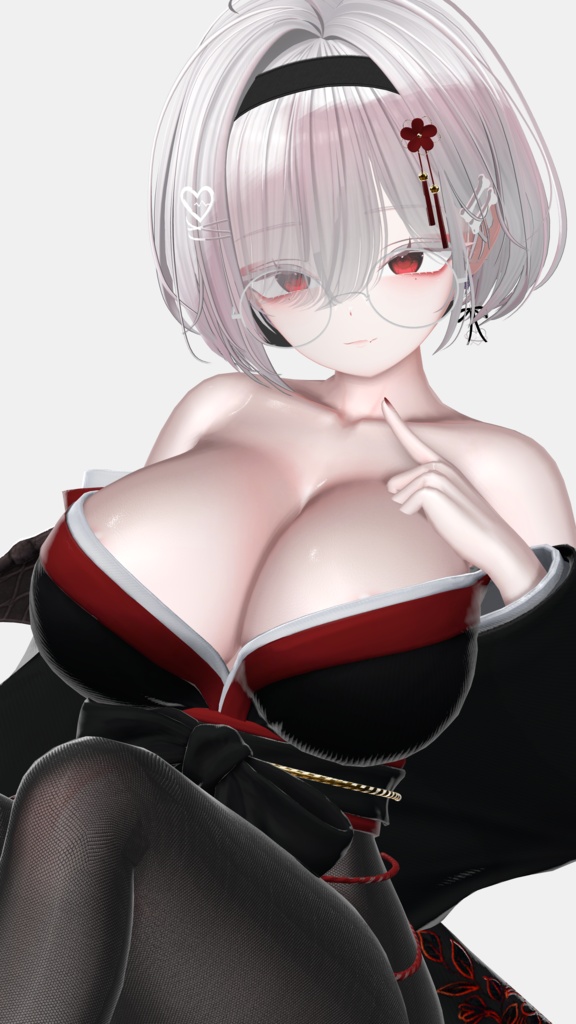
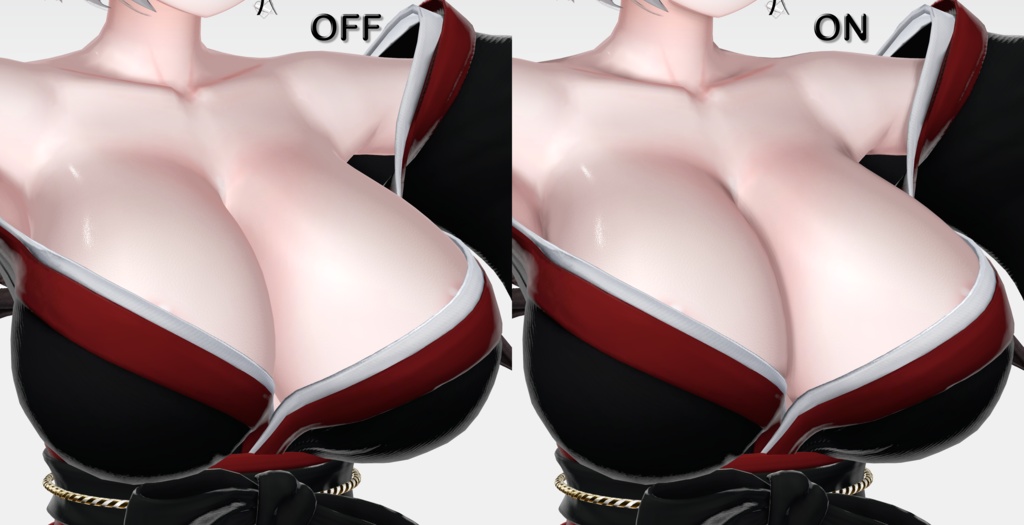
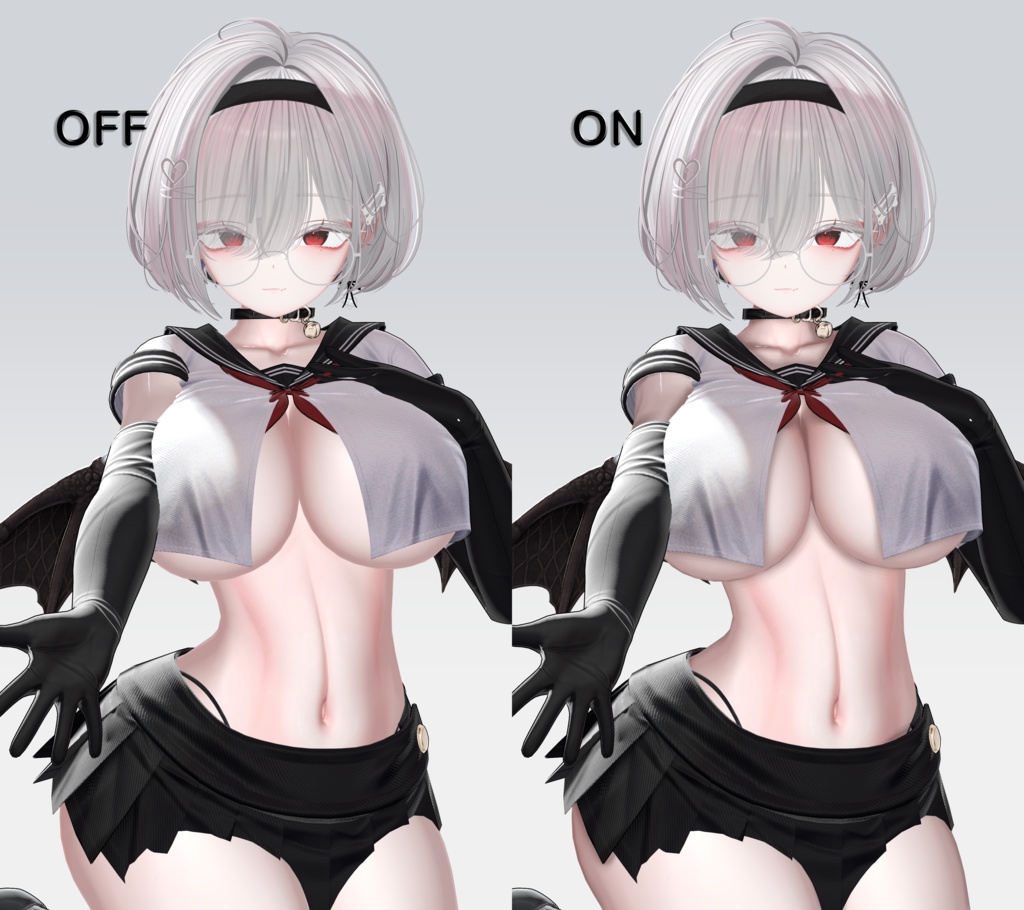
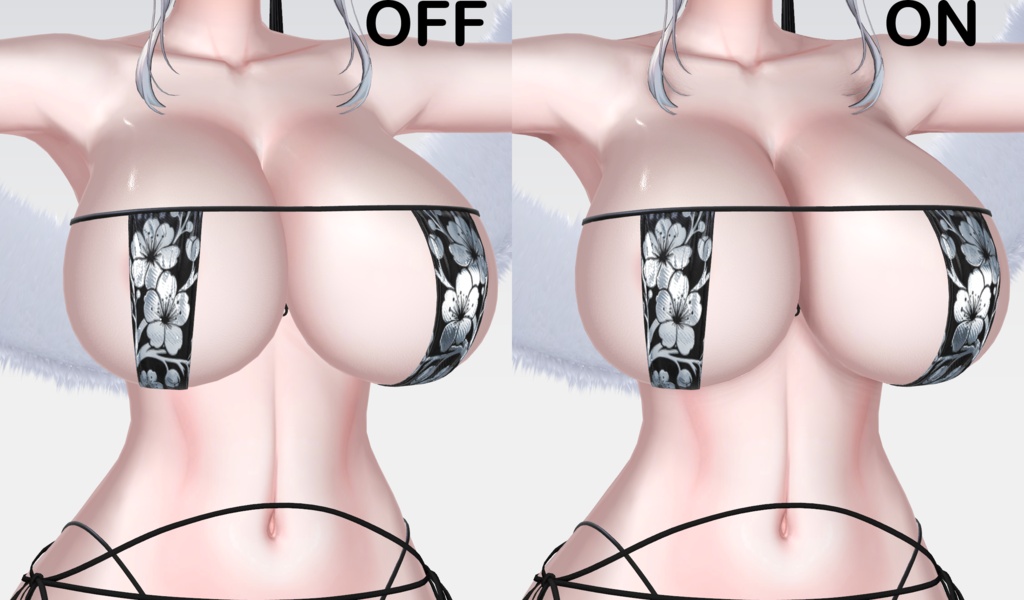


## 日本語 ### 商品名 【lilToon / PC VRChat】AvatarAO|自然な接触影・スクリーンスペースAO【Early Access】 ### キャッチコピー 髪・衣装・首元・身体の間に自然な奥行きを。プリセットを選び、Intensity を調整するだけ。 ### 商品説明 AvatarAO は、lilToon を使用した PC アバター向けの高品質スクリーンスペース 接触影・アンビエントオクルージョン拡張です。 髪や衣装が身体に貼り付いて見える問題を改善し、胸や腰など広い曲面で発生しやすい ブロック状・三角形状の影を抑える専用処理を備えています。 0.11.0 では広域 AO と狭い接触影を分離し、連続 Soft Horizon、バイラテラル深度推定、 指数強度マッピングにより、段差を抑えながら隙間の暗部を保持します。 複雑な Shader パラメーターを一つずつ設定する必要はありません。 マテリアル変換後、プリセットを選択して `Intensity` を調整します。 - Natural:自然でバランスの良い標準設定 - Strong:立体感を強くした設定 - Smooth Skin:広い身体曲面のアーティファクトを優先して抑制 - Crisp Detail:髪、衣装、細い隙間の接触感を強調 ### 主な機能 - 高品質 Horizon GTAO - 方向切り替えによる硬い境界を抑える連続 Soft Horizon - 広域 AO と狭い接触ディテールの独立計算 - 低ポリゴン曲面の三角形状を抑えるバイラテラル受け面深度推定 - 軽量 Soft SSAO - 実験的 Projection Shadow - 曲面保護、柔らかい境界、最大暗度制限 - 独立した Contact Detail - 粒状感を抑えた3フェーズ Quality サンプリング - VRChat Depth Trigger のワンクリック導入 - 元マテリアルを保持する非破壊変換 - 複数マテリアルの一括変換 - Opaque/Cutout、Outline 対応 - 中国語・日本語・英語マニュアル ### 動作環境 - Unity 2022.3.22f1 - Built-in Render Pipeline - lilToon 2.3.4 以上、3.0.0 未満 - PC/Desktop、PC VR - カメラ深度テクスチャが必要 ### 未対応 - Quest/Android - Transparent、Fur、Gem、Refraction、Tessellation、Lite、Multi - すべてのミラー、カメラ、VRLens、外部カメラで同一結果になる保証 ### 導入手順 1. VCC/VPM から lilToon をインストール。 2. UI 言語に合わせて `ja`、`zh-CN`、`en` の UnityPackage から1つだけ 選んでインポート。複数言語版を同時に入れないでください。 3. lilToon マテリアルを選択: `Assets > Avatar AO > Create converted material copy` 4. アバターのルートを選択: `Tools > Avatar AO > Install Depth Trigger On Selected Avatar` 5. プリセットを選び、Intensity を調整。 ### Early Access について Unity 自動テスト、クリーンプロジェクトへのインポート、および完全な VRC SDK アバタープレハブを使用した通常 Play Mode の深度・AO On/Off を確認済みです。 VRChat Client、ミラー、Photo Camera、VRLens、外部カメラは環境ごとの確認が必要です。 スクリーンスペース方式のため、画面外の遮蔽物は利用できません。 有効な深度がない場合、AvatarAO は安全に無効化されます。 ### 内容物 - AvatarAO 0.11.0 日本語 / 中国語 / English UnityPackage - 中国語 / 日本語 / 英語マニュアル - 利用規約 - 第三者ライセンス、更新履歴 --- ## English ### Product title [lilToon / PC VRChat] AvatarAO — Smooth Contact Shadows & Screen-Space AO [Early Access] ### One-line pitch Add natural depth between hair, clothing, the neck, and the body—choose a preset and adjust one Intensity control. ### Description AvatarAO is a quality-first screen-space contact-shadow and ambient-occlusion extension for lilToon PC avatars. It improves the “objects look pasted together” appearance around hair and clothing, with dedicated protection against blocky or triangular self-shadowing on broad body curves such as the chest and hips. Version 0.11.0 separates broad occlusion from narrow contact shadows and adds a continuous Soft Horizon response, bilateral receiver-depth fitting, and exponential intensity mapping. The goal is smoother transitions without losing darkness in narrow gaps. There is no need to tune a wall of Shader parameters. Convert the material, choose a preset, and adjust `Intensity`: - Natural: balanced everyday appearance - Strong: more obvious depth - Smooth Skin: prioritizes smooth broad body surfaces - Crisp Detail: emphasizes hair, clothing, and narrow contacts ### Features - Quality-first Horizon GTAO - Continuous Soft Horizon response to reduce hard directional transitions - Separate broad AO and narrow contact-detail lobes - Bilateral receiver-depth fitting to suppress low-poly faceting - Soft SSAO performance mode - Experimental Projection Shadow - Curved-surface protection, soft boundaries, and Max Darken safety - Independent Contact Detail control - Low-grain three-phase Quality sampling - One-click VRChat Depth Trigger installation - Non-destructive material-copy conversion - Batched multi-material conversion - Opaque/Cutout and Outline support - Chinese, Japanese, and English documentation ### Requirements - Unity 2022.3.22f1 - Built-in Render Pipeline - lilToon 2.3.4 or later, below 3.0.0 - PC/Desktop or PC VR - A valid camera depth texture ### Not currently supported - Quest/Android - Transparent, Fur, Gem, Refraction, Tessellation, Lite, or Multi shaders - Guaranteed identical behavior across every mirror, camera, VRLens, or third-party camera system ### Installation 1. Install lilToon through VCC/VPM. 2. Choose exactly one localized UnityPackage: `en`, `ja`, or `zh-CN`. Do not import multiple language editions together. 3. Select lilToon materials: `Assets > Avatar AO > Create converted material copy` 4. Select the avatar root: `Tools > Avatar AO > Install Depth Trigger On Selected Avatar` 5. Choose a preset and adjust Intensity. ### Early Access notice Unity automated tests, clean-project import, and normal Play Mode depth/AO On-Off behavior with a complete VRC SDK avatar prefab have been completed. VRChat Client, mirrors, Photo Camera, VRLens, and third-party cameras still require validation in the intended environment. As a screen-space effect, AvatarAO cannot use off-screen occluders. When valid depth is unavailable, the effect safely disables itself instead of darkening the material. ### Included files - AvatarAO 0.11.0 English / Japanese / Simplified Chinese UnityPackages - Chinese / Japanese / English guides - Terms of use - Third-party licenses and changelog