

ASFR — Petrification & Statue System VRChat PC | English / 日本語
- ダウンロード商品¥ 900
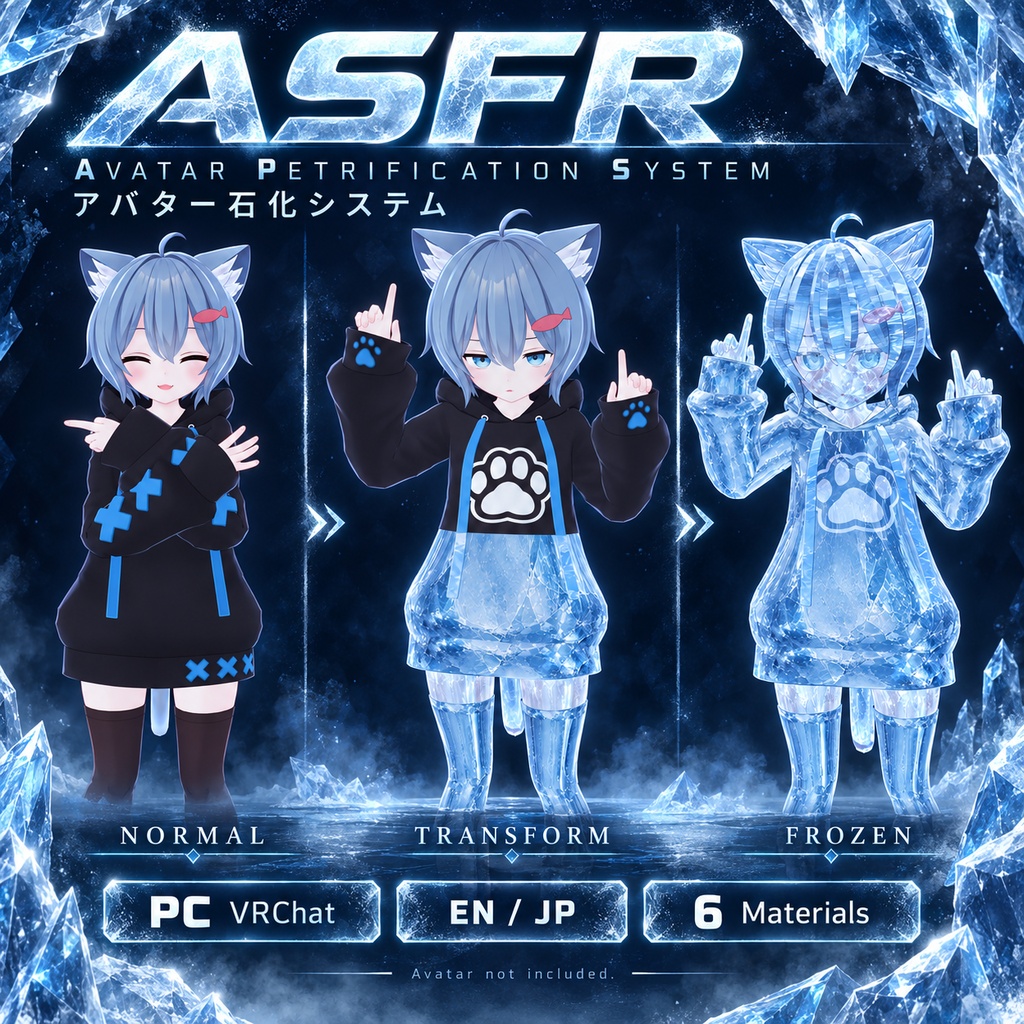

【ENGLISH】 Transform your avatar into a statue with a feet-to-head material effect, progressive freezing, and interactive controls. Includes 6 example transformation materials! ■ Features • Up to 6 selectable materials with preview icons. • Feet-to-head transformation and progressive joint freezing. • Partial transformation with a 0–100% dial. • Gradual unfreezing and adjustable duration: instant or approximately 1–60 seconds. • Clothing modes: transform everything, keep clothing, or dissolve clothing away. • Main-body correction: Remove Clothing resets blendshapes containing “shrink”, “off”, or “kisekae” to zero, ignoring capitalization. • Facial animation freezing when the effect reaches the head. • Petrify contacts with Allow Others and Petrify Others toggles. • Two grab handles to move and rotate the statue. • Stereo statue camera: optional view from the statue’s head after grabbing. • Optional darkness, ice, or custom-image vision overlays. • English/Japanese installer and generated menus with icons. ■ Included Installer/scripts, 6 example materials, menu icons, English/Japanese interface, and instructions. Avatars, outfits, shader packages, particles, and sounds are not included. ■ Requirements PC VRChat, VRChat Avatar SDK, Modular Avatar, NDMF, and a valid Humanoid avatar with readable skinned meshes. Transformation materials require supported Poiyomi or full lilToon shaders. Progressive clothing removal also requires supported shaders on the clothing. Developed with Unity 2022.3.22f1. Compatibility with every avatar, outfit, or shader variant is not guaranteed. Standalone Quest is not supported. ■ Installation 1. Back up your project and install dependencies/shaders. 2. Import Assets/ASFR. 3. Open Tools → ASFR → Install on avatar copy. 4. Select the original scene avatar and language. 5. Assign materials, select meshes, and mark clothing/main body. 6. Choose features, validate, and generate. 7. Test with NDMF Play Mode and VRChat Build & Test. Original assets are preserved. Generate a fresh copy after changing settings. ■ Controls Select a material and use Transform / Reset. Options contains Transformation, Clothing, optional Vision, and ExtraInteractions. ExtraInteractions groups contact permissions, Petrify Others, and installed statue controls. Cyan handle: move. Orange handle: rotate/tilt. Use PhysBone posing to retain positions after release. ■ Notes • Added meshes, constraints, contacts, and cameras increase performance costs. • Full transformation disables normal locomotion, not physical room-scale movement. • Petrify requires compatible avatars and permitted interactions. • The statue camera displays a stereo feed; it does not relocate your actual viewpoint or provide full headset tracking from the statue. • Unfreezing releases the carry lock/camera and returns the statue to the player. • Late joiners may not see the exact captured pose. • Facial systems, transparency, outfit animations, and unusual rigs may require adjustment. • Copies inherit the original upload ID. Detach it to upload as a separate avatar. ■ Support Contact this BOOTH shop with Unity/package versions, avatar/shader details, Console errors, and reproduction steps. Screenshots or videos help. ━━━━━━━━━━━━━━━━━━━━ 【日本語】 足元から頭へ進む変身エフェクトで、アバターを像に! 段階的な静止、衣服の制御、他のプレイヤーとのインタラクションに対応。サンプル変身マテリアル6種類を同梱しています。 ■ 主な機能 ・最大6種類のマテリアル切り替えとプレビューアイコン。 ・足元から頭への変身と、関節の段階的な静止。 ・0~100%の変身率調整と段階的な解除。 ・変身時間を即時、または約1~60秒で設定。 ・衣服モード:すべて変身/衣服を維持/衣服を消す。 ・衣服を消す際、指定ボディの名前に shrink / off / kisekae を含むブレンドシェイプを0に固定。大文字・小文字は区別しません。 ・頭部への到達時に表情アニメーションを保持。 ・石化コンタクトと、他人からの石化の許可/他人への石化トグル。 ・2つのハンドルによる像の移動・回転。 ・ステレオ像カメラ:つかまれた像の頭部からの映像を表示。 ・暗闇、氷、カスタム画像による視界エフェクト。 ・日本語/英語のインストーラーとアイコン付きメニュー。 ■ 同梱内容 インストーラー・スクリプト、サンプルマテリアル6種類、メニューアイコン、日本語/英語UI、導入手順書。 アバター、衣装、シェーダー、パーティクル、効果音は付属しません。 ■ 動作要件 PC版VRChat、VRChat Avatar SDK、Modular Avatar、NDMF、有効なHumanoidアバター、Read/Writeが有効なスキンメッシュ。 変身用には対応するPoiyomiまたは通常版lilToonが必要です。衣服を段階的に消す場合は衣服側にも対応シェーダーが必要です。 Unity 2022.3.22f1で開発。すべてのアバター・衣装・シェーダーでの動作を保証するものではありません。スタンドアロンQuest非対応。 ■ 導入手順 1. プロジェクトをバックアップし、依存パッケージとシェーダーを導入。 2. Assets/ASFRをインポート。 3. Tools → ASFR → Install on avatar copyを開く。 4. シーン内の元のアバターと言語を選択。 5. マテリアル、対象メッシュ、衣服、メインボディを指定。 6. 機能を選び、設定確認後にコピーを生成。 7. NDMF再生モードとVRChatのBuild & Testで確認。 元のアセットは保持されます。設定変更後は新しいコピーを生成してください。 ■ 操作 マテリアルを選び「変身 / リセット」で開始。 「設定」内で変身時間・変身率・衣服・視界を調整します。 「追加インタラクション」に石化の許可、他人への石化、導入済みの像の操作をまとめています。 水色のハンドルで移動、オレンジで回転・傾斜。位置の保持にはPhysBoneのポーズ操作を使用してください。 ■ 注意事項 ・メッシュ、コンストレイント、コンタクト、カメラの追加により負荷が増加します。 ・完全変身時は通常の移動を無効にしますが、現実空間での身体の移動は制限できません。 ・石化には相手側の対応設定とインタラクションの許可が必要です。 ・像カメラは映像表示です。実際の視点移動や、像からの完全なヘッドセット追従ではありません。 ・解除開始時に持ち運び固定とカメラ表示が解除され、像はプレイヤーの位置へ戻ります。 ・後から参加した人には記録したポーズが完全に再現されない場合があります。 ・表情、透過、衣装アニメーション、独自リグは調整が必要な場合があります。 ・コピーは元のアップロードIDを引き継ぎます。別アバターとしてアップロードする場合はIDを解除してください。 ■ サポート Unity・関連パッケージのバージョン、アバター・シェーダー構成、Consoleエラー、再現手順を添えてBOOTHショップへご連絡ください。画像や動画もあると確認がスムーズです。
Terms of Service
■ Terms of Use • Use and modification on your own avatars are allowed. • Screenshots, videos, and monetized streams are allowed. • Do not redistribute, share, or resell the tool or its assets, including modified versions. • Do not include this product in avatars or packages distributed to others without permission. • Credit is appreciated but not required. Do not claim authorship. • Third-party assets remain subject to their own licenses. • Compatibility with every setup or future update is not guaranteed. Your statutory rights remain unaffected. ■ 利用規約 ・ご自身のアバターへの使用・改変を許可します。 ・スクリーンショット、動画、収益化された配信での使用を許可します。 ・改変の有無を問わず、本ツールおよび同梱アセットの再配布・共有・再販売を禁止します。 ・許可なく、第三者へ配布するアバターやパッケージに本商品を含めることを禁止します。 ・クレジット表記は任意です。自作発言は禁止します。 ・第三者のアセットには、それぞれのライセンスが適用されます。 ・すべての環境や将来の更新への対応は保証しません。法令に基づく利用者の権利を制限するものではありません。