

【無料体験版あり】Milleaf(VRChatのスクショを本にするアプリ)
- 体験版(無料・書き出しは1日3回まで)ダウンロード商品¥ 0
- 製品版ダウンロード商品¥ 1,500
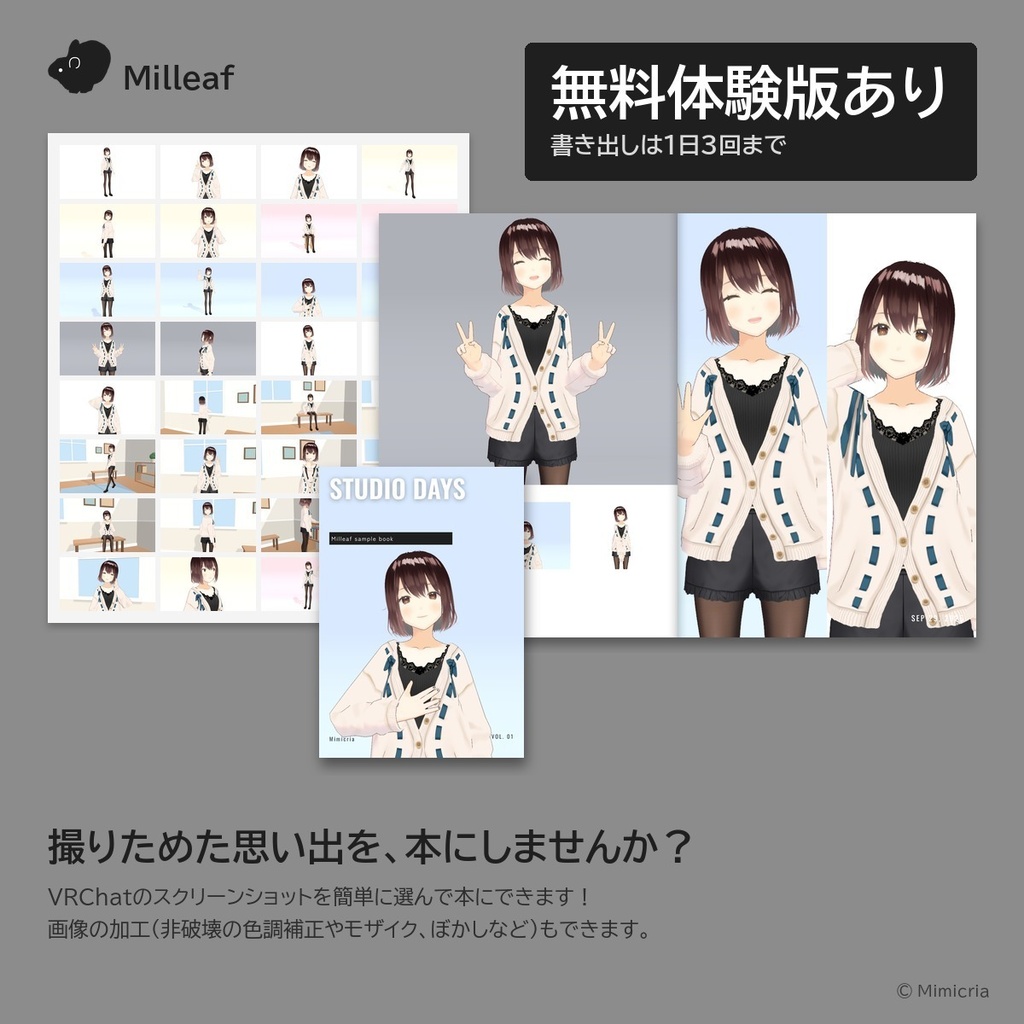
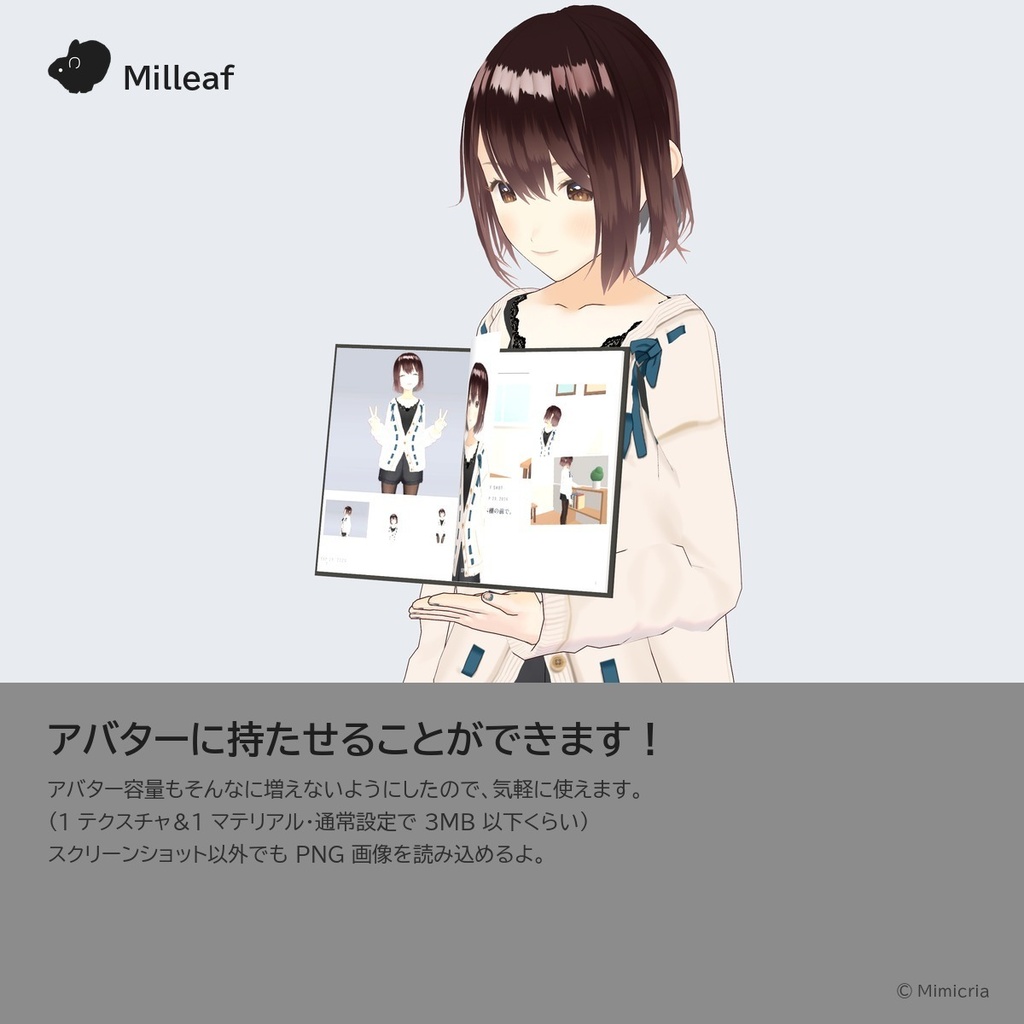
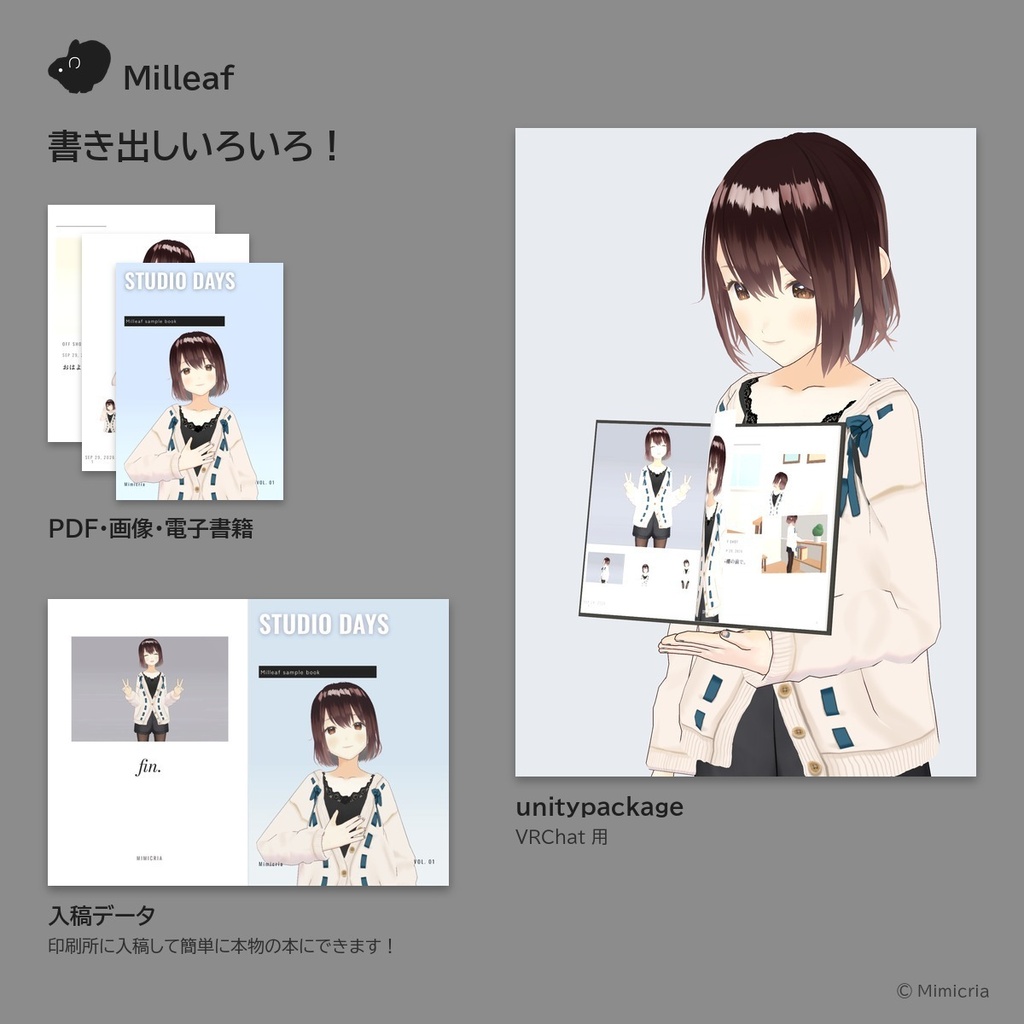
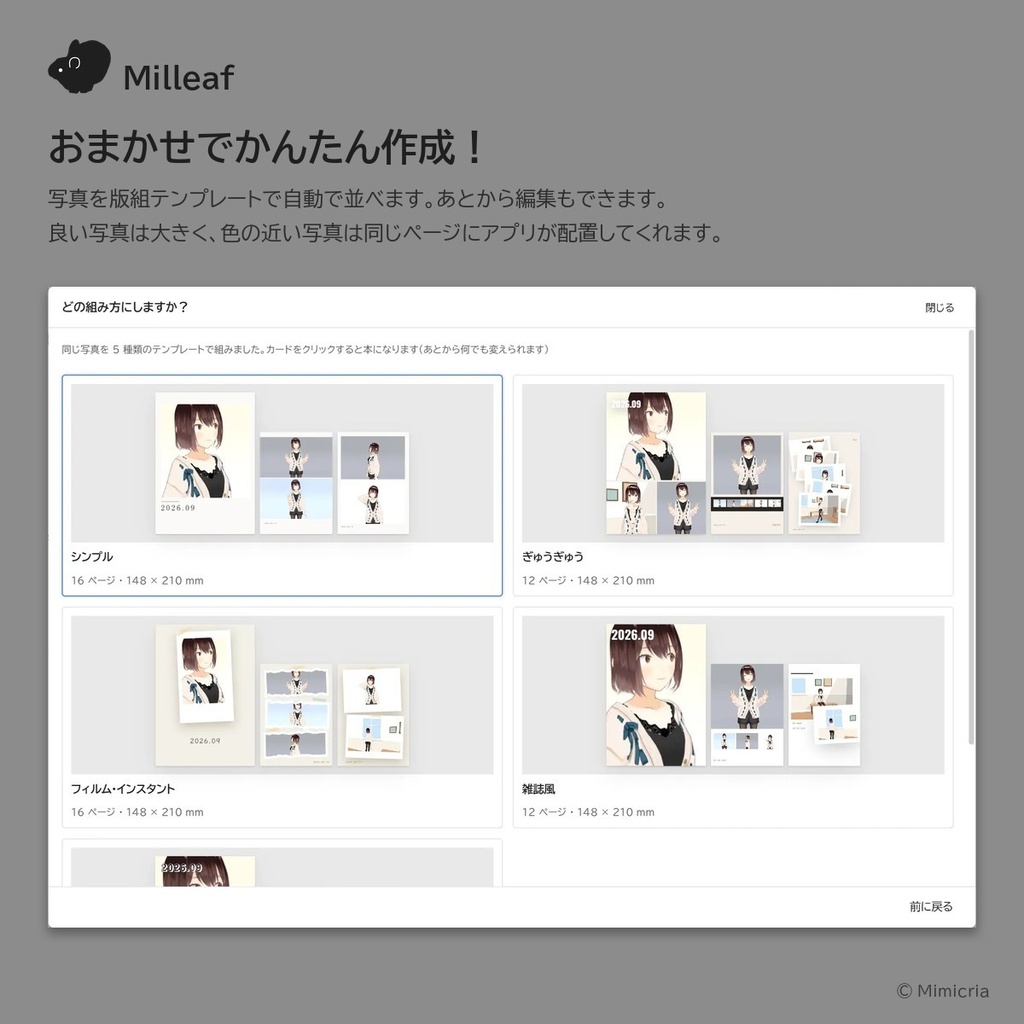
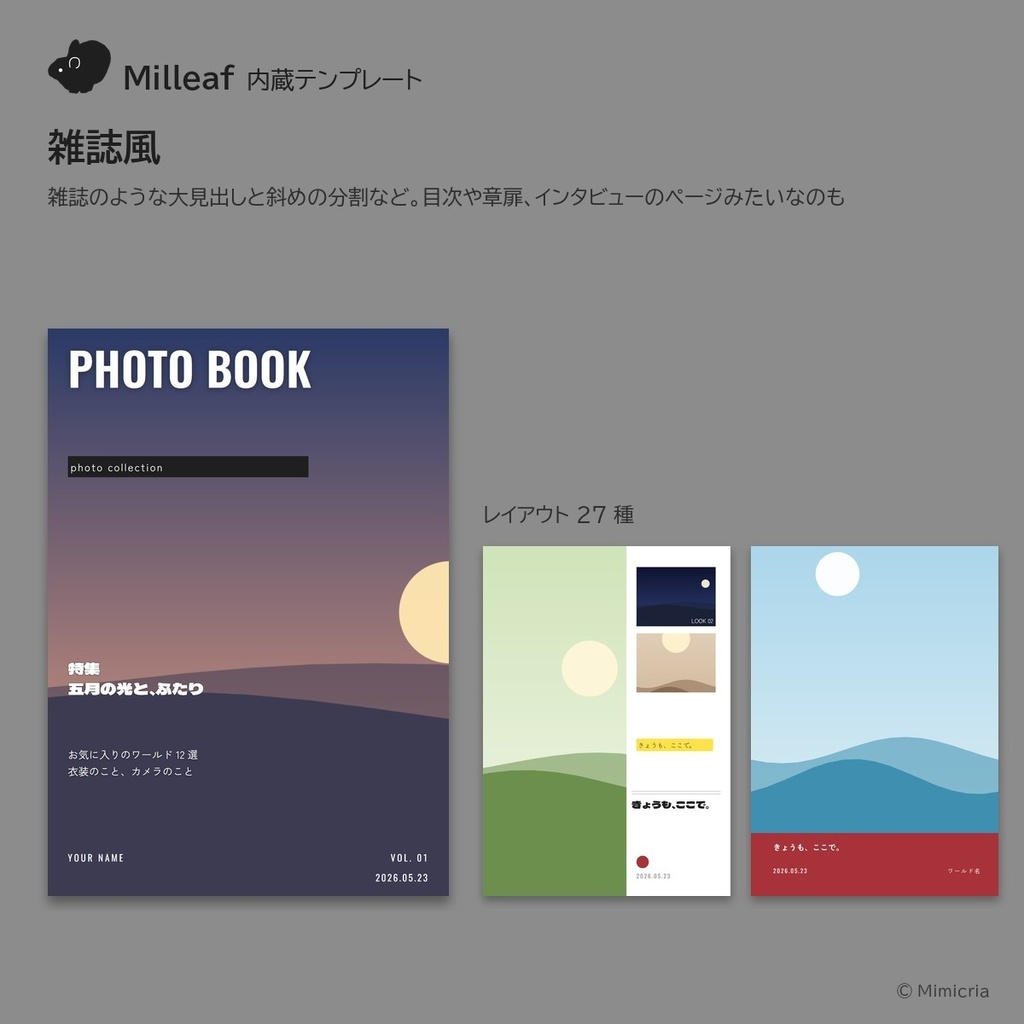
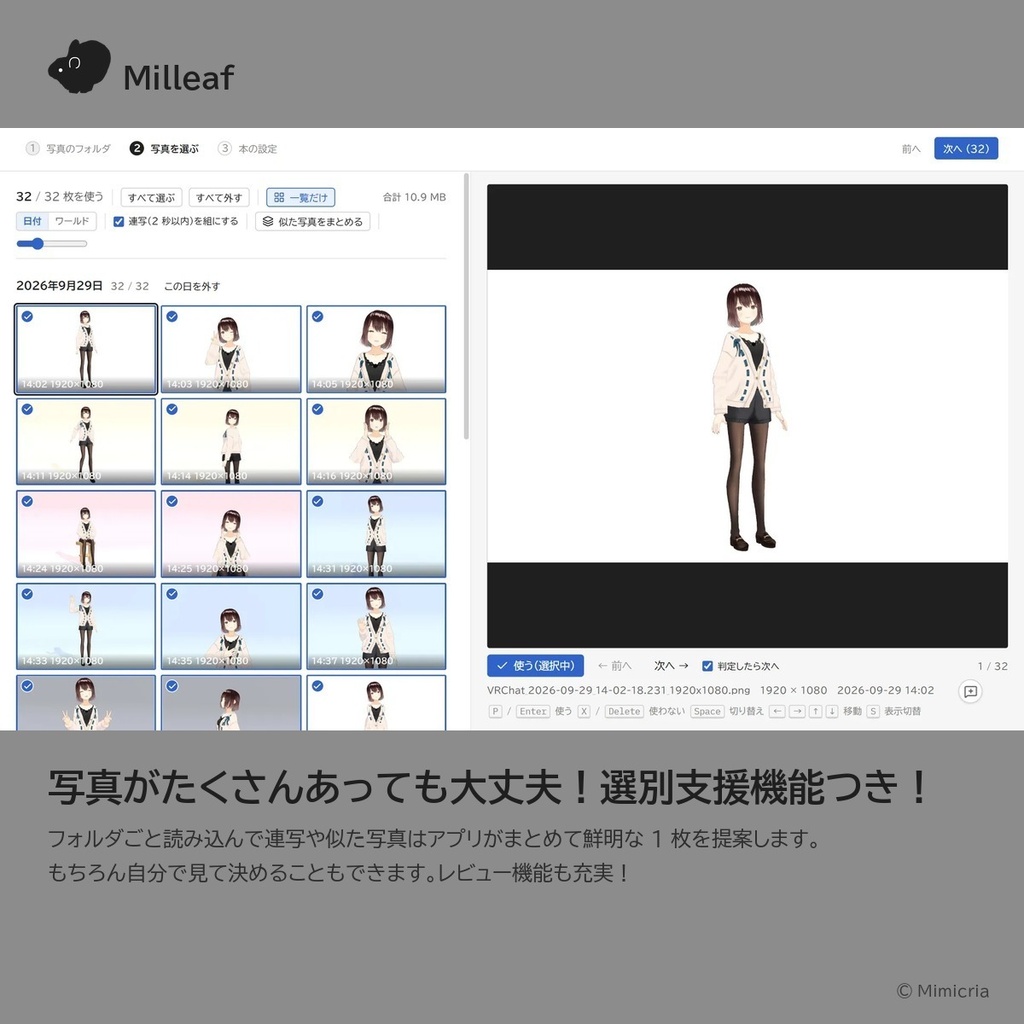
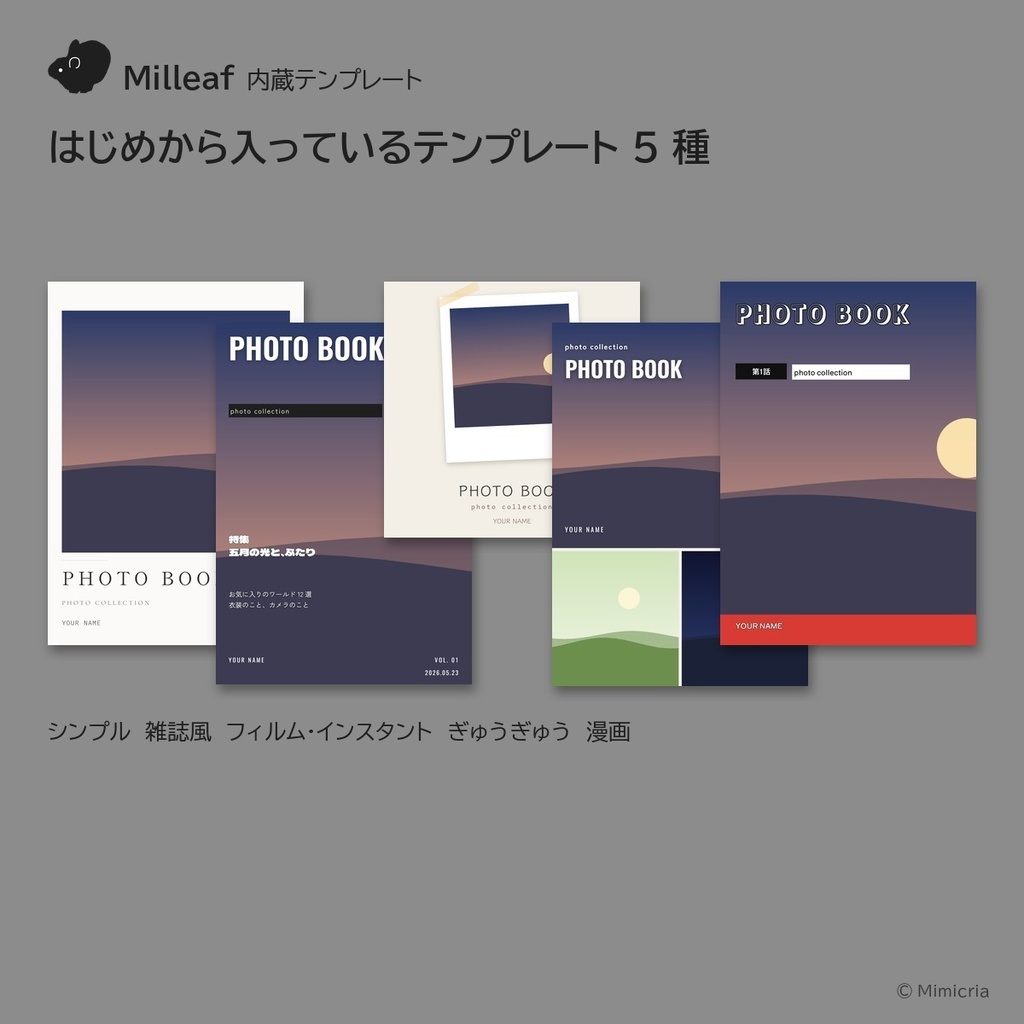
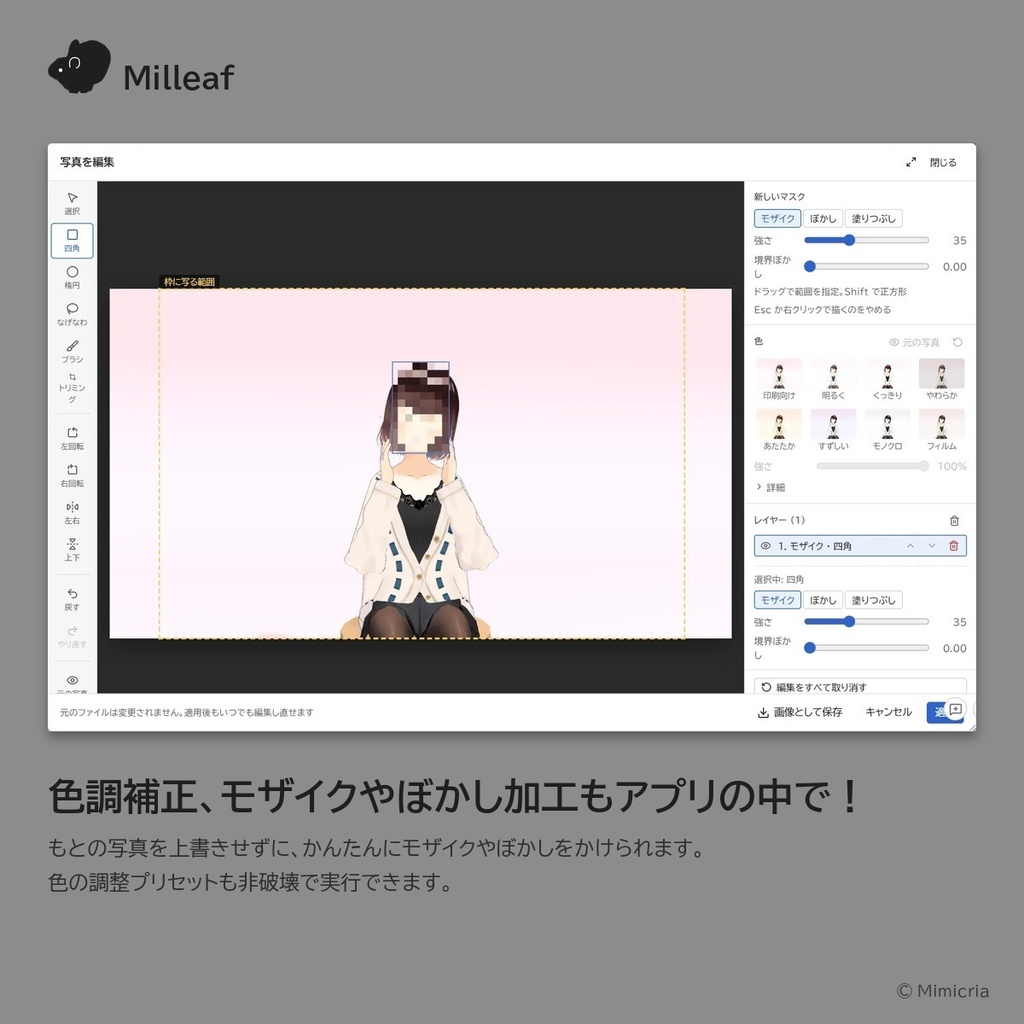
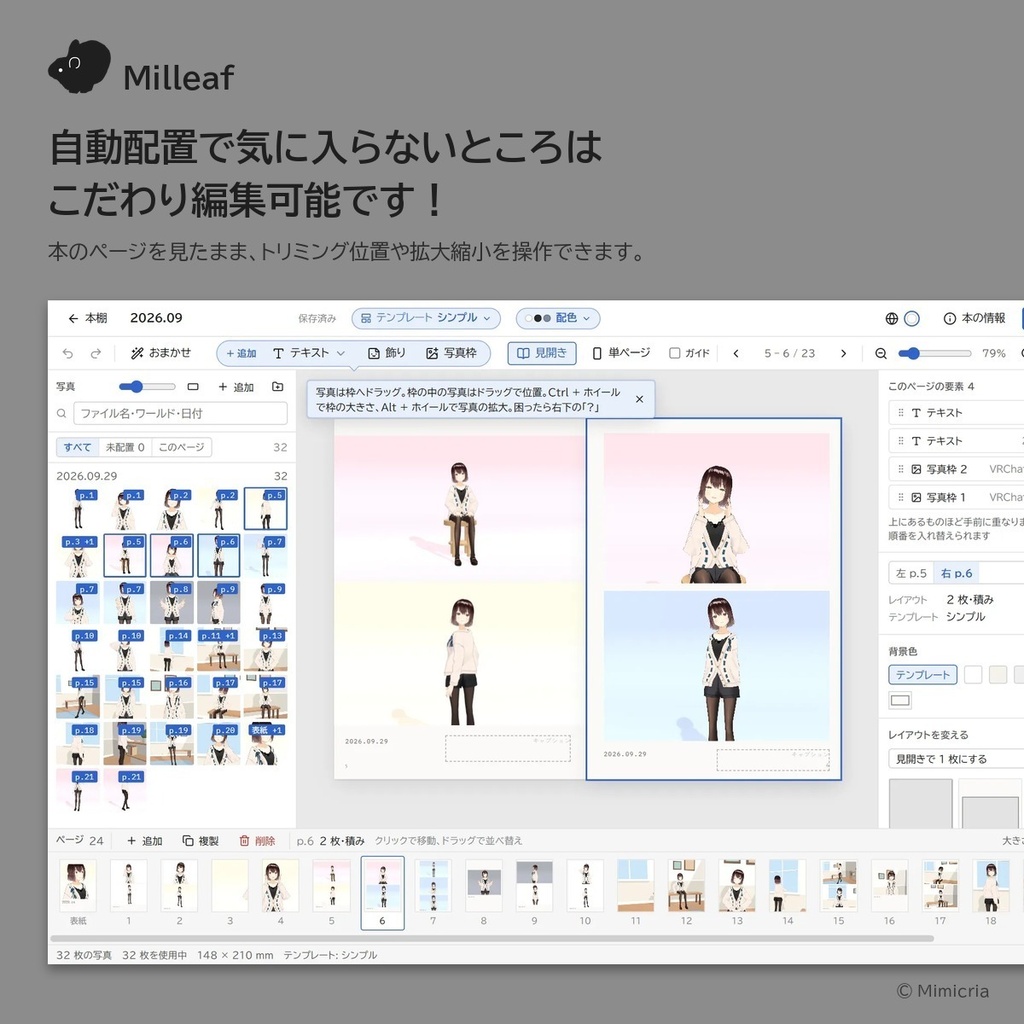
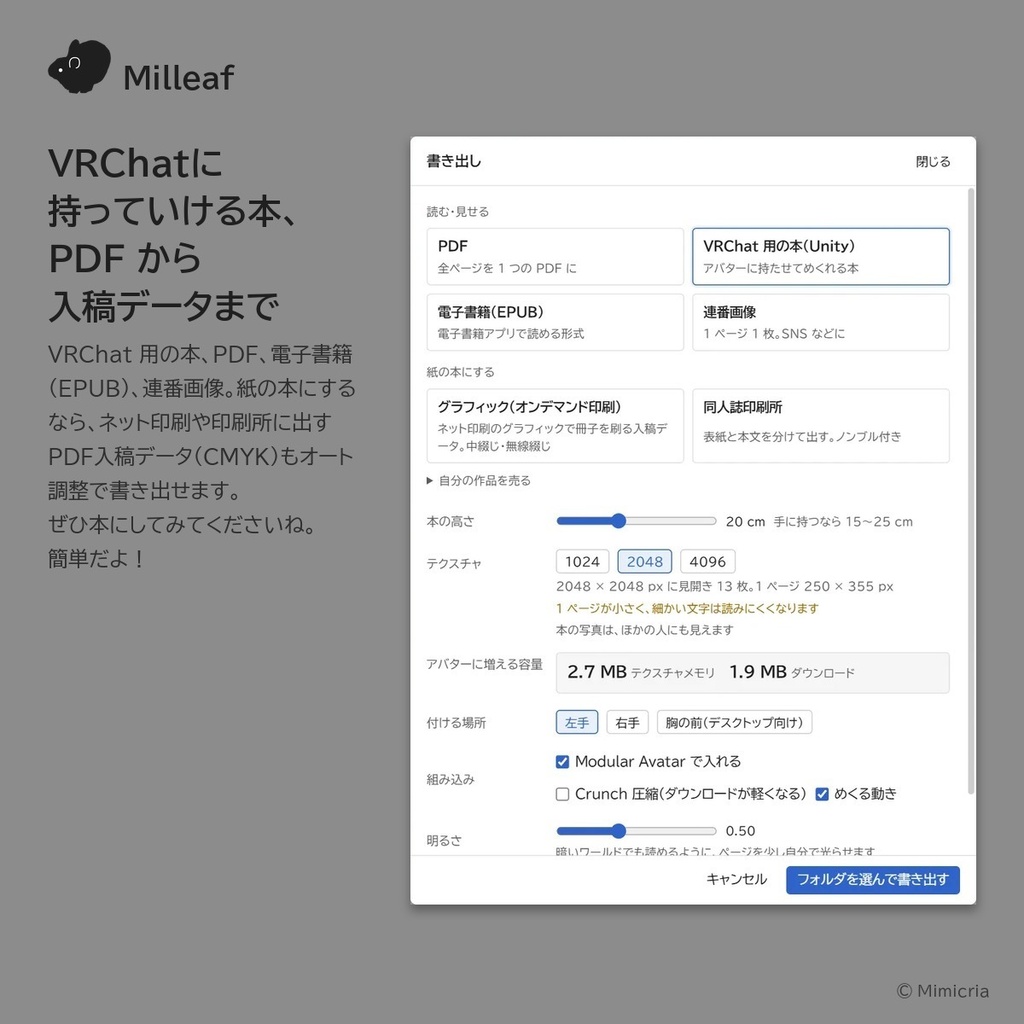
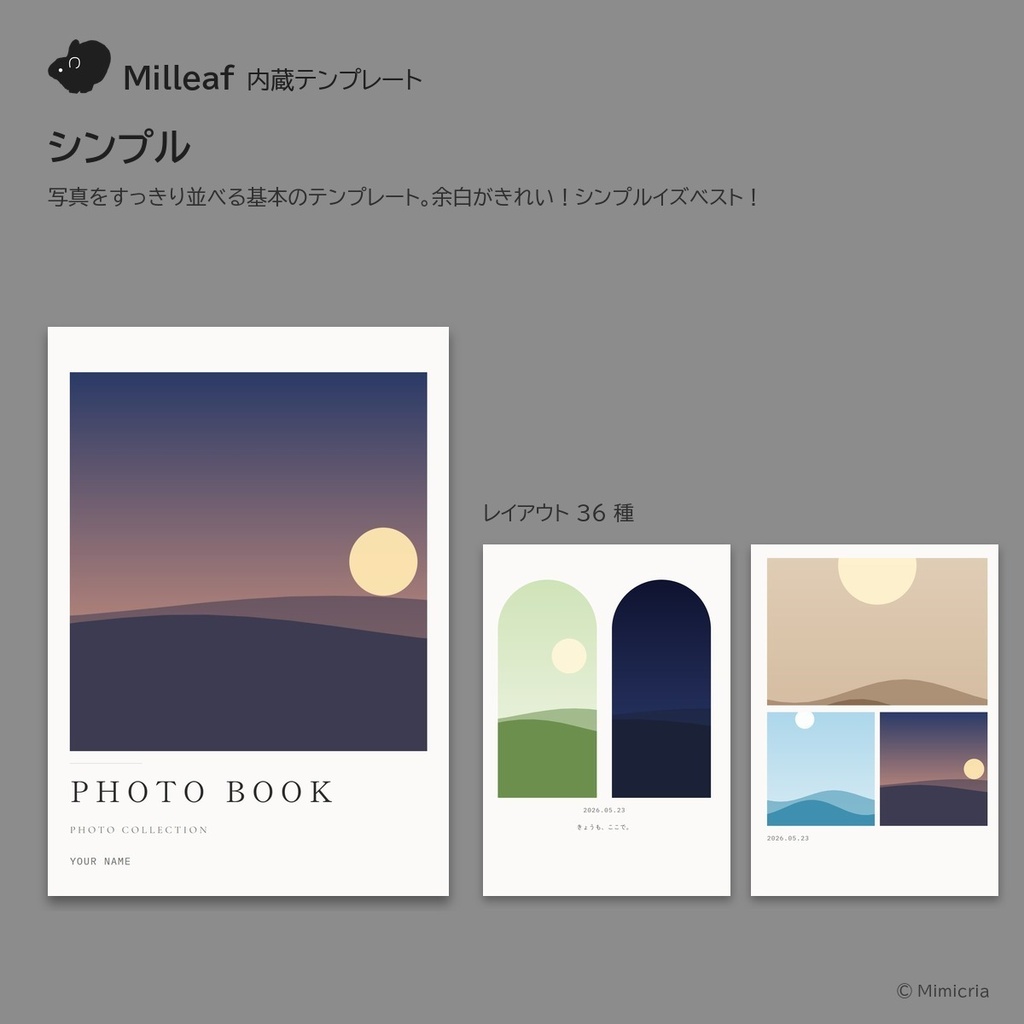
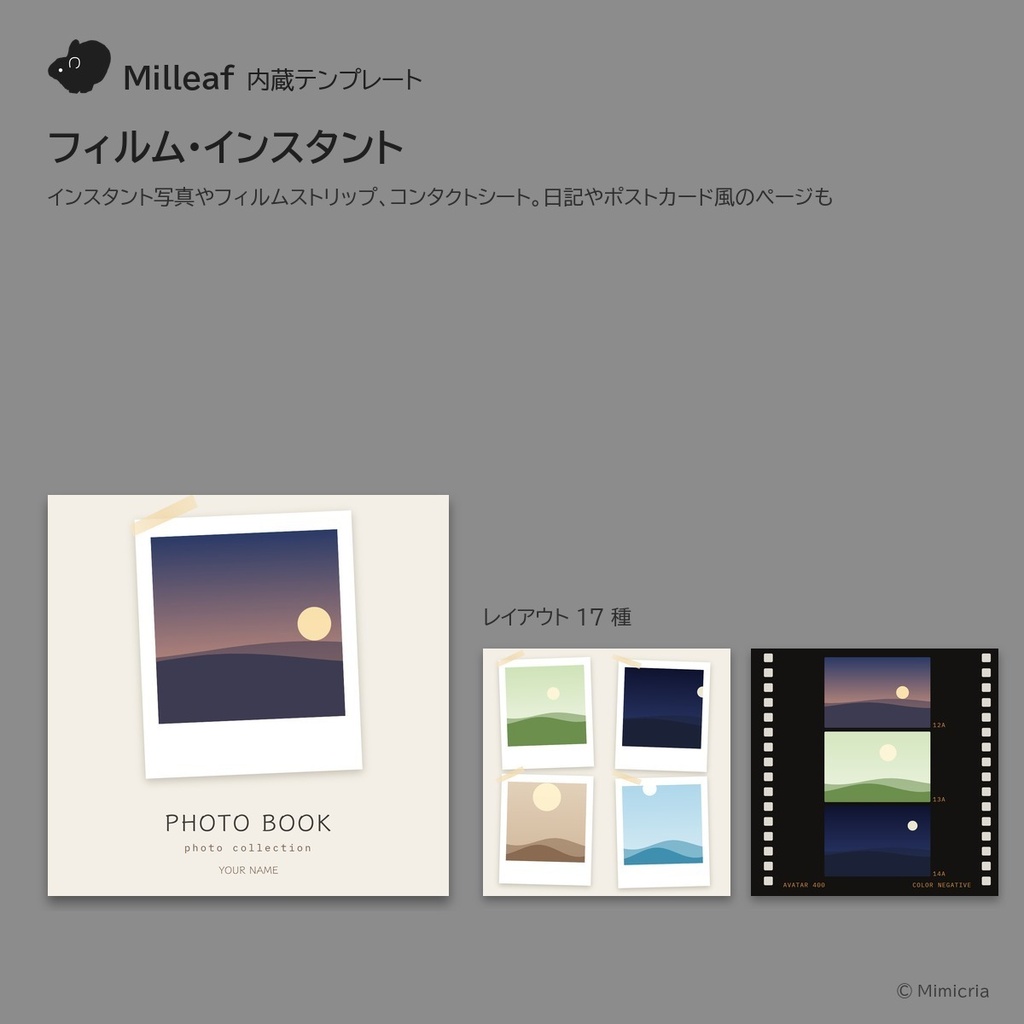
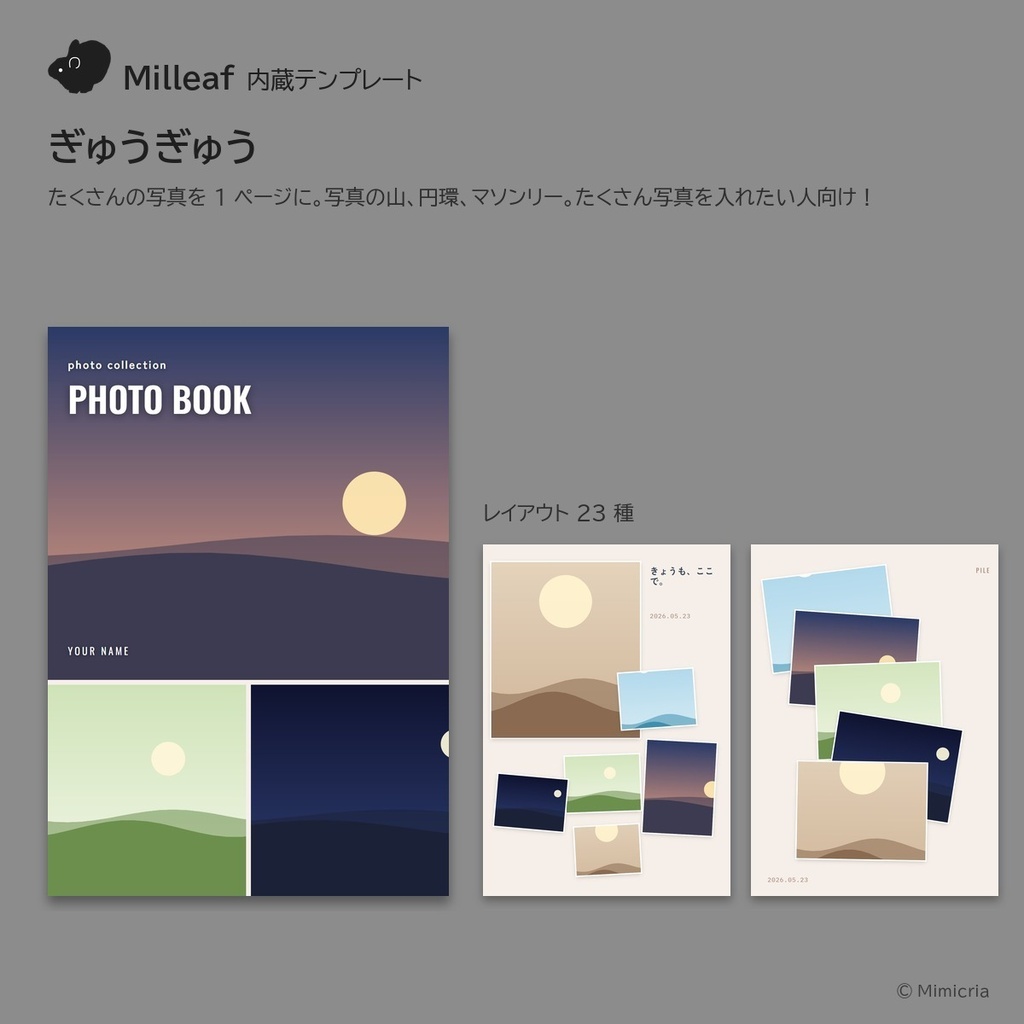
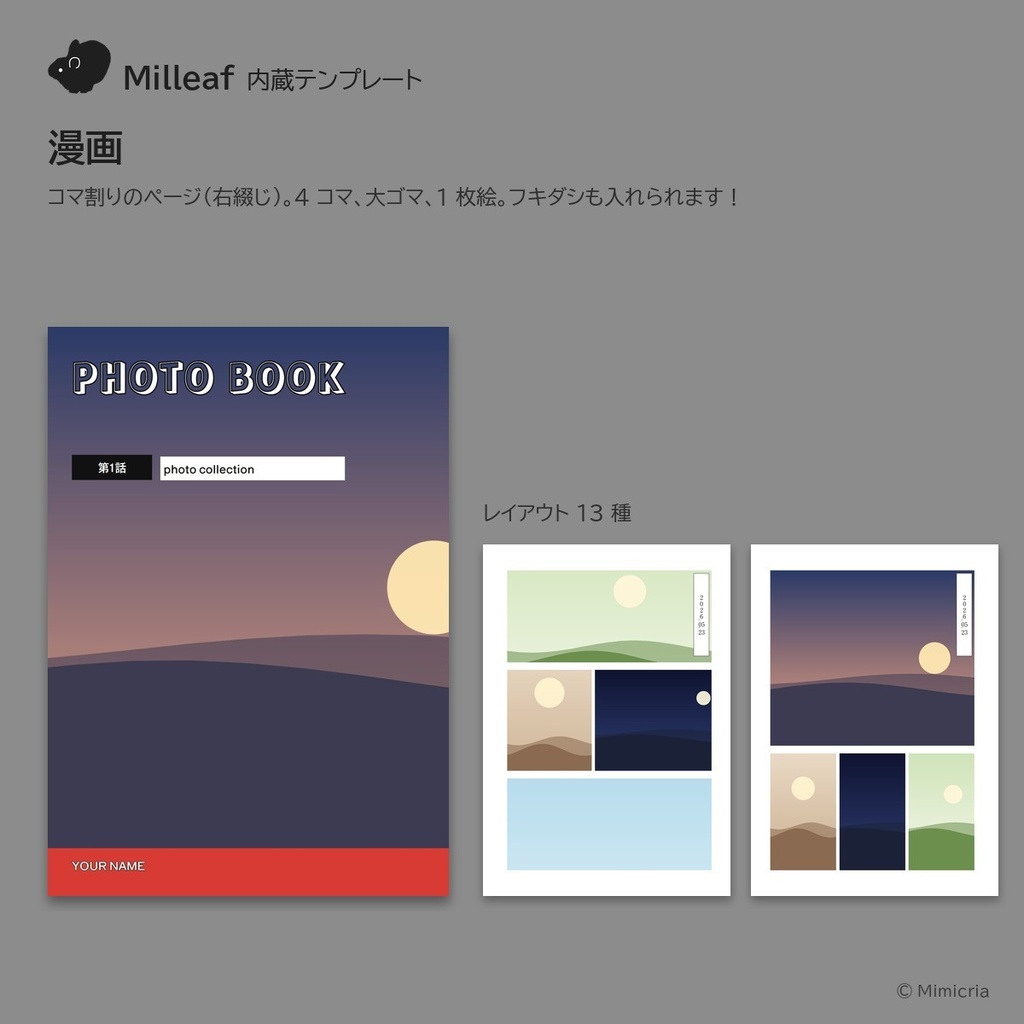


撮りためた思い出を、本にしませんか? Milleafは、VRChatのスクリーンショットから写真集を作るWindowsアプリです。 フォルダを選ぶと、似た写真をまとめて、テンプレートに合わせて写真を並べます。撮影日とワールド名は写真から入ります。できたあとは、1ページずつ好きなように直せます。 ■ できること ・PDF、連番画像、電子書籍(EPUB)に書き出せます ・印刷所に出せる入稿データ(CMYK)も作れるので、紙の本にできます ・VRChatの中で、アバターが手に持ってめくれる本や、ワールドに置いてみんなで読める本(unitypackage)にもなります ・写真の明るさや色を整えたり、文字やフキダシ、飾りを足したりできます ・テンプレートは5種(シンプル、雑誌風、フィルム・インスタント、ぎゅうぎゅう、漫画)。自分で作ることもできます ・画面は日本語、English、한국어、繁體中文、简体中文に対応しています ■ 体験版と製品版 ・体験版(無料):期限はありません。書き出しは1日3回まで。作った本は製品版でそのまま開けます ・製品版:書き出しの回数に制限はありません。テンプレートの書き出しや、配られているテンプレートと自分の素材の追加もできます お使いのパソコンで動くかどうか、体験版で確かめてから製品版をお求めいただくと安心です。手持ちの写真で本が作れるかも試せます。 ■ 使い方 1. スクリーンショットのフォルダを選ぶ 2. 写真とテンプレートを選ぶ(おまかせもできます) 3. 書き出す ■ 動作環境 ・Windows 10/11。ZIPを展開してMilleaf.exeを起動します(インストールはいりません) ・はじめての起動でWindowsの確認が出たら、「詳細情報」→「実行」で起動できます ・VRChat用の本はUnityに取り込んで使います。アバター用はModular Avatarが要ります(PC版VRChat向け) ■ ご利用の前に ・Milleafは個人が作った非公式のツールで、VRChat公式のものではありません ・MilleafにAIの機能は入っていません。写真が外部に送られることはありません ・アプリの開発にはAIの支援を使っています ・写真に写るアバターや衣装、ワールドの権利は、それぞれの作者にあります。本を配ったり売ったりするときは、それぞれの利用規約をご確認ください ・同梱の書体はすべてSIL Open Font Licenseで、作った本の販売にも使えます。ご自分で追加したフォントは、そのフォントの規約をご確認ください ・アプリはご購入者様ご自身のみ使用可能です ■ テンプレートを作る方へ ・ご自分で作ったテンプレートは、自由に配布や販売ができます。「Milleaf」タグを付けていただくと、見つけてもらいやすくなります ・公式テンプレート(同梱・別売)は、Milleafの中でお使いください ・テンプレートに入れる素材やフォントは、再配布できるものをお使いください。フォントはテンプレートのファイルには入らず、名前で指定されます 追加テンプレート(別売):https://mimicria.booth.pm/items/8957481 追加テンプレート2(別売・0.7.0以降):https://mimicria.booth.pm/items/8965894 説明書(日本語、English、한국어、中文):https://mitori-mimicria.github.io/milleaf/
English
[Free trial available] Turn the memories you have saved up into a book. Milleaf is a Windows app that makes photo books from your VRChat screenshots. Choose a folder, and it groups similar shots and lays out the pages from a template. The date and the world name come from each photo. You can then adjust each page by hand. ■ What you can do ・Export to PDF, page images or e-book (EPUB) ・Make print-ready files (CMYK) for printing services in Japan, for a paper book ・Make a book your avatar can hold and page through inside VRChat, or a book to place in a world for everyone to read (unitypackage) ・Adjust brightness and color, and add text, speech bubbles and decorations ・5 templates (Simple, Magazine, Film & Instant, Packed, Manga). You can also make your own ・The app is available in 日本語, English, 한국어, 繁體中文 and 简体中文 ■ Free trial and full version ・Free trial (¥0): no time limit. Up to 3 exports a day, with no watermark. Books you make open as they are in the full version ・Full version: no limit on exports. You can also export templates, and add templates that others distribute and your own assets Before you buy the full version, we recommend trying the free trial to check that Milleaf runs on your PC. You can also see how your own photos come out as a book. ■ How it works 1. Choose your screenshot folder 2. Choose photos and a template (or choose "Make one for me") 3. Export ■ Requirements ・Windows 10 / 11. Unzip and run Milleaf.exe (no installation needed) ・If Windows shows a warning the first time, click "More info", then "Run anyway" ・VRChat books are imported into Unity. The avatar book needs Modular Avatar (PC VRChat) ■ Before you use it ・Milleaf is an unofficial tool made by an individual. It is not an official VRChat product ・Milleaf has no AI features. Your photos are never sent outside your computer ・The app was developed with AI assistance ・The rights to the avatars, outfits and worlds in your photos belong to their creators. Before you share or sell a book, please check each creator's terms ・All bundled fonts are under the SIL Open Font License, so you can use them in books you sell. For fonts you add yourself, please check their licenses ・Printers outside Japan may use different page sizes, bleed and color settings. Please check with your printer before you order ・The app may be used only by the person who bought it ■ For template makers ・You are free to share or sell templates you make. Adding the tag "Milleaf" helps people find them ・Please use the official templates (bundled or sold separately) only in Milleaf ・Use materials and fonts that may be redistributed. Template files do not contain fonts; they refer to fonts by name Add-on templates (sold separately): https://mimicria.booth.pm/items/8957481 Add-on templates 2 (sold separately, Milleaf 0.7.0 or later): https://mimicria.booth.pm/items/8965894 Manual (日本語, English, 한국어, 中文): https://mitori-mimicria.github.io/milleaf/?lang=en
한국어
[무료 체험판 있음] 모아 둔 추억을 책으로 만들어 보세요. Milleaf는 VRChat 스크린샷으로 사진집을 만드는 Windows 앱입니다. 폴더를 고르면 비슷한 사진을 묶고, 템플릿에 맞춰 페이지를 짭니다. 촬영 날짜와 월드 이름은 사진에서 가져옵니다. 짠 뒤에는 한 페이지씩 원하는 대로 고칠 수 있습니다. ■ 할 수 있는 것 ・PDF, 연번 이미지, 전자책(EPUB)으로 내보낼 수 있습니다 ・일본 인쇄소용 입고 데이터(CMYK)도 만들 수 있어 종이책으로 만들 수 있습니다 ・VRChat 안에서 아바타가 손에 들고 넘겨 볼 수 있는 책이나, 월드에 두고 모두가 읽을 수 있는 책(unitypackage)도 만들 수 있습니다 ・사진의 밝기와 색을 다듬거나, 글자와 말풍선, 장식을 더할 수 있습니다 ・템플릿은 5종(심플, 매거진풍, 필름·인스턴트, 빽빽하게, 만화)입니다. 직접 만들 수도 있습니다 ・화면은 日本語, English, 한국어, 繁體中文, 简体中文을 지원합니다 ■ 체험판과 정식판 ・체험판(무료): 기한이 없습니다. 내보내기는 하루 3회까지이며 워터마크는 들어가지 않습니다. 만든 책은 정식판에서 그대로 열 수 있습니다 ・정식판: 내보내기 횟수에 제한이 없습니다. 템플릿 내보내기와, 배포되는 템플릿과 내 소재 추가도 할 수 있습니다 정식판을 구매하시기 전에, 사용하시는 PC에서 작동하는지 체험판으로 먼저 확인해 보시기를 권합니다. 가지고 있는 사진으로 책을 만들어 볼 수도 있습니다. ■ 사용 방법 1. 스크린샷 폴더를 고릅니다 2. 사진과 템플릿을 고릅니다('자동으로 만들기'도 있습니다) 3. 내보냅니다 ■ 동작 환경 ・Windows 10 / 11. ZIP의 압축을 풀고 Milleaf.exe를 실행합니다(설치는 필요 없습니다) ・처음 실행할 때 Windows 확인 창이 나오면 '추가 정보' → '실행'으로 실행할 수 있습니다 ・VRChat용 책은 Unity에 가져와서 사용합니다. 아바타용은 Modular Avatar가 필요합니다(PC판 VRChat용) ■ 이용하기 전에 ・Milleaf는 개인이 만든 비공식 도구이며, VRChat 공식 제품이 아닙니다 ・Milleaf에는 AI 기능이 없습니다. 사진이 외부로 전송되지 않습니다 ・앱 개발에는 AI의 도움을 받고 있습니다 ・사진에 찍힌 아바타와 의상, 월드의 권리는 각 제작자에게 있습니다. 책을 배포하거나 판매할 때는 각각의 이용 약관을 확인해 주세요 ・동봉된 글꼴은 모두 SIL Open Font License이며, 만든 책의 판매에도 쓸 수 있습니다. 직접 추가한 글꼴은 그 글꼴의 약관을 확인해 주세요 ・일본 외의 인쇄소는 판형, 재단 여유, 색 설정이 다를 수 있으니 주문하기 전에 인쇄소에 확인해 주세요 ・앱은 구매하신 분 본인만 사용할 수 있습니다 ■ 템플릿을 만드는 분께 ・직접 만든 템플릿은 자유롭게 배포하거나 판매할 수 있습니다. 'Milleaf' 태그를 붙여 주시면 찾기 쉬워집니다 ・공식 템플릿(동봉 또는 별매)은 Milleaf 안에서 사용해 주세요 ・템플릿에 넣는 소재와 글꼴은 재배포할 수 있는 것을 사용해 주세요. 글꼴은 템플릿 파일에 들어가지 않고 이름으로 지정됩니다 추가 템플릿(별매): https://mimicria.booth.pm/items/8957481 추가 템플릿 2(별매, 0.7.0 이상): https://mimicria.booth.pm/items/8965894 설명서(日本語, English, 한국어, 中文): https://mitori-mimicria.github.io/milleaf/?lang=ko
利用規約
全文は、説明書のサイトと、アプリの設定(体験版でも読めます)にあります。動作と規約は、体験版で確かめてから製品版をお求めください。 https://mitori-mimicria.github.io/milleaf/terms.html 主な内容 ・製品版は、購入した本人が1台のパソコンで使えます ・作った本(PDF・画像など)の権利は、作った人にあります。販売もできます(写真に写るアバターなどの権利は、それぞれの制作者にあります) ・製品版のファイルと公式テンプレートは、再配布できません。自分で作ったテンプレートは、配布・販売できます Terms of use (English): https://mitori-mimicria.github.io/milleaf/terms.html?lang=en 이용 약관(한국어): https://mitori-mimicria.github.io/milleaf/terms.html?lang=ko
更新履歴
2026-10-30 バージョン0.7.1(写真枠まわりの直しなど) 2026-10-30 Version 0.7.1 (photo frame fixes and more) 2026-10-30 0.7.1 (사진 프레임 관련 수정 등) 2026-10-24 バージョン0.7.0(ワールドに置く本、素材をフォルダやZIPから追加、日付の書き方など) 2026-10-24 Version 0.7.0 (books to place in a world, adding assets from a folder or ZIP, new date formats and more) 2026-10-24 0.7.0 (월드에 두는 책, 폴더·ZIP에서 소재 추가, 날짜 표기 추가 등) 2026-10-10 公開(バージョン0.6.8) 2026-10-10 Released (version 0.6.8) 2026-10-10 공개 (0.6.8)