

Milleaf追加テンプレート
- 5種のセット(50%オフ)ダウンロード商品¥ 500
- アバター紹介ダウンロード商品¥ 200
- シネマダウンロード商品¥ 200
- 旅のしおりダウンロード商品¥ 200
- 図鑑ダウンロード商品¥ 200
- SNS風ダウンロード商品¥ 200
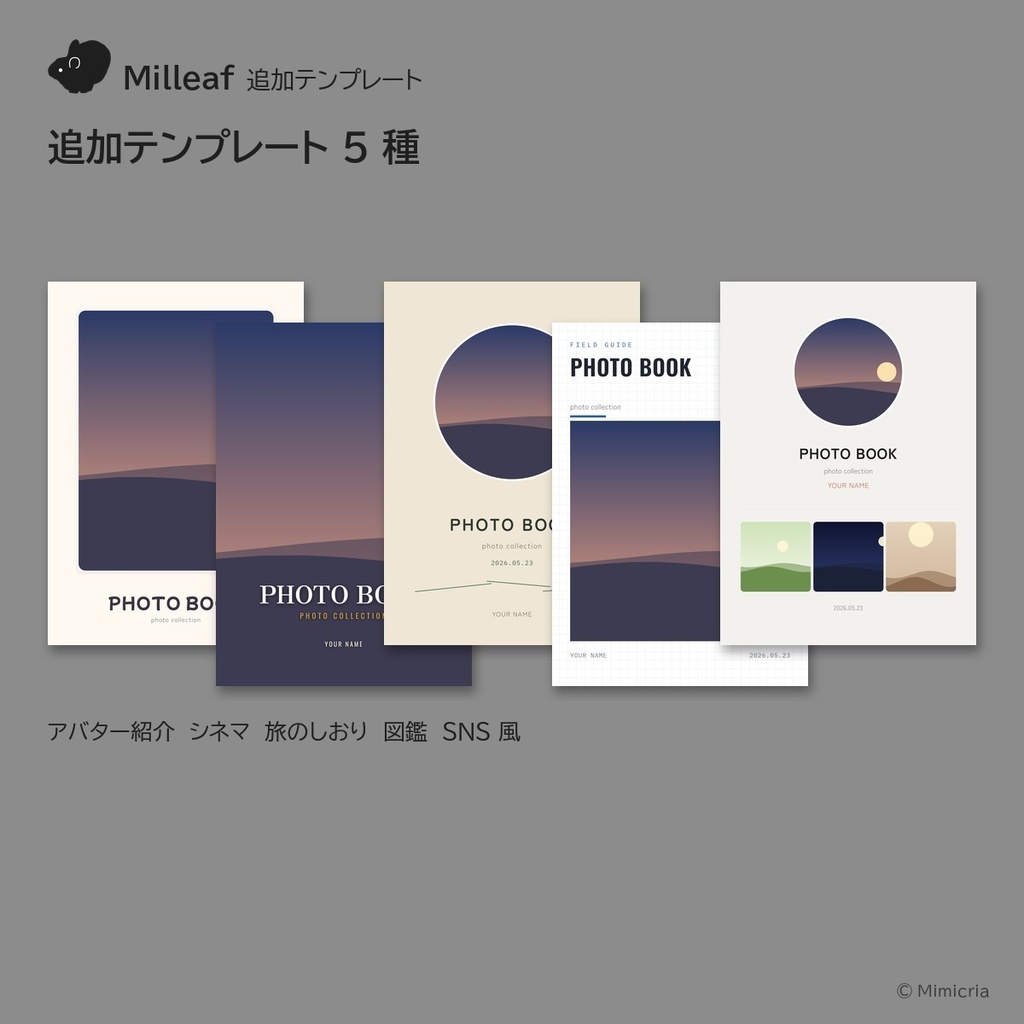
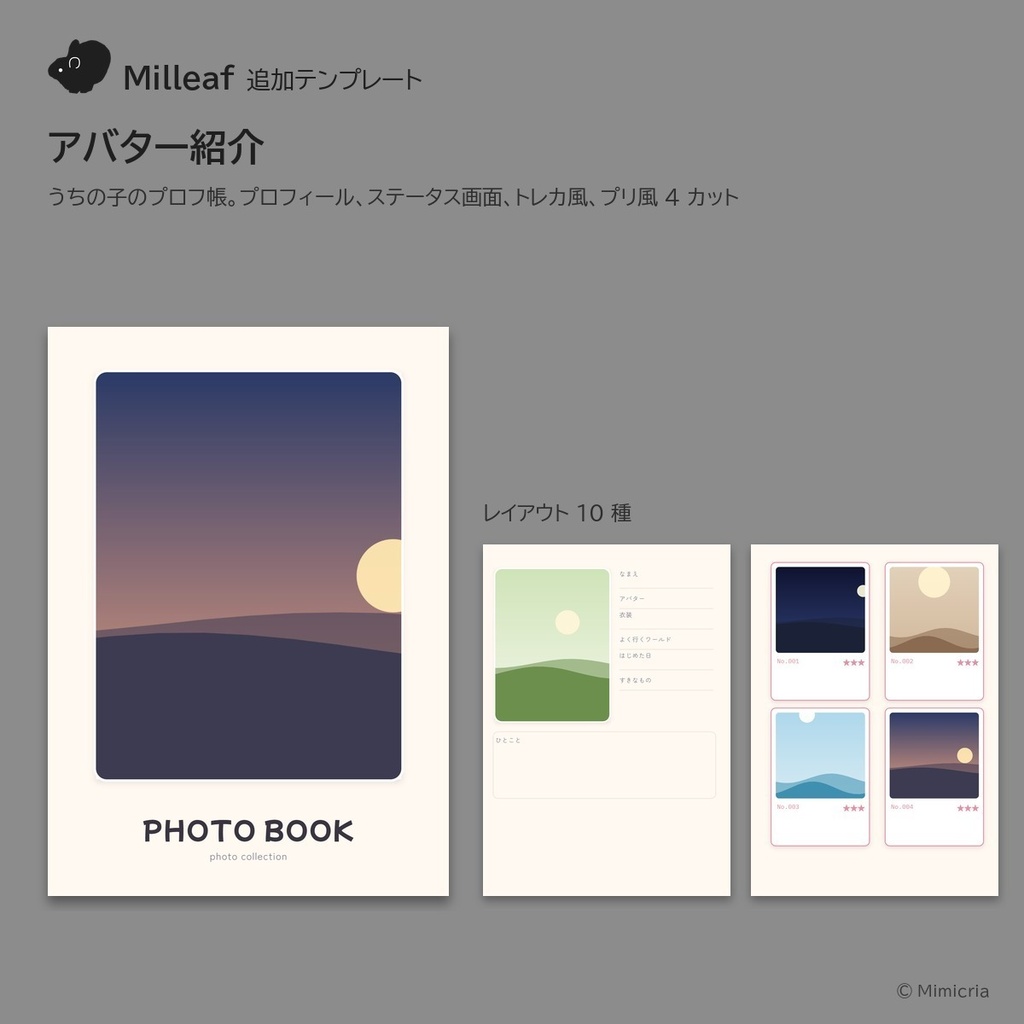
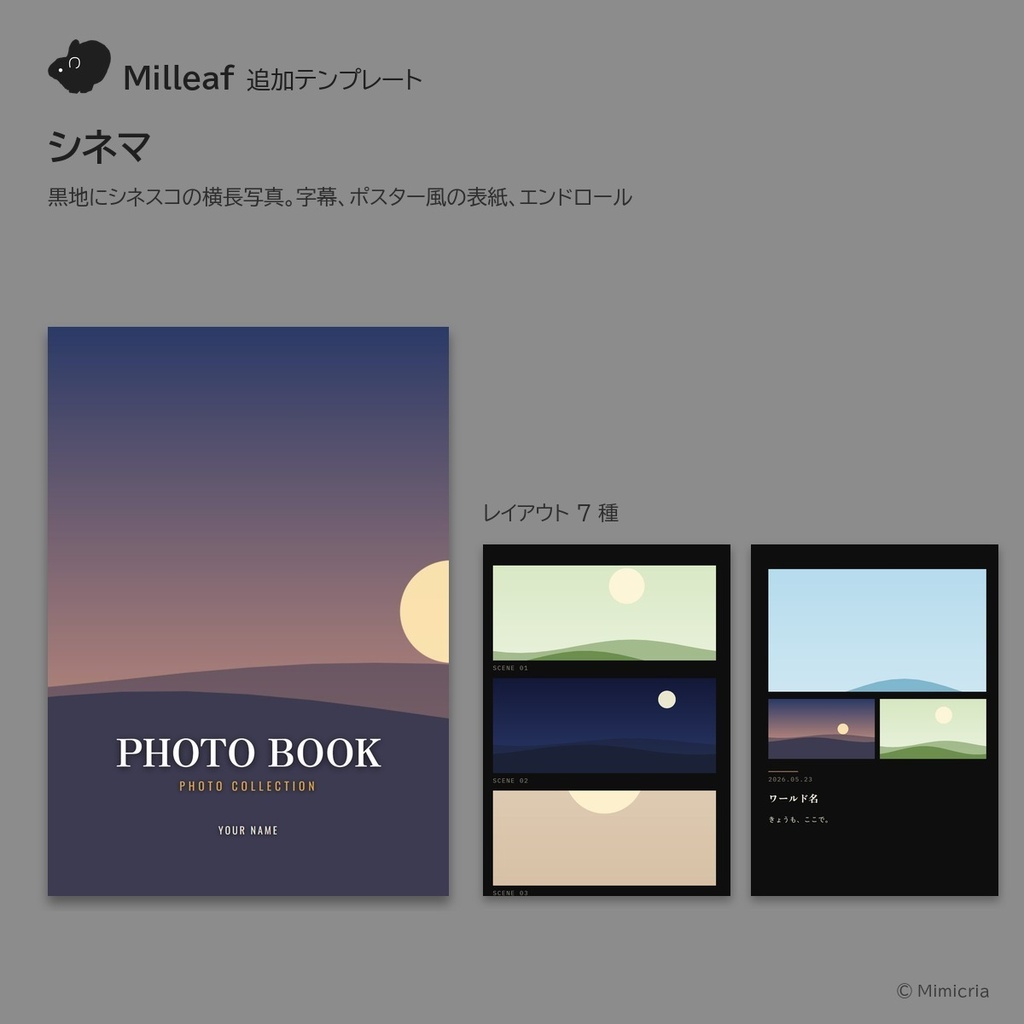
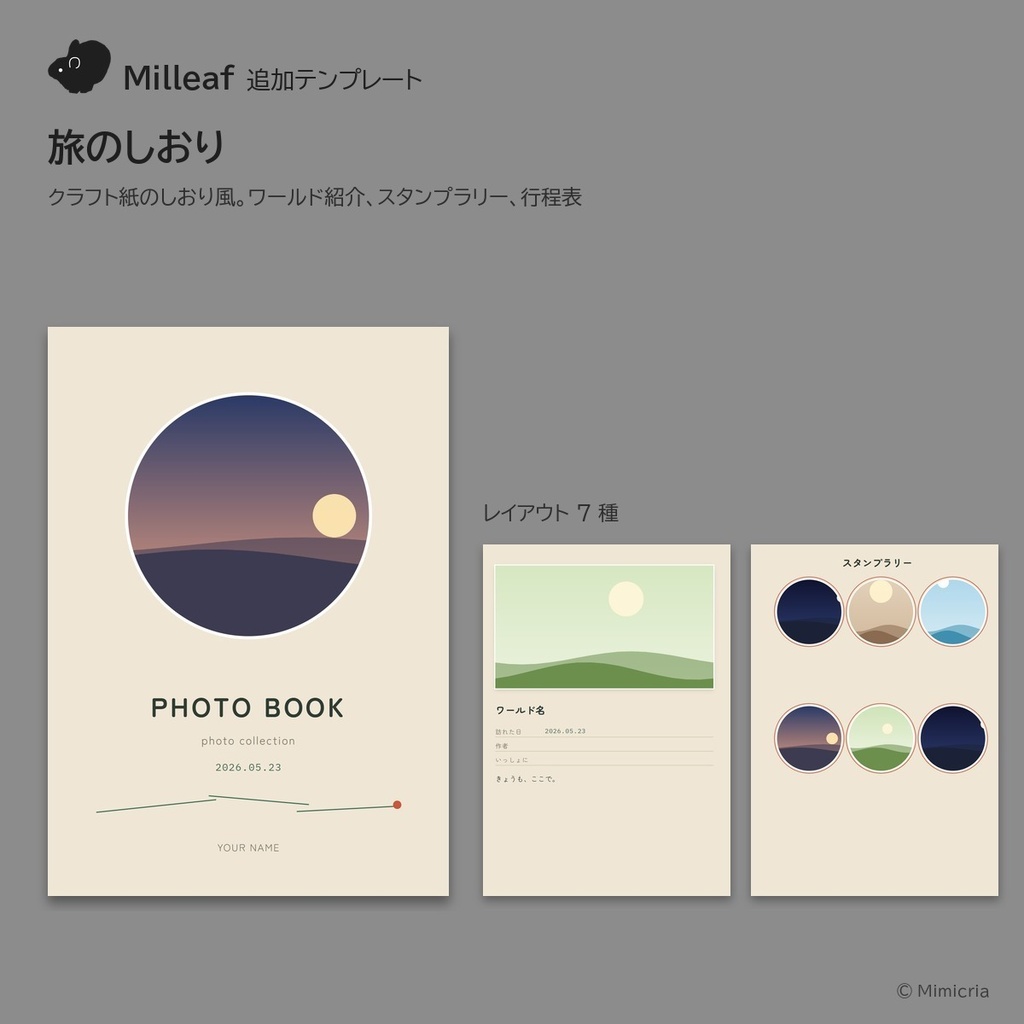
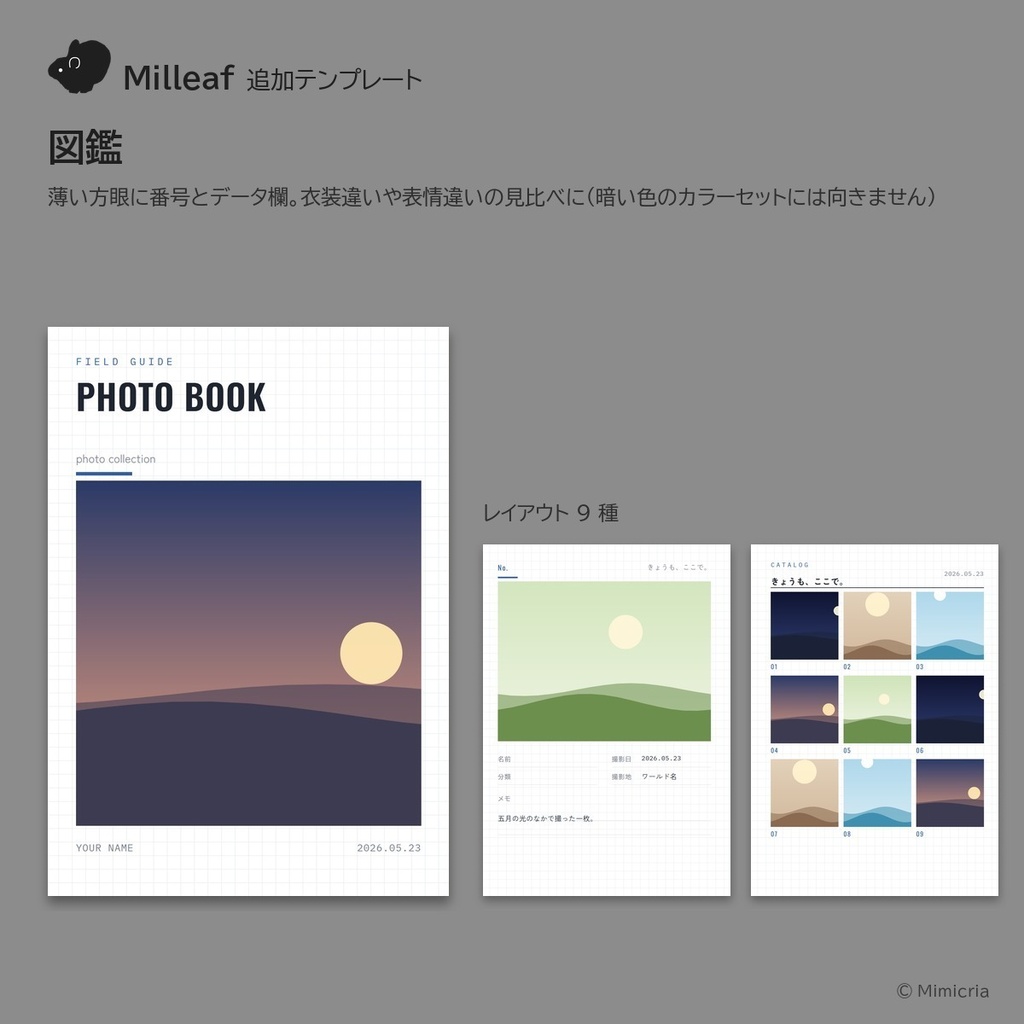
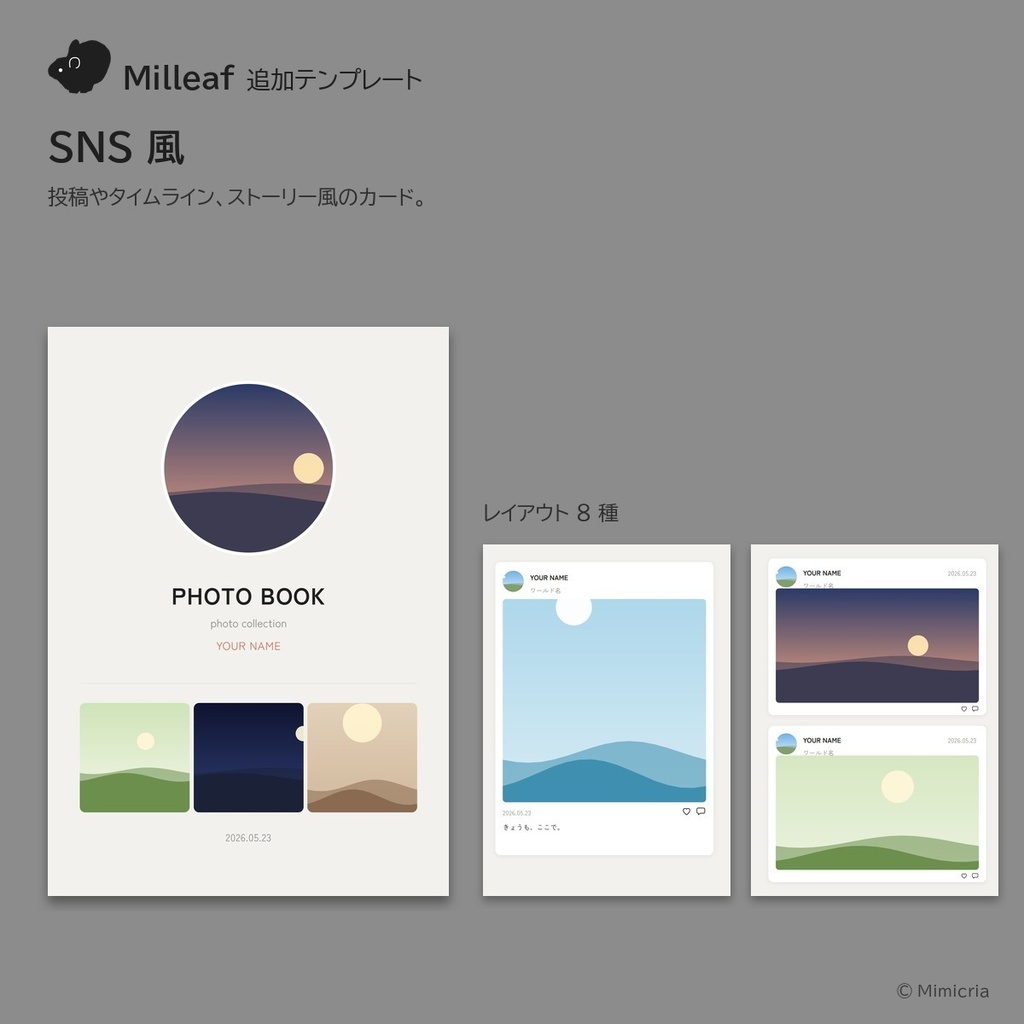


写真集アプリMilleaf(製品版)に追加できるテンプレートです。 5種のセットと、1種ずつがあります。セットは500円で、1種ずつ5つそろえる(1,000円)より50%オフ! ■ テンプレート ・アバター紹介:うちの子のプロフ帳。プロフィール、ステータス画面、トレカ風、プリ風4カット ・シネマ:黒地にシネスコの横長写真。字幕、ポスター風の表紙、エンドロール ・旅のしおり:クラフト紙のしおり風。ワールド紹介、スタンプラリー、行程表 ・図鑑:薄い方眼に番号とデータ欄。衣装違いや表情違いの見比べに ・SNS風:投稿やタイムライン、ストーリー風のカード。アイコンには本の中で同じ写真が入ります ■ 入れ方 Milleafのテンプレート画面で「ZIPから追加」を押し、ダウンロードしたZIPを選びます。セットのZIPは1回で5種とも入ります。 Milleafの製品版で使えます。体験版では使用・追加できないのでご注意ください。 第2弾の5種(絵日記、ふたりの記念日など)は、追加テンプレート2のページにあります:https://mimicria.booth.pm/items/8965894
English
Templates for Milleaf (full version), the Windows app that turns your VRChat screenshots into photo books. Get all five as a set, or buy them one at a time. The set is ¥500, 50% off the price of buying all five separately (¥1,000). ■ Templates ・Avatar profile: a profile book for your avatar, with a profile page, a status screen, a trading-card layout and a four-shot photo-booth strip ・Cinema: wide-screen photos on black pages, with subtitles, a poster-style cover and end credits ・Travel guide: kraft-paper pages in the style of a trip booklet, with world introductions, a stamp rally and an itinerary ・Field guide: numbered pages with data fields on faint graph paper, for comparing outfits and expressions ・Social feed: cards styled like posts, timelines and stories; the profile icons use photos from the same book ■ How to add In Milleaf, open the template screen, click "Add from ZIP" and choose the ZIP you downloaded. The set ZIP adds all five at once. Adding templates needs the full version of Milleaf; the free trial cannot add them. Five more templates (Picture Diary, The Two of Us and others) are on the Add-on templates 2 page: https://mimicria.booth.pm/items/8965894
한국어
사진집 앱 Milleaf(정식판)에 추가할 수 있는 템플릿입니다. 5종 세트, 또는 한 종류씩 구매할 수 있습니다. 세트는 500엔으로, 한 종류씩 다섯 개를 사는 것(1,000엔)보다 50% 할인된 가격입니다. ■ 템플릿 ・아바타 소개: 우리 아이 프로필 북. 프로필, 스테이터스 화면, 트레이딩 카드풍, 네 컷 사진 ・시네마: 검은 바탕에 시네마스코프 가로 사진. 자막, 포스터풍 표지, 엔딩 크레딧 ・여행 안내서: 크라프트지 안내서풍. 월드 소개, 스탬프 랠리, 일정표 ・도감: 옅은 모눈 위에 번호와 데이터 칸. 의상이나 표정을 비교할 때 ・SNS 스타일: 게시물, 타임라인, 스토리풍 카드. 아이콘에는 책 속의 같은 사진이 들어갑니다 ■ 추가 방법 Milleaf의 템플릿 화면에서 'ZIP에서 추가'를 누르고, 다운로드한 ZIP을 고릅니다. 세트 ZIP은 한 번에 5종이 모두 들어갑니다. Milleaf 정식판에서 쓸 수 있습니다. 체험판에서는 추가할 수 없습니다. 제2탄 5종(그림일기, 우리 둘의 기념일 등)은 추가 템플릿 2 페이지에 있습니다: https://mimicria.booth.pm/items/8965894