

【VRChat/VRCFury対応】ディスクグラインダーギミック / Angle Grinder【PC・Quest・iOS】
- ダウンロード商品¥ 1,500
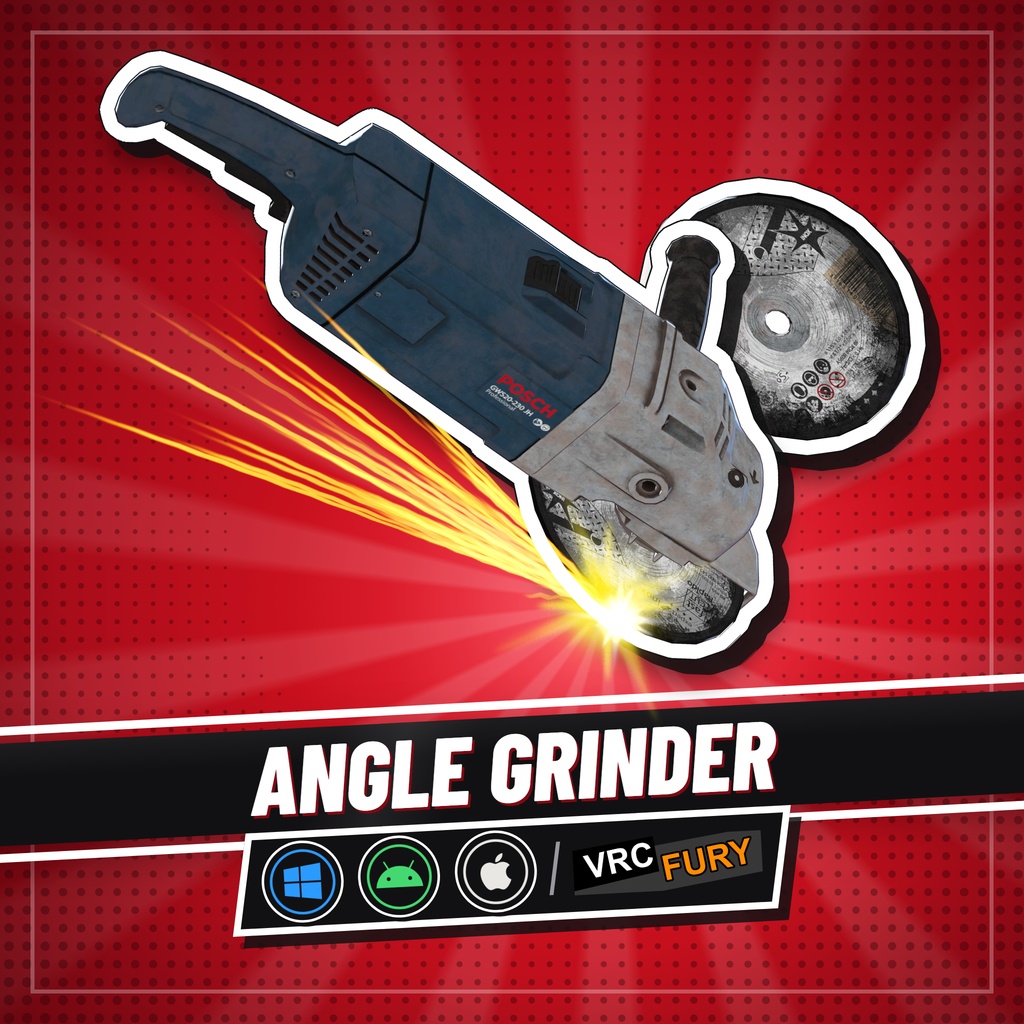
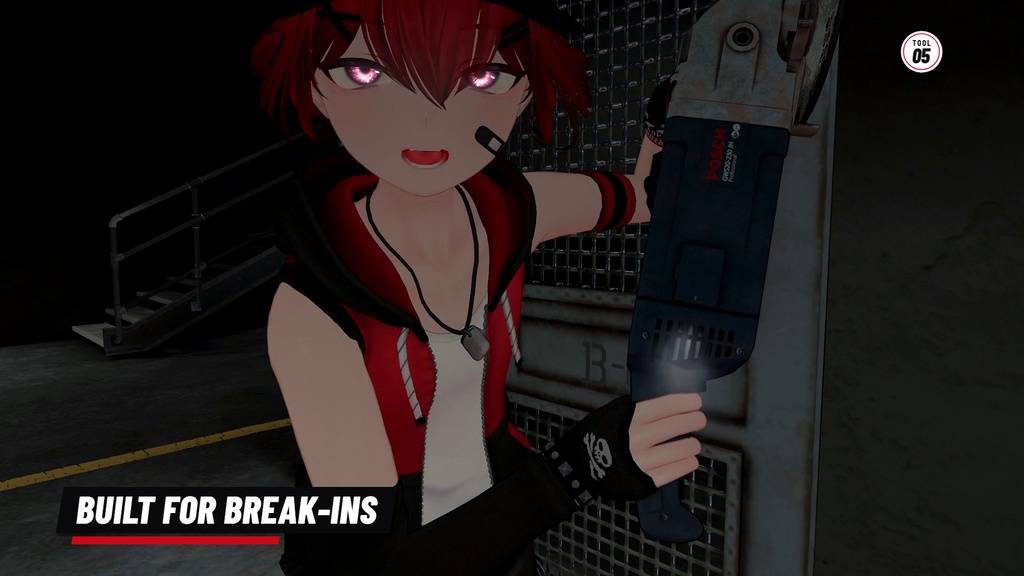
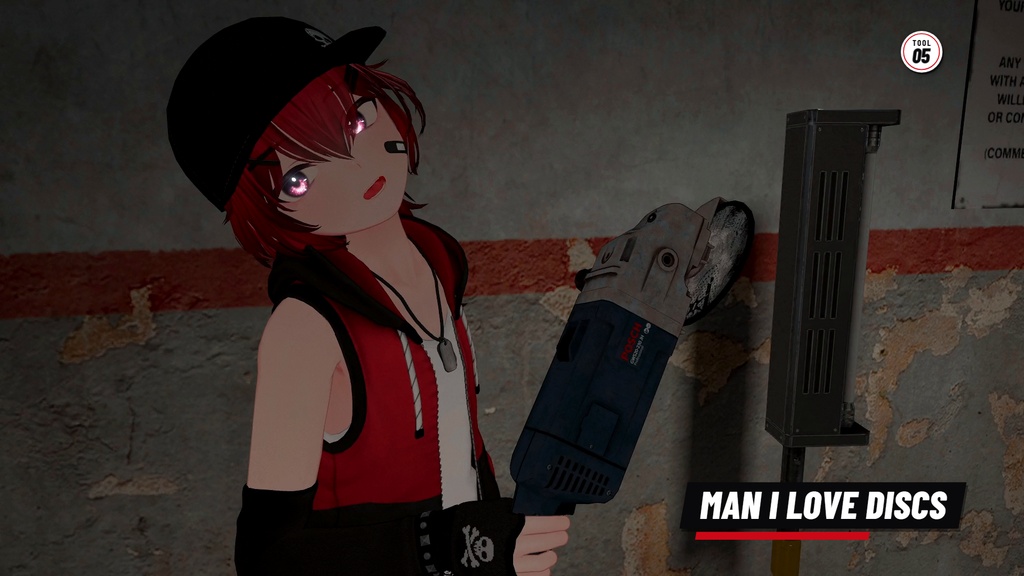
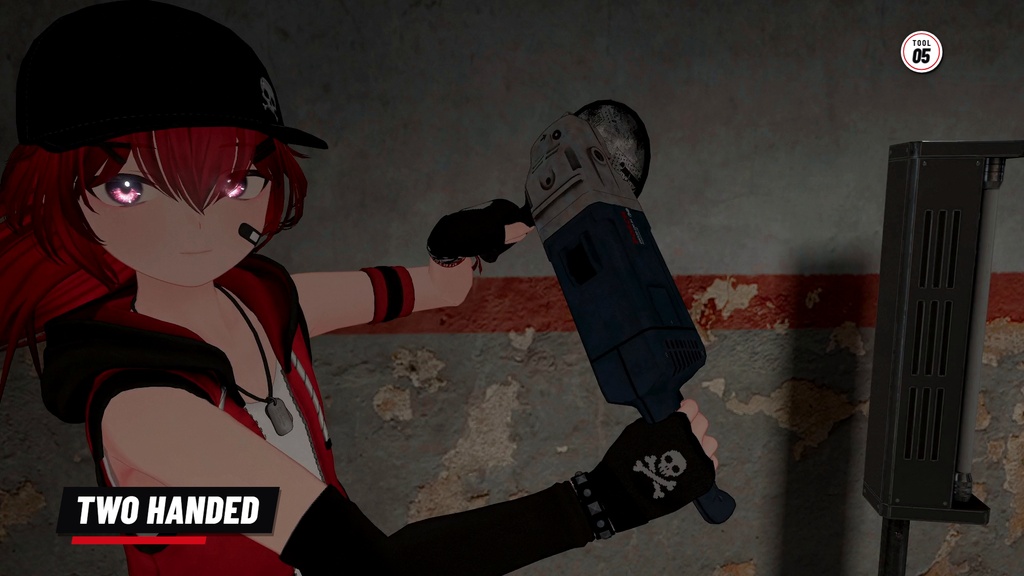


鍵のかかった施設への侵入にも、フレンドへのイタズラにも使える、ディスク交換式・両手持ちのディスクグラインダーです! ・スイッチを入れて起動、左手でハンドルを握って両手で構える ・予備のディスクを手に取って、交換・装填できる ・ディスクは使うほどすり減って割れる(摩耗はメニューでOFFにできます) ・完全同期 ・PC・Quest・iOS対応(Quest・iOS版は効果音なし) ・デスクトップモードにも対応 ・導入にはVRCFury(無料)が必要です。Prefabをアバター直下に入れるだけで導入できます。 どのVRChatアバターでもお使いいただけます。「Wylie(ワイリー)」に合わせて制作しているため、Wylieで使うのがいちばんしっくりきます。 「Wylie」はこちら: https://woel.booth.pm/items/8546329 ご購入前に「導入方法」「注意事項」「利用規約」を必ずご確認ください。 「Tools of the Trade」(商売道具)セットに含まれるギミックの1つです。 フレンドとの悪ふざけにぴったりなギミックがさらに4種類入ったフルセットも、ぜひチェックしてみてください! フルセットはこちら: https://woel.booth.pm/items/8961801
■お試しアバター
ご購入前に、制作者のパブリックアバターで「ディスクグラインダー」を無料でお試しいただけます。 https://vrchat.com/home/avatar/avtr_a543e366-e9af-4594-bed2-4f17d9813e35
■特徴
【スイッチオン】 本体上部のスイッチを入れると起動します。ジェスチャーだけでも、トグルでも操作できます。 【両手持ち】 左手でハンドルを握って、狙いを定めましょう! 【ディスク交換式】 予備のディスクを手に取ってスピンドルに取り付ければ、装填完了です! 【ディスクは消耗品】 ご注意ください!ディスクは使うほどすり減り、最後には割れてしまいます。気になる場合は、メニューの「Enable Disc Wear」をOFFにすると摩耗しなくなります。
■内容物
・AngleGrinder_1.00.zip(UnityPackage+導入解説動画) ・PC版とQuest・iOS版のPrefab(1つのパッケージにすべて同梱) ・それぞれ2バージョン:With Gestures(持っている間、両手が自動で握りポーズになります)と No Gestures(ジェスチャー操作はそのまま使えます。手のポーズは付かず、お使いのアバターのハンドアニメーションを変更しません)。ポーズはWylieに合わせて作成しているため、他のアバターでは多少の調整が必要になる場合があります。 ・Expression Menu(「Gimmicks」内):Toggle Angle Grinder(表示ON/OFF)、Turn On Angle Grinder(電源ON)、Grab a Disc(ディスクを取る)、Manually Load Disc(ディスクの手動装填)、Enable Disc Wear(ディスク摩耗のON/OFF)、Instructions(ゲーム内説明・英語) ※ 導入解説動画はYouTubeでもご覧いただけます。 https://www.youtube.com/watch?v=f_Bf_eqQbUw
■動作確認環境
・Unity 2022.3.22f1 ・VRChat SDK - Avatars 3.10.5以降 ・VRCFury 1.1418.0以降(無料) https://vrcfury.com ・lilToon 2.3.4以降(PC版Prefabのみ) ・Write Defaults ON/OFF どちらのアバターでも動作します。(With Gestures版のPrefabをお使いの場合は、Write Defaults ONが必要です)
■導入方法
1. VRCFury をプロジェクトに追加してから、本商品の UnityPackage をインポートします。(https://vrcfury.com) 2. Prefab を1つ選び(PC版 または Quest・iOS版、With Gestures または No Gestures)、アバター直下にドラッグ&ドロップします。 3. 本体と予備ディスクがそれぞれの手にきちんと収まるまで、Prefab 内の「AngleGrinder」(右手)と「CuttingWheel」(左手)の位置・回転を調整します。 4. VRChat SDK からアップロードすれば完了です。
■パフォーマンス
PC版/Quest・iOS版 共通(個別に記載したものを除く) ・ポリゴン数:△5,306 ・Skinned Mesh数:2/Basic Mesh数:1 ・マテリアルスロット数:PC版 23/Quest・iOS版 22 ・Contact数:4 ・Constraint数:3(深度2) ・ボーン数:4 ・Light数:PC版 1/Quest・iOS版 0 ・Particle System数:PC版 19(最大パーティクル数641、メッシュパーティクルのポリゴン数5,248)/Quest・iOS版 18(最大パーティクル数591、メッシュパーティクルのポリゴン数1,248) ・Raycast数:1 ・同期パラメータ使用量:17bit/256bit ・テクスチャメモリ:PC版 1.7MB/Quest・iOS版 0.7MB ・Audio Source数:PC版 5/Quest・iOS版 0
■注意事項
※ Quest・iOS版では音が出ません。 ※ 本体は右手、予備のディスクは左手で持つ設定です。 ※ パブリックインスタンスなどでは、周囲の方のご迷惑にならないようご使用ください。 ※ Unity・SDK・シェーダーのバージョンによっては、動作が異なる場合があります。また、今後のアップデートで互換性に影響が出る可能性があります。 ※ ダウンロード商品の性質上、返品・返金・交換には対応できません。
■利用規約
本商品をご購入いただいた時点で、本規約に同意したものとみなします。(規約は最新のものが適用されます) 【可能】 ・VRChatでの個人利用 ・本商品を導入したアバターのパブリック公開(アバターペデスタルへの設置を含む) ・改変、および改変したもののVRChatでの使用 ・他の方のアバターへの導入代行(依頼者と代行者の双方が本商品を購入している場合に限ります) ・スクリーンショット・動画・配信・SNS投稿への使用(収益化されたものを含む) 【禁止事項】 ・オリジナル/改変を問わず、データの再配布・転売・共有 ・販売するアバターやアセットへの同梱 ・制作者や第三者に迷惑をかける使用 ・NFT、ブロックチェーン関連サービス、AI学習データセットへの利用 ・本商品を自作発言する行為 ・本商品の一部を抽出し、他の制作物へ流用する行為 【商用利用について】 収益化された動画・配信でのご利用は可能です。法人・イベント・広告・グッズでのご利用をご希望の場合は、事前に制作者までご連絡ください。
■お問い合わせ
不具合やご質問は、BOOTHのメッセージ、またはX(@WoelVRC)までお願いいたします。 お問い合わせの際は、Unityバージョン/VRChat SDKバージョン/VRCFuryバージョン/シェーダーバージョン/不具合のスクリーンショット/エラーメッセージを添えていただけると助かります。
■クレジット
・グラインダー本体の3Dモデル:Damian Tkaczyk 様(CC BY 4.0、改変あり) https://sketchfab.com/3d-models/angle-grinder-428ba3a0e8cd4571809367d2cab3b319 https://creativecommons.org/licenses/by/4.0/ ・Magic Decal(シェーダー):Nebula Animations 様 https://nebulaanimations.gumroad.com/l/MagicDecal ・動画出演(なすすべもない囚人役):The FeFe 様
■更新履歴
2026/10/11 v1.00 リリース
═══════ English ═══════
A two-handed angle grinder with loadable discs to help you break into locked facilities and to grind your friends :D ・PC, Quest & iOS compatible. ・Also works in desktop mode. ・Easy installation with VRCFury! Requires VRCFury (free). ・Fully synced Works on any VRChat avatar. Made for Wylie, so it fits him best: https://woel.booth.pm/items/8546329 Please read Setup, Notes and Terms of Use before purchasing. Part of the Tools of the Trade set Check out the full set which includes 4 more wacky gimmicks to terrorize your friends with! Full set available here: https://woel.booth.pm/items/8961801
■ Try Before You Buy
Try the Angle Grinder free on my public avatar here! https://vrchat.com/home/avatar/avtr_a543e366-e9af-4594-bed2-4f17d9813e35
■ Features
【Switch it on】 Flip the top switch to turn it on. Fully gesture controlled or via a toggle. 【Two handed】 Grab the handle with your left hand to aim it! 【Replaceable discs】 Grab a spare disc and mount it to the spindle to load the grinder! 【Discs wear out】 Careful! Discs wear down and shatter. Don't like it? Turn wear off in the menu.
■ What You Get
・AngleGrinder_1.00.zip: UnityPackage + install video ・PC and Quest & iOS prefabs in one package ・2 versions each: With Gestures (poses your hands while you hold it) and No Gestures (gesture controls still work; it just keeps your own hand animations). The poses were made on Wylie, so other avatars may need a small adjustment ・Menu: toggle, turn on, grab a disc, manually load disc, disc wear, in-game instructions ・Video install guide, in the download and on YouTube: https://www.youtube.com/watch?v=f_Bf_eqQbUw
■ Requirements
・Unity 2022.3.22f1 ・VRChat Avatars SDK 3.10.5 or newer ・VRCFury 1.1418.0 or newer (free) https://vrcfury.com ・lilToon 2.3.4 or newer (PC prefabs only) ・Works with Write Defaults On or Off. If using the With Gestures prefabs, you must use Write Defaults On.
■ Setup
1. Install VRCFury, then import the package. (https://vrcfury.com) 2. Pick a prefab (PC or Quest & iOS, With or No Gestures) and drag it onto your avatar's root 3. Move AngleGrinder (right hand) and CuttingWheel (left hand) inside the prefab until they sit in your hands 4. Upload!
■ Performance
Same on PC and Quest & iOS unless noted ・Triangles: 5,306 ・Skinned meshes: 2, basic meshes: 1 ・Material slots: 23 on PC, 22 on Quest & iOS ・Contacts: 4 ・Constraints: 3 (depth 2) ・Bones: 4 ・Lights: 1 on PC, 0 on Quest & iOS ・Particle systems: 19 on PC (641 max particles, 5,248 mesh particle polys), 18 on Quest & iOS (591, 1,248) ・Raycasts: 1 ・Synced parameters: 17 bits of your avatar's 256 ・Texture memory: 1.7 MB on PC, 0.7 MB on Quest & iOS ・Audio sources: 5 on PC, 0 on Quest & iOS
■ Notes
※ Heads up! The Quest & iOS version doesn't have audio! ※ Set up with the grinder in your right hand and the spare disc in your left hand. ※ Please be considerate of the people around you when using it in public instances. ※ Behavior may differ depending on your Unity, SDK, or shader version, and future updates may affect compatibility. ※ Digital product: all sales are final (no refunds, returns or exchanges)!
■ Terms of Use
By purchasing the Angle Grinder, you agree to the following (the latest version always applies): 【You can】 ・Use it personally in VRChat ・Upload avatars with it as public avatars (pedestals are fine) ・Edit and modify it, and use your edits in VRChat ・Install it for someone else as a commission, if you both own the Angle Grinder ・Post screenshots, videos, streams and socials, monetized content included 【You cannot】 ・Redistribute, resell or share the files (original or edited) ・Include it in avatars or assets you sell ・Use it in a way that causes trouble for me or anyone else ・Use it in NFTs, blockchain projects or AI training datasets ・Claim it as your own work ・Rip out parts to reuse in other products 【Commercial use】 Monetized videos and streams are fine. Company, event, advertising or merch use: ask me first.
■ Contact
Questions or bugs? Message me on BOOTH or DM me on X (@WoelVRC). When reporting an issue, include your Unity version, VRChat SDK version, VRCFury version, shader version, a screenshot, and any error message.
■ Credits
・Angle grinder model by Damian Tkaczyk, CC BY 4.0, modified https://sketchfab.com/3d-models/angle-grinder-428ba3a0e8cd4571809367d2cab3b319 https://creativecommons.org/licenses/by/4.0/ ・Magic Decal shader by Nebula Animations https://nebulaanimations.gumroad.com/l/MagicDecal ・Helpless prisoner - The FeFe
■ Update History
2026/10/11 v1.00 Release