

【Victorian Collection No.006】ヴィクトリア調卓上ライト 赤・白2色セット(点灯・明るさ調整付き) / 3Dモデル(VRChat・Unity・Blender対応)
- 通常版ダウンロード商品¥ 500
- 支援版(内容は通常版と同じ)ダウンロード商品¥ 1,000
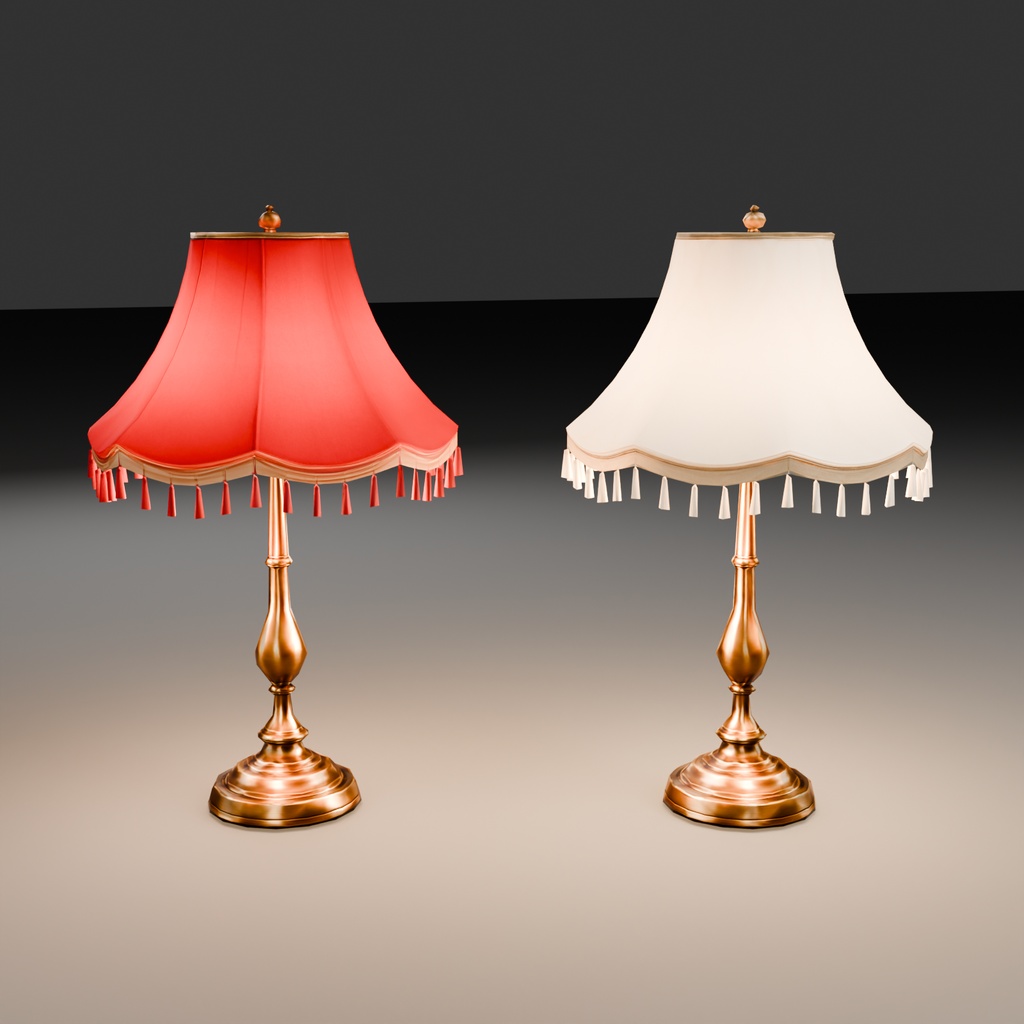
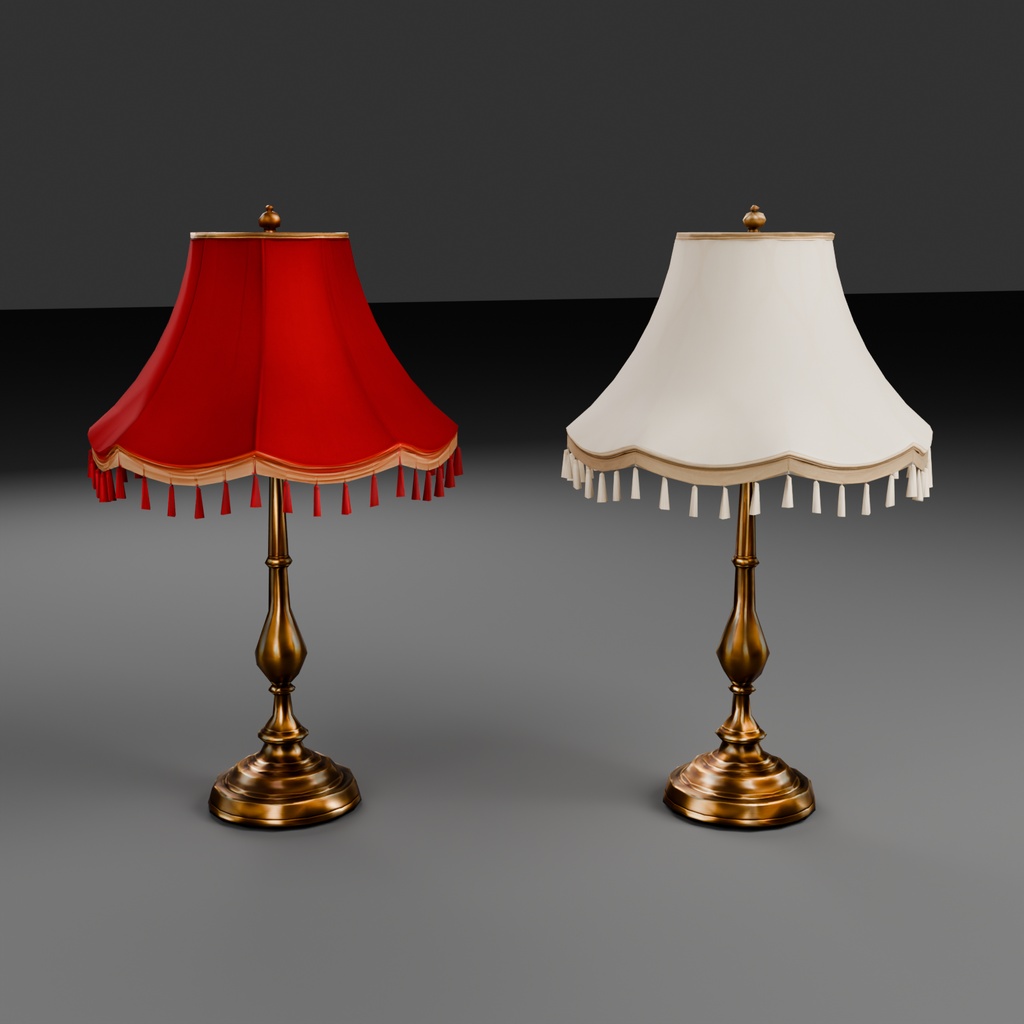
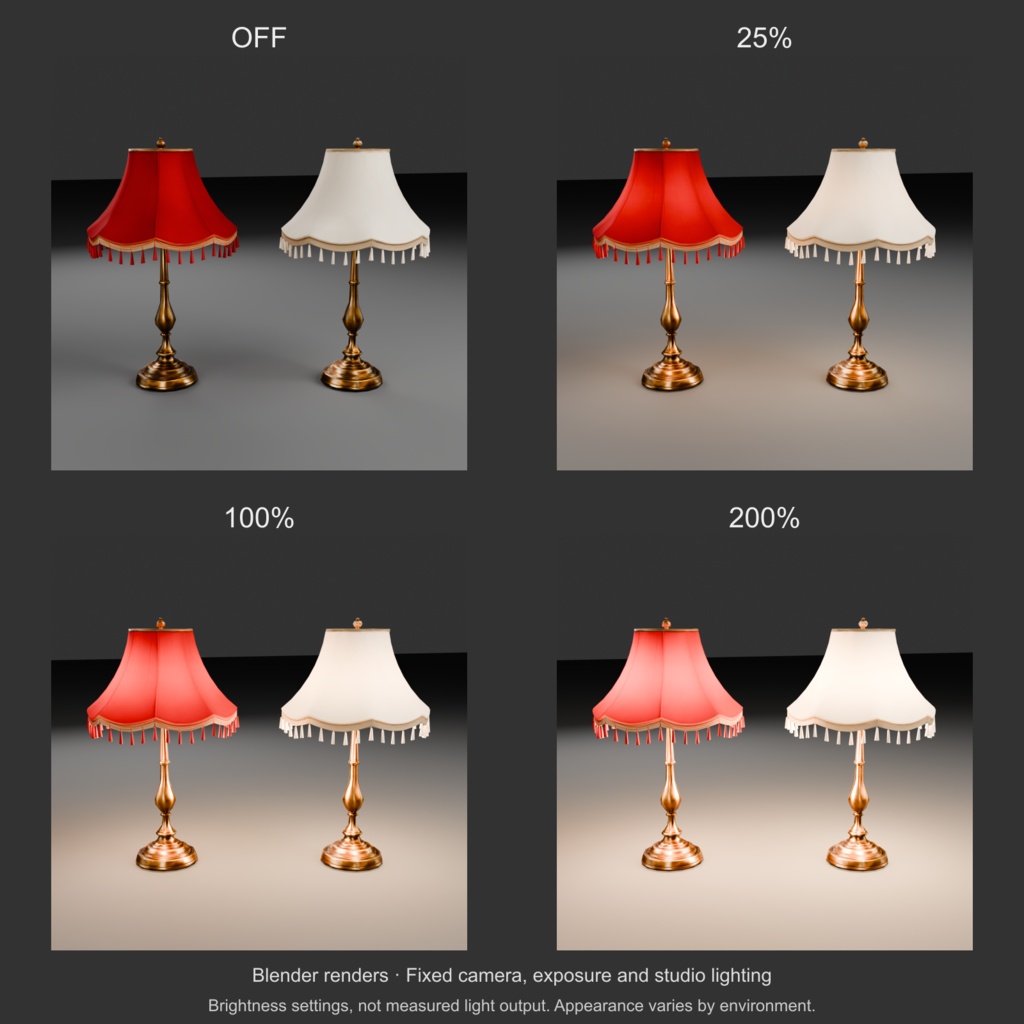
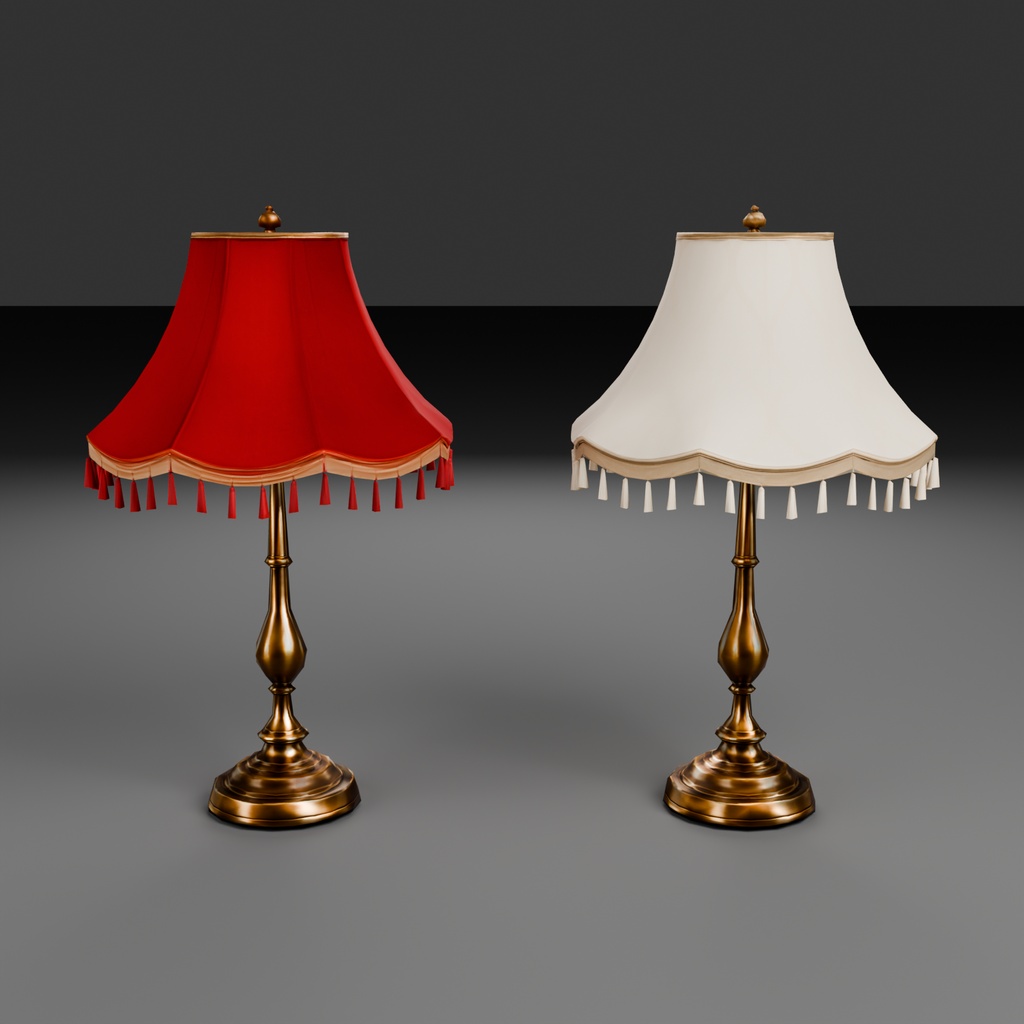
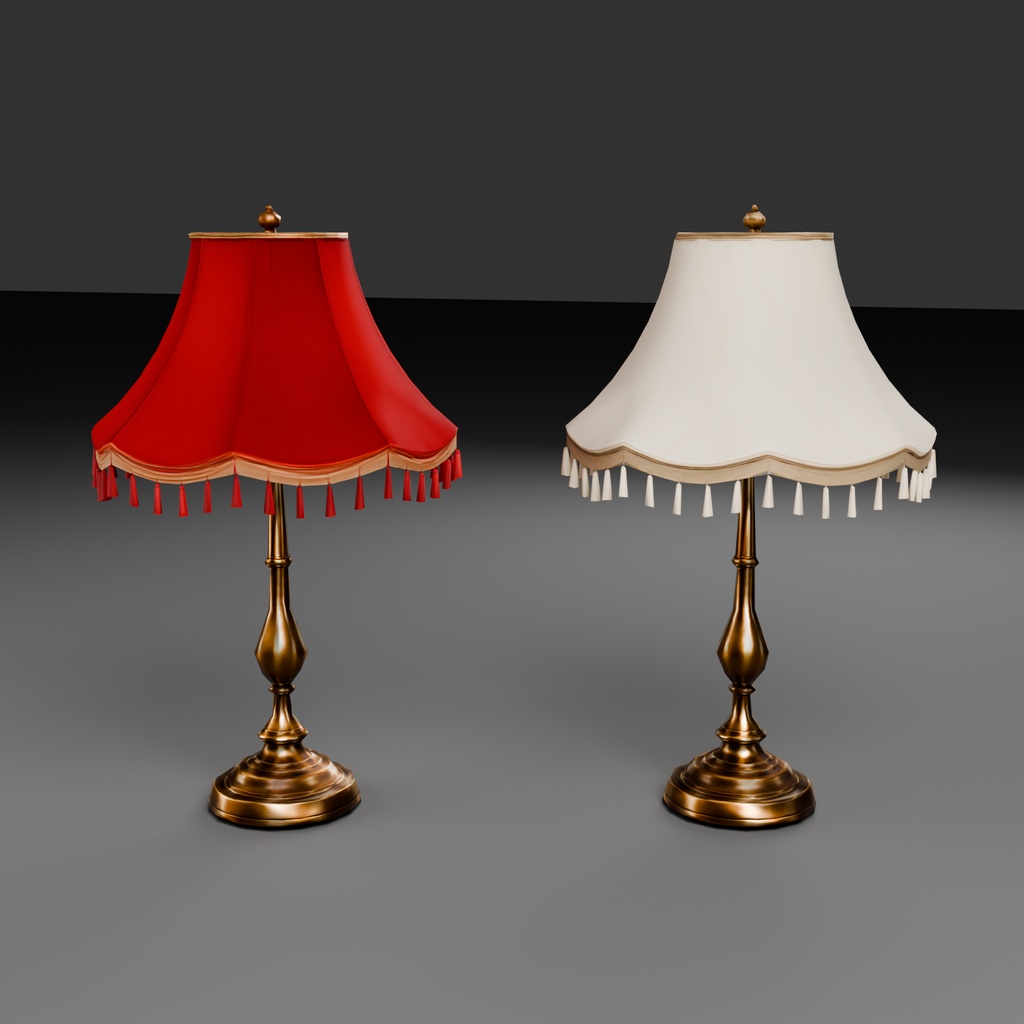
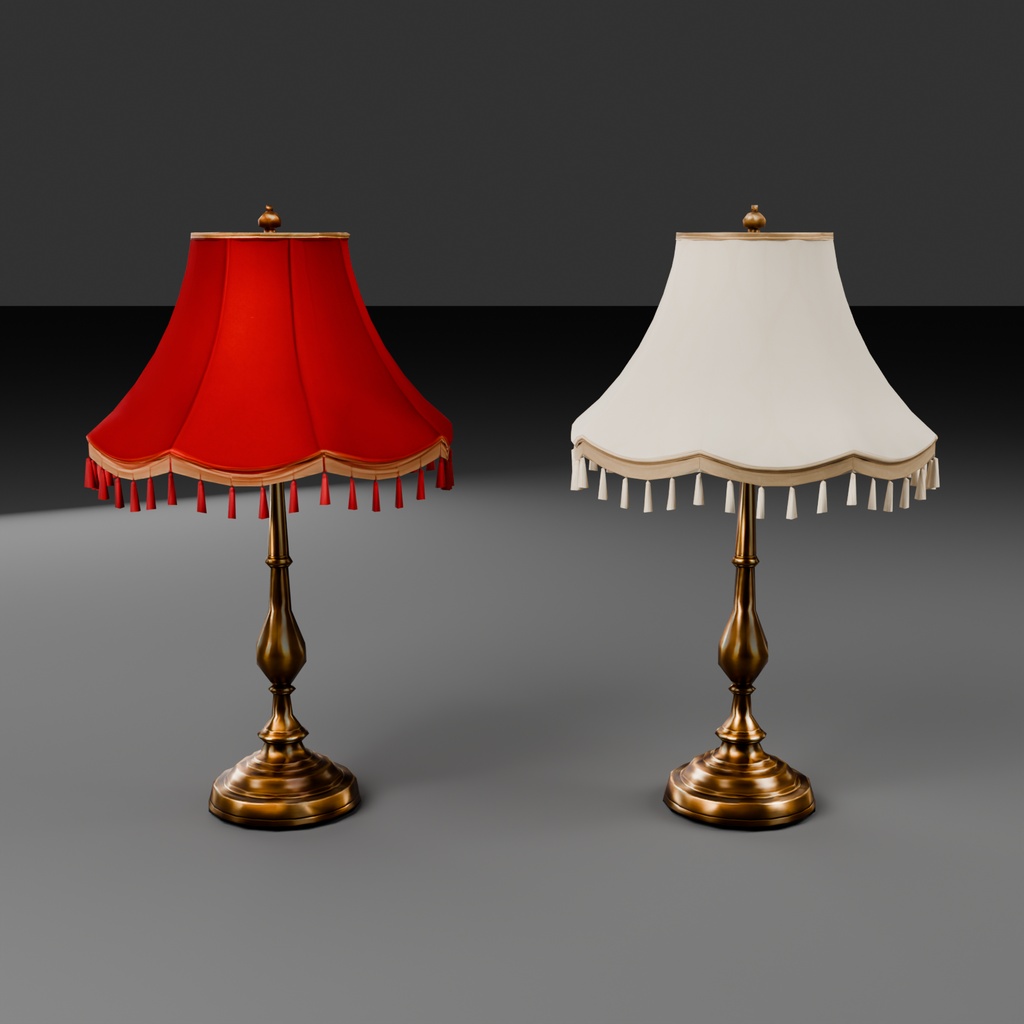
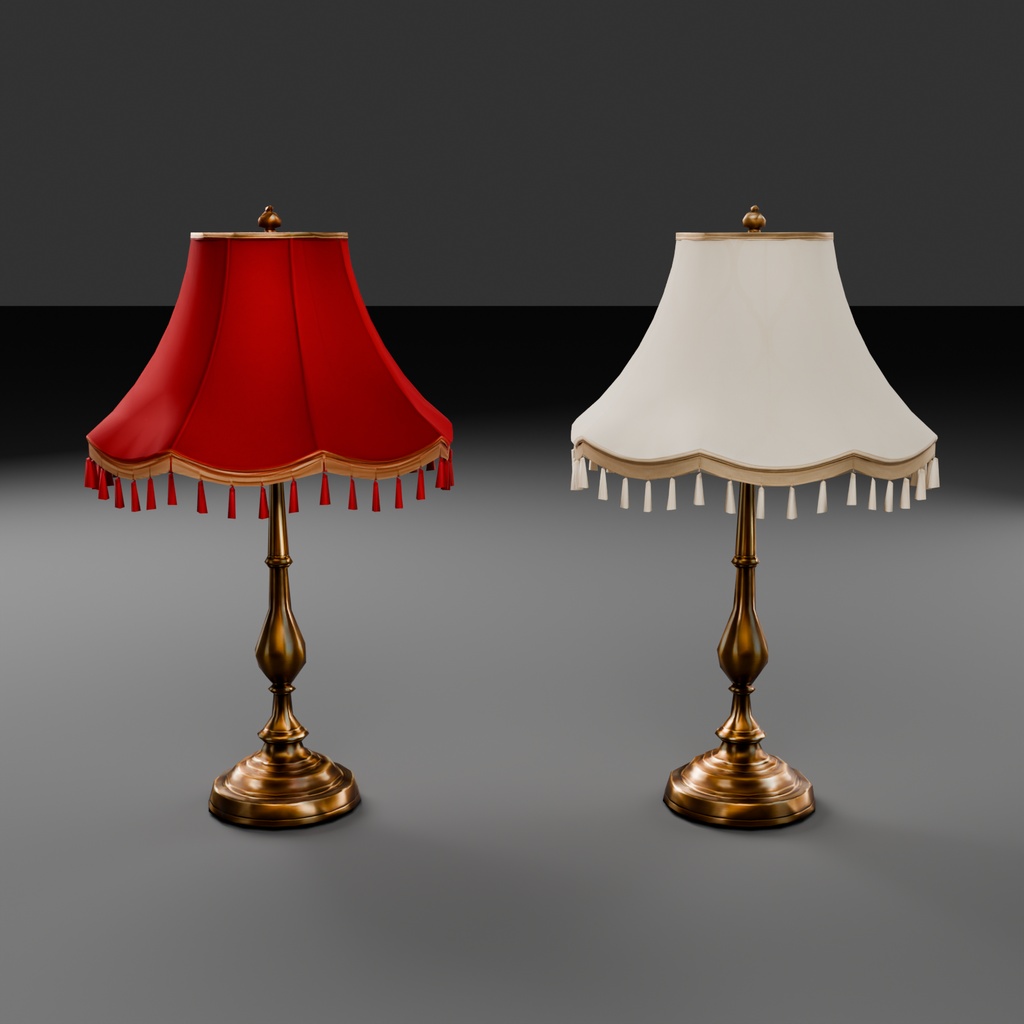
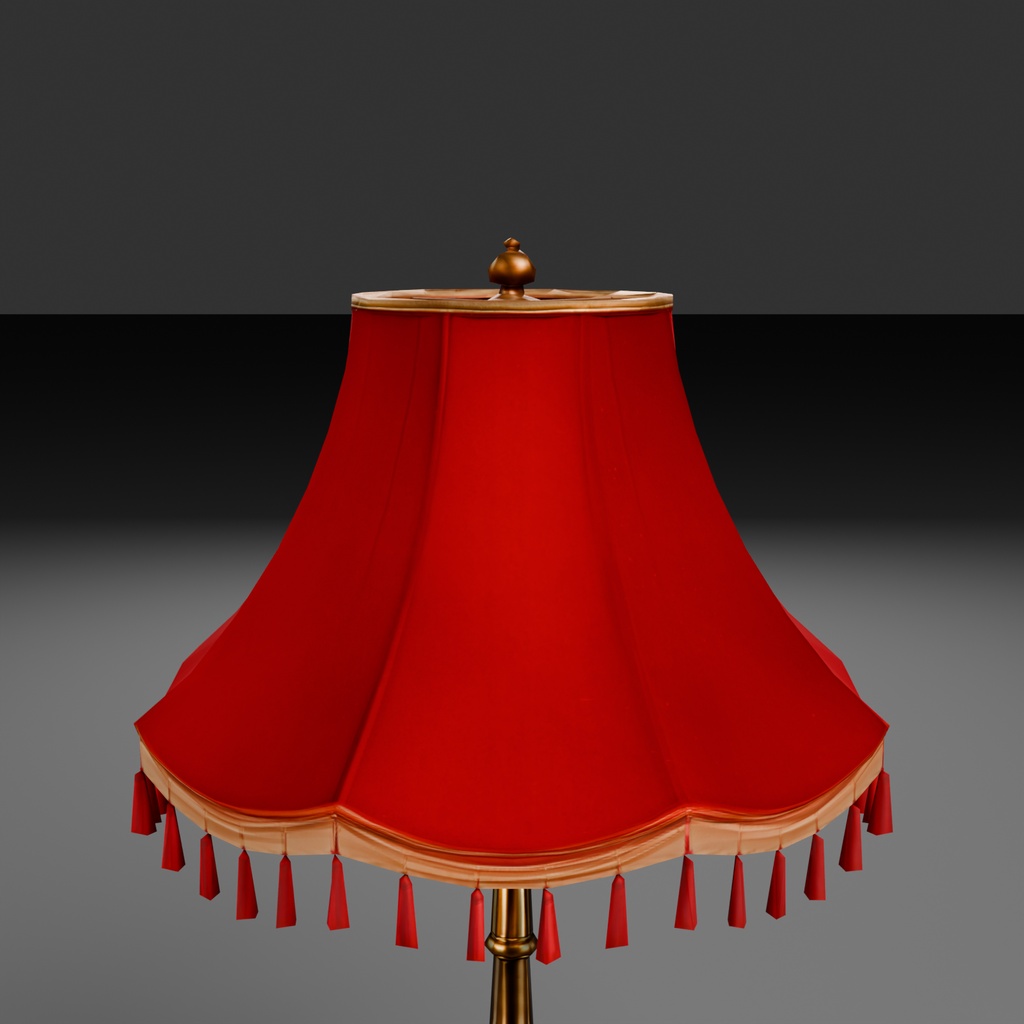
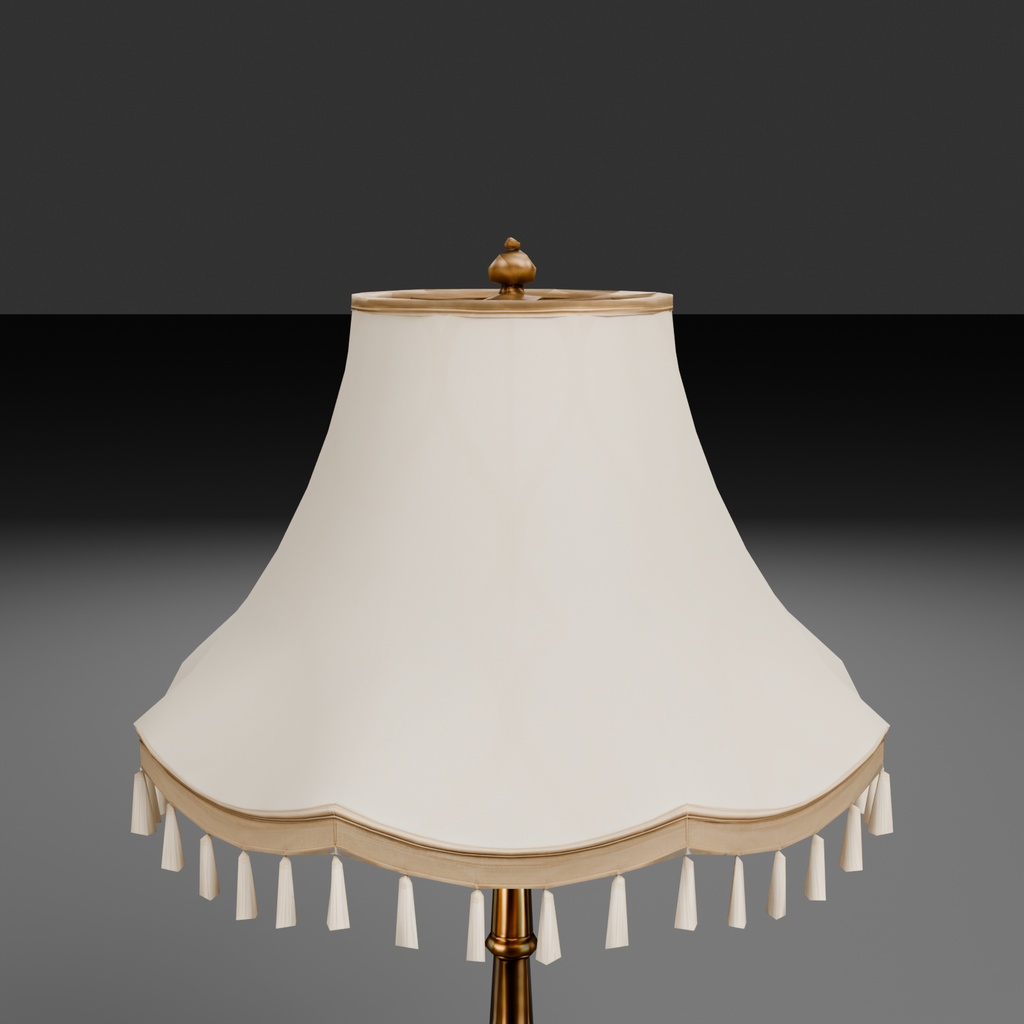
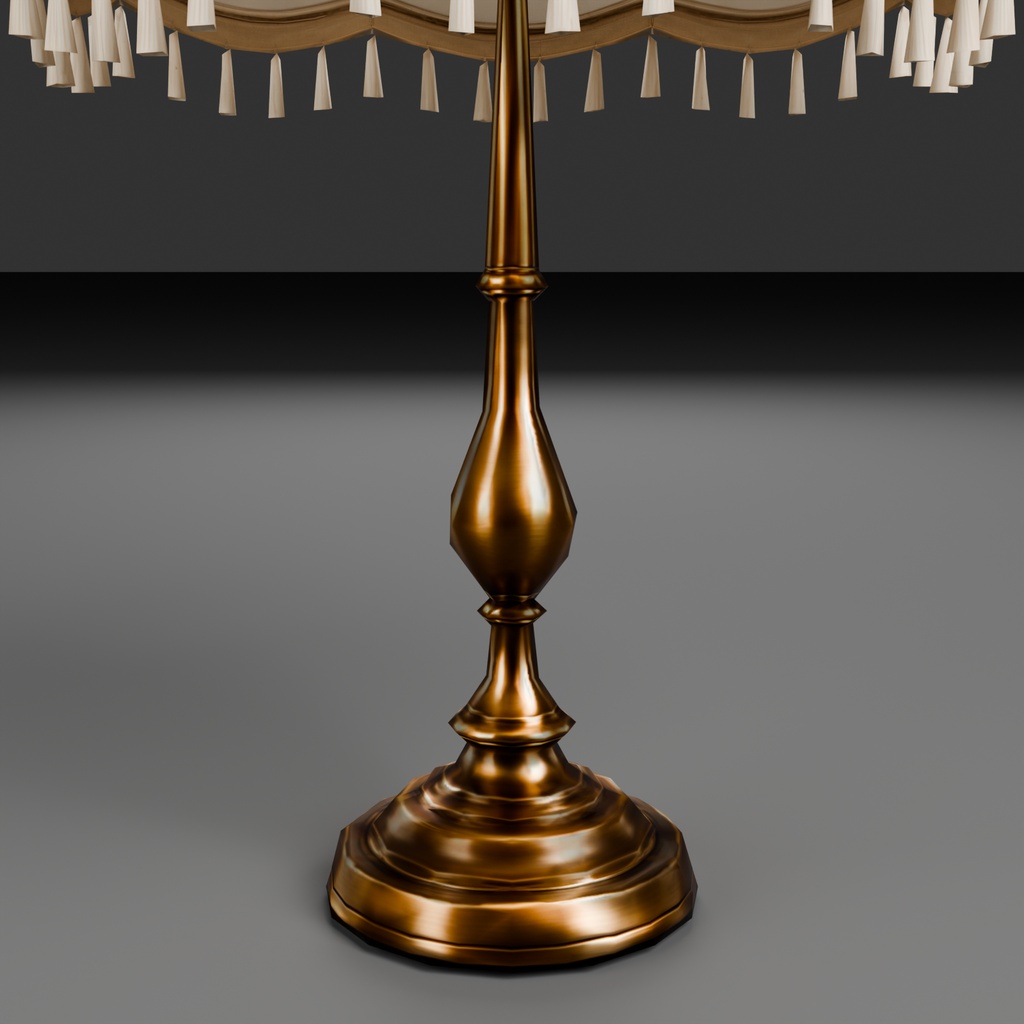


灯りをつける・消す。明るさを変えて、部屋の雰囲気づくり。 点灯・消灯と明るさ調整ができる、ヴィクトリア調の卓上ライトの3Dモデルです。 Switch the lamps on or off and adjust their brightness to suit your scene. A 3D model of Victorian-style table lamps with lighting and brightness controls. 詳しい説明は下の段落「日本語」、更新内容は「更新履歴」をご覧ください。 For details in English, see "ENGLISH" below. Changes are listed in "Update history".
日本語
灯りをつける・消す。明るさを変えて、部屋の雰囲気づくり。 点灯・消灯と明るさ調整ができる、ヴィクトリア調の卓上ライトの3Dモデルです。 深い赤と白(アイボリー)の2色、照明・操作の設定済みデータをセットにしています。 真鍮風の台座と房飾り付きの傘が、洋館・書斎・ホテルなどのクラシックな室内を彩ります。 「Victorian Collection」は、ヴィクトリア様式の家具を1点ずつ揃えていくシリーズです。 本商品はその No.006 です。卓上照明を、赤・白の2色セットで収録しています。 ■ 特徴 ・点灯/消灯:灯りの有無を切り替え、室内の演出に合わせられます ・明るさ0〜200%:控えめな灯りから強めの灯りまで調整できます(100%が初期値) ・消灯しても設定を保持:次に点灯すると、消す前に設定した明るさへ戻ります ・赤・白の両方に搭載:色や置き場所に合わせて、それぞれの灯りを調整できます ・%は本アセットの明るさ設定値です。照度(ルクス)や画面の明るさの比率ではありません ・Unity用は照明・素材・制御を設定したPrefab(配置用データ)を同梱 ・VRChat用はLocal版とSynced版、操作窓あり/なしを各色に用意(Synced版の複数人動作は未検証です。下記「ご購入前にご確認ください」参照) ・Blender版は「Lamp On」「Lamp Brightness」で点灯と明るさを調整できます ・両色とも幅約36.1cm、高さ約61.8cm ・モデル本体:赤1,873三角形/白1,872三角形(撮影用床・操作窓の描画負荷は別) ・白の傘は淡い柄で、遠目では無地に近く見えます ・Blender の .blend はテクスチャをパックしてあるので、単体で開けます ■ 同梱物 ・赤/白の.blend(テクスチャをパック済み)、任意のBlender操作アドオン ・Unity Built-in用の赤白セット.unitypackage ・VRChat PC Worlds用の赤白セット.unitypackage(SDK本体は含みません) ・赤/白のFBX、テクスチャ ・プレビュー画像8枚 ・README(日英)/ LICENSE(日英) ■ モデル仕様 ・三角形数: 赤1,873 / 白1,872(モデル本体) ・頂点数: 赤1,205 / 白1,204(Blenderのモデル本体) ・マテリアル数: 各色3 / メッシュ: 各色3 / UV: 各メッシュ1層 ・テクスチャ: Albedo(BaseColor)/Normal/Roughness/Metallic、傘用EmissionMask ・テクスチャ解像度: 赤の台座・傘と白の台座は1024 × 1024。白の傘はAlbedo/Metallic/EmissionMaskが2048 × 2048、Normal/Roughnessが16 × 16 ・寸法: 各色とも約 0.361 × 0.361 × 0.618 m(幅 × 奥行 × 高さ) ・4096 × 4096の差し替え用テクスチャ、4K差し替え手順、GLBは含みません ■ Unity / VRChat ・Unity Core版は各色1個、Worlds版は各色4個のPrefabを同梱 ・Unityは同梱の専用シェーダー「VictorianLamp/PBR Glow」を使用(既存家具のUnity Standard Shader構成とは異なります) ・Worlds版はUdonSharpによる点灯・調光制御。SDK本体は別途導入が必要です ・VRChat用の操作窓付き版は、ライト本体のInteract(使用操作)で操作窓を表示。ON/OFF、明るさを25%ずつ下げる・上げる、100%に戻す操作ができます ・操作窓なしの版も同梱しています ・本体用Box Colliderは各色1個(Core・Worlds共通)。操作窓付き版はUI用を別途1個追加。傘・支柱・台座を個別に覆う精密な当たり判定ではありません ・確認環境:Blender 5.2.0 LTS、Unity 2022.3.22f1 Built-in、SDK Worlds 3.10.4 ・VRChat用はVCCのWorldsプロジェクトとUdonSharpを使用します。EventSystemが必要です ・Quest、URP/HDRP、アバター用途は対応範囲外です ・点灯・調光には.blendまたは.unitypackageをお使いください。FBXは形状交換用で、制御機能は含まれません ■ ご購入前にご確認ください ・各ライトは実光源4灯。2色を1つずつ配置すると計8灯になり、多数配置時は負荷が増えます ・台座の暖色反射には短距離の補助光を使用。影なしのため光漏れが生じる可能性があります ・形状の角張り、不均一な凹凸が残っています ・家具本体の形状は固定です。傘の開閉・可動、リグ、VRCStationは含みません ・水密な3Dプリント用モデルとしては保証していません ・Normalは1種類のみ同梱。既存家具のようなOpenGL/DirectXの2種類セットではありません ・FBXでは各色のTexturesからRoughness、Metallic、EmissionMask等を手動接続してください ・BlenderとUnity、ワールドの照明・画面設定によって見え方は変わります ・赤の実VRChat表示、白のBlender・Unity・ClientSimは確認済みです ・販売セットの新規Unity導入では10個のPrefab、参照、Core版の電源・調光・個体独立性を確認しています ・白の実VRChat目視、複数人同期、途中参加、所有者退出、VR入力、多数配置の性能は未検証です。Synced版の実環境動作は複数人検証が完了するまで保証しません ・利用条件は同梱の LICENSE をご確認ください ■ AI支援制作について このアセットはAI支援制作物です。実工程は、画像生成AIによる参照画像の作成、画像からの3D生成AIの利用、傘・台座・電球の組立、軽量化、素材・発光マスク調整、点灯・調光制御、配布形式への書き出しと検証です。 ■ 支援版について 支援版は内容が通常版とまったく同じです。制作の継続を応援いただける方向けです。
ENGLISH
Switch the lamps on or off and adjust their brightness to suit your scene. A 3D model of Victorian-style table lamps with lighting and brightness controls. Red and ivory versions are both included, with lighting and controls already configured. The brass-like bases and fringed shades suit mansions, studies, hotels and other classical interiors. "Victorian Collection" is a series of Victorian-style furniture released one piece at a time. This is No.006, containing two color variants of the table lamp. ■ Highlights - ON/OFF: switch the light to suit the scene - Brightness 0-200% (100% is the default) - Your brightness setting is retained while the lamp is off and restored when switched on - Both red and ivory lamps have the controls, so each can be adjusted separately - Percentages are relative asset settings, not lux measurements or screen brightness ratios - Unity prefabs with lighting, materials and controls already set up - VRChat Local and Synced prefabs, with or without a control panel, for each color (multiplayer behaviour of the Synced version is unverified; see Before you buy) - In Blender, use the Lamp On and Lamp Brightness properties - Each lamp is about 36.1 cm wide and 61.8 cm tall - Red: 1,873 model triangles; ivory: 1,872 (preview floor and control panel not included) - The ivory shade pattern is subtle and looks almost plain from a distance - The .blend files have their textures packed, so they open correctly on their own ■ Included - Red and ivory .blend files (textures packed) and an optional Blender control add-on - A combined Built-in Unity package for both colors - A combined VRChat PC Worlds package for both colors (SDK not included) - Red and ivory FBX files and textures - 8 preview images - README and LICENSE (Japanese / English) ■ Specifications - Triangles: red 1,873 / ivory 1,872 (lamp model) - Vertices: red 1,205 / ivory 1,204 (Blender lamp model) - Materials: 3 per color / Meshes: 3 per color / UV: 1 layer per mesh - Maps: Albedo (BaseColor), Normal, Roughness, Metallic, and a shade EmissionMask - Resolution: red maps and ivory base maps are 1024 x 1024. Ivory shade Albedo, Metallic and EmissionMask are 2048 x 2048; its Normal and Roughness maps are 16 x 16 - Dimensions: approx. 0.361 x 0.361 x 0.618 m (width x depth x height) for each color - GLB, 4096 x 4096 replacement textures, and a 4K replacement guide are not included ■ Unity / VRChat - One Core prefab and four Worlds prefabs per color - Unity uses the included VictorianLamp/PBR Glow shader, rather than the Standard Shader setup used by the earlier furniture products - Worlds controls use UdonSharp. The SDK must be installed separately - Panel variants open with Interact: ON/OFF, brightness down/up in 25% steps, and reset to 100% - Variants without a control panel are also included - One Box Collider covers each lamp approximately (Core and Worlds). Panel variants add one UI collider. It does not follow each part individually - Confirmed environment: Blender 5.2.0 LTS, Unity 2022.3.22f1 Built-in, SDK Worlds 3.10.4 - VRChat requires a VCC Worlds project, UdonSharp and an EventSystem - Quest, URP/HDRP and avatar use are outside scope - Use the .blend or .unitypackage files for lighting controls. FBX is for geometry exchange and contains no controls ■ Before you buy - Each lamp uses four realtime lights. One of each color means eight lights, and many placements increase the load - Shadow-free short-range fill lights warm the base reflections and can cause light leakage - Some angular shapes and uneven surfaces remain - The lamp geometry is fixed. No movable shade, rig or VRCStation is included - The mesh is not guaranteed to be watertight for 3D printing - Only one Normal-map variant is supplied, rather than separate OpenGL/DirectX versions - For FBX, connect the Roughness, Metallic and EmissionMask maps manually from each color's Textures folder - Appearance varies between Blender, Unity and world lighting or display settings - Red has been checked in VRChat; ivory has been checked in Blender, Unity and ClientSim - A fresh Unity import of the sales set confirmed the 10 prefabs, references, and Core power, brightness and per-lamp independence - Ivory in-game visual review, multiplayer sync, late join, owner departure, VR input and performance with multiple placements remain unverified. Synced behaviour is not guaranteed before multiplayer validation - See the included LICENSE for terms of use ■ AI assistance disclosure This is an AI-assisted asset. The actual process included reference image creation with an image-generation AI, image-to-3D AI generation, assembly of the shade, base and bulb, simplification, material and emission mask adjustment, lighting controls, and export and verification of the distributed formats. ■ About the supporter edition The supporter edition contains exactly the same files as the standard edition. It is for those who would like to support continued production.
更新履歴
【v1.0.2】2026/10/24(最新) ・VRChat で操作メニューが物の陰やアバターの頭に隠れないよう、表示位置と描画を改善しました 【v1.0.1】2026/10/11 ・同梱ファイル内部の名前を整理しました ・README を整理しました 【v1.0.0】2026/10/11 ・公開 ※ご購入済みの方は、BOOTH の購入履歴またはライブラリから、追加料金なしで最新版をダウンロードできます。
Update history
[v1.0.2] 2026-10-24 (latest) - Improved the control-menu position and rendering in VRChat so it is not hidden behind objects or the avatar's head [v1.0.1] 2026-10-11 - Tidied up internal file names - Tidied up the README [v1.0.0] 2026-10-11 - Initial release * Existing purchasers can download the latest version at no extra cost from their BOOTH purchase history or library.