
Physics Brush (Physics Painter Add-on)
- ダウンロード商品¥ 2,851
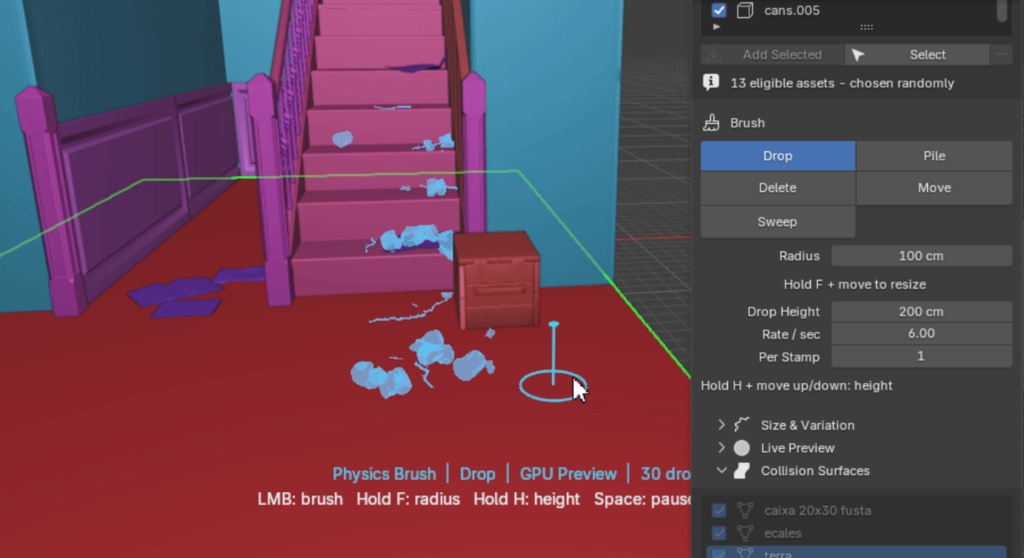
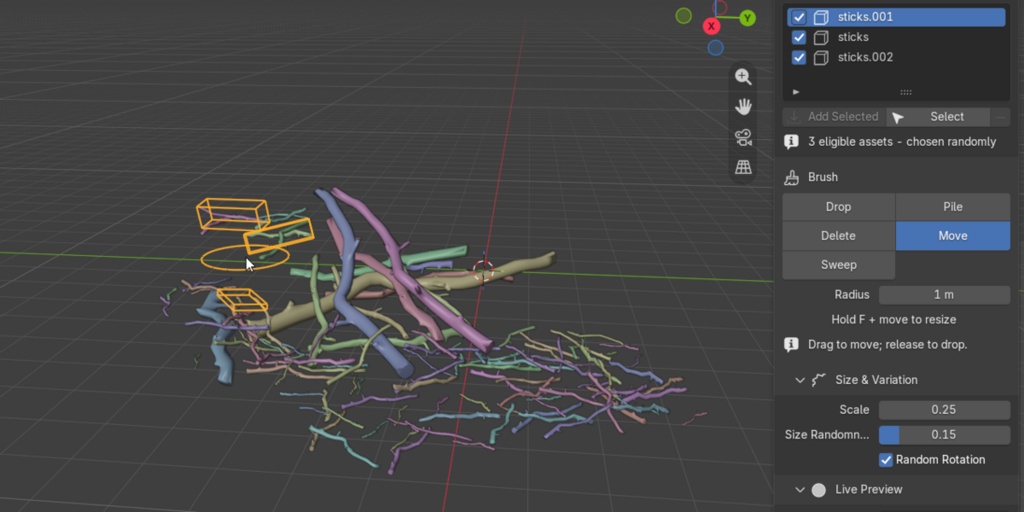
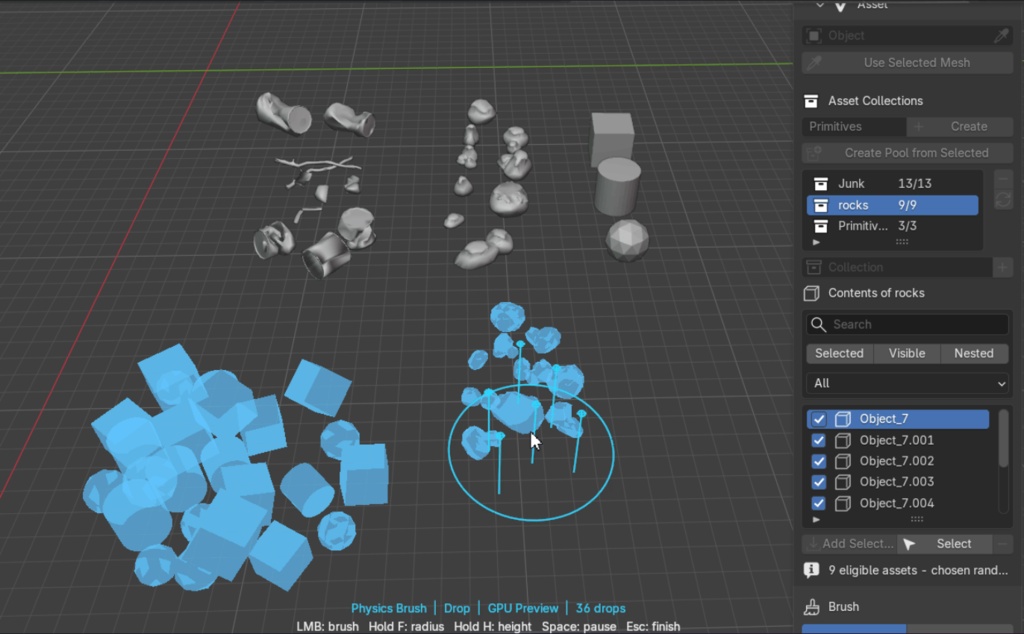


🔥 25% OFF LAUNCH SALE PHYSICS BRUSH JOLT ENGINE × VIEWPORT PAINTING Turn a collection of assets into a believable scene in seconds. Paint objects into the Blender viewport, let Jolt settle them naturally, then shape the result with dedicated physics brushes. ✓ 5 WORKSPACE BRUSHES ✓ LIVE JOLT SIMULATION ✓ GPU PREVIEW ONE CONTINUOUS WORKFLOW 01 — PAINT Aim at a surface and place assets directly under the cursor. 02 — DIRECT Push, move, contain, and erase while physics remains live. 03 — APPLY Create full Blender objects only when the arrangement is ready. FIVE BRUSHES. ONE LIVE PHYSICS SESSION. 🔵 DROP — Paint assets 🟢 PILE — Build volume 🟣 SWEEP — Push bodies 🔴 MOVE — Reposition 🟠 DELETE — Clean up Create your arrangement and refine it without switching to a separate rigid-body workflow. PILE BRUSH Drag upward. Fill the volume. Create a natural cone or a straight cylinder. Assets spawn throughout the growing volume and fall naturally into place. Optional segmented Jolt walls keep the pile contained until Apply or Cancel. SWEEP BRUSH Push the pile. Shape the result. Drag a physical blade through loose bodies. The collider turns toward the direction of travel as you sweep. Filtered direction and limited turn speed prevent sudden cursor changes from flicking nearby assets. LIVE PREVIEW Lightweight while moving. Full detail when applied. GPU instances batch moving assets by source mesh. Choose between: Decimated geometry Bounding box previews Complete mesh previews Apply always creates the full evaluated asset. Preview quality never limits the final result. BUILT FOR ITERATION Stay in the creative loop. Physics Brush keeps the simulation temporary and reversible. Switch between collections and assets, wake settled piles, remove mistakes, or cancel a session without committing half-finished geometry. KEYBOARD SHORTCUTS F — Hold and move to resize the brush H — Hold and move to change height SPACE — Pause or resume physics ESC — Finish and apply the preview PHYSICS YOUR WAY Tune the behavior to the asset. Collision Shapes Convex Hull, Box, Sphere, Capsule, and Cylinder. Physical Response Mass, friction, bounce, gravity, and adjustable substeps. Asset Variation Scale variation, random rotation, and randomized collection pools. Scene Collision Visible meshes, a dedicated collider collection, or the built-in ground plane. COMPATIBILITY Blender: 5.1 or newer Operating System: Windows 64-bit, Mac OS(Intel/Apple Silicon) Mode: Object Mode Physics Engine: Bundled native Jolt library Installation: No separate physics installation needed CURRENT SCOPE Physics Brush is an interactive placement tool rather than a timeline baker. Environment collision surfaces remain static during a live session. Animated and deforming colliders are not currently supported. Powered by the high-performance, multithreaded Jolt Physics engine. The current package does not include Linux native binaries. Support for Linux coming soon!