

【VRChat】NanaCast ─ VRChatアバターでそのまま配信できるビューア(トラッキング・OBS配信)
- ダウンロード商品¥ 1,500
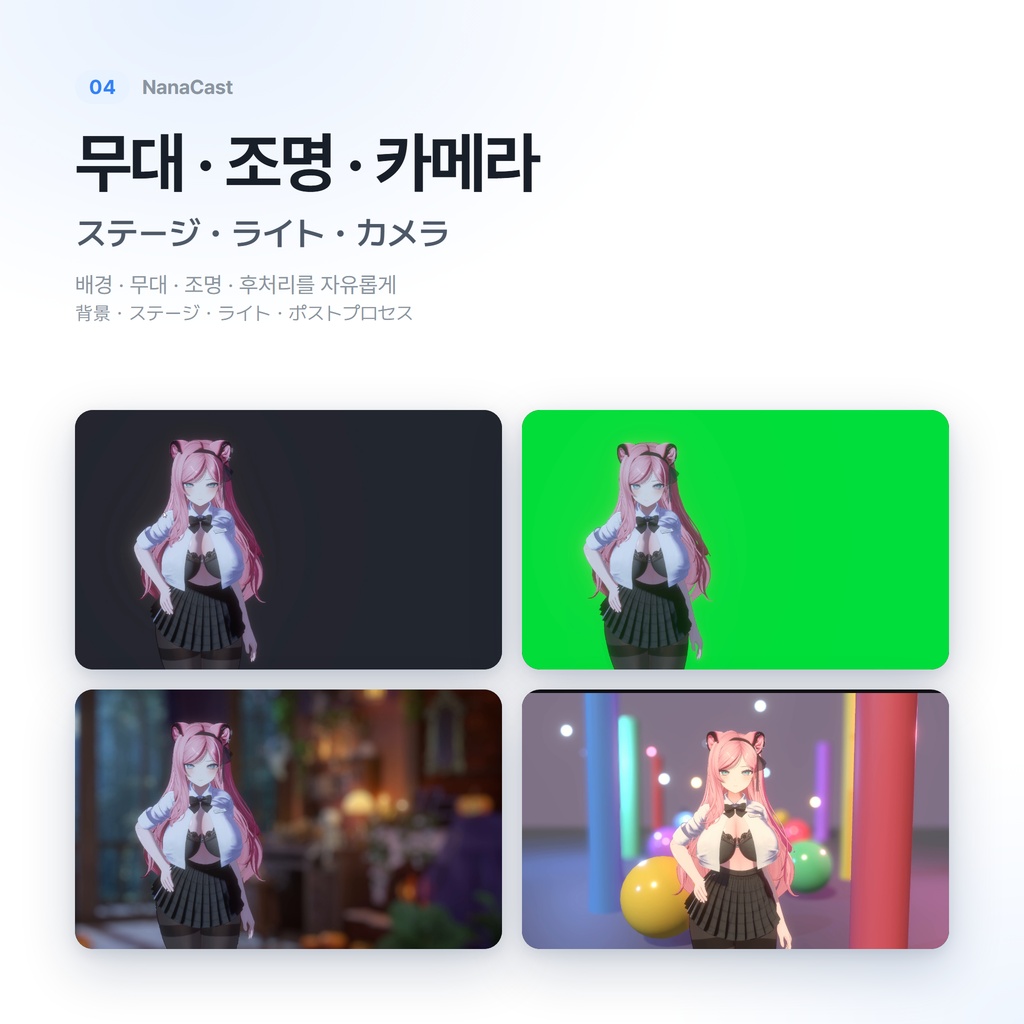
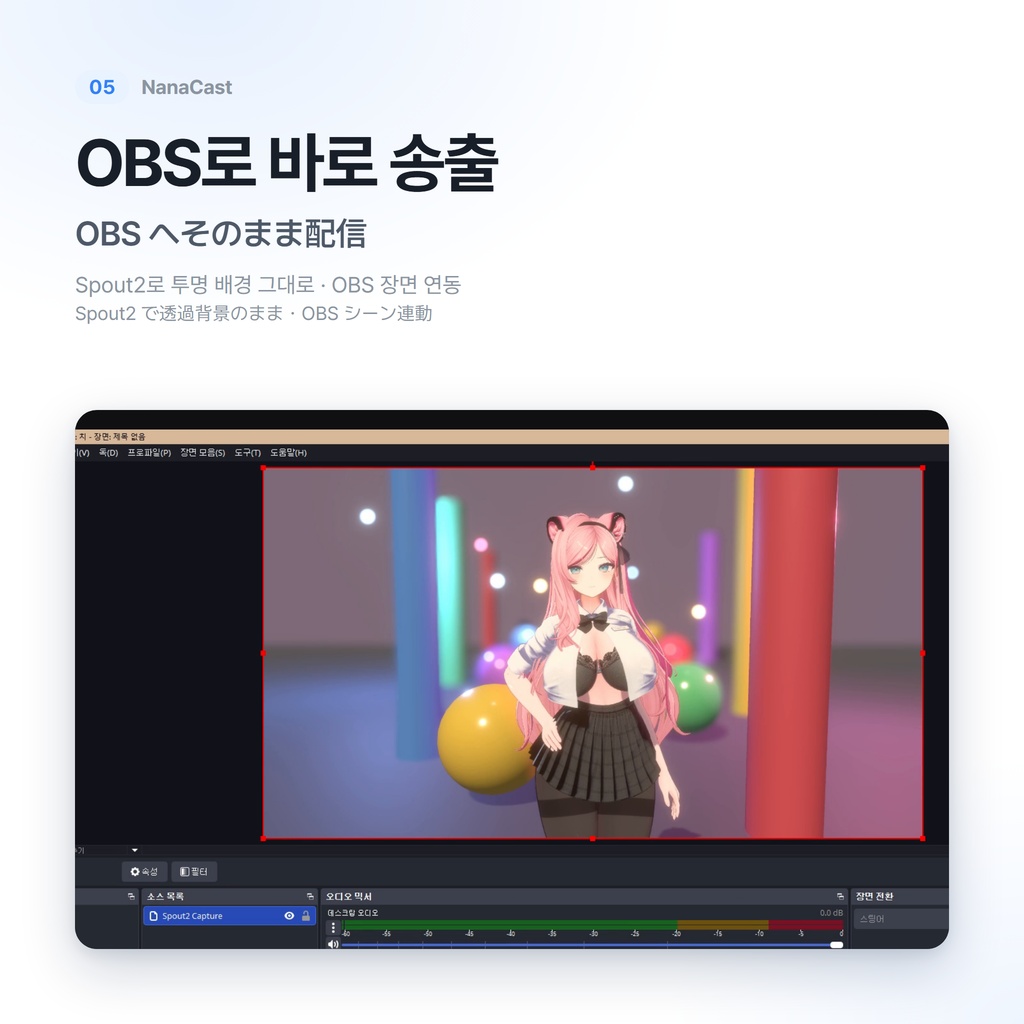
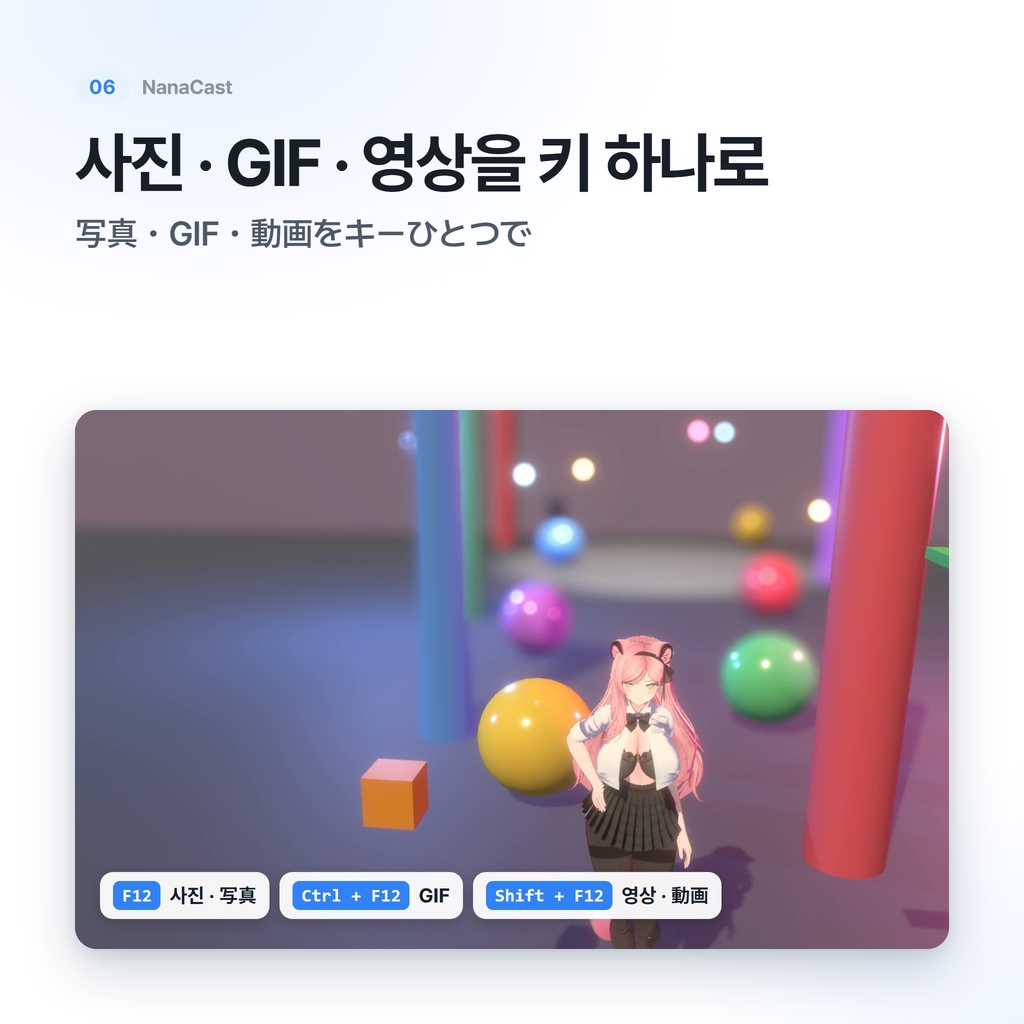
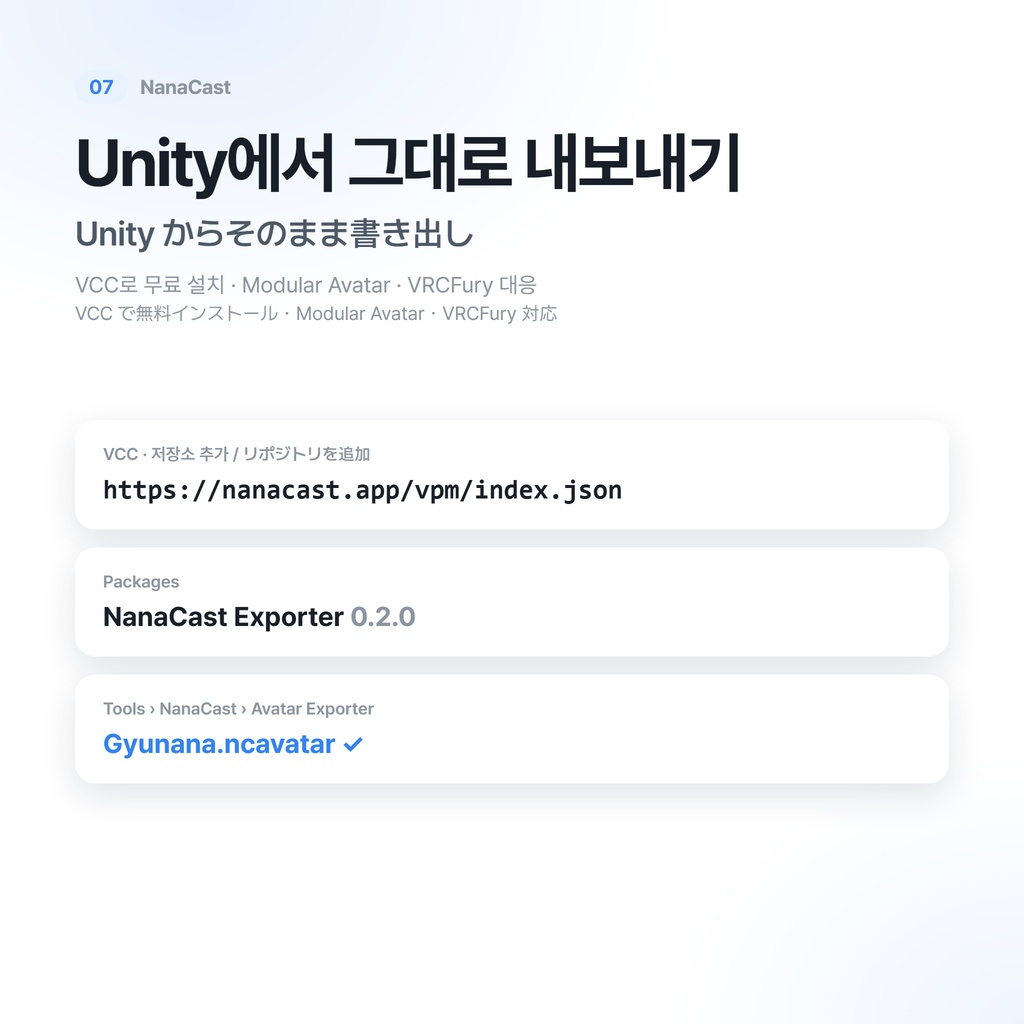


NanaCast ─ VRChat 아바타 방송 뷰어 제작: Gyunana VRChat 아바타를 VRChat 없이 띄워서 방송하는 Windows 프로그램 반드시 아래 설명과 이용 약관을 끝까지 읽고 구매해 주세요. VRChatのアバターを、VRChatなしで配信に使えるWindows用ビューア 必ず下記の商品説明と利用規約をお読みの上、ご購入ください。 A Windows viewer for streaming with your VRChat avatar, without VRChat Please read the description and terms below before purchasing.
▶상품 설명◀
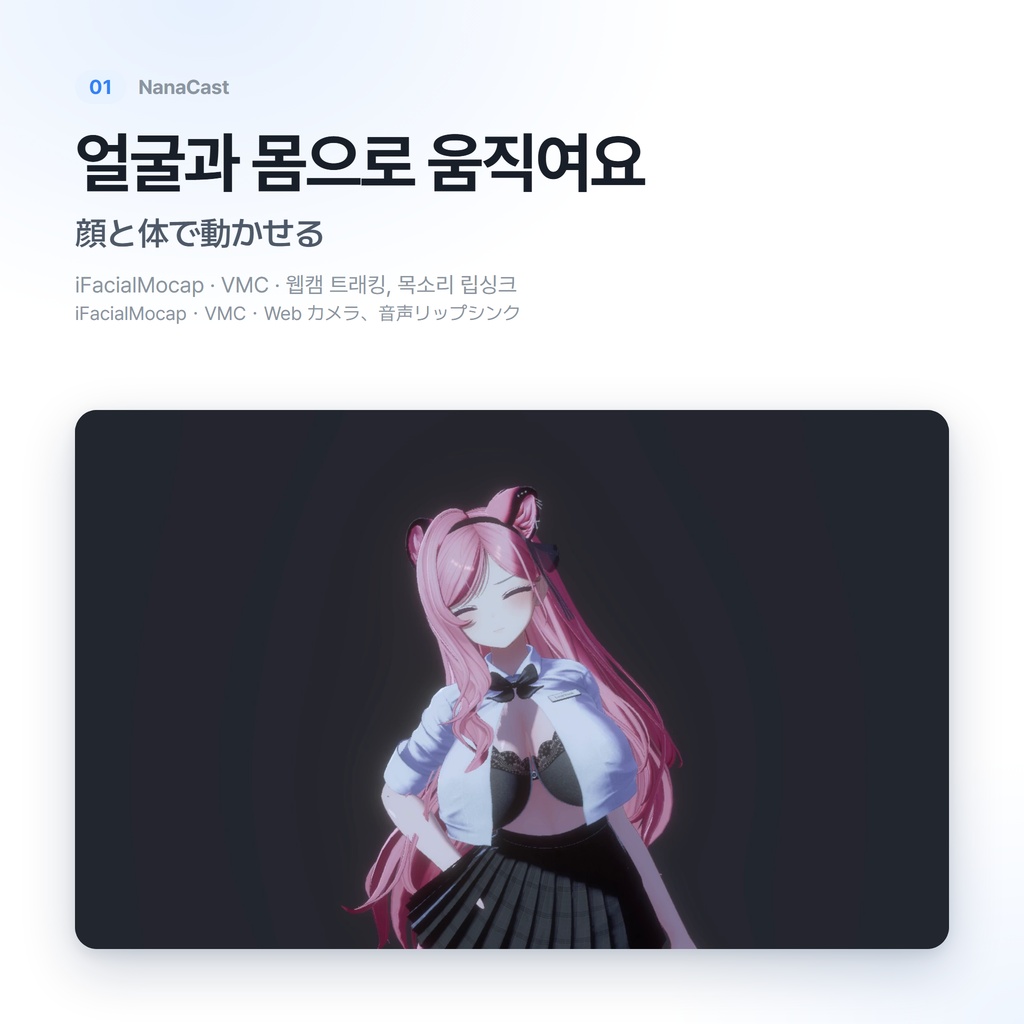
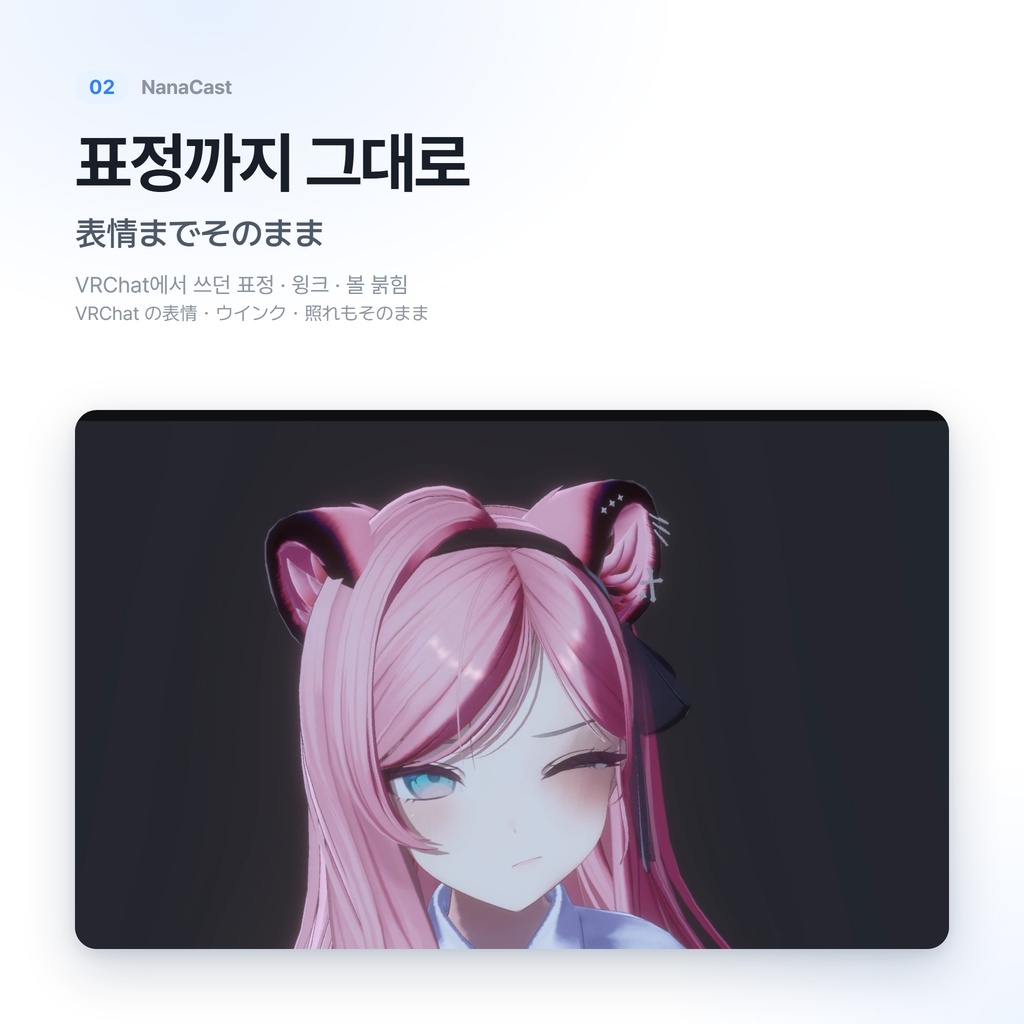
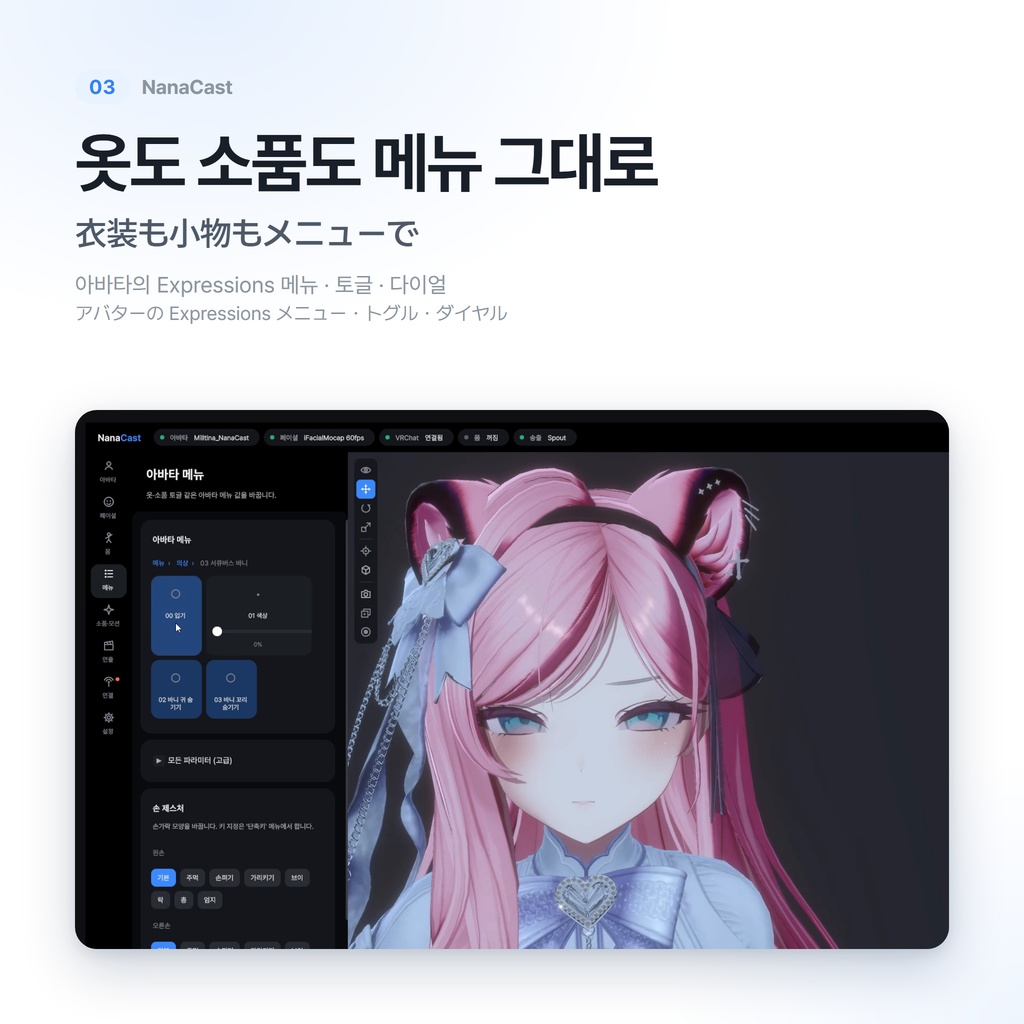
소개 영상(한국어): https://youtu.be/a711j74DTfY VRChat에서 쓰던 아바타를 그대로 불러와 얼굴과 몸으로 움직이고, 무대와 소품으로 꾸며 OBS로 보내는 Windows 프로그램입니다. 아바타의 Expressions 메뉴, PhysBone, 컨스트레인트가 VRChat에서처럼 동작합니다. ・트래킹: iFacialMocap(iPhone) · VMC · 웹캠으로 얼굴과 몸을 움직이고, 목소리로 입을 맞춥니다 ・VRChat 메뉴: 아바타의 토글 · 다이얼 · 버튼 메뉴를 뷰어에서 그대로 씁니다 ・연출: 배경(단색 · 투명 · 이미지 · 영상 · 무대), 조명, 카메라 프리셋, 후처리 ・송출: Spout2로 OBS에 투명 배경 그대로 보내고, OBS 장면과 함께 바뀝니다 ・캡처: 사진(F12) · GIF(Ctrl+F12) · 영상 MP4(Shift+F12) ・치지직 연결: 후원 · 구독 알림 (후원 리액션은 이후 업데이트 예정) 《아바타 준비》 아바타는 무료 Unity 패키지 NanaCast Exporter로 .ncavatar 파일을 만들어 씁니다. VCC(VRChat Creator Companion)에 아래 저장소를 추가하면 설치할 수 있습니다. https://nanacast.app/vpm/index.json Modular Avatar · VRCFury를 쓴 아바타도 업로드할 때와 같은 빌드를 거쳐 내보냅니다. 《내용물》 ・NanaCast_v0.9.0_beta.zip (뷰어 / README / 이용약관 · 개인정보처리방침 · 오픈소스 라이선스) 《이용 범위》 ・구매자 본인이 쓰는 PC라면 대수와 관계없이 설치할 수 있습니다 ・개인 방송의 수익 활동(후원 · 광고 수익 · 외주 방송 · 영상 판매)에 쓸 수 있습니다 ・업데이트는 추가 비용 없이 받을 수 있습니다
※주의사항※
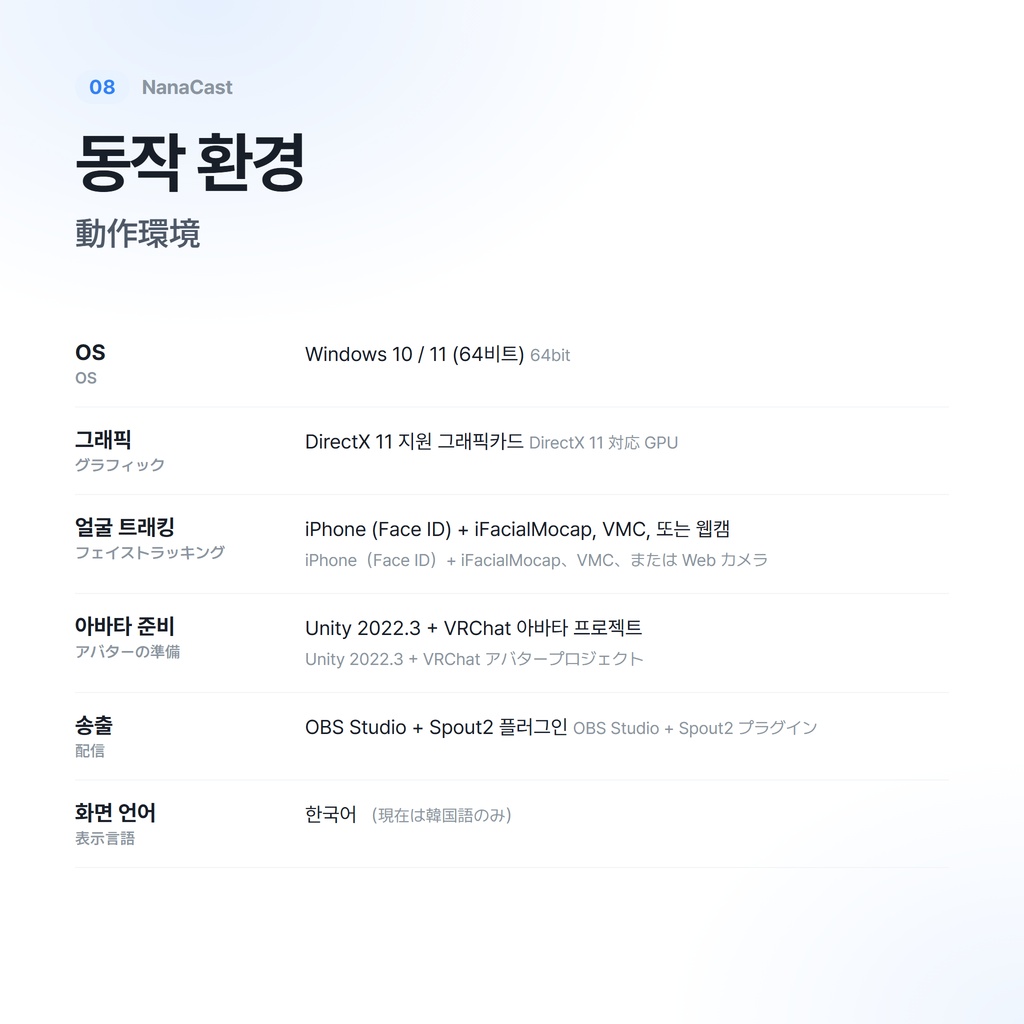
・Windows 10 / 11 (64비트), DirectX 11을 지원하는 그래픽카드가 필요합니다. ・아바타를 내보내려면 Unity 2022.3과 VRChat SDK가 설치된 아바타 프로젝트가 필요합니다. ・화면 표시는 한국어·일본어·영어·중국어(간체/번체)를 지원합니다. ・베타 버전입니다. 기능이 추가되거나 바뀔 수 있습니다. ・서명되지 않은 프로그램이라 처음 실행할 때 Windows SmartScreen 경고가 뜰 수 있습니다. "추가 정보 → 실행"을 눌러 주세요. 백신이 잘못 감지하면 예외로 등록해 주세요. ・웹캠 손 트래킹은 아직 정확도를 개선하고 있습니다. ・아바타 · 의상을 VRChat 밖에서, 또는 방송 · 수익 활동에 써도 되는지는 각 제작자의 이용 약관을 확인해 주세요. ・NanaCast는 비공식 프로그램이며 VRChat Inc.와 관계가 없습니다. ・다운로드 상품 특성상, 관련 법령이 인정하는 경우를 빼고는 환불이 불가합니다. 구매 전에 소개 영상과 동작 환경을 확인해 주세요.
▶도입 방법◀
1. zip을 풀고 NanaCast 폴더의 NanaCast.exe를 실행합니다. (설치 필요 없음) 2. Unity의 VCC에 https://nanacast.app/vpm/index.json 을 추가하고, 프로젝트에 NanaCast Exporter를 넣습니다. 3. Tools → NanaCast → Avatar Exporter에서 아바타를 넣고 "익스포트"를 누릅니다. 4. 뷰어의 "아바타" 페이지에서 만든 아바타를 고릅니다. 5. OBS에 Spout2 플러그인을 넣고 "Spout2 Capture"로 NanaCast를 고르면 송출됩니다. 자세한 사용법: https://nanacast.app/exporter/
▶이용 약관◀
본 상품을 구매한 시점에서 아래 요약과 이용약관 전문(https://nanacast.app/terms/ · zip 안의 docs 폴더)에 동의한 것으로 간주합니다. 《허가》 ・구매자 본인이 쓰는 PC에 설치 (대수 제한 없음) ・개인 방송 · 촬영 · 영상 제작, 이를 통한 수익 활동 ・NanaCast로 만든 영상 · 사진의 게시 《문의 필요》 ・법인 · 단체(기업 · 소속사 등)의 업무 이용 《금지》 ・뷰어의 재배포 · 재판매 · 공유 (무료 포함) ・역설계 · 디컴파일 · 수정, 이용 제한 장치 무력화 ・NanaCast 파일(.ncavatar 등)에서 원본 에셋을 추출하는 행위 ・다른 사람이 만든 NanaCast 파일을 권리자 허락 없이 배포하는 행위 ・법령이나 공공질서에 어긋나는 이용 《면책》 운영자의 고의 · 중대한 과실이 없는 한, 이용으로 생긴 손해에 대해 책임지지 않습니다. 자세한 내용은 이용약관 전문을 따릅니다. 문의: X(트위터) @Gyunana_VRC 제작: Gyunana
◈업데이트 내역◈
2026년 10월 16일 v0.9.0 (베타) 공개 2026년 10월 16일 v0.9.1 ・화면 표시에 일본어 · 영어 · 중국어(간체 / 번체)를 추가했습니다 사이드바의 "언어"에서 고르면 다시 시작하지 않고 바로 바뀝니다 ・일본어 · 중국어 글꼴을 함께 넣었습니다 ・NanaCast Exporter 0.3.0: 창 오른쪽 위에서 표시 언어를 고를 수 있습니다 (VCC에서 업데이트) ・이미 구매하신 분은 BOOTH 라이브러리에서 새 zip을 받아 덮어쓰면 됩니다 (설정은 그대로 남습니다) 2026년 10월 16일 v0.9.0 (베타) 공개
▶商品説明◀
紹介動画:https://youtu.be/pV9M8d9Ugsw VRChat で使っているアバターをそのまま読み込み、顔と体で動かし、ステージや小物で演出して OBS に送れる Windows 用プログラムです。アバターの Expressions メニュー、PhysBone、コンストレイントも VRChat と同じように動きます。 ・トラッキング:iFacialMocap(iPhone)・VMC・Web カメラで顔と体を動かし、声で口を合わせます ・VRChat メニュー:アバターのトグル・ダイヤル・ボタンをビューアでそのまま使えます ・演出:背景(単色・透過・画像・動画・ステージ)、ライト、カメラプリセット、ポストプロセス ・配信:Spout2 で OBS に透過背景のまま送り、OBS のシーンに合わせて切り替わります ・キャプチャ:写真(F12)・GIF(Ctrl+F12)・動画 MP4(Shift+F12) ・CHZZK(チジジク)連携:投げ銭・サブスクの通知(投げ銭リアクションは今後のアップデートで提供予定) 《アバターの準備》 アバターは無料の Unity パッケージ NanaCast Exporter で .ncavatar ファイルを作って使います。 VCC(VRChat Creator Companion)に下記のリポジトリを追加するとインストールできます。 https://nanacast.app/vpm/index.json Modular Avatar・VRCFury を使ったアバターも、アップロード時と同じビルドを通して書き出します。 《内容物》 ・NanaCast_v0.9.0_beta.zip(ビューア / README / 利用規約・プライバシーポリシー・オープンソースライセンス) 《利用範囲》 ・購入者本人が使う PC であれば、台数に関係なくインストールできます ・個人の配信の収益活動(投げ銭・広告収益・配信の請負・動画販売)に使えます ・アップデートは追加料金なしで受け取れます
※注意事項※
・Windows 10 / 11(64bit)、DirectX 11 対応のグラフィックカードが必要です。 ・アバターの書き出しには、Unity 2022.3 と VRChat SDK を導入したアバタープロジェクトが必要です。 ・画面表示は韓国語・日本語・英語・中国語(簡体字/繁体字)に対応しています。 ・ベータ版です。機能が追加・変更される場合があります。 ・署名のないプログラムのため、初回起動時に Windows SmartScreen の警告が出ることがあります。「詳細情報 → 実行」を押してください。ウイルス対策ソフトが誤検知した場合は除外設定をしてください。 ・Web カメラによる手のトラッキングは、現在精度を改善中です。 ・アバター・衣装を VRChat 以外で、または配信・収益活動に使ってよいかは、各制作者の利用規約をご確認ください。 ・NanaCast は非公式のプログラムであり、VRChat Inc. とは関係ありません。 ・ダウンロード商品の性質上、関係法令が認める場合を除き、返品・返金には応じられません。ご購入前に紹介動画と動作環境をご確認ください。
▶導入方法◀
1. zip を展開し、NanaCast フォルダの NanaCast.exe を実行します。(インストール不要) 2. Unity の VCC に https://nanacast.app/vpm/index.json を追加し、プロジェクトに NanaCast Exporter を追加します。 3. Tools → NanaCast → Avatar Exporter でアバターを入れ、「익스포트」(エクスポート)を押します。 4. ビューアの「아바타」(アバター)ページで、作ったアバターを選びます。 5. OBS に Spout2 プラグインを入れ、「Spout2 Capture」で NanaCast を選ぶと配信できます。 詳しい使い方:https://nanacast.app/exporter/ja
▶利用規約◀
本商品を購入した時点で、以下の要約と利用規約全文(https://nanacast.app/terms/ja・zip 内の docs フォルダ)に同意したものとみなします。 《許可》 ・購入者本人が使う PC へのインストール(台数制限なし) ・個人の配信・撮影・動画制作、およびそれによる収益活動 ・NanaCast で作成した動画・写真の投稿 《要相談》 ・法人・団体(企業・事務所など)の業務での利用 《禁止》 ・ビューアの再配布・再販売・共有(無償を含みます) ・リバースエンジニアリング・逆コンパイル・改変、利用制限の回避 ・NanaCast ファイル(.ncavatar など)から元のアセットを抽出する行為 ・他人が作った NanaCast ファイルを権利者の許可なく配布する行為 ・法令または公序良俗に反する利用 《免責》 運営者の故意・重大な過失がない限り、利用により生じた損害について責任を負いません。詳しくは利用規約全文に従います。 お問い合わせ:X(Twitter)@Gyunana_VRC 作者:Gyunana
◈更新履歴◈
2026年10月16日 v0.9.0(ベータ)公開 2026年10月16日 v0.9.1 ・画面表示に日本語・英語・中国語(簡体字/繁体字)を追加しました サイドバーの「言語」で選ぶと、再起動せずにすぐ切り替わります ・日本語・中国語のフォントを同梱しました ・NanaCast Exporter 0.3.0:ウィンドウ右上で表示言語を選べるようになりました(VCC で更新) ・ご購入済みの方は、BOOTH のライブラリから新しい zip をダウンロードして上書きしてください(設定はそのまま残ります) 2026年10月16日 v0.9.0(ベータ)公開
▶Description◀
Introduction video (Japanese captions): https://youtu.be/pV9M8d9Ugsw A Windows program that loads the avatar you use in VRChat, moves it with your face and body, dresses up the scene with stages and props, and sends it to OBS. The avatar's Expressions menu, PhysBones and constraints work as in VRChat. ・Tracking: face and body from iFacialMocap (iPhone), VMC or a webcam, plus lip sync from your voice ・VRChat menu: use the avatar's toggles, radials and buttons right in the viewer ・Staging: backgrounds (color, transparent, image, video, stage), lights, camera presets, post-processing ・Output: send to OBS over Spout2 with a transparent background; follows OBS scene changes ・Capture: photo (F12), GIF (Ctrl+F12), MP4 video (Shift+F12) ・CHZZK sign-in: donation and subscription alerts (donation reactions will come in a later update) 《Preparing your avatar》 Avatars are converted to .ncavatar files with the free Unity package NanaCast Exporter. Add this repository to VCC (VRChat Creator Companion) to install it: https://nanacast.app/vpm/index.json Avatars using Modular Avatar or VRCFury go through the same build as an upload before exporting. 《Contents》 ・NanaCast_v0.9.0_beta.zip (viewer / README / Terms of Use, Privacy Policy, open-source licenses) 《License》 ・Install on any number of PCs that you personally use ・Use it for your own streams, including commercial activity (donations, ad revenue, commissioned streams, selling videos) ・Updates at no extra cost
※Notes※
・Requires Windows 10 / 11 (64-bit) and a DirectX 11 graphics card. ・Exporting avatars requires Unity 2022.3 and a VRChat avatar project with the VRChat SDK. ・The interface is available in Korean, Japanese, English and Chinese (Simplified / Traditional). ・This is a beta. Features may be added or changed. ・The program is not code-signed, so Windows SmartScreen may warn you on first launch. Click "More info → Run anyway". If your antivirus flags it by mistake, add an exception. ・Webcam hand tracking is still being improved. ・Check each creator's terms on whether their avatar and outfits may be used outside VRChat, or for streaming and commercial activity. ・NanaCast is unofficial and not affiliated with VRChat Inc. ・As a digital product, it is not refundable except where applicable law grants a refund. Please watch the introduction video and check the requirements before buying.
▶Setup◀
1. Unzip and run NanaCast.exe in the NanaCast folder. (No installation needed.) 2. Add https://nanacast.app/vpm/index.json to VCC in Unity and add NanaCast Exporter to your project. 3. Open Tools → NanaCast → Avatar Exporter, put in your avatar and press "익스포트" (export). 4. Pick the avatar on the viewer's "아바타" (avatar) page. 5. Install the Spout2 plugin in OBS and choose NanaCast in "Spout2 Capture". Full guide: https://nanacast.app/exporter/en
▶Terms of Use◀
By purchasing this product, you agree to the summary below and the full Terms of Use (https://nanacast.app/terms/en and the docs folder in the zip). 《Allowed》 ・Installing on PCs you personally use (no limit on the number) ・Your own streaming, recording and video production, including commercial activity ・Posting videos and pictures made with NanaCast 《Contact us first》 ・Use by companies or organizations (businesses, agencies, etc.) for their work 《Prohibited》 ・Redistributing, reselling or sharing the viewer (including for free) ・Reverse engineering, decompiling or modifying it, or getting around its restrictions ・Extracting original assets from NanaCast files (.ncavatar, etc.) ・Distributing NanaCast files made by others without the rights holder's permission ・Illegal or immoral use 《Disclaimer》 Except in cases of intent or gross negligence by the Operator, the Operator is not responsible for damage caused by using the software. The full Terms of Use apply. Contact: X (Twitter) @Gyunana_VRC Creator: Gyunana
◈Changelog◈
October 16, 2026 — v0.9.0 (beta) released October 16, 2026 — v0.9.1 ・Added Japanese, English and Chinese (Simplified / Traditional) to the interface Pick one under Language in the sidebar; it switches right away, no restart ・Japanese and Chinese fonts are now included ・NanaCast Exporter 0.3.0: choose the display language at the top right of its windows (update in VCC) ・If you already bought NanaCast, download the new zip from your BOOTH library and overwrite the old files (your settings are kept) October 16, 2026 — v0.9.0 (beta) released