

汎用車椅子ギミック|Wheelchair【VRChat / Modular Avatar】
- ダウンロード商品¥ 0
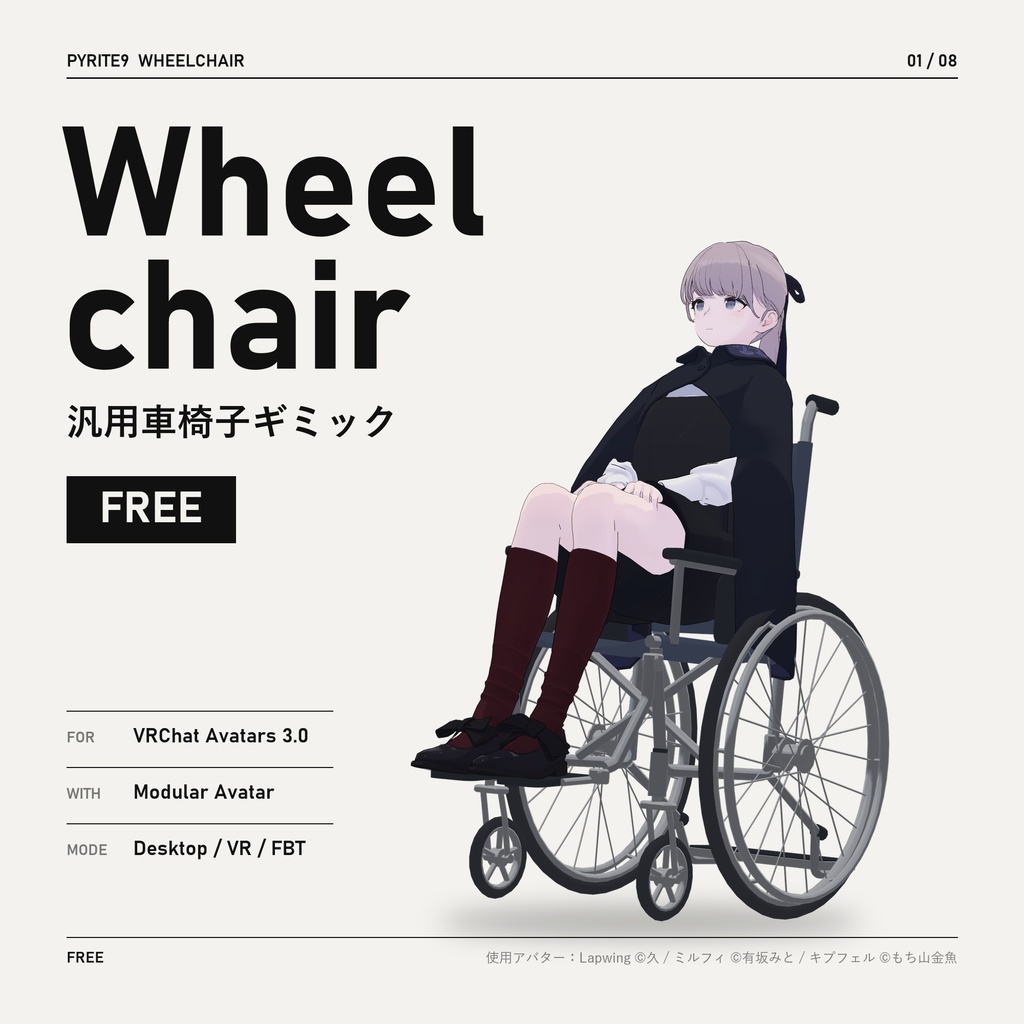
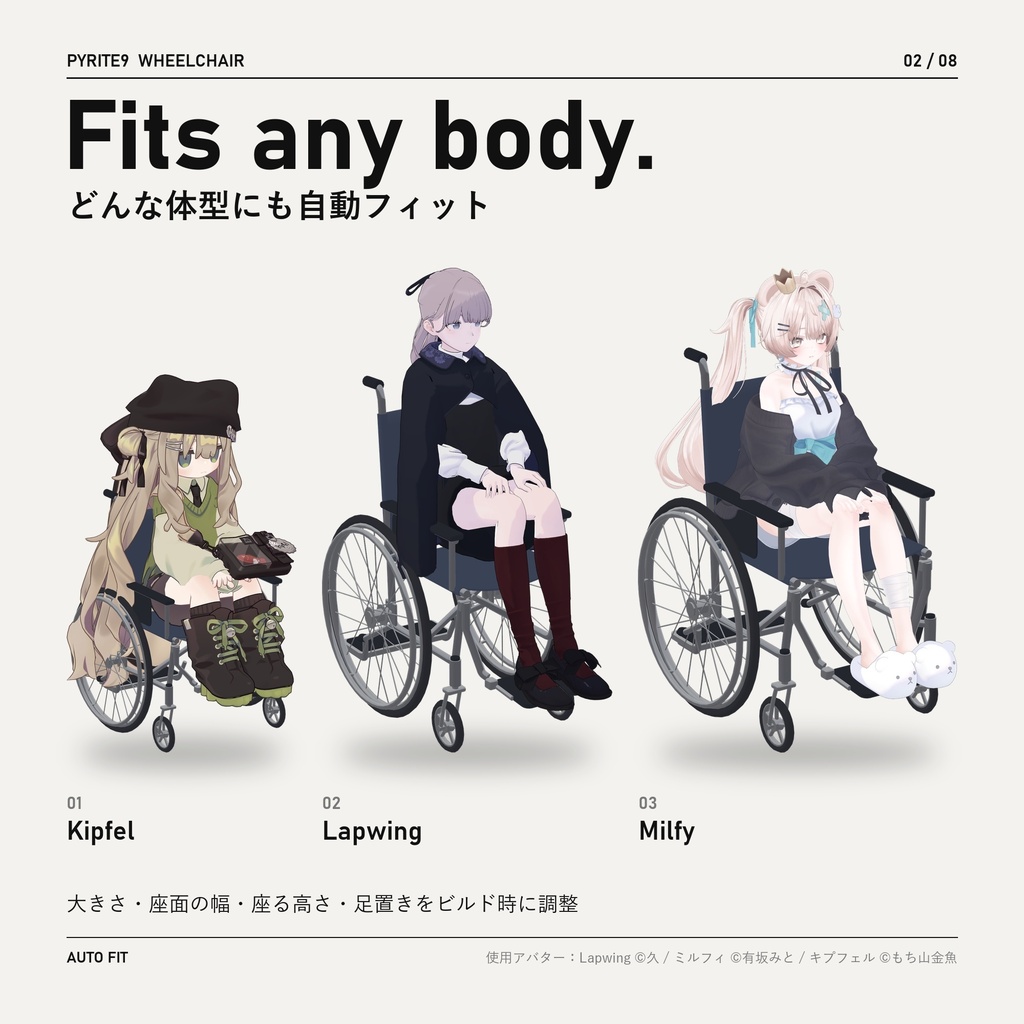
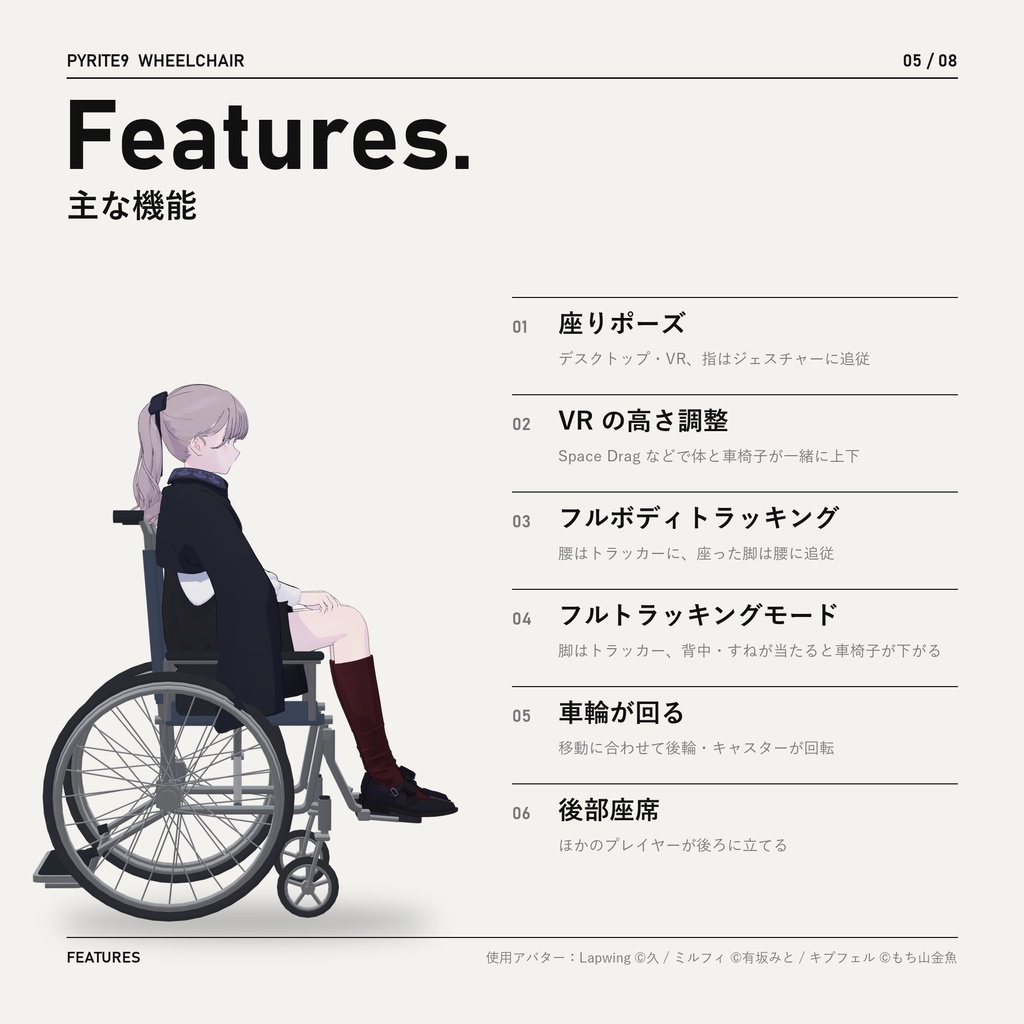
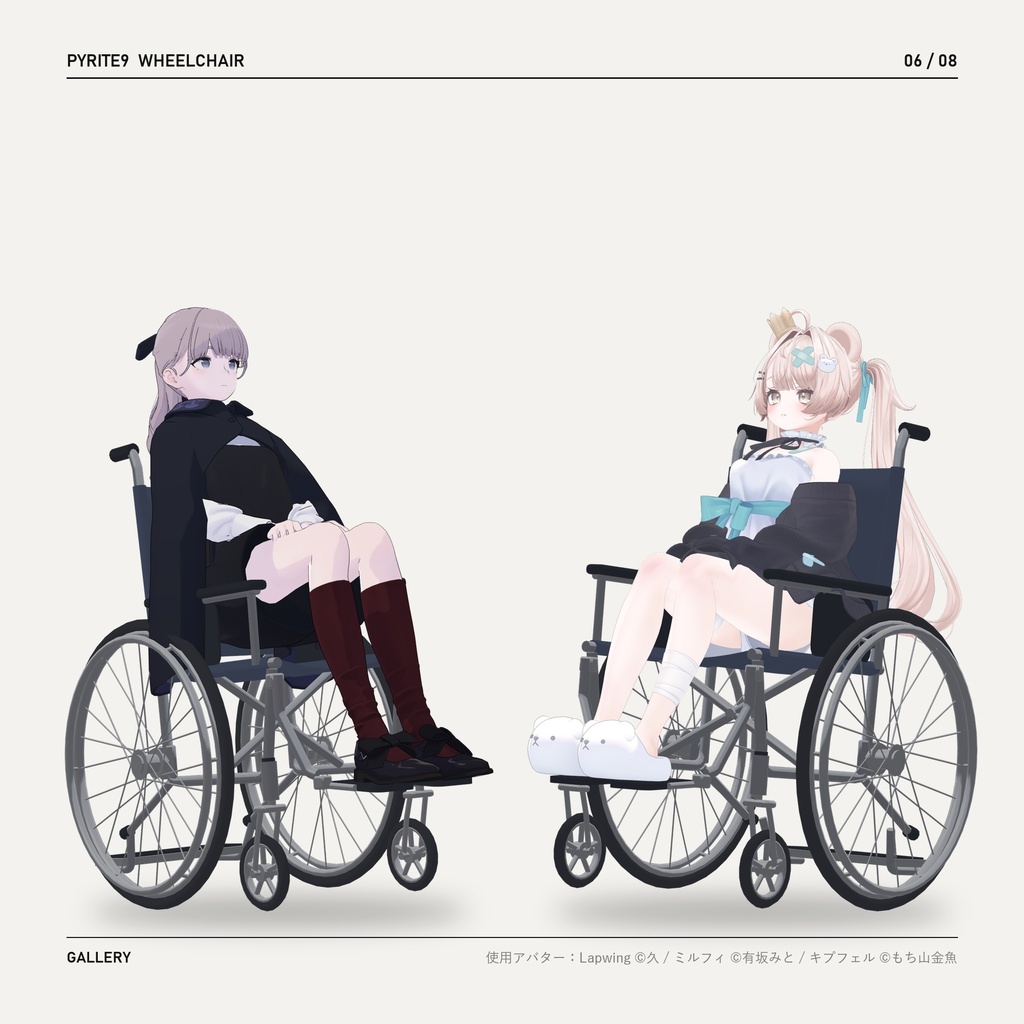
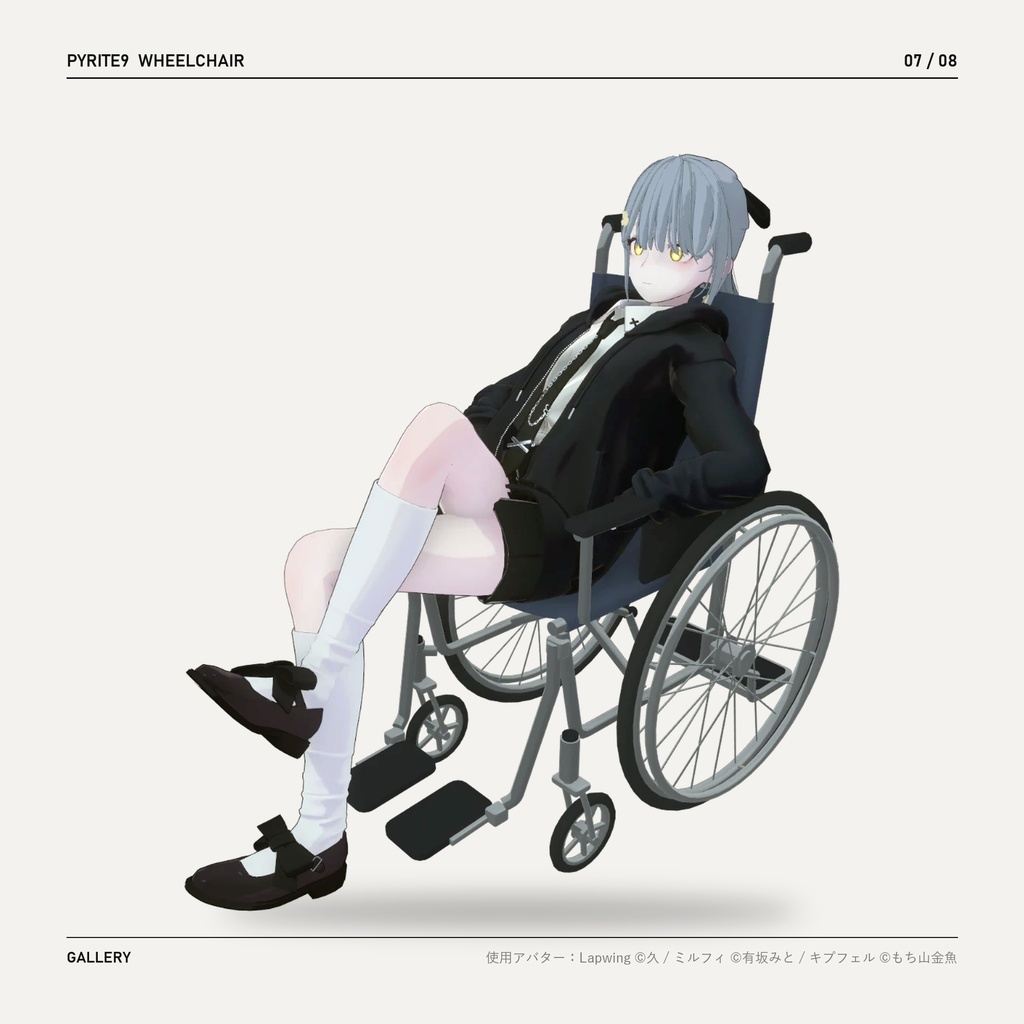
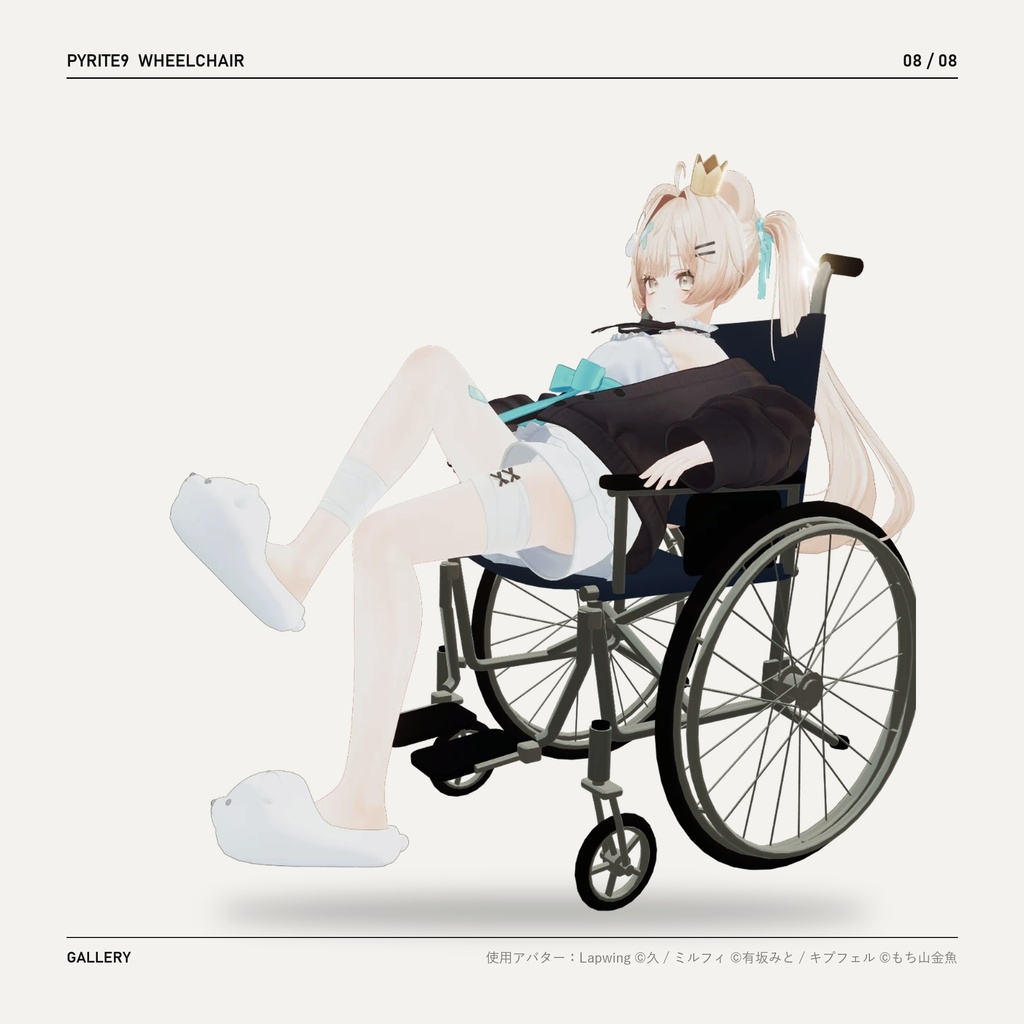


VRChat アバター用の車椅子ギミックです。無料でお使いいただけます。 ヒューマノイドのアバターにプレハブを入れるだけで、ビルド時にアバターの体型に合わせて大きさ・座面・足置きが自動で調整されます。 A free wheelchair gimmick for VRChat avatars. Drop the prefab under any humanoid avatar — it fits itself to the avatar at build time. VRChat 아바타용 무료 휠체어 기믹입니다. 휴머노이드 아바타에 프리팹을 넣기만 하면 빌드할 때 체형에 맞춰 자동 조정됩니다. 画像の使用アバター:Lapwing ©久 / ミルフィ ©有坂みと / キプフェル ©もち山金魚
主な機能 / Features / 기능
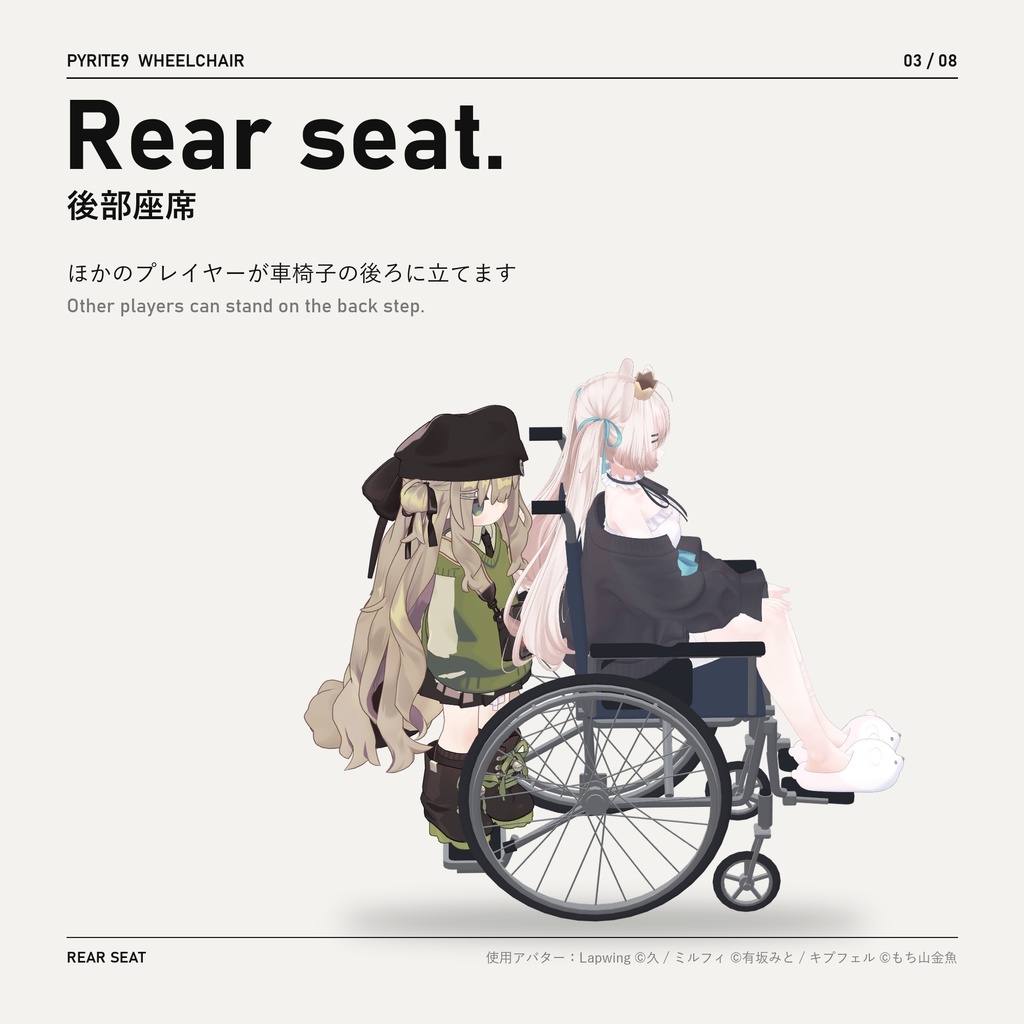
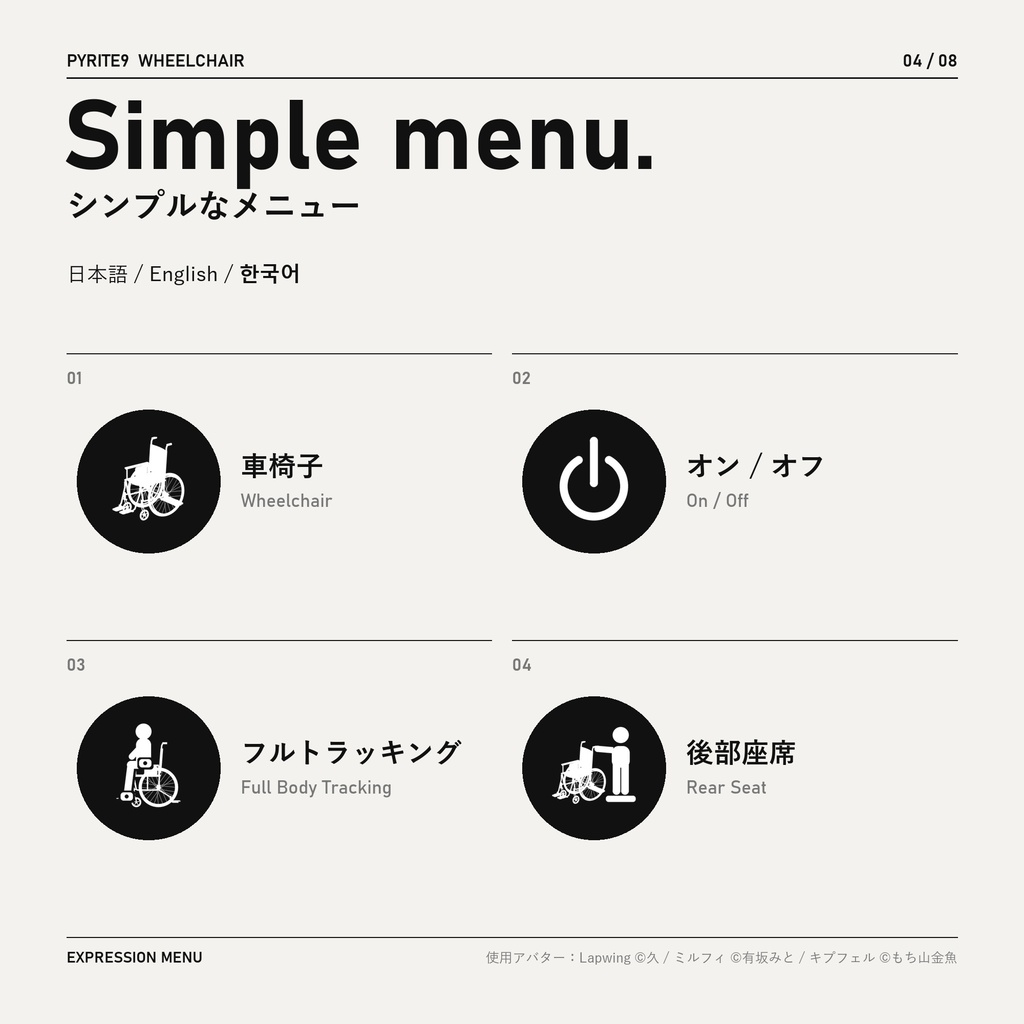
・デスクトップ・VR の座りポーズ(指はジェスチャーに追従) ・VR:プレイスペース移動ツール(OVR Advanced Settings の Space Drag など)で、座った姿勢のまま体と車椅子が一緒に上下します ・VRChat のフルボディトラッキング時:腰はトラッカーに従い、座った脚と足が腰に付いていきます ・フルトラッキングモード:脚はトラッカーに従い、背中やすねが当たると車椅子が後ろに下がります ・移動に合わせて後輪とキャスターが回転 ・後部座席:車椅子の後ろに、ほかのプレイヤーが立てる場所 ・メニュー言語:日本語 / English / 한국어 ・お尻が座面を突き抜ける場合は自動で体を持ち上げます(手動補正も可) - Sitting pose for desktop and VR (fingers keep following your gestures) - VR: move yourself with a playspace mover (e.g. Space Drag in OVR Advanced Settings) and the seated body rises and lowers together with the chair - VRChat full-body tracking: your hips follow the hip tracker, and the seated legs and feet follow your hips - Full Body Tracking mode: your legs follow the trackers, and the chair moves back when your back or shins touch it - The rear wheels and casters spin as you move - Rear Seat: a spot behind the chair where another player can stand - Menu languages: 日本語 / English / 한국어 - If your hips sink into the seat, the body is raised automatically (manual offset also available) ・데스크톱·VR 앉기 자세(손가락은 제스처를 따라감) ・VR: 플레이 공간 이동 도구(OVR Advanced Settings의 Space Drag 등)로 앉은 자세 그대로 몸과 휠체어가 함께 위아래로 움직입니다 ・VRChat 풀바디 트래킹: 골반은 트래커를 따르고, 앉은 다리와 발이 골반을 따라갑니다 ・풀 트래킹 모드: 다리는 트래커를 따르고, 등이나 정강이가 닿으면 휠체어가 뒤로 물러납니다 ・이동에 맞춰 뒷바퀴와 캐스터가 회전 ・뒷좌석: 휠체어 뒤에 다른 플레이어가 설 수 있는 자리 ・메뉴 언어: 日本語 / English / 한국어 ・엉덩이가 좌석을 뚫고 들어가면 자동으로 몸을 올립니다(수동 보정도 가능)
動作環境 / Requirements / 필요한 것
・PC 専用(Quest 単体は非対応) ・Unity 2022.3 / VRChat SDK Avatars 3.x ・Modular Avatar(NDMF は一緒に入ります) ・lilToon ・ヒューマノイドのアバター - PC only (Quest standalone is not supported) - Unity 2022.3 / VRChat SDK Avatars 3.x - Modular Avatar (NDMF is installed with it) - lilToon - A humanoid avatar ・PC 전용(Quest 단독은 미지원) ・Unity 2022.3 / VRChat SDK Avatars 3.x ・Modular Avatar(NDMF는 함께 설치됩니다) ・lilToon ・휴머노이드 아바타 確認済み / Tested / 확인 환경: Unity 2022.3.22f1 / VRChat SDK 3.10.5 / Modular Avatar 1.18.7 / NDMF 1.14.8 / lilToon 2.3.4
導入方法 / How to install / 설치
1. VCC / ALCOM で Modular Avatar と lilToon をプロジェクトに追加 2. ZIP を解凍し、.unitypackage をダブルクリックしてインポート 3. Assets/Pyrite9/Wheelchair/Wheelchair.prefab をアバターの中にドラッグ 4. Build & Test で確認してから Build & Publish 詳しくは同梱の README(日本語 / English / 한국어)をご覧ください。 1. Add Modular Avatar and lilToon to your project in VCC / ALCOM 2. Unzip the ZIP and double-click the .unitypackage to import it 3. Drag Assets/Pyrite9/Wheelchair/Wheelchair.prefab onto your avatar 4. Check with Build & Test, then Build & Publish See the included README (日本語 / English / 한국어) for details. 1. VCC / ALCOM에서 Modular Avatar와 lilToon을 프로젝트에 추가 2. ZIP을 풀고 .unitypackage를 더블클릭해 임포트 3. Assets/Pyrite9/Wheelchair/Wheelchair.prefab을 아바타 안으로 드래그 4. Build & Test로 확인한 뒤 Build & Publish 자세한 내용은 동봉된 README(日本語 / English / 한국어)를 참고해 주세요.
注意事項 / Notes / 주의
・座りポーズに Action レイヤーを使います。Action レイヤーを使うほかのギミックと競合することがあります ・座っている間も指がジェスチャーに従うよう、アバターの Gesture レイヤーを Action レイヤーにコピーします(動くのは手だけです) ・GoGo Loco がある場合、座っている間は Go/Action をオンにします ・体型によっては設定(Seat Height Offset など)で微調整が必要な場合があります ・不具合はビルド時の Console に [Pyrite9 Wheelchair] で始まる警告が出ます(README の「困ったとき」参照) - Uses the Action layer for the sitting pose. Other gimmicks that also use the Action layer may conflict - While seated, your avatar's Gesture layers are copied into the Action layer so the fingers keep following your gestures (they only move the hands) - If GoGo Loco is installed, Go/Action is set while seated - Depending on the body shape, you may need to fine-tune the settings (Seat Height Offset, etc.) - Problems show up as warnings starting with [Pyrite9 Wheelchair] in the Console at build time (see "Troubleshooting" in the README) ・앉은 자세에 Action 레이어를 씁니다. Action 레이어를 쓰는 다른 기믹과 충돌할 수 있습니다 ・앉아 있는 동안 손가락이 제스처를 따르도록 아바타의 Gesture 레이어를 Action 레이어에 복사합니다(손만 움직입니다) ・GoGo Loco가 있으면 앉아 있는 동안 Go/Action을 켭니다 ・체형에 따라 설정(Seat Height Offset 등)으로 미세 조정이 필요할 수 있습니다 ・문제가 있으면 빌드할 때 Console에 [Pyrite9 Wheelchair]로 시작하는 경고가 나옵니다(README의 「문제 해결」 참고)
Terms of Service
【利用規約(要約)】 ・無料。改変、使用したアバターのアップロード(Public / Private)が可能です ・使用したアバターでの動画・配信・スクリーンショット(収益化含む)OK ・代行導入(依頼など)は、依頼者ご本人が本パッケージを入手している場合のみ可 ・ファイルの再配布・共有・販売は禁止 ・クレジット表記は不要(あると嬉しいです) 全文は同梱の LICENSE.txt をご覧ください。 [License (summary)] - Free. You may use and modify it, and upload avatars that use it (Public or Private) - You may use those avatars in videos, streams and screenshots, including monetized ones - You may install it on someone else's avatar (e.g. commissions) only if that person downloaded this package themselves - You may not redistribute, share or sell the files - Credit is not required, but appreciated The full text is in the included LICENSE.txt. [라이선스(요약)] ・무료입니다. 사용·개변, 이 기믹을 쓴 아바타의 업로드(퍼블릭·프라이빗 모두)는 자유입니다 ・그 아바타를 영상·방송·스크린샷에 쓸 수 있습니다(수익 창출 포함) ・다른 사람의 아바타에 대신 달아 주는 것(커미션 등)은 그 사람이 이 패키지를 직접 받은 경우에만 됩니다 ・파일의 재배포·공유·판매는 금지입니다 ・크레딧 표기는 필요 없지만, 있으면 고맙습니다 전문은 동봉된 LICENSE.txt를 참고해 주세요.
Update information
v1.0.1(2026-10-18)初回公開 / First release / 첫 공개