

(v0.1.0) [FREE] Pyrite9 Sleeve Roll — 袖まくりギミック / Sleeve-rolling gimmick【VRChat】
- 無料版 / Freeダウンロード商品¥ 0
- 支援版 / Supportダウンロード商品¥ 100
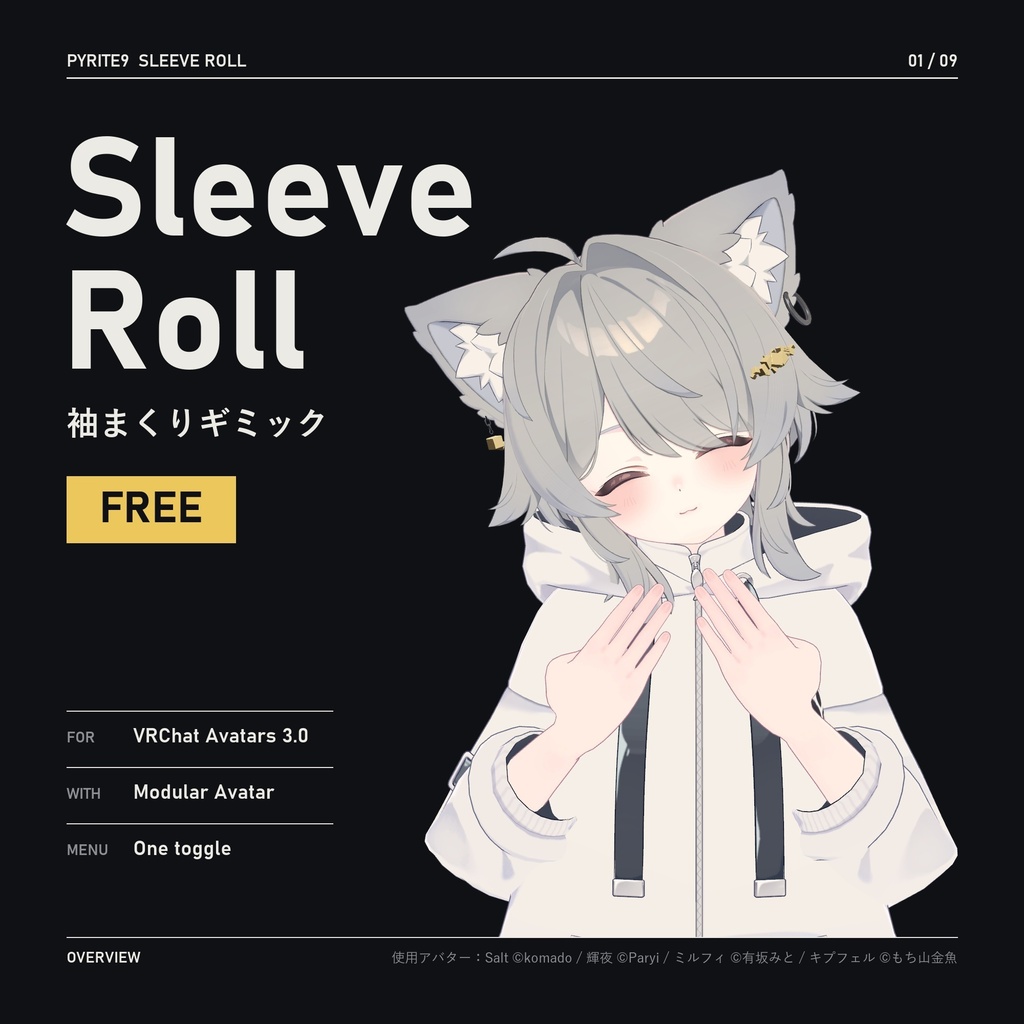


【最新アップデート v0.1.0(2026-11-07)】初公開です。 [Latest update v0.1.0 (2026-11-07)] First release. [최신 업데이트 v0.1.0 (2026-11-07)] 첫 공개입니다. VRChat アバター用の袖まくりギミックです。無料でお使いいただけます。 プレハブをアバターに入れて袖のある衣装を選ぶだけで、ビルド時にその衣装のメッシュから「まくった袖」の形を計算して入れます。Expression Menu のトグルをオンにすると両袖がまくれ上がり、他の人にもそのまま見えます。 このパッケージにシェイプキーやメッシュのデータは入っていません。形はあなたが持っている衣装からビルド時に作られます。 A free sleeve-rolling gimmick for VRChat avatars. Drop the prefab into an avatar and pick the sleeved garment — when you build, the rolled-up sleeve is worked out from that garment's own mesh. Turn the Expression Menu toggle on and both sleeves roll up, and others see it too. No shape keys or mesh data come with this package. The shape is made at build time from the garment you own. VRChat 아바타용 무료 소매 걷기 기믹입니다. 프리팹을 아바타에 넣고 소매 달린 옷을 고르면, 빌드할 때 그 옷의 메시로 걷힌 소매 모양을 계산해 넣습니다. Expression Menu 토글을 켜면 양 소매가 걷혀 올라가고, 다른 사람에게도 그대로 보입니다. 이 패키지에는 셰이프키나 메시 데이터가 들어 있지 않습니다. 모양은 내가 가진 옷으로 빌드할 때 만들어집니다. 無料版と支援版(100円)の中身は同じです。気に入っていただけたら、支援版で応援していただけると嬉しいです。 The Free and Support (100 JPY) versions contain the same files. If you like it, you can support the development with the Support version. 무료판과 지원판(100엔)의 내용은 같습니다. 마음에 드셨다면 지원판으로 응원해 주시면 기쁘겠습니다. 画像の使用アバター:Salt ©komado / 輝夜 ©Paryi / ミルフィ ©有坂みと / キプフェル ©もち山金魚
主な機能 / Features / 기능
・Expression Menu のトグルで両袖が 0.2 秒でまくれ上がる — 他の人にも見える(同期 1 bit) ・肌を測って、布が腕に埋まらないようにまくる。元の布の厚みとゆとりの一部を残し、たまった所にしわを入れる ・衣装が袖の下の腕を shrink している場合は、まくっている間 shrink を解除する ・手首を曲げてもひねっても、まくった袖口はそのまま ・PhysBone の袖(萌え袖)は普段どおり揺れ、まくっている間だけ止まる ・重ね着は複数選ぶと、内側から順にまくる ・シーンも衣装のメッシュファイルも変わらない(変わるのはビルド用のコピーだけ) ・まくった袖をビルドせずに Scene ビューで確認できる(計算はビルドと同じ) ・インスペクターは日本語・英語・韓国語に対応 - An Expression Menu toggle rolls both sleeves up in 0.2 s — others see it too (1 synced bit) - Measures the skin so the cloth doesn't sink into the arm, keeps the cloth's own thickness and some of its slack, and adds folds where it bunches up - Where the outfit shrinks the arm under the sleeve, it releases the shrink while rolled - The rolled cuff stays put when you bend or twist the wrist - Sleeves with a PhysBone (moe sleeves) keep swaying and hold still only while rolled - Layered outfits: pick several garments and they roll from the inside out - Your scene and the garment's mesh file are not changed — only the build copy is - See the rolled sleeves in the Scene view without building (same calculation as the build) - Inspector in English, Japanese and Korean ・Expression Menu 토글로 양 소매가 0.2초 만에 걷힘 — 다른 사람에게도 보임(동기화 1 bit) ・피부를 재서 천이 팔에 박히지 않게 걷고, 원래 겹 두께와 헐렁함 일부를 남기며, 걷힌 자리에 주름을 넣음 ・옷이 소매 밑 팔을 shrink 해 두었으면 걷는 동안 shrink를 해제함 ・손목을 꺾거나 비틀어도 걷힌 소맷단은 그대로 ・PhysBone 소매(모에 소매)는 평소처럼 흔들리고 걷혀 있는 동안만 멈춤 ・겹쳐 입은 옷은 여러 개 고르면 안쪽부터 걷음 ・씬과 옷 메시 파일은 바뀌지 않음(바뀌는 건 빌드용 사본뿐) ・걷은 소매를 빌드 없이 Scene 뷰에서 확인(계산은 빌드와 같음) ・인스펙터는 한국어·영어·일본어 지원
動作環境 / Requirements / 필요한 것
・Unity 2022.3(VRChat) ・VRChat SDK – Avatars 3.10 以上 ・Modular Avatar(NDMF は一緒に導入されます) ・Humanoid アバター 確認した環境:Unity 2022.3.22f1、VRChat SDK Avatars 3.10.5、Modular Avatar 1.18.7、NDMF 1.14.8 - Unity 2022.3 (VRChat) - VRChat SDK – Avatars 3.10 or later - Modular Avatar (NDMF is installed with it) - A humanoid avatar Tested with: Unity 2022.3.22f1, VRChat SDK Avatars 3.10.5, Modular Avatar 1.18.7, NDMF 1.14.8 ・Unity 2022.3(VRChat) ・VRChat SDK – Avatars 3.10 이상 ・Modular Avatar(NDMF는 같이 설치됩니다) ・Humanoid 아바타 확인한 환경: Unity 2022.3.22f1, VRChat SDK Avatars 3.10.5, Modular Avatar 1.18.7, NDMF 1.14.8
導入方法 / How to install / 설치
1. VCC / ALCOM で Modular Avatar をプロジェクトに追加 2. ZIP を解凍し、.unitypackage をダブルクリックしてインポート 3. Assets/Pyrite9/SleeveRoll/Pyrite9 Sleeve Roll.prefab をアバターの直下に入れて、インスペクターで衣装のボタンを押す 4. いつもどおりアップロード 詳しい使い方は同梱の README_jp.md をご覧ください。 1. Add Modular Avatar to the project with VCC / ALCOM 2. Unzip, then double-click the .unitypackage to import it 3. Put Assets/Pyrite9/SleeveRoll/Pyrite9 Sleeve Roll.prefab directly under the avatar and click the garment's button in the inspector 4. Upload as usual See the included README_en.md for details. 1. VCC / ALCOM으로 Modular Avatar를 프로젝트에 추가 2. ZIP을 풀고 .unitypackage를 더블클릭해 임포트 3. Assets/Pyrite9/SleeveRoll/Pyrite9 Sleeve Roll.prefab을 아바타 바로 아래에 넣고 인스펙터에서 옷 버튼을 누름 4. 평소처럼 업로드 자세한 사용법은 함께 들어 있는 README_ko.md를 보세요.
注意事項 / Notes / 주의
・試した衣装は Salt の標準パーカー、Kipfel のシャツ、Milfy のカーディガン、輝夜のカーディガンとセーラー服の重ね着です。すべての衣装での動作を保証するものではありません ・PC で確認しました。Android / Quest 版は確認していません ・重ね着は 1 組(輝夜のカーディガン + セーラー服)で確認しました ・PhysBone の袖(萌え袖)は 1 着(輝夜のカーディガン)で Unity の Play と VRChat 内で確認しました(他の人の画面、その人のインスタンス再入室を含む) ・衣装の下の腕を切り取った素体メッシュでは、まくる場所がないため動作しません。ビルド時に警告が出ます ・操作はトグルのみで、左右を別々にまくるメニューはありません(左右どちらかだけをまくる設定はインスペクターでできます) ・袖口が腕より下に垂れた袖は、袖の先が開いていればビルド時に自動で補正します。確認した衣装は Foxy シリーズのみで、袖の先が閉じた袖、袖口が離れた袖、大きな別パーツが付いた袖、上側に切れ目がある袖は、補正されないか形が崩れることがあります - Tested outfits: Salt's default hoodie, Kipfel's shirt, Milfy's cardigan, and Kaguya's cardigan layered over her sailor top. Not every outfit is guaranteed to work - Tested on PC. Android / Quest is not tested - Layering was tested with one pair (Kaguya's cardigan over her sailor top) - PhysBone sleeves (moe sleeves) were tested on one outfit (Kaguya's cardigan) in Unity Play mode and inside VRChat, including another player's view and that player rejoining the instance - It can't roll onto a body mesh with the arm cut away under the outfit — the build warns you - The only control is the toggle; there is no menu to roll each side separately (the inspector can limit it to one side) - A sleeve whose cuff hangs below the arm is corrected automatically at build if the sleeve end is open. Only the Foxy outfit family was tested; a sleeve with a closed end, a detached cuff, a large separate part or a slit along the top may not be corrected, or may lose its shape ・시험한 옷은 Salt 기본 후드, Kipfel 셔츠, Milfy 카디건, Kaguya 카디건과 세일러 셔츠 겹쳐 입기입니다. 모든 옷에서 동작을 보장하지는 않습니다 ・PC에서 확인했습니다. Android / Quest 판은 확인하지 않았습니다 ・겹쳐 입기는 한 조합(Kaguya 카디건 + 세일러 셔츠)으로 확인했습니다 ・PhysBone 소매(모에 소매)는 한 벌(Kaguya 카디건)로 Unity Play와 VRChat 안에서 확인했습니다(다른 사람 화면, 그 사람의 인스턴스 재입장 포함) ・옷 밑 팔을 잘라 낸 몸 메시에서는 걷을 자리가 없어 동작하지 않습니다. 빌드할 때 경고가 나옵니다 ・조작은 토글뿐이고, 좌우를 따로 걷는 메뉴는 없습니다(한쪽만 걷는 설정은 인스펙터에서 할 수 있습니다) ・소맷단이 팔 아래로 처진 소매는 소매 끝이 뚫려 있으면 빌드 때 자동으로 바로잡습니다. 확인한 옷은 Foxy 계열뿐이고, 소매 끝이 막혔거나 소맷단이 떨어져 있거나 큰 부품이 따로 달렸거나 윗부분이 트인 소매는 바로잡지 못하거나 모양이 깨질 수 있습니다
追加されるもの / What it adds / 추가되는 것
BlendShape:衣装に 2 個、腕を shrink している素体に 2 個(必要なときのみ)/ ボーン 2 / VRC Rotation Constraint 2 / FX レイヤー 1 / 同期パラメータ 1 bit(維持する PhysBone の袖があれば、布が乗るボーンごとにボーン・Constraint +1) メッシュ・マテリアルは増えません。テクスチャもメニューアイコン(256×256)のほかは増えません。 BlendShapes: 2 on the garment, 2 on a body that hides the arm (only when needed) / 2 bones / 2 VRC Rotation Constraints / 1 FX layer / 1 synced bit (with a kept PhysBone sleeve: +1 bone and +1 constraint per bone that holds cloth) No meshes or materials are added, and no textures except the menu icon (256×256). BlendShape: 옷에 2개, 팔을 shrink한 몸에 2개(필요할 때만) / 본 2 / VRC Rotation Constraint 2 / FX 레이어 1 / 동기화 파라미터 1 bit(유지하는 PhysBone 소매가 있으면 옷이 실린 본마다 본·Constraint +1) 메시·머티리얼은 늘어나지 않습니다. 텍스처도 메뉴 아이콘(256×256) 말고는 늘어나지 않습니다.
お問い合わせ / Contact / 문의
不具合の報告・質問:Booth のメッセージ または X @Pyrite9_VRC GitHub:https://github.com/Pyrite9/vrchat-sleeve-roll Bug reports and questions: Booth message or X @Pyrite9_VRC GitHub: https://github.com/Pyrite9/vrchat-sleeve-roll 버그 신고·질문: Booth 메시지 또는 X @Pyrite9_VRC GitHub: https://github.com/Pyrite9/vrchat-sleeve-roll
Terms of Service
- 無料です。使用・改変、このギミックを使ったアバターのアップロード(パブリック・プライベートとも)ができます。ただし、衣装・アバター自体の規約(パブリックアップロード禁止など)は別に守ってください。 - そのアバターを動画・配信・スクリーンショットに使えます(収益化を含む)。 - 他の人のアバターへの導入の代行(依頼制作など)は、その人が本パッケージを自分で入手している場合に限ります。 - ファイルの再配布・共有・販売は、改変の有無にかかわらず禁止です(配布・販売するアバターデータやアセットに入れることを含みます)。 - クレジット表記は不要ですが、していただけると嬉しいです(「Pyrite9 Sleeve Roll © Pyrite9」)。 - 現状のまま提供され、保証はありません。入手したバージョンにはそのバージョンに含まれる規約が適用されます。 - GitHub でも公開しています:https://github.com/Pyrite9/vrchat-sleeve-roll (GitHub 上での閲覧・フォークは可)。 - Free. You may use and modify it and upload avatars that use it (public or private). The outfit's and avatar's own terms (such as no public uploads) still apply on their own. - You may use those avatars in videos, streams and screenshots, including monetised content. - Installing it on someone else's avatar (commissions, etc.) is fine only if that person got this package themselves. - Redistributing, sharing or selling the files, modified or not, is not allowed (including in avatar data or assets you distribute or sell). - Credit is not required, but appreciated ("Pyrite9 Sleeve Roll © Pyrite9"). - Provided as is, without warranty. The terms in the version you obtained apply to that version. - The package is also on GitHub: https://github.com/Pyrite9/vrchat-sleeve-roll (viewing and forking it there are allowed). - 무료입니다. 사용·개변, 이 기믹을 쓴 아바타의 업로드(퍼블릭·프라이빗 모두)가 가능합니다. 단, 옷·아바타 자체의 규약(퍼블릭 업로드 금지 등)은 따로 지켜 주세요. - 그 아바타를 영상·방송·스크린샷에 쓸 수 있습니다(수익 창출 포함). - 다른 사람 아바타에 대신 달아 주기(커미션 등)는 그 사람이 이 패키지를 직접 받은 경우에만 가능합니다. - 파일의 재배포·공유·판매는 개변 여부와 관계없이 금지합니다(배포·판매하는 아바타 데이터나 에셋에 넣는 것도 포함). - 크레딧 표기는 필요 없지만, 해 주시면 감사하겠습니다("Pyrite9 Sleeve Roll © Pyrite9"). - 있는 그대로 제공되며 보증하지 않습니다. 받은 버전에는 그 버전에 들어 있는 규약이 적용됩니다. - GitHub에도 공개되어 있습니다: https://github.com/Pyrite9/vrchat-sleeve-roll (GitHub에서 보기·포크는 됩니다).
Update information
v0.1.0(2026-11-07)初回公開 / First release / 첫 공개