

【無料 FREE】【VRC想定】SoulFlame VRM Exporter ー VRChatアバターをVRMへ
- 無料 FREEダウンロード商品¥ 0
- 開発応援 Supportダウンロード商品¥ 1,000
- 開発応援+ Big supportダウンロード商品¥ 3,000
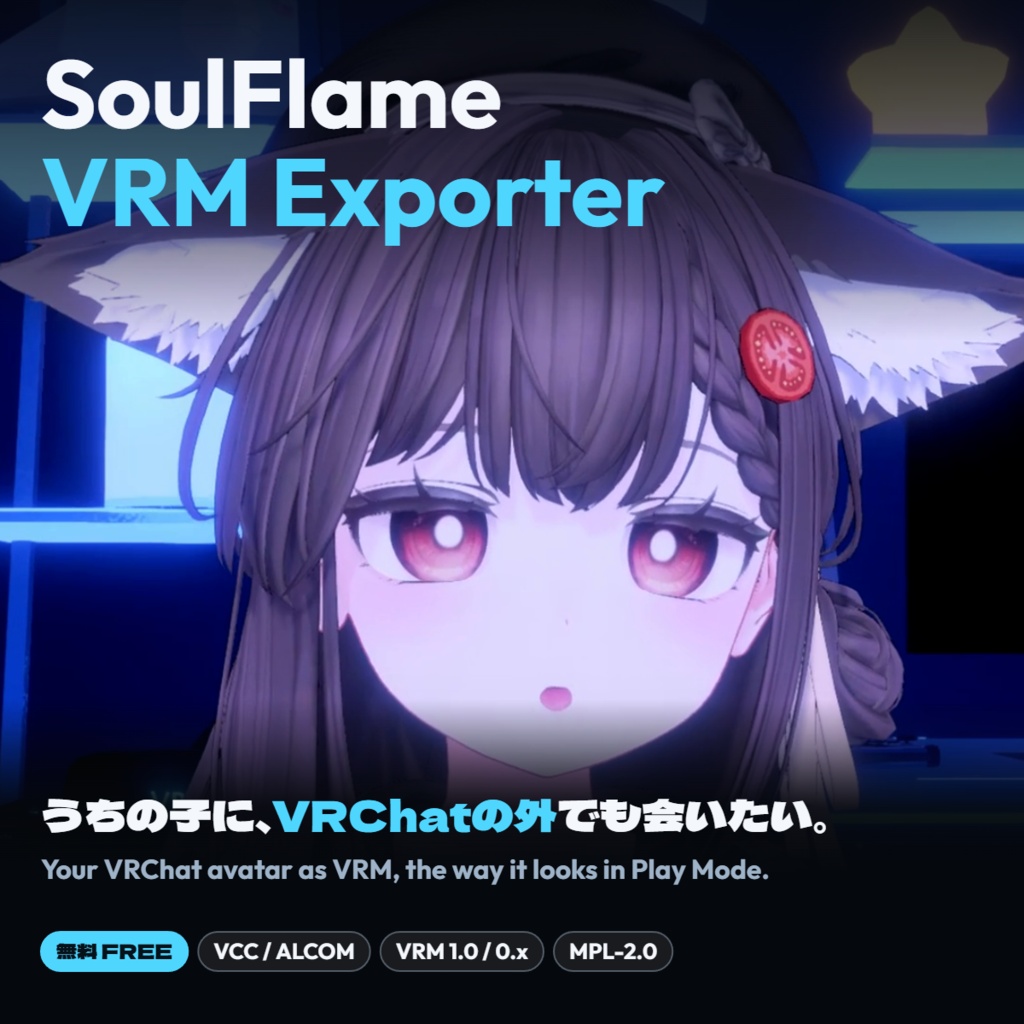
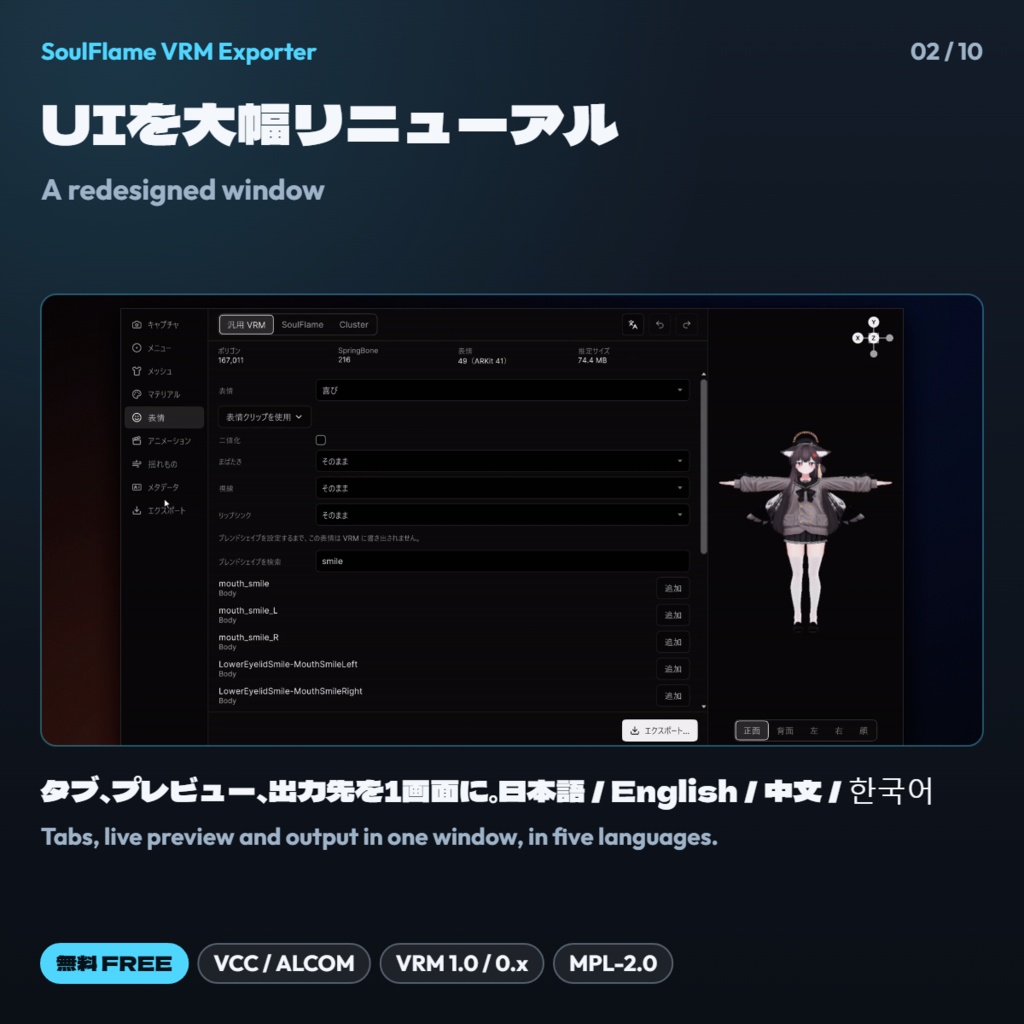


VRChatアバターを、Play Modeで見えているままの姿でVRMに書き出せる、Unity用の無料ツールです。表情やまばたき、揺れもの、lilToon/Poiyomiの質感、ARKit(パーフェクトシンク)までまとめて変換。VRChatの外でも「うちの子」に会えます。 SoulFlame VRM Exporter is a free Unity tool that turns your VRChat avatar into a VRM file, just as it looks in Play Mode. Expressions, blinks, PhysBones, lilToon and Poiyomi materials, and ARKit (Perfect Sync) shapes all carry over, so you can meet your avatar outside VRChat too. VCCやALCOMから導入でき、アップデートもそのまま受け取れます。このページからは、導入ガイドとパッケージ(0.7.0)をダウンロードできます。 Install it through VCC or ALCOM and receive updates there. The download on this page contains an install guide and the package itself (0.7.0). VCC: https://cucumberworks.github.io/vpm/
主な機能 Features
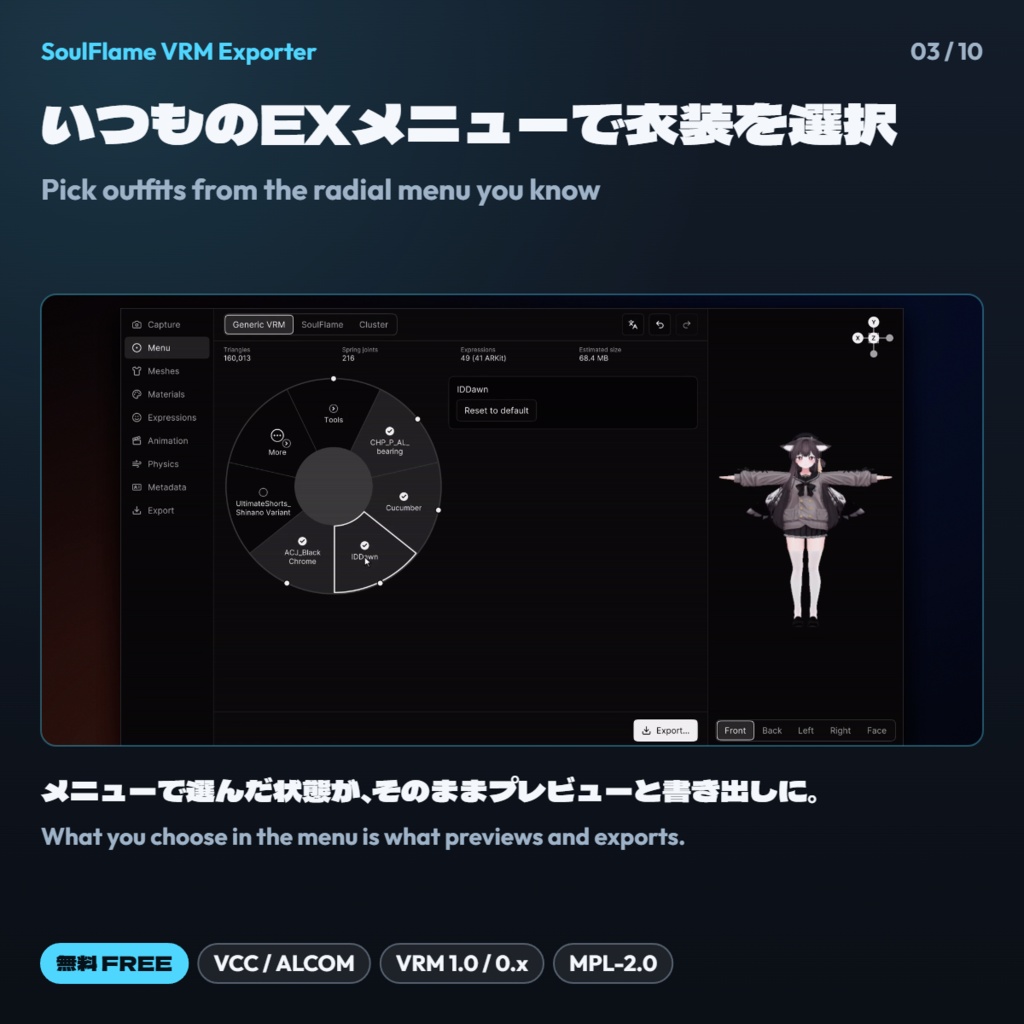
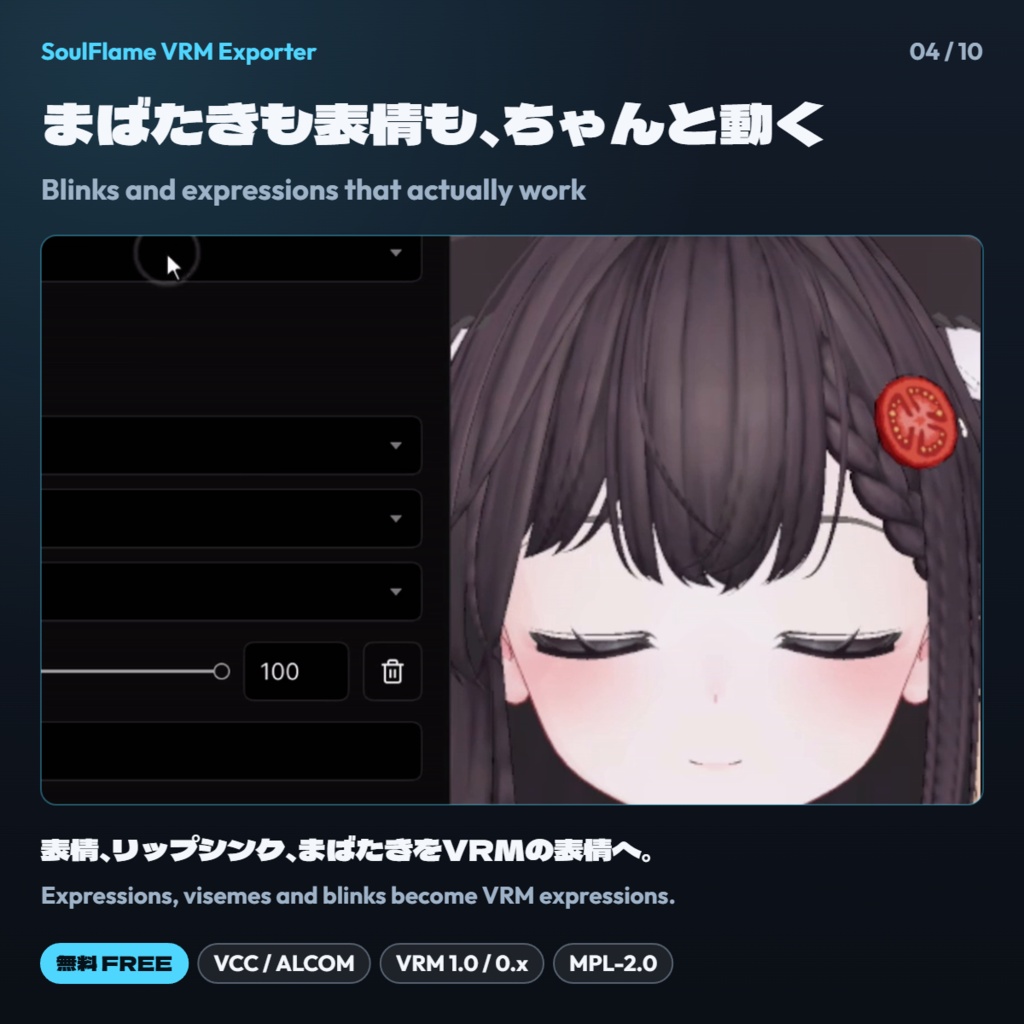
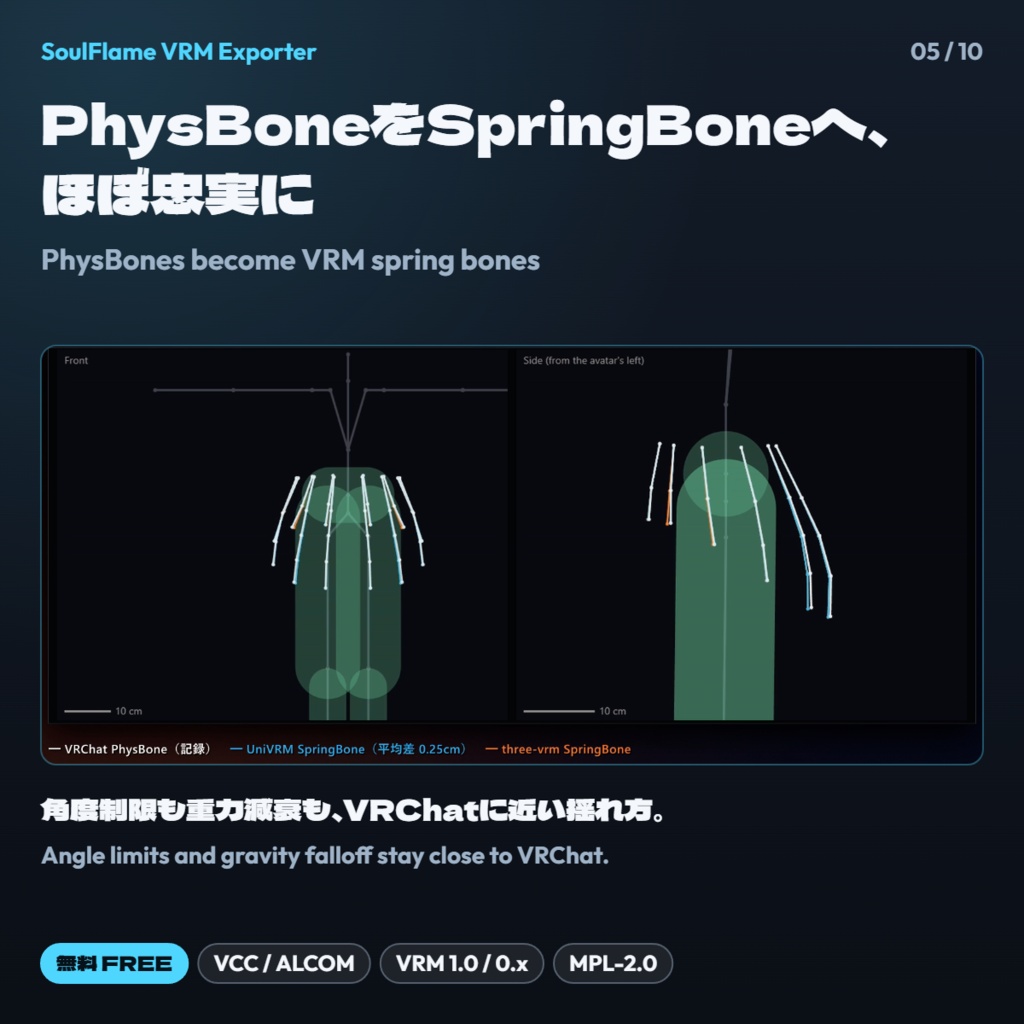
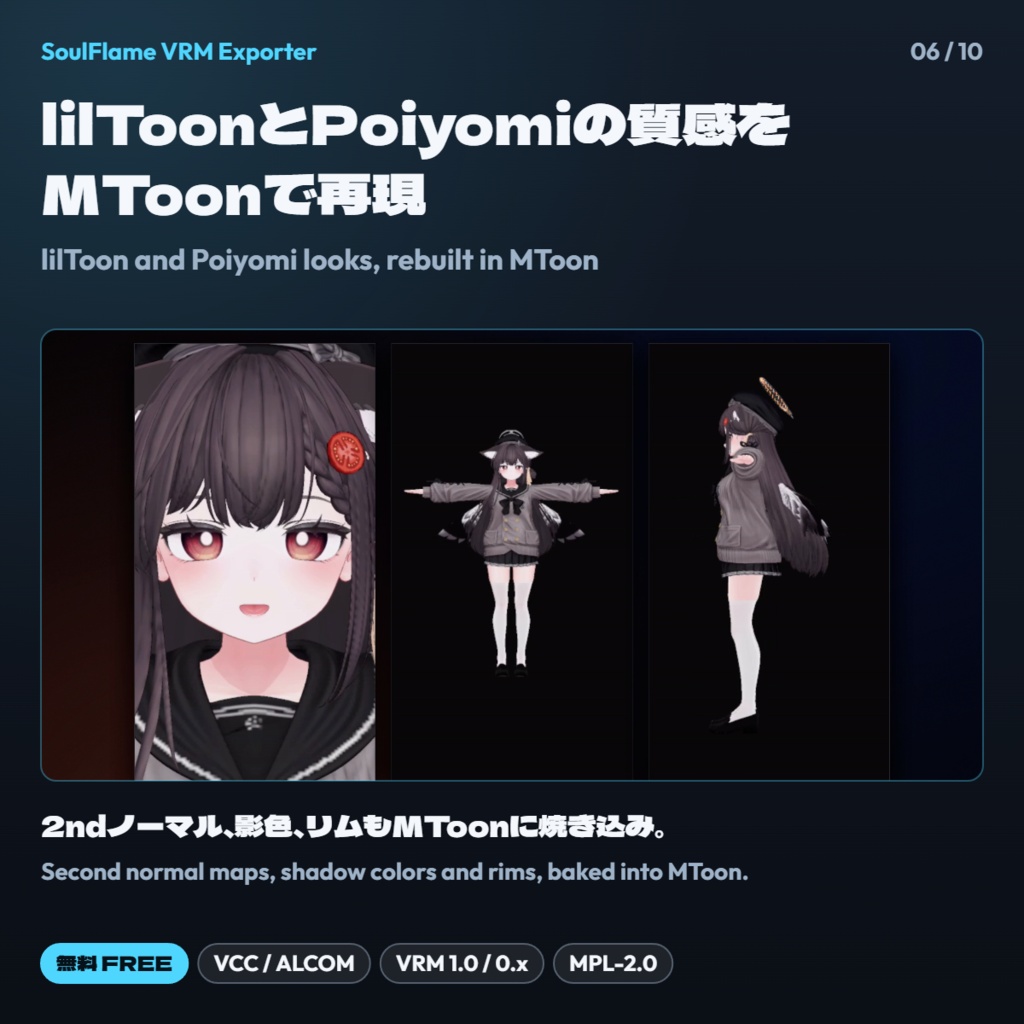
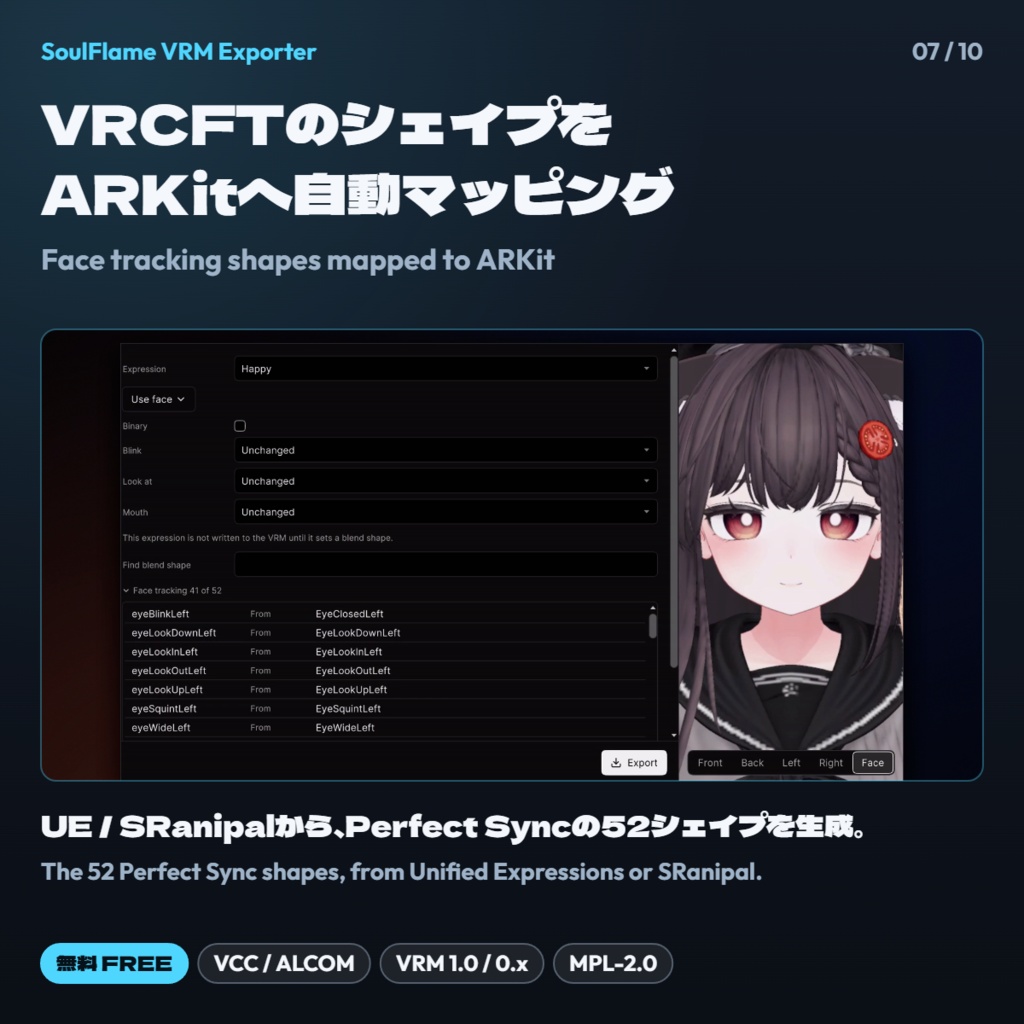
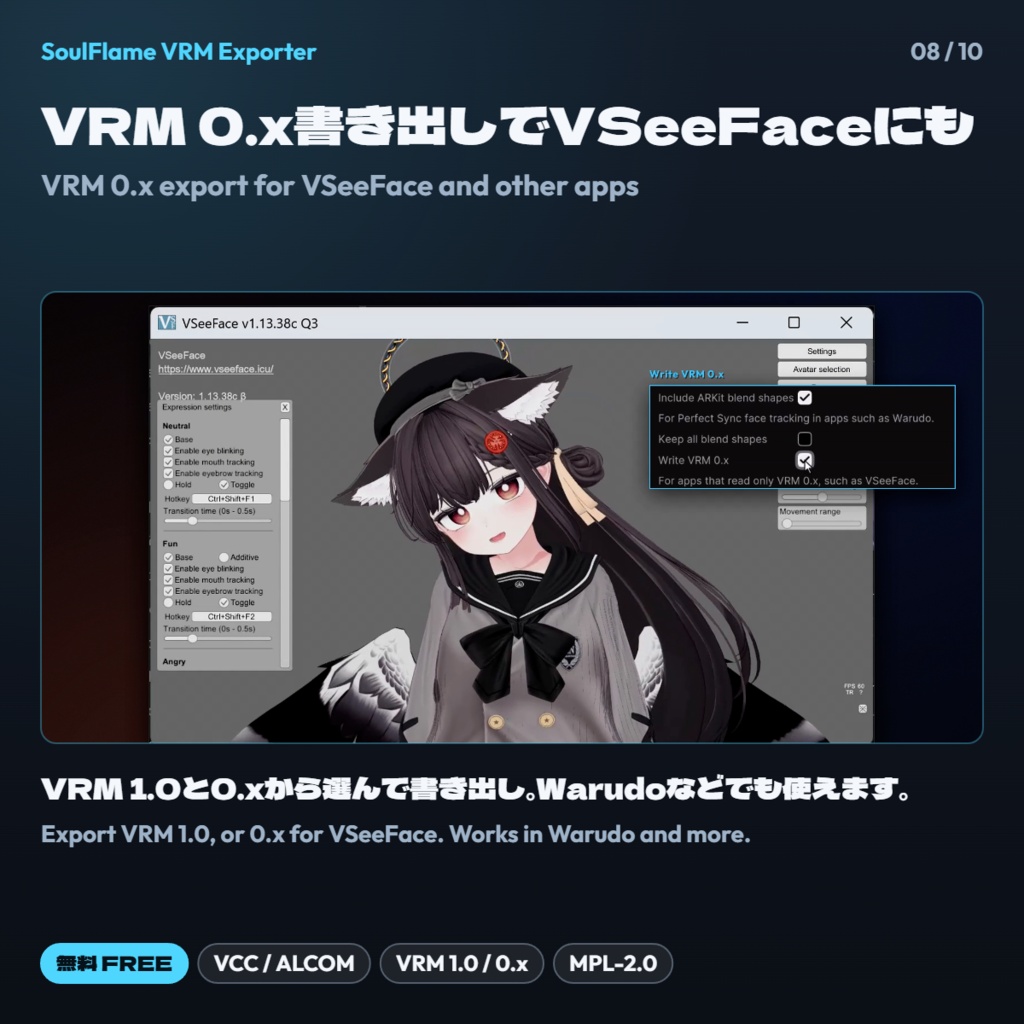
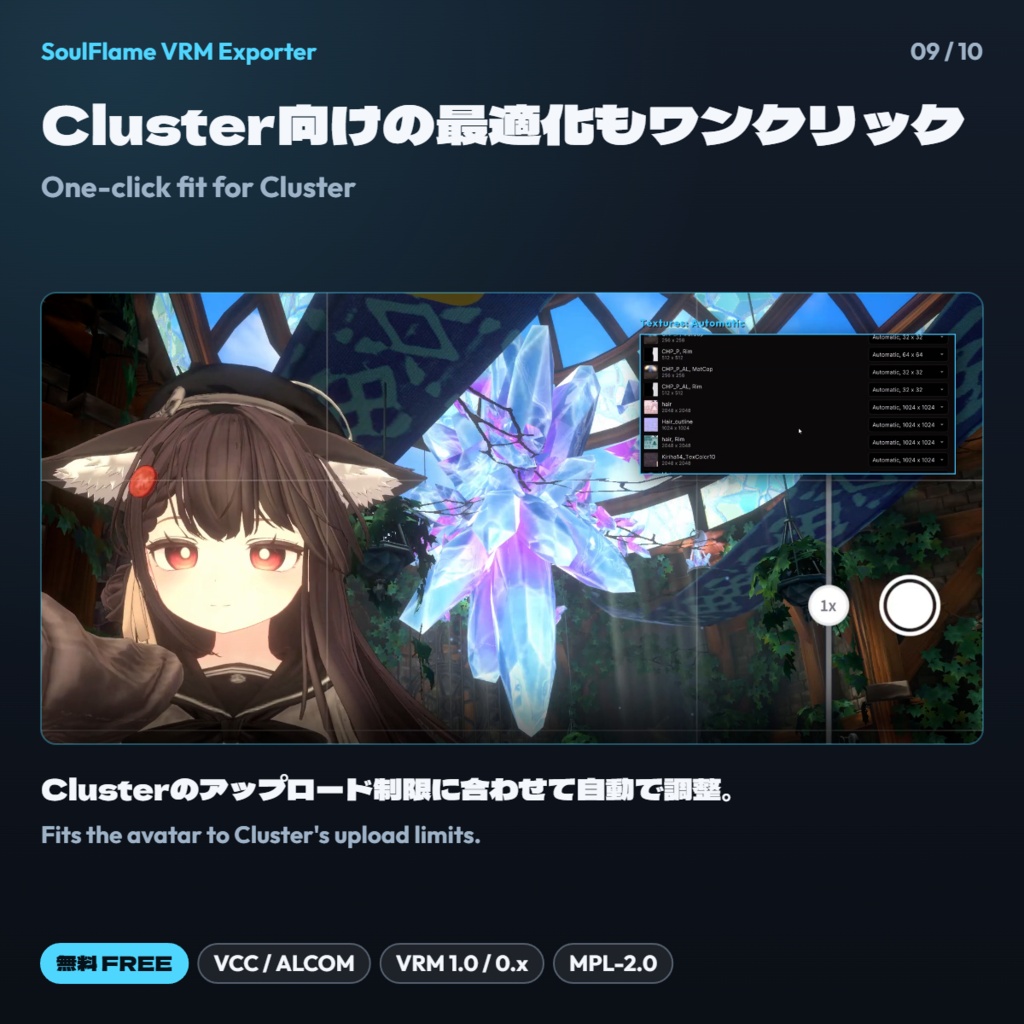
・いつものEXメニューで衣装やトグルを切り替えると、その状態がそのままプレビューと書き出しに反映 ・表情、リップシンク、まばたきをVRMの表情として書き出し ・PhysBoneをVRMのSpringBoneに変換。角度制限、ヒンジ、重力減衰まで反映し、VRChatに近い揺れ方を再現 ・lilToonとPoiyomiの2ndノーマル、影色、リムなどをMToonに焼き込み ・Unified ExpressionsやSRanipalのシェイプから、ARKit(パーフェクトシンク)の52シェイプを自動で作成。手動での割り当てにも対応 ・iPhoneのiFacialMocapで、プレビュー上の表情の動きを確認 ・出力先は3種類。汎用 VRM(VRM 1.0、またはVSeeFace向けのVRM 0.x)、SoulFlame(MToonに加えてlilToonマテリアルも収録)、Cluster(アップロード制限に合わせて自動調整) ・Modular AvatarなどNDMFを使うアバターも、NDMFの処理を終えた姿でキャプチャ ・日本語 / English / 简体中文 / 繁體中文 / 한국어 に対応 ・Switch outfits and toggles from the avatar's own Expression Menu; the preview and the export follow along ・Expressions, visemes and blinks are written as VRM expressions ・PhysBones become VRM spring bones; with angle limits, hinges and gravity falloff carried over, they swing much as in VRChat ・lilToon and Poiyomi second normal maps, shadow colors and rim lights are baked into MToon ・The 52 ARKit (Perfect Sync) shapes are built automatically from Unified Expressions or SRanipal shapes, or assigned by hand ・Drive the preview's face live from an iPhone with iFacialMocap ・Three outputs: Generic VRM (VRM 1.0, or VRM 0.x for VSeeFace), SoulFlame (lilToon materials alongside MToon) and Cluster (fitted to its upload limits) ・Avatars built with NDMF tools such as Modular Avatar are captured after NDMF has run ・The window is available in English, Japanese, Simplified Chinese, Traditional Chinese and Korean
動作環境 Requirements
・Unity 2022.3.22f1(Color Space: Linear) ・VRChat Avatars SDK 3.7.0以降(3.x) ・対応パッケージ(任意):NDMF 1.7.3以降の1.x(1.8.0を除く)、lilToon 1.8.5〜1.10.x / 2.3.x、Poiyomi Toon 8.0 / 8.1 / 9.0〜9.3 / 10.0 ・書き出したVRMをWarudoで使う場合は、Warudo 0.15.2以降 ・Unity 2022.3.22f1 (Color Space: Linear) ・VRChat Avatars SDK 3.7.0 or a later 3.x release ・Optional: NDMF 1.7.3 or a later 1.x release (not 1.8.0), lilToon 1.8.5 to 1.10.x or 2.3.x, Poiyomi Toon 8.0, 8.1, 9.0 to 9.3 or 10.0 ・Warudo 0.15.2 or later, for using exported files in Warudo
内容データ Contents
・導入ガイド Install guide (README_JP_EN.txt) ・パッケージ Package (com.soulflame.vrm-exporter-0.7.0.zip) ・ライセンス License (LICENSE.txt)
使用説明 Instructions
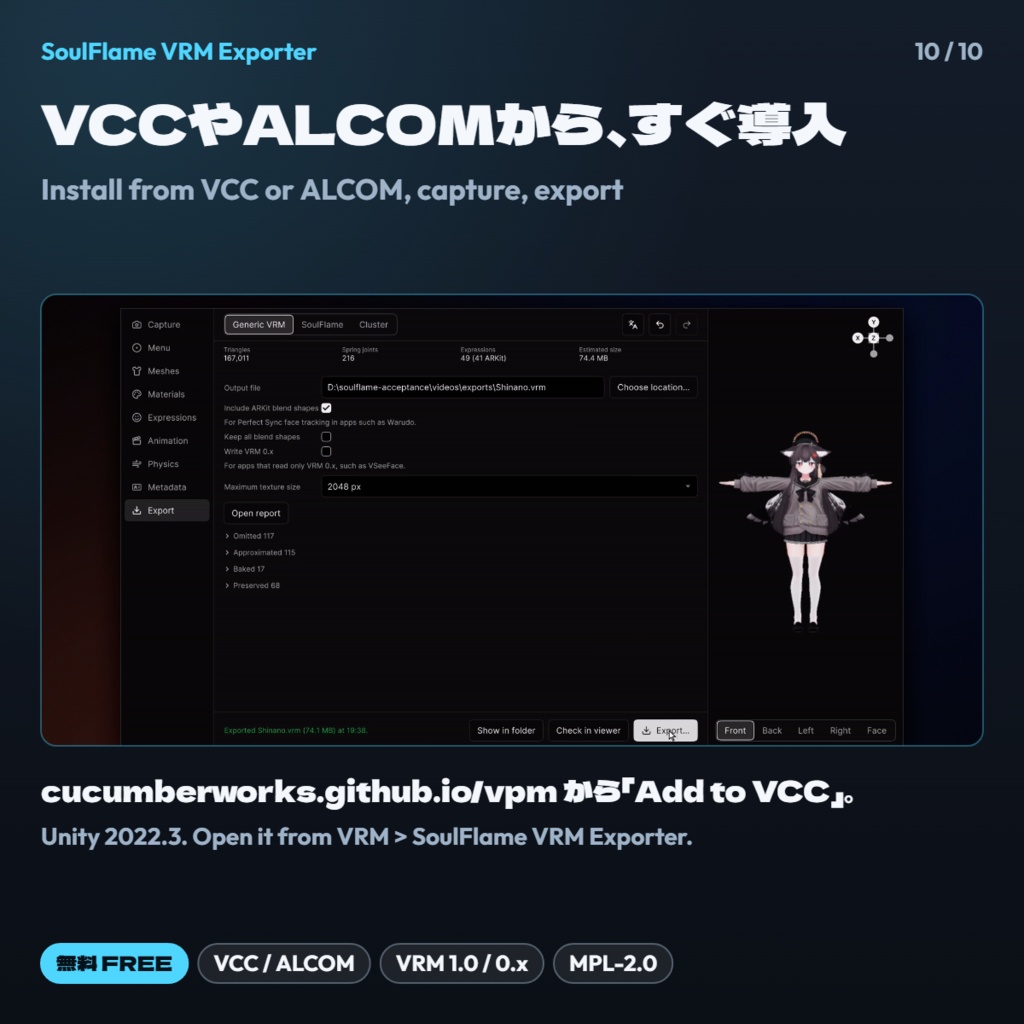
1. https://cucumberworks.github.io/vpm/ で「Add to VCC」を押します。ALCOMの場合は、リポジトリURL https://cucumberworks.github.io/vpm/index.json を追加します。 2. プロジェクトに「SoulFlame VRM Exporter」を追加し、Unityのメニュー「VRM > SoulFlame VRM Exporter」から開きます。 3. アバターをシーンに置き、「キャプチャ」タブで「見た目をキャプチャ」を押します。 4. 画面上部の切り替えで出力先を選び、「メニュー」タブで衣装などを選びます。 5. 「エクスポート」タブから書き出します。VSeeFaceなどで使う場合は「VRM 0.x で書き出す」をオンにします。 VCCを使わずに導入する方法は、同梱のREADME_JP_EN.txtをご覧ください。 1. On https://cucumberworks.github.io/vpm/, click "Add to VCC". In ALCOM, add the repository URL https://cucumberworks.github.io/vpm/index.json. 2. Add "SoulFlame VRM Exporter" to your project, then open it from VRM > SoulFlame VRM Exporter in Unity. 3. Place the avatar in the scene and click Capture appearance on the Capture tab. 4. Choose the output with the switch at the top, and pick outfits on the Menu tab. 5. Export from the Export tab. For VSeeFace and similar apps, turn on Write VRM 0.x. To install without VCC, see README_JP_EN.txt in the download.
ご注意 Notes
・書き出したVRMの利用は、元のアバター、衣装、アクセサリーなどの利用規約に従ってください。VRMへの変換やVRChat以外での使用が許可されているか、必ずご確認ください。 ・新機能をいち早く試せるベータ版は、VCCやALCOMでプレリリース版の表示をオンにすると選べます。 ・不具合のご報告には、プロジェクトの UserSettings/SoulFlameVrmExporter/logs/exporter.log を添えてください。 ・Use exported files only within the terms of the avatar, outfits and accessories you convert, and check that those terms allow converting to VRM and using the result outside VRChat. ・Betas with the newest features appear in VCC or ALCOM once pre-release packages are shown. ・When reporting a problem, please attach UserSettings/SoulFlameVrmExporter/logs/exporter.log from your project.
利用規約 Terms
本ツールはMPL-2.0(Mozilla Public License 2.0)で提供しています。商用、非商用を問わず、無料で使用、改変、再配布できます。本ツールのファイルを改変して配布する場合は、そのファイルをMPL-2.0のままとし、ソースコードを公開してください(新たに追加したファイルには別のライセンスを適用できます)。同梱しているサードパーティ製コンポーネント(UniVRM、lilToon、りるぽい、three.js、three-vrm など)には、それぞれのライセンスが適用されます(パッケージ内の THIRD_PARTY_NOTICES.md)。 This tool is released under MPL-2.0 (Mozilla Public License 2.0). You may use, modify and redistribute it for free, commercially or not. If you distribute modified versions of its files, keep those files under MPL-2.0 and publish their source; files you add yourself may use another license. Bundled third-party components (UniVRM, lilToon, りるぽい, three.js, three-vrm and others) keep their own licenses (see THIRD_PARTY_NOTICES.md in the package). 「SoulFlame」の名称とロゴは、ライセンスの対象外です(MPL-2.0 第2.3項)。改変版や派生物を配布する際は別の名称を使い、CucumberWorks や SoulFlame の公式版である、または公認されているかのように表示しないでください。 The SoulFlame name and logo are not covered by the license (MPL-2.0 section 2.3). If you distribute a modified version or a derivative, give it another name, and do not present it as official or endorsed by CucumberWorks or SoulFlame.
更新履歴 Update history
・0.7.0(2026/10/28)最適化タブを追加しました。Light / Balanced / Strong のレベルを選ぶか目標値を個別に決めて、ポリゴン数、メッシュとマテリアルの統合、テクスチャサイズ、揺れものの数を調整できます。変換できないマテリアルがあっても書き出しは止まらず、警告を出して基本の見た目で書き出します。ほかに、袖などコンストレイントで動くパーツの追従、VRM 0.x で書き出すときのプレビュー、Avatar Optimizer を使ったアバターのフェイストラッキング、読み込み直後だけ表示されるオブジェクトの扱いを改善しました。MPL-2.0 で提供しています。 ・0.6.9(2026/10/21)FXレイヤーで32秒以上ループするアニメーションを持つアバターを、再び書き出せるようにしました。 これまでの更新履歴:https://github.com/CucumberWorks/vpm/releases ・0.7.0 (2026-10-28) New Optimize tab: pick Light, Balanced or Strong, or set your own targets for triangles, merged meshes and materials, texture size and spring joints. A material the exporter cannot convert no longer stops an export; it exports with its basic look and a warning. Also improved: parts that follow bones through constraints, such as sleeves; the preview when writing VRM 0.x; face tracking on avatars built with Avatar Optimizer; and objects an FX layer shows only for a moment at load. Released under MPL-2.0. ・0.6.9 (2026-10-21) Avatars with FX-layer animations that loop for 32 seconds or longer export again. Full release notes: https://github.com/CucumberWorks/vpm/releases
その他 Others
インストールや使用中にご質問があれば、私のディスコードサーバーに参加するか、Twitter(X)でDMを送ってください。Boothを通じてメッセージを送ると、見逃す可能性がありますので、ご注意ください。 If you have any questions during installation and use, I recommend joining my discord server, or DM me on Twitter(X). If you send me messages through booth, I may miss it. Discord: https://discord.gg/JWjkaAUrGd Twitter: @cucumberworks
開発支援 Support
このツールは無料でお使いいただけます。開発を応援していただける方は、「開発応援」のバリエーションをお選びください。内容は無料版と同じです。 This tool is free to use. If you'd like to support its development, choose the "Support" variation; it contains the same files as the free one.