

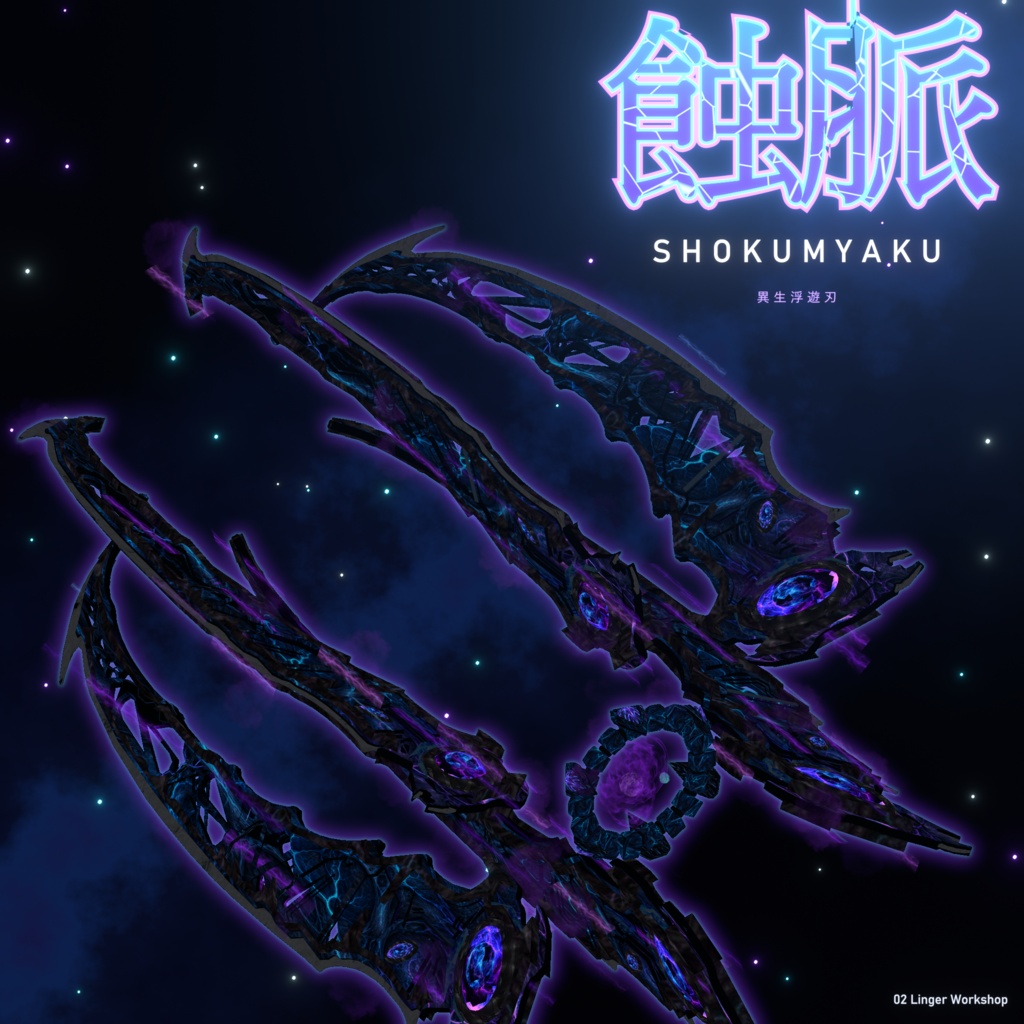
【MA対応】蝕脈 Shokumyaku|異生浮遊刃
- ダウンロード商品¥ 950


【MA対応】蝕脈 Shokumyaku|異生浮遊刃 https://www.youtube.com/watch?v=Zeo3PG3JcP0 i'm come from Hongkong. (x
発売記念セール|上架優惠|Launch Sale
発売から1か月間、特別価格 950円 で販売します。2026/12/8 以降は通常価格 1,200円 になります。 上架首月優惠價 950 JPY,2026/12/8 起恢復原價 1,200 JPY。 Launch price for the first month: 950 JPY. From 2026/12/8, the regular price will be 1,200 JPY.
日本語
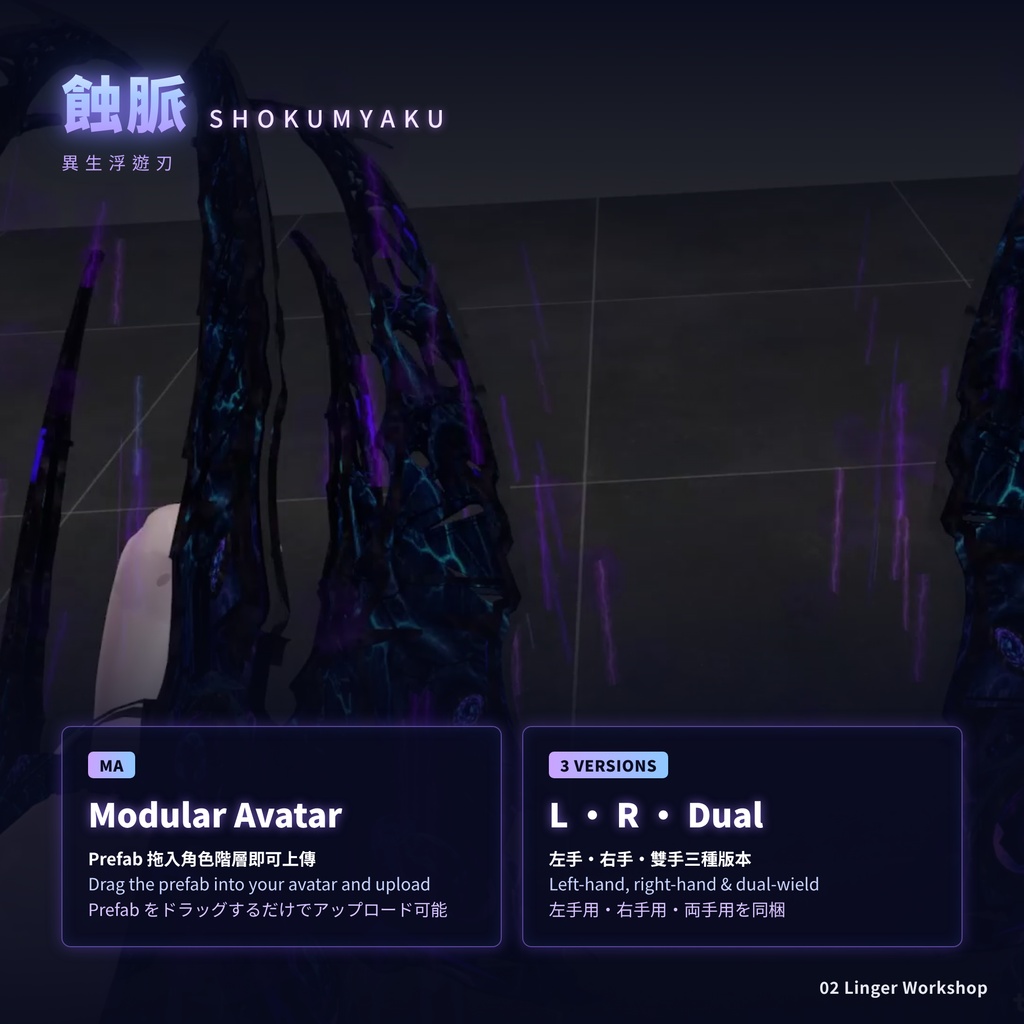
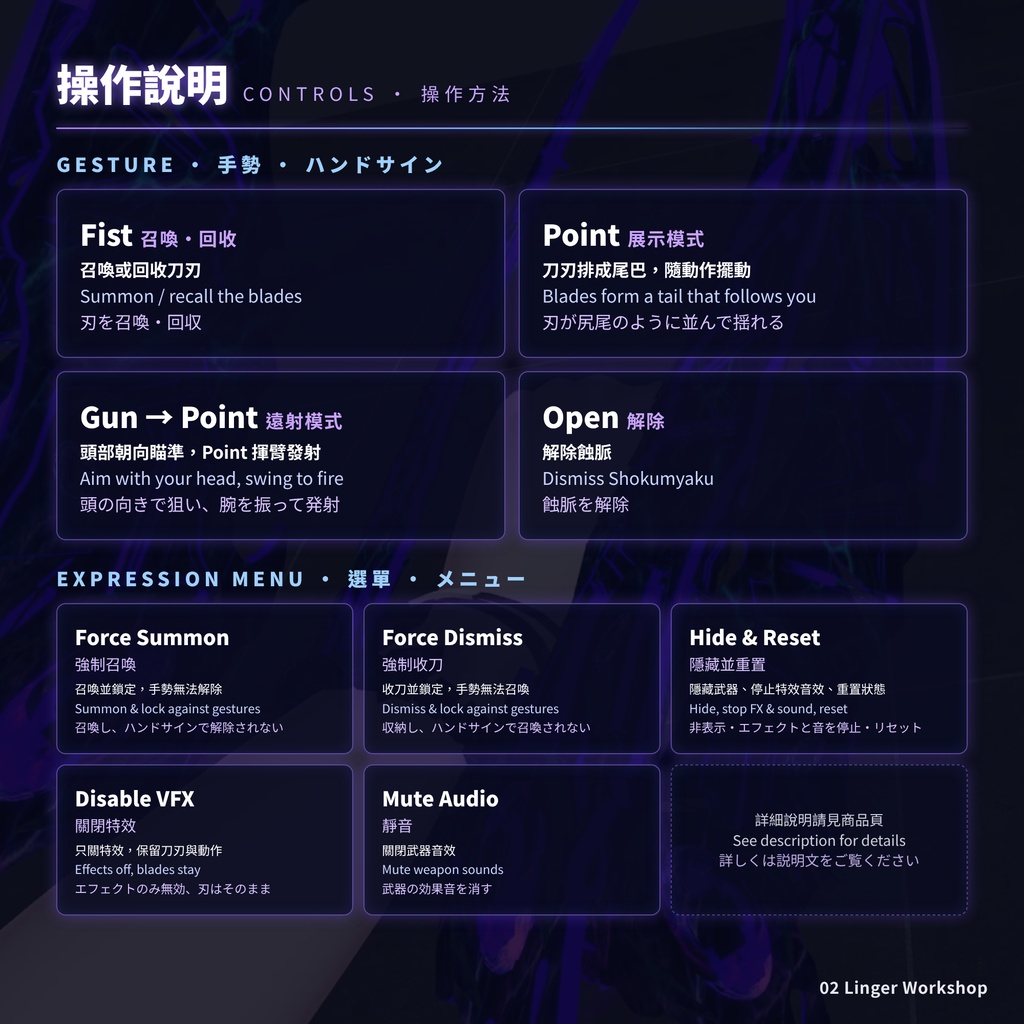
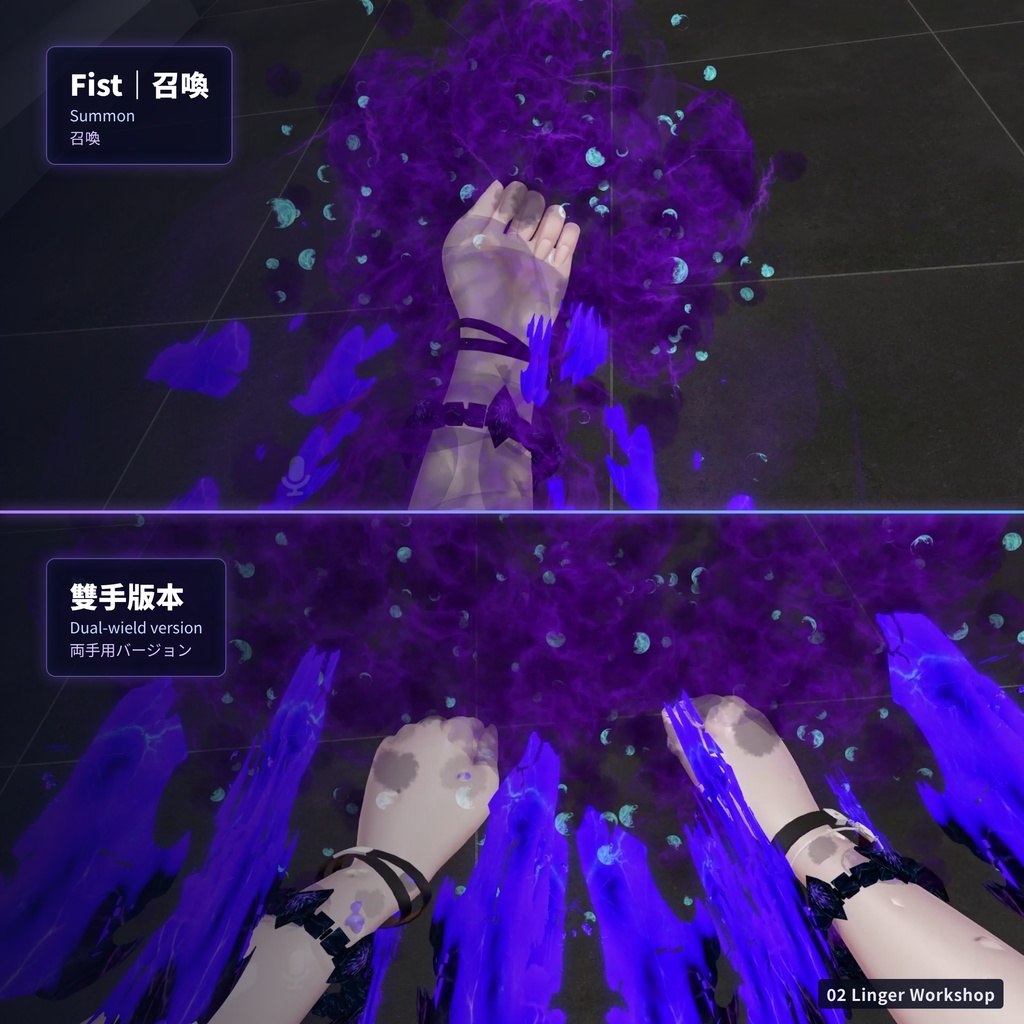
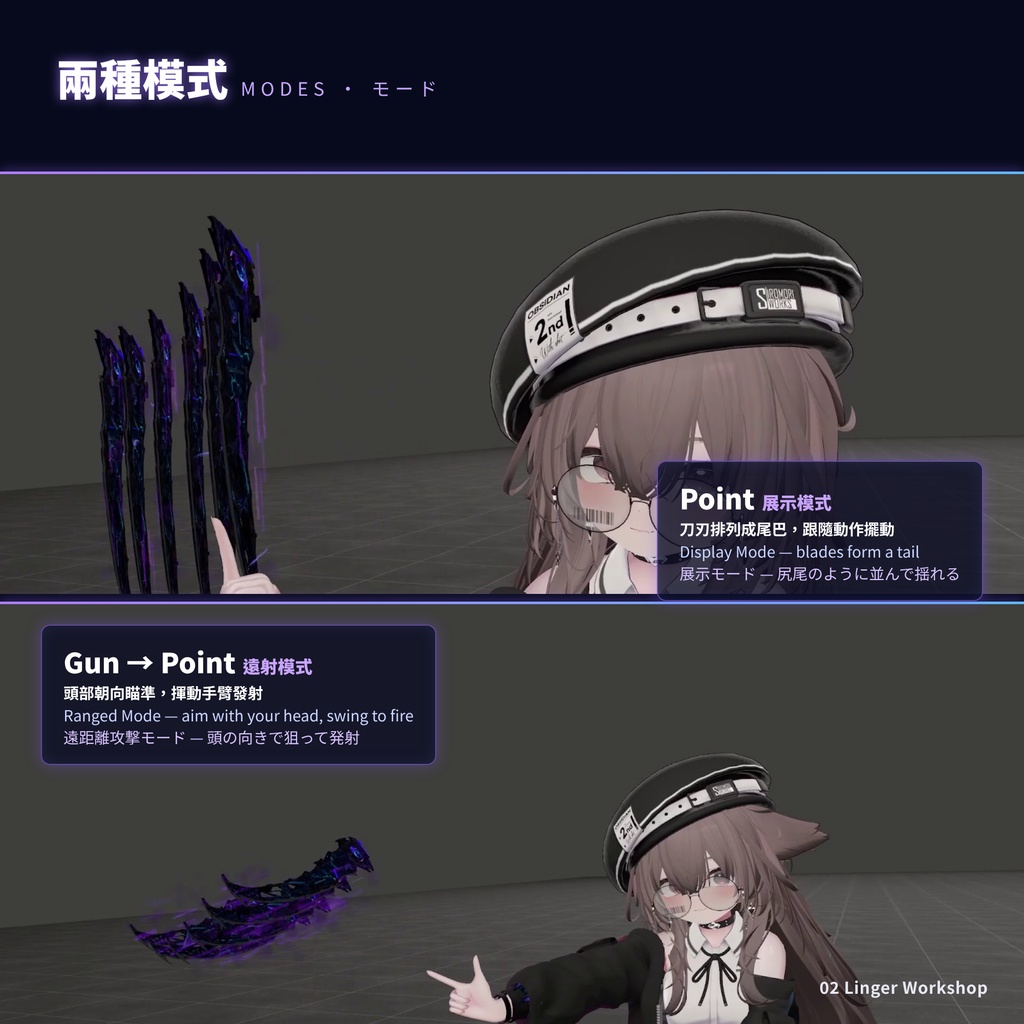
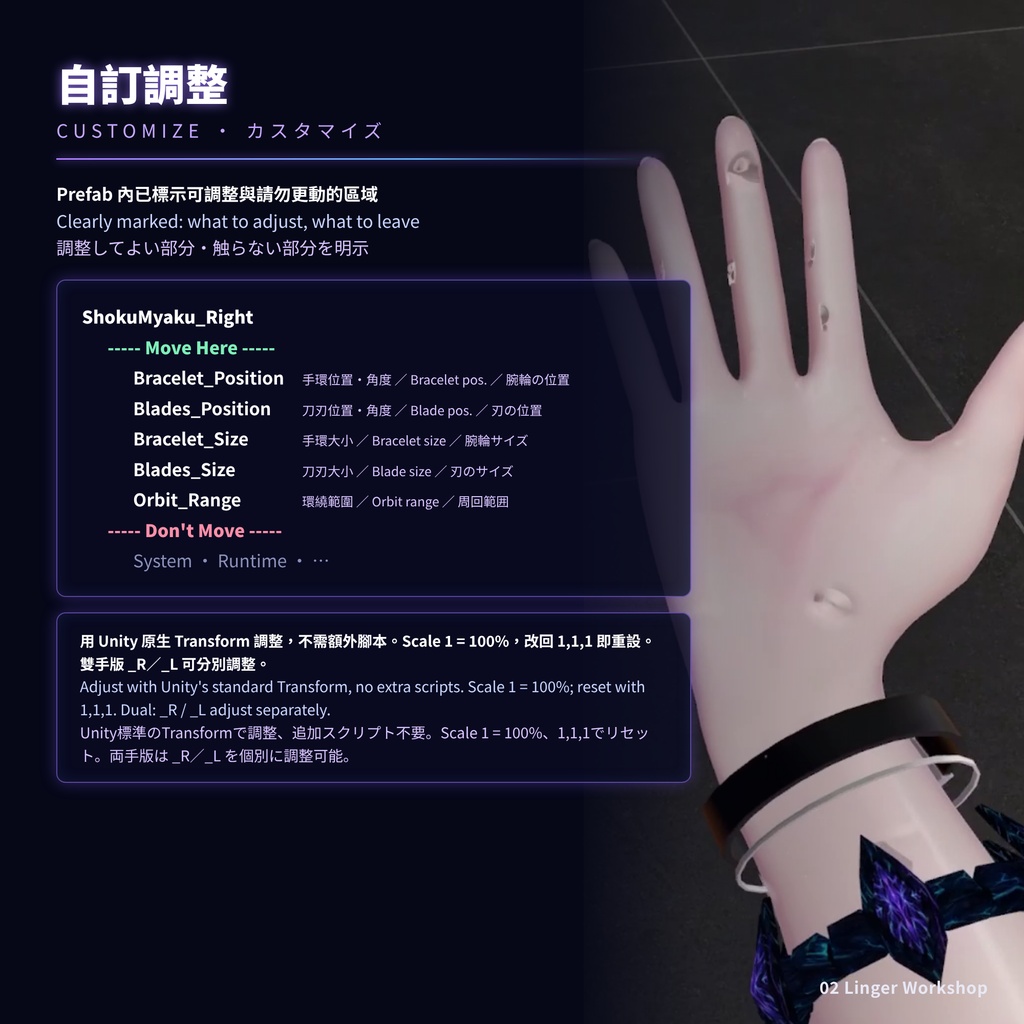
蝕脈 SHOKUMYAKU — 異生浮遊刃 手首から召喚される、浮遊する異形の刃。 ■ 特徴 ・Modular Avatar(MA)に対応しています。Prefab をアバターの階層にドラッグするだけで、アップロードできます。 ・左手用・右手用・両手用のバージョンが付属しており、お好みに合わせて選べます。 ■ ハンドサイン操作 Fist|召喚・回収 Fist のハンドサインで刃を召喚・回収します。 Point|展示モード 刃が尻尾のように並び、動きに合わせて揺れます。 Gun → Point|遠距離攻撃モード Gun で遠距離攻撃モードに切り替え、頭の向きで狙い、Point で腕を振ると発射します。 Open|解除 Open のハンドサインで蝕脈を解除します。 ■ メニュー Force Summon|強制召喚 刃を召喚し、ハンドサインによる解除を防ぎます。 Force Dismiss|強制解除 刃を収納し、ハンドサインによる再召喚を防ぎます。 Hide & Reset|非表示・リセット 武器を非表示にし、エフェクトと音を止め、状態をリセットします。 Disable VFX|エフェクト無効 武器のエフェクトを消し、刃と動作はそのまま表示します。 Mute Audio|消音 武器の効果音を消します。 ■ カスタマイズ Prefab 内は「----- Move Here -----」(調整してよい部分)と「----- Don't Move -----」(変更しないでほしい部分)に分かれています。専用スクリプトは不要で、Unity 標準の Transform だけで調整できます。 サイズ調整(Move Here 内のオブジェクトの Transform > Scale) ・Bracelet_Size:ブレスレットの大きさ ・Blades_Size:各刃の大きさ ・Orbit_Range:6本の刃が周回する範囲 初期値は XYZ すべて 1 です。XYZ の比率は固定したまま調整してください(例:1.2 = 120%)。1,1,1 に戻すとリセットできます。サイズ用オブジェクトの位置・回転は変更しないでください。 装着位置・角度 ・Bracelet_Position/Blades_Position で調整します(初期値 0)。 ・両手用は、右手用 _R と左手用 _L を別々に調整できます。 詳しくは同梱の INSTALL_README.txt をご確認ください。 ■ 導入手順 導入方法は同梱の INSTALL_README.txt にも記載しています。 1. プロジェクトをバックアップします。 2. Modular Avatar と lilToon を導入済みであることを確認します。 3. 本商品の unitypackage をインポートします。 4. 左手用・右手用・両手用のうち、使いたい Prefab を1つ選び、Hierarchy 内のアバターのルート直下にドラッグします。 5. 通常どおり Build & Test またはアップロードしてください。 ■ 必要な環境 ・VRChat SDK(Avatars) ・Modular Avatar(NDMF) ・lilToon ■ 注意事項 ・同じアバターに複数のバージョン(左手用・右手用・両手用)を同時に入れないでください。 ・画像・動画内のアバターは付属しません。 この日本語説明は、繁体字中国語の原文をAIで翻訳したものです。表現が不明瞭な場合は、繁体字中国語の説明をご確認ください。
繁體中文
蝕脈 SHOKUMYAKU — 異生浮遊刃 從手腕召喚而出、懸浮於身側的異形刀刃。 ■ 特色 ・支援 Modular Avatar(MA),只需將 Prefab 拖入角色階層,即可上傳使用。 ・提供左手、右手及雙手版本,可依照喜好選擇。 ■ 手勢操作 Fist|召喚・回收 使用 Fist 手勢召喚或回收刀刃。 Point|展示模式 讓刀刃排列成尾巴,跟隨動作擺動。 Gun → Point|遠射模式 Gun 切換遠射模式,以頭部朝向瞄準,再使用 Point 並揮動手臂發射。 Open|解除 使用 Open 手勢解除蝕脈。 ■ 選單 Force Summon|強制召喚 召喚刀刃,並防止手勢將其解除。 Force Dismiss|強制收刀 收起刀刃,並防止手勢重新召喚。 Hide & Reset|隱藏並重置 隱藏武器、停止特效與聲音,並重置狀態。 Disable VFX|關閉特效 關閉武器特效,保留刀刃模型與動作。 Mute Audio|靜音 關閉武器音效。 ■ 自訂調整 Prefab 內分成「----- Move Here -----」(可以調整)和「----- Don't Move -----」(請勿更動)兩區,一眼就知道哪些能動。不需要額外腳本,用 Unity 原生 Transform 就能調整。 大小調整(Move Here 區物件的 Transform → Scale) ・Bracelet_Size:手環大小 ・Blades_Size:每把刀的大小 ・Orbit_Range:六把刀環繞的範圍 預設 XYZ 都是 1,請保持等比例調整(例:1.2 = 120%),改回 1,1,1 即可重設。這三個物件只調 Scale,不要移動或旋轉。 佩戴位置與角度 ・用 Bracelet_Position/Blades_Position 調整(預設為 0)。 ・雙手版有 _R(右手)與 _L(左手)兩組,可以分開調整。 詳細步驟請參考商品內附的 INSTALL_README.txt。 ■ 使用方式 安裝方法也寫在商品內附的 INSTALL_README.txt。 1. 先備份專案。 2. 確認專案已安裝 Modular Avatar 與 lilToon。 3. 匯入本商品的 unitypackage。 4. 從左手、右手、雙手版本中選一個 Prefab,拖到 Hierarchy 的角色根物件底下。 5. 照常 Build & Test 或上傳。 ■ 使用前準備 ・VRChat SDK(Avatars) ・Modular Avatar(NDMF) ・lilToon ■ 注意事項 ・同一角色不要同時放入多個版本(左手、右手、雙手擇一)。 ・圖片與影片中的角色不包含在本商品內。
English
Shokumyaku — Otherworldly Floating Blades Alien blades summoned from your wrist, floating at your side. ■ Features ・Supports Modular Avatar (MA). Simply drag the prefab into your avatar's hierarchy, and it's ready to upload. ・Left-hand, right-hand, and dual-wield versions are included, so you can choose the one you prefer. ■ Gestures Fist | Summon / Recall Use the Fist gesture to summon or recall the blades. Point | Display Mode Arrange the blades into a tail that follows your movement. Gun → Point | Ranged Mode Use Gun to enter ranged mode. Aim with your head, then use Point and swing your arm to fire. Open | Dismiss Use the Open gesture to dismiss Shokumyaku. ■ Menu Force Summon | Forced Summon Summon the blades and prevent gestures from dismissing them. Force Dismiss | Forced Dismiss Dismiss the blades and prevent gestures from summoning them again. Hide & Reset | Hide and Reset Hide the weapon, stop its effects and sounds, and reset its state. Disable VFX | Disable Effects Turn off weapon effects while keeping the blades and their animations. Mute Audio | Mute Mute the weapon sounds. ■ Customization The prefab is split into "----- Move Here -----" (safe to adjust) and "----- Don't Move -----" (leave unchanged) sections. No custom scripts are needed; everything is adjusted with Unity's standard Transform. Size (Transform > Scale on the objects under Move Here) ・Bracelet_Size: bracelet size ・Blades_Size: size of each blade ・Orbit_Range: how far the six blades orbit Default scale is 1,1,1. Keep XYZ uniform (e.g. 1.2 = 120%), and set it back to 1,1,1 to reset. Only change the scale of these objects; do not move or rotate them. Wearing position and angle ・Adjust with Bracelet_Position / Blades_Position (default 0). ・The dual-wield version has separate _R (right) and _L (left) controls. See the included INSTALL_README.txt for details. ■ Installation Installation steps are also included in INSTALL_README.txt. 1. Back up your project. 2. Make sure Modular Avatar and lilToon are installed. 3. Import this product's unitypackage. 4. Pick one prefab (left-hand, right-hand, or dual-wield) and drag it under the avatar root in the Hierarchy. 5. Build & Test or upload as usual. ■ Requirements ・VRChat SDK (Avatars) ・Modular Avatar (NDMF) ・lilToon ■ Notes ・Use only one version (left-hand, right-hand, or dual-wield) per avatar. ・The avatar shown in the images and video is not included. This English description was translated from Traditional Chinese using AI. If any wording is unclear, please refer to the Traditional Chinese description.
商品情報
・制作期間:2026年7月8日~2026年8月28日 ・パラメータ:28 bit ・ポリゴン数:24,732 三角形 ・VRAM使用量:約22 MiB ※ VRAM使用量は、マテリアル設定、プラットフォーム、測定方法などによって異なる場合があります。
制作環境
Blender 5.1 ・Unity 2022.3.22f1 ・VRChat SDK 3.10.4
利用規約
本商品をご購入・ご利用になる前に、以下の利用規約をご確認ください。 【許可事項】 ・購入者本人が使用するVRChatアバターへの導入が可能です。 ・改変、調整、二次創作が可能です。 ・画像、動画、ライブ配信、その他の創作物にご利用いただけます。 ・本商品を使用した画像、動画、ライブ配信などの収益化が可能です。 ・クレジット表記は必須ではありませんが、記載していただけると嬉しいです。 【禁止事項】 ・本商品の全部または一部を再販売、転売、譲渡、共有、再配布することを禁止します。 ・改変・加工の有無にかかわらず、本商品またはその改変データを素材として再配布、共有、販売することを禁止します。 ・第三者がダウンロード、複製、取得できるウェブサイト、プラットフォーム、ストレージなどへ商品データをアップロードすることを禁止します。 ・本商品を導入したアバターを、VRChat上でPublicまたはコピー可能な状態にすることを禁止します。 ・本商品を自作したと偽る行為、またはすべて自分が制作したと主張する行為を禁止します。 ・違法行為、第三者の権利を侵害する行為、または制作者の正当な利益を損なう用途への使用を禁止します。 【コミッション】 第三者へ本商品の導入や改変を依頼することは可能です。ただし、依頼者および作業者は商品データを他の用途に流用してはいけません。本商品を実際に使用する方は、それぞれ個別に購入する必要があります。 【権利】 本商品の購入によって付与されるのは、本規約に基づく使用権のみです。本商品に関する著作権およびその他の権利は、制作者に帰属します。
Update
V1.0.0: 首次發布。 Initial release. 初回リリース。 英文及日文由 AI 翻譯。