
Neon Beat Speakers|single-color neon lines
- SpeakerA single-color neon linesダウンロード商品¥ 500
- SpeakerB — 4 colors on the beatダウンロード商品¥ 500
- SpeakerC flowing gradientダウンロード商品¥ 500
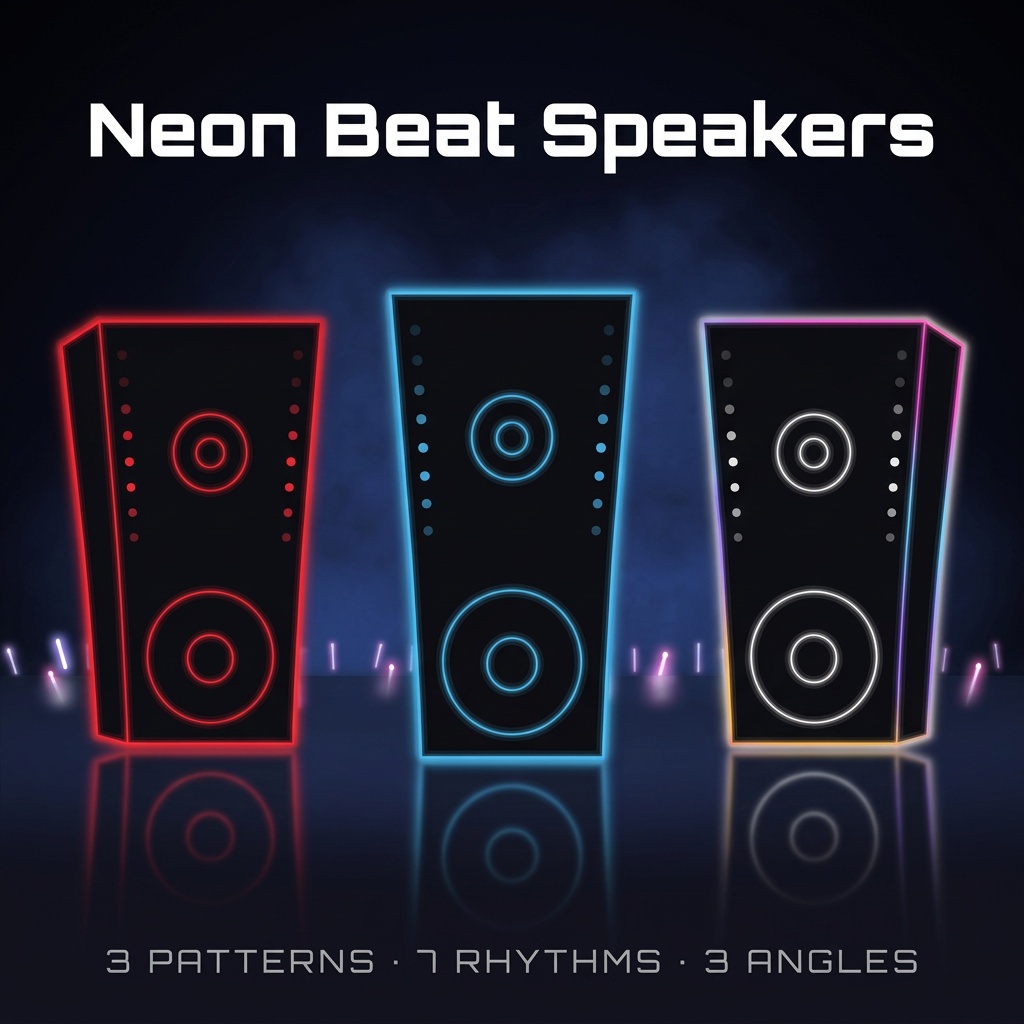
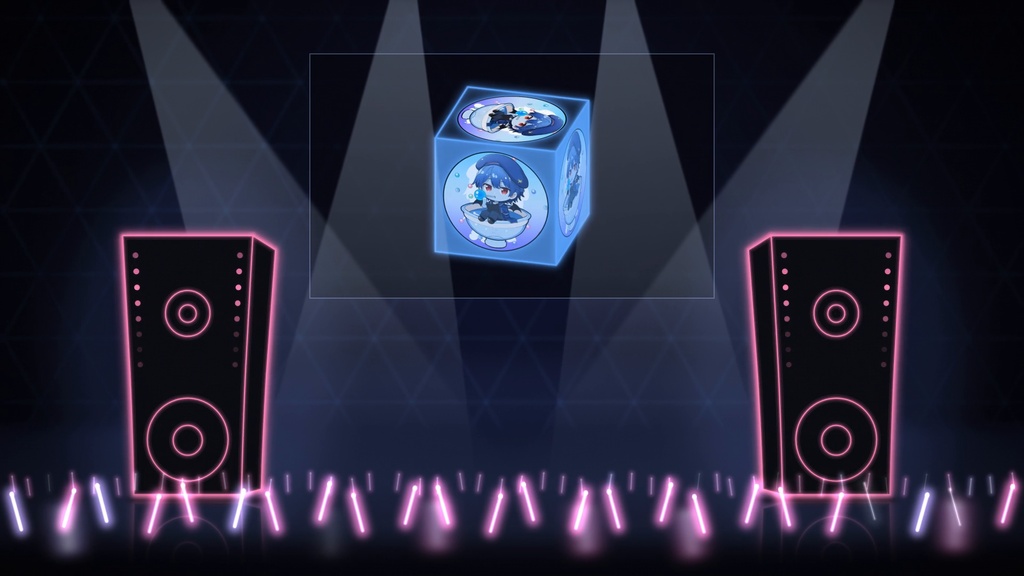


━━━━━━━━━━━━━━━ 【ENGLISH VERSION】 ━━━━━━━━━━━━━━━ Product Name: Neon Beat Speakers ────────── Preview ▶ https://youtu.be/L8L8uF0ZIgI ────────── Overview Neon speaker loops for stream overlays, each timed to one BPM. When your song runs at that tempo, the speakers bump on the beat. They are not audio reactive: they don't listen to your mic or music, they just loop at a fixed tempo. Only the top of the cabinet swells on each hit and the base stays planted, like a speaker pushing air. Put one on each side of the stage for a concert-style starting soon screen. Sold as three variations (A, B, C). Each has the same 21 files and handles color differently. ────────── Perfect for · Concert-style Starting Soon / BRB screens · Singing streams and music streams · Stage decoration for VTuber overlays ────────── Contents Lottie JSON animation files (each variation is its own ZIP) Included files, per variation (speakerA / speakerB / speakerC): · speakerX/{left,front,right}/ — 7 files each · speakerX_front_070bpm_24s.json / 080bpm_12s / 090bpm_24s / 100bpm_12s / 120bpm_4s / 140bpm_12s / rest_4s · README_EN.md / README_JP.md Variation A — single-color neon lines · The outline, inner circles and LEDs all turn into the color you pick. Variation B — 4 colors on the beat · The whole speaker switches cyan → magenta → amber → violet on the strong beats. · The 4 colors are fixed. The color picker only changes the glow (a white-ish glow works best). Variation C — flowing gradient · A gradient of the same 4 colors runs around the outline, one lap every 4 seconds (not tied to the tempo). · The outer colors are fixed. The inner circles and LEDs use the color you pick. Specifications: · Resolution : 1000 × 1000 · Frame Rate : 30 fps · Duration : 24 s (70 / 90 BPM), 12 s (80 / 100 / 140 BPM), 4 s (120 BPM / rest) · Loop : Seamless · Format : Lottie JSON · Not audio reactive Rest: a loop with no bounce (only the LEDs blink) for when you're talking. Angles: left / right show the cabinet's side face on that side, front is straight on. ────────── Customization with MOTION KIT LITE These animations are optimized for use with MOTION KIT LITE. Available customization: ✅ Color (A: all lines / C: inner circles and LEDs / B: glow color only) ✅ Glow Effects ✅ Transparent MOV Export (ProRes 4444) No design software required. Simply upload, customize, and export. 👉 MOTION KIT LITE https://motion-kit-lite-production.up.railway.app/ ────────── How to Use 【OBS / Streaming Software】 1. Open MOTION KIT LITE 2. Upload the JSON that matches your song's BPM 3. Set color and glow 4. Export as MOV (ProRes 4444 / with alpha) 5. In OBS, add the MOV as a Media Source and turn on Loop For a pair, use right on the left speaker and left on the right one, so the side faces point to the center. 【Video Editing】 Place the exported MOV over your footage in Premiere Pro / DaVinci Resolve. 【Web / App】 Load directly using lottie-web. ────────── Important Notes ⚠ The JSON cannot be put into OBS directly. Export it with MOTION KIT first. ⚠ Use the file whose BPM matches your song. The loop starts when the source starts, so start it together with the song, or restart it on a downbeat. ⚠ Only variation A changes fully to your color. B and C keep their built-in colors (see above). ⚠ The stage in the video (lights, crowd, back screen, background, falling leaves) is not included. ────────── Price 500 JPY (per variation) ────────── Terms of Use Commercial Use: Allowed (including monetized streams and videos) Attribution: Not required Modification: Allowed Redistribution: Prohibited (including resale of the files themselves) Disclaimer: No responsibility for damages or compatibility issues. ━━━━━━━━━━━━━━━ 【日本語版】 ━━━━━━━━━━━━━━━ 商品名: Neon Beat Speakers ────────── 紹介動画 ▶ https://youtu.be/L8L8uF0ZIgI ────────── 概要 配信オーバーレイ用の、ネオンのスピーカー素材です。1本ごとにBPMが決まっていて、曲のテンポと同じファイルを使うと、拍に合わせてスピーカーが弾みます。音声に反応する素材ではありません。マイクや曲の音は拾わず、決まったテンポでループします。 揺れるたびに膨らむのは箱の上側だけで、下はほとんど動きません。空気を押し出すスピーカーらしい動きです。ステージの両脇に置けば、ライブ会場のような待機画面が作れます。 バリエーションはA・B・Cの3つです。どれも同じ21本で、色の扱い方が違います。 ────────── こんな方におすすめ ・ライブ会場のような待機画面・BRB画面を作りたい方 ・歌枠や音楽配信をしている方 ・VTuberの配信画面にステージの装飾を足したい方 ────────── 同梱内容 Lottie JSON ファイル(バリエーションごとに別ZIP) 収録ファイル(speakerA / speakerB / speakerC それぞれ) ・speakerX/{left,front,right}/ — 各7本 ・speakerX_front_070bpm_24s.json / 080bpm_12s / 090bpm_24s / 100bpm_12s / 120bpm_4s / 140bpm_12s / rest_4s ・README_EN.md / README_JP.md バリエーションA — 単色のネオン線 ・線・内側の円・LEDのすべてが、選んだ色になります。 バリエーションB — 拍で4色に切り替わる ・強い拍で、スピーカー全体がシアン → マゼンタ → アンバー → バイオレットに切り替わります。 ・4色は固定です。カラーピッカーはグローの色にだけ効きます(白系のグローがおすすめ)。 バリエーションC — 流れるグラデーション ・同じ4色のグラデーションが輪郭を流れます(4秒で1周・テンポとは連動しません)。 ・外側の色は固定です。内側の円とLEDが、選んだ色になります。 仕様 ・解像度:1000 × 1000 ・フレームレート:30fps ・尺:24秒(70 / 90 BPM)、12秒(80 / 100 / 140 BPM)、4秒(120 BPM / rest) ・ループ:シームレス ・形式:Lottie JSON ・音声反応なし rest:トーク中に使える、揺れない版(LEDだけ点滅) 向き:left / rightはその側の側面が見え、frontは正面 ────────── MOTION KIT LITEでカスタマイズ 無料Webツール MOTION KIT LITE に対応しています。 利用可能な機能 ✅ 色の変更(A:すべての線/C:内側の円とLED/B:グローの色のみ) ✅ グロー効果 ✅ 透過MOV書き出し(ProRes 4444) デザインソフト不要。 JSONを読み込むだけで簡単にカスタマイズできます。 👉 MOTION KIT LITE https://motion-kit-lite-production.up.railway.app/ ────────── 使い方 【OBS・配信ソフト】 1. MOTION KIT LITEを開く 2. 曲のBPMに合うJSONを読み込む 3. 色とグローを設定 4. MOV(ProRes 4444 / アルファ付き)で書き出し 5. OBSでMOVをメディアソースとして追加し、「繰り返し」をオン 2台並べるときは、画面左にright、右にleftを使うと側面が中央を向きます。 【動画編集ソフト】 書き出したMOVをPremiere Pro / DaVinci Resolveで映像の上に重ねて使えます。 【Web・アプリ】 lottie-webで直接利用可能です。 ────────── 注意事項 ⚠ JSONはOBSに直接入れられません。先にMOTION KITで書き出してください。 ⚠ 曲のBPMと同じファイルを使ってください。ループはソースが始まった時点から再生されるので、曲と同時に始めるか、小節の頭で再生し直してください。 ⚠ 好きな色に全体が変わるのはバリエーションAだけです。BとCは上のとおり固定の色が残ります。 ⚠ 動画のステージ(照明・観客・バックスクリーン・背景・紅葉)は含まれません。 ────────── 価格 500円(バリエーションごと) ────────── 利用規約 ■ 商用・非商用利用 自由に利用可能(収益化した配信・動画を含む) ■ クレジット表記 不要 ■ 編集・改変 可能 ■ 禁止事項 再配布・転売禁止(素材ファイルそのものを含む) ■ 免責事項 使用によるトラブルについて責任を負いません