

【VRChat】座れる読書スペース - Library Nook | Cozy Reading Corner
- ダウンロード商品¥ 600
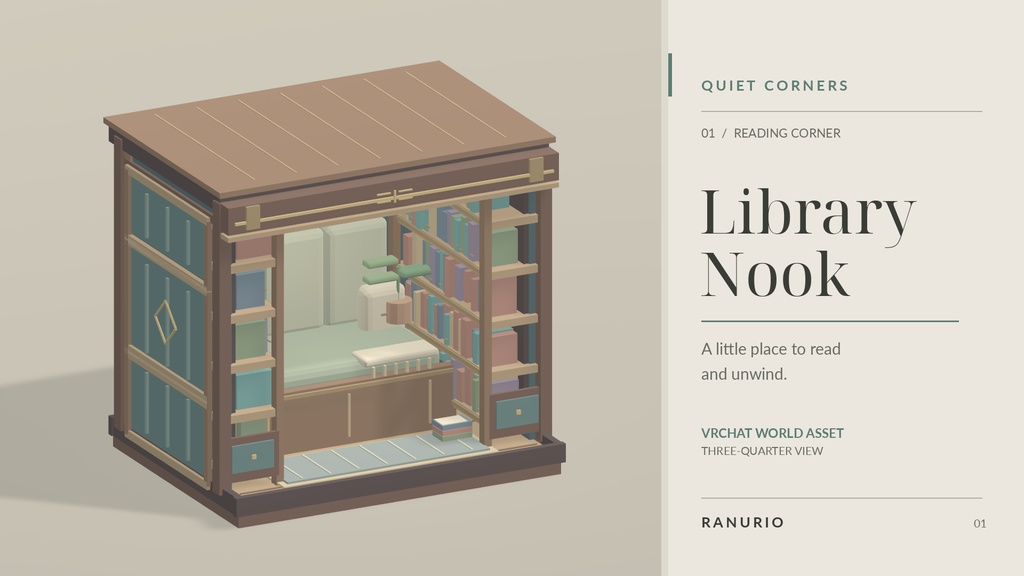
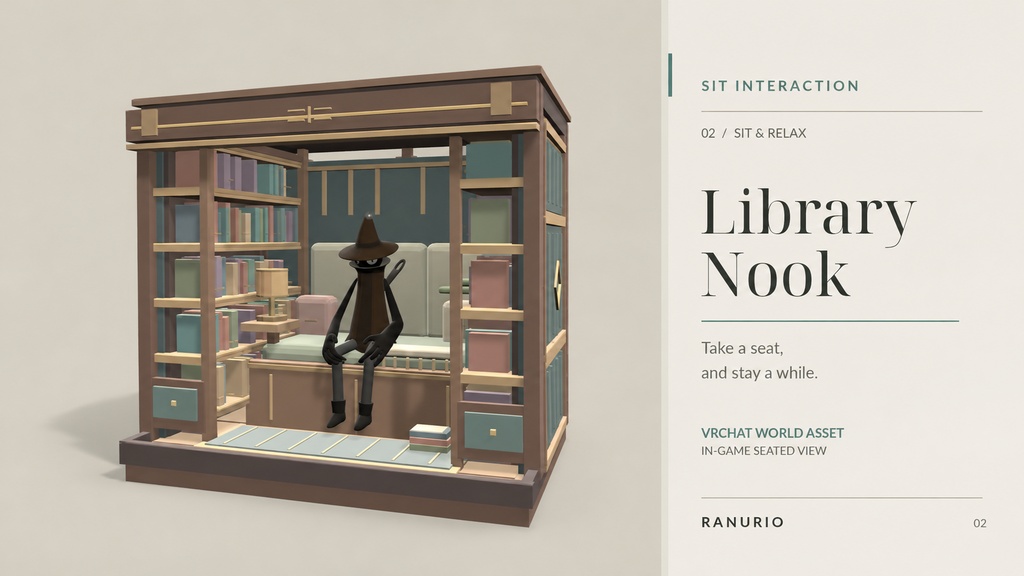
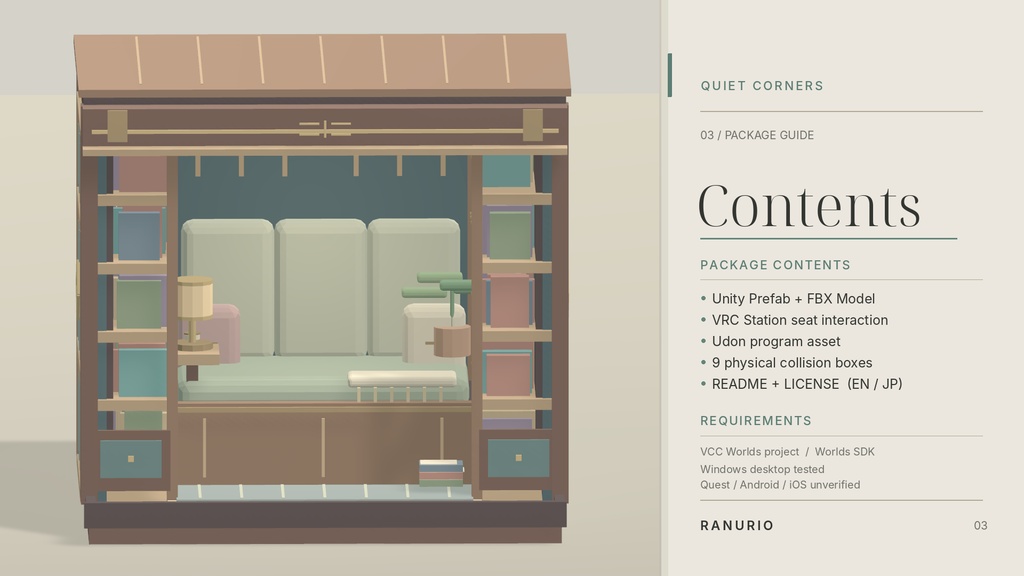


### 商品名 【VRChat】座れる読書スペース - Library Nook | Cozy Reading Corner --- **Library Nook — Quiet Corners #01** 小さな空間に、静かなひとときを。 Library Nookは、VRChatワールドに設置できる、コンパクトな読書・休憩スペースの3Dアセットです。 本棚や家具に囲まれた落ち着いた空間を、ワールドの一角に簡単に追加できます。 着席機能を備えており、VRChat内で実際に座って過ごすことができます。 自分だけの読書スペースや、フレンドと過ごすワールドの休憩エリアなどにご利用ください。 ### ■ 特徴 - 本棚と家具を組み合わせたコンパクトな読書スペース - Prefabを配置するだけでワールドに導入可能 - VRChat内で使用できる着席機能 - 独自のUdonSharpスクリプトを使用 - 床・壁・座席などのコライダーを設定済み - 既存のワールドに組み込んで使用可能 ### ■ 内容物 - LibraryNook_v1.1.unitypackage - README.txt(日本語 / English) - LICENSE.txt(日本語 / English) UnityPackageには以下が含まれます。 - LibraryNook.prefab - 3Dモデル(FBX) - 着席用UdonSharpスクリプト - 着席機能の実行用データ ### ■ 必要環境 - Unity 2022.3.22f1(動作確認環境) - VRChat Worlds SDK - UdonSharp - Windows PC版VRChat(動作確認済み) ※Quest / Android環境での動作は未確認です。 ### ■ 導入方法 1. VRChat Creator CompanionでWorldsプロジェクトを用意します。 2. UnityPackageをインポートします。 3. LibraryNook.prefabをシーンに配置します。 4. 位置や向きを調整し、Build & Testで動作をご確認ください。 詳しい導入手順は同梱READMEをご確認ください。 ### ■ 利用規約 - 個人利用・改変:可能 - VRChatワールドへの組み込み:可能 - 公開ワールド・商用ワールドでの利用:可能 - 本アセットの単体再配布・再販売:禁止 - その他の利用条件:同梱LICENSE.txtに準拠 ご購入・ご利用前に、同梱の利用規約をご確認ください。 ### ■ 注意事項 - 本商品はワールド用3Dアセットです。完成済みのVRChatワールドではありません。 - アバターやその他のワールド素材は含まれていません。 - VRChat Worlds SDKとUdonSharpが必要です。 - アバターの体型によって、着席位置や見た目に差が生じる場合があります。 - Quest / Android対応は保証していません。 - VRChatやSDKの将来的な仕様変更による動作は保証できません。 本商品の制作には、AIによるモデリング・プログラミング支援を使用しています。制作したデータはUnityおよびVRChat上で確認・調整しています。 --- **Library Nook — Quiet Corners #01** *A quiet little corner to sit back and unwind.* Library Nook is a compact reading and relaxation space designed for VRChat worlds. Surrounded by bookshelves and cozy furniture, it offers a peaceful corner that can easily be added to your existing world. An interactive seating system lets visitors sit down and enjoy the space. Perfect for personal worlds, social hangouts, and relaxing reading areas. ### ■ Features - Compact reading nook with bookshelves and furniture - Ready-to-place Unity prefab - Interactive seating system - Custom UdonSharp seating script - Preconfigured physical colliders - Designed for integration into existing VRChat worlds ### ■ Package Contents - LibraryNook_v1.1.unitypackage - README.txt (Japanese / English) - LICENSE.txt (Japanese / English) The UnityPackage includes: - LibraryNook.prefab - FBX model - Custom UdonSharp seating script - Required compiled Udon program data ### ■ Requirements - Unity 2022.3.22f1 (tested version) - VRChat Worlds SDK - UdonSharp - VRChat for Windows PC (tested) Quest / Android compatibility has not been verified. ### ■ How to Use 1. Create or open a Worlds project using VRChat Creator Companion. 2. Import the included UnityPackage. 3. Drag LibraryNook.prefab into your scene. 4. Adjust its position and rotation, then test it using Build & Test. Please refer to the included README for details. ### ■ License - Personal use and modification: Allowed - Use in VRChat worlds: Allowed - Use in public and commercial VRChat worlds: Allowed - Redistribution or resale of the standalone asset files: Prohibited - All other conditions are subject to the included LICENSE.txt Please read the included license before using this asset. ### ■ Notes - This is a VRChat world asset, not a complete world. - Avatars and additional world assets are not included. - VRChat Worlds SDK and UdonSharp are required. - Seating alignment may vary depending on avatar proportions. - Quest / Android compatibility is not guaranteed. - Compatibility with future VRChat or SDK updates is not guaranteed. AI-assisted modeling and programming were used during development. The resulting assets were reviewed and adjusted in Unity and VRChat. --- **Created by RANURIO**