
Minerva Tarot (Overray Edition) - 配信向け OBS タロットテーブル
- windowsダウンロード商品¥ 2,000
- macダウンロード商品¥ 2,000
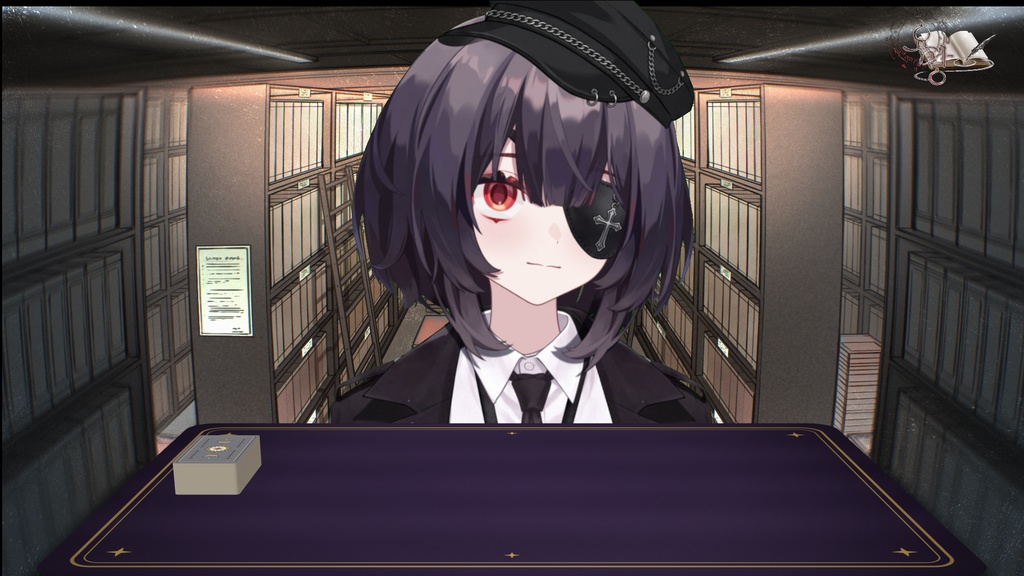
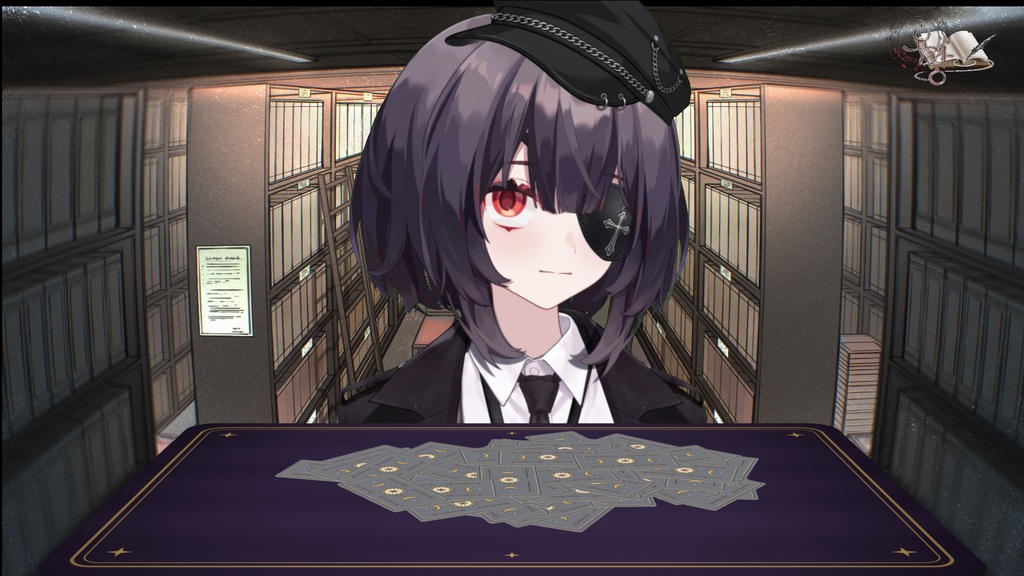
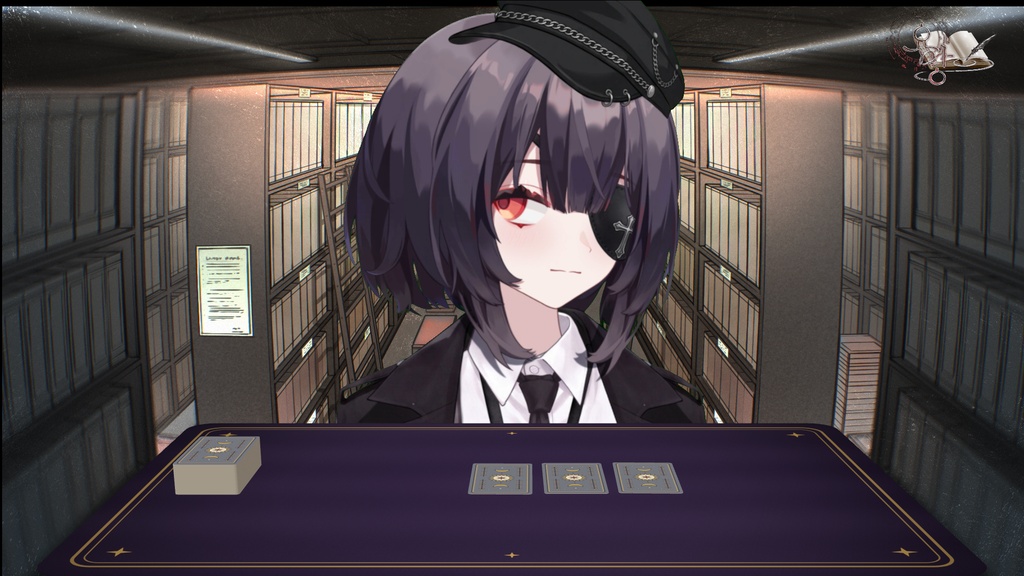
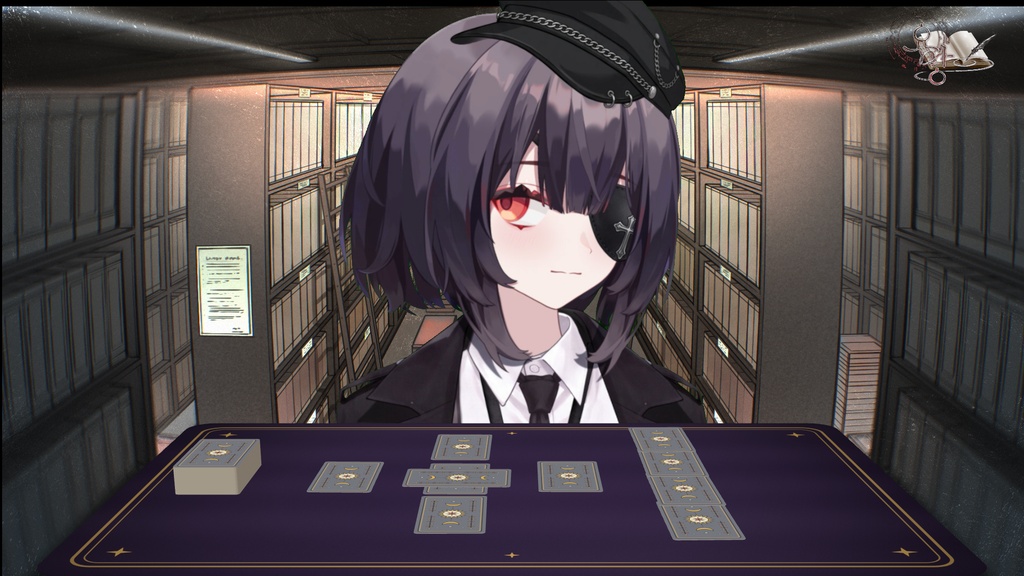
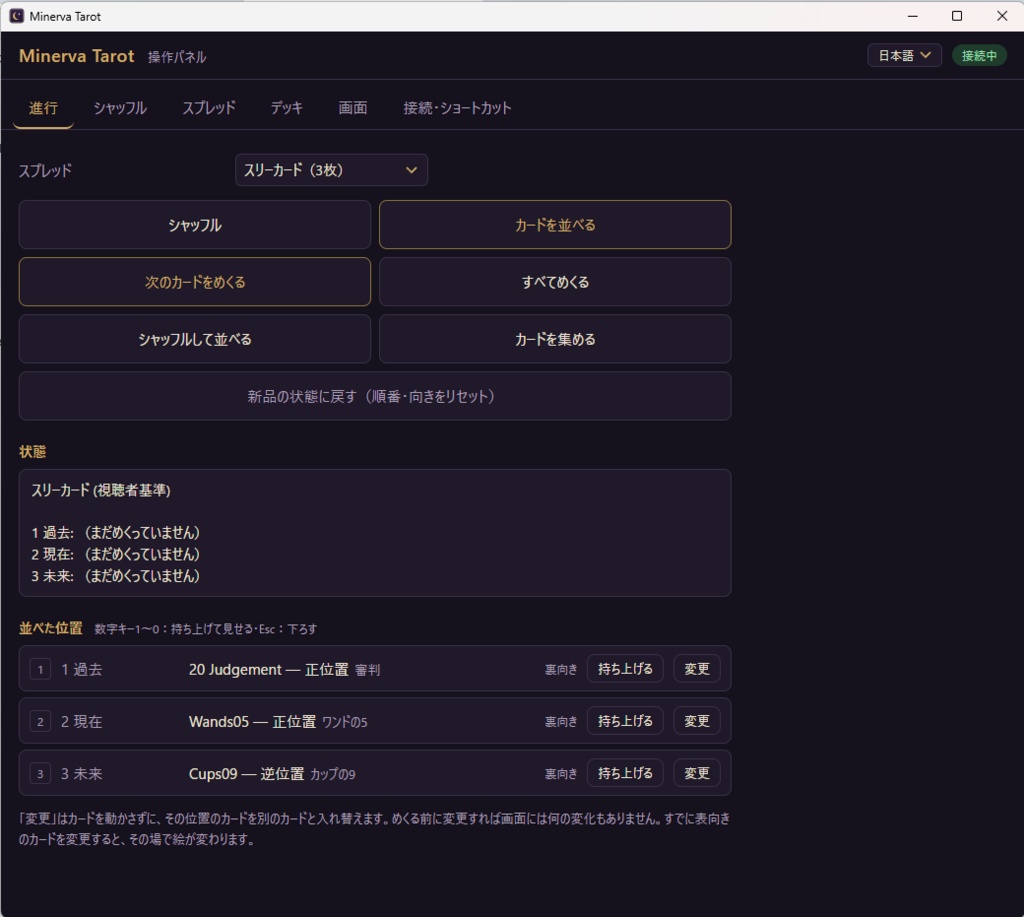
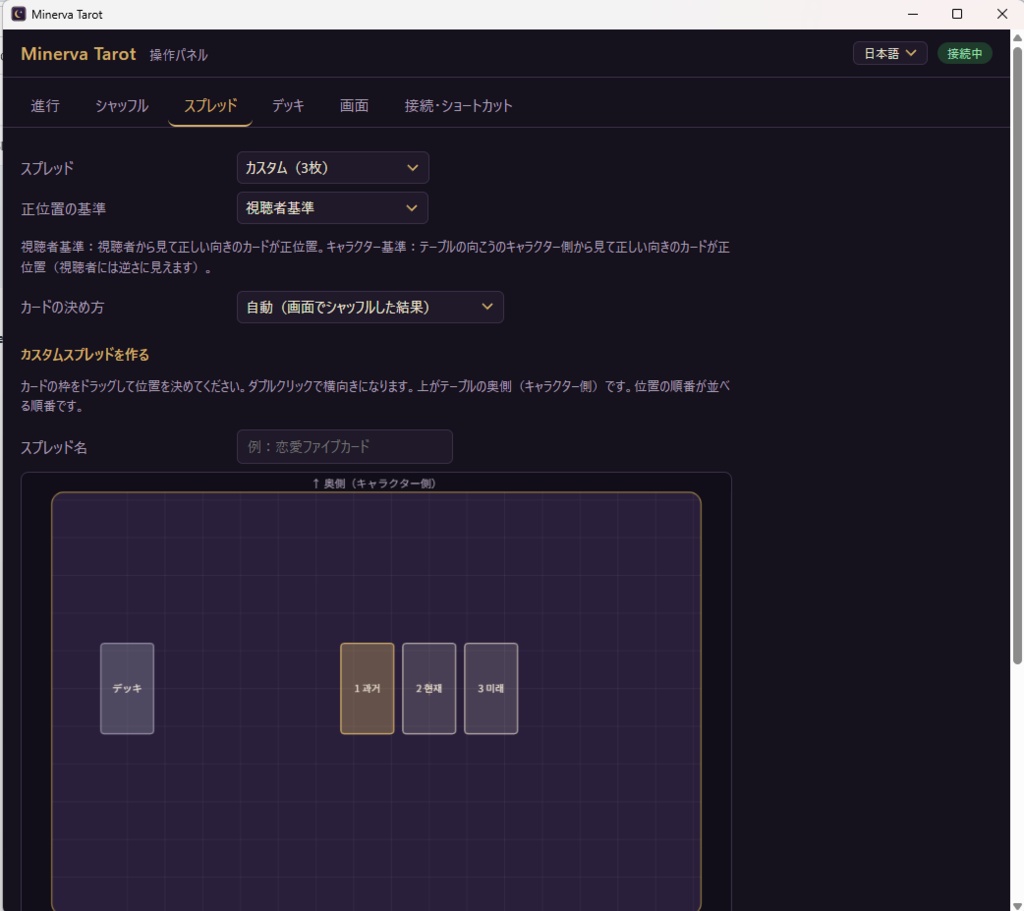


配信画面にタロットテーブルを。本物のように動くカードで、シャッフルし、並べて、めくる 様子を OBS のシーンにそのまま出せます。 Live2D® アバターの配信向けに作りました。カードは自動で動くので、配信者さんは画面の 前でリアクションするだけ。OBS のブラウザソースとして、背景透過で追加します。 ◆ できること ・見えるシャッフル5種類:ウォッシュ、オーバーハンド、リフル、3つの山にカット、 山を1つ180°回す。手順は自由に組めます。 ・正位置・逆位置は確率で決めません。画面でカードが実際に回ったとおりになります。 ・ジャンパー:シャッフル中にカードが飛び出す演出(オン・オフ、確率、扱いを設定) ・スプレッド:ワンカード、スリーカード、ファイブカード・クロス、ホースシュー、 ケルト十字 ・カスタムスプレッド:テーブルの図の上でカードの位置をドラッグして作り、保存できます。 ・実物のデッキで引いたカードを画面に:並べる前に指定するか、並べた後に入れ替え。 入れ替えは配信画面には表れません。 ・カードを持ち上げる:解説するカードがテーブルから浮かび、視聴者に向かって大きく 立ちます。出る位置も選べます。 ・真上・斜め(5〜89°)の視点、拡大、テーブルの位置、テーブルクロスのオン・オフ ・ゲーム中でも効くショートカット ・2PC配信:テーブル画面だけを秘密アドレスで別PCの OBS に送れます。操作パネルは このPCの外には出ません。 ・自分のデッキ:PNG/JPG の画像をフォルダに入れるだけ。 ・表示言語:日本語・英語・韓国語 ・インターネットには何も送りません。アカウント・ログイン不要。 ◆ 内容 ・Windows インストーラー(.exe)/Mac インストーラー(.dmg、Intel・Apple シリコン両対応) ・説明書(日本語・英語・韓国語)、ライセンスと出典 ・デッキ「Classic1909」:1909年に初めて出版されたタロットの絵のスキャン (パブリックドメイン、78枚) ◆ 動作環境 ・Windows 10/11(64ビット)または macOS 11 以降 ・OBS Studio(ブラウザソース) ・動作確認:Windows、Mac ◆ ご注意 ・有料のコード署名証明書を使っていないため、初回に Windows では「Windows によって PC が保護されました」と表示されることがあります。「詳細情報」→「実行」でインストール できます。 ・Mac では初回に「Mac に害を与えたりプライバシーを侵害したりするマルウェアが含まれて いないことを Apple が確認できない」という趣旨の警告が出ます。本ソフトを Apple に登録 (公証)していないために出る Mac の標準の表示で、ソフトが個人情報を読んだり変更したり するわけではありません。(本ソフトはインターネットに何も送りません。) 開き方:警告を閉じる → システム設定 → プライバシーとセキュリティ → 下の「セキュリティ」の 「このまま開く」→ 確認画面でもう一度「このまま開く」→ Mac のパスワードを入力。 一度開けば、次からは普通に開きます。 ・キャラクターの手の動きは含まれません。カードが自動で動きます。 ・VTube Studio や Live2D のソフトウェアとは連携しません。 ◆ 利用規約 ・配信・動画で自由にお使いいただけます(収益化を含む)。 ・再配布・転売は禁止です。 ・同梱のカード画像とオープンソースのコンポーネントは、それぞれのライセンスに従います (LICENSES_AND_CREDITS.txt をご覧ください)。 ◆ AI の使用について ソフトのコード、標準の裏面の絵、テーブルクロスの模様、アプリのアイコンは AI アシスタント (Anthropic の Claude)を使って作りました。企画・方向性の決定・テスト・確認は Minerva が 行いました。他の作家の絵を AI に入れて作ったものはありません。 ◆ 商標 Live2D® は株式会社Live2Dの登録商標です。本製品は株式会社Live2Dが制作・保証・提携した ものではありません。 ◆ お問い合わせ yomang616@gmail.com ------------------------------- A tarot table for your stream. Shuffle, deal and flip cards that move like real ones, right on your OBS scene. Made for Live2D® avatar streams: the cards move on their own, so you only need to react on camera. Add it to OBS as a Browser source with a transparent background. ◆ Features ・5 visible shuffles: wash, overhand, riffle, three-pile cut, rotate one pile 180° Build your own shuffle sequence. ・Upright / reversed is never a random roll — it is exactly how each card turned on screen. ・Jumper cards: a card can fly out during the shuffle (on/off, chance, handling). ・Spreads: one card, three cards, five-card cross, horseshoe, Celtic Cross ・Custom spreads: drag card positions on a table drawing, then save them. ・Show cards drawn from a real deck: choose them before dealing, or swap a dealt card afterwards. The swap is invisible on stream. ・Lift a card: it rises from the table and stands large, facing your viewers, while you talk about it. You choose where it appears. ・Top-down or angled view (5–89°), zoom, table position, tablecloth on/off ・Global hotkeys that work while you are in a game ・Two-PC setup: send only the table view to OBS on another PC via a secret address. The control panel never leaves your PC. ・Use your own decks: put PNG/JPG images in a folder. ・Interface in English, Japanese and Korean ・Sends nothing to the internet. No account, no login. ◆ Included ・Windows installer (.exe) / Mac installer (.dmg, Intel and Apple silicon) ・Guide (English, Japanese, Korean), licenses and credits ・Deck "Classic1909": scans of the tarot images first published in 1909 (public domain, 78 cards) ◆ Requirements ・Windows 10/11 (64-bit) or macOS 11 or later ・OBS Studio (Browser source) ・Tested on: Windows, Mac ◆ Please note ・The program has no paid code-signing certificate. Windows may show "Windows protected your PC" at first; click "More info" → "Run anyway" to install. ・On Mac, the first launch shows a warning that Apple could not verify the app is free of malware that may harm your Mac or compromise your privacy. This is macOS's standard message for apps that are not notarized by Apple; the program does not read or change your personal data (and it sends nothing to the internet). To open it: close the warning → System Settings → Privacy & Security → "Open Anyway" under Security → "Open Anyway" again in the confirmation → enter your Mac password. After the first time, it opens normally. ・The character's hand gestures are not included. Cards move by themselves. ・This product does not connect to VTube Studio or Live2D software. ◆ Terms of use ・You may use it freely in streams and videos, including monetized ones. ・Redistribution and resale are prohibited. ・The bundled card images and open-source components follow their own licenses (see LICENSES_AND_CREDITS.txt). ◆ Use of AI The program code, the default card back, the tablecloth pattern and the app icon were made with an AI assistant (Anthropic's Claude). Planning, direction, testing and review were done by Minerva. No other artist's artwork was fed into the AI. ◆ Trademarks Live2D® is a registered trademark of Live2D Inc. This product is not made, endorsed by or affiliated with Live2D Inc. ◆ Contact yomang616@gmail.com