
フリーランス案件管理ボード|システム手帳風 Notionテンプレート
- ダウンロード商品¥ 2,980
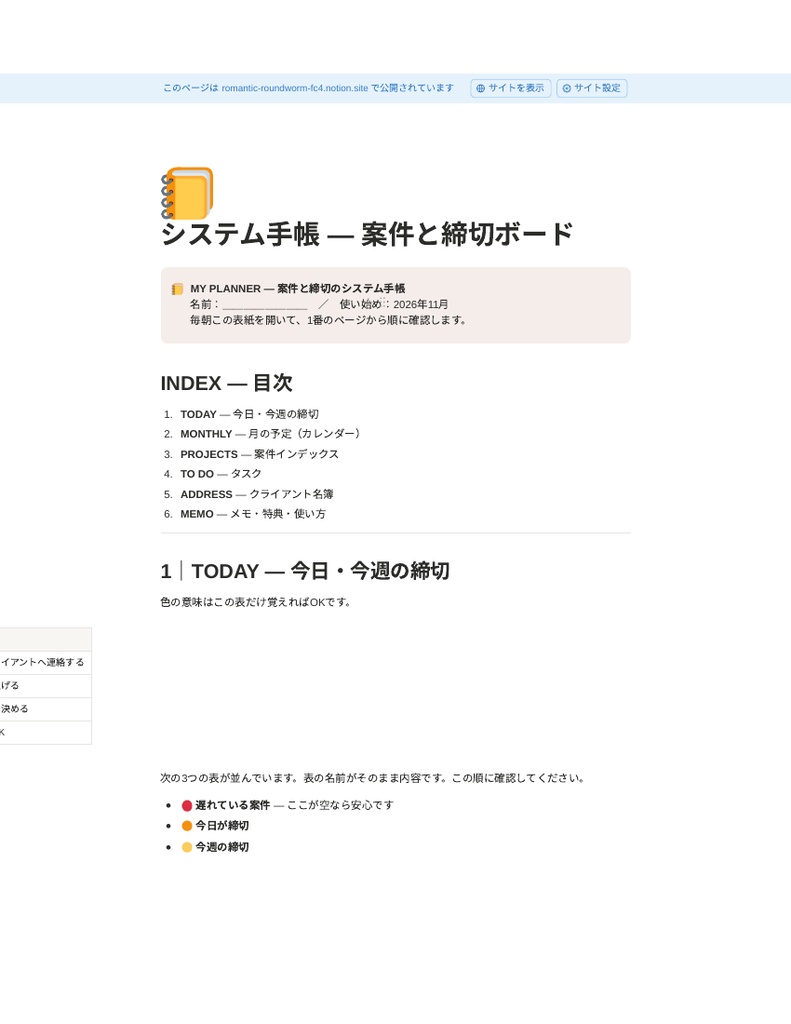
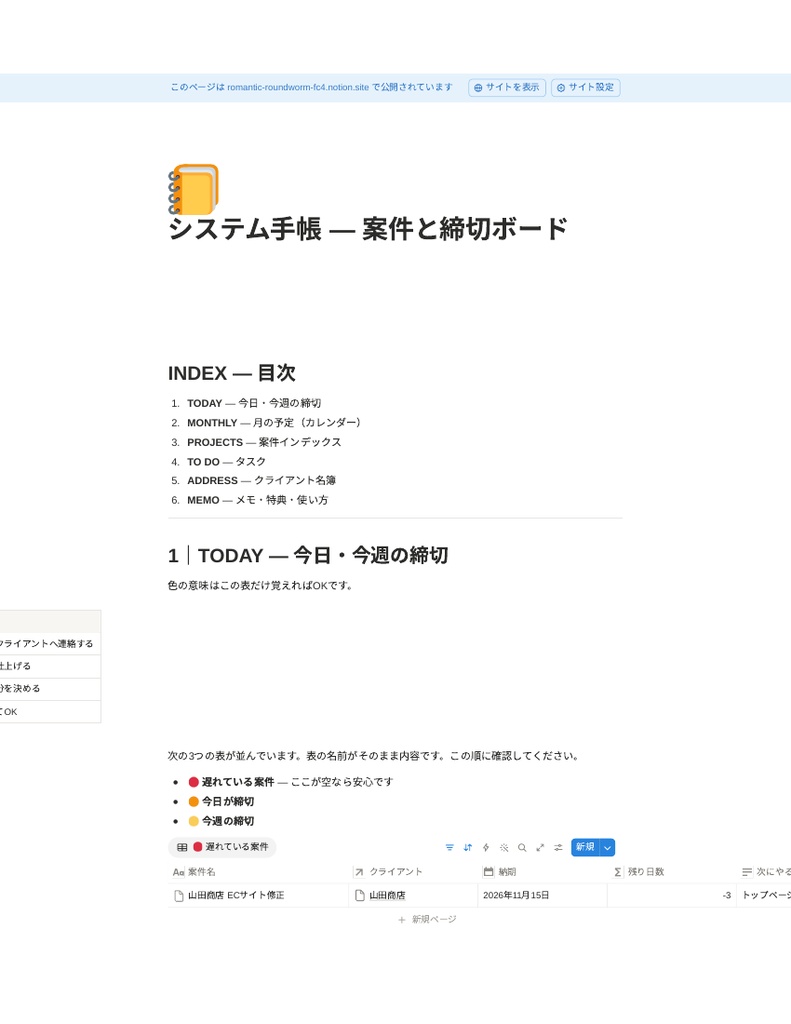
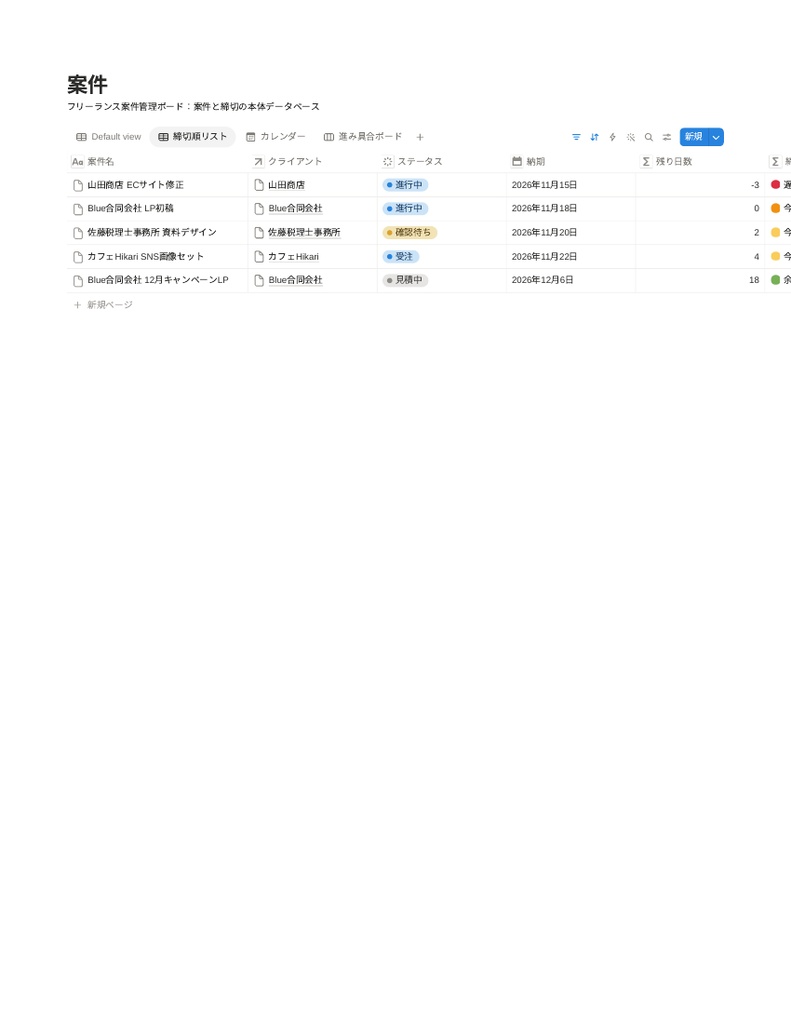
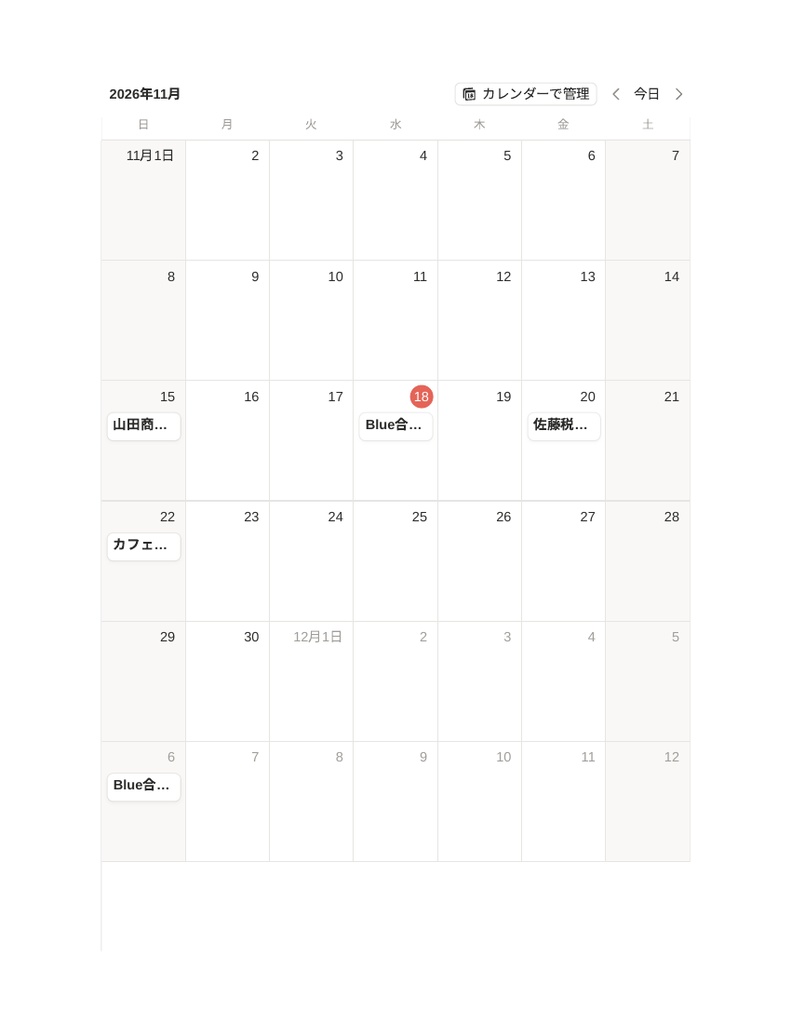


「あの案件、いつまでだっけ?」をなくす。 開いた瞬間に、遅れている案件・今日の締切・今週の締切が分かるNotionテンプレートです。 案件は増えたのに、管理は頭の中とチャットのままになっていませんか? このテンプレートは、案件と締切の管理だけに絞った、システム手帳風のNotionボードです。 朝、開くだけで「今日やるべき案件」が分かります。 ### こんな悩みありませんか - 締切を思い出すのは、いつも直前か、クライアントに聞かれたとき - 案件ごとの進み具合を、チャットやメモやスプレッドシートで探し回っている - 「今週何が締切か」を聞かれても、すぐ答えられない - 案件管理ツールを試したけど、設定が重くて続かなかった ### このテンプレートでできること - 朝、Notionを開くだけで「今日やるべき案件」が分かります - 締切の近い順に自動で並ぶので、優先順位で迷いません - 遅れている案件が🔴で表示されるので、締切漏れに早く気づけます - クライアントごとに案件がまとまって見えます - 🟡表示の日数は案件ごとに変えられます(「警告日数」、初期設定7日)。色や名前のカスタマイズ方法もガイドに載っています ### 手帳のリフィル構成 1. TODAY ― 今日・今週の締切 2. MONTHLY ― 月の予定(カレンダー) 3. PROJECTS ― 案件インデックス 4. TO DO ― タスク 5. ADDRESS ― クライアント名簿 6. MEMO ― 打ち合わせメモ ### 内容物 - 日本語版「システム手帳 ― 案件と締切ボード」一式 - 英語版「System Planner — Project & Deadline Board (EN)」一式 - 各版とも: ダッシュボード+案件/タスク/クライアントの3データベース、サンプルデータ(案件5件・タスク6件・クライアント4件) - 使い方ガイド(複製手順〜毎日の使い方、カスタマイズ方法) - 特典: 週次レビューチェックリスト、クライアント連絡文の例文集(納期の相談・確認リマインド・納品の連絡など) ### 使い方(3ステップ) 1. 購入後に届くファイルのリンクから、テンプレートを自分のNotionに複製する 2. サンプルデータを参考に、進行中の案件を入れる 3. あとは毎朝ダッシュボードを開くだけ ### 向いている人/向いていない人 向いている人: 同時に3件以上の案件を抱えることがあるフリーランス・副業ワーカー。Notionは使っている(またはこれから使いたい)が、自分で設計するのは面倒な人。 向いていない人: すでに高機能なプロジェクト管理ツールを使いこなしている人。チーム全体での権限管理やガントチャートが必須の人(これは個人向けです)。 ### よくある質問 Q. Notion初心者でも使えますか? A. 複製して案件を入力するだけです。データベースを触ったことがない人向けに、使い方ガイドを用意しています。 Q. Notionの無料プランでも使えますか? A. 使えます。無料プランのアカウントで複製して使えることを確認済みです。 Q. スマホでも見られますか? A. Notionアプリでダッシュボードの確認ができます。初期設定はPCがおすすめです。 Q. カスタマイズしてもいいですか? A. ご自身の業務用に自由に変更できます。色分けの変え方もガイドに載っています。再配布・転売はできません。 Q. 英語版だけ使うことはできますか? A. できます。日本語版と英語版はそれぞれ独立したテンプレートです。 Q. 返金はできますか? A. デジタル商品の性質上、原則として購入後の返金はできません。動作しない等の不具合があれば対応します。 ### 注意書き - 本商品はデジタルコンテンツです。購入後にNotionテンプレートの複製リンクをお渡しします。 - Notionアカウント(無料で可)が別途必要です。 - 画面や仕様は改善のため予告なく更新する場合があります。 --- ## English Never ask yourself "when was that due again?" A system-planner-style Notion template focused only on projects and deadlines. Open it in the morning and see at a glance what is overdue, what is due today, and what is due this week. ### What it does - See today's priorities the moment you open Notion - Projects sort automatically by deadline, so priorities are obvious - Overdue projects are flagged in red, so nothing slips through - Projects are grouped by client - The yellow "due soon" window can be adjusted per project ("Alert Days", default 7 days). The guide also explains how to customize the colors and labels ### Planner sections 1. TODAY — deadlines for today and this week 2. MONTHLY — monthly calendar 3. PROJECTS — project index 4. TO DO — tasks 5. ADDRESS — client list 6. MEMO — meeting notes ### What's included - Japanese edition "System Planner — Project & Deadline Board" (full set) - English edition "System Planner — Project & Deadline Board (EN)" (full set) - Each edition: dashboard + 3 databases (Projects / Tasks / Clients) with sample data (5 projects, 6 tasks, 4 clients) - User guide (how to duplicate, daily use, customization) - Bonus: weekly review checklist and client message templates (asking to extend a deadline, sending a reminder, delivering work, and more) ### How to use (3 steps) 1. Duplicate the template into your own Notion using the link in the delivered file 2. Replace the sample data with your ongoing projects 3. Just open the dashboard every morning ### Who it is for / not for For: freelancers and side-hustlers who juggle 3 or more projects at once, who use (or want to use) Notion but don't want to build a system from scratch. Not for: people who already master a full-featured project management tool, or who need team permissions and Gantt charts (this is for individuals). ### FAQ Q. I'm new to Notion. Can I use it? A. Yes. You just duplicate it and enter your projects. The guide is written for people who have never touched a Notion database. Q. Does it work on the free Notion plan? A. Yes. We verified duplication on a free-plan account. Q. Can I view it on my phone? A. Yes, with the Notion app. We recommend a PC for the initial setup. Q. Can I customize it? A. Yes, freely for your own work. The guide explains how to change the color coding. Redistribution and resale are not allowed. Q. Can I use only the English edition? A. Yes. The Japanese and English editions are independent templates. Q. Do you offer refunds? A. As this is a digital product, refunds are generally not available after purchase. If something does not work, please contact us and we will help. ### Notes - This is a digital product. After purchase, you will receive a file with the Notion template duplication links. - A Notion account (free plan is fine) is required. - The layout and specifications may be updated without notice to improve the product.