

【オリジナル3Dモデル】箱根ツツミ -Hakone Tsutsumi-
- ダウンロード商品¥ 500
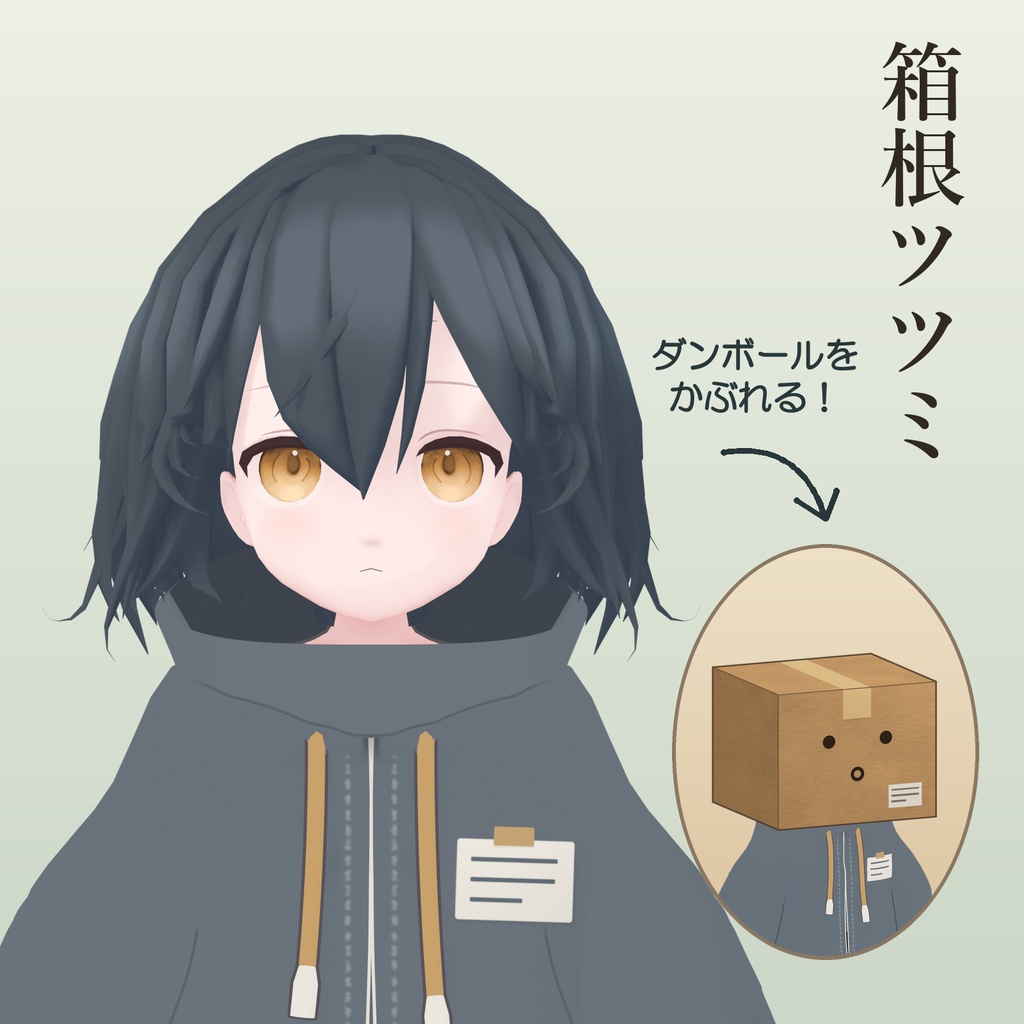
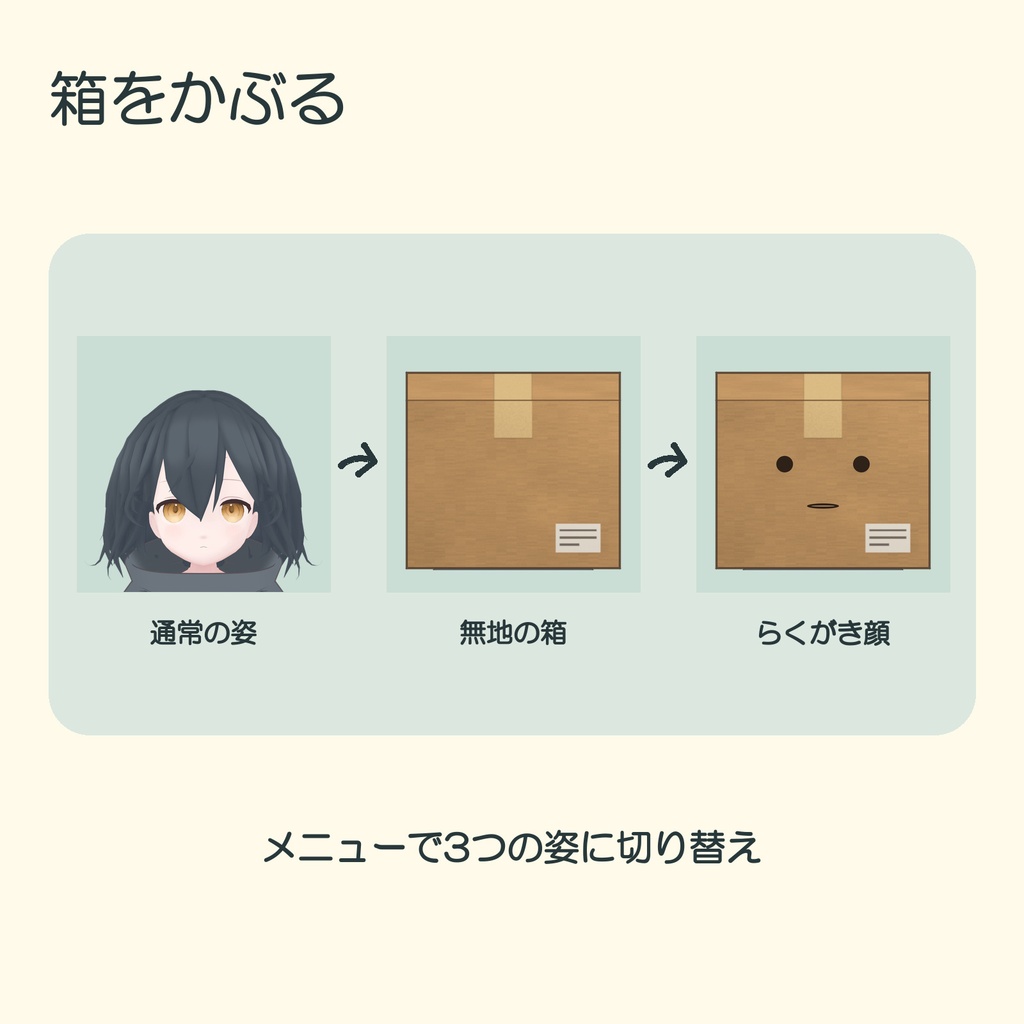
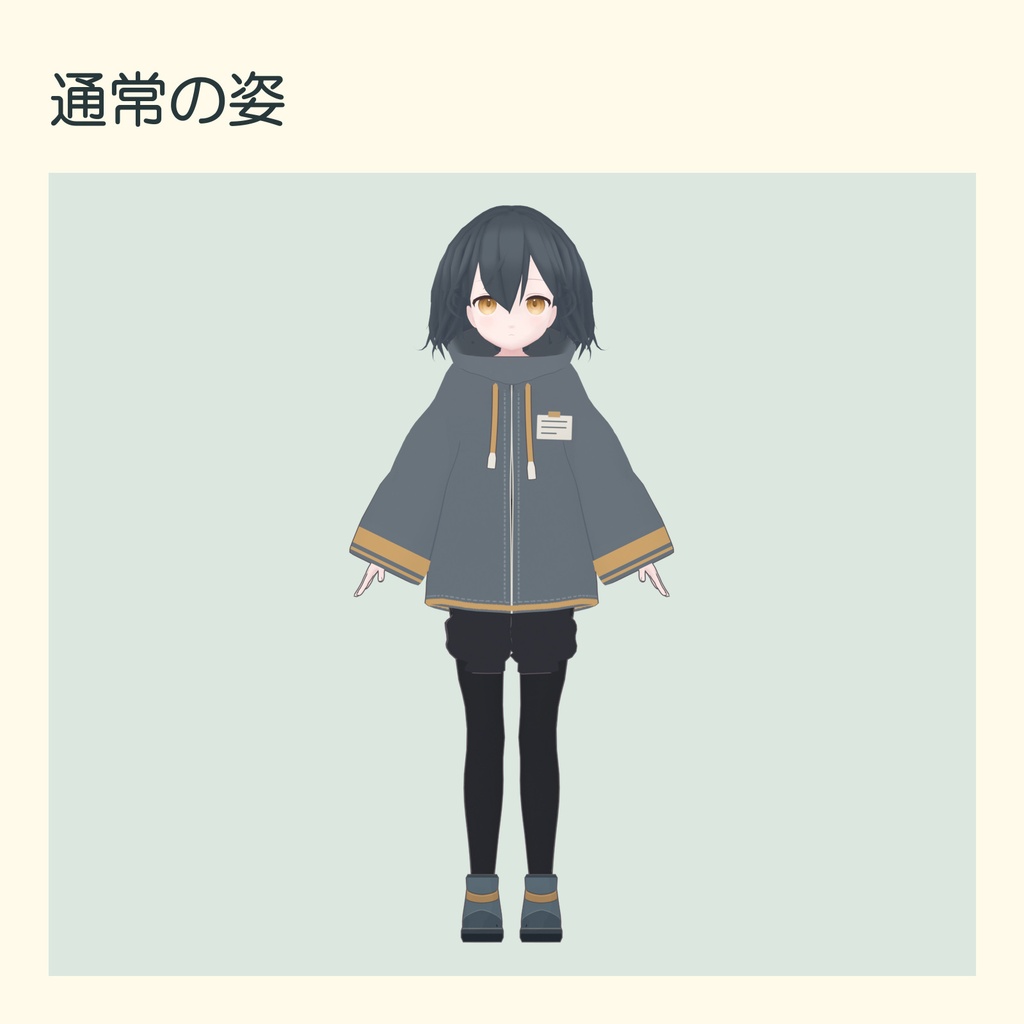
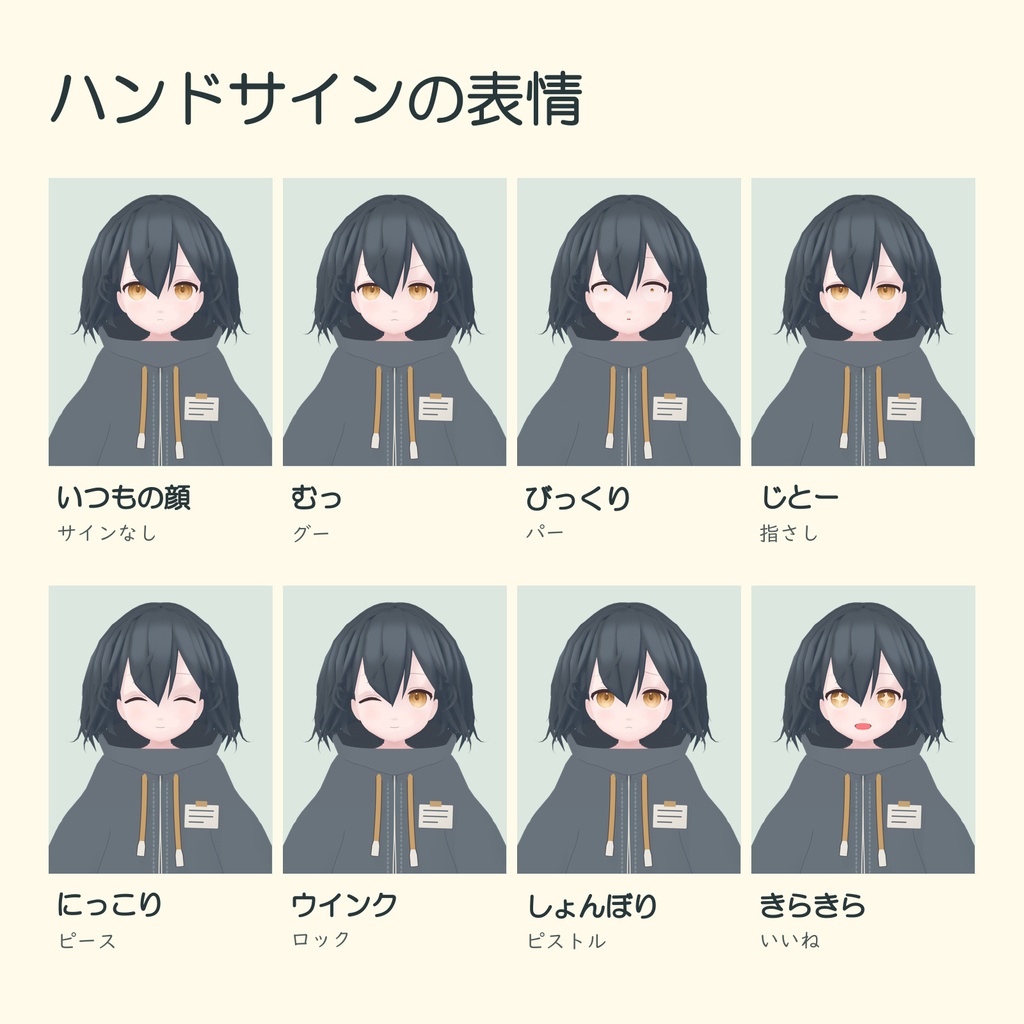
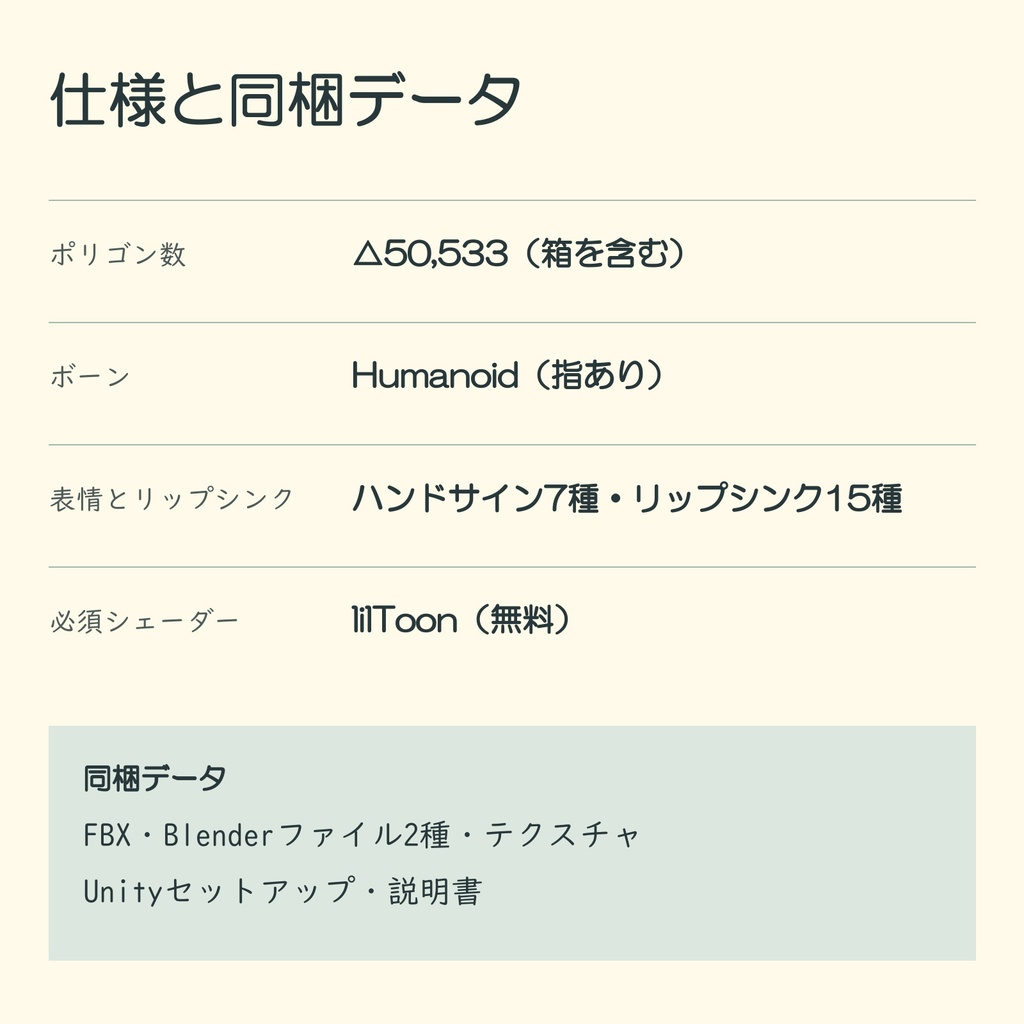


箱根ツツミ - Hakone Tsutsumi - 眠そうな目と大きめのコートが特徴の、ちょっと不思議な子です。 人と話すのは嫌いではないけれど、たまに何もかもから隠れたくなる。そんなときは、お気に入りのダンボールをすっぽりとかぶります。 VRChatでの使用を想定したオリジナル3Dモデルです。 【ダンボールギミック】==================================== Expressions Menuから、ダンボールの着脱や表示状態の切り替えができます。 ・通常:髪と顔が見える状態 ・ダンボール:無地のダンボールをかぶった状態 ・らくがき顔:ダンボールに手描きの顔が付いた状態。声に合わせて口が動きます。 ダンボールを傾けることもでき、合計5種類の状態を切り替えられます。 【アバター概要】==================================== ・Humanoid対応 ・ボーン数:103(指ボーンあり) ・リップシンク対応(15種類) ・まばたき対応 ・ハンドサインによる表情切り替え:7種類 (むっ/びっくり/じとー/にっこり/ウインク/しょんぼり/きらきら) ・PhysBone:2(コートの紐) ・ポリゴン数:△50,533(本体50,373+ダンボール160) ・マテリアル数:本体4/ダンボール1 ・顔のシェイプキー:53種類(リップシンク15種類を含む) ・VRChat Performance Rank:Good(PC) ・View Position(視点の高さ):1.69m ・対応プラットフォーム:PC版VRChat ・Quest/Android単体版:非対応 ・シェーダー:lilToon(無料・別途導入必須) 【内容物】==================================== ・Tsutsumi.unitypackage(設定済みPrefab2種類、FBX、テクスチャ5枚、マテリアル、アニメーション、Expressions Menu設定など) ・Blenderファイル2種類(通常版/ダンボール表示版) ・説明書(README_JP.md) ・商品画像 【導入手順】==================================== 1. ZIPを展開し、VRChat Creator Companion(VCC)でAvatarsプロジェクトを作成してUnity 2022.3.22f1で開きます。 2. UnityPackageをインポートする前に、同じプロジェクトへlilToon(無料)を導入してください。 3. Unityの「Assets > Import Package > Custom Package」から、同梱のTsutsumi.unitypackageをインポートします。 4. Assets/Tsutsumi内のTsutsumi.prefab(通常版)またはTsutsumi_Box.prefab(ダンボール表示版)をシーンに配置します。 5. VRChat SDKのControl Panelからアップロードします。 詳しくは同梱の説明書をご覧ください。 ▼ lilToon https://github.com/lilxyzw/lilToon 【動作確認環境】==================================== ・Unity 2022.3.22f1 ・VRChat SDK 3.10.6(Avatars) 動作確認済み項目: ・Unityへのモデルの取り込み ・Humanoid設定 ・表情切り替え ・ダンボールギミック(5状態) ・らくがき顔のリップシンク ・Expressions Menu ・PhysBone ・設定済みPrefabの配置と表示 フルトラッキングでの動作は未確認です。 Quest/Android単体版には対応しておりません。 【利用規約】==================================== 本モデルを購入・使用する前に、以下の利用規約をご確認ください。 ■ 許可事項 ・個人・法人によるVRChatでの使用 ・配信、動画制作および公開 ・テクスチャの変更、衣装の追加など、モデルの改変 ■ 禁止事項 ・モデルデータの再配布・転売(改変したデータを含む) ・Publicアバターとしてのアップロード ・アバターペデスタルなど、購入者以外が自由に使用できる状態での公開・配布 ・政治活動、宗教活動を目的とした利用 ・誹謗中傷、反社会的な表現、公序良俗に反する利用 ■ その他 ・本モデルの著作権は制作者に帰属します。 ・本モデルの使用により生じた損害やトラブルについて、制作者は法令で認められる範囲で責任を負いません。 ・ダウンロード商品の性質上、法令等に基づく場合を除き、購入後の返金・返品には対応しておりません。 ・利用規約は必要に応じて変更される場合があります。 【ご注意】==================================== ・商品画像はBlenderでレンダリングしたものです。実際のVRChat上では、シェーダーやワールドの照明環境によって見え方が異なる場合があります。 ・lilToonの導入が必要です。導入されていない場合、モデルが正常に表示されないことがあります。 ・動作確認環境以外での動作は保証しておりません。 【更新履歴】==================================== 2026/11/25 v1.0.0 販売開始 Hakone Tsutsumi - 箱根ツツミ - A mysterious character with sleepy eyes and an oversized coat. Tsutsumi likes wearing a cardboard box whenever the world becomes a little too much. An original 3D avatar for VRChat. 【Features】 ・Switch between normal, cardboard box, and doodle face modes using the Expressions Menu. ・The doodle face has lip sync. ・Tilt the cardboard box for a total of 5 selectable states. 【Specifications】 ・Humanoid rig / 103 bones (including fingers) ・50,533 triangles ・5 materials ・53 facial blendshapes, including 15 visemes ・7 gesture-controlled expressions ・Blinking and lip sync ・2 PhysBones (coat drawstrings) ・Performance Rank: Good (PC) ・Viewpoint height: 1.69 m ・PC only. Standalone Quest / Android not supported. ・lilToon required (free) 【Contents】 ・Tsutsumi.unitypackage with two configured prefabs, the FBX, five textures, materials, animations, and Expressions Menu settings ・2 Blender files ・Japanese README ・Product images 【Installation】 1. Extract the ZIP, create an Avatars project with VCC, and open it in Unity 2022.3.22f1. 2. Install lilToon (free) in that project before importing the UnityPackage. 3. In Unity, use Assets > Import Package > Custom Package to import the included Tsutsumi.unitypackage. 4. From Assets/Tsutsumi, place Tsutsumi.prefab (normal) or Tsutsumi_Box.prefab (cardboard box) in the scene. 5. Upload the avatar from the VRChat SDK Control Panel. lilToon: https://github.com/lilxyzw/lilToon 【Compatibility】 Setup and features tested in Unity 2022.3.22f1 with VRChat SDK 3.10.6. Full-body tracking is untested. 【Terms of Use】 Allowed: ・Personal and corporate use in VRChat ・Streaming and video creation ・Model and texture modifications Prohibited: ・Redistribution or resale, including modified files ・Public avatar uploads or pedestal distribution ・Sharing the model with non-purchasers ・Political or religious activities ・Harassment, defamation, antisocial or offensive use contrary to public order and morals Copyright remains with the creator. The creator is not liable for damages to the extent permitted by law. No refunds or returns unless required by law. Terms may be updated. 【Notes】 Product images are Blender renders. Appearance may vary in VRChat depending on shaders and lighting. lilToon is required. Compatibility outside the tested environment is not guaranteed. 【Update History】 2026/11/25 — v1.0.0 Initial release