
手首の日時計(Wrist Sundial)
- ダウンロード商品¥ 200
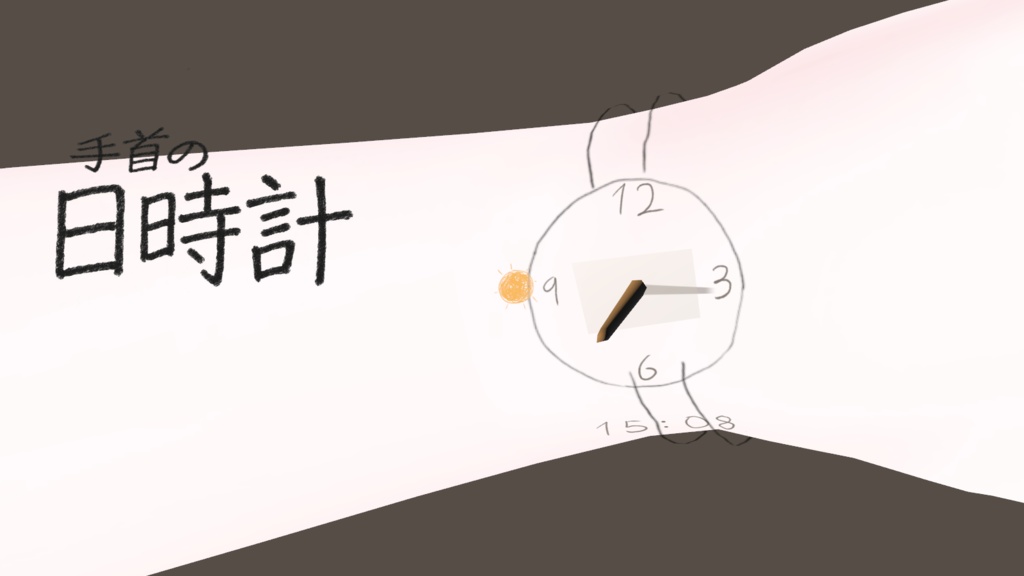

日本語 Wrist Sundialは、手首に手描きの時計が現れるPC版VRChat向けのアバターギミックです。👊 左手をグーにしたまま、☝️ 右手の Point ジェスチャーで左手首に軽く触れ、指を離すと時計が現れます。✋ 左手を開くと時計が消えます。 導入手順 1. Unityにパッケージをインポートし、`Wrist Sundial` プレハブをアバターの子に配置します。 2. 自動配置を押し、「ボディ」にアバターのボディメッシュが設定されていることを確認します。「手首の配置基準」で位置と角度を調整します。 3. 袖で時計が隠れる場合は、衣装のRendererを ステンシル対象に追加します。この機能にはlilToonが必要です。 必須 · VRChat Avatars SDK、Modular Avatar English Wrist Sundial is a PC VRChat avatar gimmick that displays a hand-drawn clock on your wrist. 👊 Make a fist with your left hand, then ☝️ use the right-hand Point gesture to tap your left wrist. The clock appears when you lift your finger. ✋ Open your left hand to dismiss it. Setup 1. Import the package into Unity and place the Wrist Sundial prefab under your avatar. 2. Click Auto Place and check that Body points to your avatar’s body mesh. Use Wrist Placement to fine-tune the position and rotation. 3. If a sleeve covers the clock, add the clothing renderer to Stencil Targets. This feature requires lilToon. Requirements · VRChat Avatars SDK, Modular Avatar 한국어 Wrist Sundial은 손목에 손그림 시계가 나타나는 PC VRChat 아바타용 기믹입니다. 👊 왼손을 주먹 쥔 채 ☝️ 오른손 검지로 왼손목을 콕 짚었다 떼면 시계가 나타납니다. ✋ 왼손을 펴면 시계가 사라집니다. 설치 방법 1. Unity에서 패키지를 임포트하고 Wrist Sundial 프리팹을 아바타 아래에 넣습니다. 2. Auto Place를 누르고 Body에 몸 메시가 지정됐는지 확인합니다. Wrist Placement에서 위치와 각도를 조절합니다. 3. 소매가 시계를 가리면 해당 의상의 렌더러를 Stencil Targets에 추가합니다. 이 기능에는 lilToon이 필요합니다. 필수 · VRChat Avatars SDK, Modular Avatar
