
HajitchDJ Separation Dock
- ダウンロード商品¥ 680
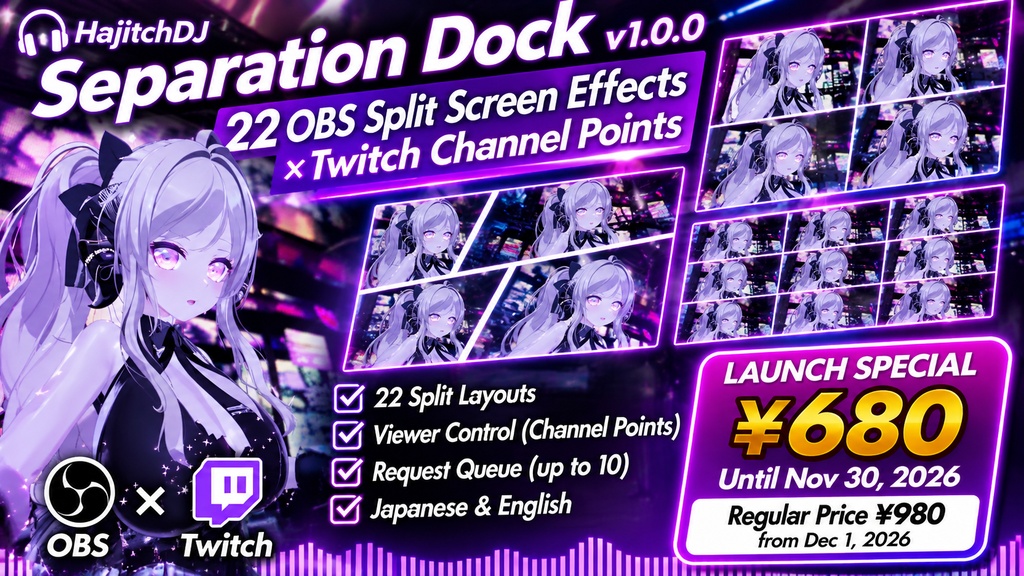
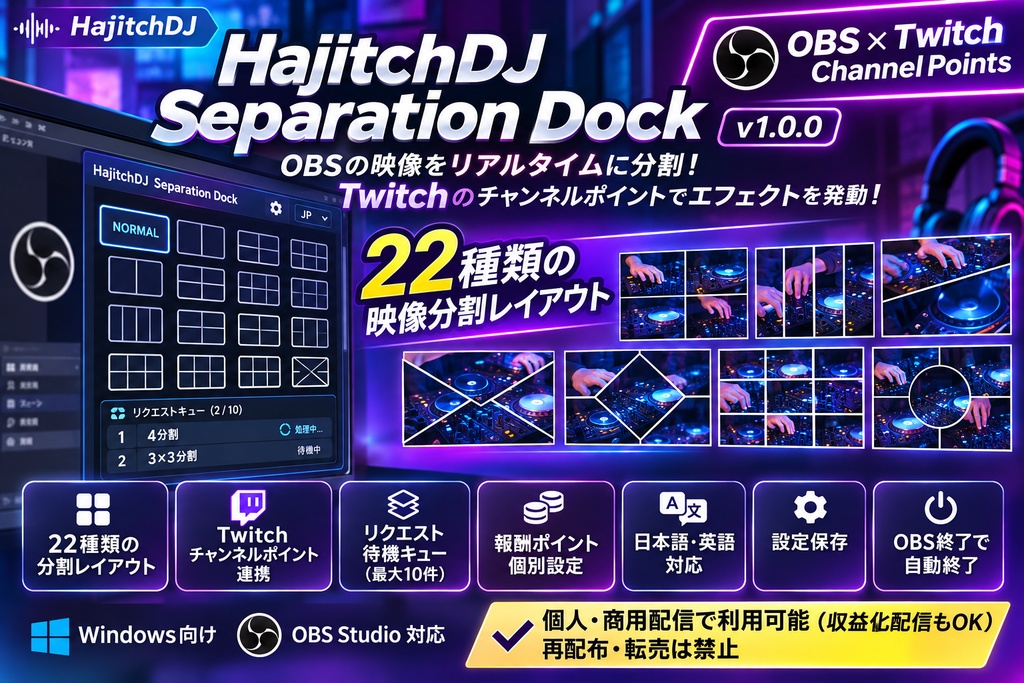


🎧 HajitchDJ Separation Dock v1.0.0 OBS × Twitch Channel Points|22種類の映像分割エフェクト 🎉 発売記念セール! 🔥 2026年11月30日まで、発売記念価格 680円! 通常価格:980円(2026年12月1日から) 発売記念として、通常価格より300円お得に購入できます! 🎮 視聴者があなたの配信画面を変える! HajitchDJ Separation Dockは、OBS Studioの映像を22種類のレイアウトにリアルタイムで分割できるWindows向け配信支援ツールです。 OBSのカスタムドックから自由に操作できるほか、Twitchのチャンネルポイント報酬と連携して、視聴者が配信画面の分割エフェクトを発動できます。 DJ配信、VRChat配信、ゲーム配信、雑談配信など、さまざまなスタイルの配信で利用できます。 ✨ 主な機能 🎬 22種類の映像分割レイアウト 通常分割12種類と特殊レイアウト10種類を搭載。2分割から20分割まで、さまざまな映像表現が可能です。 💜 Twitchチャンネルポイント連携 視聴者がチャンネルポイント報酬を引き換えると、OBSの映像分割エフェクトが実行されます。 📋 最大10件の待機キュー 複数の視聴者から連続してリクエストが届いても、先着順に処理します。 ⚙️ 報酬金額・実行時間の設定 22種類の分割ごとに必要なチャンネルポイントを変更可能。分割表示時間も設定できます。 🔄 NORMAL復帰 分割を解除して元の映像に戻せます。Twitchの待機キューがすべて終了した場合もNORMALへ復帰します。 🌐 日本語・英語対応 OBSドックから日本語と英語を切り替えられます。 💾 設定保存 報酬金額やアプリの設定は、再起動後も保持されます。 🖥️ OBS終了連動 OBS Studioを終了すると、Separation Dockも自動終了します。 📦 ポータブルZIP形式 Windowsインストーラーは不要。ZIPを展開して利用できます。 🚀 導入方法 購入後、ZIPファイルをダウンロードして展開します。 付属のSTARTファイルからSeparation Dockを起動します。 OBS StudioのカスタムブラウザドックにSeparation Dockを登録します。 使用するOBSシーンと映像ソースを選択します。 Twitch連携を利用する場合は、アカウント認証とチャンネルポイント報酬の設定を行います。 日本語・英語のマニュアルが付属しています。 💻 動作環境 Windows PC OBS Studio Twitchアカウント(チャンネルポイント連携を利用する場合) インターネット接続(Twitch連携を利用する場合) ※ Windows・OBS Studioのすべてのバージョンでの動作を保証するものではありません。 ⚠️ ご利用上の注意 Twitchチャンネルポイントのリクエスト処理中は、OBSドックからの手動分割操作が一時的に制限されます。待機キューを含む処理が完了すると再び操作できます。 OBSを終了するとSeparation Dockも終了します。次回使用する際はSTARTファイルから起動してください。 OBSのシーンコレクションは、初回導入前にバックアップすることをおすすめします。 本製品はOBS StudioおよびTwitchの公式製品ではありません。 📜 利用条件 ✅ 個人配信で利用可能 ✅ 商用配信で利用可能 ✅ Twitch・YouTubeなどの収益化配信で利用可能 ❌ ソフトウェアの再配布は禁止 ❌ ソフトウェアの転売は禁止 🇬🇧 English Description HajitchDJ Separation Dock v1.0.0 22 OBS Video Split Layouts × Twitch Channel Points 🎉 Launch Special Offer! 🔥 Special Launch Price: ¥680 — Until November 30, 2026! Regular Price: ¥980 — Starting December 1, 2026 Save ¥300 during the launch promotion! 🎮 Let Your Viewers Transform Your Stream! HajitchDJ Separation Dock is a Windows utility that transforms your OBS Studio video into 22 different split-screen layouts. Control the effects manually through an OBS custom dock, or let viewers activate them using Twitch Channel Points. Perfect for DJ streams, VRChat, gaming, and other livestreams. ✨ Features 22 Video Split Layouts: 12 standard and 10 special layouts. Twitch Channel Points: Viewers can trigger split-screen effects through reward redemptions. Request Queue: Processes up to 10 queued requests in FIFO order. Customizable Rewards: Set individual Channel Points costs and effect duration. NORMAL Mode: Restore your original video after split effects. Japanese & English Interface: Switch languages directly in the OBS dock. Persistent Settings: Settings are retained after restarting. Automatic OBS Shutdown Detection: Separation Dock closes when OBS exits. Portable ZIP: No Windows installer required. 🚀 Installation Download and extract the ZIP package. Launch Separation Dock using the included START file. Add Separation Dock as a custom browser dock in OBS Studio. Select your OBS scene and video source. Optionally authorize Twitch and configure Channel Points rewards. Japanese and English documentation is included. 💻 Requirements Windows PC OBS Studio Twitch account for Channel Points integration Internet connection for Twitch integration Compatibility with every Windows or OBS Studio version is not guaranteed. ⚠️ Important Notes Manual split controls are temporarily disabled while Twitch reward requests are being processed, including queued requests. Separation Dock automatically shuts down when OBS exits. Launch it again using the START file for your next session. Backing up your OBS scene collection before initial setup is recommended. This is an independent utility and is not an official OBS Studio or Twitch product. 📜 License ✅ Personal livestreaming permitted ✅ Commercial livestreaming permitted ✅ Monetized livestreaming permitted ❌ Software redistribution prohibited ❌ Software resale prohibited 🎉 発売記念価格 / Launch Special ¥680 — 2026年11月30日まで / Until November 30, 2026 ¥980 — 2026年12月1日から / Starting December 1, 2026 © HajitchDJ
