

【VRChat想定】ゴシック 魔法剣&鞘【抜刀ギミック / Modular Avatar対応 / PC・Quest対応】Gothic Sword & Scabbard
- Wrought(黒鉄・ガーネット)ダウンロード商品¥ 700
- Brass(真鍮・シトリン)ダウンロード商品¥ 700
- Moonlight(銀・アイスブルー)ダウンロード商品¥ 700
- 3色セット(All)ダウンロード商品¥ 1,000
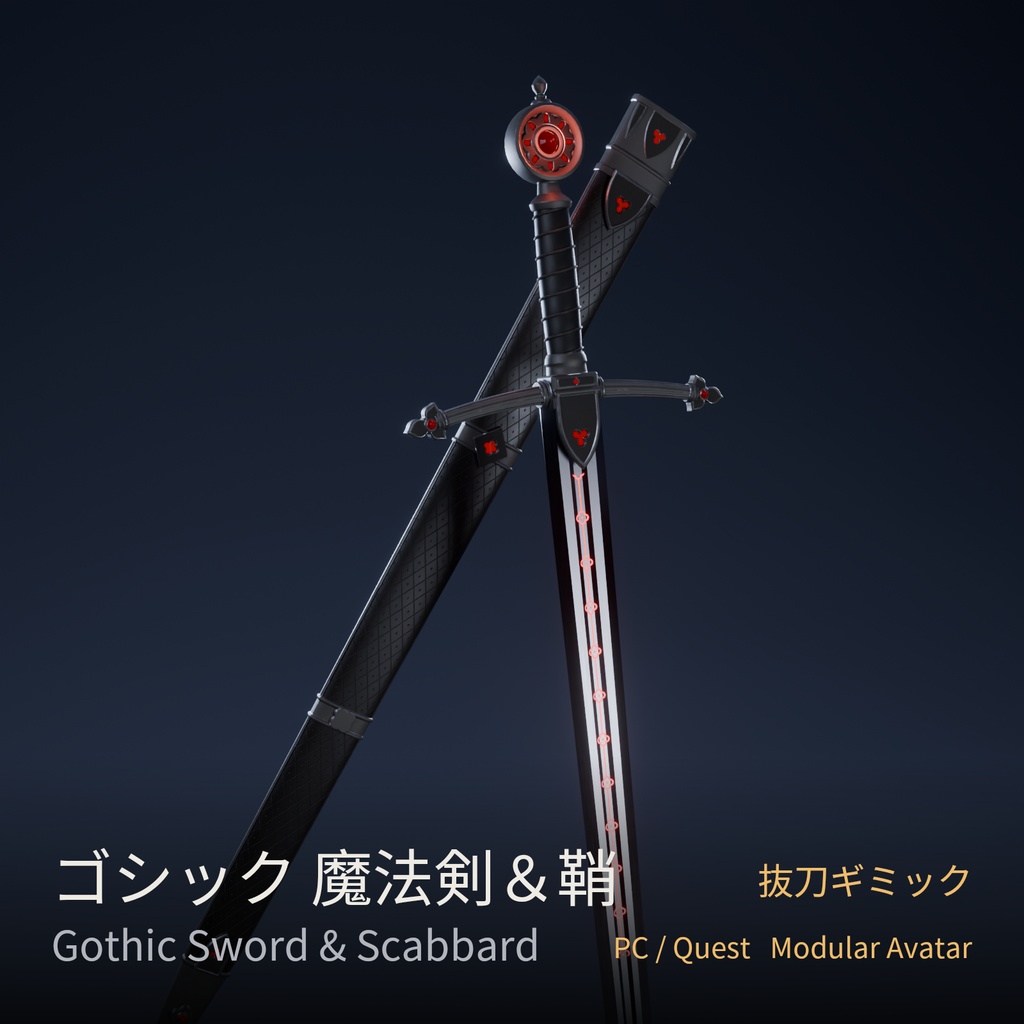
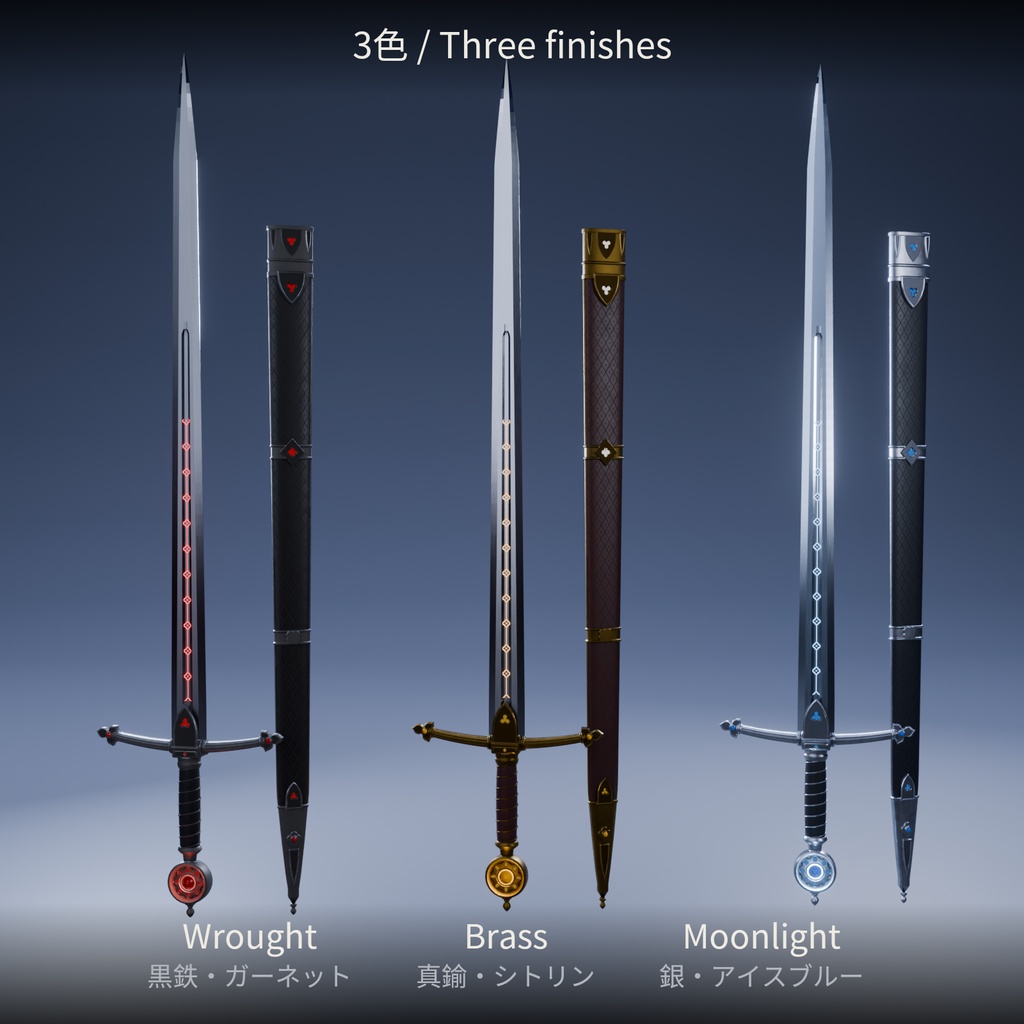
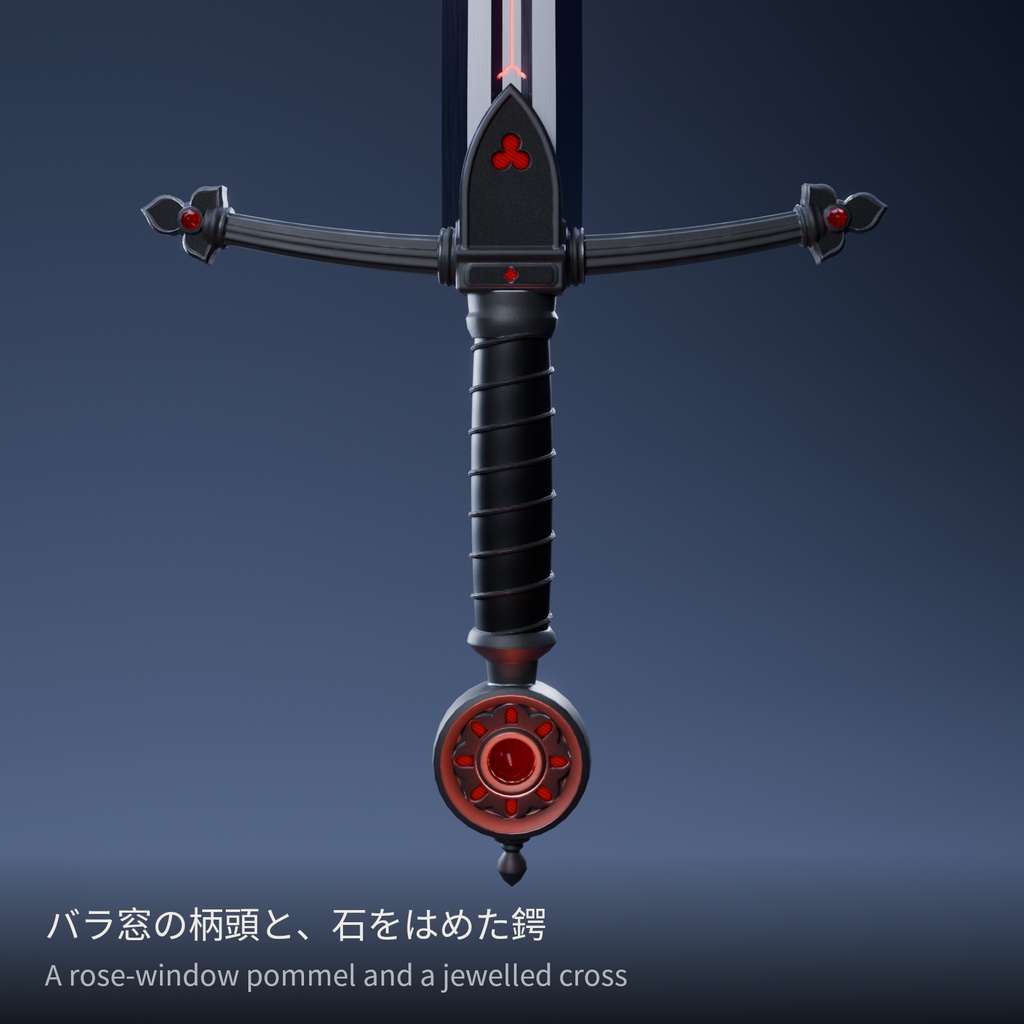
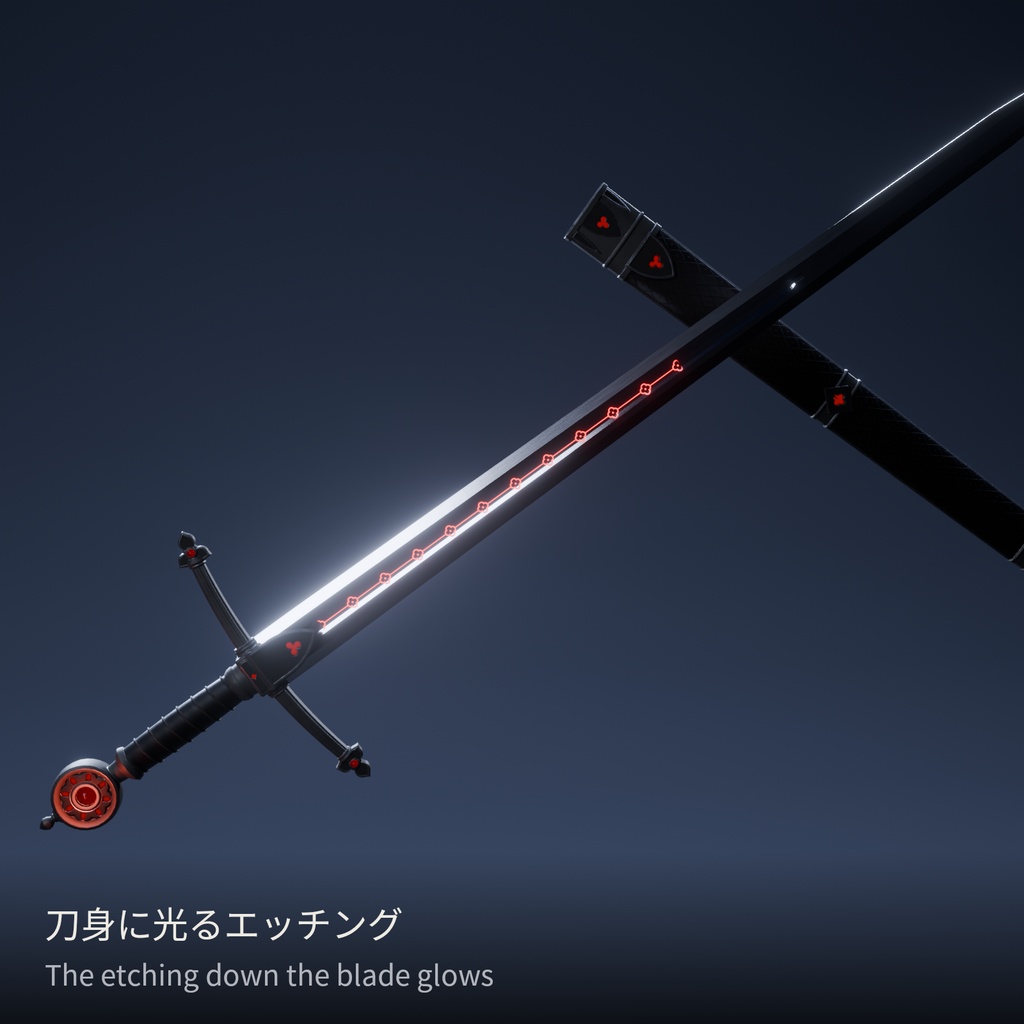
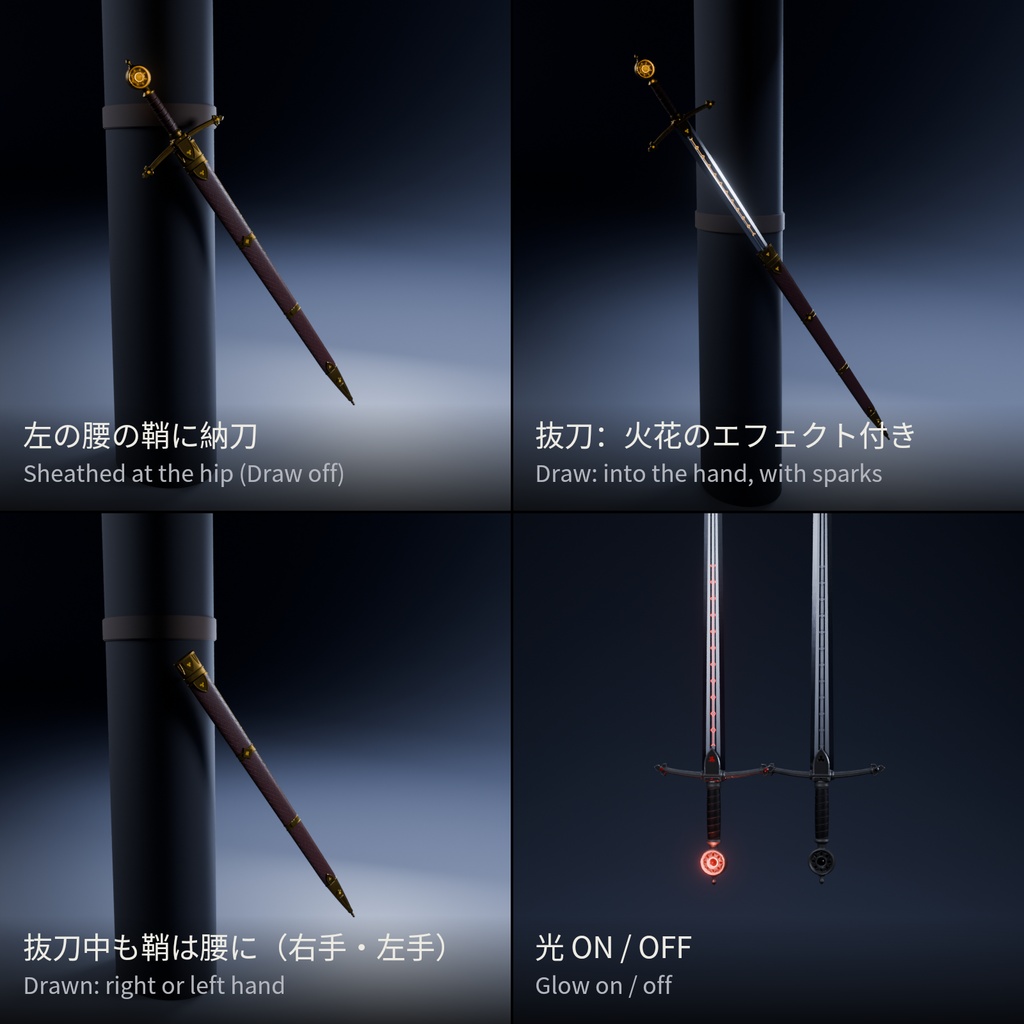
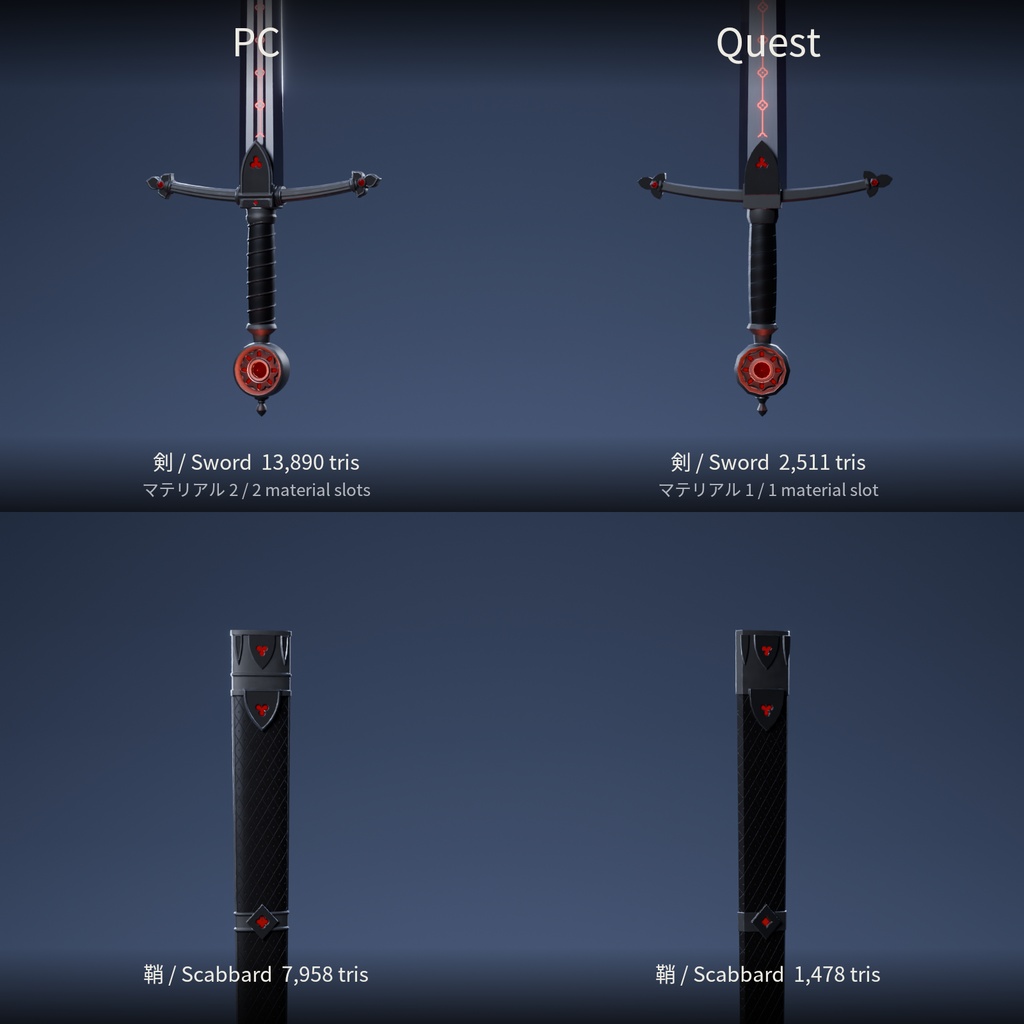
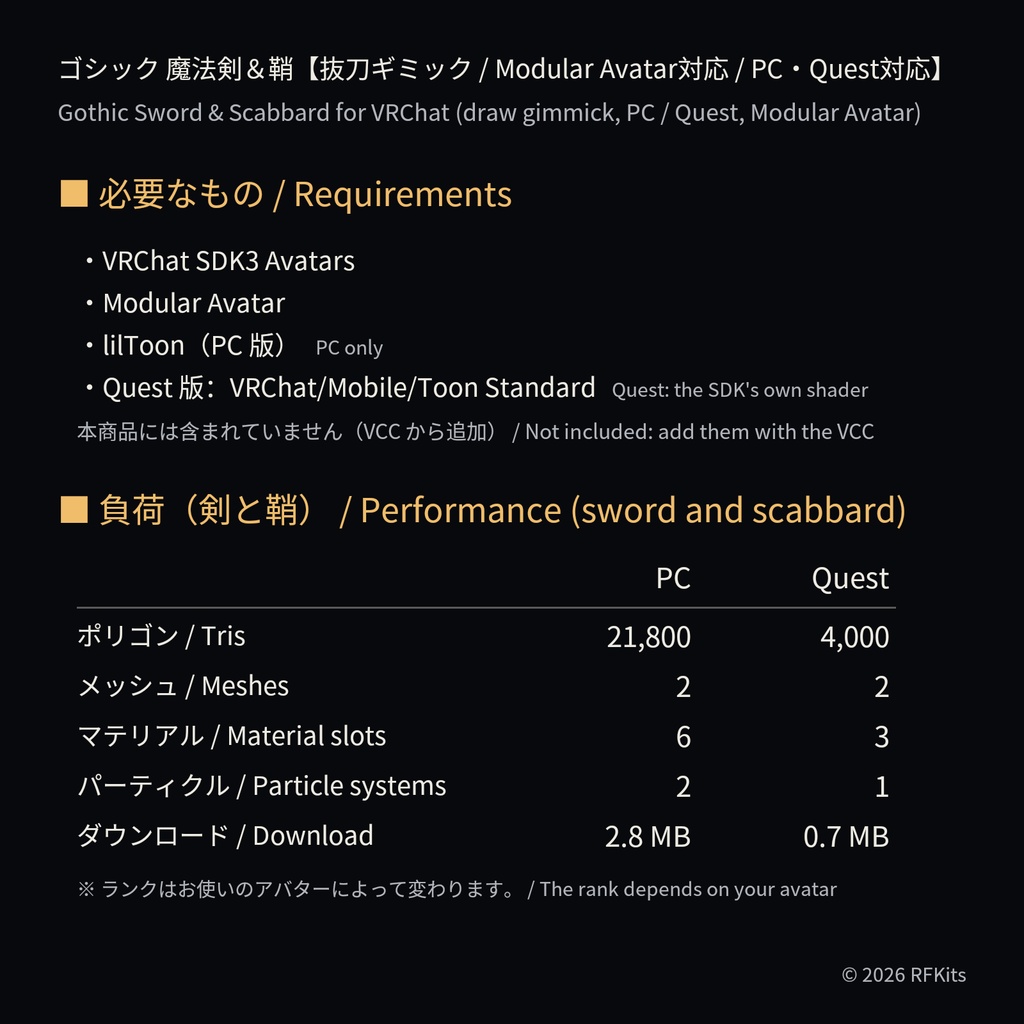


ゴシック・リバイバル様式の剣と鞘のセットです。刀身のエッチングと柄頭の宝石が光る、オリジナルデザインの魔法剣です。 Modular Avatar対応:プレハブをアバターに入れるだけで、メニューと抜刀ギミックが追加されます。 ■ 内容 ・ゴシック ソード 全長 81 cm(PC 版 / Quest 版) ・鞘(左の腰に下がります。PC 版 / Quest 版) ・3色:Wrought(黒鉄・ガーネット)/ Brass(真鍮・シトリン)/ Moonlight(銀・アイスブルー) ■ ギミック(Expression メニュー) Show(表示)/ Draw(抜刀:腰の鞘から手へ、火花のエフェクト付き)/ Left hand(左手に持ち替え)/ Glow(刀身と宝石の光 ON / OFF) ■ 必要なもの(本商品には含まれていません。VCC から追加してください) ・VRChat SDK3 Avatars ・Modular Avatar ・lilToon(PC 版のみ) ※ Quest 版は SDK 付属の VRChat/Mobile/Toon Standard を使います。 ■ 導入方法 1. VCC で上記のパッケージをアバターのプロジェクトに追加します。 2. unitypackage をインポートします。 3. Assets/RFKits/VRP/Prefabs/ の VRP_Sword_Gothic_<色>(Quest 版は VRP_Sword_Gothic_Quest_<色>)を、Hierarchy のアバター直下にドラッグ&ドロップします。 4. 手や体型に合わせてアンカーの位置を調整します(剣:Anchor_Right / Anchor_Left、鞘:Anchor_Hip)。 5. Quest 版は、SDK を Android に切り替えて、_Quest のプレハブを入れたアバターを別途アップロードします。 ■ 負荷(剣と鞘) PC:約 21,800 ポリゴン、メッシュ 2、マテリアル 6、パーティクル 2、テクスチャメモリ 24 MB、ダウンロード 約 2.8 MB Quest:約 4,000 ポリゴン、メッシュ 2、マテリアル 3、パーティクル 1、テクスチャメモリ 6 MB、ダウンロード 約 0.7 MB ※ パフォーマンスランクはお使いのアバターによって変わります。非表示の小物もランクの計算に含まれます。 ※ PC:アバターと合わせて 70,000 ポリゴンを超えると Very Poor になります。 ※ Quest:小物だけで Poor の上限のうちマテリアル 3 / 4、メッシュ 2 / 2 を使うため、アバター側のマテリアルが 2 つ以上、またはスキンのないメッシュが 1 つでもあると Very Poor になり(ほとんどのアバターが該当)、ほかの Quest ユーザーには初期設定でフォールバックアバターが表示されます。 ■ ご注意 ・装着直後は剣も鞘も非表示です。メニューの「Show」で表示してください。 ・抜刀先は初期設定で右手です。ランタン&スタッフのランタンを右手に持つときは「Left hand」を ON にしてください。 ・抜刀は、腰と手の間を約 0.15 秒で移る切り替えです(腕のアニメーションは含まれていません)。 ・鞘の位置は細身の 1.4 m 前後のアバターに合わせた初期値です。体型に合わせて Anchor_Hip を調整してください。 ・光は発光の表現で、周囲やアバターを照らすライトは含まれていません。 ・サムネイル画像は Blender でのレンダリングです。VRChat では lilToon(PC)/ Toon Standard(Quest)で表示されるため、見え方が異なります。 ・動作確認環境:Unity 2022.3.22f1 / VRChat SDK 3.10.6 / Modular Avatar 1.18.7 / lilToon 2.4.1(VRChat PC デスクトップ版の Build & Test、SDK のサンプルアバター)。VR と Quest 実機は未確認です。 ■ 同じシリーズ ゴシック ランタン&杖(スタッフ):https://rfkits.booth.pm/items/9147146 ■ 利用規約(概要) ・自分のアバターでの使用・改変:可 ・配信・動画・スクリーンショットへの使用(収益化・商用を含む):可 ・ご自身のワールドへの設置:可 ・パブリックアバター・ペデスタルでの使用:不可 ・再配布・共有・転売:不可 ・AI の学習データとしての使用:不可 詳細は同梱の LICENSE.txt をご覧ください。アップデートは BOOTH の購入履歴から無料でダウンロードできます。 制作:RFKits / お問い合わせ:rfstudiohq@gmail.com AI の補助を受けて書いたプロシージャルなスクリプトで制作しています。モデルと画像に生成 AI は使用していません。 ―――――――――― A Gothic Revival sword and its scabbard for VRChat avatars, an original design: the etching down the blade and the gem in the pommel glow. Modular Avatar ready: drop a prefab on your avatar and the menu and the draw gimmick are added for you. Contents ・Gothic sword, 81 cm overall (PC and Quest) ・Its scabbard, worn at the left hip (PC and Quest) ・Three finishes: Wrought (black iron, garnet), Brass (aged brass, citrine), Moonlight (pewter silver, ice blue) Gimmicks (Expressions menu) Show / Draw (from the hip into the hand, with a burst of sparks) / Left hand / Glow (the blade and the gem on / off) Requirements (not included: add them with the VRChat Creator Companion) ・VRChat SDK3 Avatars ・Modular Avatar ・lilToon (PC only). The Quest version uses the SDK's own VRChat/Mobile/Toon Standard. Setup 1. Add the packages above to your avatar project with the VCC. 2. Import the .unitypackage. 3. Drag VRP_Sword_Gothic_<Finish> (on Quest, VRP_Sword_Gothic_Quest_<Finish>) from Assets/RFKits/VRP/Prefabs/ onto your avatar in the Hierarchy. 4. Adjust the anchors to your avatar's hands and hip (the sword: Anchor_Right / Anchor_Left; the scabbard: Anchor_Hip). 5. For Quest, switch the SDK to Android and upload the avatar separately with the _Quest prefab. Performance (sword and scabbard) PC: about 21,800 tris, 2 meshes, 6 material slots, 2 particle systems, 24 MB texture memory, about 2.8 MB to download Quest: about 4,000 tris, 2 meshes, 3 material slots, 1 particle system, 6 MB texture memory, about 0.7 MB to download ・The rank depends on your avatar. Hidden props still count. ・PC: over 70,000 tris in total, avatar included, ranks Very Poor. ・Quest: the props alone use 3 of Poor's 4 material slots and both of its 2 meshes, so an avatar wearing them ranks Very Poor if it has more than one material slot of its own or any non-skinned mesh (nearly every avatar), and other Quest users see your fallback avatar by default. Notes ・Both start hidden: turn them on with Show in the menu. ・The sword is drawn into the right hand by default. With the Lantern & Staff's lantern in the right hand, turn Left hand on. ・The draw moves the sword between the hip and the hand in about 0.15 s; it does not animate your arm. ・The scabbard's place is set for a slim avatar of about 1.4 m: adjust Anchor_Hip for yours. ・The glow is emissive: it does not light up your avatar or the world. ・The gallery images are Blender renders. In VRChat the props use lilToon (PC) and Toon Standard (Quest), so they look different. ・Tested with Unity 2022.3.22f1, VRChat SDK 3.10.6, Modular Avatar 1.18.7 and lilToon 2.4.1, in the Unity editor's Play mode on the SDK's sample avatar. Not yet tested in VR or on a Quest headset. Also in the series Gothic Lantern & Staff: https://rfkits.booth.pm/items/9147146 Terms of use (summary) ・Use and modify on your own avatars: yes ・Streams, videos and screenshots, commercial use included: yes ・Placing them in your own worlds: yes ・Public avatars and pedestals: no ・Redistributing, sharing or reselling the files: no ・AI training: no Full terms: LICENSE.txt in the download. Updates are free from your BOOTH library. Made by RFKits. Support: rfstudiohq@gmail.com Made with procedural scripts written with AI assistance; no generative AI in the models or images.