
【無料・ブラウザで動く】GuriGuri Photo|VRChat の写真をクレヨン画に
- 無料版ダウンロード商品¥ 0
- ロゴなし版ダウンロード商品¥ 300
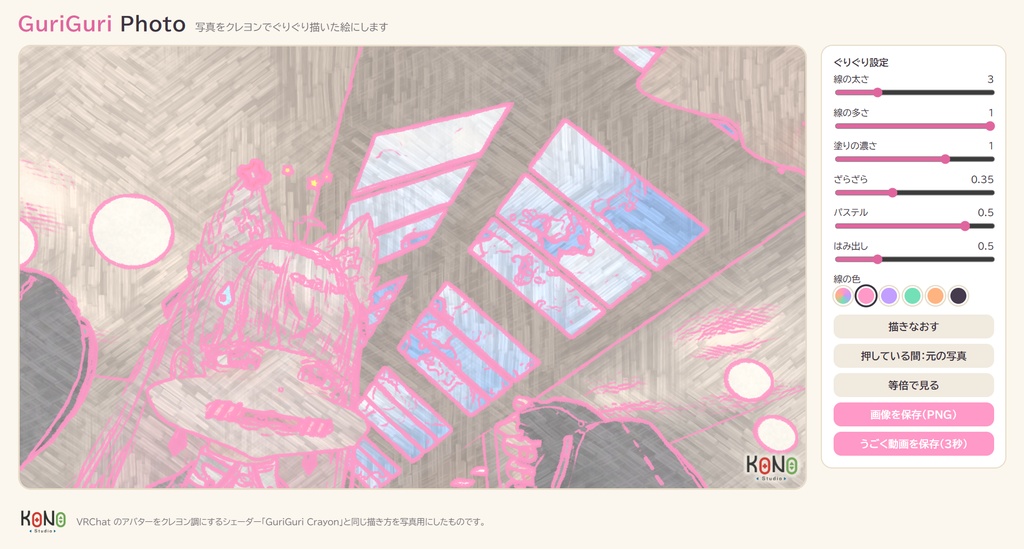
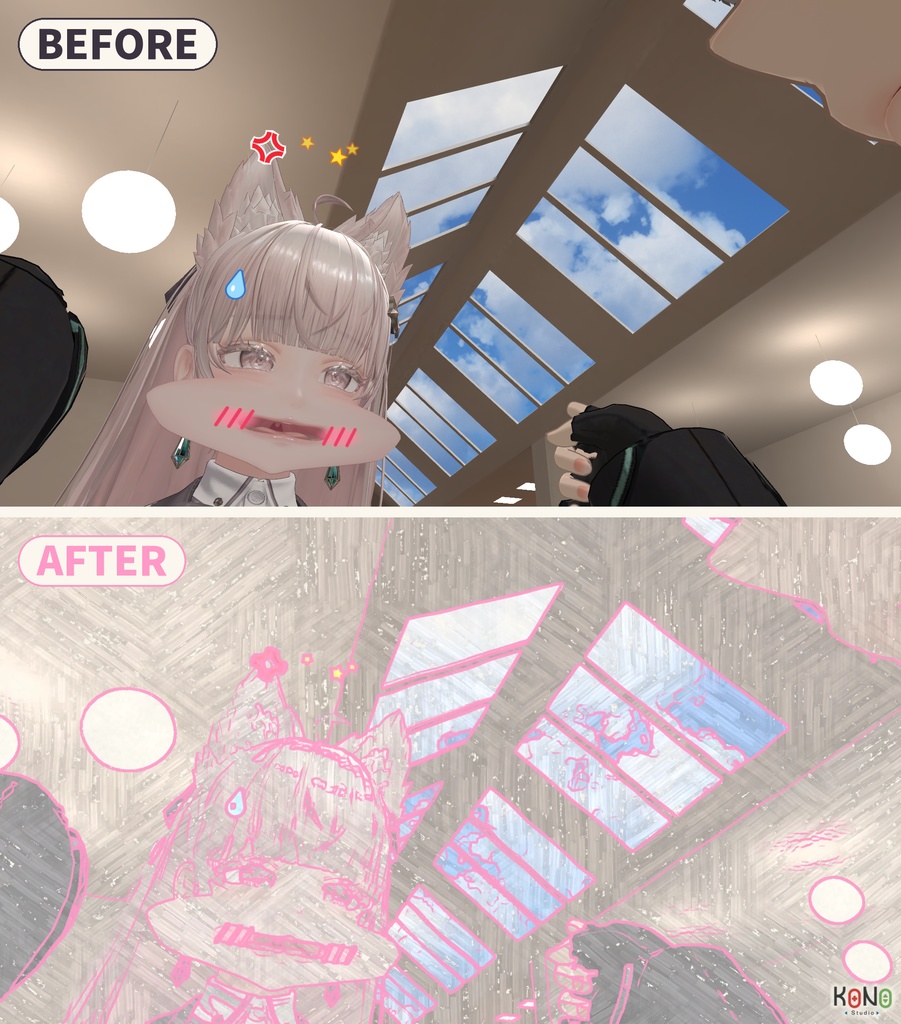
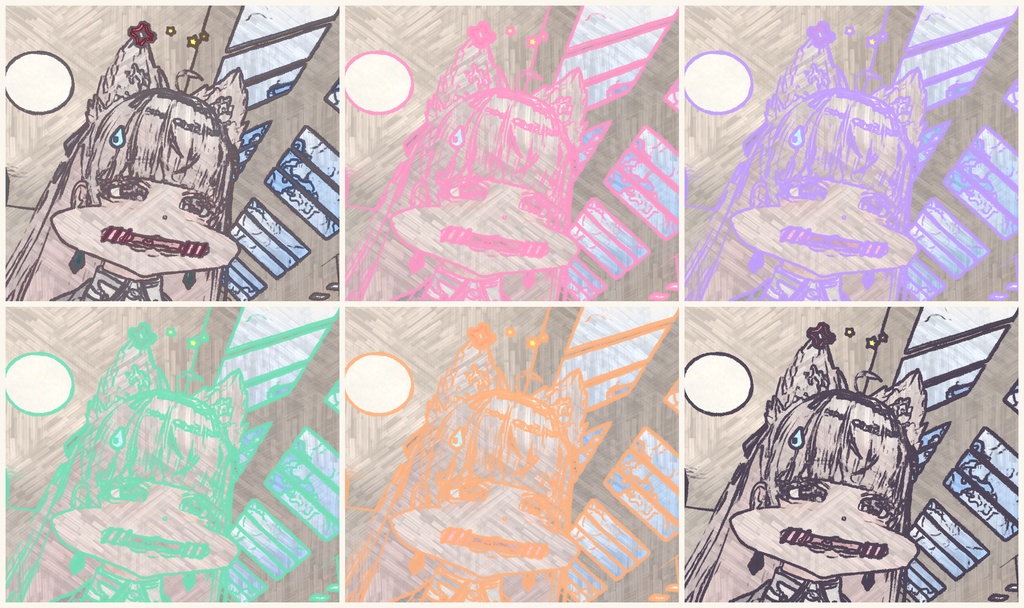
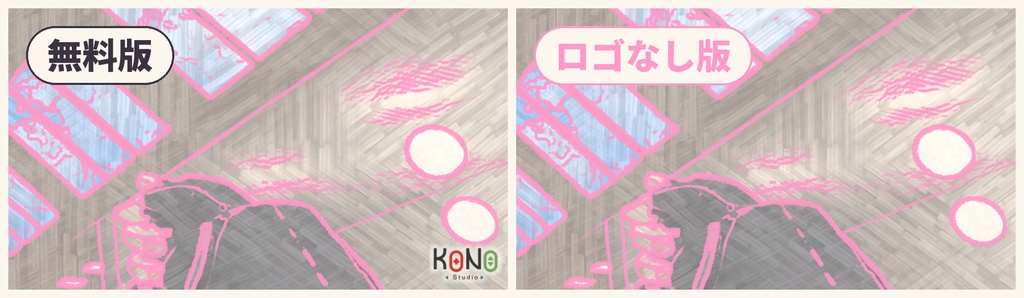


VRChat の写真を、クレヨンでぐりぐり描いた絵に。 ブラウザで開いて、写真をドロップするだけ。インストールもアカウントも不要です。 ▶ すぐ使う(無料・Web 版) https://guriguri-photo.netlify.app ・写真はあなたのパソコンの中だけで処理され、どこにも送信されません ・線の太さ・量・塗りの濃さ・ざらざら感・線の色を調整できます ・画像(PNG)と、線がぐりぐり動く 3 秒の動画(MP4)を保存できます ・保存した画像・動画には、右下に小さくロゴが入ります。ロゴなしで保存したい方は「ロゴなし版」をどうぞ VRChat の中でもこの描き方にしたい方は、アバター用シェーダー「GuriGuri Crayon」もどうぞ。 ────────── 把 VRChat 的照片變成用蠟筆畫的圖。 用瀏覽器打開、把照片拖進去就好,不需要安裝,也不用註冊。 ▶ 馬上使用(免費・網頁版) https://guriguri-photo.netlify.app ・照片只在你的電腦裡處理,不會傳送到任何地方 ・可以調整線的粗細、多寡、上色濃度、顆粒感和線的顏色 ・可以存成圖片(PNG),也可以存成線條會動的 3 秒影片(MP4) ・存下來的圖片和影片右下角會有小小的 logo。想存沒有 logo 的版本,請選「ロゴなし版」 想在 VRChat 裡也變成這種畫風,可以看看 avatar 用的 shader「GuriGuri Crayon」。 ────────── Turn your VRChat photos into crayon drawings. Open it in your browser and drop a photo. Nothing to install, no account. ▶ Use it now (free, web version) https://guriguri-photo.netlify.app - Your photo is processed only on your computer and never sent anywhere - Adjust line thickness, amount, fill strength, grain, and line color - Save a picture (PNG) or a 3-second video where the lines wiggle (MP4) - Saved pictures and videos have a small logo in the corner. Choose "ロゴなし版" (no-logo version) to save without it Want this look inside VRChat too? Try "GuriGuri Crayon", the shader for avatars.
使い方 / 使用方式 / How to use
【Web 版(無料)】 1. https://guriguri-photo.netlify.app を開きます 2. 写真をドロップ(またはクリックして選択) 3. 右の「ぐりぐり設定」で好みに調整して、「画像を保存」または「うごく動画を保存」 【ダウンロード版】 1. zip を展開します 2. 「GuriGuri Photo.html」をダブルクリックすると、ブラウザで開きます(インストール不要・オフラインでも使えます) 3. あとは Web 版と同じです ────────── 【網頁版(免費)】 1. 打開 https://guriguri-photo.netlify.app 2. 把照片拖進去(或點一下選擇照片) 3. 在右邊的「ぐりぐり設定」調整,再按「画像を保存」或「うごく動画を保存」 【下載版】 1. 解壓縮 zip 2. 雙擊「GuriGuri Photo.html」就會在瀏覽器打開(不用安裝,沒有網路也能用) 3. 之後跟網頁版一樣 ────────── [Web version (free)] 1. Open https://guriguri-photo.netlify.app 2. Drop a photo (or click to choose one) 3. Adjust it with the sliders on the right, then save a picture or a moving video [Download version] 1. Unzip the file 2. Double-click "GuriGuri Photo.html" to open it in your browser (nothing to install, works offline) 3. The rest is the same as the web version
動作環境 / 使用環境 / Requirements
・パソコンのブラウザ(Chrome / Edge を推奨) ・動画の保存は Chrome / Edge のみ対応 ・スマートフォンでの動作は確認していません ────────── ・電腦的瀏覽器(建議 Chrome / Edge) ・只有 Chrome / Edge 能存影片 ・沒有在手機上測試過 ────────── - A browser on a computer (Chrome / Edge recommended) - Saving videos works only in Chrome / Edge - Not tested on smartphones
利用規約 / 使用條款 / Terms of use
・作った画像・動画を SNS などに投稿:OK(クレジットは不要です) ・作った画像・動画の商用利用:OK ・写真に写っているアバター・ワールド・人物の権利は、それぞれの権利者に従ってください ・本ツール(HTML ファイル)の再配布・転売:禁止 ・本ツールの使用によって生じたトラブルについて、作者は責任を負いません ────────── ・做出來的圖片、影片可以發到社群網站等地方(不用標註出處) ・做出來的圖片、影片可以商業使用 ・照片裡的 avatar、world、人物的權利,請遵守各自權利人的規定 ・禁止再發布、轉賣本工具(HTML 檔案) ・因使用本工具造成的問題,作者不負任何責任 ────────── - Posting the pictures and videos you make on social media: OK (no credit needed) - Commercial use of the pictures and videos you make: OK - For the avatars, worlds and people in your photos, follow their own rights holders' terms - Redistributing or reselling this tool (the HTML file): not allowed - The author is not responsible for any problems caused by using this tool
内容物 / 內容物 / Contents
・GuriGuri Photo.html ・README.txt(使い方 / 使用方式 / How to use)
更新履歴 / 更新紀錄 / Update history
2026/11/27: v1.0.0 ・初回公開 / 首次公開 / First release
