

【VRChat】何でもつかむ / Grab Anything|フレンドも衣装パーツや小物を手に取れる
- ダウンロード商品¥ 500
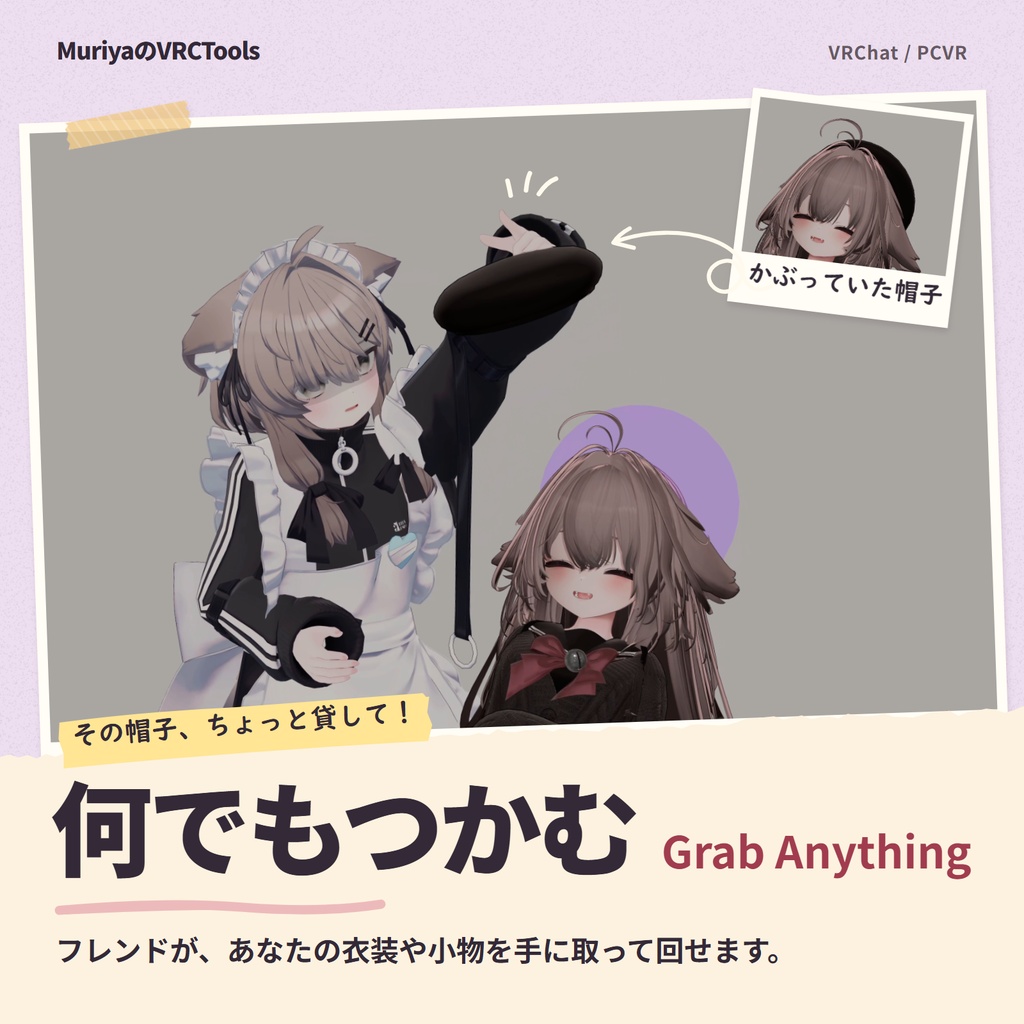
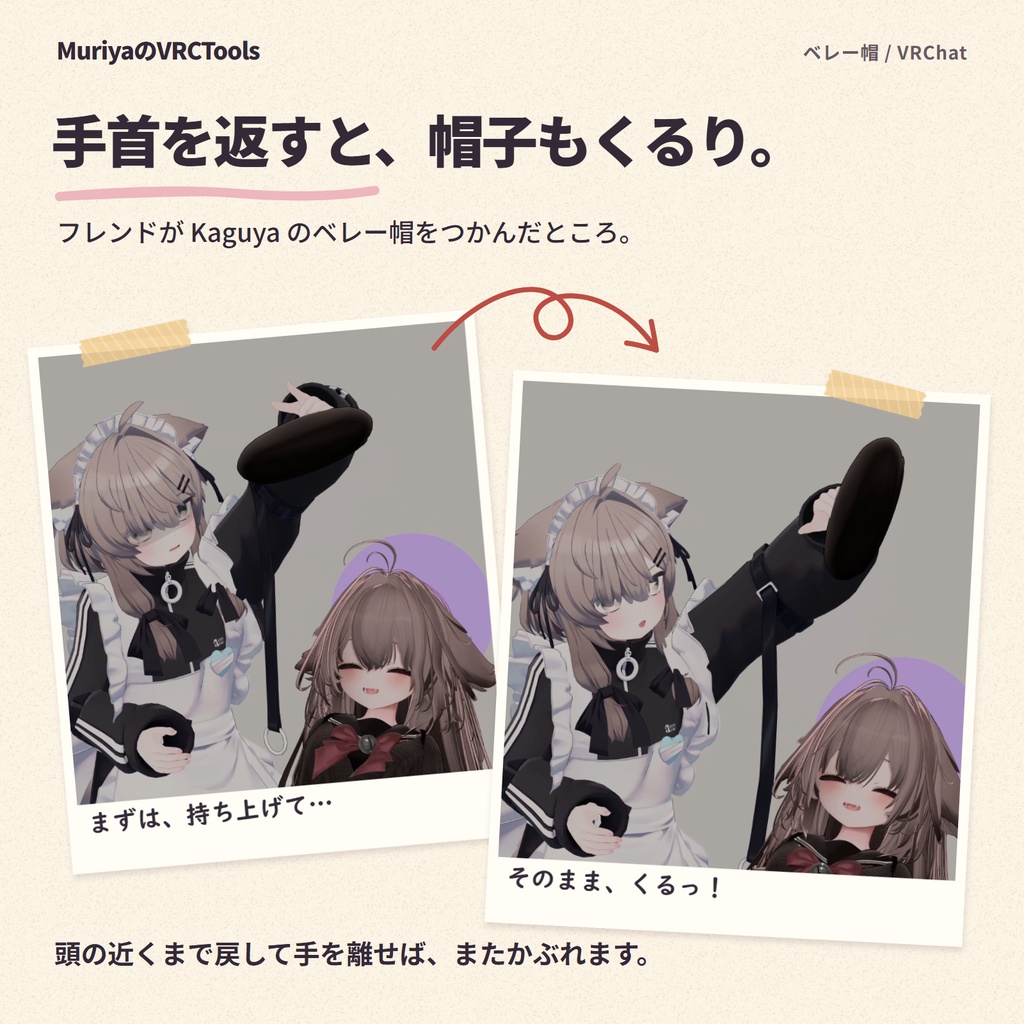
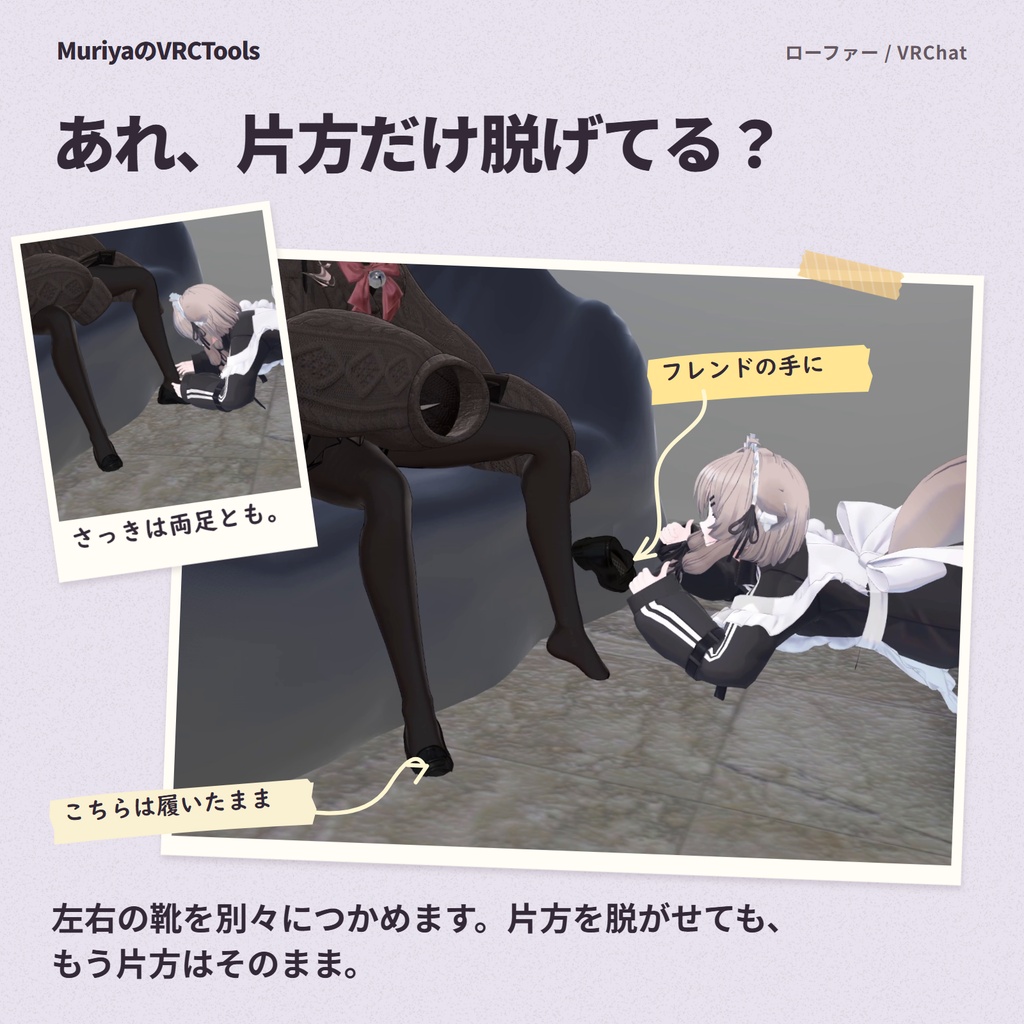
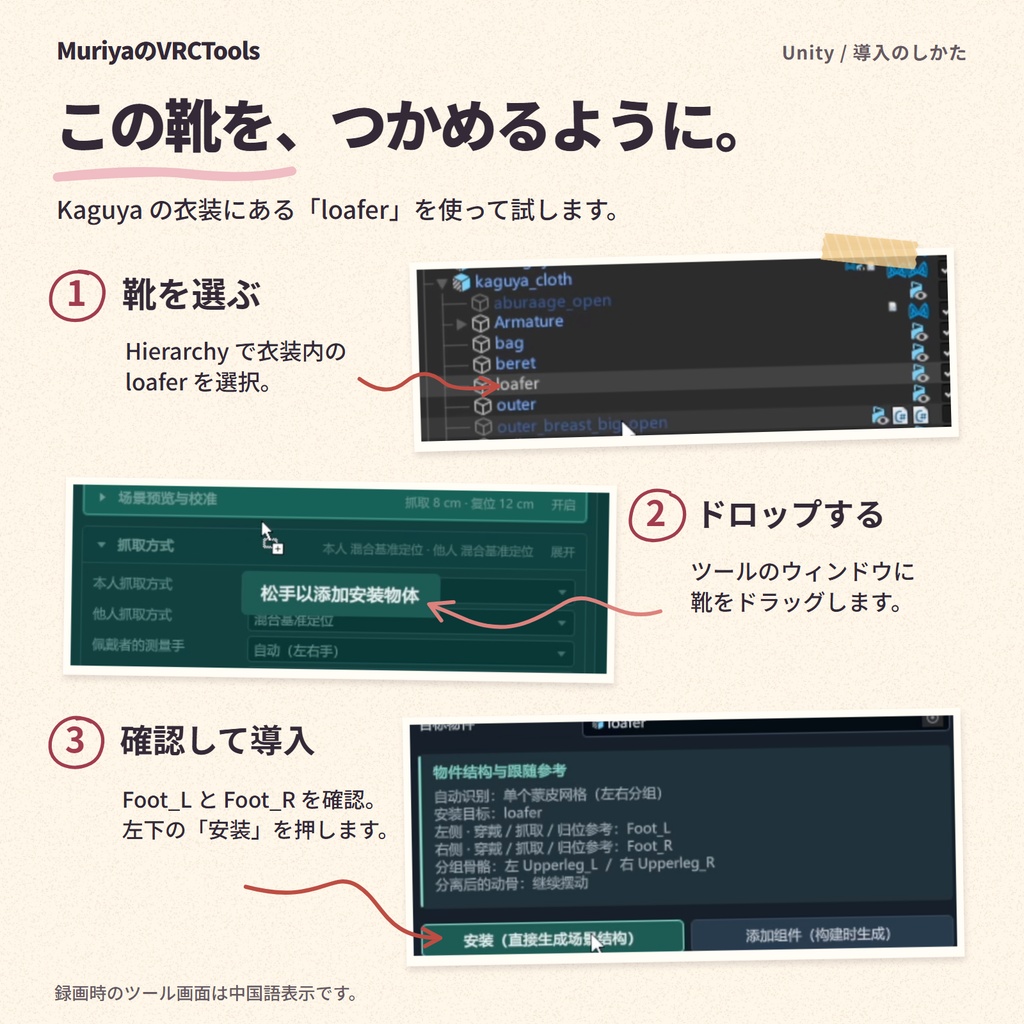
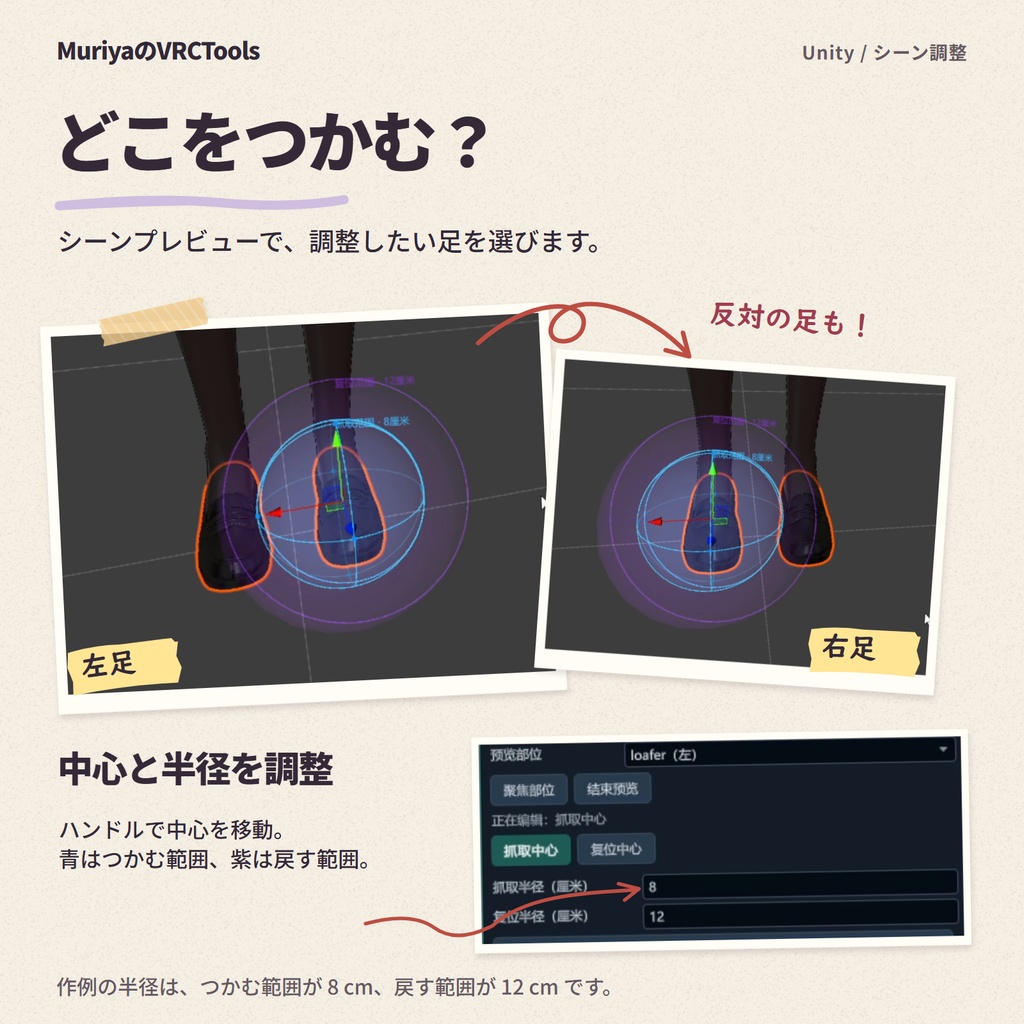


━━━━━━━━━━ 日本語 ━━━━━━━━━━ フレンドがあなたの帽子を外したり、片方の靴だけを脱がせてそばに置いたり。アバターに付けたマイクを手に取って、自分のほうに向けて歌うこともできます。 「何でもつかむ(Grab Anything)」は、VRChatアバターに掴むギミックを追加するUnityツールです。普段使っている衣装パーツや小物に、手に取る・回す・置く・元に戻すといった操作を追加できます。 【衣装パーツを外して、置いて、元に戻す】 帽子や靴のほか、個別に取り外せる構造の上着、インナー、下着などにも設定できます。自分やフレンドがパーツを外し、元の装着位置から離れた場所(復帰範囲の外)で手を離すと、その場に固定されます。置いたパーツはまた手に取れます。 左右に分けられるパーツは個別に操作できます。片方の靴を取っても、もう片方は履いたままです。元の装着位置の近くに持っていって手を離すか、ゲーム内メニューから元に戻せます。 【小物をフレンドも操作できる】 アバターに付けたマイク、ペンライト、耳かき、マッサージ器などを、フレンドも手に取って動かしたり、回したりできます。装着者は、他のプレイヤーが掴めるかどうかを設定できます。本人と他のプレイヤーで掴み方を変えることもできます。 【導入方法】 1. .unitypackage をインポートし、MuriyaTools → 万物抓取 → 安装器与管理器 を開きます。 2. 既存の衣装パーツや小物をドラッグ&ドロップします。対応する構造、左右のグループ分け、追従先の判定結果を確認してください。 3. 初めての方には「インストール(シーンに生成)」と、掴み方の「ハイブリッド」がおすすめです。ビルド時に生成したい場合は「コンポーネントを追加(ビルド時に生成)」を選べます。 4. UnityのSceneビューで表示される判定範囲をマウスでドラッグし、掴む位置や復帰位置、半径を調整します。その後、アバターをビルドしてアップロードします。 ゲーム内メニューは簡体字中国語、日本語、英語に対応しています。 【PCデスクトップ・PCVR・Questについて】 VRChatのPC版アバター向けです。PCのデスクトップモードでも、掴んだり回したりする様子は見えます。手を操作できない場合は自分で手を使って掴めませんが、他のプレイヤーの掴みを許可していれば、VRで遊んでいるフレンドはあなたのアイテムを掴めます。 Quest単体版・Android版には現在対応していません。 【対応する衣装・開発環境】 衣装パーツを個別に取り外せるかどうかは、メッシュやボーン、既存のアニメーションに依存します。複雑な構成では手動設定が必要になる場合があります。プレイヤー間で見える位置や角度に差が出る場合があります。 Unity 2022.3.22f1 / VRChat Avatars SDK 3.10.6 / Modular Avatar 1.18.7 / NDMF 1.14.8 上記の環境で開発しています。これより古いModular Avatarでの動作は保証していません。 【同梱内容】 Grab AnythingのUnityパッケージ、導入ガイド、更新履歴。 【使用アバター】 商品画像・動画では IKUSIA / Paryi 様の「輝夜」-kaguya- を使用しています。アバター本体や衣装、撮影用の小物は別途ご用意ください。 https://paryi.booth.pm/items/8562330 ━━━━━━━━━━ 简体中文 ━━━━━━━━━━ 朋友可以伸手摘下你的帽子、取下一只鞋,松手放在一旁。也可以拿起你身上的麦克风,在手里转个方向,对准自己开唱。 「万物抓取」是一款为 VRChat Avatar 添加抓取互动的 Unity 工具。可以给角色已有的衣物配件和道具添加拿取、旋转、放置和归位功能。 【让衣物可以取下、放置和归位】 帽子、鞋子,以及可独立分离的外套、内搭或内裤,都可以按模型结构配置抓取。自己或朋友可以取下部件,拿离原位(超出复位范围)后松手,物品会固定在放下的位置,之后还可以重新拿起。 适用的左右配件可以分别控制。比如朋友拿走一只鞋时,另一只仍穿在脚上。把物品拿回原位附近松手,或使用游戏菜单,即可归位。 【让朋友也能操作你带来的道具】 麦克风、应援棒、掏耳勺、按摩器等挂在 Avatar 上的道具,可以让朋友亲手拿起、移动和转动。佩戴者可以管理他人的抓取权限,也可以分别设置本人和他人的抓取方式。 【导入方法】 1. 导入 .unitypackage,打开 MuriyaTools → 万物抓取 → 安装器与管理器。 2. 拖入已有的衣物子配件或道具,确认安装器识别的物件结构、左右分组和跟随参考。 3. 首次使用推荐选择「安装(直接生成场景结构)」,抓取方式选「混合基准定位」。如果希望构建角色时再生成抓取结构,可以选「添加组件(构建时生成)」。 4. 在 Unity 的 Scene 视图中,用鼠标拖动预览范围,调整抓取中心、复位中心和半径,再构建并上传角色。 游戏菜单支持简体中文、日本語和 English。 【PC 桌面、PCVR 与 Quest】 面向 VRChat PC Avatar。PC 桌面端也能看到抓取和旋转效果。桌面玩家没有手部操作时,自己无法主动用手抓取。开启他人抓取权限后,使用 VR 的朋友仍能抓取你角色上已配置的物品。 暂不支持 Quest 单机版及 Android 版。 【衣物适配与开发环境】 衣物能否独立取下取决于模型的网格、骨骼和已有动画,复杂结构可能需要手动设置。多人视角下可能出现位置或角度差异。 Unity 2022.3.22f1 / VRChat Avatars SDK 3.10.6 / Modular Avatar 1.18.7 / NDMF 1.14.8 本商品在以上环境下开发,Modular Avatar 较早版本的兼容性不作保证。 【下载内容】 万物抓取 Unity 导入包、安装说明及更新记录。 【演示模型】 商品图与视频使用 IKUSIA / Paryi 的「輝夜」Kaguya。角色、衣物和演示道具请自行准备。 https://paryi.booth.pm/items/8562330 ━━━━━━━━━━ English ━━━━━━━━━━ Let a friend take off your hat, remove one of your shoes and leave it beside you, or pick up the microphone on your avatar and turn it toward themselves to sing. Grab Anything is a Unity tool that adds grabbing, rotation, world-space placement, and return controls to outfit pieces and props you already use on your VRChat avatar. 【Take off outfit pieces, set them down, and put them back】 Configure hats, shoes, and other separable items such as jackets, inner layers, or underwear. You or a friend can take a piece off your avatar. Let go away from its original spot (outside the return area), and it stays where you placed it. You can pick it up again later. Supported left and right parts can be controlled separately. A friend can take one shoe while the other stays on. To put an item back, bring it near its original spot and let go, or use the in-game menu. 【Let friends use the props you bring】 Friends can pick up, move, and rotate the microphone, glow stick, ear pick, massager, or other prop attached to your avatar. You control who can grab your items, and you can set different grab modes for yourself and other players. 【Installation】 1. Import the .unitypackage and open MuriyaTools → 万物抓取 → 安装器与管理器 (Installer & Manager). 2. Drag in an existing outfit piece or prop. Review the detected structure, left and right groups, and attachment references. 3. For your first setup, we recommend “Install in scene” and the “Hybrid tracking” grab mode. Choose “Add component (build-time)” if you prefer to generate the grab setup when building the avatar. 4. In Unity’s Scene view, drag the preview guides with your mouse to adjust the grab and return positions and radii. Then build and upload your avatar. In-game menus are available in Simplified Chinese, Japanese, and English. 【PC Desktop, PCVR, and Quest】 Designed for VRChat PC avatars. You can see grabbing and rotation in PC Desktop mode. If you have no hand controls, you cannot grab items by hand yourself. Friends playing in VR can still grab configured items on your avatar if you allow it. Quest standalone and Android are not currently supported. 【Outfit compatibility and development environment】 Whether an outfit piece can be removed independently depends on its mesh, bones, and existing animations. Complex setups may require manual configuration. Item position and rotation may look different across players’ views. Unity 2022.3.22f1 / VRChat Avatars SDK 3.10.6 / Modular Avatar 1.18.7 / NDMF 1.14.8 Developed in the environment listed above. Compatibility with earlier Modular Avatar versions is not guaranteed. 【Download contents】 Grab Anything Unity package, installation guide, and changelog. 【Demo avatar】 The images and videos feature Kaguya (輝夜) by IKUSIA / Paryi. Please obtain the avatar, outfit, and demo props separately. https://paryi.booth.pm/items/8562330