

- 通常版 (PCVR ver.)Digital6,600 JPY
- VRM版(※素体は含まれておりません)Digital4,400 JPY
- 通常版 (PCVR ver.)・VRM版セットDigital7,700 JPY
- Android/iOS版(※素体は含まれておりません)Digital3,300 JPY
- 通常版 (PCVR ver.)・Android/iOS版セットDigital7,700 JPY
- 通常版 (PCVR ver.)・VRM版・Android/iOS版セットDigital8,800 JPY
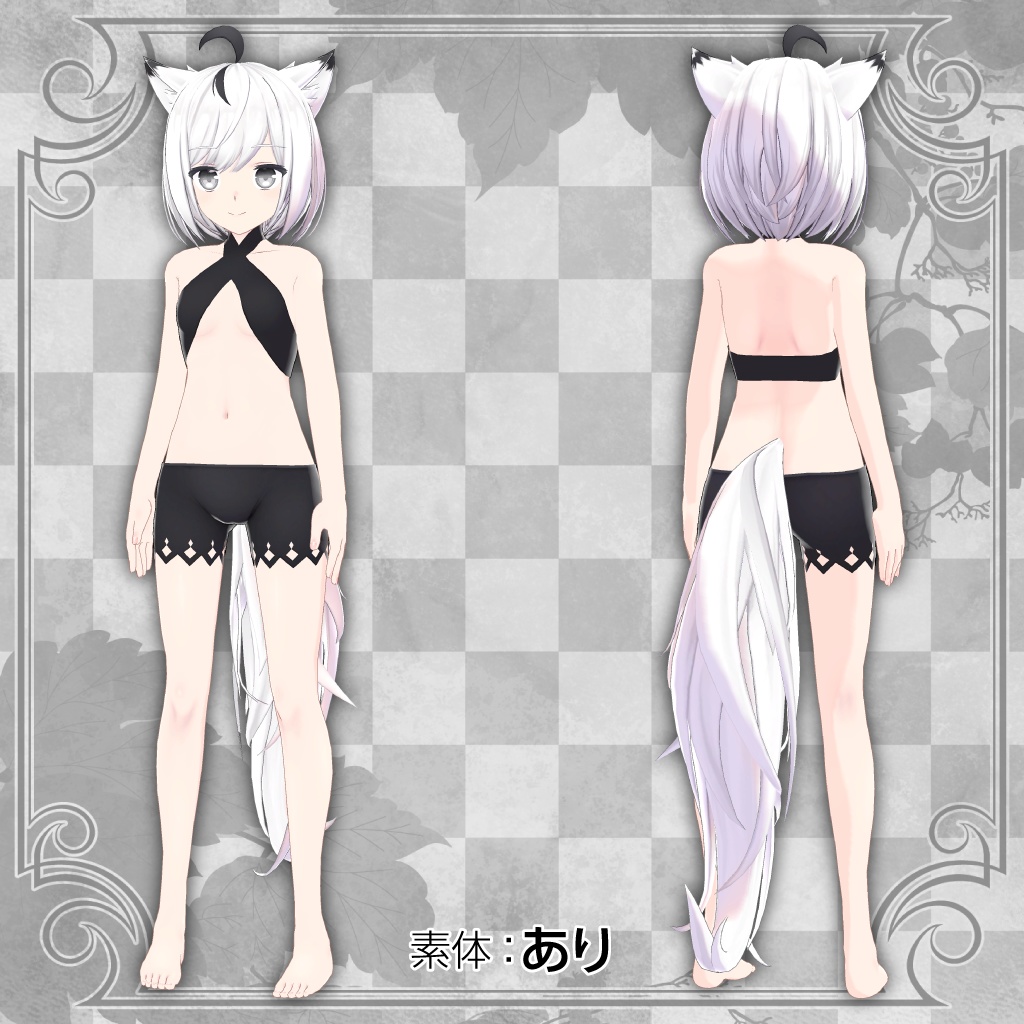


----------------------------------------------------------------- ・Platform: VRChat PC, Quest (Android/iOS) & VRM (Universal Format) Compatible ・Performance Rank: PC (Poor) / Quest (Medium & Good) ・Design: Mito Nagashiro (Character Designer of VTuber "Shirakami Fubuki") ・Modering: Kitsunetsuki (Creator of "Ukon second type") ・VRChat Features: Full-body tracking, PhysBones, LipSync, Expressions Menu pre-configured. ・Modular Avatar: Compatible ・Included Data: Unitypackage, FBX, PSD (Layered), Blend. -----------------------------------------------------------------
アバター集会の入口で、少しだけ立ち止まる。 賑やかな声が飛び交う中、深呼吸ひとつ。 狐耳が揺れる。 背筋を伸ばして、一歩踏み出す。 和の装いは凛としているけれど、 中身はいつもの自分のままでいい。 少し勇気を出して話しかけるときも、 別れ際に送られたフレンド申請に承認を返すときも。 狐九里るるは、 「新しい世界に飛び込む瞬間」に、そっと寄り添う一体です。
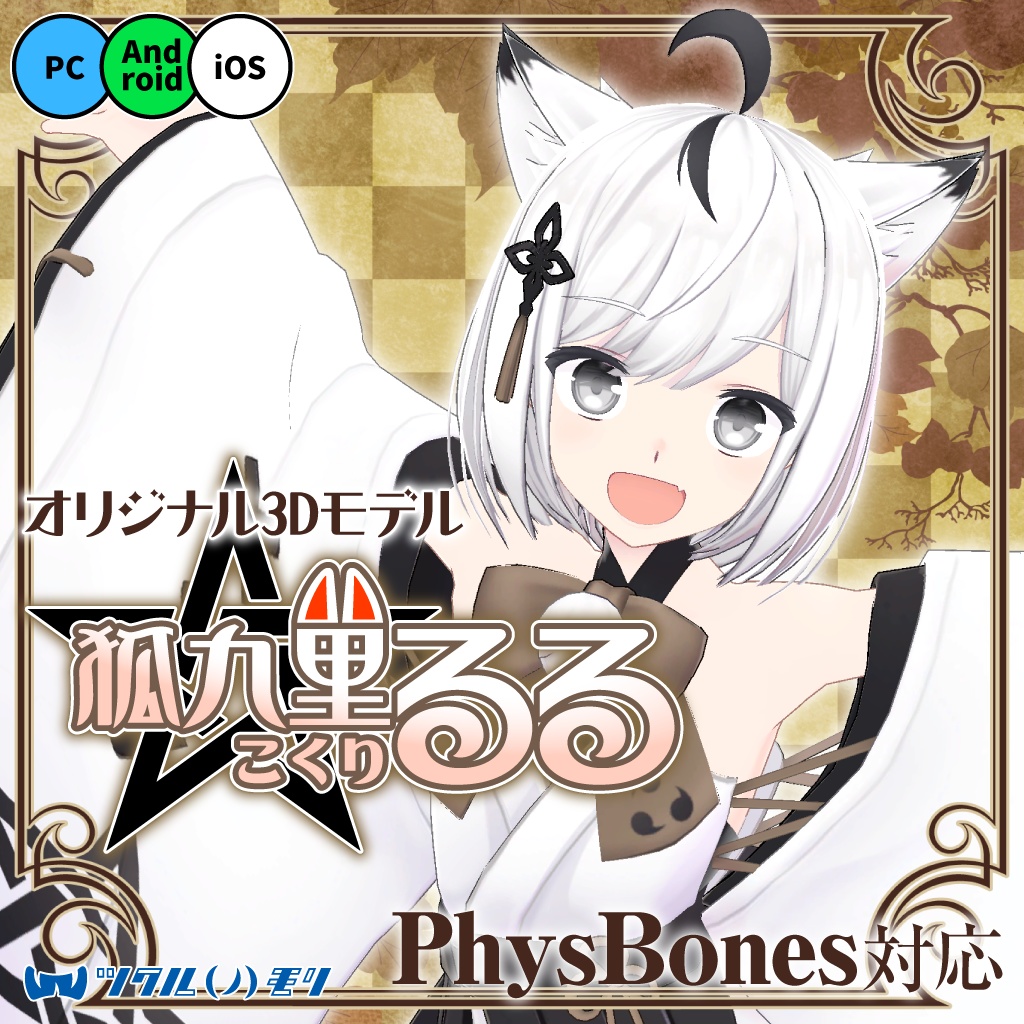
オリジナル3Dモデル「狐九里るる(こくり るる)」
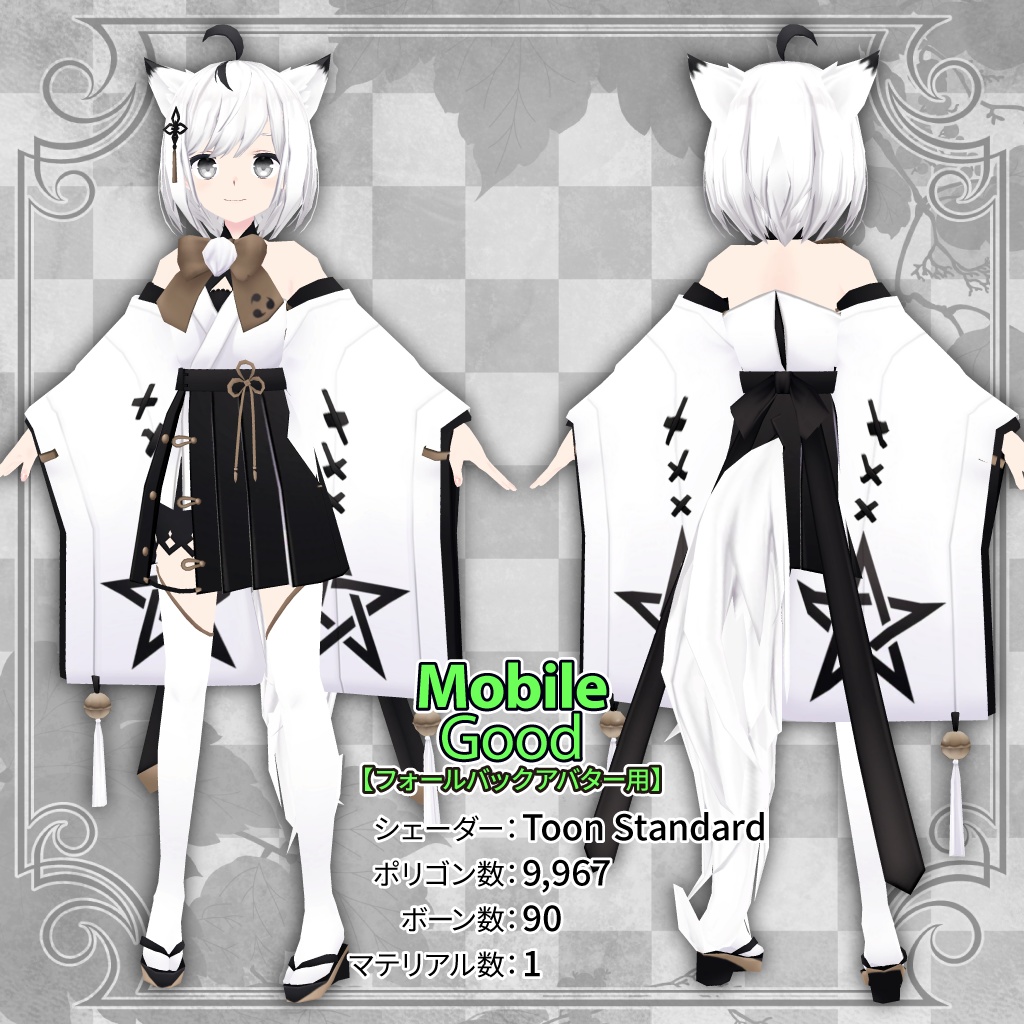
キャラクターデザイン:凪白みと(@lemon_mito) 3Dモデリング:キツネツキ(@_kitsune_tsuki_) VRMセットアップ:棚牡丹モナカ(@tanabota88) Android/iOSセットアップ:nyantel(@nyantelinside) 販売元:ツクルノモリ株式会社(https://tsukurunomori.co.jp/) 本モデルはUnityのHumanoid形式に対応したオリジナルモデルです。 【通常版】はVRChat等での使用を想定しております。 【VRM版】はバーチャルキャスト、およびcluster等での使用を想定しております。 【Android/iOS版】はVRChatのMobile(Android・iOS)環境での使用を想定し、特別な操作無しに表示可能な「Medium版」に加えて、フォールバックアバターに設定可能な「Good版」を同梱しています。 上記以外にも、各データ形式に対応したゲームやサービスの他、動画配信等でもご利用いただけます。 モデル説明の下に利用規約が記載されていますので、ご了承の上での購入をお願いします。
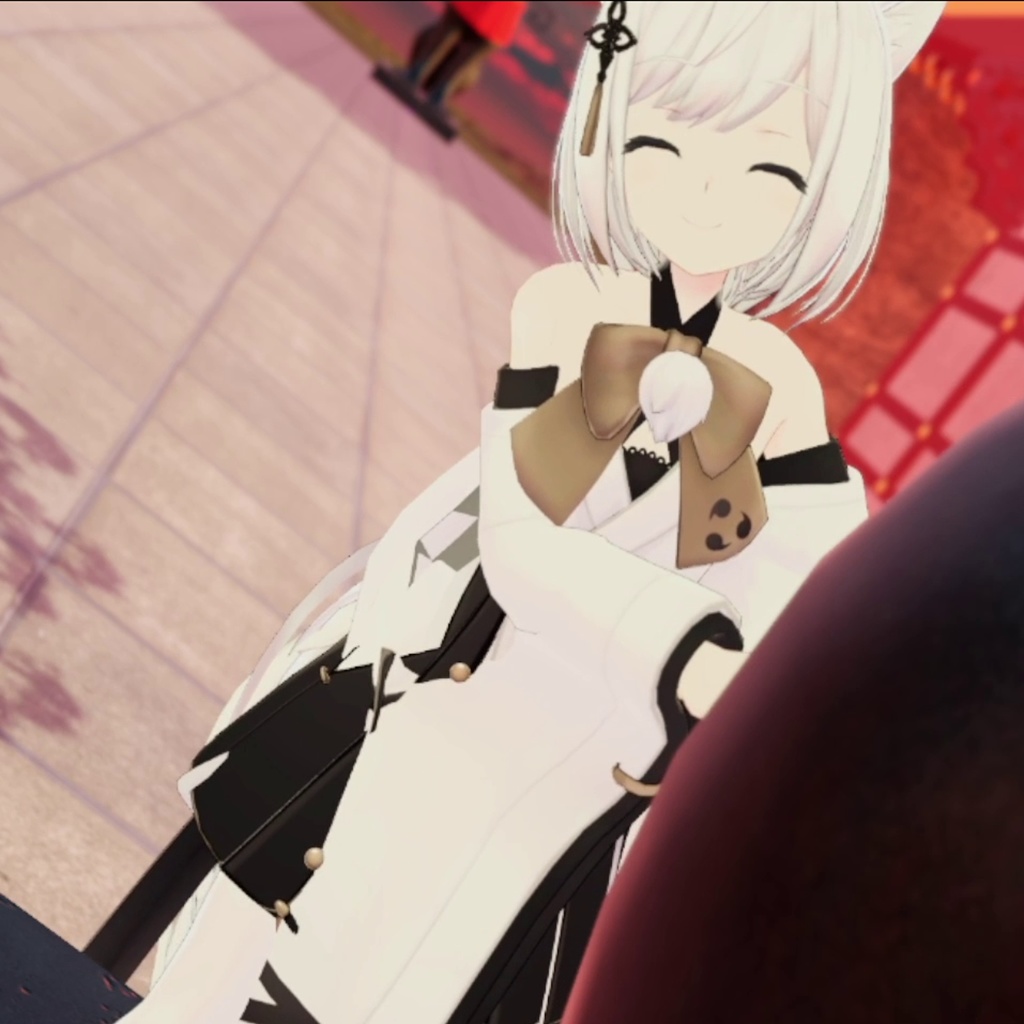
サンプルアバター Sample Avatar
本アバターは次のワールドでご試着いただけます。 You can try on this avatar in the following world. 【通常版】【Android/iOS版】 ・Tsukurunomori Avatars Garden https://vrchat.com/home/world/wrld_5eee9b86-8dd5-4c22-a779-174cccd61f5f 【通常版】 ・Avatar Museum 4(ルーム31) https://vrchat.com/home/world/wrld_daef847e-952c-44bc-b829-663696c79cf4
商品内容
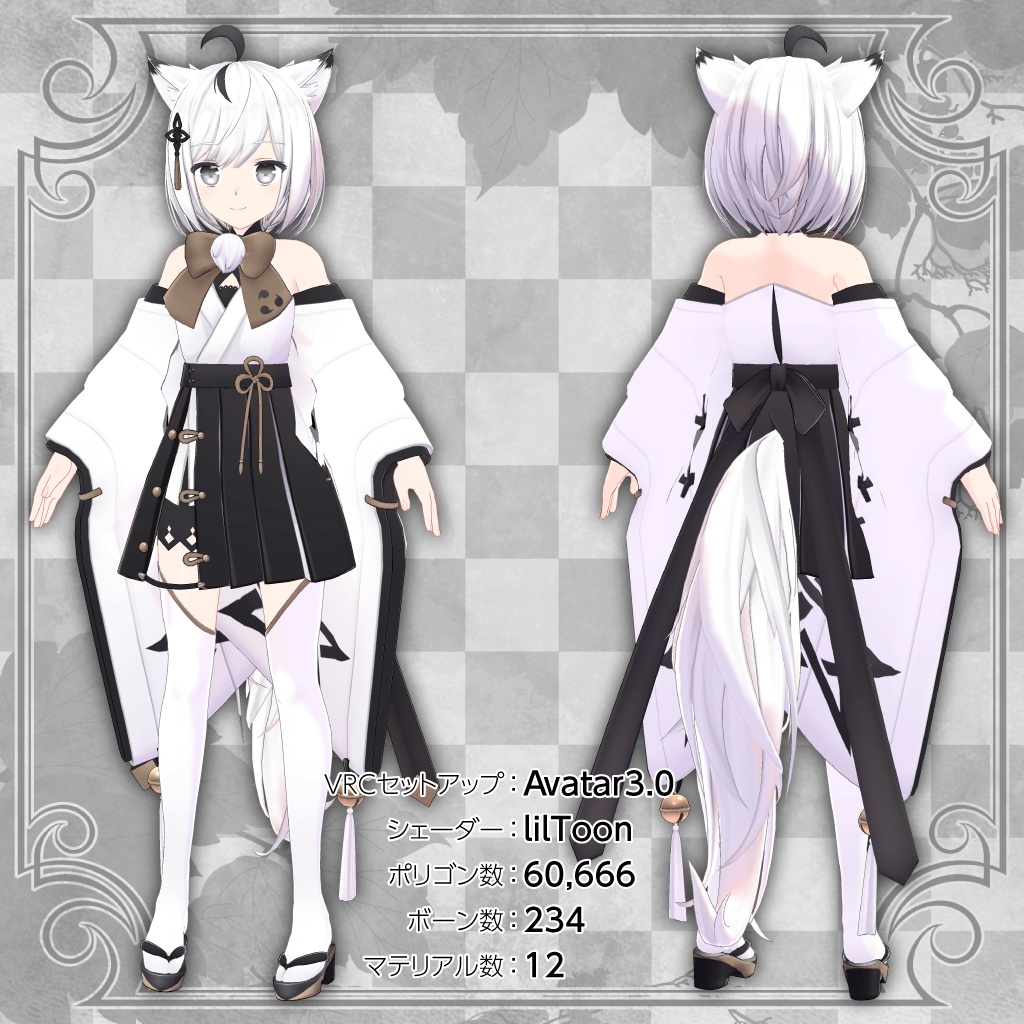
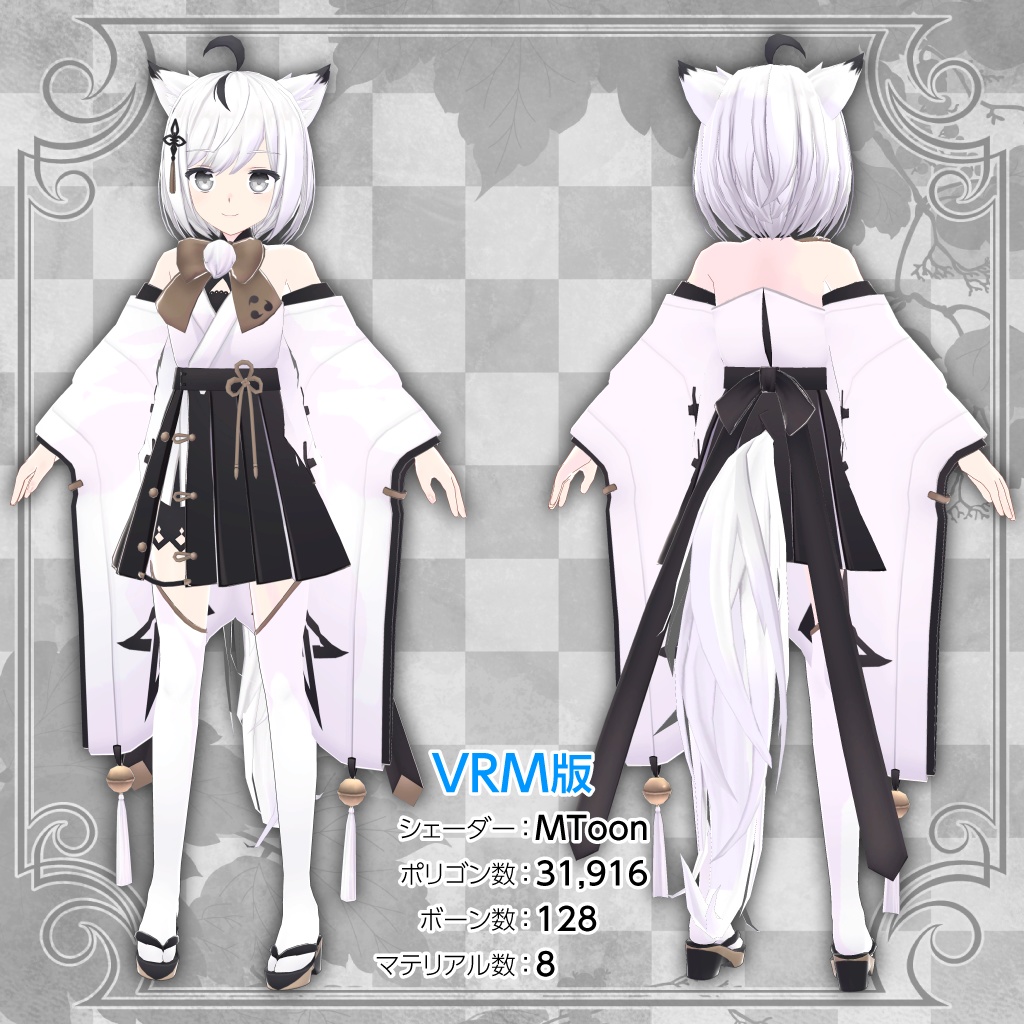
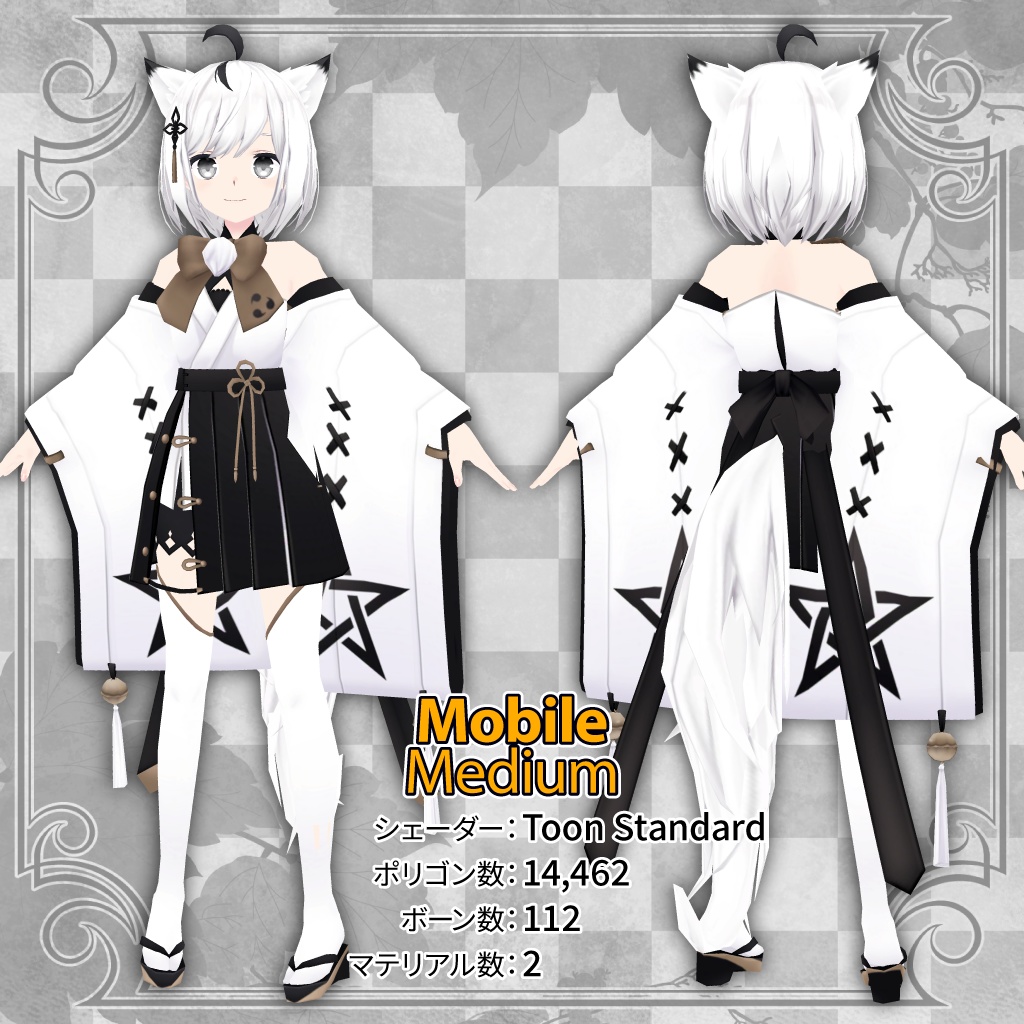
【通常版】 ・Kokuri_ruru2.01.unitypackage マテリアルおよびPhysBonesを設定済みのprefab、アニメーションデータが含まれるunitypackageです。導入方法に従って導入してください。 ・Texture テクスチャのpngデータです。必要に応じてご利用ください。 ・PSD 改変用にレイヤーが分かれたテクスチャのpsdデータです。必要に応じてご利用ください。 ・FBX 3Dモデルのfbxデータです。必要に応じてご利用ください。 ----------------------------------------------------------------- 【VRM版】 ・Kokuri_ruruVRM(Vcas).vrm バーチャルキャストに対応した汎用版のVRMデータです。 通常版からメッシュを統合、マテリアル数とポリゴン数を削減しております。 シェーダー:MToon ポリゴン数:31,916 ボーン数:128 マテリアル数:8 ・Kokuri_ruruVRM(Cluster).vrm clusterのカスタムアバター制限に対応、cluster用にセットアップしたVRMデータです。 通常版からメッシュを統合、マテリアル数とポリゴン数を削減しております。 シェーダー:MToon ポリゴン数:31,916 ボーン数:128 マテリアル数:8 ----------------------------------------------------------------- 【Android/iOS版】 ・Kokuri_ruru-Quest.unitypackage マテリアル設定済みのprefab、アニメーションデータが含まれるunitypackageです。 導入方法に従って導入してください。 通常版からメッシュを統合、マテリアル数とポリゴン数を削減しております。 シェーダー:Toon Standard ポリゴン数:14,462(Medium版)、9,967(Good版) ボーン数:112(Medium版)、90(Good版) マテリアル数:2(Medium版)、1(Good版) ・Texture テクスチャのPNGデータです。必要に応じてご利用ください。 ・PSD テクスチャの改変用にレイヤーが分かれたPSDデータです。必要に応じてご利用ください。 ・FBX 3Dモデルのfbxデータです。必要に応じてご利用ください。 ・Blend 3Dモデルのblendデータです。必要に応じてご利用ください。
商品仕様
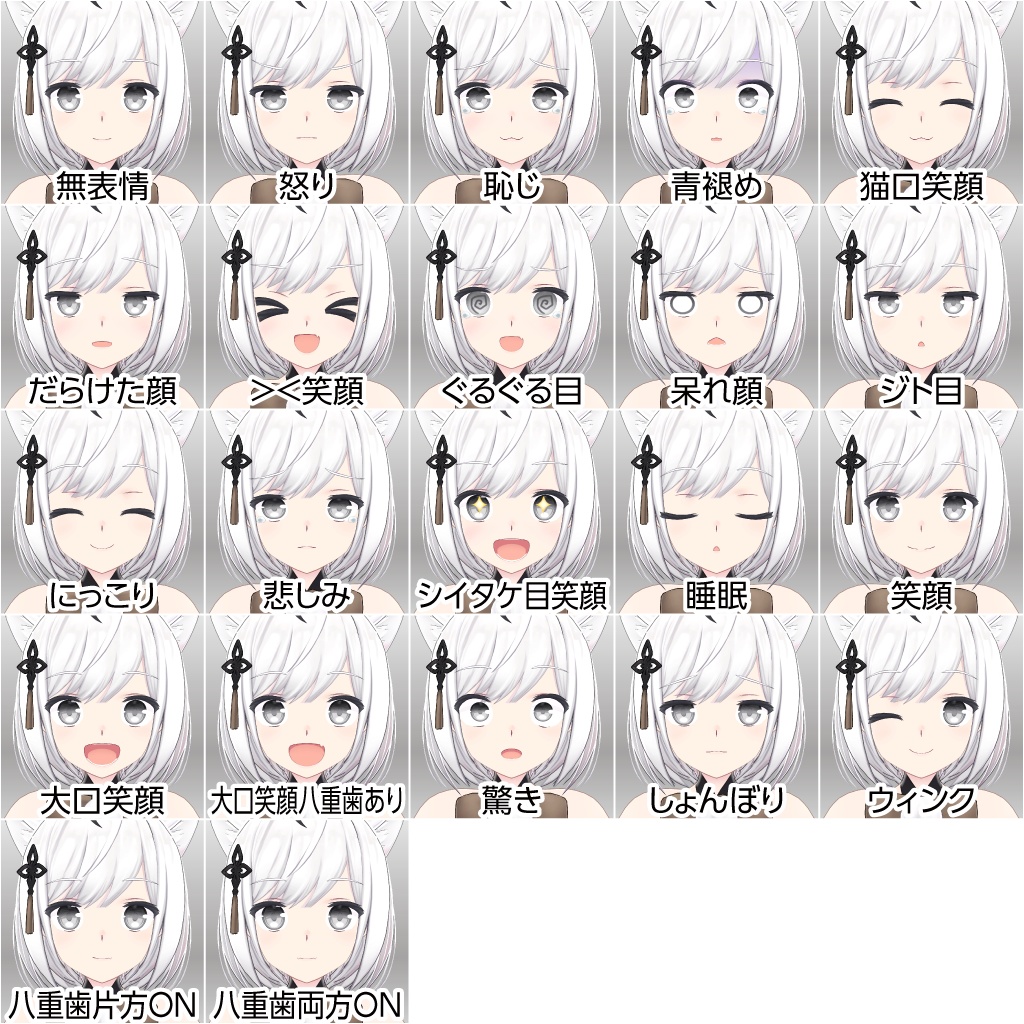
【通常版】 ・VRChat対応について 本モデルはAvatar3.0に対応して各種設定済みです。 ・マテリアル設定 本モデルは「liltoon」シェーダーを使用しております。 「liltoon」を未導入の場合は予め導入をお願いします。 (VCCにインポートする方法がお勧めです) ・アバターダイナミクスについて 本モデルはPhysBonesが設定されております。 ・表情アニメーションについて デフォルトで7種類の表情が使用可能です。 Animationフォルダに、21種類(八重歯の表示を含む)の表情、8種類のハンドサインを同梱しております。 ・モデルデータについて モデルデータには完全な素体を含みます。衣装やアクセサリは全て別パーツになっており、Unity上で着脱が可能です。 ・ブレンドシェイプについて 人耳のオンオフ、草履を脱いだ状態でのベタ足、インナーの形状変更が可能です。 ----------------------------------------------------------------- 【VRM版】 ・各プラットフォーム対応について 商品には、バーチャルキャスト・clusterにそれぞれ対応した2種類のVRMデータが含まれております。 ・ブレンドシェイプについて バーチャルキャスト対応版・cluster対応版ともJoy、Angry、Sorrow、Funについて表情が設定されております。 ・モデルデータについて 完全な素体は含まれておりません。また一部メッシュが統合されております。 耳と尻尾の着脱がシェイプキーにより可能です。 3Dモデルのfbx、テクスチャ改変用PSDに関しても含まれておりません。 ----------------------------------------------------------------- 【Android/iOS版】 ・VRChat対応について 本モデルはAvatar3.0に対応して各種設定済みです。 ・マテリアル設定 本モデルは「Toon Standard」シェーダーを使用しております。 「Toon Standard」シェーダーは、VRCSDKに同梱されています。 ・表情アニメーションについて デフォルトで7種類の表情が使用可能です。 Animationフォルダに、21種類(八重歯の表示を含む)の表情、8種類のハンドサインを同梱しております。 ・アクションメニューについて 衣装(袖、袴とリボン、着物)のON・OFFが可能です。(Medium版)
導入方法
【通常版】 1.VRChat Creator Companion(VCC)をインストールしていない場合、VRChatのWEBサイト(https://vrchat.com/home/download)から「Creator Companion」をダウンロードしてインストールしてください。 2.lilToonを未導入の場合、lilToonのgithub(https://lilxyzw.github.io/lilToon/#/)から「VRChat Creator Companion」をクリックしてVCCにlilToonをインポートしてください。 3.VCCを起動し「Create New Project」をクリックしてAvatarの新規Unityプロジェクトを作成してください。 4.作成したUnityプロジェクトの「Manage Packages」からlilToonを追加してください。 5.作成したUnityプロジェクトを「Open Project」で開いてください。 6.本商品から「lilToon_1.3.6.unitypackage」をインポートしてください。 7.本商品から「Kokuri_ruru2.01.unitypackage」をインポートしてください。 8.UnityのProjectウィンドウから「Kokuri_ruru」フォルダー直下の「Kokuri_ruru.unity」をダブルクリックで開くか、「Prefab」フォルダー内の「Kokuri_ruru.prefab」をHierarchy上にドラッグ&ドロップしてください。 9.「VRCHAT SDK」→「Show Control Panel」→「Authentication」からVRChatにログイン後、「Builder」の「Build & Publish for Windows」からアップロードしてください。 VRChatを始めたばかりでトラストランクが足りない場合、アバターのアップロードができない場合があります。その場合はVRChatをプレイしてトラストランクを上げた後、再度操作を行ってください。 ----------------------------------------------------------------- 【VRM版】 各プラットフォームの公式サイトをご確認下さい。 ----------------------------------------------------------------- 【Android/iOS版】 1.VRChat Creator Companion(VCC)をインストールしていない場合、VRChatのWEBサイト(https://vrchat.com/home/download)から「Creator Companion」をダウンロードしてインストールしてください。 2.「Unity」や「Unity Hub」が未導入の場合、VCCの「Settings」から「Unity Hub」をダウンロードしてインストールしてください。 3.Unity Hubを起動し「Create account」から、フォームに必要な情報を入力して、Unityのアカウントを作成してください。 4.Unity Hubに「Sign in」し「ライセンス」から「Personal」ライセンスがあることを確認。無ければ「ライセンスを加える」をクリックし「無料のPersonalライセンスを取得」してください。 5.Unity Hubから、VRChat指定のバージョンのUnityをインストールしてください。 指定のバージョンは「https://creators.vrchat.com/sdk/upgrade/current-unity-version/」から確認できます。 6.Unity Hubに戻り「インストール」を選択、先にインストールしたUnityのバージョンを右クリックし、「モジュールを加える」を選択して表示されたモジュールリストから「Android Build Support」や「iOS Build Support」にチェックを入れ、インストールしてください。 7.VCCから「Create New Project」をクリックして「Unity 2022 Avatar Project」プロジェクトを作成してください。 8.作成したUnityプロジェクトを「Open Project」で開いてください。 9.Unity上部の「Assets」→「Import Package」→「Custom Package」から、本商品の「Kokuri_ruru-Quest.unitypackage」をインポートしてください。 10.UnityのProjectウィンドウから「Kokuri_ruru_Quest」→「Kokuri_ruru_Quest (Scene Asset)」をダブルクリックで開くか、 「Kokuri_ruru_Quest」→「Prefab」フォルダ内の「Kokuri_ruru_Medium.prefab」または「Kokuri_ruru_Good.prefab」をHierarchy上にドラッグ&ドロップしてください。 11.最初に「Windows」用にアップロードします。「VRCHAT SDK」→「Show Control Panel」→「Authentication」からVRChatにログイン後、「Builder」の「Build & Publish for Windows」から「Kokuri_ruru_Medium」または「Kokuri_ruru_Good」をアップロードしてください。 VRChatを始めたばかりでトラストランクが足りない場合、アバターのアップロードができない場合があります。その場合はVRChatをプレイしてトラストランクを上げた後、再度操作を行ってください。 12.次に「Android」または「iOS」用にアップロードします。「VRChat SDK」の「Builder」の画面下部、「3.Build」の「Platform(s)」で 「Android」または「iOS」にチェックを入れ、最初に「Windows」用にアップロードしたものと同じ「Blueplint ID」でアップロードしてください。
利用規約
狐九里るる(こくり るる)モデルデータ利用規約 キャラクターデザイン:凪白みと(@lemon_mito) 3Dモデリング:キツネツキ(@_kitsune_tsuki_) VRMセットアップ:棚牡丹モナカ(@tanabota88) Android/iOSセットアップ:nyantel(@nyantelinside) 販売元:ツクルノモリ株式会社(https://tsukurunomori.co.jp/)※以下「当社」とします。 ・本モデルを利用、もしくは改変した時点で本規約に同意したものとします。 ・本ライセンスの内容は変更する場合があり、最新のものが適用されます。 ・本ライセンスは日本語のものが正本とされ、翻訳と差異がある場合は常に日本語のものが優先されます。 ・本モデル、本モデルの二次創作物を利用することによって生じた何らかのトラブル、損失に対し、凪白みと、キツネツキ、棚牡丹モナカ、nyantel、および当社は一切責任を負わないものとします。 ・本モデル、本モデルを改変した二次創作物の著作権法上の全ての権利は当社に帰属するものとします。 制定日:2021年12月21日 改定日:2022年5月6日 ツクルノモリ株式会社 Email:rep@tsukurunomori.co.jp (C)ツクルノモリ 【利用規約】 本規約は、あしやまひろこ(@hiroko_TB)氏が作成したVN3ライセンス( https://www.vn3.org/ )のテンプレートを使用しています。 規約全文(JP) https://tsukurunomori.co.jp/wp-content/uploads/2022/05/ruru_vn3license.pdf Terms of use(EN) https://tsukurunomori.co.jp/wp-content/uploads/2022/05/ruru_vn3license_eng.pdf
更新履歴
2021年9月22日 ・販売開始 2021年12月24日 ・VRM版を追加 2022年5月13日 ・通常版の揺れ物設定をPhysBonesに変更 ・通常版のシェーダーをUTS2からlilToonに変更 ・アイトラッキングの設定を修正 ・袖と袴のウェイトを修正(ボーン構造には変更ありません) ・衣装変更用のEXメニューの追加 ・リップシンクコントロールの調節 ・利用規約をVN3ライセンスに変更 2022年10月24日 ・FXレイヤーのAllParts、LeftHand、RightHandに適用されていたMaskを削除 (最新バージョンのVRCSDK使用時、ジェスチャーが作動しない問題を修正) 2025年11月11日 ・Android/iOS版を追加
Original 3D Model "Kokuri Ruru" (PC & Quest/Mobile)
Requirements / How to Upload
1. Use VRChat Creator Companion (VCC) & Unity 2022. 2. Import lilToon Shader (Recommended via VCC). 3. Import Modular Avatar or VRCFury (Highly recommended for easy setup). 4. Import Kokuri_ruru2.01.unitypackage. 5. Open the Prefab and Upload!
Features & High-Quality Design
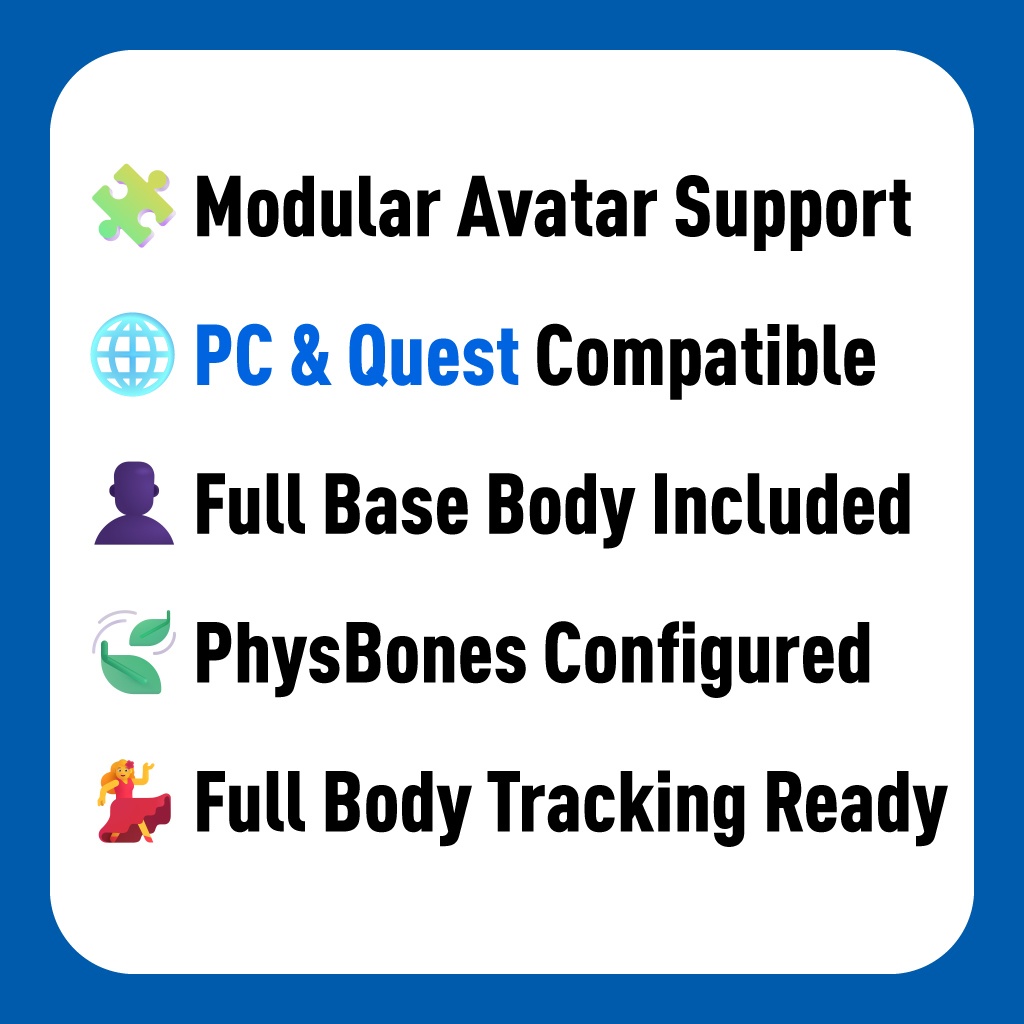
・Original Design by Mito Nagashiro: A dignified and elegant Fox-girl aesthetic created by the character designer of VTuber "Shirakami Fubuki". ・3D Modeling by Kitsunetsuki: Expertly modeled by Kitsunetsuki (creator of "Ukon second type"), ensuring a high-quality balance of tradition and style. ・Customization Friendly: Includes a Full Base Body. Outfits and accessories are separate parts, making it easy to toggle them on/off or swap clothes in Unity. ・Full Body Tracking Ready: Rigged and tested for natural movement and dancing in VRChat. ・PhysBones Configured: Fox ears, tail, and outfit react naturally to every movement. ・Expressive Facial Options: 7 base expressions included. The Animation folder contains 21 expressions (including fangs/snaggleteeth) and 8 hand signs for deep customization. ・Unique Blend Shapes: Supports toggling human ears ON/OFF, "flat feet" for removing footwear, and innerwear shape modification.
Update History
2021/09/22 ・Sales Started 2021/12/24 ・Added VRM version. 2022/05/13 ・Changed physics settings to PhysBones (Standard version). ・Changed shader to lilToon (Standard version). ・Fixed eye-tracking settings. ・Fixed weights for sleeves and hakama. ・Added EX Menu for outfit changes. ・Adjusted lip-sync controls. ・Updated Terms of Use to VN3 License. 2022/10/24 ・Removed masks in the FX layer to fix gesture issues with the latest VRCSDK. 2025/11/11 ・Added Android/iOS version.
Technical Specs
・Performance Rank: PC (Poor) / Quest (Medium & Good) ・Polygon Count: 60,666 (PC) / 14,462 (Quest Medium) / 9,967 (Quest Good) ・Bone Count: 234 (PC) / 112 (Quest) ・Material Count: 12 (PC) / 2 (Quest Medium) / 1 (Quest Good) ・Shader: lilToon (PC) / Toon Standard (Quest) ・Compatible Tools: Modular Avatar / VRCFury / GoGo Loco (Compatible) ・VRCFT (Face Tracking): Not natively supported. ・AudioLink: Not natively supported.
What’s in the Box?
・Unitypackage (PC & Quest versions) ・FBX & Blend (Source Files) ・Layered PSDs for easy re-texturing ・Texture files (PNG)
Support
If you have any technical questions, please contact us via our official inquiry form. We are happy to assist you! Inquiry Form: https://tsukurunomori.co.jp/contact
Rules & Terms (VN3 License)
・Commercial Usage (Allowed): You ARE allowed to use this avatar for monetized streaming (VTubing) and video productions. Usage in Indie Games is also possible (please contact us for details). ・Asset Usage (Kit-bashing): You ARE allowed to use parts of this model (hair, clothes, etc.) for your personal, private avatars. ・Redistribution Prohibited: Selling or redistributing the avatar data, or selling new avatars that include parts of this model, is STRICTLY PROHIBITED. ・Public Uploads: PROHIBITED (Private upload only). ・Self-Derivation: Do not claim the original or modified model as your own creation. ・Refunds: Due to the digital nature of this product, NO REFUNDS are available. ・Full Terms: https://tsukurunomori.co.jp/wp-content/uploads/2022/05/ruru_vn3license_eng.pdf
