

Corridor Sekai Forms V2.0|回廊・복도・Corridor Prefabs ×56
- V2.0Digital300 JPY
- V1.0Digital100 JPY
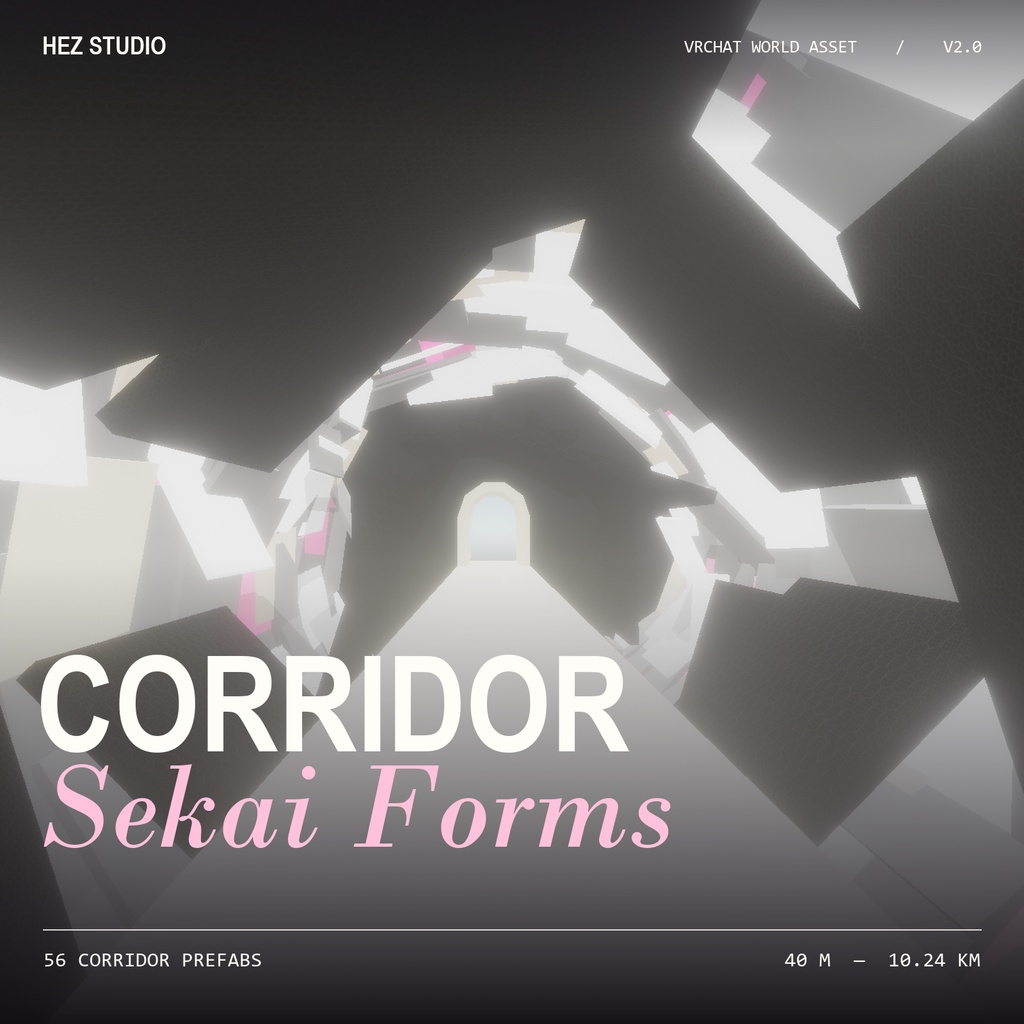
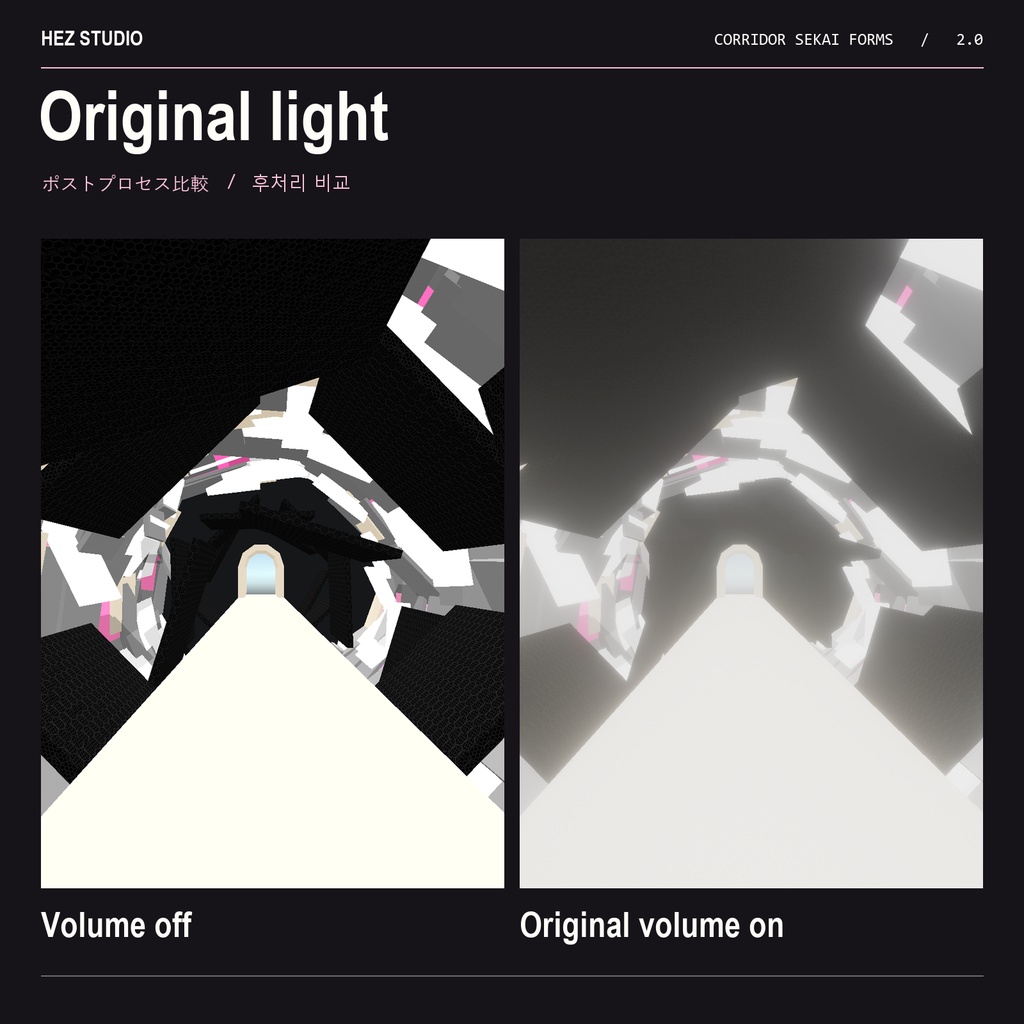

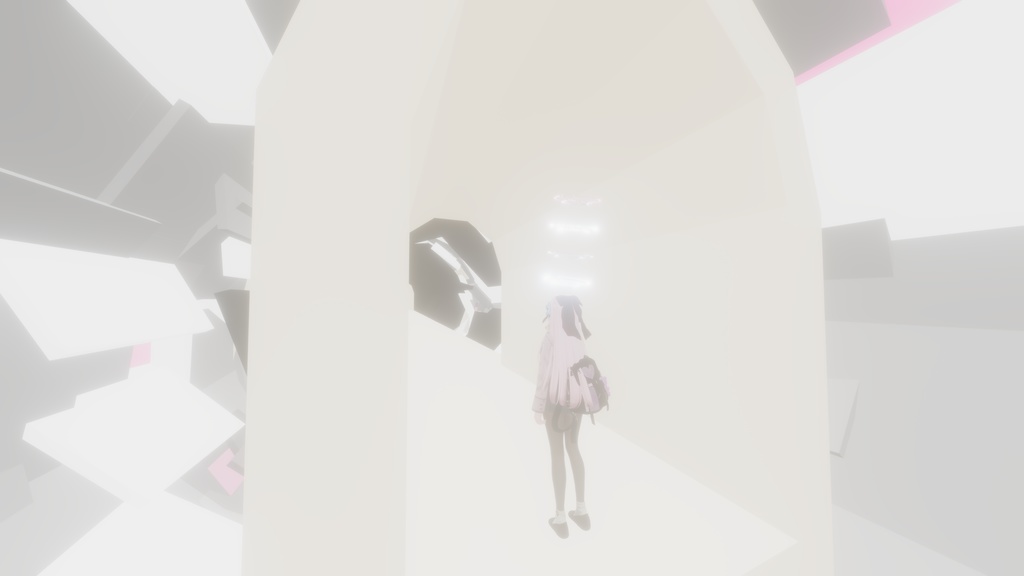
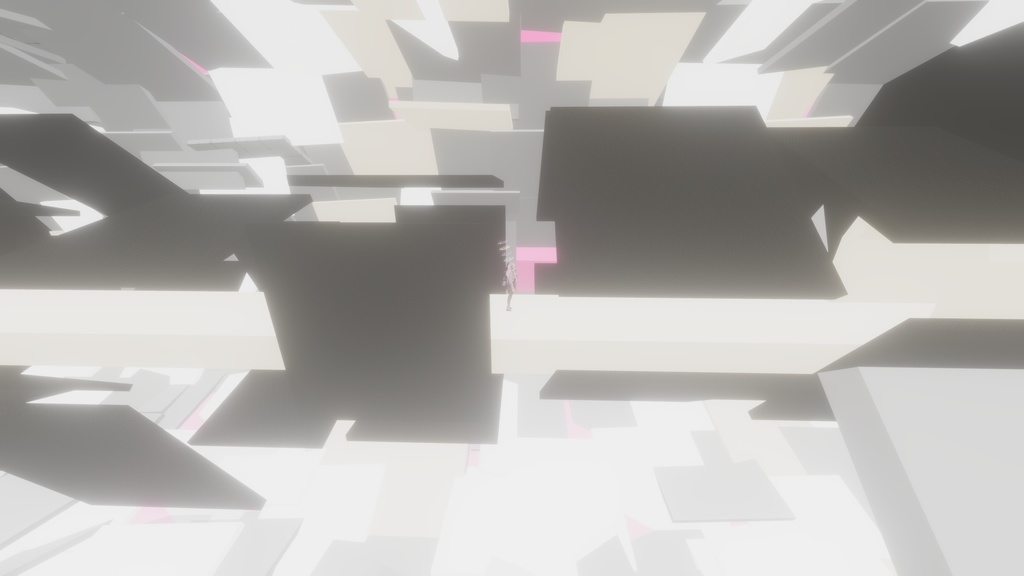
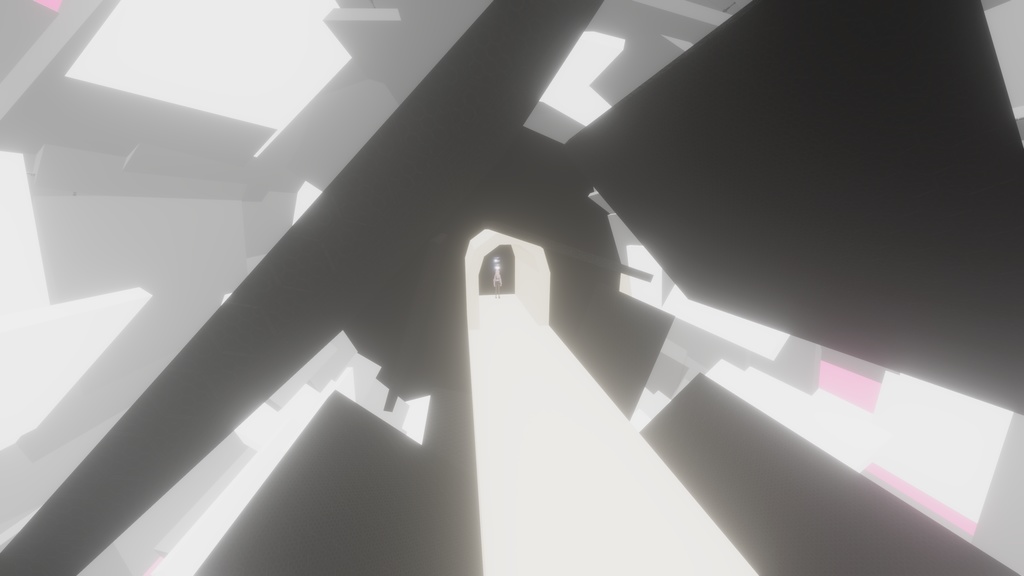
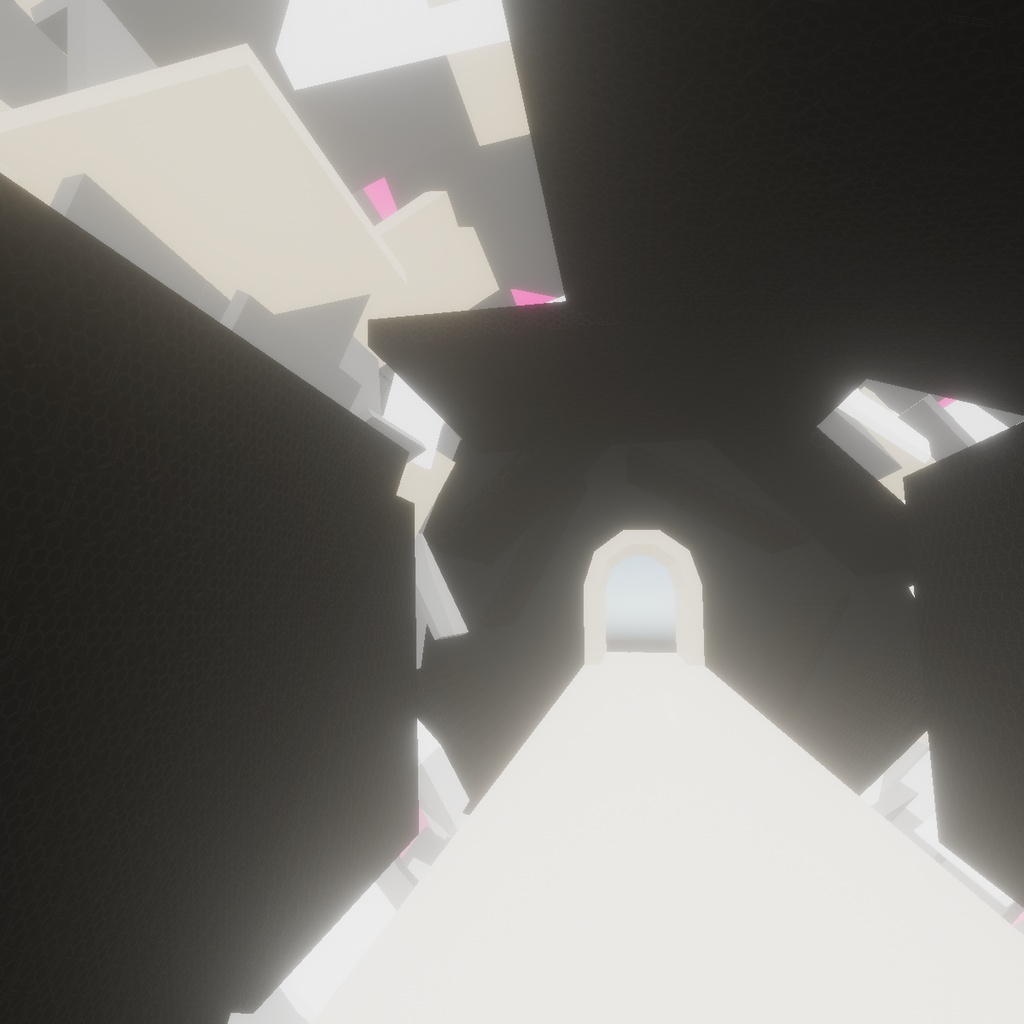


♡ HEZ STUDIO | WORLD ASSET ♡ 日本語 「Corridor Sekai Forms」は、VRChatワールドの部屋と部屋、フロアとフロアをつなぐ回廊のPrefab集です。白い通路を進むと、斜めに重なる黒い破片の隙間から、奥のアーチが見え隠れします。付属のポストプロセスを重ねると、白い床と淡いピンクの光が破片の縁ににじみ、遠くのアーチがやわらかく霞みます。 한국어 Corridor Sekai Forms는 VRChat 월드에서 방과 방, 층과 층을 잇는 복도 프리팹 모음입니다. 흰 통로를 따라 걸으면 비스듬히 겹친 검은 파편 사이로 멀리 있는 아치가 보였다 사라집니다. 원본 후처리를 적용하면 흰 바닥과 옅은 분홍빛이 파편 가장자리로 번지고, 먼 아치의 윤곽이 은은하게 흐려집니다. English Corridor Sekai Forms is a collection of corridor prefabs for connecting rooms and floors in a VRChat world. As you follow the white walkway, a distant arch slips in and out of view between tilted black shards. With the original post-processing profile, white and pale pink light spills over the edges of the shards and softens the outline of the arch. HEZ STUDIO|Make Your Own World.
日本語 | 商品案内
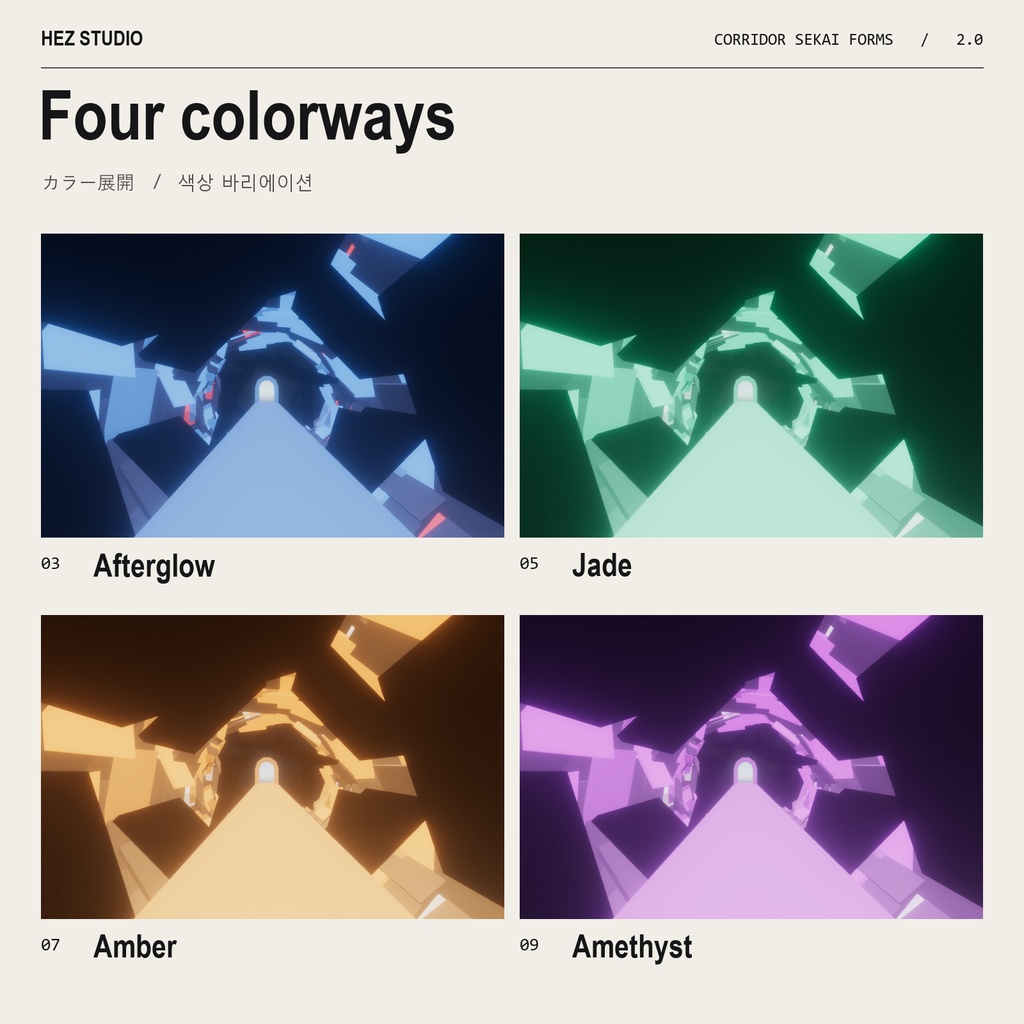
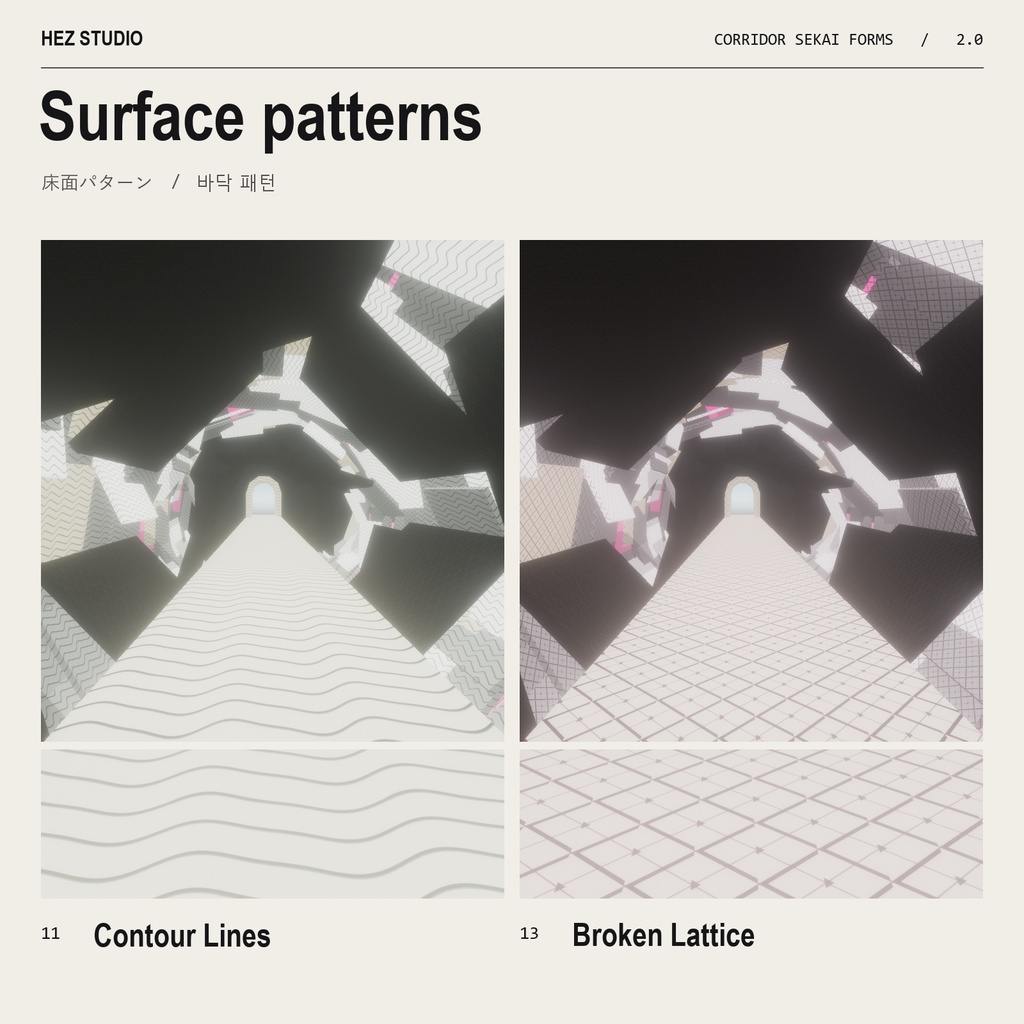
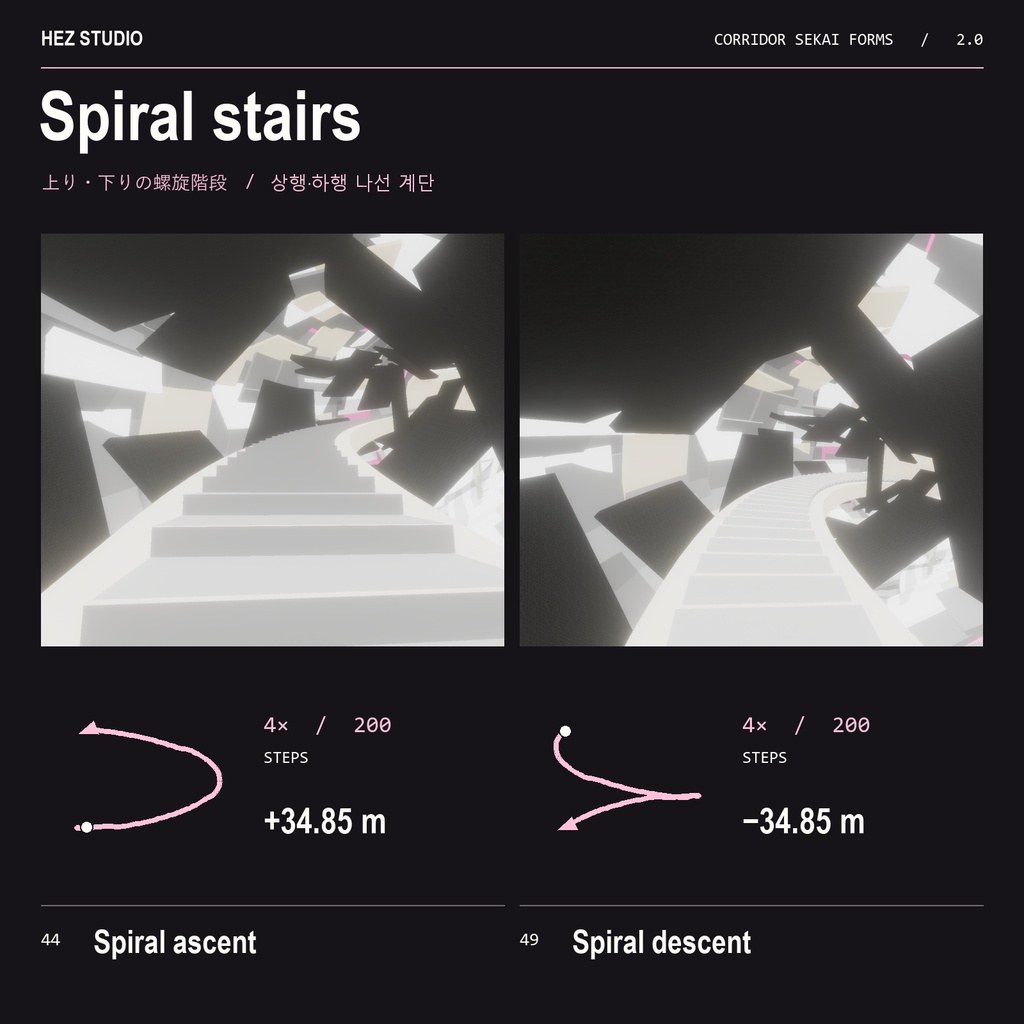
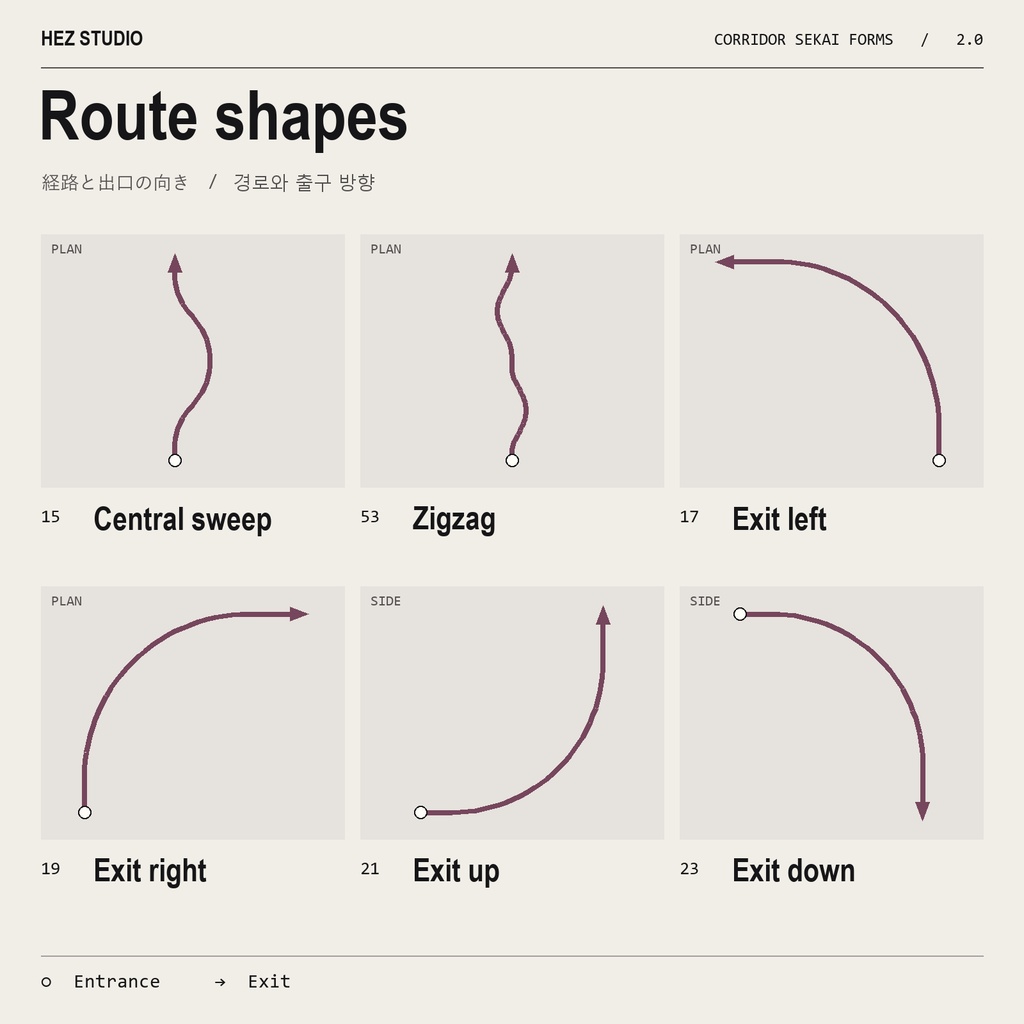
♡ 回廊のバリエーション ・Originalは白と黒にピンクの光を添えた直線回廊です。長さは40mから10.24kmまで、2倍刻みの9種類です。 ・色違いはAfterglow、Jade、Amber、Amethystの4色。等高線や途切れた格子を使った柄違いでは、破片が密に並ぶ間隔も変わります。 ・Central Sweepは中央で大きく弧を描き、元の中心線に戻って正面へ抜けます。出口を左・右・上・下に90°曲げるタイプと、左右に折り返すジグザグも収録しています。 ・螺旋階段は上りと下りの両方を用意しました。4xは一周200段、高低差は約34.85m。足元の当たり判定は滑らかなスロープです。 商品内容 v2.0.0のZIPにはUnityPackage 1点、日本語・韓国語・英語の導入ガイド、ProBuilderのライセンス表記が入っています。UnityPackageには番号付きの回廊Prefab 56点、Global VolumeとReference CameraのPrefab各1点、オリジナルのポストプロセスプロファイルを収録しています。 動作確認環境 Unity 2022.3.22f1 / Built-in Render Pipeline / VRChat Worlds SDK 3.10.6 オリジナルの光の表現には、UnityのPost Processing(確認バージョン 3.4.0)を使用します。Windows向けVRChatワールドでビルドを確認しています。 配置と光の設定 1. Post Processingを導入し、UnityPackageをインポートします。 2. 「Corridor Sekai Forms/Prefabs」から回廊をシーンに配置します。入口のピボットは床の中央です。次の回廊の位置と回転を、手前の回廊の「Exit」に合わせるとつながります。 3. 「FX - Original Global Volume」をシーンに1つ配置します。「FX - Original Reference Camera」を使う場合は、シーンに置いてVRC Scene Descriptorの「Reference Camera」に指定してください。 既存のカメラを使う場合はHDRを有効にし、Post-process LayerのVolume Layerにレイヤー22を含め、Volume Triggerにカメラ自身のTransformを指定します。Global Volumeはワールド全体に作用します。既存のボリュームがある場合は優先度とブレンド結果をご確認ください。 垂直の出口について Exit UpとExit Downは最後の6mが垂直です。プレイヤーをそのまま通す用途では、ワールド側に飛行・登攀・移動ギミックなどをご用意ください。通常の重力で歩いて別のフロアへつなぐ場合は、螺旋階段が使えます。
한국어 | 상품 안내
복도 바리에이션 • 흑백에 분홍빛을 더한 Original은 40m에서 10.24km까지 2배 간격으로 길이를 고를 수 있습니다. • 색상은 Afterglow, Jade, Amber, Amethyst 네 가지입니다. 등고선과 끊어진 격자 버전에서는 무늬와 함께 파편이 조밀해지는 간격도 달라집니다. • Central Sweep는 크게 휜 뒤 원래 중심선으로 돌아와 정면으로 이어집니다. 출구가 좌·우·상·하로 90° 꺾이는 복도와 지그재그 경로도 있습니다. • 나선 계단은 상승형과 하강형이 있습니다. 4x는 한 바퀴에 200단이며 높이 차는 약 34.85m입니다. 디딤판 아래의 경사 충돌면을 따라 부드럽게 걸을 수 있습니다. 상품 구성 v2.0.0 판매용 ZIP에는 UnityPackage 1개, 일본어·한국어·영어 사용 안내와 ProBuilder 라이선스 고지가 들어 있습니다. UnityPackage에는 번호가 붙은 복도 프리팹 56개와 원본 후처리용 Global Volume·Reference Camera 프리팹 2개, 후처리 프로필이 포함됩니다. 검증 환경 Unity 2022.3.22f1 · Built-in Render Pipeline · VRChat Worlds SDK 3.10.6 Windows용 VRChat 월드 빌드를 확인했습니다. 원본 빛 표현에는 Unity Post Processing 3.4.0을 사용했습니다. 배치와 조명 설정 1. Unity Package Manager에서 Post Processing을 설치한 뒤 ZIP에서 꺼낸 UnityPackage를 임포트합니다. 2. Assets/Corridor Sekai Forms/Prefabs에서 번호가 붙은 복도를 씬에 배치합니다. 피벗은 입구 바닥 중앙이며 진행 방향은 로컬 +Z입니다. 다음 복도를 앞 복도의 Exit 위치와 회전에 맞추면 이어집니다. 3. FX - Original Global Volume을 씬에 한 번 배치합니다. 동봉 카메라를 쓰려면 FX - Original Reference Camera도 씬에 넣고 VRC Scene Descriptor의 Reference Camera에 지정합니다. 4. 기존 레퍼런스 카메라를 쓰는 경우 HDR을 켜고 Post-process Layer의 Volume Layer에 레이어 22를 포함합니다. Volume Trigger에는 카메라 자신의 Transform을 지정합니다. 전역 볼륨은 월드 전체에 적용되므로 기존 볼륨의 우선순위와 블렌딩 결과를 확인하세요. 수직 출구 안내 Exit Up과 Exit Down은 마지막 6m가 수직입니다. 플레이어가 통과하려면 월드에 비행·등반·이동 장치가 필요합니다. 일반 중력으로 층을 연결할 때는 나선 계단을 사용할 수 있습니다.
English | Product guide
Corridor variations • Original pairs a black-and-white corridor with pink light. Choose from nine lengths, doubling from 40 m to 10.24 km. • The four colorways are Afterglow, Jade, Amber and Amethyst. Contour Lines and Broken Lattice also change the spacing of the shards along the route. • Central Sweep bends away from the centerline, then returns to it with the exit facing straight ahead. Other routes zigzag or turn the exit 90° to the left, right, up or down. • Spiral stairs come in ascending and descending versions. At 4x, one full turn has 200 steps and a rise or drop of about 34.85 m. A smooth ramp collider follows the visible treads. What’s included The v2.0.0 ZIP contains one UnityPackage, guides in Japanese, Korean and English, and the ProBuilder license notice. The package includes 56 numbered corridor prefabs, two lighting setup prefabs (Global Volume and Reference Camera), and the original post-processing profile. Tested environment Unity 2022.3.22f1 · Built-in Render Pipeline · VRChat Worlds SDK 3.10.6 Build tested for Windows VRChat worlds. The original lighting setup uses Unity Post Processing 3.4.0. Placement and lighting 1. Install Post Processing in Unity Package Manager, then extract the ZIP and import the UnityPackage. 2. Drag a numbered corridor from Assets/Corridor Sekai Forms/Prefabs into your scene. Its pivot is at floor level in the middle of the entrance, facing local +Z. To extend the route, match the next corridor’s position and rotation to the previous corridor’s Exit transform. 3. Place FX - Original Global Volume in the scene once. To use the included camera, add FX - Original Reference Camera and assign it to Reference Camera on the VRC Scene Descriptor. 4. If you use an existing reference camera, enable HDR, include layer 22 in the Post-process Layer’s Volume Layer mask, and set Volume Trigger to the camera’s own Transform. The global volume affects the whole world. Check its priority and blend with any volumes already in the scene. Vertical exits The last 6 m of Exit Up and Exit Down are vertical. Players need a flight, climbing or transport system in your world to traverse them. Use the spiral stairs to connect floors under normal gravity.