

【簡単導入ツール付き】アバター付属でスグに使えるVRC変身シェーダーパック【Exメニュー付属】
- FXShaderPack本体Digital3,200 JPY
- 導入ツールの使い方Digital0 JPY
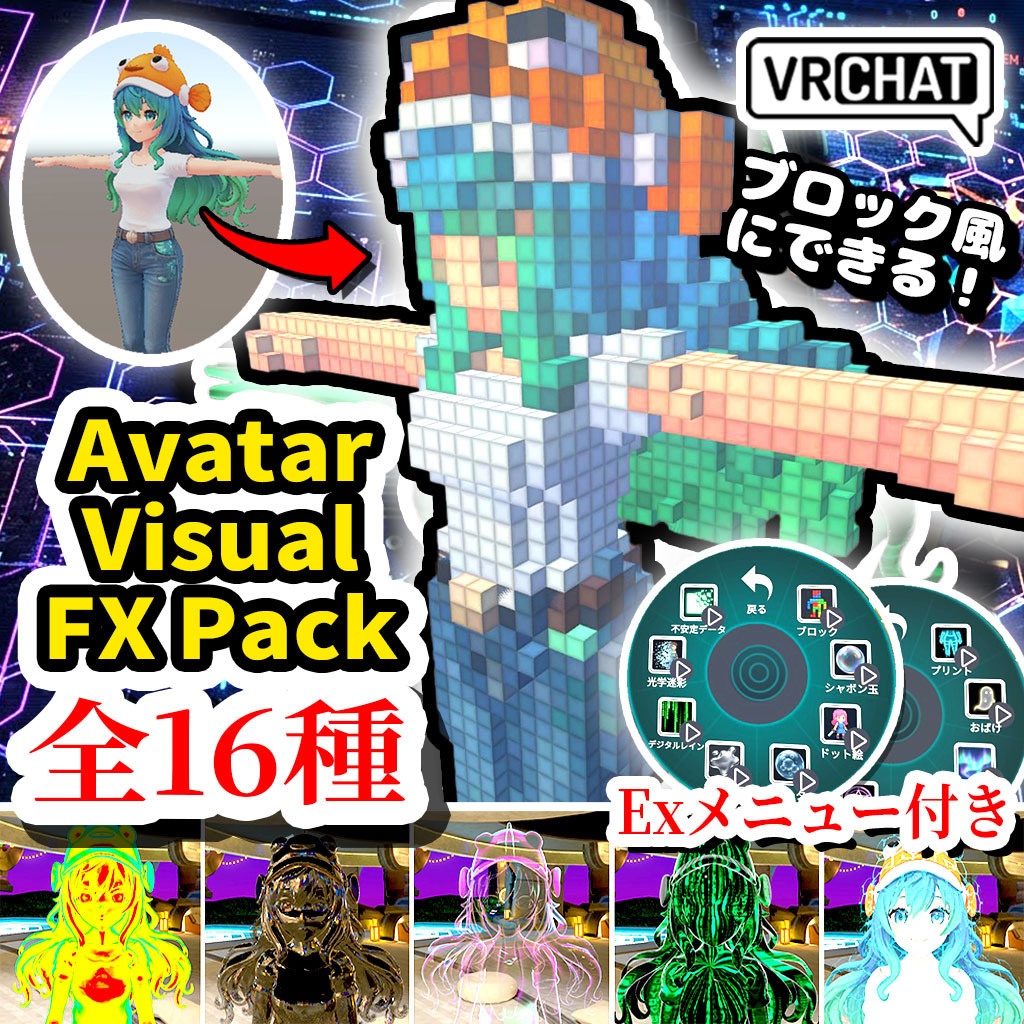
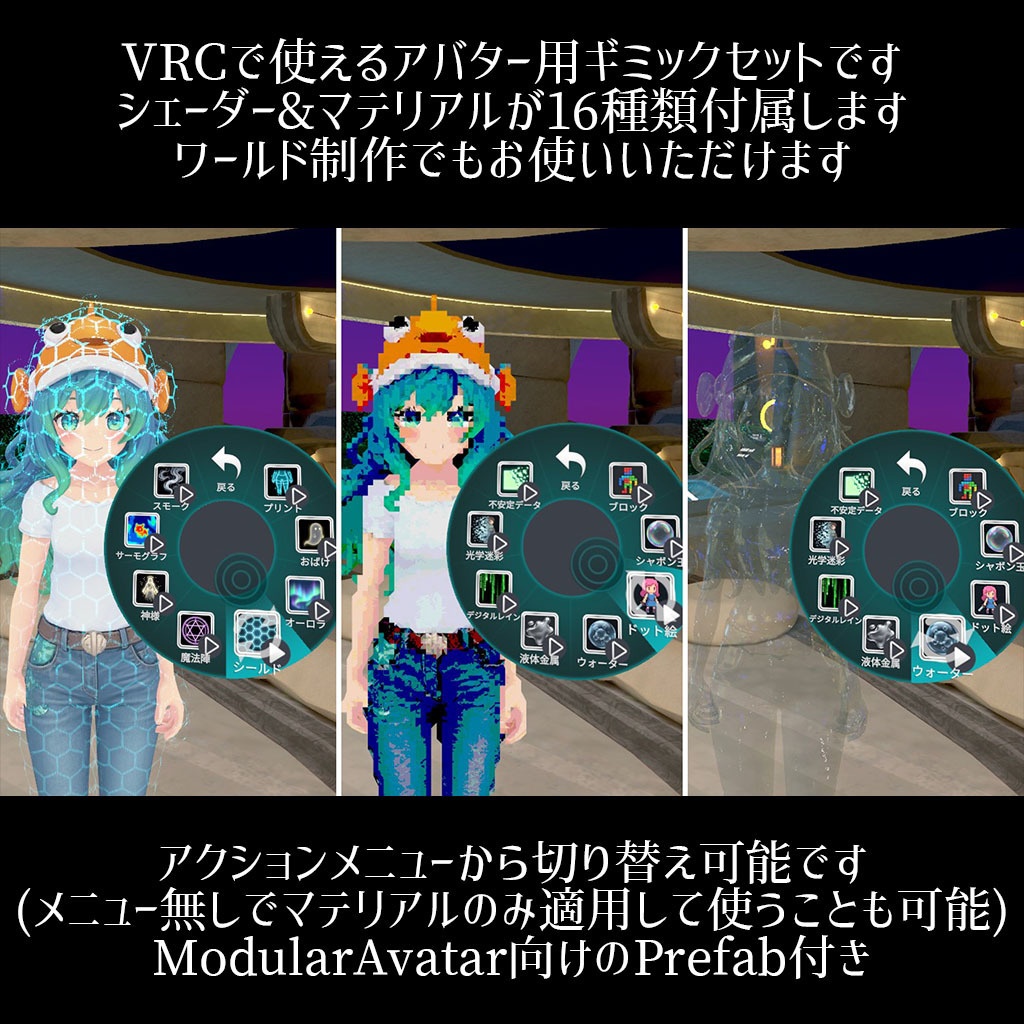
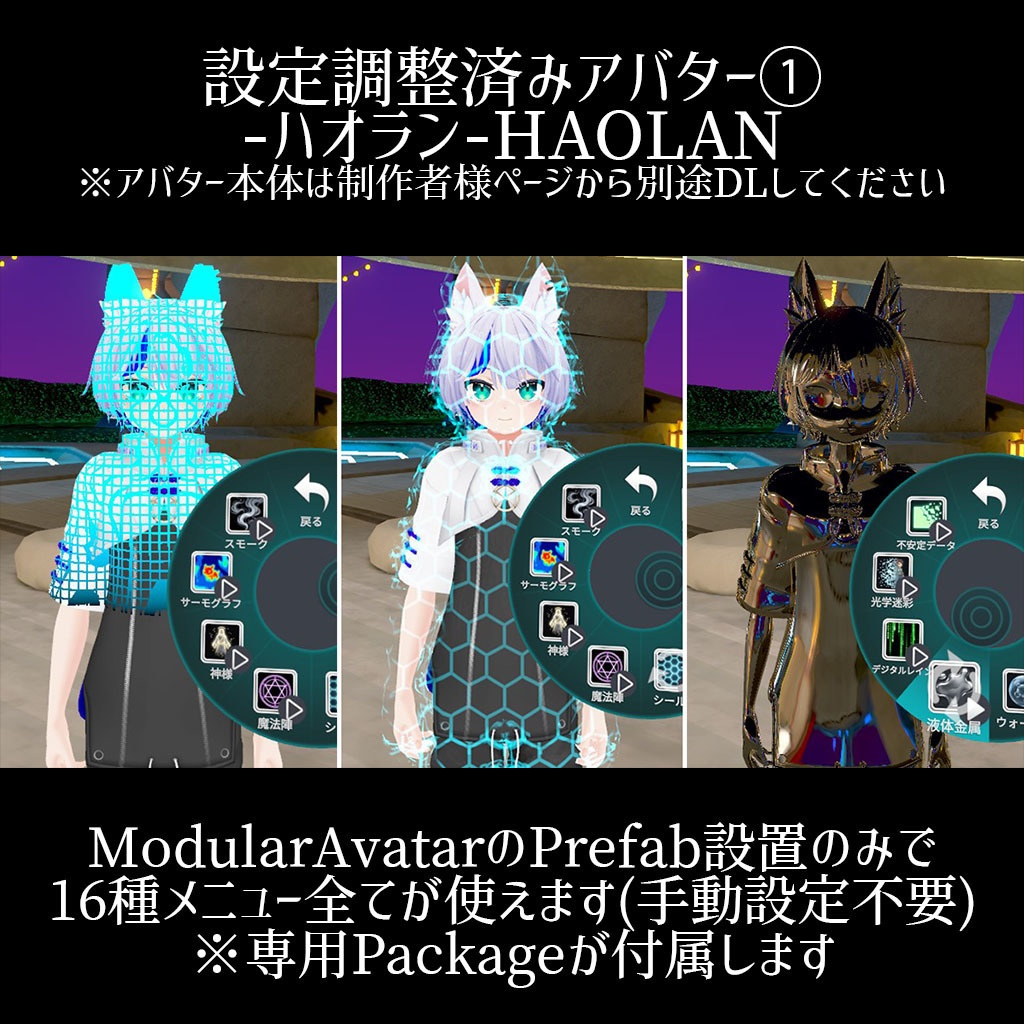
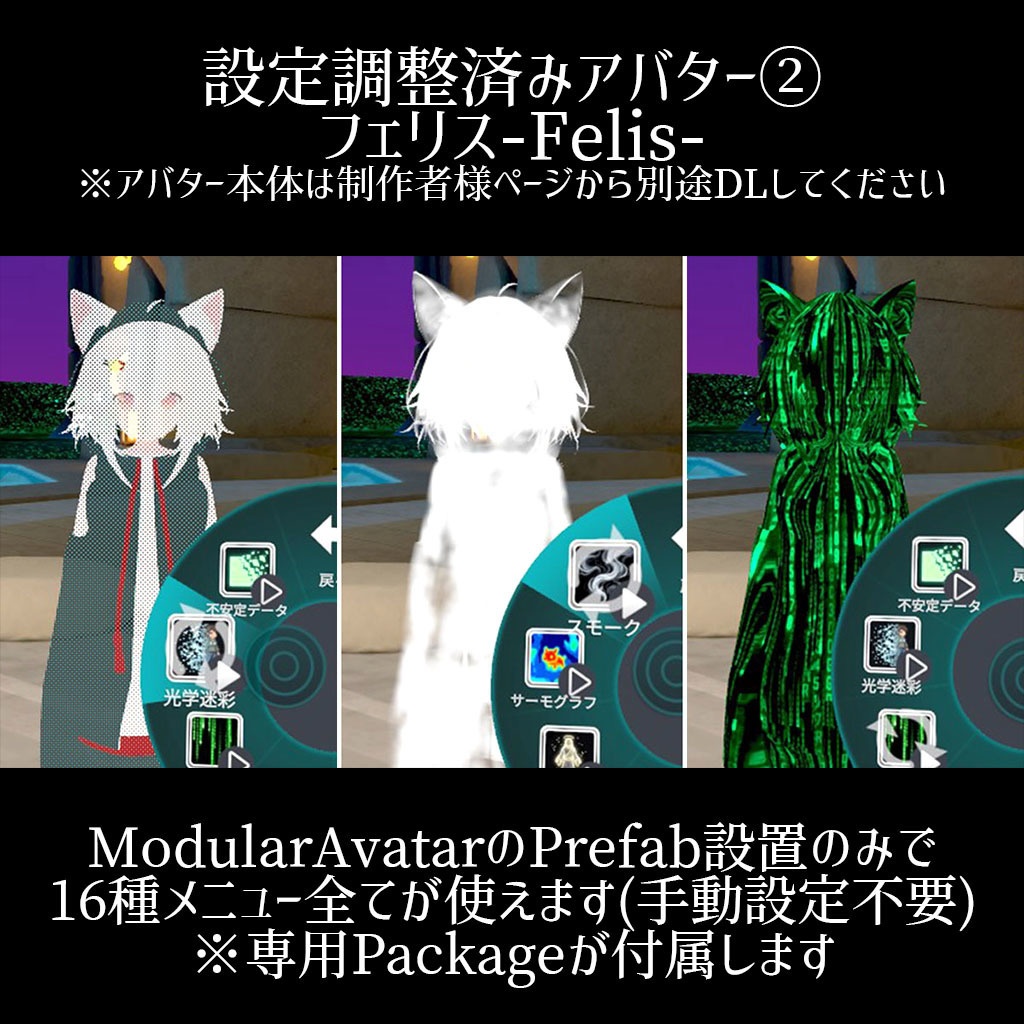
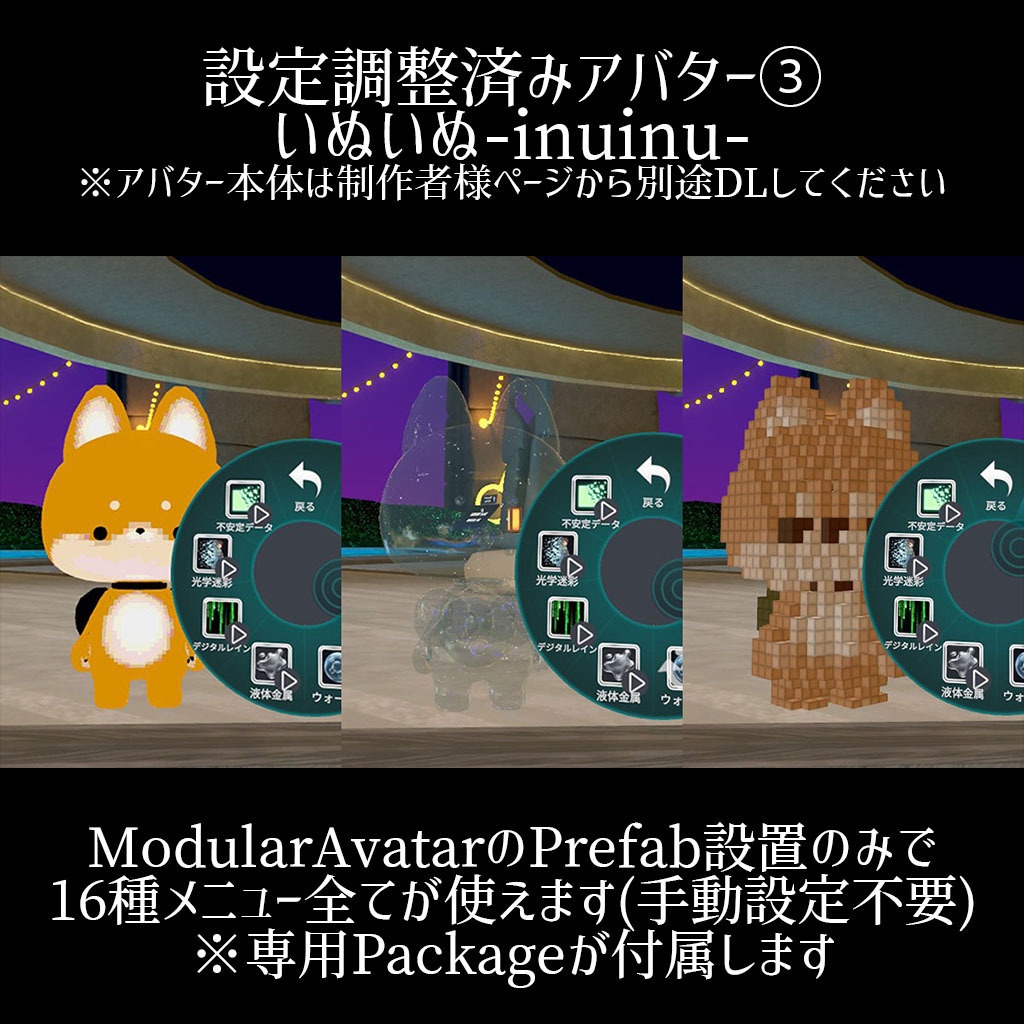
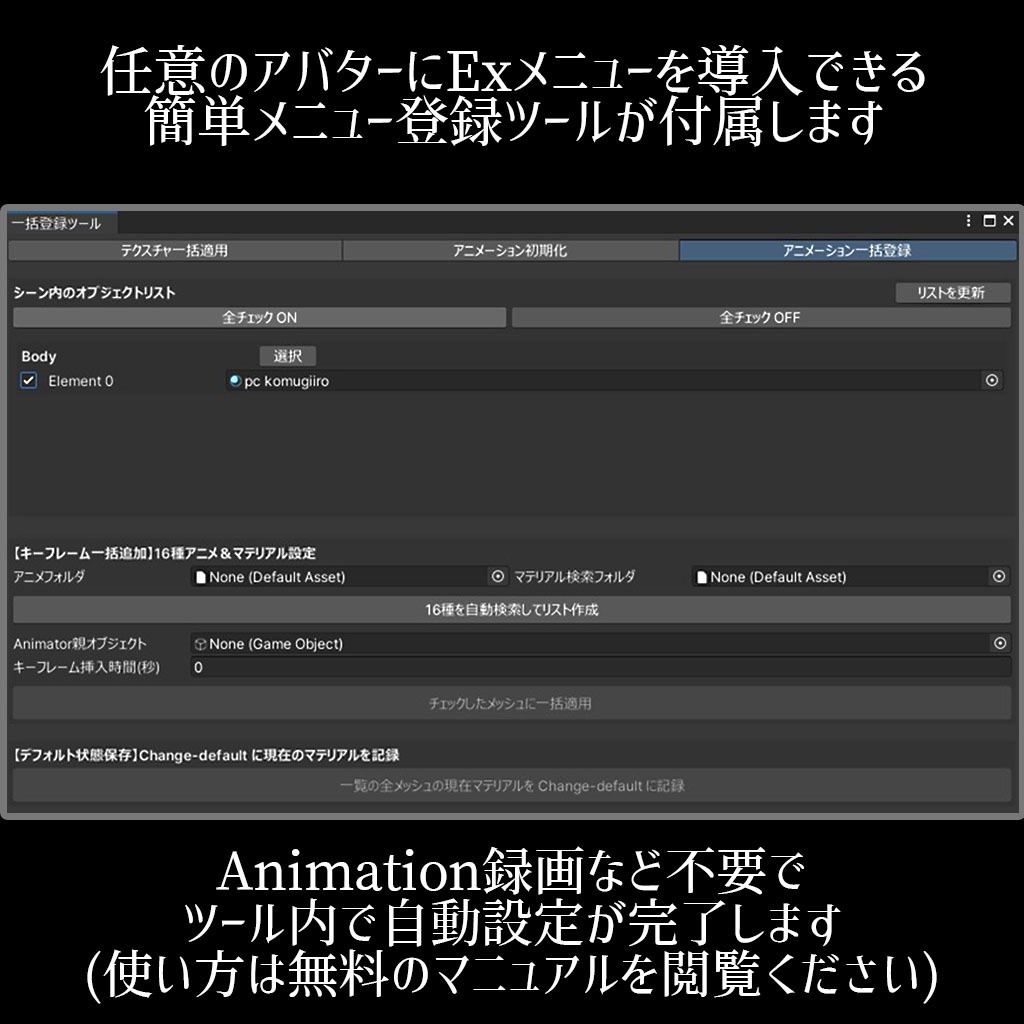
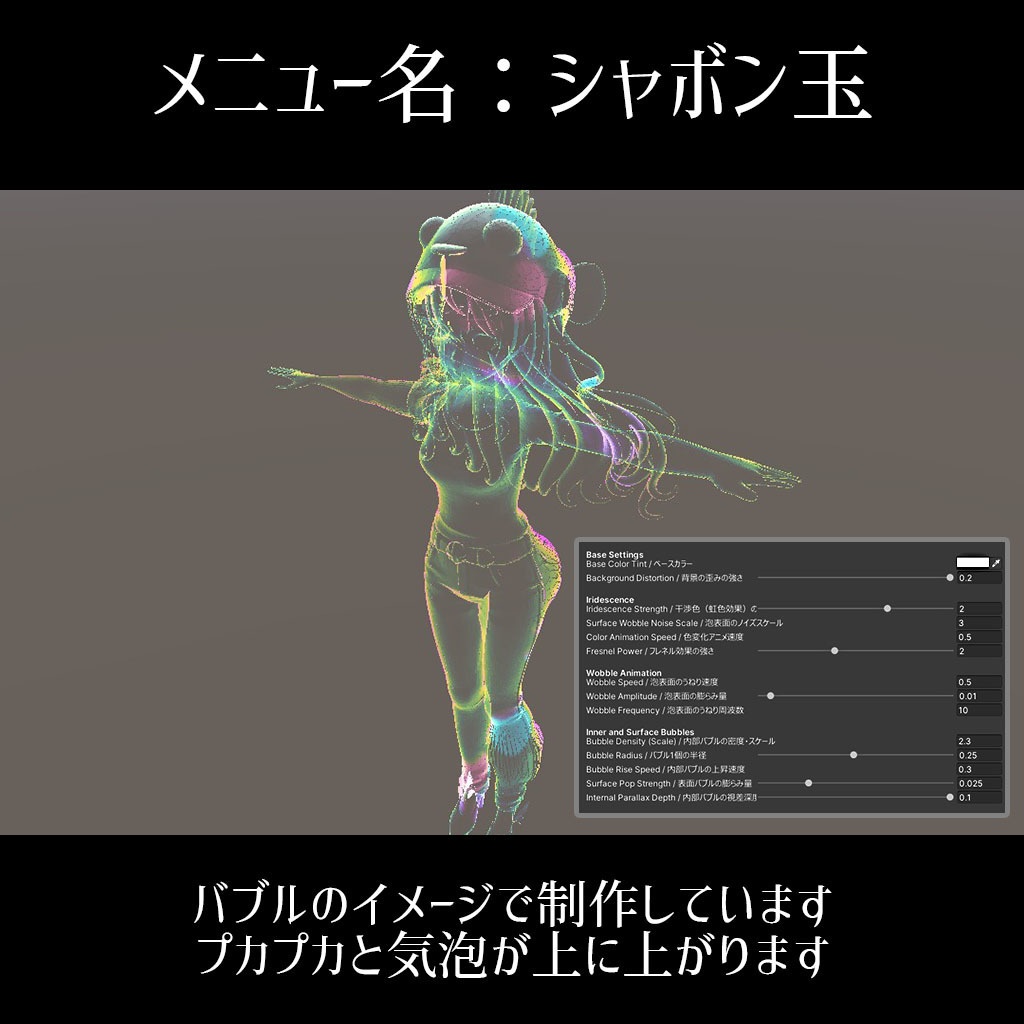
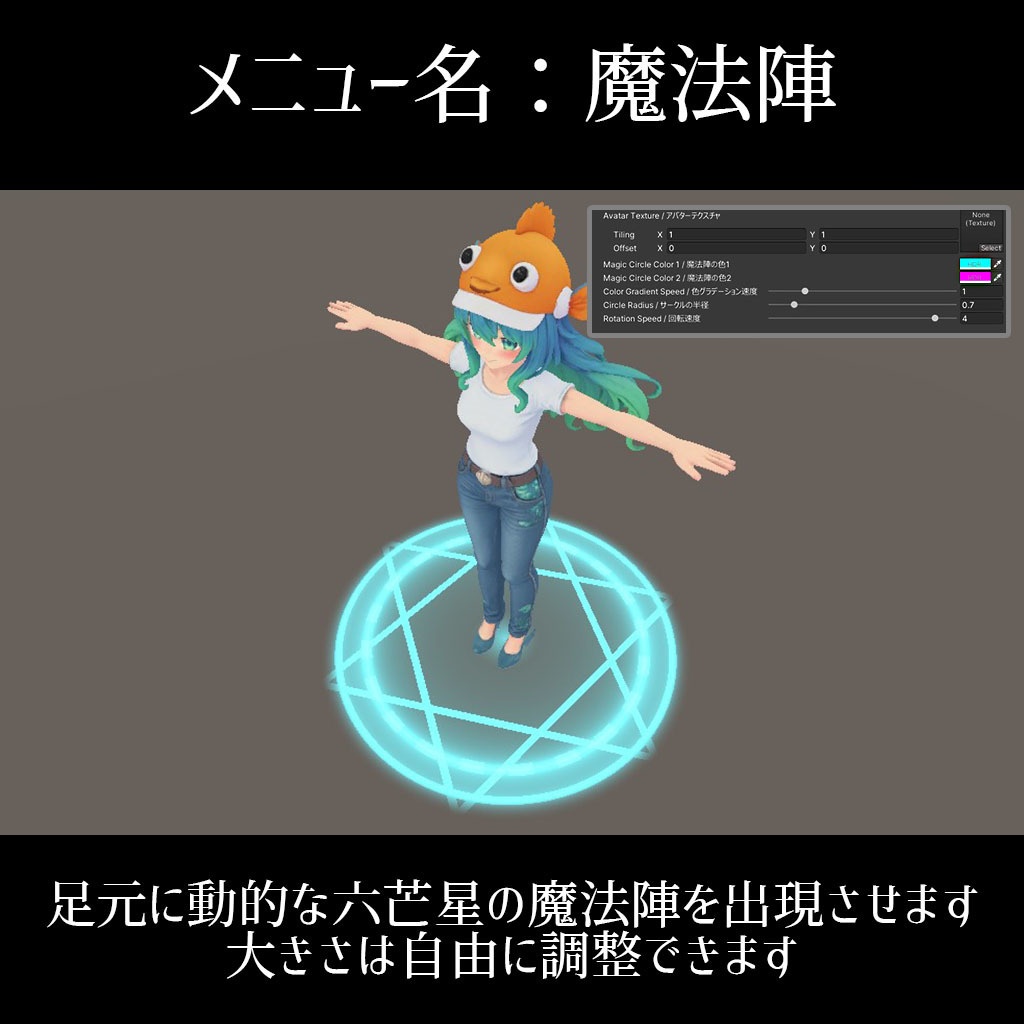
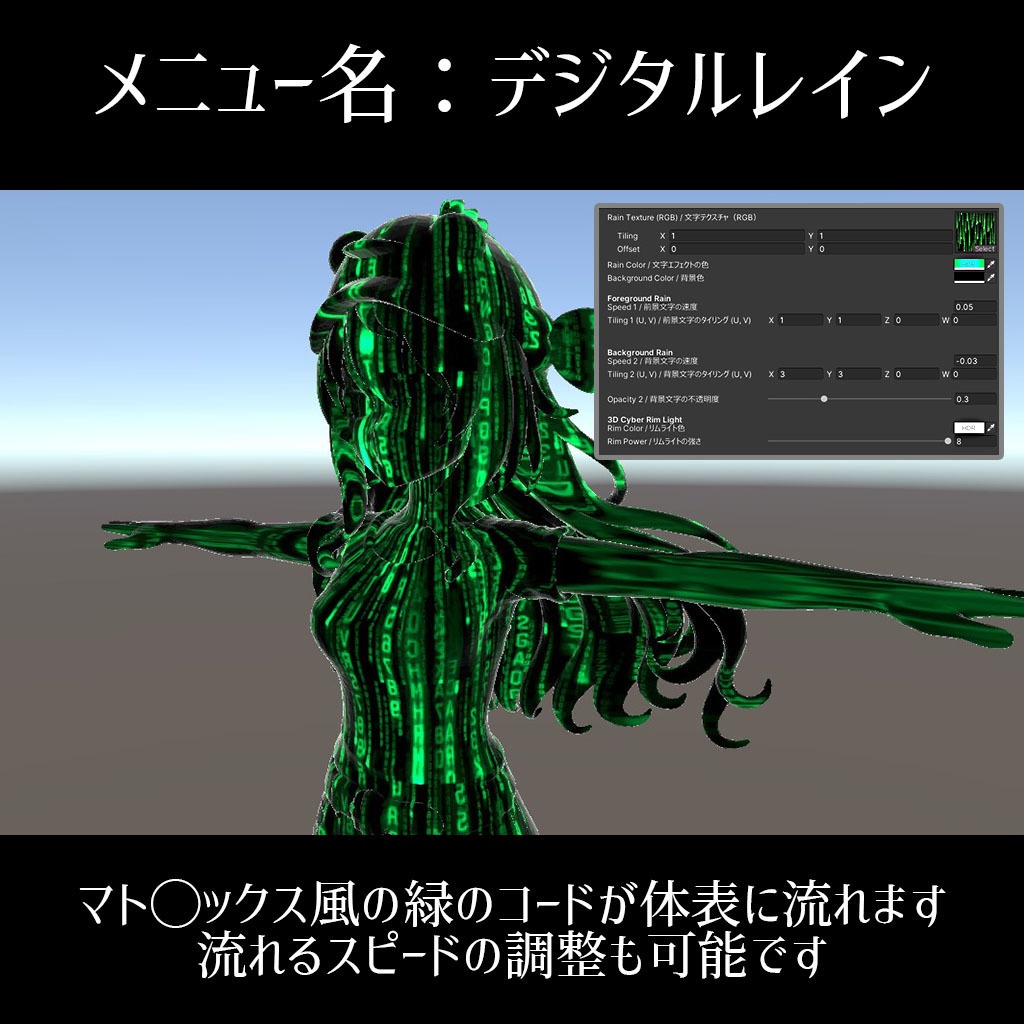
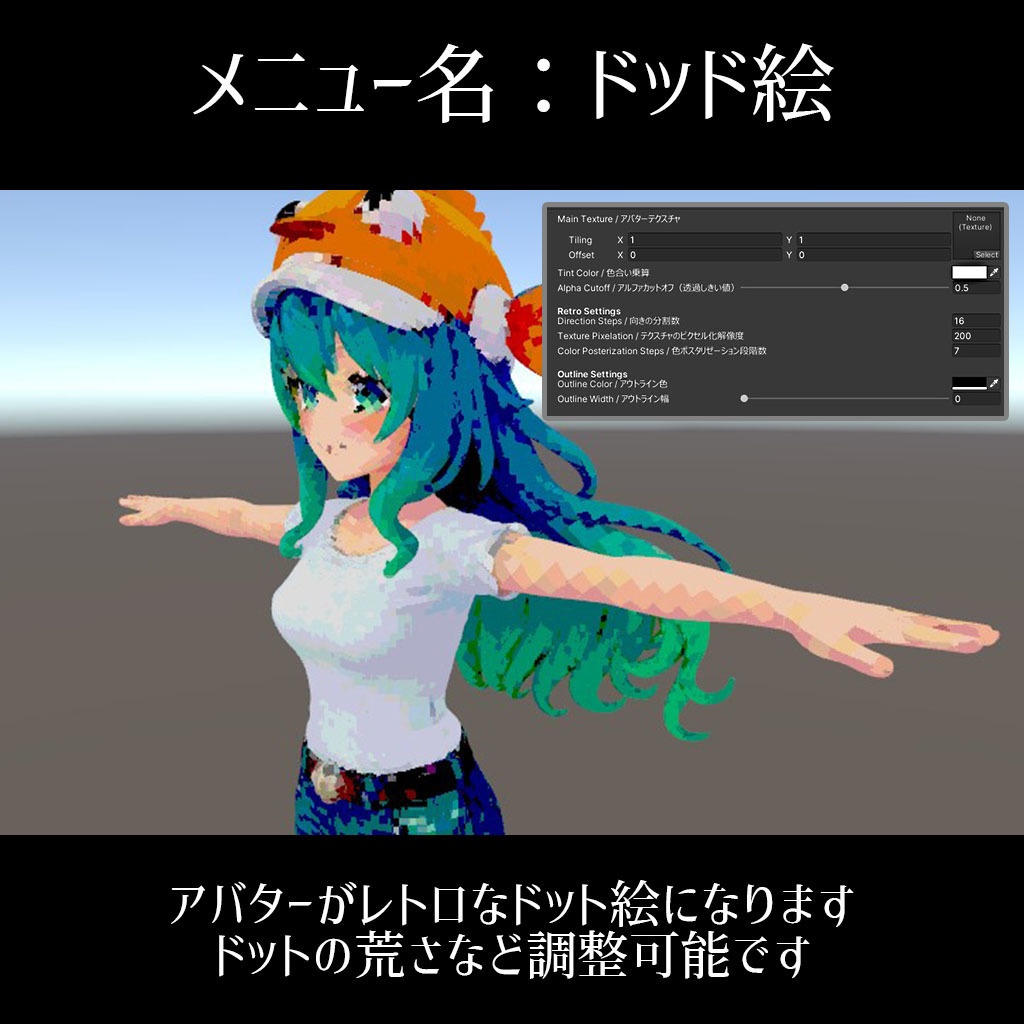
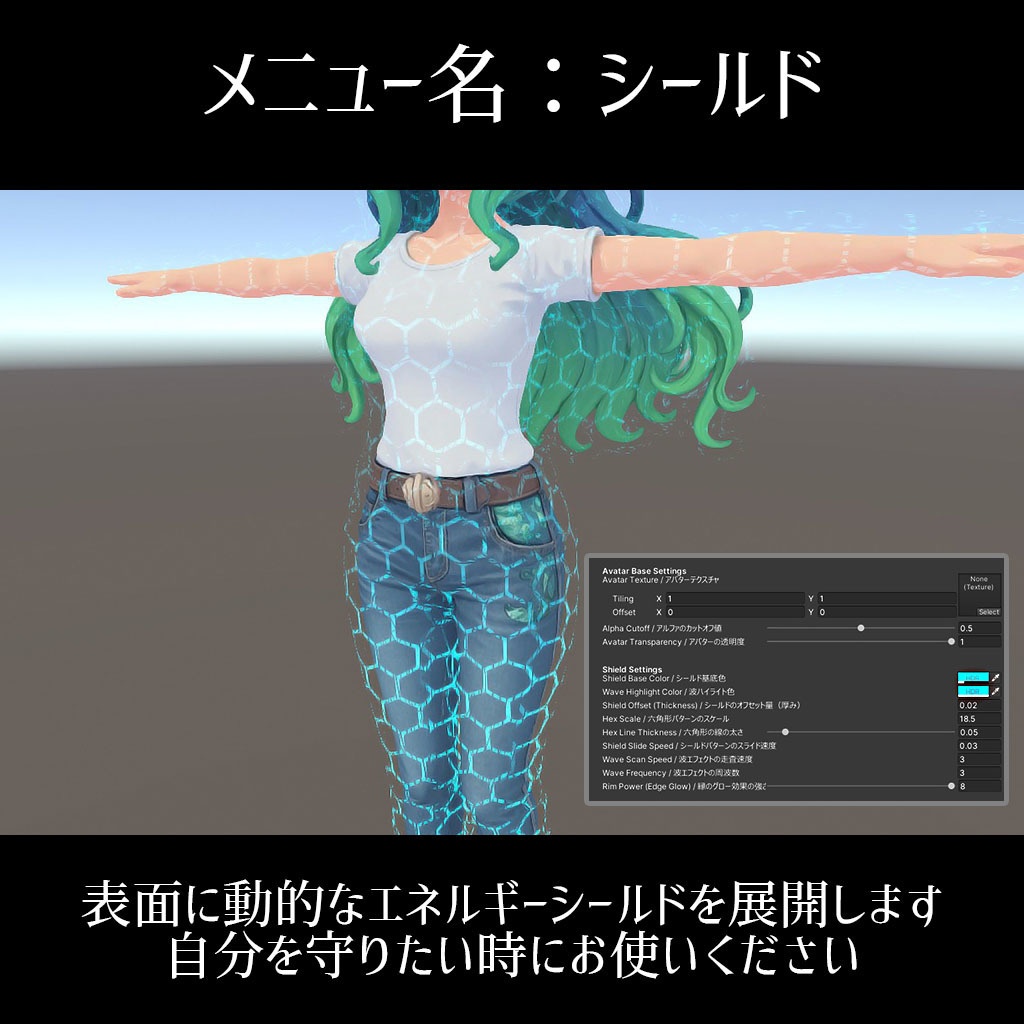
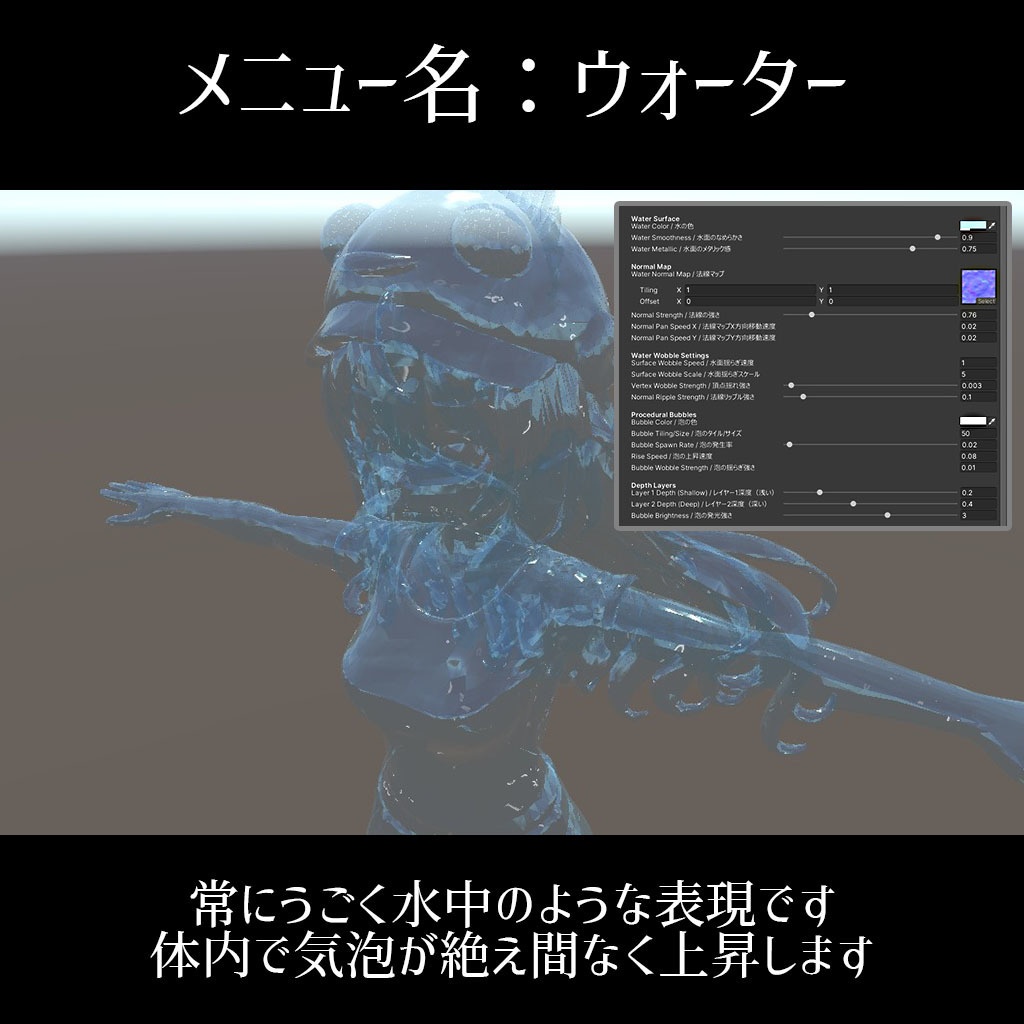
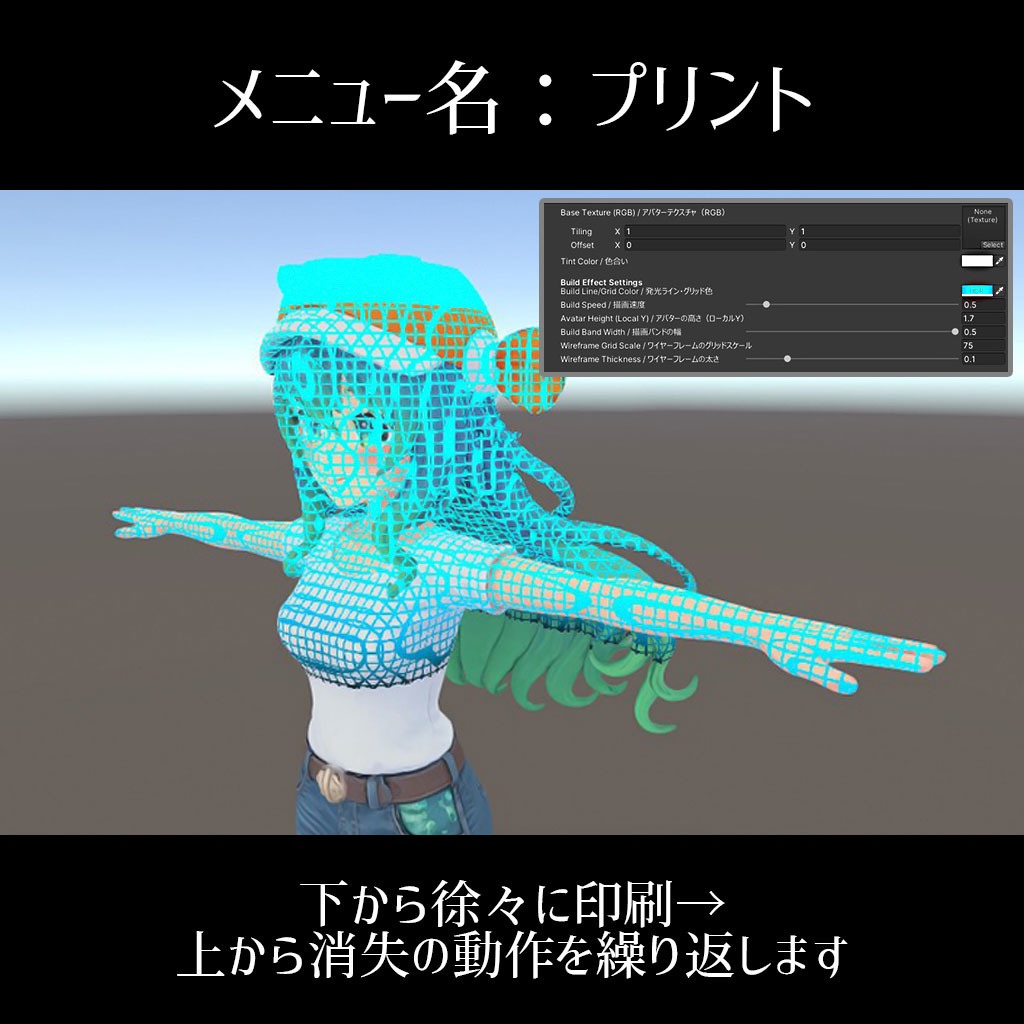
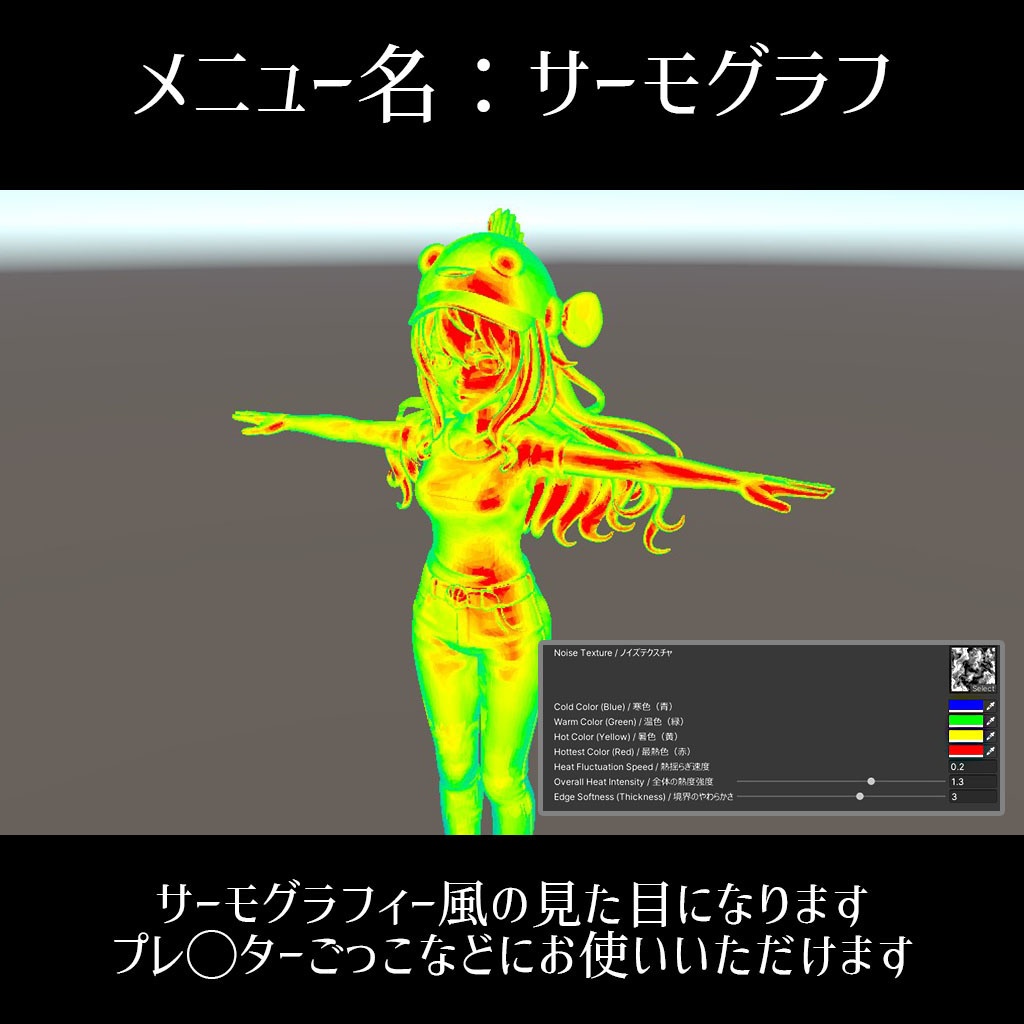
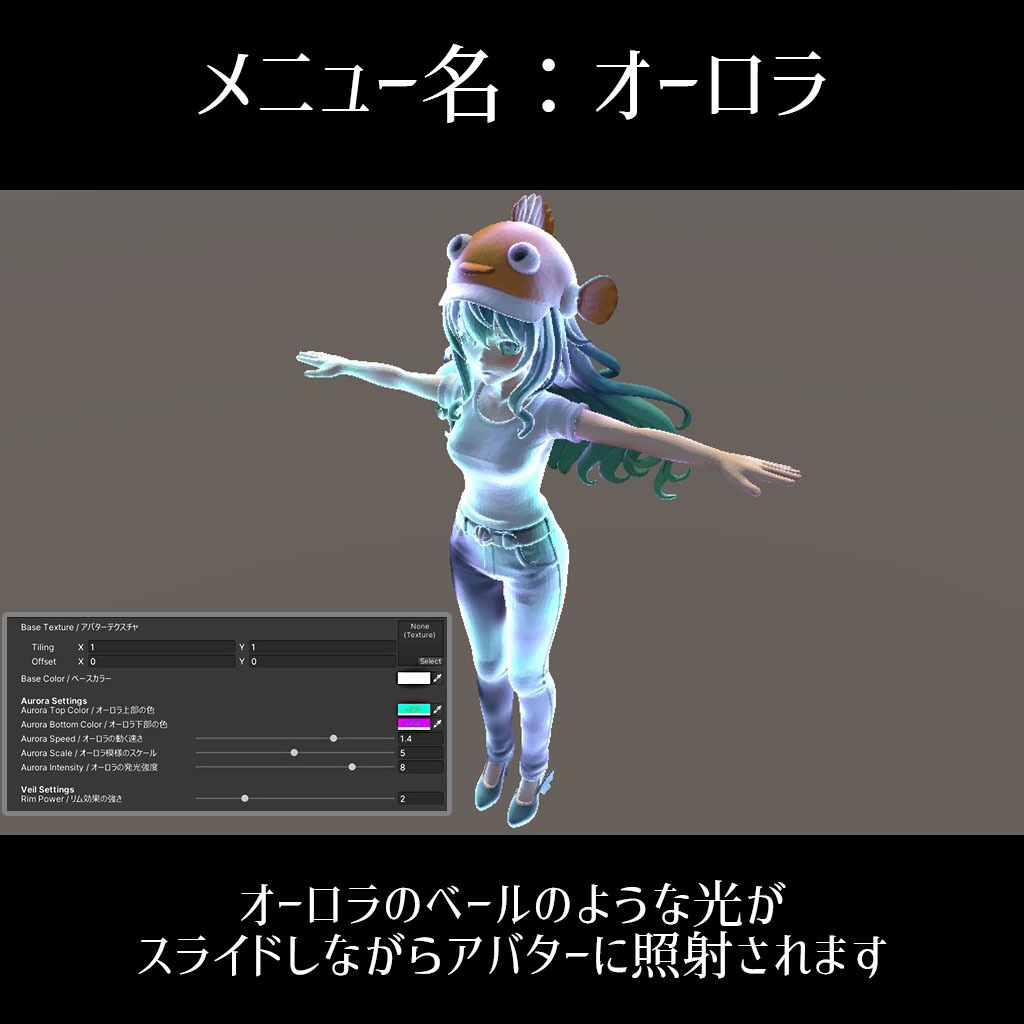
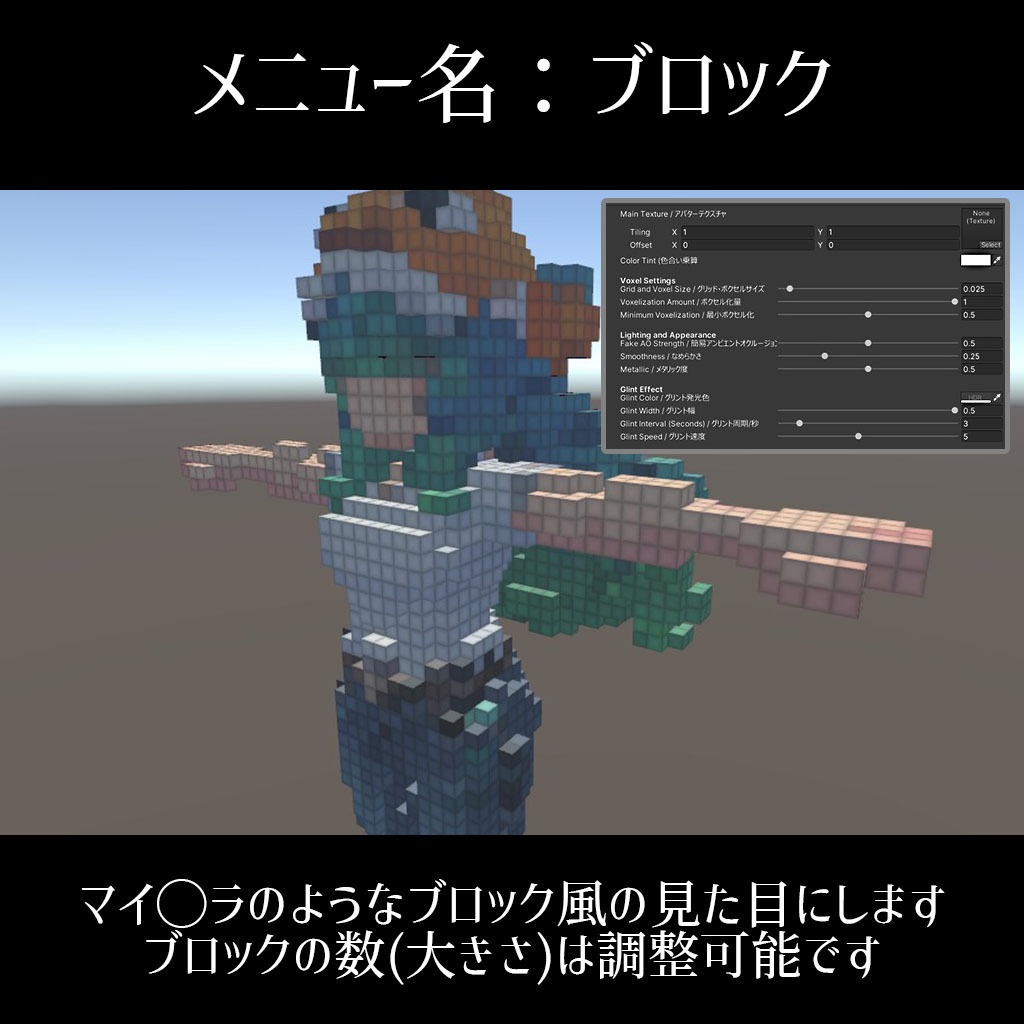
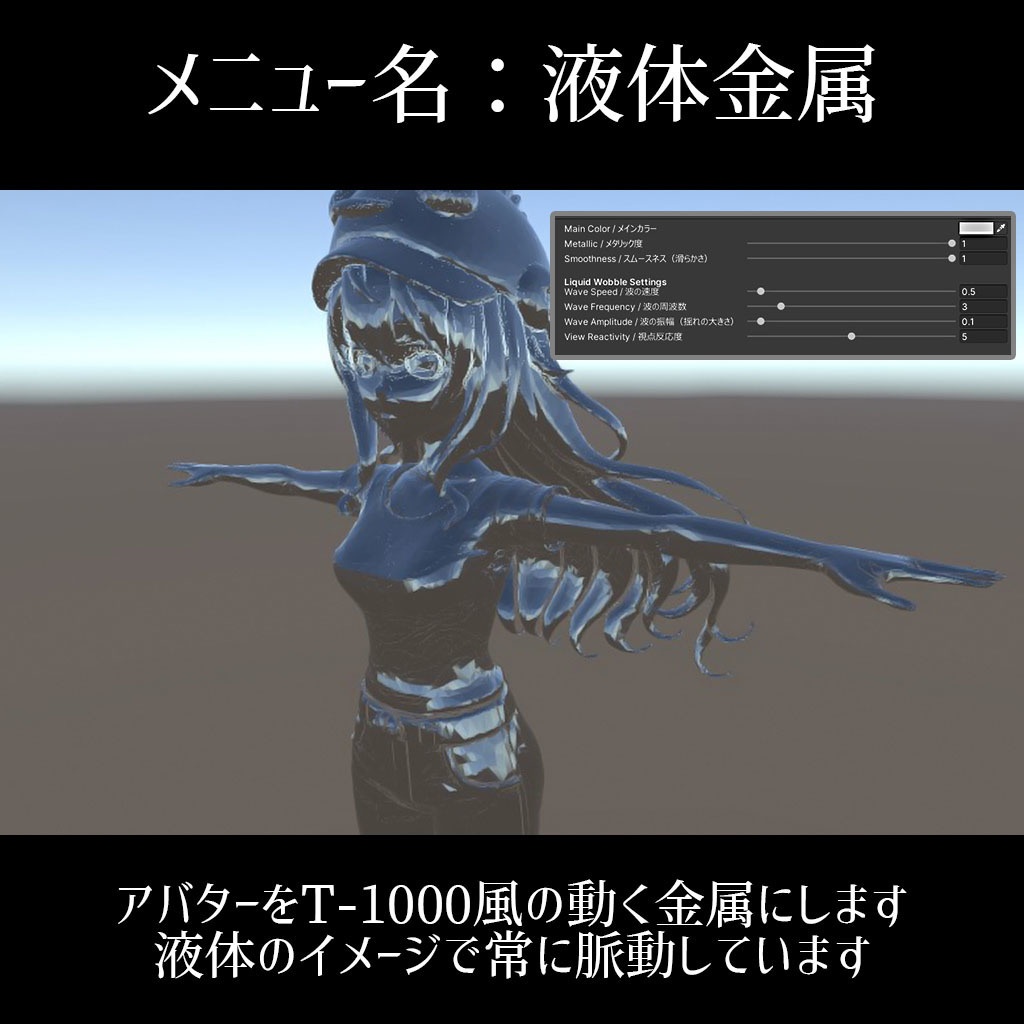
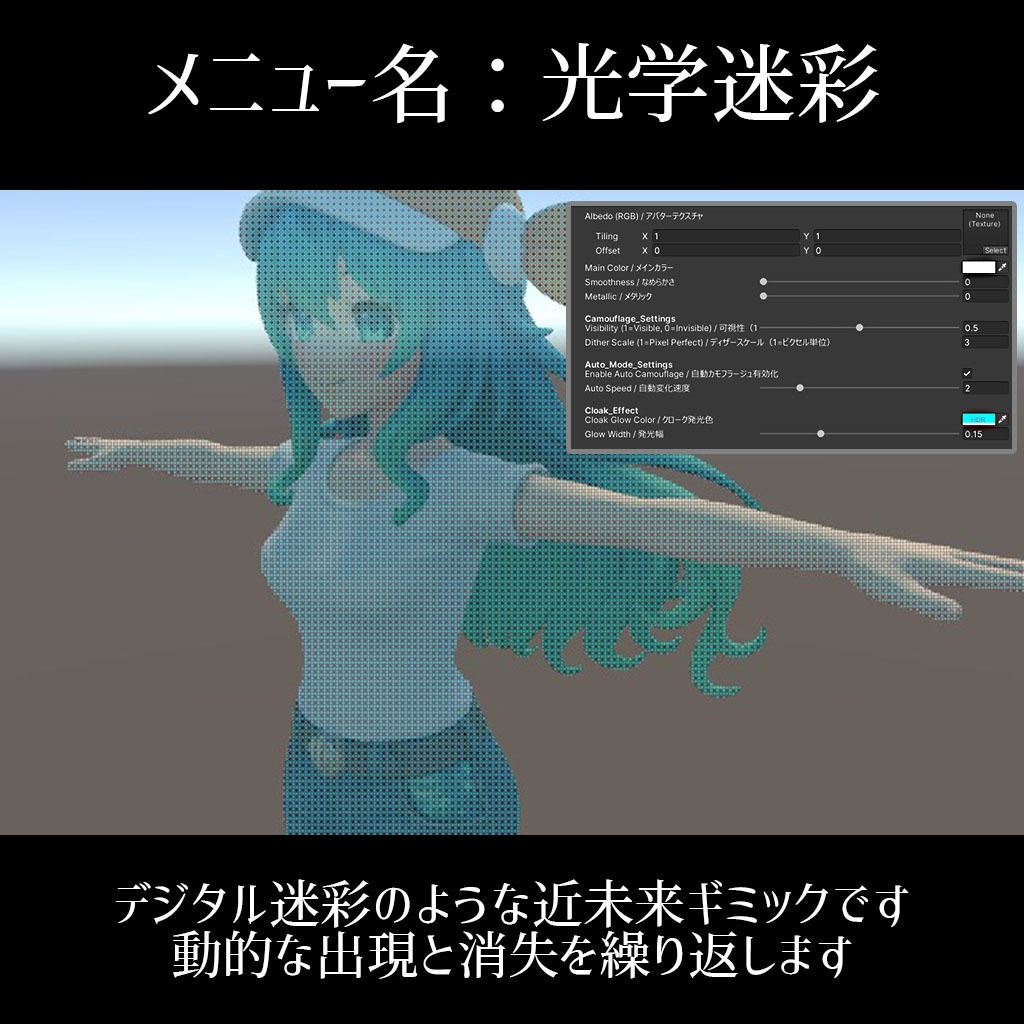
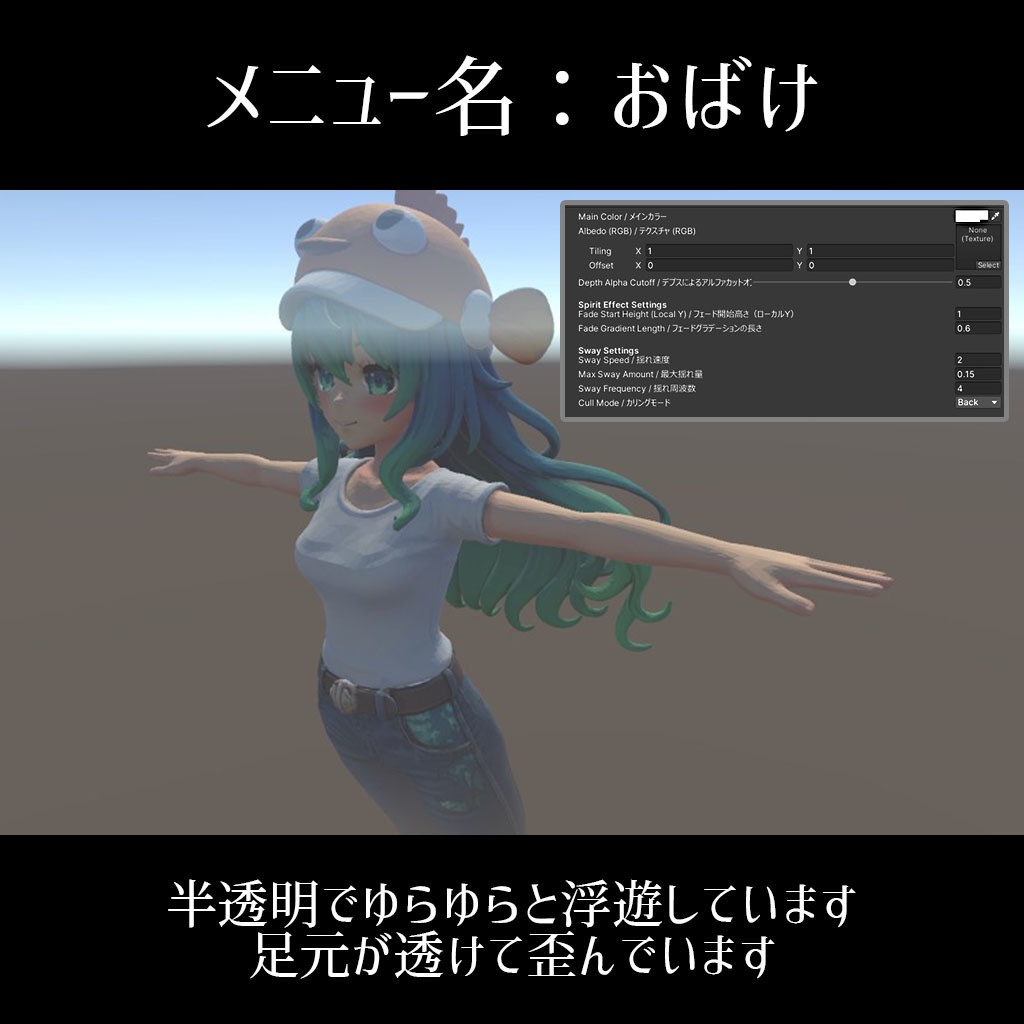
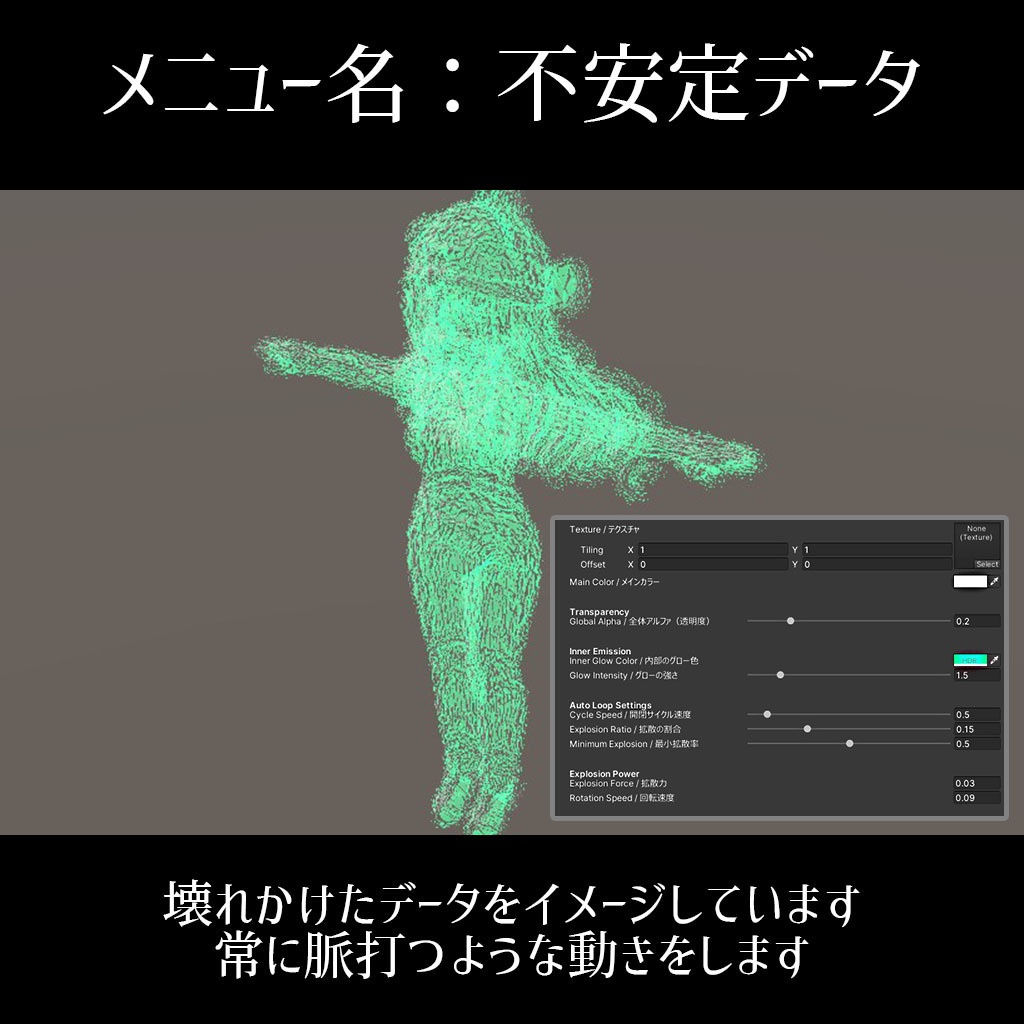
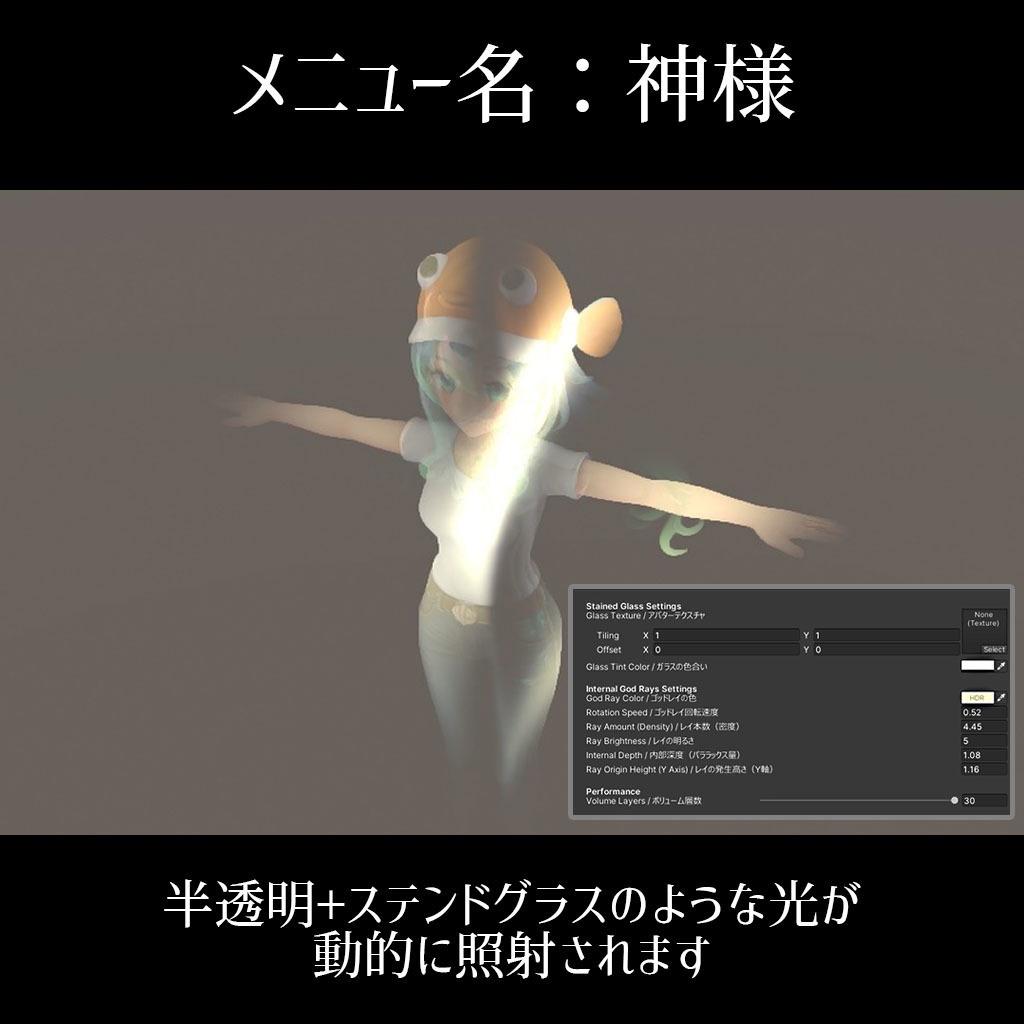
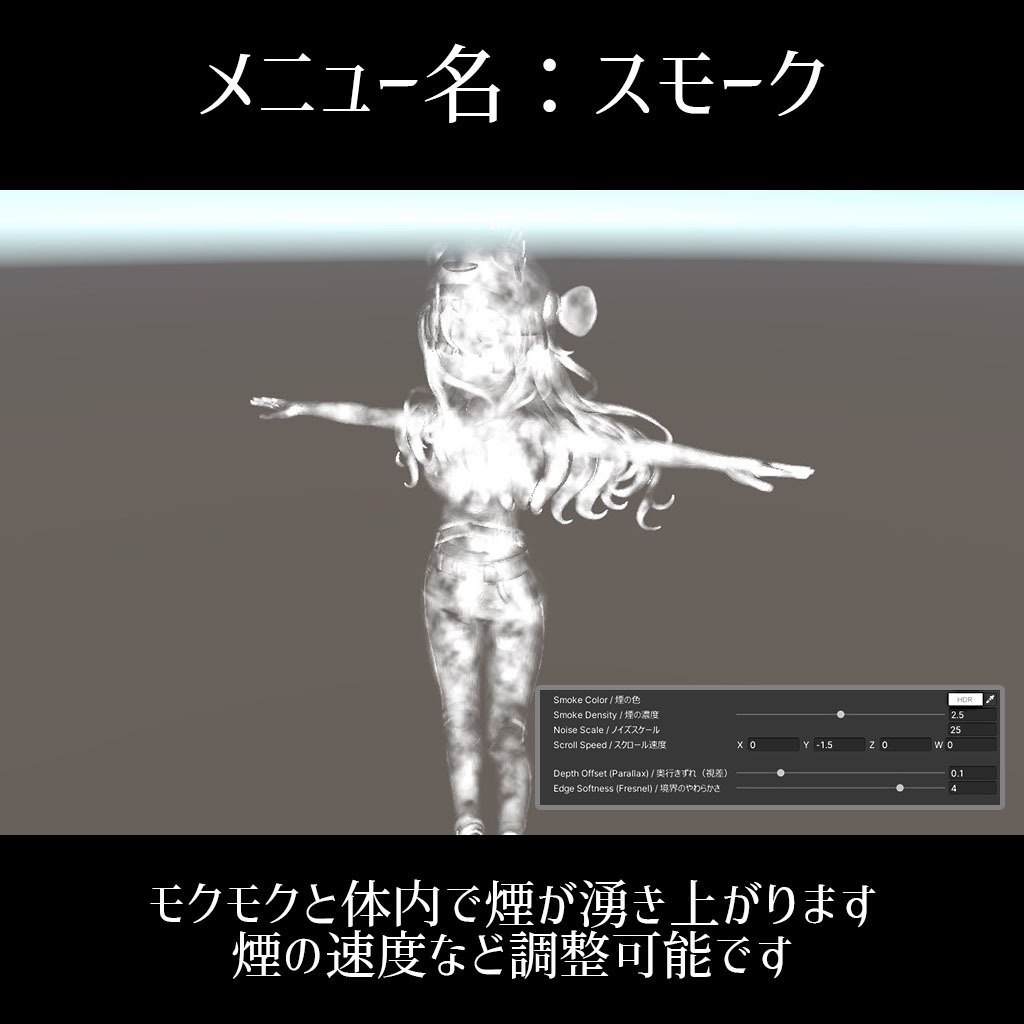
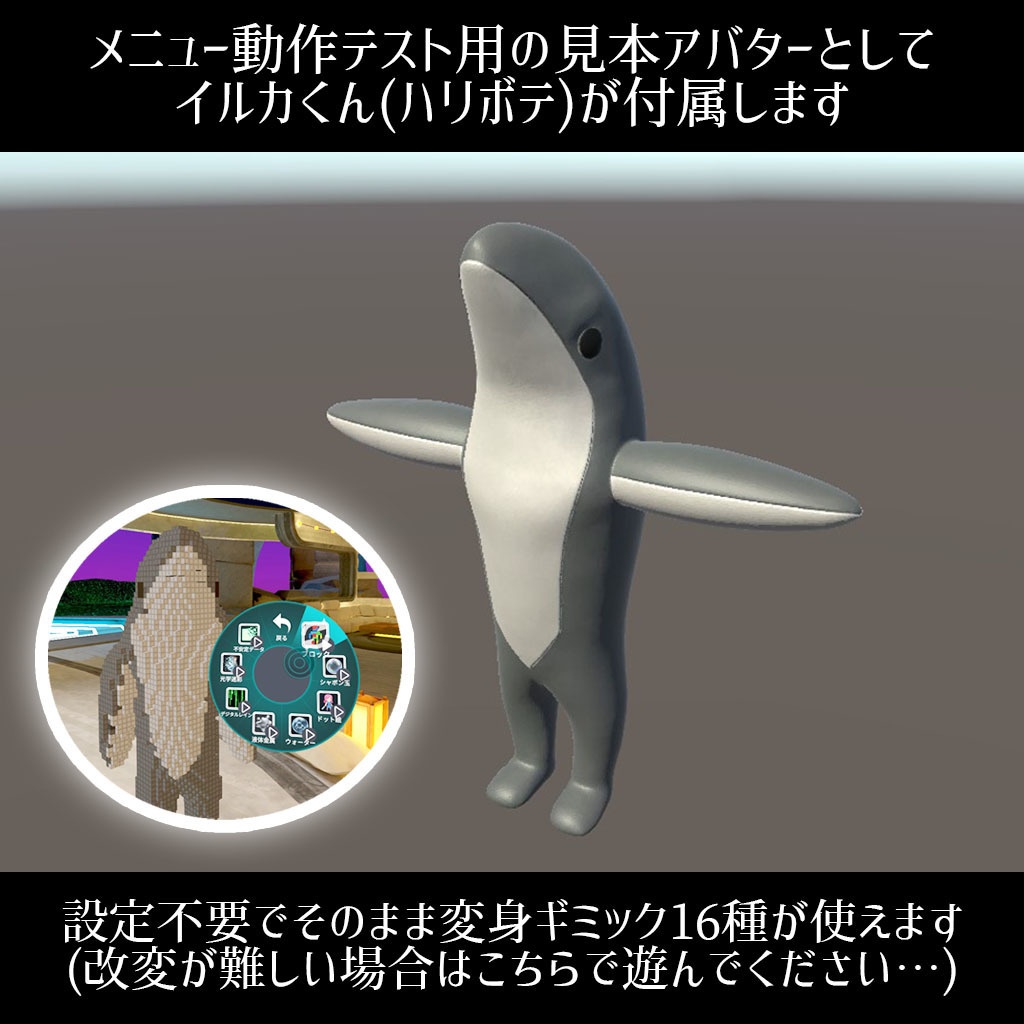
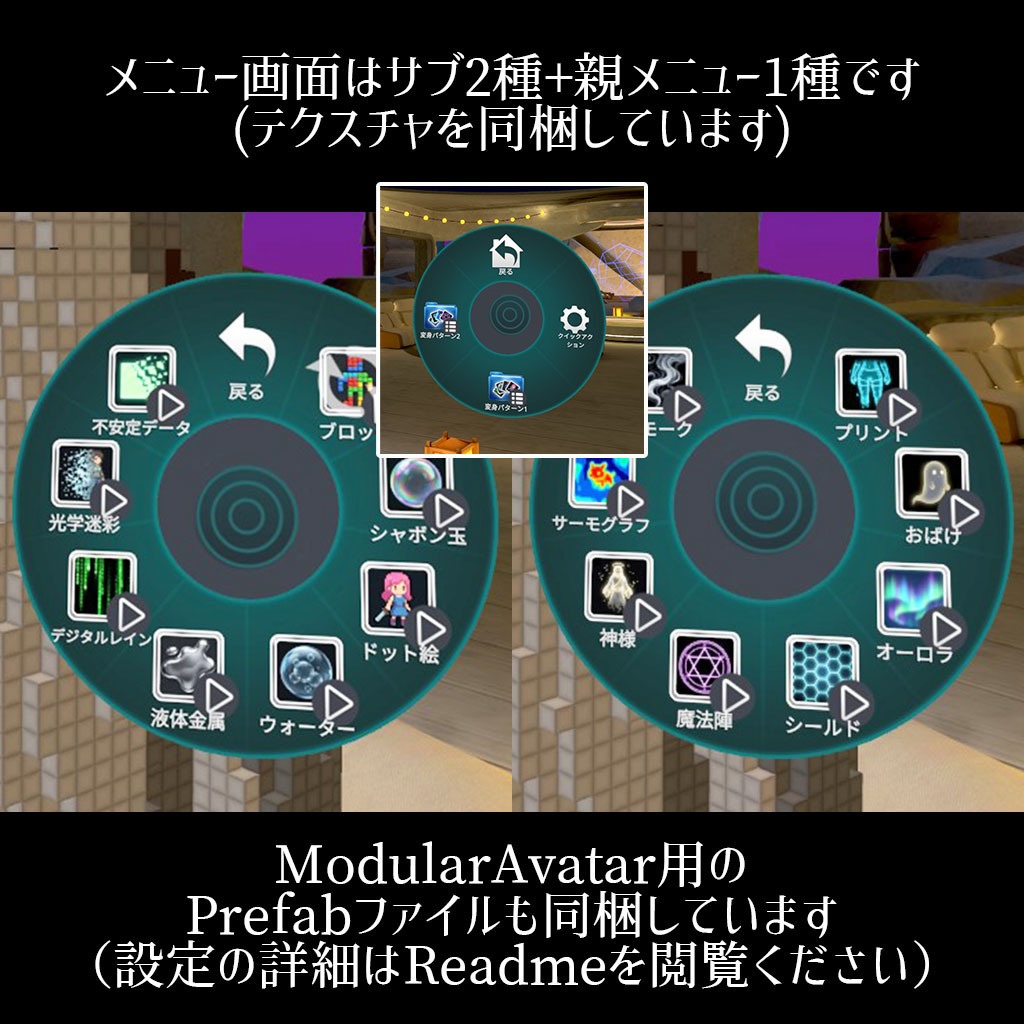


✔PCVR(Steam)で実際に表示確認済みです ✔Unity 2022.3.22f1環境で制作しています(動作チェック済) ✔メニュー導入しなくても使えます(Material変更のみでOK) ✔ワールド用Shaderパックとしてもご利用頂けます ---以下は詳細解説です(長文)--- ※Shaderデータのみの個別販売も可能です。お気軽にメッセージにてお申し付けください。(1個200円) VRCHATで利用できるアバター変身用のシェーダーとマテリアル16種セットです。アクションメニュー&アイコン画像も付属します。簡単導入ツールとサポートマニュアル付き。シェーダーはワールド制作でも使用できます。 ■この変身セットの特長 ◯機能は全てシェーダー&テクスチャのみで動作するように作っています。オブジェクトの配置等一切不要です。※例えば魔法陣などもTex不要でShader内の計算(距離関数)で実装しています ◯アクションメニューの改変が難しい方向けに見本アバターを同梱しています。(設定不要で変身メニューが使えます) ◯16種のマテリアルから好きなものを選んでアバターに適用するだけで使うこともできます。(マテリアルやメッシュが別れていれば特定のパーツだけに導入も可能です) ■最適化済みアバターPackageに関して ◯以下のアバターは調整済みの専用UnityPackageが付属します。該当アバターのルートに同梱のModularAvatarをD&Dするだけで16種のFXがExメニューから使用できます。 ①-ハオラン-HAOLAN(かなリぁさんち 様制作) ②フェリス-Felis-(リュクらぼ 様制作) ③いぬいぬ-inuinu-(zuchicorn 様制作) ※順次追加予定です。(ご要望ありましたらメッセください) ■同梱されているデータの内訳 ◯Shader&Material 16種 各種変身に対応したシェーダー16種と設定済みのマテリアルデータが16種です。※メニューを実装しなくてもこちらのマテリアルをアバターに差し替えるだけで見た目は変更可能です。 ◯メニュー用Tex18種+シェーダー用Tex3種 アイコン用のテクスチャ16種+フォルダ用2種を同梱しています。シェーダー向けはデジタルレイン、サーモグラフ、ウォーター用の3種です。サイズは圧縮後で21枚合計1.8MBほどです。 ◯Animationデータ17種 「マテリアルを変更する」というキーフレームのみが打たれたアニメーションファイルです。(シェーダーの数だけ16種+元のマテリアルに戻すアニメーションが1種) ◯Menuデータ3種+Parameter1種 8種の変身パターン収録のサブメニューx2と親メニューx1で合計3種です。Parameterは「MaterialSelect」というint値が1種のみです。 ◯AnimationControler1種 「Sakana-Shader-FX」というFXにアタッチする用のControler1種のみです。int値に対応してAnyStateから各17種のAnimationにtransitionを伸ばしています。 ◯ModularAvatar用のPrefab1個 既存のメニュー構造やリップシンクデータ等を壊さずにメニューを追加できます。 ◯イルカくんアバター一式&サンプルシーン メニューの動作テスト用&調整用のおまけアバターです。 ◯簡単導入ツール1種(csファイル) 最適化していない任意のアバターにも簡単にExメニューを導入できるツールです。 ◯おまけシェーダー1種(シークレット) ギザギザと脈動する黒色の影に変身できるシェーダー&マテリアルをおまけで同梱しています。(メニュー内8x2に入り切らなかったのでオマケです) ■Exメニューの設置について(最適化済みアバター以外) ※詳細な導入方法の解説は付属のReadmeやManual(無料配布)を閲覧ください。 ①簡単導入ツールを利用した導入 無料配布マニュアルを参考にポチポチやっていけば任意のアバターでも簡単にExメニューを追加することができます。(V1.03で追加) ②Modular Avatarを利用した手動での導入 付属の「Modular-Avatar-Setup」というPrefabをアバターのルートにドラッグ&ドロップして導入してください。※Animation録画も必要です。 ③プラグイン等一切無しで手動で導入 同梱しているMenuとParameterとFXデータをそれぞれVRC Avatar Descriptor内の該当項目にアタッチする必要があります。※表情や着せ替えなどを維持する場合は更に追加調整が必要です。(Readmeに手順掲載) ※②と③はアバター内の任意のマテリアルに「同梱の変身マテリアルをD&Dする」という動作をAnimation録画する手順が最後に必要です。(Readmeで細かく解説しています) ■オマケのイルカくんアバターに関して ◯アクションメニューの設定&調整など一切不要でそのまま使えるテスト用アバター&シーンを同梱しています。シーン展開後すぐにアップロードできます。 ◯アバターはリップシンクなど搭載していないハリボテモデルです。(最低限のボーンは入れています)あくまで変身動作のテスト用&メニュー設定の構造を把握する用としてのおまけアバターです。 ■メニュー改変&機能追加が難しい場合 付属のイルカくんアバター&シーンは開くだけで即アップロードできますので、こちらをVRC内で利用頂いて問題ございません。※おまけアバターに関してのサポート等は行っておりませんので予めご了承ください。 ■動作確認済みの環境 Unity 2022.3.22f1 VRChatSDK 3.10.2 ビルド後→ SteamVR ■利用に関しての詳細 個人法人問わず商用利用可能。報告不要。クレジット表記も不要です。 但し、付属しているデータそのものやシェーダー等の再配布や販売は改変の有無を問わず不可とします。(例えばBOOTHでアバターやワールドを販売する時にこのコンテンツを同梱する等はNG シェーダー内に規約も埋め込んであります) ※VRchatでのPublic化や組み込んだゲームの販売、動画の配信などはご自由にどうぞ! ■シェーダーに関して 元々Build-inで制作していたUnityゲーム向けに自作したシェーダーを改良し同梱したものとなります。VRCアバター環境でも問題なく動作することを確認済みですが、予期せぬ不具合等が発生した場合は遠慮なくお問い合わせください。
更新履歴
V1.01 26/03/21 最適化済みPackageを追加(HAOLAN) V1.02 26/03/23 最適化済みPackageを追加(Felis/inuinu) V1.03 26/03/25 メニュー簡単登録ツールを追加