

【VRM】V-Chibi Studio - あなたのVRoidをちびキャラ化
- Digital1,480 JPY
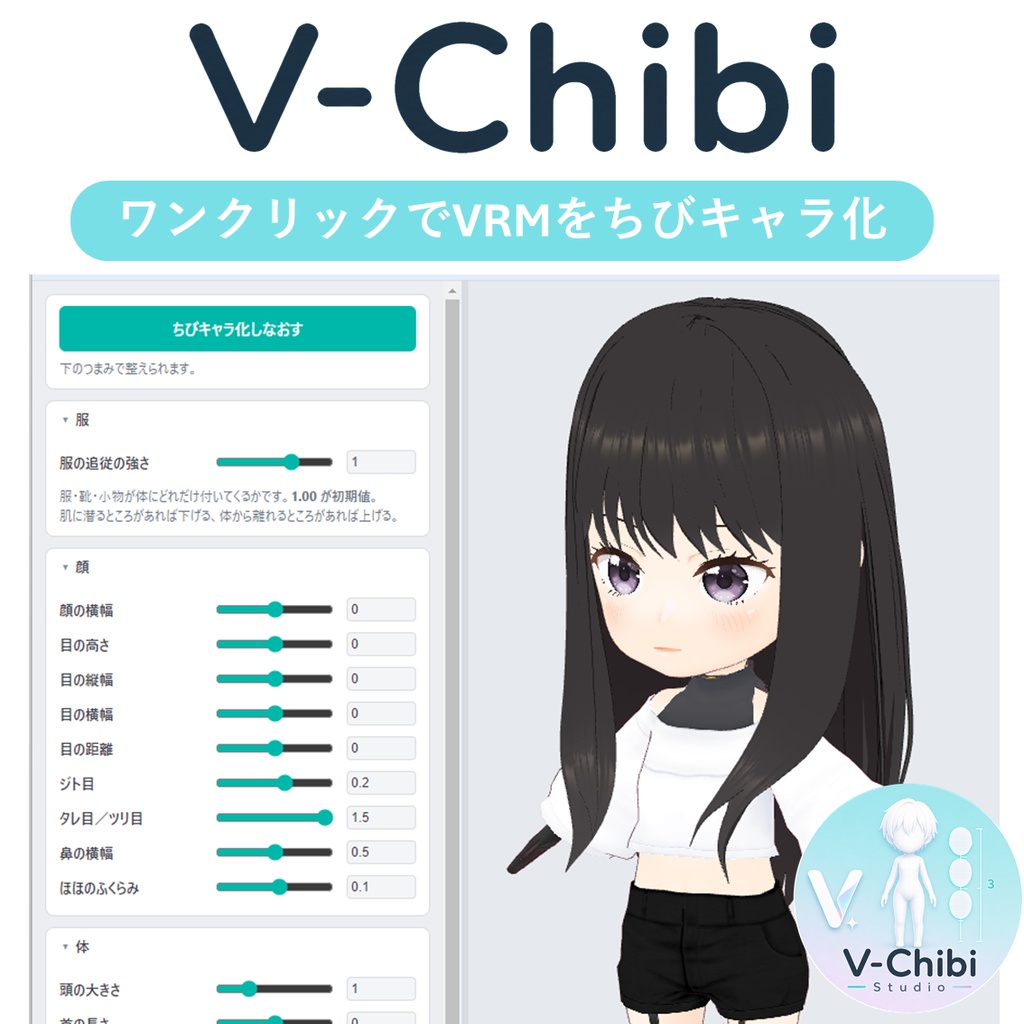
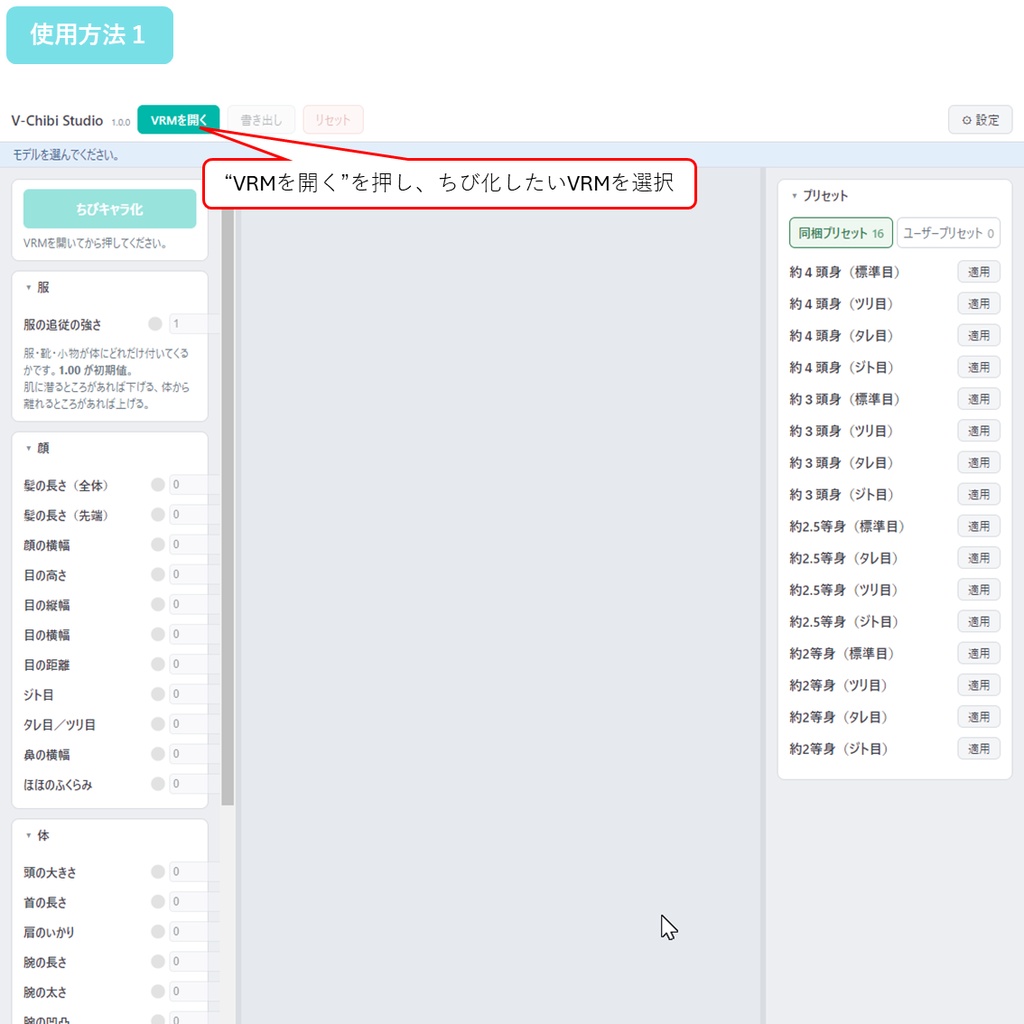
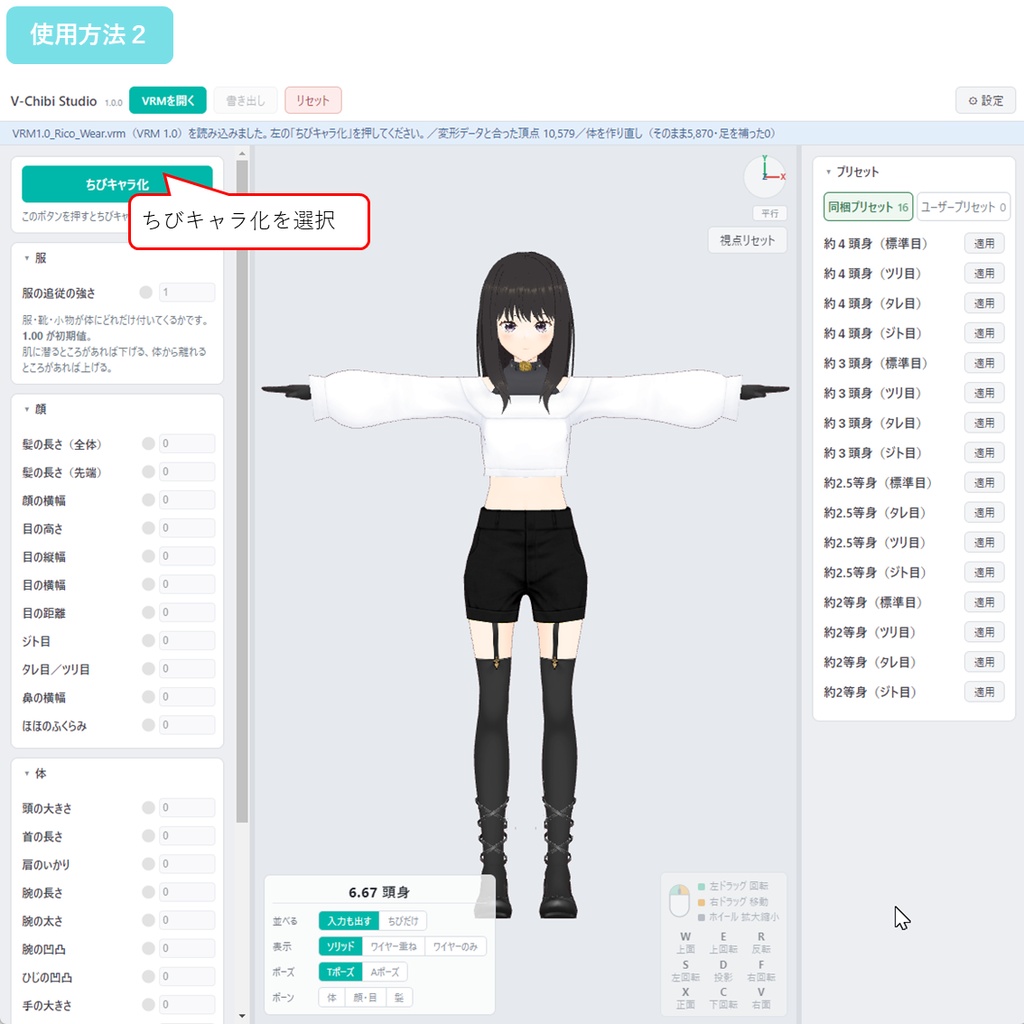
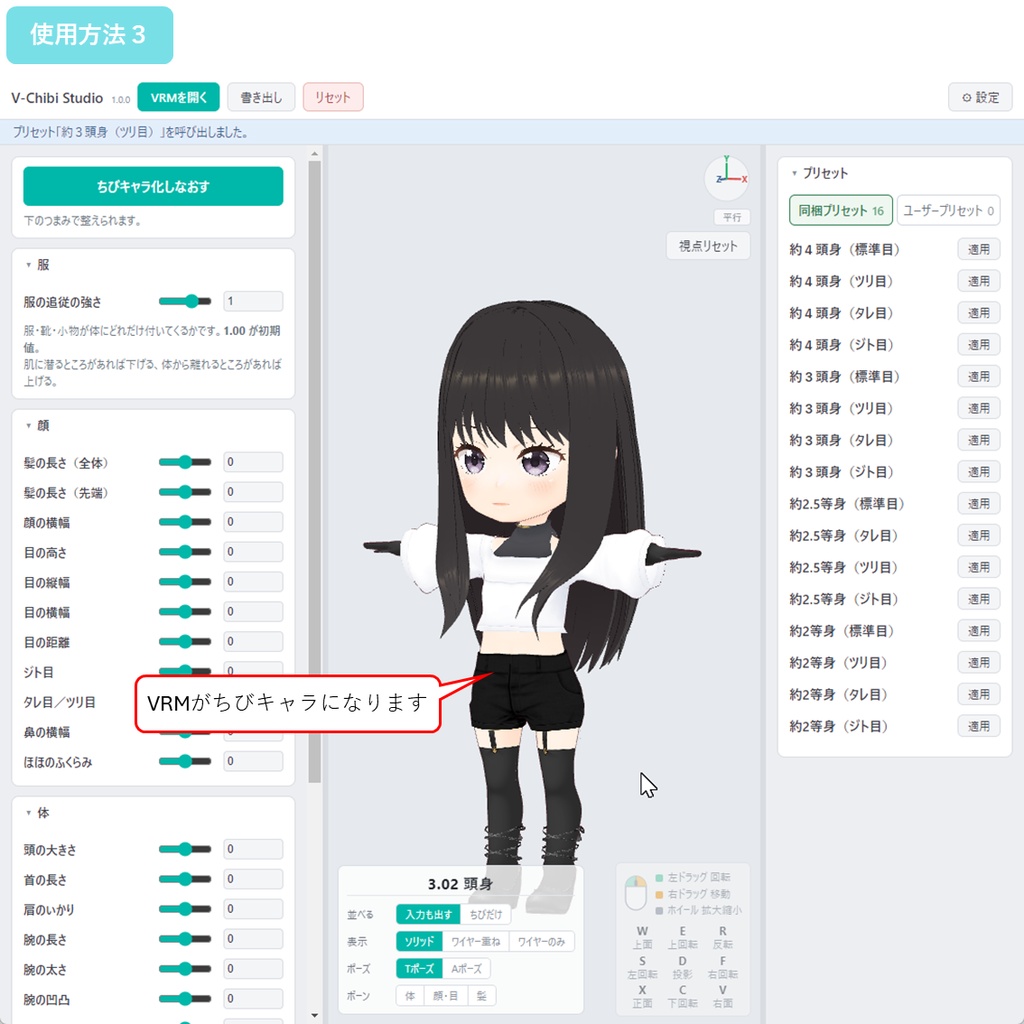
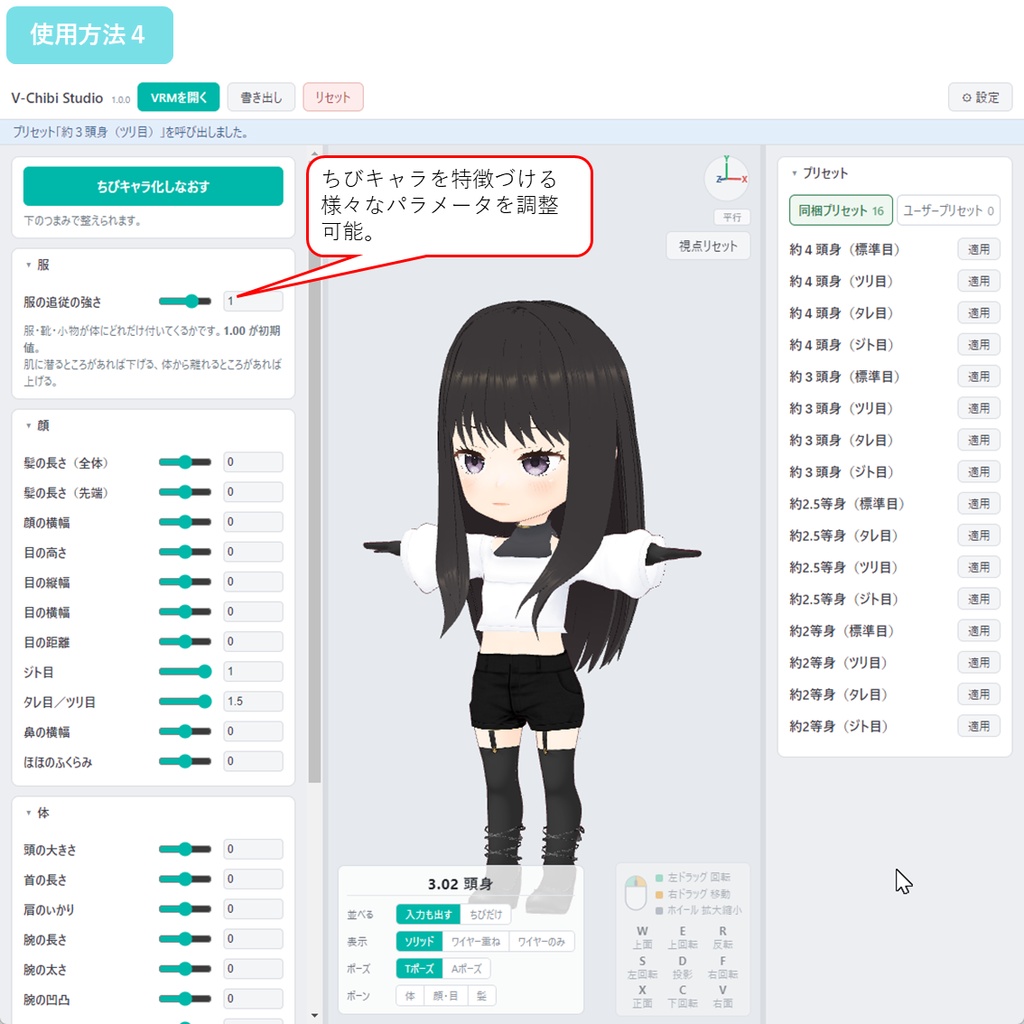
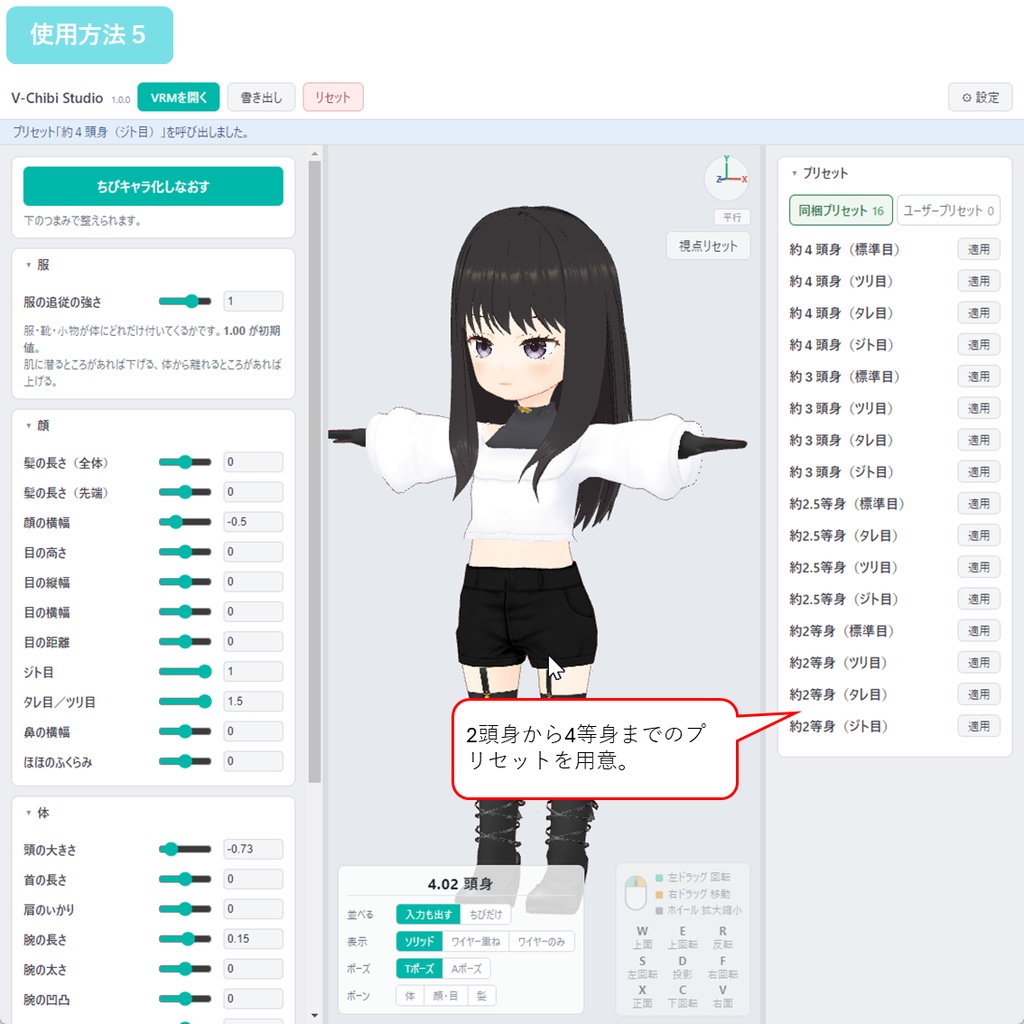
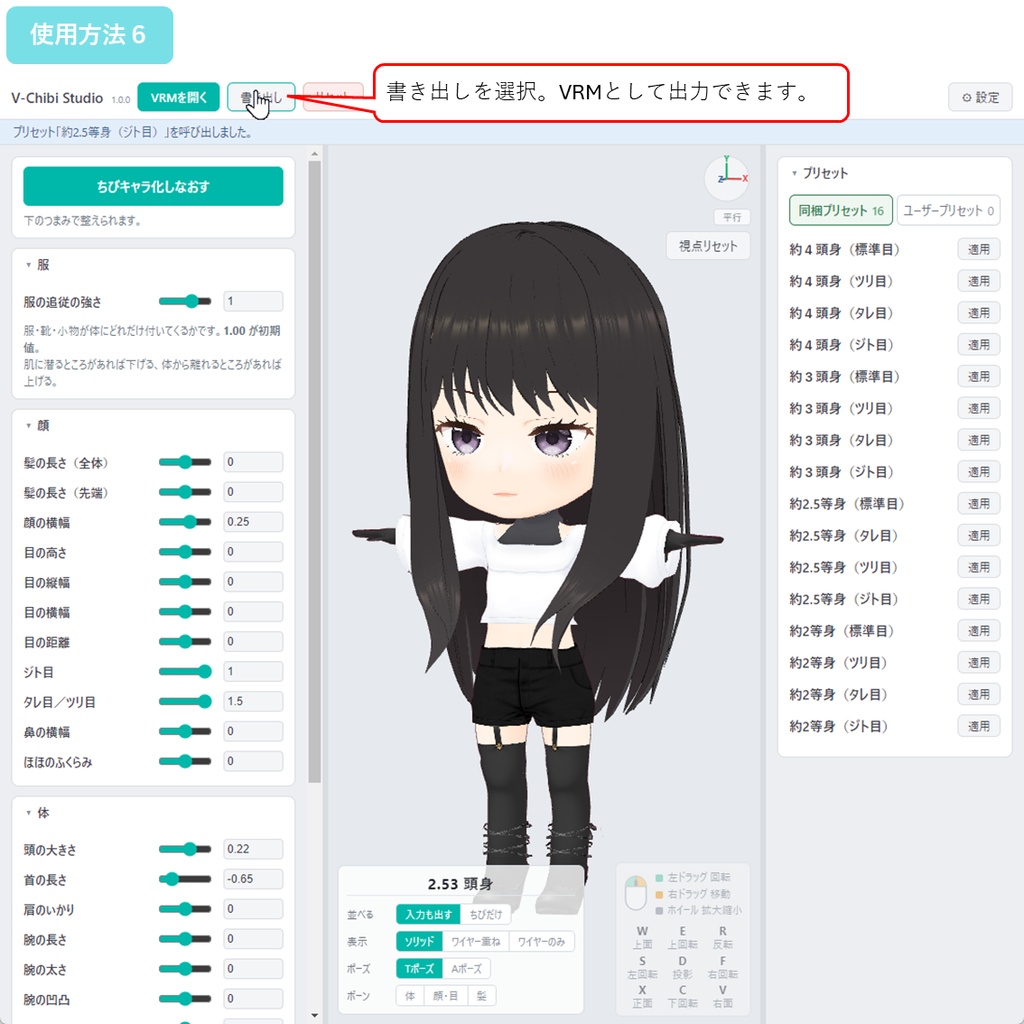


◆商品概要 自分のキャラのちびキャラがほしい。 グッズにも、動画のワンカットにも、配信の隅にも置きたい。 でも一から作り直すのは大変すぎる。 V-Chibi Studio は、VRoid Studio で作った VRM をちびキャラに変換するWindows用ツールです。「ちびキャラ化」ボタンを押すだけで、頭が大きく、手足が短い、あのバランスになります。 元のキャラの顔立ちを出来るだけ維持するよう頑張りましたので、 貴方だけのちびキャラが作れます。目の形も、鼻も、輪郭も、あなたが作りこんだ「その子」のまま、ちびの体に乗ります。 服を着たままで大丈夫です。 靴も小物も一緒に読み込めて、体が縮むのに合わせて服も付いてきます。着替えさせ直す必要はありません。 変換したモデルは VRM として書き出せます。 ☆ 26項目のつまみで、顔・体・髪を細かく整えられます。目の高さ、鼻の横幅、腕や脚の長さ、髪の長さまで。 ☆ 元のモデルを隣に並べて、見比べながら調整できます。 ☆ 気に入った設定はプリセットとして保存できます。同梱のプリセットもすぐ使えます。 ☆ VRM 0.x と VRM 1.0 の両方に対応しています。変換しなおす手間はありません。 こんな調整をしたい、というご要望があれば、Xでフォローいただいてメッセージをください。対応を検討します! ◆参考動画 https://x.com/H3Atelier/status/2087158827208863891 ◆主な機能 ・VRMを約3頭身のちびキャラへ変換(ボタン1つ) ・元のキャラクターの顔立ちを保ったまま変形 ・26項目のつまみ(顔11/体12/仕上げ2/服1) ・髪の長さを調整(房ぜんぶ/毛先だけ、の2通り) ・服・靴・小物を着たモデルに対応。服の追従の強さも調整可 ・元のモデルと並べて見比べ ・プリセットの保存・呼び出し(同梱プリセットつき) ・VRM 0.x / VRM 1.0 両対応 ・Tポーズ/Aポーズの切り替え、頭身の表示 ・リアルタイム3Dプレビュー ・日本語・英語対応 ・完全オフライン動作 ◆同梱プリセット(16種類) 押すだけで形が決まります。そこからつまみで微調整もできます。 頭身は4段階、それぞれに目つきが4種類あります。 ・約4頭身 …… 標準目/ツリ目/タレ目/ジト目 ・約3頭身 …… 標準目/ツリ目/タレ目/ジト目 ・約2.5頭身 … 標準目/ツリ目/タレ目/ジト目 ・約2頭身 …… 標準目/ツリ目/タレ目/ジト目 すらっとしたちびから、まん丸のデフォルメまで。まずは「約3頭身(標準目)」から試してみてください。 ※ご自身で作った設定も、名前を付けて保存できます。保存したプリセットはバージョンアップしても残ります。 関連アイテムはこちら! 体型そのものを調整したい方はこちら。 【VRM】V-Shape Studio - 186項目の体型調整ツール https://h3a.booth.pm/items/8506445 他のVRMと顔、体やシェイプキーをブレンドしたい方はこちら 【VRM】V-Blend Studio 2つのVRMの顔と体、シェイプキーをブレンド https://h3a.booth.pm/items/8742190 ◆内容 V-Chibi Studio 本体 取扱説明書(日本語・英語) 利用規約 ◆使用方法 かんたんです! 1. ZIPを展開 2. V-Chibi Studio.exe を起動 3. 「VRMを開く」から VRMファイルを読み込み 4. 「ちびキャラ化」を押す 5. 左のつまみ、または右のプリセットで整える 6. 「書き出し」から VRMとして保存 ◆ご注意 ・書き出したモデルは、お客様ご自身でお使いください。 販売・無償配布・受託での納品など、モデルのファイルを他の方へ渡すことはできません。配信・動画・ゲーム・イラスト・グッズなどでご自身の作品としてお使いいただくのは、商用でも自由です。 ・VRoid Studio で書き出した女性素体が対象です。他ツール製の素体や、Blender等で大きく作り変えたモデルには対応していません。 ・作ったモデルのご利用は、元となるアバター・衣装・テクスチャの利用条件にも従ってください。改変の可否はモデルごとに異なります。 ・前髪など、揺れる骨が入っていない髪は長さが変わりません。 ・動作環境:Windows 10 / 11(64bit)。インストール不要。 ◆更新履歴 2026-08-12 v1.0.1 アクセサリーがちび化されない不具合を修正 2026-08-11 v1.0.0 公開 --- ◆About I wanted a chibi version of my own character. For merch, for a cut in a video, for the corner of a stream. But building one from scratch is a lot of work. V-Chibi Studio is a Windows app that turns a VRM made in VRoid Studio into a chibi character. Press "Make chibi" and you get that balance — big head, short arms and legs. I worked hard to keep as much of the original face as possible, so the chibi you get is yours alone. The eyes, the nose, the outline — the character you built stays, on a chibi body. Clothes are fine as they are. Shoes and accessories load too, and the clothing follows as the body shrinks. There is no need to dress the model again. Export the result as a VRM. ☆ 26 sliders let you fine-tune the face, body and hair — eye height, nose width, arm and leg length, even hair length. ☆ Place your original model beside the chibi and compare as you work. ☆ Save what you like as a preset. Bundled presets are ready to use. ☆ Both VRM 0.x and VRM 1.0 are supported, with no conversion step. If there is an adjustment you would like, follow me on X and send a message. I will consider it! ◆Rererance video https://x.com/H3Atelier/status/2087158827208863891 ◆Main features ・Turns a VRM into a chibi of about 3 heads tall (one button) ・Keeps your character's own face ・26 sliders (face 11 / body 12 / finish 2 / clothes 1) ・Hair length control (whole lock, or tips only) ・Works with clothed models, with an adjustable clothing follow strength ・Compare side by side with your original model ・Save and recall presets (bundled presets included) ・Supports VRM 0.x and VRM 1.0 ・T-pose / A-pose switch, head-count readout ・Real-time 3D preview ・Japanese and English UI ・Works fully offline ◆Bundled presets (16) One click sets the proportions. You can still fine-tune from there. Four head-count levels, each with four eye styles. ・About 4 heads tall … Standard / Upturned / Droopy / Half-lidded ・About 3 heads tall … Standard / Upturned / Droopy / Half-lidded ・About 2.5 heads tall … Standard / Upturned / Droopy / Half-lidded ・About 2 heads tall … Standard / Upturned / Droopy / Half-lidded From a slender chibi to a fully rounded one. Start with "About 3 heads tall (Standard)". * You can save your own settings as presets too. They stay when you update the app. Related items! To adjust the body shape itself. [VRM] V-Shape Studio - Body shape tool with 186 sliders https://h3a.booth.pm/items/8506445 Looking to blend faces, bodies, and shape keys with another VRM? Check this out: 【VRM】V-Blend Studio — Blend the face, body, and shape keys of two VRMs https://h3a.booth.pm/items/8742190 ◆Contents V-Chibi Studio Manual (Japanese and English) Terms of use ◆How to use It is simple! 1. Unzip 2. Run V-Chibi Studio.exe 3. Load a VRM with "Open VRM" 4. Press "Make chibi" 5. Adjust with the sliders on the left, or a preset on the right 6. Save it with "Export" ◆Please note ・Exported models are for your own use. You may not pass the model file to another person — selling it, giving it away for free, and delivering commissioned work are all covered. Using it as your own work in streams, videos, games, illustrations or merchandise is fine, including commercially. ・It is made for female base models exported from VRoid Studio. Bases from other tools, or models heavily rebuilt in Blender, are not supported. ・Also follow the terms of the original avatar, clothing and textures. Whether modification is allowed differs from model to model. ・Hair without swing bones, such as a fringe, will not change length. ・System requirements: Windows 10 / 11 (64-bit). No installation required. ◆Update history 2026-08-12 v1.0.1 Fixed an issue where accessories were not being scaled down properly. 2026-08-11 v1.0.0 Released