

Theater Pack - Cinema, karaoke room and DJ booth scenes with a synced video player (VizVid), one click
- Digital3,000 JPY
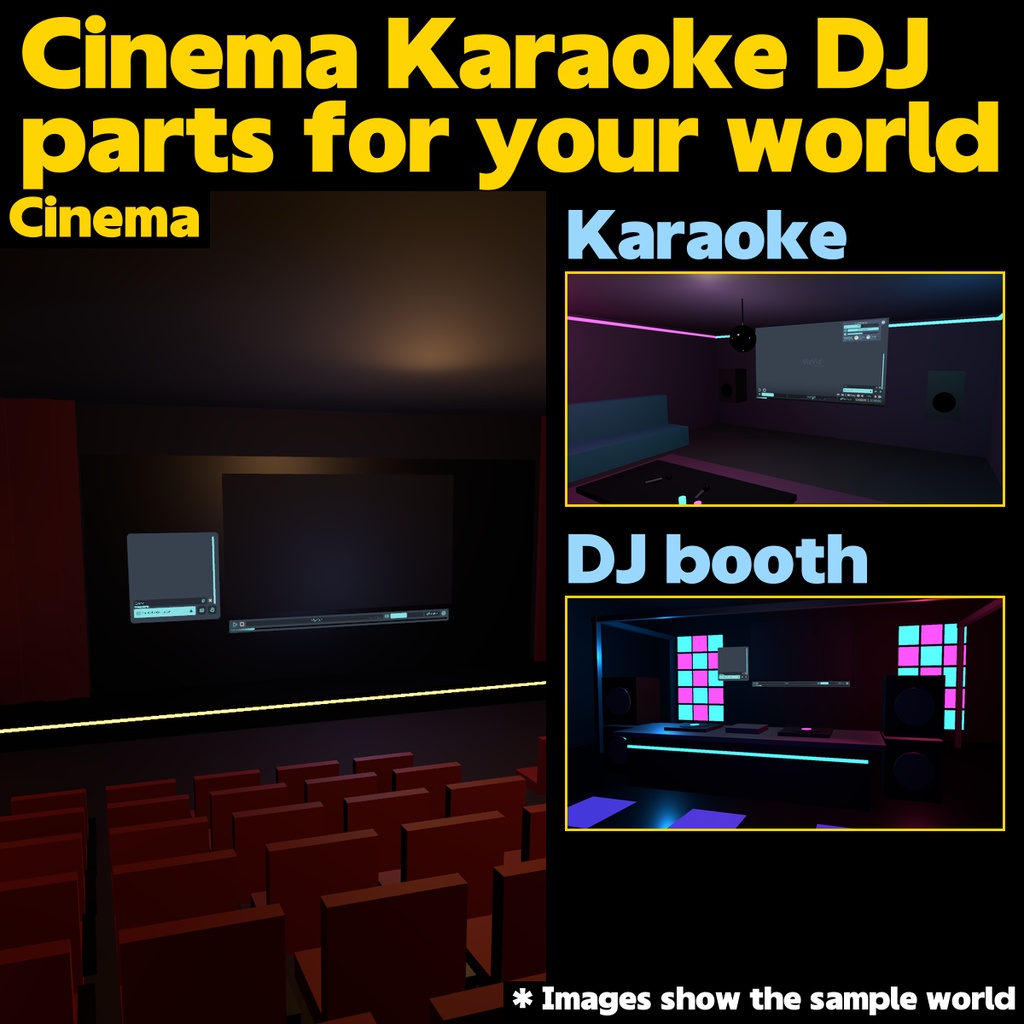

A room with a screen, built in one click. Theater Pack bundles the high-end VizVid (VVMW) video player with three ready-made rooms. Pick Cinema, Karaoke Room or DJ Booth from the Unity menu and the scene is generated with the player wired, seats placed and the screen mounted. Paste a video URL and the show starts. ■ SCENES (generated from the menu) - Cinema - big screen, stepped seating with aisle lights, curtains, wall sconces - Karaoke Room - mid-size screen, L-shaped sofa, microphones, mirror ball, neon - DJ Booth - screen, turntable booth, speakers, LED panels, spotlights (AudioLink ready) ■ PLAYER FEATURES (VizVid) - Playlist, request queue, repeat - Multiple screens; on-screen UI or separate control panel - URL playback with per-viewer volume ■ REQUIREMENTS - Unity 2022.3 / VRChat SDK3 Worlds (3.9 or later) / UdonSharp 1.x / TextMeshPro - PC and Quest (see README for Quest video notes) - AudioLink optional (install via VCC) ■ INSTALL 1. Import the unitypackage. 2. Tools > TheaterPack > pick a scene. 3. Build as is, or move the prefabs into your own world. ■ NOTES - Playback can be affected by changes on the video hosting side. - Rooms are simple primitives on purpose. Swap materials to match your world. - Test playback on real hardware (both PC and Quest). ■ CONTENTS - TheaterPack.unitypackage (VizVid player, scene generator menu, required dependencies) - README.txt (English) ■ LICENSE - Modify freely and ship it inside your own worlds. Do not redistribute the package or a modified package on its own. - Bundles JLChnToZ/VVMW (VizVid), VRCW-Foundation and LazySwitch (all MIT License). Full license texts are included. - The author is not liable for any damage arising from use of this tool.